
Android开发 调试环境
我们这里有3种调试方法,Unity Remote,Android Studio和第三方模拟器
准备工作
(1)Android Studio:安装Google USB Driver

(2)手机安装Unity Remote
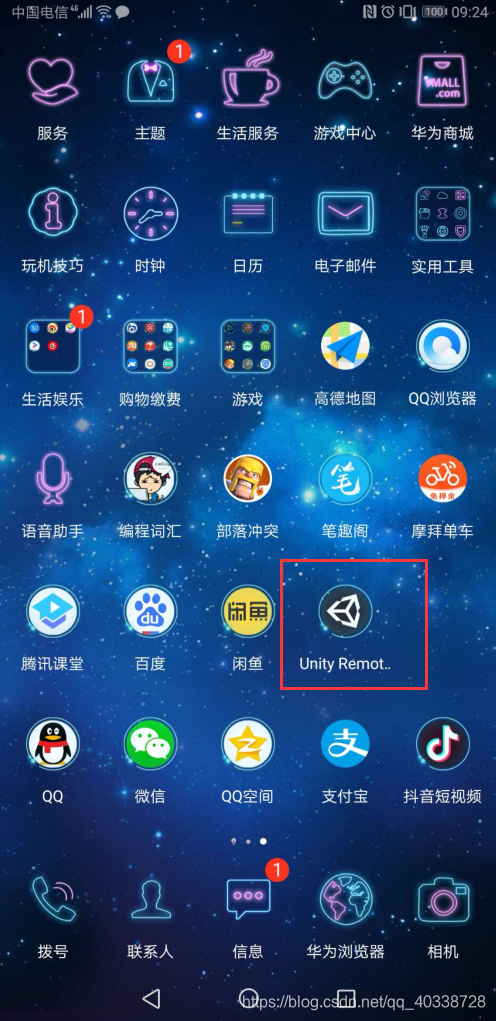
安装Unity Remote后,可以将手机与PC用USB线连接,在Unity界面运行,并在手机上显示画面,这样可以不用打包就能测试大部分功能,但是缺点是不能测试全部功能,有一些还是检测不到的。
调试
(1)使用Unity Remote调试
首先设置Unity中的Editor Settings,依次打开Edit > Project Settings > Editor

打开手机,确保开发人员选项打开,并且在USB调试模式下,打开Unity Remote,然后启动Unity项目,手机上就会显示

(2)使用AVD + [Logcat] 调试(Android Virtual Device)
打开Android Studio,选择Tools > AVD Manager
创建一个虚拟设备
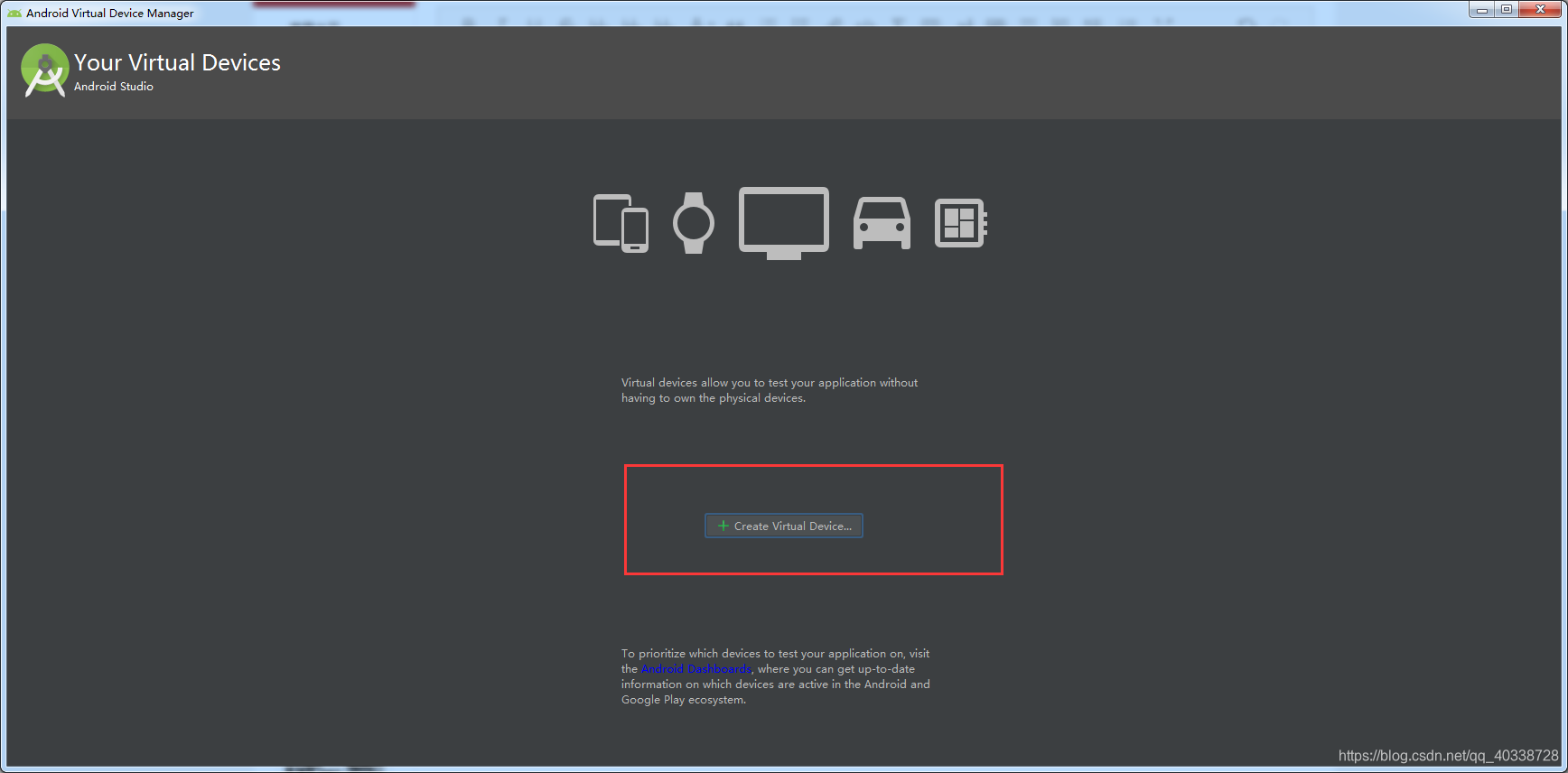
这个根据需要选择型号
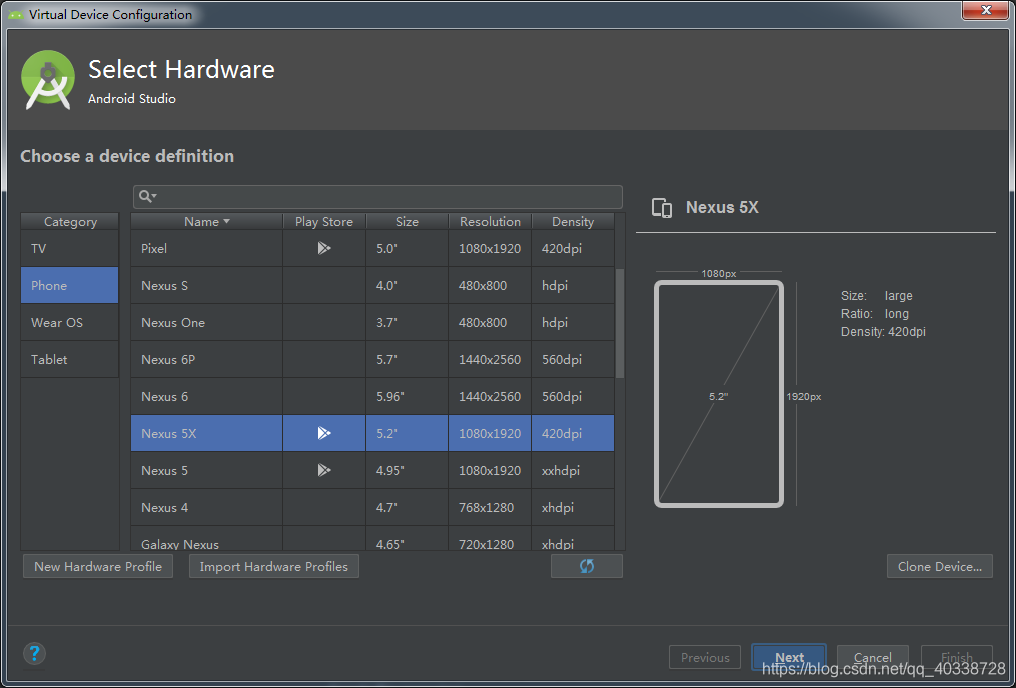
这一步注意,选择一个稳定的,存在的

创建好后如下
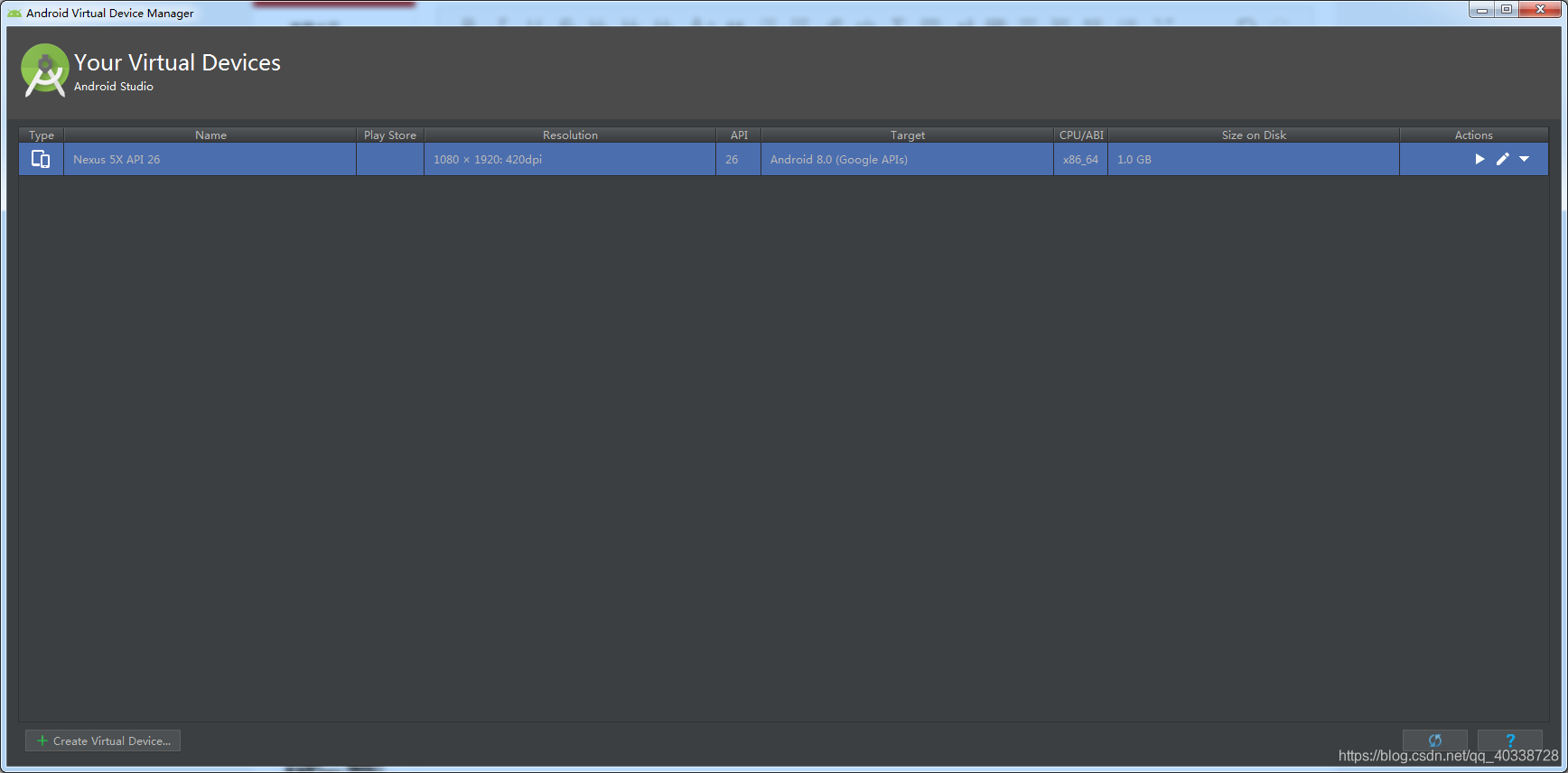
选择运行,就出现一个我们创建好的虚拟设备

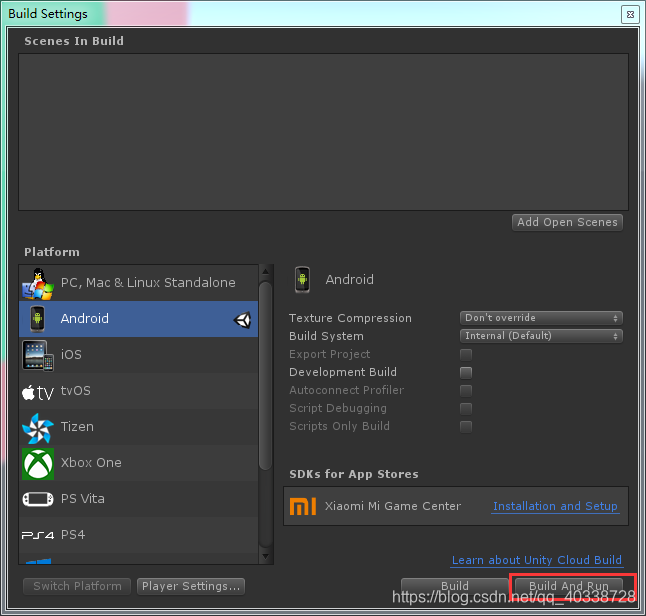
最后,在Unity中Build And Run,以前是Bulid,这里会创建好一个apk,并且在创建的时候unity会搜索连接的Android设备,并将apk安装上去。这个时候我们的虚拟设备上就运行了这个包。

在虚拟设备运行的时候,可以在这里选择看到Android的打印显示

(3)使用真机 + [Logcat] 调试
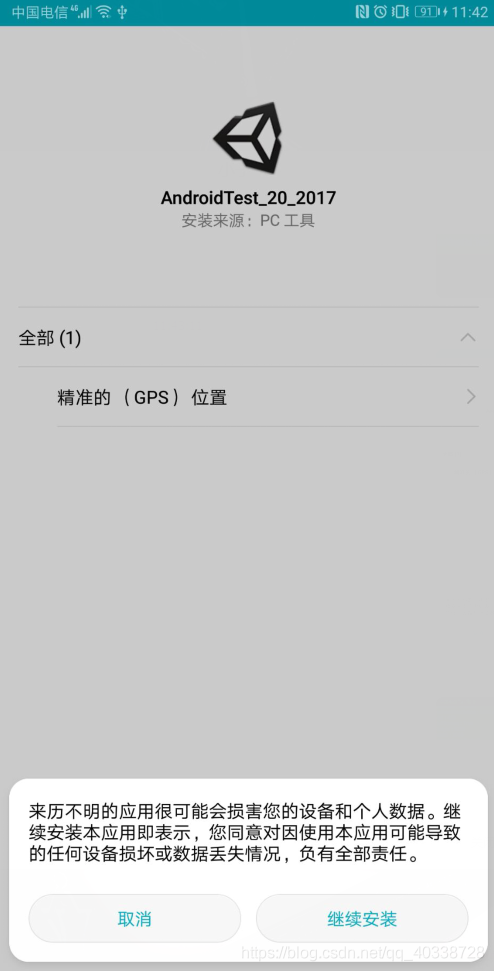
和第2种方法不一样的事,这里不适用虚拟设备,直接使用我们的手机来调试。手机用数据线和电脑连接,和第2种方法一样的打包,但是这里会在我们的手机上面安装一个包运行。同样可以在Android Studio中看到Logcat
(4)使用模拟器调试
安装模拟器,将打出的包安装上去,运行就行了。
移动端相关API:
using UnityEngine;

using UnityEngine.UI;

public class Test : MonoBehaviour

{

    public Text infoText;

    string platform = string.Empty;

    string info = string.Empty;

    void Update()

    {

        info = string.Empty;

        //使用预编译的宏命令检测平台

        //Editor模式下目标平台选Android也会触发UNITY_ANDROID的宏

#if UNITY_ANDROID

        platform = "UNITY_ANDROID";

#elif UNITY_EDITOR

        platform = "UNITY_EDITOR";

#endif

        Debug.Log("platform : " + platform);

        info += "platform : " + platform + "\n";

        //使用Application.platform检测平台

        Debug.Log("platform : " + Application.platform);

        info += "platform : " + Application.platform + "\n";

        //获取当前设备分辨率

        Debug.Log("currentResolution : " + Screen.currentResolution);

        info += "currentResolution : " + Screen.currentResolution + "\n";

        //获取当前DPI

        Debug.Log("dpi : " + Screen.dpi);

        info += "dpi : " + Screen.dpi + "\n";

        //获取是否全屏

        Debug.Log("fullScreen : " + Screen.fullScreen);

        info += "fullScreen : " + Screen.fullScreen + "\n";

        //获取游戏窗口的宽高

        Debug.Log("height : " + Screen.height);

        info += "height : " + Screen.height + "\n";

        Debug.Log("width : " + Screen.width);

        info += "width : " + Screen.width + "\n";

        //获取屏幕方向

        Debug.Log("orientation : " + Screen.orientation);

        info += "orientation : " + Screen.orientation + "\n";

        //获取屏幕超时时间(仅在移动端有效)

        Debug.Log("sleepTimeout : " + Screen.sleepTimeout);

        info += "sleepTimeout : " + Screen.sleepTimeout + "\n";

        //任意键按下

        Debug.Log("anyKey : " + Input.anyKey);

        info += "anyKey : " + Input.anyKey + "\n";

        //获取最后一次加速度计报告的加速度

        Debug.Log("acceleration : " + Input.acceleration);

        info += "acceleration : " + Input.acceleration + "\n";

        //获取本帧加速度计报告的次数

        Debug.Log("accelerationEventCount : " + Input.accelerationEventCount);

        info += "accelerationEventCount : " + Input.accelerationEventCount + "\n";

        //获取本帧加速度计的所有报告信息

        for (int i = 0; i < Input.accelerationEvents.Length; i++)

        {

            Debug.Log("accelerationEvents" + i + " : " + Input.accelerationEvents[i].acceleration + " , " + Input.accelerationEvents[i].deltaTime);

            info += "accelerationEvents" + i + " : " + Input.accelerationEvents[i].acceleration + " , " + Input.accelerationEvents[i].deltaTime + "\n";

        }

        //获取电子罗盘向量

        Debug.Log("compass : " + Input.compass.rawVector);

        info += "compass : " + Input.compass.rawVector + "\n";

        //获取设备方向

        Debug.Log("deviceOrientation : " + Input.deviceOrientation);

        info += "deviceOrientation : " + Input.deviceOrientation + "\n";

        //获取陀螺仪重力

        Debug.Log("gyro : " + Input.gyro.gravity);

        info += "gyro : " + Input.gyro.gravity + "\n";

        //获取位置服务状态

        Debug.Log("location : " + Input.location.status);

        info += "location : " + Input.location.status + "\n";

        //获取设备是否带有鼠标

        Debug.Log("mousePresent : " + Input.mousePresent);

        info += "mousePresent : " + Input.mousePresent + "\n";

        //获取平台是否支持多点触控

        Debug.Log("multiTouchEnabled : " + Input.multiTouchEnabled);

        info += "multiTouchEnabled : " + Input.multiTouchEnabled + "\n";

        //获取是否支持笔触(可检测压感、触摸夹角等)

        Debug.Log("stylusTouchSupported : " + Input.stylusTouchSupported);

        info += "stylusTouchSupported : " + Input.stylusTouchSupported + "\n";

        //获取是否支持压感

        Debug.Log("touchPressureSupported : " + Input.touchPressureSupported);

        info += "touchPressureSupported : " + Input.touchPressureSupported + "\n";

        //获取是否支持触摸

        Debug.Log("touchSupported : " + Input.touchSupported);

        info += "touchSupported : " + Input.touchSupported + "\n";

        if (Input.touchCount > 0)

        {

            //当前帧的触摸数

            Debug.Log("touchCount : " + Input.touchCount);

            info += "touchCount : " + Input.touchCount + "\n";

            for (int i = 0; i < Input.touchCount; i++)

            {

                //获取当前Touch对象的一系列属性

                Debug.Log("touch" + i + "altitudeAngle : " + Input.GetTouch(i).altitudeAngle);

                info += "touch" + i + "altitudeAngle : " + Input.GetTouch(i).altitudeAngle + "\n";

                Debug.Log("touch" + i + "azimuthAngle : " + Input.GetTouch(i).azimuthAngle);

                info += "touch" + i + "azimuthAngle : " + Input.GetTouch(i).azimuthAngle + "\n";

                Debug.Log("touch" + i + "deltaPosition : " + Input.GetTouch(i).deltaPosition);

                info += "touch" + i + "deltaPosition : " + Input.GetTouch(i).deltaPosition + "\n";

                Debug.Log("touch" + i + "deltaTime : " + Input.GetTouch(i).deltaTime);

                info += "touch" + i + "deltaTime : " + Input.GetTouch(i).deltaTime + "\n";

                Debug.Log("touch" + i + "fingerId : " + Input.GetTouch(i).fingerId);

                info += "touch" + i + "fingerId : " + Input.GetTouch(i).fingerId + "\n";

                Debug.Log("touch" + i + "maximumPossiblePressure : " + Input.GetTouch(i).maximumPossiblePressure);

                info += "touch" + i + "maximumPossiblePressure : " + Input.GetTouch(i).maximumPossiblePressure + "\n";

                Debug.Log("touch" + i + "phase : " + Input.GetTouch(i).phase);

                info += "touch" + i + "phase : " + Input.GetTouch(i).phase + "\n";

                Debug.Log("touch" + i + "position : " + Input.GetTouch(i).position);

                info += "touch" + i + "position : " + Input.GetTouch(i).position + "\n";

                Debug.Log("touch" + i + "pressure : " + Input.GetTouch(i).pressure);

                info += "touch" + i + "pressure : " + Input.GetTouch(i).pressure + "\n";

                Debug.Log("touch" + i + "radius : " + Input.GetTouch(i).radius);

                info += "touch" + i + "radius : " + Input.GetTouch(i).radius + "\n";

                Debug.Log("touch" + i + "radiusVariance : " + Input.GetTouch(i).radiusVariance);

                info += "touch" + i + "radiusVariance : " + Input.GetTouch(i).radiusVariance + "\n";

                Debug.Log("touch" + i + "rawPosition : " + Input.GetTouch(i).rawPosition);

                info += "touch" + i + "rawPosition : " + Input.GetTouch(i).rawPosition + "\n";

                Debug.Log("touch" + i + "tapCount : " + Input.GetTouch(i).tapCount);

                info += "touch" + i + "tapCount : " + Input.GetTouch(i).tapCount + "\n";

                Debug.Log("touch" + i + "type : " + Input.GetTouch(i).type);

                info += "touch" + i + "type : " + Input.GetTouch(i).type + "\n";

            }

        }

        infoText.text = info;

    }

}
Android开发 调试环境的更多相关文章
- Win7 32位下cocos2dx android开发调试环境
1.使用环境 win7 32位 + vs2010 2.软件准备(下方绿色文字带链接) cocos2dx-v2.2.2 jdk7 android sdk android ndk adt bundle a ...
- Android开发adb环境配置
adb的全称为Android Debug Bridge,就是起到调试桥的作用. 在命令行cmd中打开adb,如果Android开发的环境配置有误,会出现如下错误提示: 解决方法,右键我的电脑-> ...
- Android开发调试无法连接到夜神模拟器的解决方法
Android开发调试无法连接到夜神模拟器的解决方法: 一般原因是adb的版本不一致造成的!!!!!换成一样的就可以了. 在网上看到的方法,特记录下来: 1.任务管理器里看下,adb.exe以及nox ...
- PHP开发调试环境配置(基于wampserver+Eclipse for PHP Developers )
1 软件准 WampServer 下载地址:http://www.wampserver.com/en/#download-wrapper 我下的是 里面包含了搭建PHP必须的4个软件: 1. ...
- golang在Windows下Sublime Text开发调试环境的配置
一.前言 近期本人有工作调动,进入了一个全新的领域[golang]服务端开发.在此写下本文,希望给那些没接触过golang开发调试环境及还在犹豫选择那家golang IDE而纠结的朋友们一点点帮助,如 ...
- windows下用eclipse+goclipse插件+gdb搭建go语言开发调试环境
windows下用eclipse+goclipse插件+gdb搭建go语言开发调试环境 http://rongmayisheng.com/post/windows%E4%B8%8B%E7%94%A ...
- 配置Windows 2008 R2 64位 Odoo 8.0 源码PyCharm开发调试环境
安装过程中,需要互联网连接下载python依赖库: 1.安装: Windows Server 2008 R2 x64标准版 2.安装: Python 2.7.10 amd64 到C:\Python27 ...
- 在cocos code ide的基础上构建自己的lua开发调试环境
对于一种语言,其所谓开发调试环境, 大体有以下两方面的内容: 1.开发, 即代码编写, 主要是代码提示.补齐, 更高级一点的如变量名颜色等. 2.调试, 主要是运行状态下断点.查看变量.堆栈等. 现在 ...
- 配置Windows 2008 R2 64位 Odoo 8.0/9.0 源码开发调试环境
安装过程中,需要互联网连接下载python依赖库: 1.安装: Windows Server 2008 R2 x64标准版 2.安装: Python 2.7.10 amd64 到C:\Python27 ...
随机推荐
- gitlab断电
断电重启以后 会出现2019-06-26_05:47:42.71382 HINT: If you're sure there are no old server processes still run ...
- 第十一章 前端开发-bootstrap
11.5.0 bootstrap 11.5.1 bootstrap的介绍和响应式 http://book.luffycity.com/python-book/95-bootstrap/951-boot ...
- apache log4j将日志保存在mongodb数据库中(转)
og4j与mongodb整合 Mongo Java driver jar包 log4mongo-java jar包 配置log4j.properties文件,使之整合mongodb: #将Mongod ...
- hdu 6041 I Curse Myself
题目: 点这里OvO http://acm.hdu.edu.cn/showproblem.php?pid=6041 2017 Multi-University Training Contest - T ...
- js中声明函数的区别
在JS中有两种定义函数的方式, 1是var aaa=function(){...} 2是function aaa(){...} var 方式定义的函数,不能先调用函数,后声明,只能先声明函数,然后调用 ...
- 13. Ajax技术
在传统的Web应用模式中,页面中用户的每一次操作都将触发一次返回Web服务器的HTTP请求,服务器进行相应的处理后,返回一个HTML页面的客户端.而在Ajax应用中,页面中的用户的操作将通过Ajax引 ...
- NOI2007 项链工厂
题目链接:戳我 60pts 有一点容易写错的小细节: 比如说求全局的段数的时候,如果只有一种颜色,那么当左右端点相等时,就不要ans--了. 注意右端点小于左端点的情况. #include<io ...
- 马尾图案之canvas的translate、scale、rotate的方法详解
1.translate(x,y):平移 将画布的坐标原点向左右方向移动x,向上下方向移动y.canvas的默认位置是在(0,0). 例子:画布原点假如落在(1,1),那么translate(10,1 ...
- Spring Boot教程(四十)使用Flyway来管理数据库版本
在上面的使用JdbcTemplate一文中,主要通过spring提供的JdbcTemplate实现对用户表的增删改查操作.在实现这个例子的时候,我们事先在MySQL中创建了用户表.创建表的过程我们在实 ...
- Vue_(组件)计算属性
Vue计算属性中文文档 传送门 Vue计算属性:更强大的属性声明方式,可以对定义的属性进行逻辑处理与数据监视; 注意:模板内的表达式非常便利,但是设计它们的初衷是用于简单运算的.在模板中放入太多的逻辑 ...