
Internet History, Technology and Security (Week 6)
Week 6
Technology: Transport Control Protocol (TCP)
Welcome to Week 6 of IHTS. We are in our second week of the more technical bits of the course. I try to keep the technical bits interesting and not go into too much detail.
This week, we’ll be covering transport control protocol (TCP). The Transport layer is built on the Internetwork layer and is what makes our network connections reliable.
Transport/Reliability
Transport Layer
今天所要讲的是Transport Layer,即传输层。
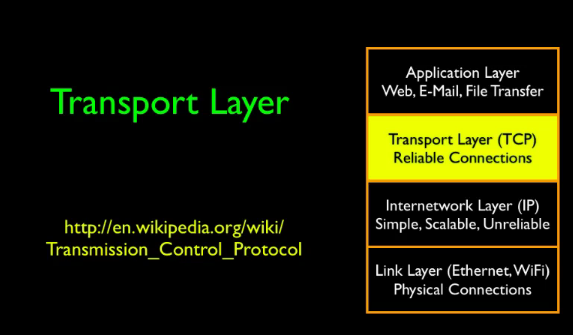
首先,回顾一下之前所讲的内容。
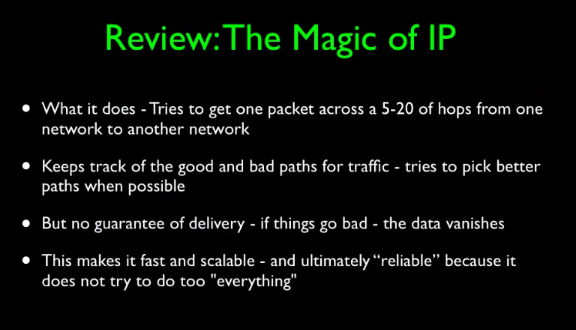
The magic of this is there is no interim long term storage inside the network.
data传输如此之快,而是因为在网络层并不保证无差错传输,而是尽最大努力传输。
So one of the things that makes IP so fast is that it is not demanded to be perfect, it is not demanded to, to deliver data in order, and it's not demanded to, it, it's, there's no requirement that it doesn't lose data.
其实保证是否数据有没有错误看传输层。
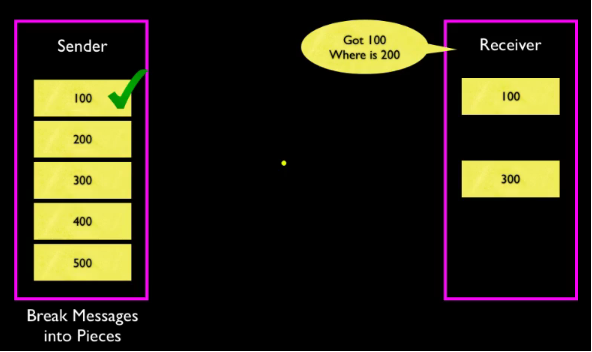
And those are the kind of problems we solve with a TCP layer. How fast is the underlying network, how reliable is it and if something goes wrong what do we do to deal with that. So the key idea in TCP/IP is that when we send some data, we break it into packets and then we send each one. And then we keep them until they get an acknowledgement from the other side and then and only then do we throw them away.
若没有收到,就一直尝试,直到对方收到。
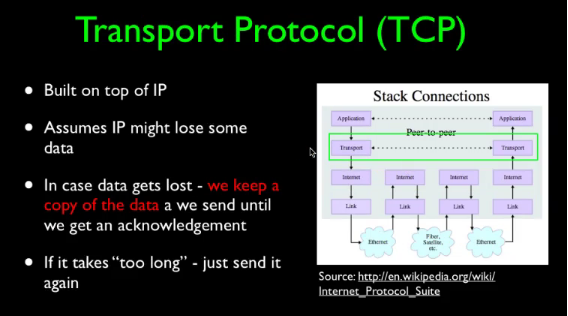
老师这里做了一个演示,如下图所示:
在路由中并不要求很多存储,设计上希望其轻巧、动态。
The storage requirements in the middle, the routers, this is the IP basically the network of networks, they, we didn't design these to require a lot of storage. We wanted them to be fast, we wanted them to be agile, we wanted to be dynamic, we wanted to be clever, but we also gave the right to fail. So we didn't demand storage. We didn't say, hey, hold on to packets, you know, all over the place. Just, store up piles of packets, piles of packets and pile up in these, we don't ask that. No router has to keep the packets. As a matter of fact, routers are supposed to throw packets away to communicate back and forth between the system that maybe things aren't working so well and, don't use me to get to California.
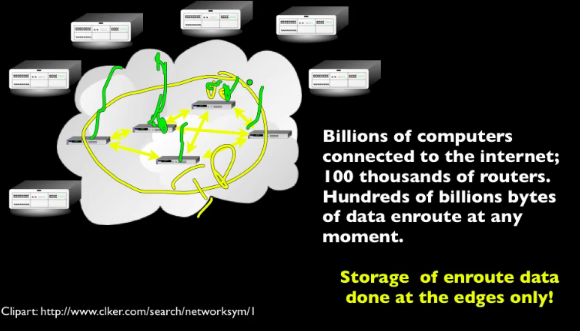
On the other hand, with hundreds, maybe, you know, hundreds of thousands or millions of routers but billions of computers on the outside. So we need a way to make this reliable. So we need to have memory to store the packets while they're in flight so we can retransmit but we store the packets in the computers that are outside. And there are billions of these computers, there are billions of them. Every computer that you can carry around, every laptop. come here. Every time we add another computer to the network, we add storage for packets that are being sent. So when your computer or, or phone is sending across the network, it is responsible for retaining its own copies. It does not expect the inner part of the network to do so. And that is absolutely brilliant, so it's what really makes this work. And so that's kind of a great oversimplification of what's going on.
下面将介绍Van Jacobson,他拯救了网络?!but he is a shy guy.
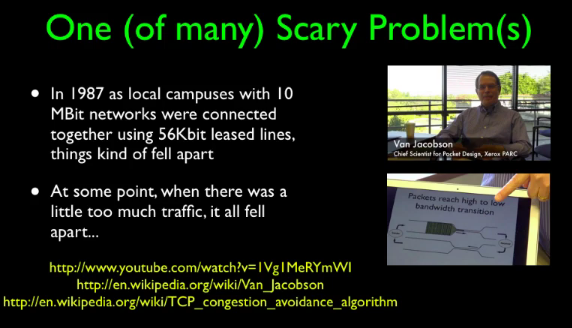
Van Jacobson - Slow Start Algorithm

如果对他感兴趣那就给我留言吧,我将会在以后介绍。
The Domain Name System
(Baidu)DNS:The Domain Name System,域名系统。万维网上作为域名和IP地址相互映射的一个分布式数据库,能够使用户更方便的访问互联网,而不用去记住能够被机器直接读取的IP数串。通过域名,最终得到该域名对应的IP地址的过程叫做域名解析(或主机名解析)。DNS协议运行在UDP协议之上,使用端口号53。
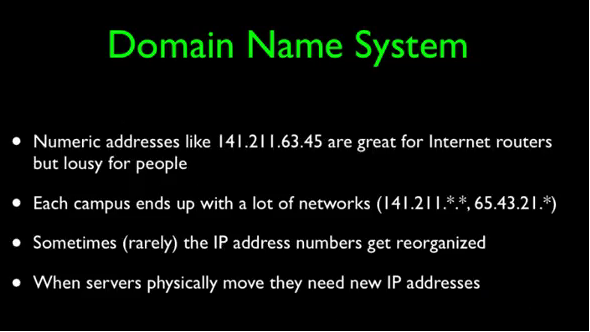
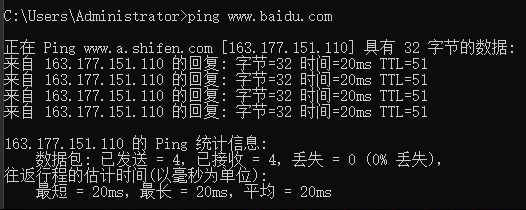
简单一句话,DNS就是帮助用户记住网站,比如说我们都知道百度的网址:www.baidu.com,而不用去记住百度的IP地址:163.177.151.110。再举一个例子,DNS就像一本电话簿,你不用可以去记住朋友的电话号码,你只需要知道朋友的名字,电话簿会帮你记着电话号码。
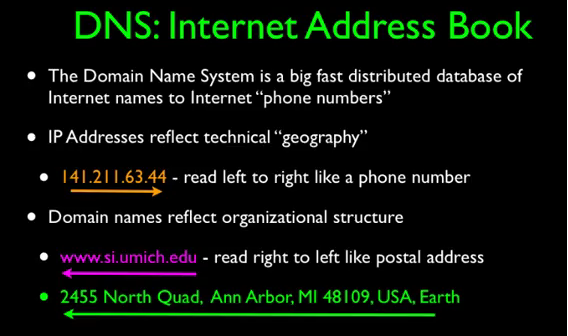
DNS是分层次的:
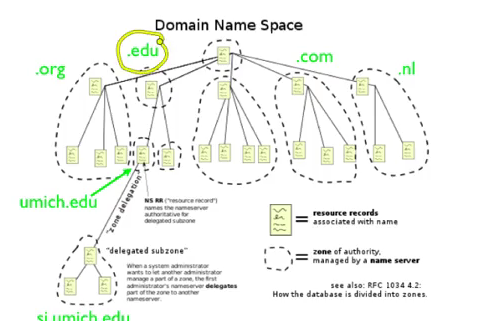
其中大学可以分配到EDU后缀的,com和org需要竞争得到。
TCP Wrap Up
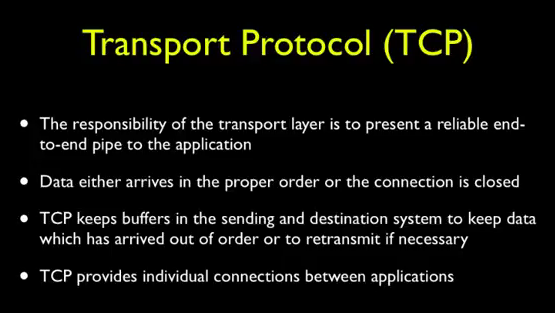
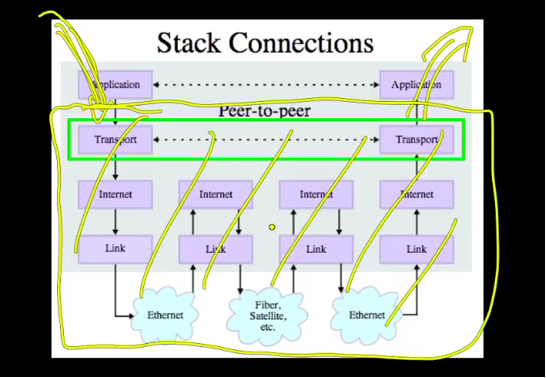
传输层协议需要弥补IP层的不完善性,即上面所讲的保证数据的正确性、完整性由传输层来负责。
Internet History, Technology and Security (Week 6)的更多相关文章
- Internet History, Technology and Security (Get Started)
Abstract 课程名称:互联网的历史.技术和安全 coursera地址 制作方:密歇根大学(University of Michigan) 教师:Charles Severance, Associ ...
- Internet History,Technology and Security
Internet History,Technology and Security(简单记录) First Week High Stakes Research in Computing,and Comm ...
- Internet History,Technology,and Security - History Through Supercomputing(Week2)
时间飞逝,一周又过去了,这周我们来到了Internet History, Technology and Security (Week 2)的学习,从标题就可以看出,这周主要是介绍“互联网”雏形的诞生. ...
- Internet History, Technology and Security (Week 2)
Week 2 History: The First Internet - NSFNet Welcome to week 2! This week, we'll be covering the hist ...
- Coursera: Internet History, Technology, and Security
课程网址:https://www.coursera.org/learn/internet-history 学习笔记: Week 1: History - Dawn of Early Computing ...
- Internet History, Technology and Security (Week 9)
Week 9 Security: Web Security We are now on the second to last week of the class and finishing up ou ...
- Internet History, Technology, and Security(week1)——History: Dawn of Electronic Computing
前言: 第一次进行课程学习,在反复观看视频和查找字典翻译理解后选出了视频中个人认为较重要的概念,以下并不按照逐句翻译,中文概括大意余下自由发挥,对老师想要告诉我们的历史有一个初步的了解,顺便锻炼以下英 ...
- Internet History, Technology and Security (Week5.1)
Week5 The Transport layer is built on the Internetwork layer and is what makes our network connectio ...
- Internet History, Technology and Security (Week 4)
Week 4 History: Commercialization and Growth We are now moving into Week 4! This week, we will be co ...
- Internet History,Technology,and Security - Technology: Internets and Packets (Week5)
Week5 Technology: Internets and Packets Welcome to Week 5! This week, we’ll be covering internets an ...
随机推荐
- 2017-2018-1 20155239 《信息安全系统设计基础》第五周学习总结+mybash的实现
2017-2018-1 20155239 <信息安全系统设计基础>第五周学习总结+mybash的实现 mybash的实现 使用fork,exec,wait实现mybash 写出伪代码,产品 ...
- c++ 分配与释放内存
教学内容: calloc分配内存 calloc与malloc的区别 memset函数初始化内存 free释放动态分配的内存 一.calloc函数分配内存 void *calloc( size_t nu ...
- [jmeter]linux下自动测试环境+持续集成ant+jmeter+Apache(httpd)环境搭建与使用
前言:考虑搭建一个接口性能自动化测试平台,时间又比较紧急,所以就现想到了用jenkins+ant+jmeter完成,考虑到在linux环境中本身就可以设置定时任务,暂时该自动化用例还不与项目集成关联, ...
- 【LG3721】[HNOI2017]单旋
[LG3721][HNOI2017]单旋 题面 洛谷 题解 20pts 直接模拟\(spaly\)的过程即可. 100pts 可以发现单旋最大.最小值到根,手玩是有显然规律的,发现只需要几次\(lin ...
- 【html】标签的分类
一.标签的分类 1. 块状元素 : 独占一行, 宽高,行高,顶底部边距都可以进行设置 <div> <p> <h1-h6> <ol> <ul> ...
- CentOS 7.X 关闭SELinux
1.查看 [root@dev-server ~]# getenforce Disabled [root@dev-server ~]# /usr/sbin/sestatus -v SELinux sta ...
- python并发编程之守护进程、互斥锁以及生产者和消费者模型
一.守护进程 主进程创建守护进程 守护进程其实就是'子进程' 一.守护进程内无法在开启子进程,否则会报错二.进程之间代码是相互独立的,主进程代码运行完毕,守护进程也会随机结束 守护进程简单实例: fr ...
- 运行用例时,报错Unknow Error:Element xxx is not clickable……的解决方法
P.S:近期selenium官方更新了版本以解决此问题 通常这种情况是由于在点击该元素时,js更换了元素属性造成的. 所以可以采用js的方式进行处理 方法如下: WebDriver driver = ...
- PageHelper分页插件使用
mybatis的分页插件jar包: 配置方法: 在mybatis配置文件中加下面代码 <plugin interceptor="com.github.pagehelper.PageIn ...
- react-native初体验(2) — 认识路由
如果学习止步于 hello world, 那么人生也太没意思了.这次要做一个看起来真实的应用.多添加几个页面,让他们可以交互,动起来. react-native 官方推荐使用 react-naviga ...