
Internet History, Technology and Security (Week 6)
Week 6
Technology: Transport Control Protocol (TCP)
Welcome to Week 6 of IHTS. We are in our second week of the more technical bits of the course. I try to keep the technical bits interesting and not go into too much detail.
This week, we’ll be covering transport control protocol (TCP). The Transport layer is built on the Internetwork layer and is what makes our network connections reliable.
Transport/Reliability
Transport Layer
今天所要讲的是Transport Layer,即传输层。
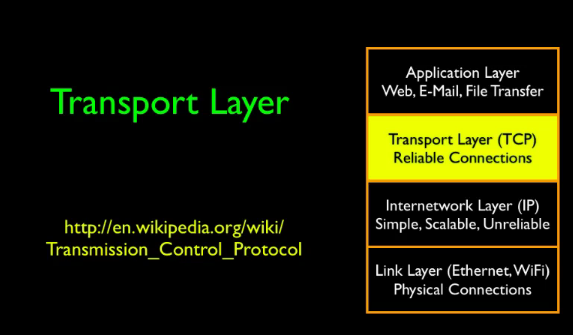
首先,回顾一下之前所讲的内容。
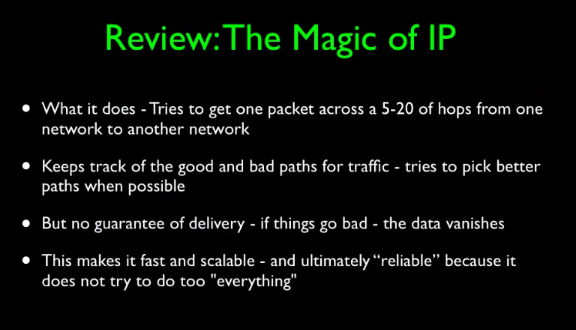
The magic of this is there is no interim long term storage inside the network.
data传输如此之快,而是因为在网络层并不保证无差错传输,而是尽最大努力传输。
So one of the things that makes IP so fast is that it is not demanded to be perfect, it is not demanded to, to deliver data in order, and it's not demanded to, it, it's, there's no requirement that it doesn't lose data.
其实保证是否数据有没有错误看传输层。
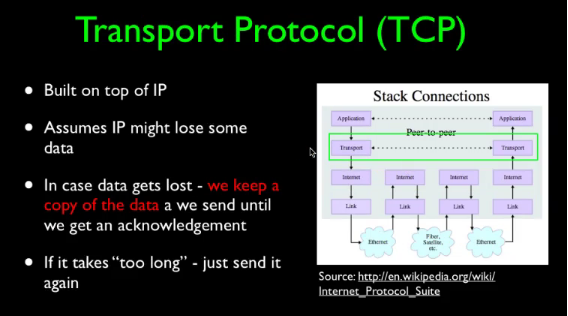
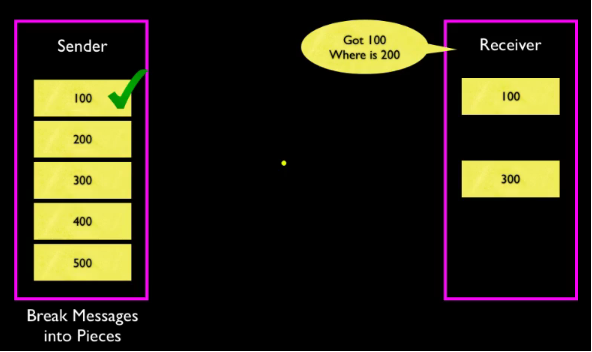
And those are the kind of problems we solve with a TCP layer. How fast is the underlying network, how reliable is it and if something goes wrong what do we do to deal with that. So the key idea in TCP/IP is that when we send some data, we break it into packets and then we send each one. And then we keep them until they get an acknowledgement from the other side and then and only then do we throw them away.
若没有收到,就一直尝试,直到对方收到。
老师这里做了一个演示,如下图所示:
在路由中并不要求很多存储,设计上希望其轻巧、动态。
The storage requirements in the middle, the routers, this is the IP basically the network of networks, they, we didn't design these to require a lot of storage. We wanted them to be fast, we wanted them to be agile, we wanted to be dynamic, we wanted to be clever, but we also gave the right to fail. So we didn't demand storage. We didn't say, hey, hold on to packets, you know, all over the place. Just, store up piles of packets, piles of packets and pile up in these, we don't ask that. No router has to keep the packets. As a matter of fact, routers are supposed to throw packets away to communicate back and forth between the system that maybe things aren't working so well and, don't use me to get to California.
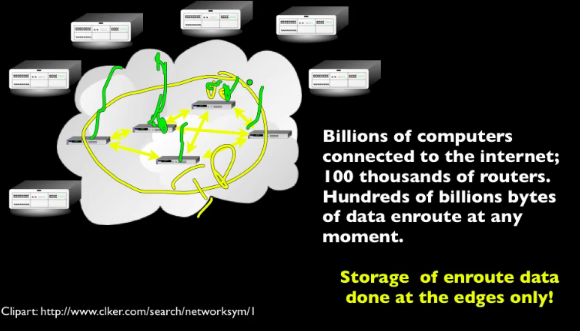
On the other hand, with hundreds, maybe, you know, hundreds of thousands or millions of routers but billions of computers on the outside. So we need a way to make this reliable. So we need to have memory to store the packets while they're in flight so we can retransmit but we store the packets in the computers that are outside. And there are billions of these computers, there are billions of them. Every computer that you can carry around, every laptop. come here. Every time we add another computer to the network, we add storage for packets that are being sent. So when your computer or, or phone is sending across the network, it is responsible for retaining its own copies. It does not expect the inner part of the network to do so. And that is absolutely brilliant, so it's what really makes this work. And so that's kind of a great oversimplification of what's going on.
下面将介绍Van Jacobson,他拯救了网络?!but he is a shy guy.
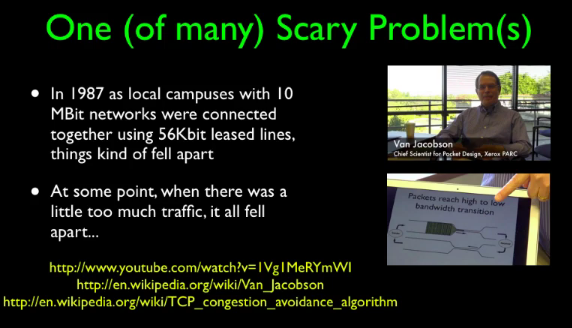
Van Jacobson - Slow Start Algorithm

如果对他感兴趣那就给我留言吧,我将会在以后介绍。
The Domain Name System
(Baidu)DNS:The Domain Name System,域名系统。万维网上作为域名和IP地址相互映射的一个分布式数据库,能够使用户更方便的访问互联网,而不用去记住能够被机器直接读取的IP数串。通过域名,最终得到该域名对应的IP地址的过程叫做域名解析(或主机名解析)。DNS协议运行在UDP协议之上,使用端口号53。
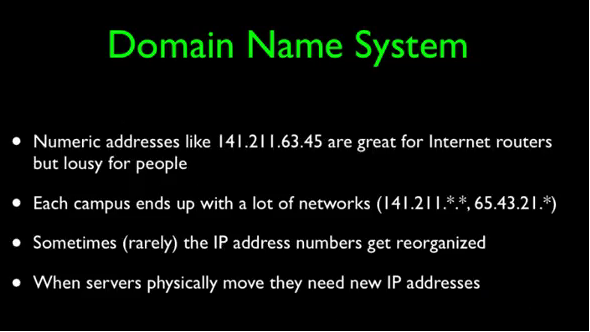
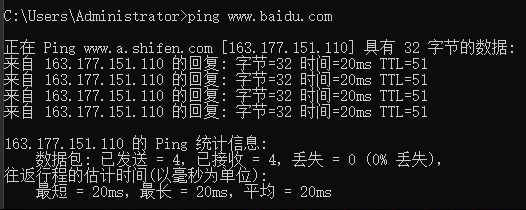
简单一句话,DNS就是帮助用户记住网站,比如说我们都知道百度的网址:www.baidu.com,而不用去记住百度的IP地址:163.177.151.110。再举一个例子,DNS就像一本电话簿,你不用可以去记住朋友的电话号码,你只需要知道朋友的名字,电话簿会帮你记着电话号码。
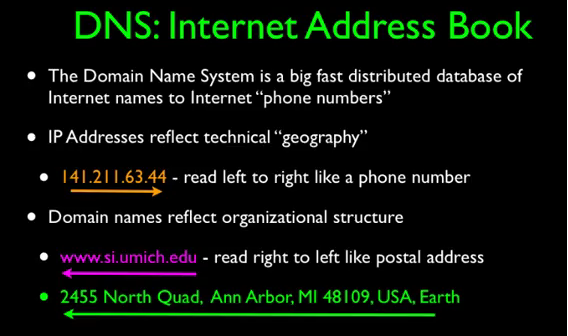
DNS是分层次的:
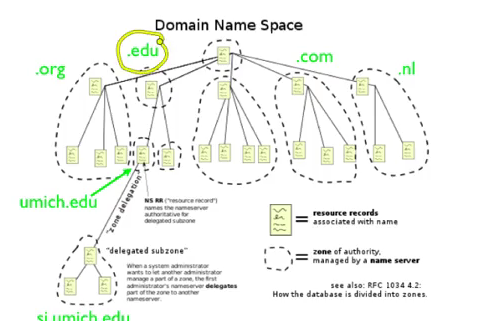
其中大学可以分配到EDU后缀的,com和org需要竞争得到。
TCP Wrap Up
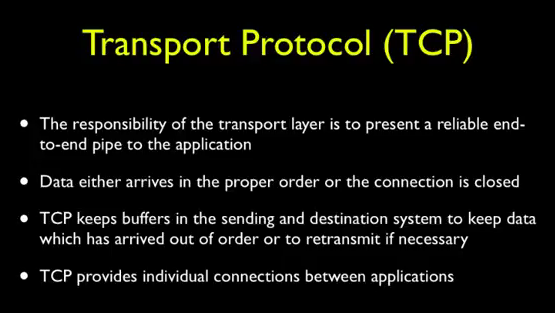
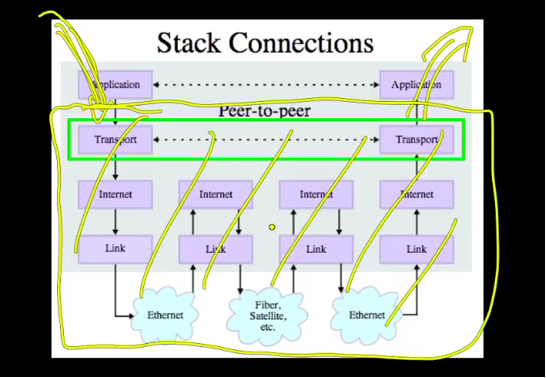
传输层协议需要弥补IP层的不完善性,即上面所讲的保证数据的正确性、完整性由传输层来负责。
Internet History, Technology and Security (Week 6)的更多相关文章
- Internet History, Technology and Security (Get Started)
Abstract 课程名称:互联网的历史.技术和安全 coursera地址 制作方:密歇根大学(University of Michigan) 教师:Charles Severance, Associ ...
- Internet History,Technology and Security
Internet History,Technology and Security(简单记录) First Week High Stakes Research in Computing,and Comm ...
- Internet History,Technology,and Security - History Through Supercomputing(Week2)
时间飞逝,一周又过去了,这周我们来到了Internet History, Technology and Security (Week 2)的学习,从标题就可以看出,这周主要是介绍“互联网”雏形的诞生. ...
- Internet History, Technology and Security (Week 2)
Week 2 History: The First Internet - NSFNet Welcome to week 2! This week, we'll be covering the hist ...
- Coursera: Internet History, Technology, and Security
课程网址:https://www.coursera.org/learn/internet-history 学习笔记: Week 1: History - Dawn of Early Computing ...
- Internet History, Technology and Security (Week 9)
Week 9 Security: Web Security We are now on the second to last week of the class and finishing up ou ...
- Internet History, Technology, and Security(week1)——History: Dawn of Electronic Computing
前言: 第一次进行课程学习,在反复观看视频和查找字典翻译理解后选出了视频中个人认为较重要的概念,以下并不按照逐句翻译,中文概括大意余下自由发挥,对老师想要告诉我们的历史有一个初步的了解,顺便锻炼以下英 ...
- Internet History, Technology and Security (Week5.1)
Week5 The Transport layer is built on the Internetwork layer and is what makes our network connectio ...
- Internet History, Technology and Security (Week 4)
Week 4 History: Commercialization and Growth We are now moving into Week 4! This week, we will be co ...
- Internet History,Technology,and Security - Technology: Internets and Packets (Week5)
Week5 Technology: Internets and Packets Welcome to Week 5! This week, we’ll be covering internets an ...
随机推荐
- 20155318 2016-2017-2 《Java程序设计》第七学习总结
20155318 2016-2017-2 <Java程序设计>第七学习总结 教材学习内容总结 学习目标 了解Lambda语法 了解方法引用 了解Fucntional与Stream API ...
- 2017-2018-1 20155310 《信息安全系统设计基础》 实现mypwd
2017-2018-1 20155310 <信息安全系统设计基础> 实现mypwd 作业要求: 1.学习pwd命令 2.研究pwd实现需要的系统调用(man -k; grep),写出伪代码 ...
- 400 bad Request: JackSon将json串转成List<Object>,异常com.fasterxml.jackson.databind.JsonMappingException
最近遇到的400, 以前总以为 400 就是参数不匹配造成的,直到今天遇到这个问题 控制台报错如下: com.fasterxml.jackson.databind.JsonMappingExcept ...
- 洛咕 P2155 [SDOI2008]沙拉公主的困惑
洛咕 P2155 [SDOI2008]沙拉公主的困惑 有个结论,就是如果\(gcd(a,b)=1\),那么\(gcd(a+kb,b)=1\).证明比较显然. 所以这个题目要问的\(n!\)就可以分成\ ...
- angular 服务 service factory provider constant value
angular服务 服务是对公共代码的抽象,由于依赖注入的要求,服务都是单例的,这样我们才能到处注入它们,而不用去管理它们的生命周期. angular的服务有以下几种类型: 常量(Constant): ...
- kali 2018.1安装教程
00x01 摘要 Kali-linux系统,渗透测试人员的利器,其官网自称 OurMost Advanced Penetration Testing Distribution, Ever. 永远是最 ...
- node的 node-sass@^4.11.0 出现:npm: no such file or directory, scandir '.../node_modules/node-sass/vendor'
解决办法: 查看node_modules文件夹,发现,并无vender 文件夹.如下图: 2. 在 node_modules/node-sass 下创建 vendor 文件夹 3. 最后运行: n ...
- 斐讯K2 PSG1218 刷机教程 基于Breed互刷 清除配置
Padavan官方论坛http://www.right.com.cn/forum/thread-161324-1-1.html Breed官方文档http://www.right.com.cn/for ...
- Python学习过程笔记整理(三)
函数 -函数使用 -函数需要先定义,定义不会执行函数 -使用函数,俗称调用 -定义函数 -格式:def 函数名称(参数=默认值):,函数名称不能用大驼峰,参数可以没有 -调用函数 -格式:函数名(参数 ...
- 结对测试 vs 随机测试
在接口测试过程中,最关键的是对参数的各种情况进行测试. 随机测试是指随机选择一些参数值来测. 结对测试是指parewise算法生成较高“性价比”的组合情况来测. 随机测试存在的问题 随机,这两个字本身 ...