
CDK安装
1.下载cdk
https://developers.redhat.com/products/cdk/download/
2.在mac OS上更名并加入目录
$ mkdir -p ~/bin

$ cp ~/Downloads/cdk-3.1.--minishift* ~/bin/minishift

$ chmod +x ~/bin/minishift

$ export PATH=$PATH:$HOME/bin

$ echo export PATH=$PATH:$HOME/bin >> ~/.bash_profile
3.运行setup-cdk
ericdeMacBook-Pro:~ ericnie$ minishift setup-cdk

Setting up CDK  on host using '/Users/ericnie/.minishift' as Minishift's home directory

The MINISHIFT_HOME directory '/Users/ericnie/.minishift' exists. Continuing will delete any existing VM and all other data in this directory. Do you want to continue? [y/N]

y

Copying minishift-rhel7.iso to '/Users/ericnie/.minishift/cache/iso/minishift-rhel7.iso'

Copying oc to '/Users/ericnie/.minishift/cache/oc/v3.9.31/darwin/oc'

Creating configuration file '/Users/ericnie/.minishift/config/config.json'

Creating marker file '/Users/ericnie/.minishift/cdk'

Default add-ons anyuid, admin-user, xpaas, registry-route, che, eap-cd installed

Default add-ons anyuid, admin-user, xpaas enabled

CDK  setup complete.

ericdeMacBook-Pro:~ ericnie$
4.在.bash_profile中设置username和password
export PATH=/Users/ericnie/bin:$PATH

export MINISHIFT_USERNAME=eric.nie@.com

export MINISHIFT_PASSWORD=Welcome1$
然后启动。
ericdeMacBook-Pro:~ ericnie$ minishift start --vm-driver virtualbox

-- Starting profile 'minishift'

The 'minishift' VM is already running.

ericdeMacBook-Pro:~ ericnie$ minishift stop

Stopping the OpenShift cluster...

Cluster stopped.

ericdeMacBook-Pro:~ ericnie$ minishift start --vm-driver virtualbox

-- Starting profile 'minishift'

-- Check if deprecated options are used ... OK

-- Checking if https://mirror.openshift.com is reachable ... OK

-- Checking if requested OpenShift version 'v3.9.31' is valid ... OK

-- Checking if requested OpenShift version 'v3.9.31' is supported ... OK

-- Checking if requested hypervisor 'virtualbox' is supported on this platform ... OK

-- Checking if VirtualBox is installed ... OK

-- Checking the ISO URL ... OK

-- Checking if provided oc flags are supported ... OK

-- Starting local OpenShift cluster using 'virtualbox' hypervisor ...

-- Starting Minishift VM .......................... OK

-- Registering machine using subscription-manager

   Registration in progress ............................... OK [1m35s]

-- Checking for IP address ... OK

-- Checking for nameservers ... OK

-- Checking if external host is reachable from the Minishift VM ...

   Pinging 8.8.8.8 ... OK

-- Checking HTTP connectivity from the VM ...

   Retrieving http://minishift.io/index.html ... OK

-- Checking if persistent storage volume is mounted ... OK

-- Checking available disk space ... % used OK

-- OpenShift cluster will be configured with ...

   Version: v3.9.31

-- Copying oc binary from the OpenShift container image to VM .............................................................................. OK

-- Starting OpenShift cluster ..........................................

Using nsenter mounter for OpenShift volumes

Using public hostname IP 192.168.99.100 as the host IP

Using 192.168.99.100 as the server IP

Starting OpenShift using registry.access.redhat.com/openshift3/ose:v3.9.31 ...

OpenShift server started.

The server is accessible via web console at:

    https://192.168.99.100:8443
ou are logged in as:
User: developer
Password: <any value>
To login as administrator:
oc login -u system:admin
-- Applying addon 'admin-user':..
-- Applying addon 'anyuid':.
Add-on 'anyuid' changed the default security context constraints to allow pods to run as any user.
Per default OpenShift runs containers using an arbitrarily assigned user ID.
Refer to https://docs.openshift.org/latest/architecture/additional_concepts/authorization.html#security-context-constraints and
https://docs.openshift.org/latest/creating_images/guidelines.html#openshift-origin-specific-guidelines for more information.
-- Applying addon 'xpaas':.........................................................................................................................
XPaaS OpenShift imagestream and templates installed
See https://github.com/openshift/openshift-ansible/tree/release-3.9/roles/openshift_examples/files/examples/v3.9
-- Exporting of OpenShift images is occuring in background process with pid 1141.
记得一定需要后面Applying addon那些话,第一次安装往了带--vm-driver,所以安装出错,
需要先通过minishift delete删除后然后再来。
ericdeMacBook-Pro:~ ericnie$ minishift status

Minishift:  Running

Profile:    minishift

OpenShift:  Running (openshift v3.9.31)

DiskUsage:  % of 19G (Mounted On: /mnt/sda1)

CacheUsage: 576.7 MB (used by oc binary, ISO or cached images)
配置.bash_profile的路径
ericdeMacBook-Pro:~ ericnie$ minishift oc-env

export PATH="/Users/ericnie/.minishift/cache/oc/v3.9.31/darwin:$PATH"

# Run this command to configure your shell:

# eval $(minishift oc-env)
运行oc login -u system:admin后出现下面的项目
ericdeMacBook-Pro:~ ericnie$ oc login -u system:admin

Logged into "https://192.168.99.100:8443" as "system:admin" using existing credentials.

You have access to the following projects and can switch between them with 'oc project <projectname>':

    default

    kube-public

    kube-system

  * myproject

    openshift

    openshift-infra

    openshift-node

    openshift-web-console

Using project "myproject".
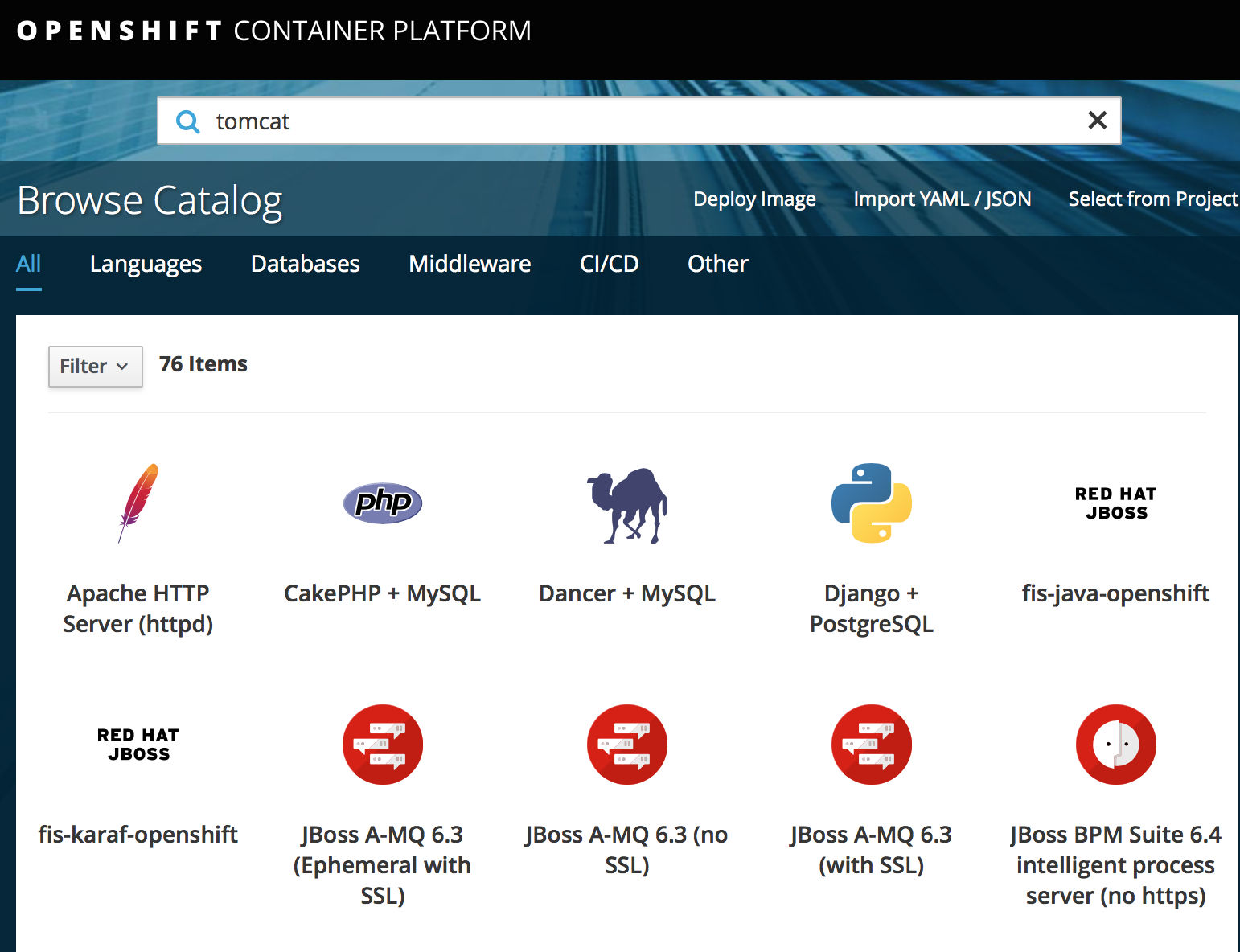
查看 cdk的具体openshift版本
C:\Users\ericnie>minishift openshift version list
The following OpenShift versions are available:
- v3.9.14
- v3.9.27
- v3.9.30
- v3.9.31
- v3.9.33
- v3.9.40
- v3.9.41
- v3.9.43
- v3.10.14
- v3.10.34
- v3.10.45
- v3.10.66
- v3.11.16
以某个固定版本启动cdk
C:\minishift-1.26.-windows-amd64>minishift start --vm-driver virtualbox --openshift-version v3.10.45

-- Starting profile 'minishift'

-- Check if deprecated options are used ... OK

-- Checking if https://github.com is reachable ... OK

-- Checking if requested OpenShift version 'v3.10.0' is valid ... OK

-- Checking if requested OpenShift version 'v3.10.0' is supported ... OK

-- Checking if requested hypervisor 'virtualbox' is supported on this platform ... OK

-- Checking if VirtualBox is installed ... OK

-- Checking the ISO URL ... OK

-- Downloading OpenShift binary 'oc' version 'v3.10.0'
跳过注册步骤
minishift start --vm-driver virtualbox --skip-registration
CDK安装的更多相关文章
- OpenShift应用镜像构建(3) - Jenkins的流水线构建
Jenkins方式构建的定位是使用专门的CICD平台. 既支持把JenKins作为一个Pod部署到openshift内部,也支持部署在Openshift集群外部,操作上的区别是 openshift自己 ...
- CDK上安装kube-dashboard
首先把addon的代码下载下来 git clone https://github.com/minishift/minishift-addons 然后进入相应的目录,运行 ericdeMacBook-P ...
- TeamCity : 安装 Agent
笔者在前文中介绍了 TeamCity Server 的安装过程,本文介绍在 Ubuntu Server 14.04 中安装 TeamCity Agent.Ubuntu Server 上已经创建了用户 ...
- SOA_环境安装系列3_Oracle Weblogic安装和环境搭建(案例)
2014-01-03 Created By BaoXinjian
- WLS_Oracle Weblogic安装和环境搭建(案例)
2014-01-03 Created By BaoXinjian
- Cocos2d-Java安装和配置跨平台游戏引擎以及相关的开发工具
假设认为博文图片不清晰.能够Ctrl+鼠标滚动缩放网页比例 Cocos2d-Java是什么? http://blog.csdn.net/touchsnow/article/details/387047 ...
- Angular20 nginx安装,angular项目部署
1 nginx安装(Windows版本) 1.1 下载安装包 到官网下载Windows版本的nginx安装包 技巧01:下载好的压缩包解压即可,无需安装 1.2 启动nginx 进入到解压目录,点击 ...
- Angular CLI 安装和使用
1.背景介绍 关于Angular版本,Angular官方已经统一命名Angular 1.x同一为Angular JS:Angular 2.x及以上统称Angular: CLI是Command Line ...
- CentOS7 安装git服务器
在CentOS7系统中安装git服务器有两种方法,分别为yum安装和下载git安装包手动安装,这篇文章只有下载git安装包手动安装方法. 方法一:使用yum安装 暂无 方法二:下载git安装包手动安装 ...
随机推荐
- leetcode 121 122 123 . Best Time to Buy and Sell Stock
121题目描述: 解题:记录浏览过的天中最低的价格,并不断更新可能的最大收益,只允许买卖一次的动态规划思想. class Solution { public: int maxProfit(vector ...
- Guava Cache 使用笔记
https://www.cnblogs.com/parryyang/p/5777019.html https://www.cnblogs.com/shoren/p/guava_cache.html J ...
- Django基础之forms组件中的ModelForm组件
Django的model form组件 这是一个神奇的组件,通过名字我们可以看出来,这个组件的功能就是把model和form组合起来,先来一个简单的例子来看一下这个东西怎么用:比如我们的数据库中有这样 ...
- hdu 1495(BFS)
非常可乐 Time Limit: 2000/1000 MS (Java/Others) Memory Limit: 32768/32768 K (Java/Others)Total Submis ...
- keycloack docker 本地运行
参考github地址:https://github.com/jboss-dockerfiles/keycloak 首先使用git 下载该项目 使用docker-compose运行项目,需要进入至doc ...
- python怎么解压压缩的字符串数据
范例1: gzip import StringIO import gzip compresseddata = gzip方式压缩的字符串(html) compressedstream = StringI ...
- Struts2自定义转换器输入生日日期输出年、月、日、年龄
BirthAction.java package com.action; import java.util.Calendar; import java.util.Map; import com.bea ...
- 子查询在UPDATE 语句中的应用
在UPDATE语句中可以在更新列表中以及WHERE语句使用子查询.下面演示一个将图书的出版日期全部更新为所有图书中的最新出版日期,SQL语句如下: UPDATE T_Book SET FYearPub ...
- Ubuntu用户管理原理
Ubuntu账户: Ubuntu有三类账户:超级用户.普通用户以及系统用户. 每一个用户在ubuntu中都必须拥有一种账户,在Ubuntu中, /etc/passwd用来保存每个账户的信息.实际密码保 ...
- SQLSEVER 中的那些键和约束
SQL Server中有五种约束类型,分别是 PRIMARY KEY约束.FOREIGN KEY约束.UNIQUE约束.DEFAULT约束.和CHECK约束.查看或者创建约束都要使用到 Microso ...