
CDK安装
1.下载cdk
https://developers.redhat.com/products/cdk/download/
2.在mac OS上更名并加入目录
$ mkdir -p ~/bin

$ cp ~/Downloads/cdk-3.1.--minishift* ~/bin/minishift

$ chmod +x ~/bin/minishift

$ export PATH=$PATH:$HOME/bin

$ echo export PATH=$PATH:$HOME/bin >> ~/.bash_profile
3.运行setup-cdk
ericdeMacBook-Pro:~ ericnie$ minishift setup-cdk

Setting up CDK  on host using '/Users/ericnie/.minishift' as Minishift's home directory

The MINISHIFT_HOME directory '/Users/ericnie/.minishift' exists. Continuing will delete any existing VM and all other data in this directory. Do you want to continue? [y/N]

y

Copying minishift-rhel7.iso to '/Users/ericnie/.minishift/cache/iso/minishift-rhel7.iso'

Copying oc to '/Users/ericnie/.minishift/cache/oc/v3.9.31/darwin/oc'

Creating configuration file '/Users/ericnie/.minishift/config/config.json'

Creating marker file '/Users/ericnie/.minishift/cdk'

Default add-ons anyuid, admin-user, xpaas, registry-route, che, eap-cd installed

Default add-ons anyuid, admin-user, xpaas enabled

CDK  setup complete.

ericdeMacBook-Pro:~ ericnie$
4.在.bash_profile中设置username和password
export PATH=/Users/ericnie/bin:$PATH

export MINISHIFT_USERNAME=eric.nie@.com

export MINISHIFT_PASSWORD=Welcome1$
然后启动。
ericdeMacBook-Pro:~ ericnie$ minishift start --vm-driver virtualbox

-- Starting profile 'minishift'

The 'minishift' VM is already running.

ericdeMacBook-Pro:~ ericnie$ minishift stop

Stopping the OpenShift cluster...

Cluster stopped.

ericdeMacBook-Pro:~ ericnie$ minishift start --vm-driver virtualbox

-- Starting profile 'minishift'

-- Check if deprecated options are used ... OK

-- Checking if https://mirror.openshift.com is reachable ... OK

-- Checking if requested OpenShift version 'v3.9.31' is valid ... OK

-- Checking if requested OpenShift version 'v3.9.31' is supported ... OK

-- Checking if requested hypervisor 'virtualbox' is supported on this platform ... OK

-- Checking if VirtualBox is installed ... OK

-- Checking the ISO URL ... OK

-- Checking if provided oc flags are supported ... OK

-- Starting local OpenShift cluster using 'virtualbox' hypervisor ...

-- Starting Minishift VM .......................... OK

-- Registering machine using subscription-manager

   Registration in progress ............................... OK [1m35s]

-- Checking for IP address ... OK

-- Checking for nameservers ... OK

-- Checking if external host is reachable from the Minishift VM ...

   Pinging 8.8.8.8 ... OK

-- Checking HTTP connectivity from the VM ...

   Retrieving http://minishift.io/index.html ... OK

-- Checking if persistent storage volume is mounted ... OK

-- Checking available disk space ... % used OK

-- OpenShift cluster will be configured with ...

   Version: v3.9.31

-- Copying oc binary from the OpenShift container image to VM .............................................................................. OK

-- Starting OpenShift cluster ..........................................

Using nsenter mounter for OpenShift volumes

Using public hostname IP 192.168.99.100 as the host IP

Using 192.168.99.100 as the server IP

Starting OpenShift using registry.access.redhat.com/openshift3/ose:v3.9.31 ...

OpenShift server started.

The server is accessible via web console at:

    https://192.168.99.100:8443
ou are logged in as:
User: developer
Password: <any value>
To login as administrator:
oc login -u system:admin
-- Applying addon 'admin-user':..
-- Applying addon 'anyuid':.
Add-on 'anyuid' changed the default security context constraints to allow pods to run as any user.
Per default OpenShift runs containers using an arbitrarily assigned user ID.
Refer to https://docs.openshift.org/latest/architecture/additional_concepts/authorization.html#security-context-constraints and
https://docs.openshift.org/latest/creating_images/guidelines.html#openshift-origin-specific-guidelines for more information.
-- Applying addon 'xpaas':.........................................................................................................................
XPaaS OpenShift imagestream and templates installed
See https://github.com/openshift/openshift-ansible/tree/release-3.9/roles/openshift_examples/files/examples/v3.9
-- Exporting of OpenShift images is occuring in background process with pid 1141.
记得一定需要后面Applying addon那些话,第一次安装往了带--vm-driver,所以安装出错,
需要先通过minishift delete删除后然后再来。
ericdeMacBook-Pro:~ ericnie$ minishift status

Minishift:  Running

Profile:    minishift

OpenShift:  Running (openshift v3.9.31)

DiskUsage:  % of 19G (Mounted On: /mnt/sda1)

CacheUsage: 576.7 MB (used by oc binary, ISO or cached images)
配置.bash_profile的路径
ericdeMacBook-Pro:~ ericnie$ minishift oc-env

export PATH="/Users/ericnie/.minishift/cache/oc/v3.9.31/darwin:$PATH"

# Run this command to configure your shell:

# eval $(minishift oc-env)
运行oc login -u system:admin后出现下面的项目
ericdeMacBook-Pro:~ ericnie$ oc login -u system:admin

Logged into "https://192.168.99.100:8443" as "system:admin" using existing credentials.

You have access to the following projects and can switch between them with 'oc project <projectname>':

    default

    kube-public

    kube-system

  * myproject

    openshift

    openshift-infra

    openshift-node

    openshift-web-console

Using project "myproject".
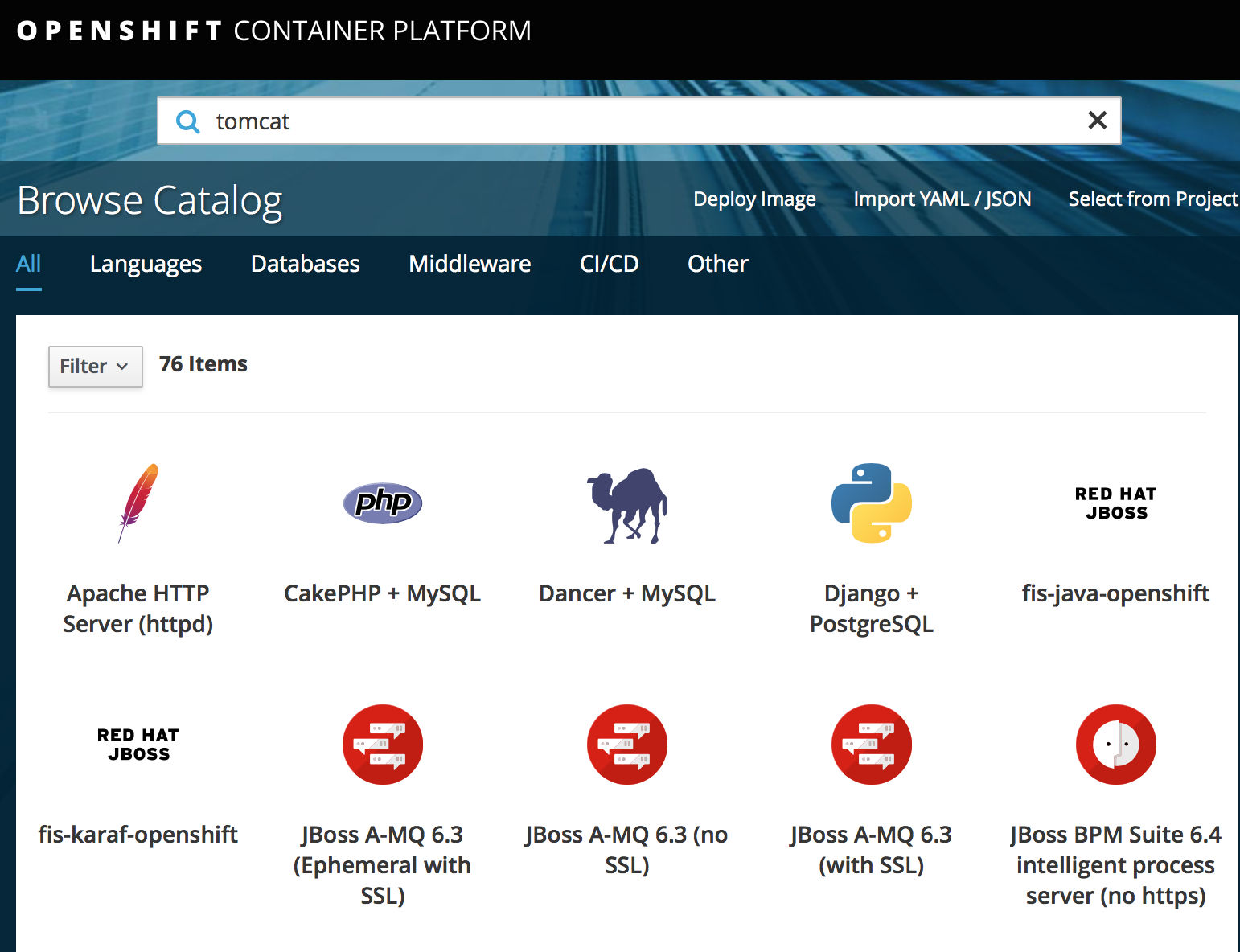
查看 cdk的具体openshift版本
C:\Users\ericnie>minishift openshift version list
The following OpenShift versions are available:
- v3.9.14
- v3.9.27
- v3.9.30
- v3.9.31
- v3.9.33
- v3.9.40
- v3.9.41
- v3.9.43
- v3.10.14
- v3.10.34
- v3.10.45
- v3.10.66
- v3.11.16
以某个固定版本启动cdk
C:\minishift-1.26.-windows-amd64>minishift start --vm-driver virtualbox --openshift-version v3.10.45

-- Starting profile 'minishift'

-- Check if deprecated options are used ... OK

-- Checking if https://github.com is reachable ... OK

-- Checking if requested OpenShift version 'v3.10.0' is valid ... OK

-- Checking if requested OpenShift version 'v3.10.0' is supported ... OK

-- Checking if requested hypervisor 'virtualbox' is supported on this platform ... OK

-- Checking if VirtualBox is installed ... OK

-- Checking the ISO URL ... OK

-- Downloading OpenShift binary 'oc' version 'v3.10.0'
跳过注册步骤
minishift start --vm-driver virtualbox --skip-registration
CDK安装的更多相关文章
- OpenShift应用镜像构建(3) - Jenkins的流水线构建
Jenkins方式构建的定位是使用专门的CICD平台. 既支持把JenKins作为一个Pod部署到openshift内部,也支持部署在Openshift集群外部,操作上的区别是 openshift自己 ...
- CDK上安装kube-dashboard
首先把addon的代码下载下来 git clone https://github.com/minishift/minishift-addons 然后进入相应的目录,运行 ericdeMacBook-P ...
- TeamCity : 安装 Agent
笔者在前文中介绍了 TeamCity Server 的安装过程,本文介绍在 Ubuntu Server 14.04 中安装 TeamCity Agent.Ubuntu Server 上已经创建了用户 ...
- SOA_环境安装系列3_Oracle Weblogic安装和环境搭建(案例)
2014-01-03 Created By BaoXinjian
- WLS_Oracle Weblogic安装和环境搭建(案例)
2014-01-03 Created By BaoXinjian
- Cocos2d-Java安装和配置跨平台游戏引擎以及相关的开发工具
假设认为博文图片不清晰.能够Ctrl+鼠标滚动缩放网页比例 Cocos2d-Java是什么? http://blog.csdn.net/touchsnow/article/details/387047 ...
- Angular20 nginx安装,angular项目部署
1 nginx安装(Windows版本) 1.1 下载安装包 到官网下载Windows版本的nginx安装包 技巧01:下载好的压缩包解压即可,无需安装 1.2 启动nginx 进入到解压目录,点击 ...
- Angular CLI 安装和使用
1.背景介绍 关于Angular版本,Angular官方已经统一命名Angular 1.x同一为Angular JS:Angular 2.x及以上统称Angular: CLI是Command Line ...
- CentOS7 安装git服务器
在CentOS7系统中安装git服务器有两种方法,分别为yum安装和下载git安装包手动安装,这篇文章只有下载git安装包手动安装方法. 方法一:使用yum安装 暂无 方法二:下载git安装包手动安装 ...
随机推荐
- highcharts 折线,饼状,条状综合图
完整代码如下: <head> <meta http-equiv="Content-Type" content="text/html; charset=u ...
- 今天开始学模式识别与机器学习(PRML),章节5.1,Neural Networks神经网络-前向网络。
今天开始学模式识别与机器学习Pattern Recognition and Machine Learning (PRML),章节5.1,Neural Networks神经网络-前向网络. 话说上一次写 ...
- hdu 1399(水题)
Starship Hakodate-maru Time Limit: 2000/1000 MS (Java/Others) Memory Limit: 65536/32768 K (Java/O ...
- 查看linux版本及lsb_release安装及一些想法
https://blog.csdn.net/darkdragonking/article/details/61194308
- 导出数据到word
打野的时候,碰到一个需求,导出简历信息. 两条思路: 第一条,直接画所有的表格,填充数据. 第二条,加载一个空的模板,然后填充数据. 因为导出的有格式的,所以最后选择了使用模板进行替换,然后填充数据. ...
- 验收测试与UI
CRS 如果功能复杂的情况下,是不是先写验收测试,然后写单元测试,最后写代码? STST 是的 从高往低走,无论是分析,还是测试,还是开发 从高往低走,带来的是干净无累赘的,底层依赖高层的优雅的结果 ...
- websocket初步了解
https://www.cnblogs.com/fuqiang88/p/5956363.html websocket是一种新型的协议,协议标识符为ws,加密即为wss 简单说来就是一种持续的http服 ...
- 设计模式-状态模式(State Pattern)
本文由@呆代待殆原创,转载请注明出处:http://www.cnblogs.com/coffeeSS/ 状态模式简介 状态模式允许一个对象在其内部状态改变的时候改变它的行为,他的内部会存着好几种状态, ...
- Linux基础系列-Day3
Vim文本编辑器 •Linux设计的重要原则是信息存储在基于文本的文件中. 注:Linux“一切皆文件”是指包含文本文件和用户不可读的二进制文件(如block设备文件) •文本文件:无格式文件,作用 ...
- css总结——position
CSS(Cascading Style Sheet),中文翻译为层叠样式表,是用于控制网页样式并允许将样式信息与网页内容分离的一种标记性语言.在css控制页面中,主要有四种样式:行内样式(style ...