
AntDesign(React)学习-11 使用mobx
mobx 是由 Mendix、Coinbase、Facebook 开源和众多个人赞助商所赞助的。
mobx和redux类似,也可以用来进行状态管理,并且更简单,更灵活。初次研究,先实现一个最简单的功能修改一个字符串值
官网:https://cn.mobx.js.org
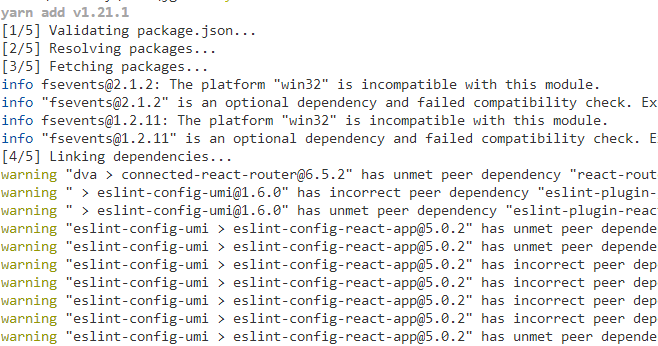
1、安装
yarn add mobx-react --save
yarn add mobx --save
...
2、添加import
import { observer } from 'mobx-react';

import { observable, computed, action } from 'mobx';
3、修改UserRole代码如下
import React from 'react';

import { observer } from 'mobx-react';

import { decorate,observable, computed, action } from 'mobx';

import { Button,Input} from 'antd';

@observer

class UserRole extends React.Component {

  constructor(props) {

    super(props);

  }

  @observable roleName = "123";

  handleTestClick = e => {

    this.roleName="234";

    console.log(this.roleName);

  };

  render() {

    return (

      <div>角色管理

       <div>{this.roleName}</div>

      <Button type="primary" style={{marginTop:10,width:300}}  onClick={this.handleTestClick}>测试</Button>

      </div>

    );

  }

}

export default UserRole;
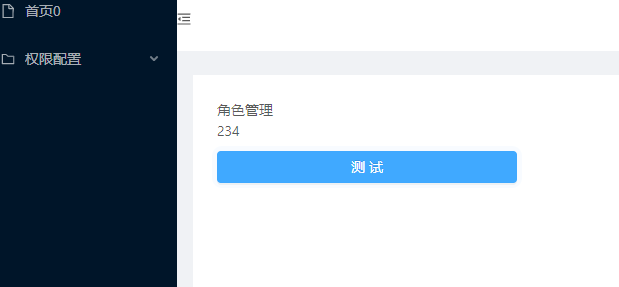
4、点击测试,可以看到不用从新对state赋值,即可自动渲染

5、如果不使用mobx,须使用setState才能实现类似效果,比较麻烦。代码如下
import React from 'react';

import { observer} from 'mobx-react';

import { decorate,observable, computed, action} from 'mobx';

import { Button,Input} from 'antd';

class UserRole extends React.Component {

  constructor(props) {

    super(props);

    this.state={

      roleName:'test'

    }

  };

  state:{

    roleName

  };

  handleTestClick = e => {

    this.setState({

      roleName:'234'

    });

    console.log(this.state.roleName);

  };

  render() {

    return (

      <div>角色管理

       <div>{this.state.roleName}</div>

      <Button type="primary" style={{marginTop:10,width:300}}  onClick={this.handleTestClick}>测试</Button>

      </div>

    );

  }

}

export default UserRole;
6、测试使用@compute
import React from 'react';

import { observer} from 'mobx-react';

import { decorate,observable, computed, action} from 'mobx';

import { Button,Input} from 'antd';

@observer

class UserRole extends React.Component {

  constructor(props) {

    super(props);

  };

  @observable

  roleName = "123";

  @computed get roleNameInfo()

  {

    return "roleName"+this.roleName;

  }

  handleTestClick = e => {

    this.roleName="234";

    console.log(this.roleName);

  };

  render() {

    return (

      <div>角色管理

      <div>{this.roleNameInfo}</div>

      <div>{this.roleName}</div>

      <Button type="primary" style={{marginTop:10,width:300}}  onClick={this.handleTestClick}>测试</Button>

      </div>

    );

  }

}

export default UserRole;
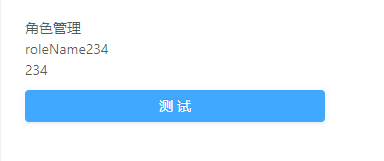
也会自动Render
7、使用严格模式
import {observable, action, useStrict} from 'mobx';

useStrict(true);
在新版本中已经不能使用,估计是容易误解吧,代码如下
import { observable, action,configure } from 'mobx';

configure({enforceActions:true});
开启严格模式后
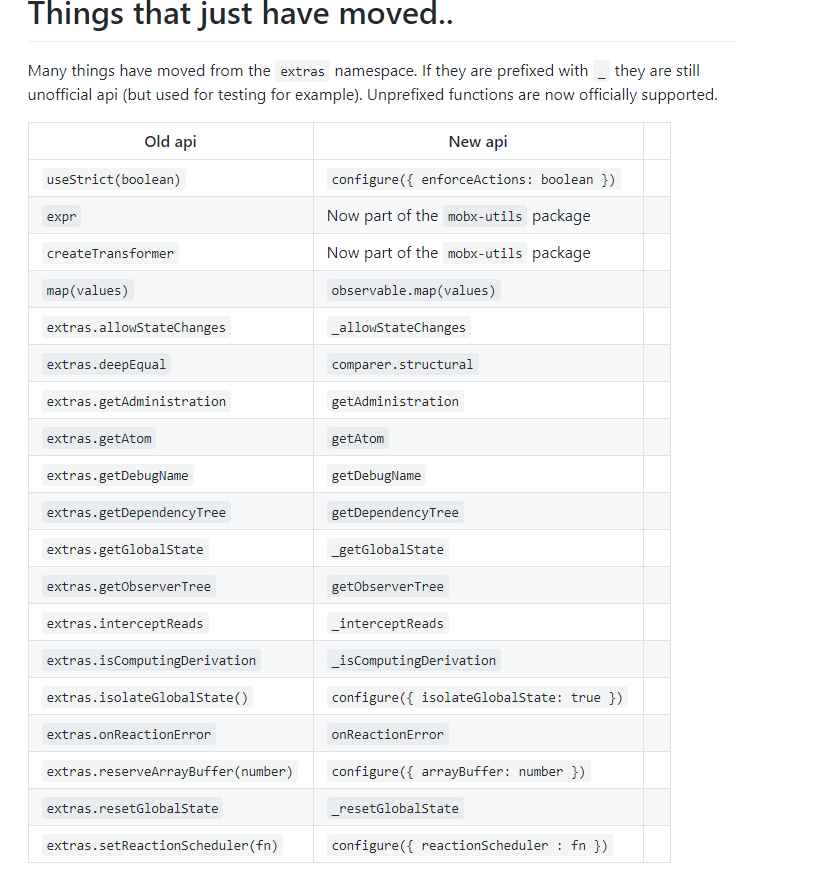
https://github.com/mobxjs/mobx/wiki/Migrating-from-mobx-3-to-mobx-4#things-that-just-have-moved
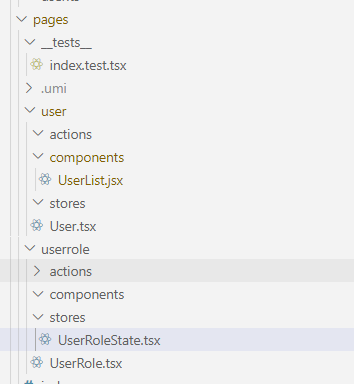
9、可以两个页面组件共享一个State。
User.jsx中增加代码
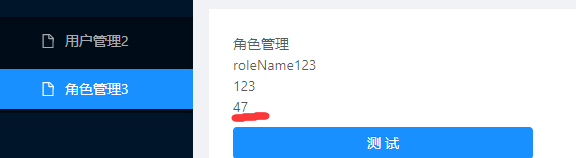
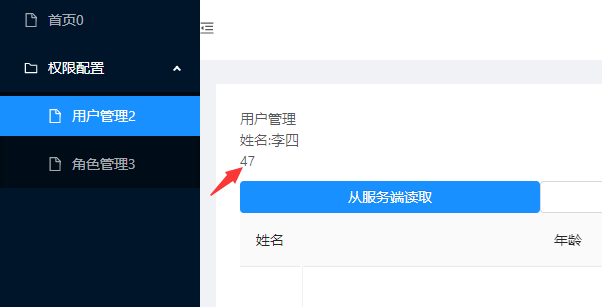
两个值会同步改变。
AntDesign(React)学习-11 使用mobx的更多相关文章
- AntDesign(React)学习-1 创建环境
目录: AntDesign(React)学习-15 组件定义.connect.interface AntDesign(React)学习-14 使用UMI提供的antd模板 AntDesign(Reac ...
- AntDesign(React)学习-5 路由及使用Layout布局
前言:学习目标实现点击登录按钮,直接进入后台布局页面,类似下面antd官网文档展示效果 ant.design访问 https://ant-design.gitee.io/components/menu ...
- AntDesign(React)学习-2 第一个页面
1.前面创建了第一个项目jgdemo,结构如下,使用TypeScript. 2.yarn start启动项目 3.点击GettingStarted是umi的官方网站 https://umijs.org ...
- AntDesign(React)学习-14 使用UMI提供的antd模板
1.UMI提供了可视化antd模板,可以直接添加到项目中修改用 比如将个人中心添加到项目中 2.选择个人中心,确定 3.成功 4.打开项目 5.Route文件也自动添加 根路由有exact:true后 ...
- AntDesign(React)学习-12 使用Table
AntDesign(Vue)版的Table中使用图片https://www.cnblogs.com/zhaogaojian/p/11119762.html 之前在使用VUE版Table时,使用大图片时 ...
- AntDesign(React)学习-9 Dva model reducer实践
今天肺炎增长数字依然吓人,感觉穿越到丧失片里了. 本节开始学习dva model使用,官网的讲解太文档化,对新手实践不太友好,自己简化了一个最简单的演示代码. 1.在src,models文件夹下创建u ...
- AntDesign(React)学习-8 Menu使用 切换框架页内容页面
本节实现一个点击左侧menu在右侧content切换页面效果,原始代码请从UMI学习-6开始看 1.在pages下添加两个组件,User,UserRole import React from 'rea ...
- AntDesign(React)学习-4 登录页面提交数据简单实现
github代码:https://github.com/zhaogaojian/jgdemo 全国肺炎,过节期间没地方去在家学习antd. 一.感觉antd pro项目太庞大了,可以学习下结构和代码风 ...
- AntDesign(React)学习-3 React基础
前面项目已经建起来了,但是没有React基础怎么办,从头学习,这个项目使用的是基于React16.X版本的几种技术集成,那么我们就从网上找一些相关的资料进行研究,我的习惯是用到哪学到哪. 一.先看一些 ...
随机推荐
- R语言常用的矩阵操作
R语言是一门非常方便的数据分析语言,它内置了许多处理矩阵的方法.下面列出一些常用的矩阵操作方法示例. 矩阵的生成 > mat <- matrix(:, ncol = , nrow = , ...
- Linux 防SSH暴力攻击
在下这几天发现我的VPS 总是莫名遭受到 江苏镇江那边的IP 登录请求攻击 ,跟踪了下路由,发现ip是从蒙古那边出去的,然后意识到可能是有扫描端口的.. 方法一: 现在的互联网非常不安全,很多人没事就 ...
- Windows10设置系统参数
屏幕分辨率设置 电源屏幕显示时间 投影可以进行手机投影到电脑进行操作,远程桌面可以进行远程访问,如云服务器 设置桌面图标和背景 设置默认应用 安装软件,必备的几项软件 --其中个人认为(1)(2)是 ...
- centos7虚拟机分配静态IP但是得不到IP、不能上网一种可能的原因和解决办法
1.首先通过ifconfig查看网卡,发现网卡名称为ens33 2. 在/etc/sysconfig/network-scripts/目录下查看网络配置文件 3. 发现有ifcfg-eth0的配置文件 ...
- JMeter接口测试-JMeter+ant实现接口自动化测试
前言 小伙伴们,用python做接口自动化是不是写代码比较繁琐,而且没有python代码基础的小伙伴根本无从下手对吧!今天我们来学习一下如何使用JMeter工具实现接口自动化测试. 1.安装JDK,配 ...
- Win10桌面菜单弹出cmd解决办法
现象 Win10右键菜单打开弹出命令提示符 原有个性化.显示设置.网络和Internet设置无法使用 解决 注册表定位到HKEY_CURRENT_USER\Software\Classes\ ms-s ...
- IDEA自定义TODO
配置自己的TODO标签 , 避免跟其他人产生错乱 打开TODO页签 , 有三种方式打开 菜单栏打开 View -> Tool Windows -> TODO 快捷键打开 Alt + 6 快 ...
- 洛谷P1067 多项式输出 NOIP 2009 普及组 第一题
洛谷P1067 多项式输出 NOIP 2009 普及组 第一题 题目描述 一元n次多项式可用如下的表达式表示: 输入输出格式 输入格式 输入共有 2 行 第一行 1 个整数,n,表示一元多项式的次数. ...
- CentOS 7 部署 Redis(单机版)
一.部署环境说明 软件 版本 安装包 CentOS 7.2 CentOS 7.2 Redis 4.0.14 redis-4.0.14.tar.gz 二.开始部署 安装gcc依赖 [root@bmsof ...
- bugkuCTF-管理员系统(IP伪造)
题目地址:http://123.206.31.85:1003/ 登进去是一个管理员后台登录的样子 试了sql的万能密码,发现进不了,而且下面还报错了ip禁止 禁止了我们的ip,但是他本地的ip肯定没有 ...