
Android之shape属性简介和使用
1、shape标签简介
shape的形状,默认为矩形,可以设置为矩形(rectangle)、椭圆形(oval)、线性形状(line)、环形(ring) !
设置形状:
<shape xmlns:android="http://schemas.android.com/apk/res/android"

    android:shape="rectangle" >

</shape>
2、shape的六个子标签相关属性
<?xml version="1.0" encoding="utf-8"?>

<shape xmlns:android="http://schemas.android.com/apk/res/android"

    android:shape="rectangle" >

    <!--半径,左上角、右上角、左下角、右下角半径-->

    <corners

        android:radius="10dp"

        android:topLeftRadius="2dp"

        android:topRightRadius="2dp"

        android:bottomLeftRadius="2dp"

        android:bottomRightRadius="2dp"

        />

    <!--开始颜色、中间颜色、结束颜色、

    false有渐变,要使用LevelListDrawable对象,就要设置为true、

    渐变角度(当angle=0时,渐变色是从左向右。 然后逆时针方向转,当angle=90时为从下往上。angle必须为45的整数倍)、

    渐变类型(linear:线性,radial:放射性,sweep:扫描线式)、

    渐变中心X、Y点坐标、

    渐变半径(type="radial"时有效)

    -->

    <gradient

        android:startColor="@android:color/white"

        android:centerColor="@android:color/black"

        android:endColor="@android:color/black"

        android:useLevel="false"

        android:angle="0"

        android:type="radial"

        android:centerX="0"

        android:centerY="0"

        android:gradientRadius="50"/>

    <!--内边距 内容与边距的距离-->

    <padding

        android:top="10dp"

        android:left="10dp"

        android:bottom="10dp"

        android:right="10dp"

        />

    <!--大小 宽高-->

    <size

        android:height="100dp"

        android:width="100dp"/>

    <!--内部填充颜色-->

    <solid

        android:color="@color/colorPrimaryDark"/>

    <!--描边 颜色、宽带、虚线宽度(0为实线)、虚线间隔-->

    <stroke

        android:color="@color/colorPrimaryDark"

        android:width="2dp"

        android:dashWidth="5dp"

        android:dashGap="2dp"/>

</shape>
3、四种形状使用相关的xml文件
<?xml version="1.0" encoding="utf-8"?>

<LinearLayout xmlns:android="http://schemas.android.com/apk/res/android"

    xmlns:tools="http://schemas.android.com/tools"

    android:layout_width="match_parent"

    android:layout_height="match_parent"

    android:orientation="vertical"

    tools:context=".ClearMainActivity"

    >

    <EditText

        android:layout_width="match_parent"

        android:layout_height="200dp"

        android:layout_marginLeft="20dp"

        android:layout_marginRight="20dp"

        android:layout_marginTop="60dp"

        android:gravity="center"

        android:textCursorDrawable="@drawable/text_corsor"

        android:drawableBottom="@drawable/editview_line"

        android:textColor="@color/colorRed"

        android:hint="相当于ios的placeholder"

        android:textColorHint="@color/colorPrimaryDark"

        android:maxLength="100"

        android:background="@drawable/line_shape"

        />

</LinearLayout>
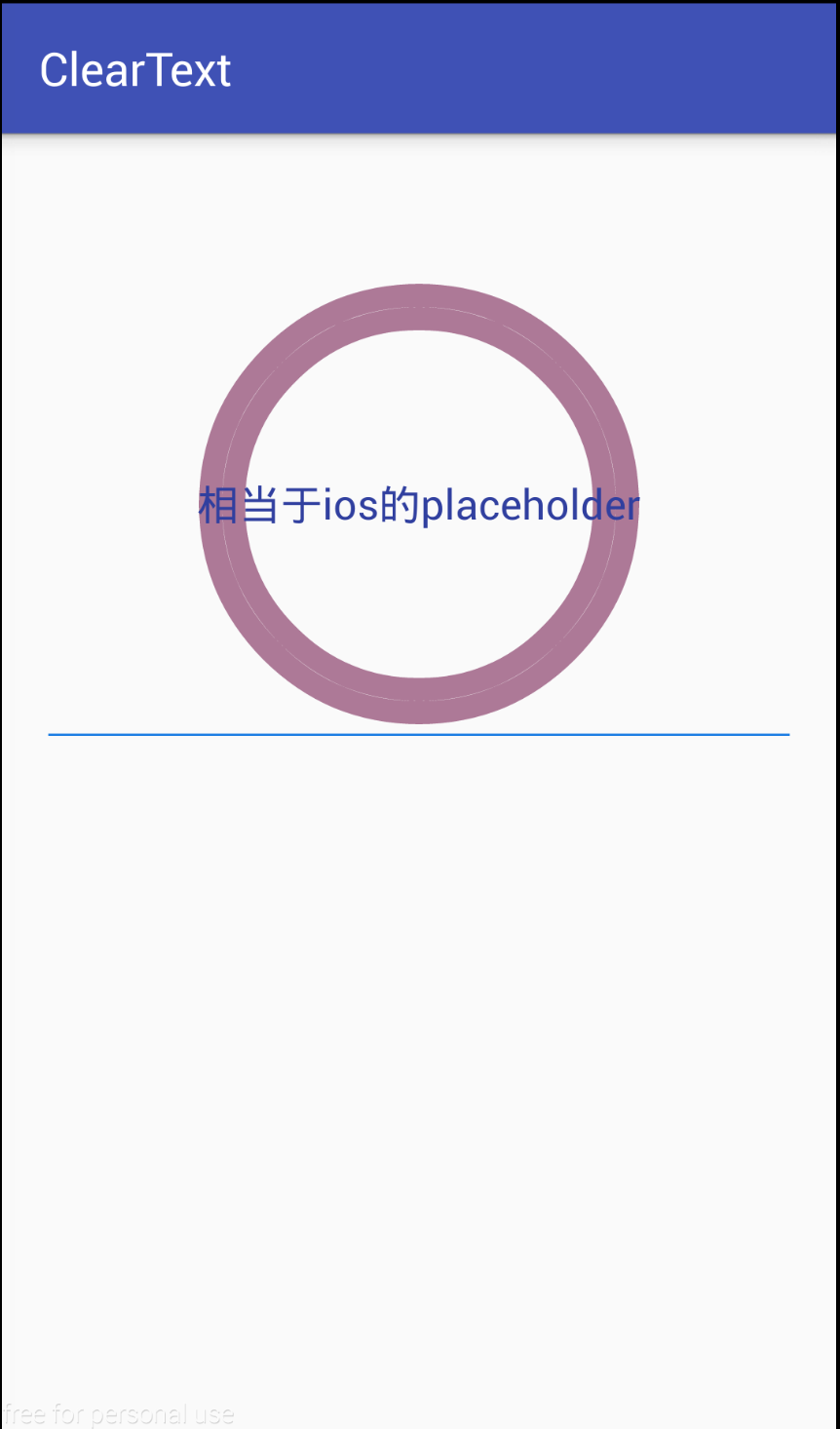
环形:
<?xml version="1.0" encoding="utf-8"?>

<shape xmlns:android="http://schemas.android.com/apk/res/android"

    android:shape="ring"

    android:innerRadius="80dp"

    android:thickness="10dp"

    android:useLevel="false">

    <stroke

        android:width="10dp"

        android:color="#ad7997"

        />

</shape>
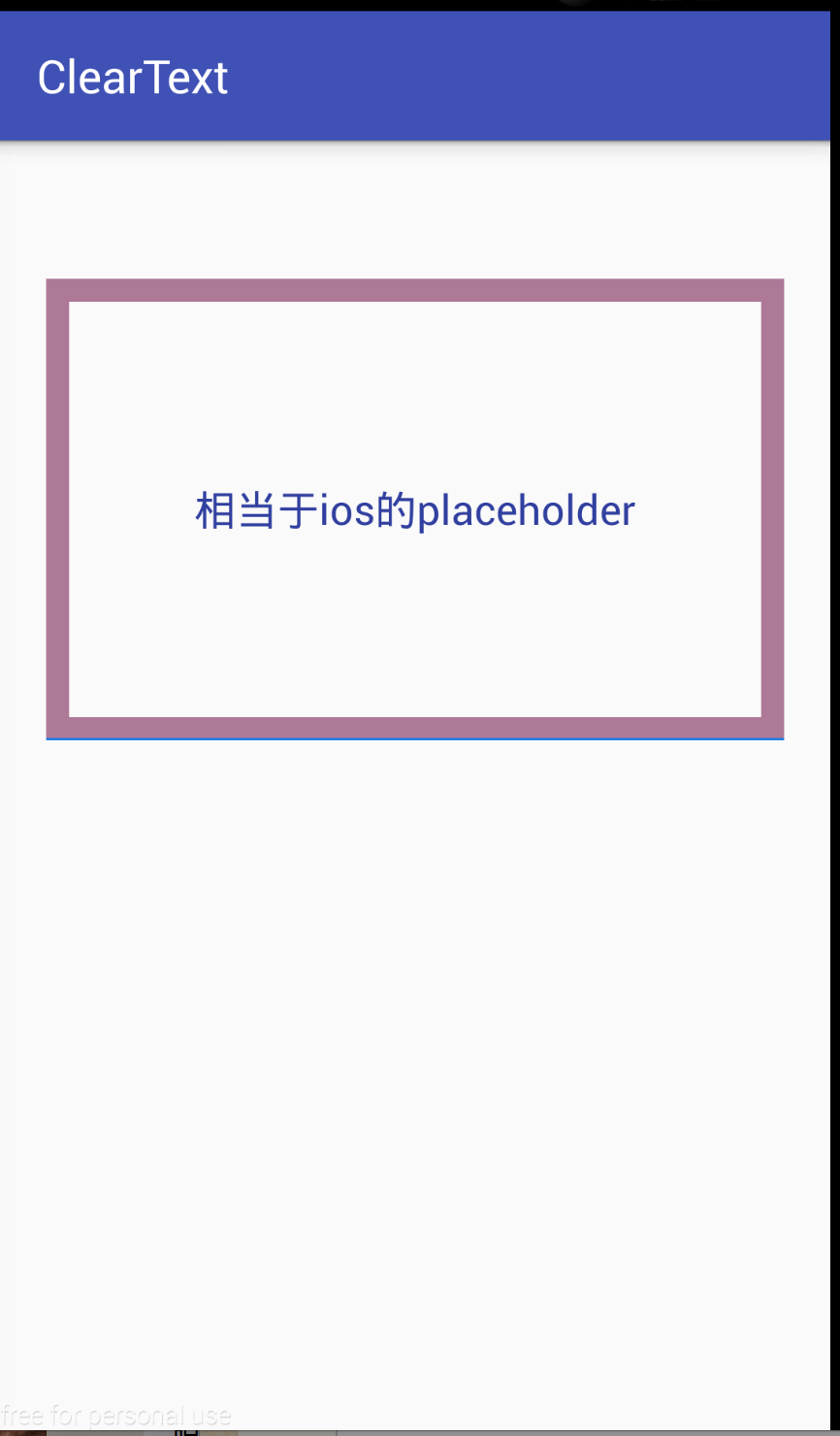
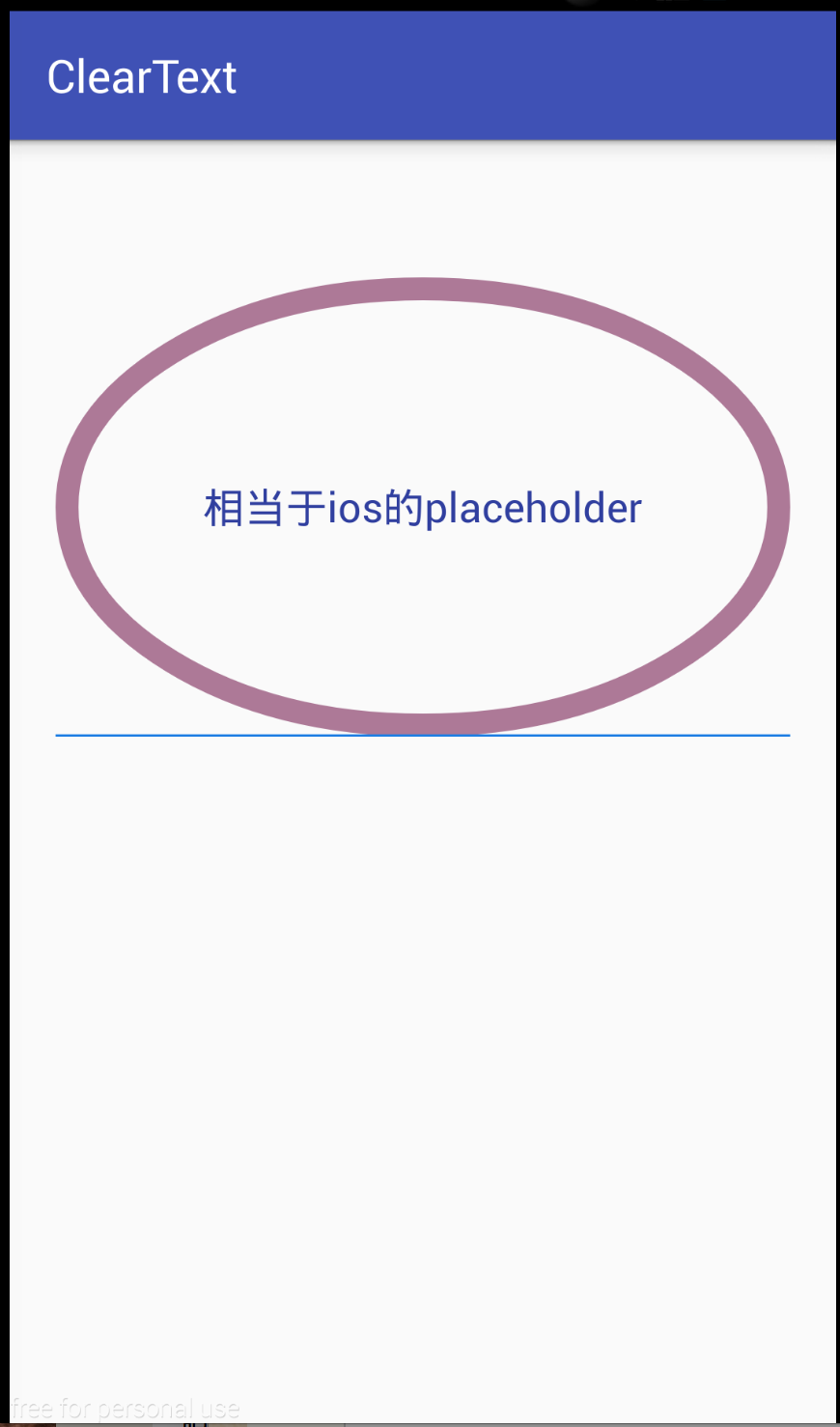
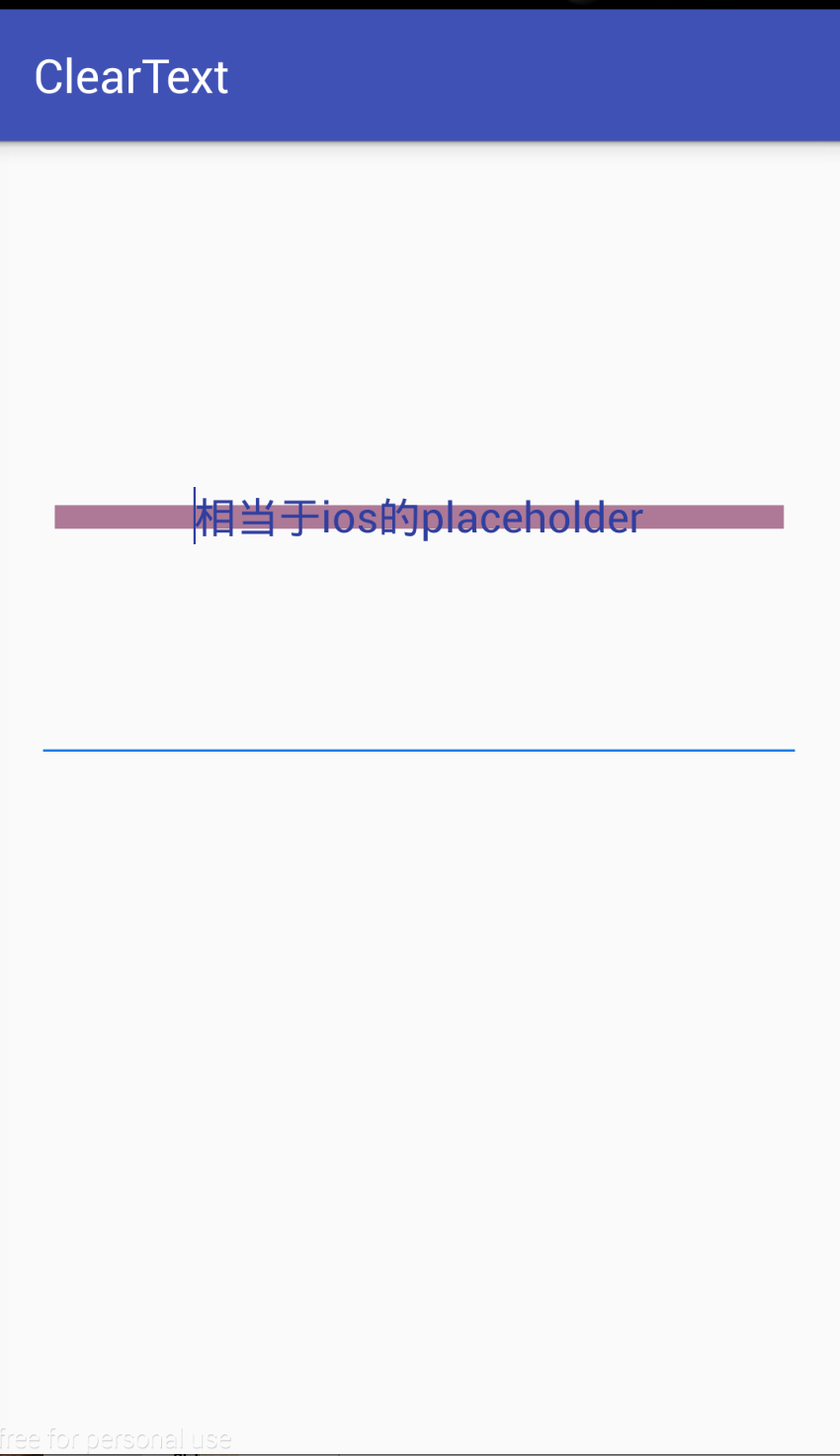
其它三种
<?xml version="1.0" encoding="utf-8"?>

<shape xmlns:android="http://schemas.android.com/apk/res/android"

    android:shape="line">//rectangle,oval,line

    <stroke

        android:width="10dp"

        android:color="#ad7997"

        />

</shape>
Android之shape属性简介和使用的更多相关文章
- Android Activity动画属性简介
Android Activity动画属性简介 在Android当中 设置activity的动画 需要复写 android:windowAnimationStyle这个属性 我们自定义一个动画样式来继承 ...
- Android之shape属性详解
有时候 ,为了满足一些需求,我们要用到 shape 去定义 一些背景,shape 的用法 跟图片一样 ,可以给View设置 Android:background="@drawable/sha ...
- Android中shape属性详解
一.简单使用 刚开始,就先不讲一堆标签的意义及用法,先简单看看shape标签怎么用. 1.新建shape文件 首先在res/drawable文件夹下,新建一个文件,命名为:shape_radius.x ...
- NDK(10)Android.mk各属性简介,Android.mk 常用模板
参考 : http://blog.csdn.net/hudashi/article/details/7059006 本文内容: Android.mk简介, 各属性表, 常用Android.mk模板 1 ...
- NDK(10)Android.mk各属性简介,Android.mk 常用模板--未完
参考 : http://blog.csdn.net/hudashi/article/details/7059006 1. Android.mk简介 Android.mk文件是GNU Makefile的 ...
- android中shape属性大全
出处:http://kofi1122.blog.51cto.com/2815761/521605
- Android使用shape制作圆形控件及添加弹跳动画
--------本来为作者原创,未经同意禁止转载 前言:我们在很多时候都需要在res/drawable文件夹下创建相应的xml文件来为控件添加一些样式效果,比如按钮按下时的按钮样式变化.或者指定按钮的 ...
- Drawable实战解析:Android XML shape 标签使用详解(apk瘦身,减少内存好帮手)
Android XML shape 标签使用详解 一个android开发者肯定懂得使用 xml 定义一个 Drawable,比如定义一个 rect 或者 circle 作为一个 View 的背景. ...
- Android GradientDrawable(shape标签定义) 静态使用和动态使用(圆角,渐变实现)
Android GradientDrawable使用优势: 1. 快速实现一些基本图形(线,矩形,圆,椭圆,圆环) 2. 快速实现一些圆角,渐变,阴影等效果 3. 代替图片设置为View的背景 4. ...
随机推荐
- python 17 异常
自 http://www.cnblogs.com/BeginMan/p/3171445.html 一.什么是错误,什么是异常,它们两者区别 这里解释如下:个人觉得很通俗易懂 错误是指在执行代码过程中发 ...
- python接口自动化(get请求)
python接口自动化(get请求) get请求的目的:查询资源 一.导包 二.请求的URL 三.请求的参数 四.获取请求的URL 五.获取响应的状态码 六.获取响应的本文信息 #导包 import ...
- linux mysql主从复制配置
1.设置主库master的servie-id值并且开启bin-log功能参数vi /etc/my.cnf修改my.cnf的参数:[mysqld]server-id=1 //每一个库的server-id ...
- pointer && reference
关注点在于区别两者之间的不同. 我们可以从两者使用的场景进行区分: 1, 是否需要存在null的情况: YES-pointer NO-reference 如果确定不会存在null的情况,那么使用ref ...
- 同步图计算实现pageRank算法
pageRank算法是Google对网页重要性的打分算法. 一个用户浏览一个网页时,有85%的可能性点击网页中的超链接,有15%的可能性转向任意的网页.pageRank算法就是模拟这种行为. Rv:定 ...
- 配置文件一mapper.xml
<?xml version="1.0" encoding="UTF-8"?> <!DOCTYPE mapper PUBLIC "-/ ...
- csps模拟92数列,数对,最小距离题解
题面:https://www.cnblogs.com/Juve/articles/11767225.html 数列: 简化题意:已知a,b,c,求满足$a*x+b*y=c$的$x+y$最小值 然后ex ...
- 边双联通分量缩点+树的直径——cf1000E
题意理解了就很好做 题意:给一张无向图,任意取两个点s,t,s->t的路径上必经边数量为k 求这样的s,t,使得k最大 #include<bits/stdc++.h> #define ...
- day 69 Django基础五之django模型层(一)单表操作
Django基础五之django模型层(一)单表操作 本节目录 一 ORM简介 二 单表操作 三 章节作业 四 xxx 一 ORM简介 MVC或者MVC框架中包括一个重要的部分,就是ORM,它实现 ...
- vue中的data用return返回
为什么在大型项目中data需要使用return返回数据呢? 答:不使用return包裹的数据会在项目的全局可见,会造成变量污染:使用return包裹后数据中变量只在当前组件中生效,不会影响其他组件. ...