
Android之shape属性简介和使用
1、shape标签简介
shape的形状,默认为矩形,可以设置为矩形(rectangle)、椭圆形(oval)、线性形状(line)、环形(ring) !
设置形状:
<shape xmlns:android="http://schemas.android.com/apk/res/android"

    android:shape="rectangle" >

</shape>
2、shape的六个子标签相关属性
<?xml version="1.0" encoding="utf-8"?>

<shape xmlns:android="http://schemas.android.com/apk/res/android"

    android:shape="rectangle" >

    <!--半径,左上角、右上角、左下角、右下角半径-->

    <corners

        android:radius="10dp"

        android:topLeftRadius="2dp"

        android:topRightRadius="2dp"

        android:bottomLeftRadius="2dp"

        android:bottomRightRadius="2dp"

        />

    <!--开始颜色、中间颜色、结束颜色、

    false有渐变,要使用LevelListDrawable对象,就要设置为true、

    渐变角度(当angle=0时,渐变色是从左向右。 然后逆时针方向转,当angle=90时为从下往上。angle必须为45的整数倍)、

    渐变类型(linear:线性,radial:放射性,sweep:扫描线式)、

    渐变中心X、Y点坐标、

    渐变半径(type="radial"时有效)

    -->

    <gradient

        android:startColor="@android:color/white"

        android:centerColor="@android:color/black"

        android:endColor="@android:color/black"

        android:useLevel="false"

        android:angle="0"

        android:type="radial"

        android:centerX="0"

        android:centerY="0"

        android:gradientRadius="50"/>

    <!--内边距 内容与边距的距离-->

    <padding

        android:top="10dp"

        android:left="10dp"

        android:bottom="10dp"

        android:right="10dp"

        />

    <!--大小 宽高-->

    <size

        android:height="100dp"

        android:width="100dp"/>

    <!--内部填充颜色-->

    <solid

        android:color="@color/colorPrimaryDark"/>

    <!--描边 颜色、宽带、虚线宽度(0为实线)、虚线间隔-->

    <stroke

        android:color="@color/colorPrimaryDark"

        android:width="2dp"

        android:dashWidth="5dp"

        android:dashGap="2dp"/>

</shape>
3、四种形状使用相关的xml文件
<?xml version="1.0" encoding="utf-8"?>

<LinearLayout xmlns:android="http://schemas.android.com/apk/res/android"

    xmlns:tools="http://schemas.android.com/tools"

    android:layout_width="match_parent"

    android:layout_height="match_parent"

    android:orientation="vertical"

    tools:context=".ClearMainActivity"

    >

    <EditText

        android:layout_width="match_parent"

        android:layout_height="200dp"

        android:layout_marginLeft="20dp"

        android:layout_marginRight="20dp"

        android:layout_marginTop="60dp"

        android:gravity="center"

        android:textCursorDrawable="@drawable/text_corsor"

        android:drawableBottom="@drawable/editview_line"

        android:textColor="@color/colorRed"

        android:hint="相当于ios的placeholder"

        android:textColorHint="@color/colorPrimaryDark"

        android:maxLength="100"

        android:background="@drawable/line_shape"

        />

</LinearLayout>
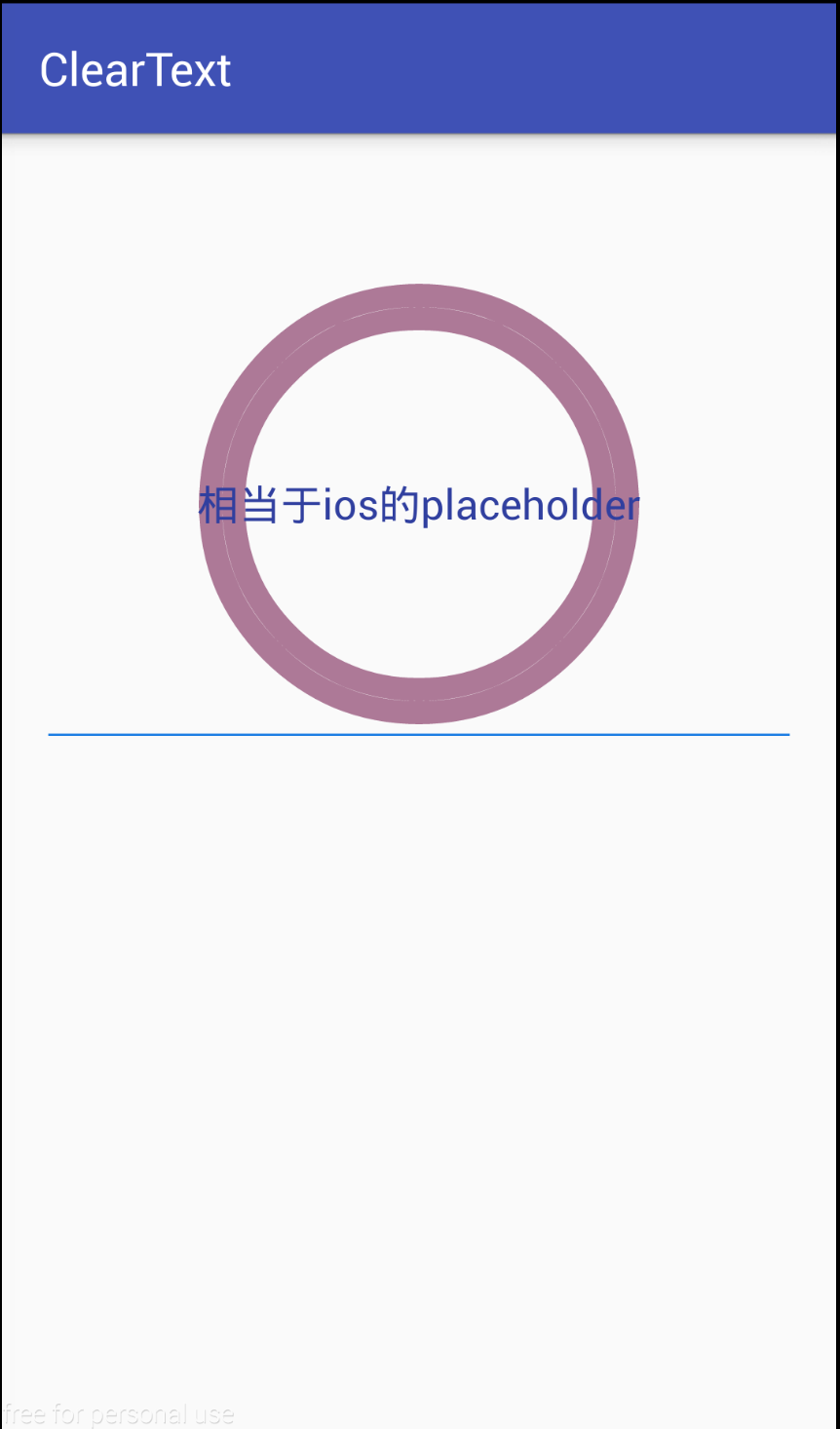
环形:
<?xml version="1.0" encoding="utf-8"?>

<shape xmlns:android="http://schemas.android.com/apk/res/android"

    android:shape="ring"

    android:innerRadius="80dp"

    android:thickness="10dp"

    android:useLevel="false">

    <stroke

        android:width="10dp"

        android:color="#ad7997"

        />

</shape>
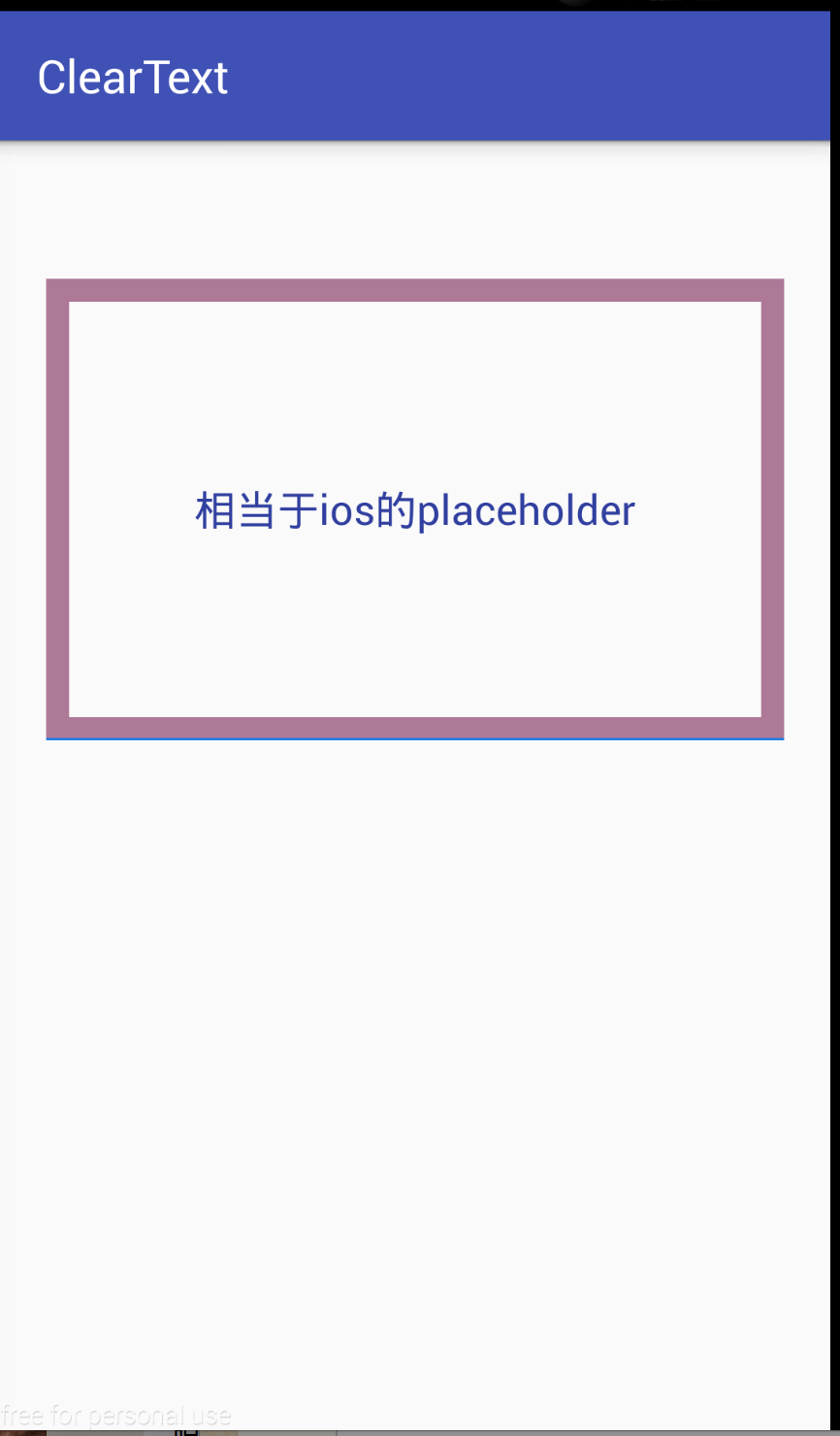
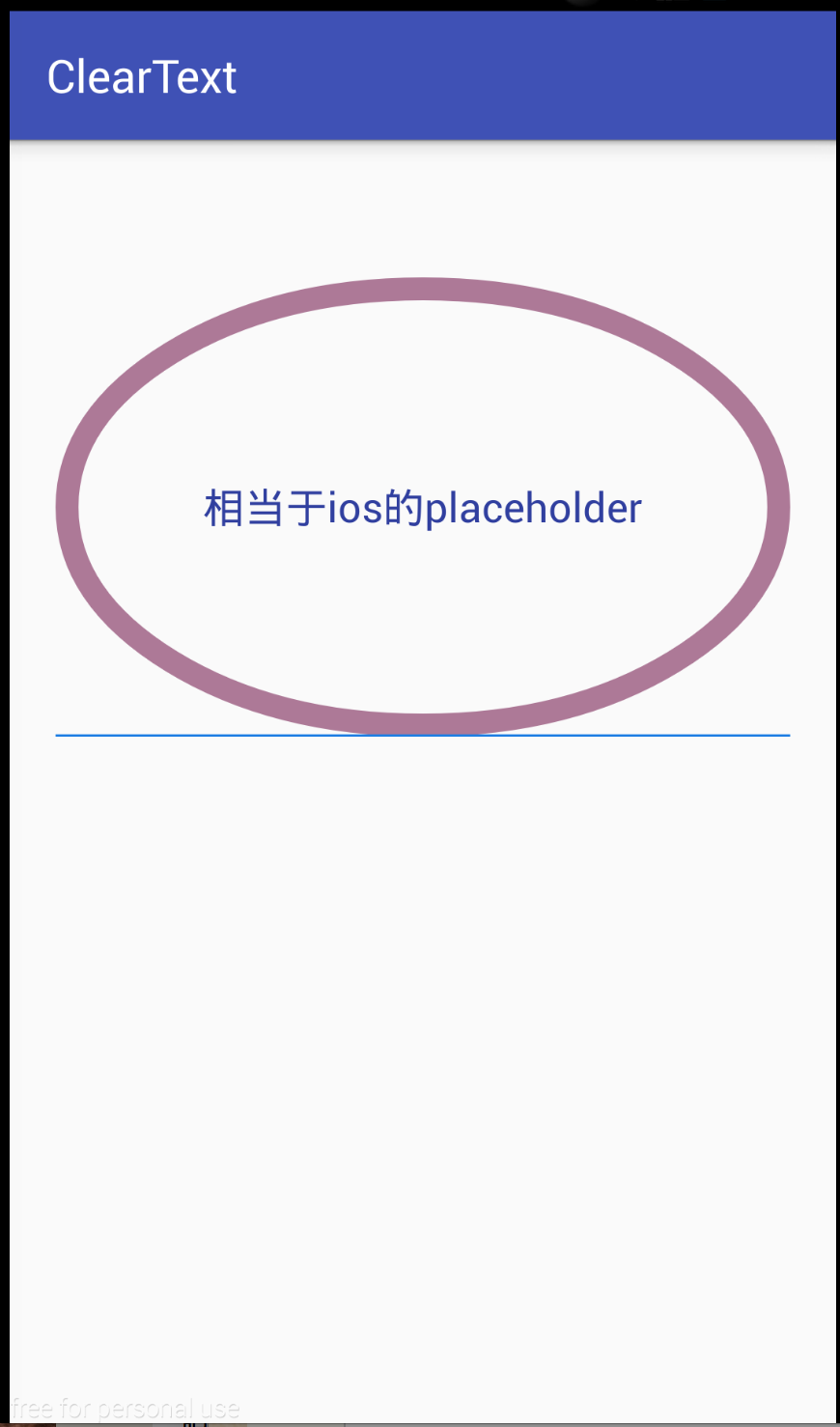
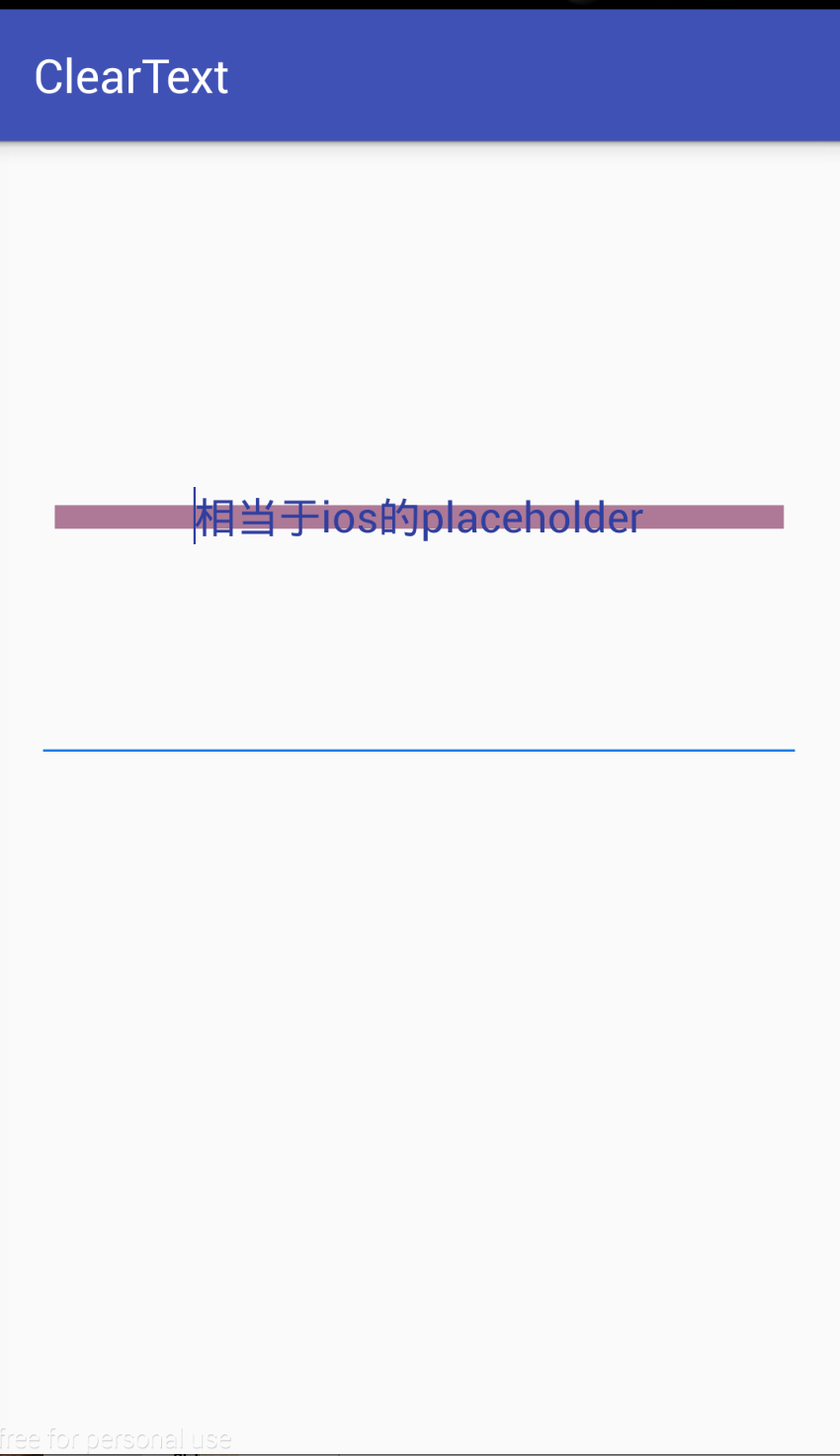
其它三种
<?xml version="1.0" encoding="utf-8"?>

<shape xmlns:android="http://schemas.android.com/apk/res/android"

    android:shape="line">//rectangle,oval,line

    <stroke

        android:width="10dp"

        android:color="#ad7997"

        />

</shape>
Android之shape属性简介和使用的更多相关文章
- Android Activity动画属性简介
Android Activity动画属性简介 在Android当中 设置activity的动画 需要复写 android:windowAnimationStyle这个属性 我们自定义一个动画样式来继承 ...
- Android之shape属性详解
有时候 ,为了满足一些需求,我们要用到 shape 去定义 一些背景,shape 的用法 跟图片一样 ,可以给View设置 Android:background="@drawable/sha ...
- Android中shape属性详解
一.简单使用 刚开始,就先不讲一堆标签的意义及用法,先简单看看shape标签怎么用. 1.新建shape文件 首先在res/drawable文件夹下,新建一个文件,命名为:shape_radius.x ...
- NDK(10)Android.mk各属性简介,Android.mk 常用模板
参考 : http://blog.csdn.net/hudashi/article/details/7059006 本文内容: Android.mk简介, 各属性表, 常用Android.mk模板 1 ...
- NDK(10)Android.mk各属性简介,Android.mk 常用模板--未完
参考 : http://blog.csdn.net/hudashi/article/details/7059006 1. Android.mk简介 Android.mk文件是GNU Makefile的 ...
- android中shape属性大全
出处:http://kofi1122.blog.51cto.com/2815761/521605
- Android使用shape制作圆形控件及添加弹跳动画
--------本来为作者原创,未经同意禁止转载 前言:我们在很多时候都需要在res/drawable文件夹下创建相应的xml文件来为控件添加一些样式效果,比如按钮按下时的按钮样式变化.或者指定按钮的 ...
- Drawable实战解析:Android XML shape 标签使用详解(apk瘦身,减少内存好帮手)
Android XML shape 标签使用详解 一个android开发者肯定懂得使用 xml 定义一个 Drawable,比如定义一个 rect 或者 circle 作为一个 View 的背景. ...
- Android GradientDrawable(shape标签定义) 静态使用和动态使用(圆角,渐变实现)
Android GradientDrawable使用优势: 1. 快速实现一些基本图形(线,矩形,圆,椭圆,圆环) 2. 快速实现一些圆角,渐变,阴影等效果 3. 代替图片设置为View的背景 4. ...
随机推荐
- 科普帖:深度学习中GPU和显存分析
知乎的一篇文章: https://zhuanlan.zhihu.com/p/31558973 关于如何使用nvidia-smi查看显存与GPU使用情况,参考如下链接: https://blog.csd ...
- StringBuilder 和 StringBuffer类
通常在涉及到StringBuilder和StringBuffer时中任何一个时,都应该想到另外一个并且在脑海中问自己是否用另外一个更加合适. 为什么这么说,请继续往下看,当然如果你已经对二者烂熟于胸自 ...
- log-slave-updates参数
从库做为其他从库的主库时 log-slave-updates参数是必须要添加的,因为从库要作为其他从库的主库,必须添加该参数.该参数就是为了让从库从主库复制数据时可以写入到binlog日志,为什么要用 ...
- sql中取出字符串中数字
select substring(reverse('0->星光'),PATINDEX('%[0-9]%',reverse('0->星光')),1)
- APB简介
一.血缘 AMBA: Advanced Microcontroller Bus Architecture 高级处理器总线架构 AHB: Advanced High-performance Bus 高级 ...
- C++ 贪吃蛇二维
#include <iostream> #include <conio.h> #include <windows.h> #include <time.h> ...
- gitbook新版本"gitbook build"命令导出的html不能跳转的解决办法
使用的是win7系统,gitbook新版本不支持html跳转功能,所以要降版本至2.6.7 解决办法如下: 第一步: 生成时指定gitbook的版本, 本地没有会先下载 gitbook build - ...
- js 当前时间和对比时间的比较
<!DOCTYPE><html> <head> <meta charset="utf-8" /> <title>功能:当 ...
- SGI STL rope
rope实现的接口可以参考这里. rope是可伸缩的string实现: 它们被设计为用于把string看作一个整体的高效操作 . 比如赋值.串联和子串的操作所花的时间差不多不依赖字符串的长度.与C的字 ...
- java接口的意义,为什么接口可以多继承,而类不可以?
原文地址:http://www.cnblogs.com/yunxiblog/p/5240690.html java当中继承一个接口,要重写他的方法的话,那为什么还要多此一举的去实现一个接口呢? 直接把 ...