
Android基础控件ImageView的使用
1、相关属性
        <!--src 设置内容-->

        <!--background 设置背景-->

        <!--alpha 设置透明度 -->

        <!--adjustViewBounds 保持原图宽高比-->

        <!--maxHeight maxWidth最大宽度和高度:adjustViewBounds为true,布局宽高为wrap_content才能生效-->

        <!--scaleType 缩放类型-->
scaleType属性详解:
fitXY:对图像的横向与纵向进行独立缩放,使得该图片完全适应ImageView;

fitStart:保持纵横比缩放图片,直到较长的边与ImageView的编程相等,缩放完成后将图片放在ImageView的左上角;
fitCenter:保持纵横比缩放图片,直到较长的边与ImageView的编程相等,缩放后放于中间;
fitEnd:保持纵横比缩放图片,直到较长的边与ImageView的编程相等,缩放后放于右下角;
center:保持原图的大小,显示在ImageView的中心。超过部分裁剪处理;
centerCrop:保持横纵比缩放图片,完全覆盖ImageView;
centerInside:保持横纵比缩放图片,直到ImageView能够完全地显示图片;
matrix:默认值,不改变原图的大小,从ImageView的左上角开始绘制原图,超过部分作裁剪处理;
2、简单使用
<LinearLayout xmlns:android="http://schemas.android.com/apk/res/android"

    xmlns:tools="http://schemas.android.com/tools"

    android:layout_width="match_parent"

    android:layout_height="match_parent"

    android:gravity="center"

    android:orientation="vertical"

    android:paddingBottom="@dimen/activity_vertical_margin"

    android:paddingLeft="@dimen/activity_horizontal_margin"

    android:paddingRight="@dimen/activity_horizontal_margin"

    android:paddingTop="@dimen/activity_vertical_margin"

    tools:context=".LoginActivity">

        <!--src 设置内容-->

        <!--background 设置背景-->

        <!--alpha 设置透明度 -->

        <!--adjustViewBounds 保持原图宽高比-->

        <!--maxHeight maxWidth最大宽度和高度:adjustViewBounds为true,布局宽高为wrap_content才能生效-->

        <!--scaleType 缩放类型-->

        <ImageView

            android:id="@+id/imageview11"

            android:layout_width="wrap_content"

            android:layout_height="200dp"

            android:src="@drawable/back"

            android:background="@color/colorPrimary"/>

        <ImageView

            android:layout_width="wrap_content"

            android:layout_height="wrap_content"

            android:id="@+id/imageview22"

            android:src="@drawable/back"

            android:padding="5dp"

            android:background="@color/bbutton_danger"

            android:alpha="1"

            android:adjustViewBounds="true"

            android:maxHeight="150dp"

            android:maxWidth="150dp"

            android:scaleType="fitCenter"

            />

</LinearLayout>
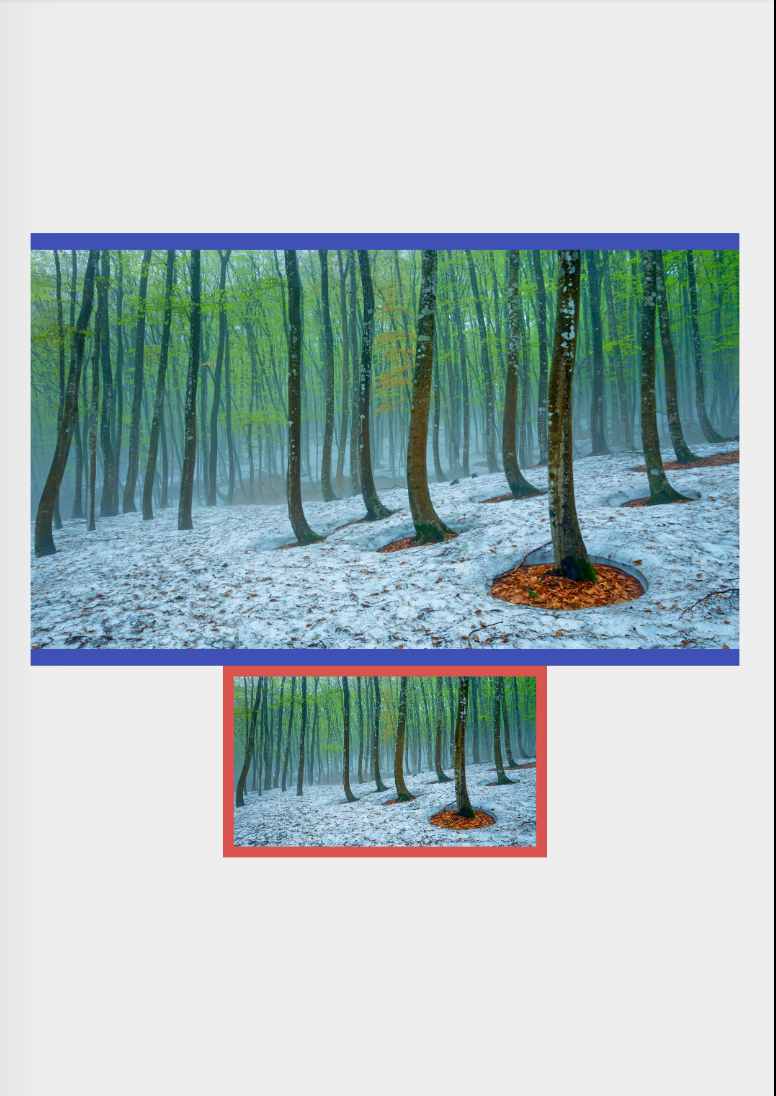
效果图
Android基础控件ImageView的使用的更多相关文章
- Android基础控件ListView基础操作
1.简介 基于Android基础控件ListView和自定义BaseAdapter适配器情况下,对ListView的数据删除和添加操作: public boolean add(E e) {//添加数据 ...
- 矩阵, 矩阵 , Android基础控件之ImageView
天下文章大家抄,以下所有内容,有来自copy,有来自查询,亦有自己的总结(目的是总结出自己的东西),所以说原创,不合适,说是转载也不恰当,所以我称之为笔记,可惜没有此分类选项,姑且不要脸一点,选择为原 ...
- android 基础控件(EditView、SeekBar等)的属性及使用方法
android提供了大量的UI控件,本文将介绍TextView.ImageView.Button.EditView.ProgressBar.SeekBar.ScrollView.WebView ...
- Android基础控件ProgressBar进度条的使用
1.简介 ProgressBar继承与View类,直接子类有AbsSeekBar和ContentLoadingProgressBar, 其中AbsSeekBar的子类有SeekBar和RatingBa ...
- Android基础控件Button的使用
1.相关属性 Android的按钮有Button和ImageButton(图像按钮),Button extends TextView, ImageButton extends ImageView! a ...
- android基础控件的使用
控件在屏幕上位置的确定 通常情况下控件在屏幕上确定至少要连接两条线(一条水平,一条垂直) 如下图连接了四条线 辅助线 辅助线的调出: 水平辅助线:进入activity.xml的设计模式之后如下图 为了 ...
- android 基础控件 EditText
EditText 简介: EditText 控件继承 TextView ,它有TextView的所有属性和方法,并且自身是可编辑的: extends TextView java.lang.Object ...
- Android 基础控件 TextView
一TextView介绍: TextView是UI最基本的组件,使用TextView可以显示丰富的文本信息.设置添加TextView最常见的方法就是在xml中添加TextView元素,并指定属性.Tex ...
- Android基础控件TextClock和Chronometer的使用
1.简介 DigitalClock, TextClock,AnalogClock,Chronometer其中DigitalClock和AnalogClock废弃了! TextClock是在Androi ...
随机推荐
- 牛客D-Where are you /// kruskal+tarjan找无向图内的环
题目大意: https://ac.nowcoder.com/acm/contest/272/D 在一个无向图中,给定一个起点,从起点开始走遍图中所有点 每条边有边权wi,表示第一次经过该道路时的花费( ...
- 使用neo4j图数据库的import工具导入数据 -方法和注意事项
背景 最近我在尝试存储知识图谱的过程中,接触到了Neo4j图数据库,这里我摘取了一段Neo4j的简介: Neo4j是一个高性能的,NOSQL图形数据库,它将结构化数据存储在网络上而不是表中.它是一个嵌 ...
- ubuntu安装更新命令
ubuntu16.04LTS 进入ubuntu系统后,打开一个终端,如图所示.此时以普通用户身份登录. 由于更新系统需要用到管理员权限,因此要么使用"su -"直接切换到roo ...
- elasticsearch.net一个查询问题
.Query(q => q.Bool(b => b.Must(m => m.MultiMatch(t => t .Fields(f => f.Field(obj => ...
- 前端常用的库和实用技术之JavaScript面向切面编程
Aspect Oriented Programming(AOP)面向切面编程是一个比较热门的话题. AOP主要实现的目的是针对业务处理过程中的切面进行提取,它所面对的是处理过程 中的某个步骤或阶段,以 ...
- Redis问题整理
Redis问题总结 1.单点登录的两个项目cookie不一致 由于在配置自定义Cookie的时候 @Bean("shiroCookie") public SimpleCookie ...
- bzoj1568 Blue Mary
题意:P:加入一条一次函数.Q:询问x位置的最大函数值. 标程: #include<bits/stdc++.h> using namespace std; ; int q,x,n; dou ...
- Java 基础 - instanceof关键字
instanceof 父类子类 结论: 子类 instanceof 父类 == true 父类 instanceof 子类 == false public class Test { public st ...
- mac终端主机与用户名的修改
终端中切换root用户 su - root 修改/etc/bashrc文件中的PS1='\h:\W \u$ ',其中\h代表主机名,\u代表用户名 修改完后,使用x!强制保存,即重写覆盖原有的文件. ...
- Spring Boot 成长之路(一) 快速上手
1.创建工程 利用IntelliJ IDEA新建一个Spring Boot项目的Web工程 2.查看初始化的spring boot项目 工程建好之后会出现如下的目录结构: 值得注意的第一件事是,整个项 ...