
JavaScript新手入门 贪吃蛇
从小就在玩贪吃蛇,但是知道今天自己做了一遍才知道原理的具体的实现步骤。
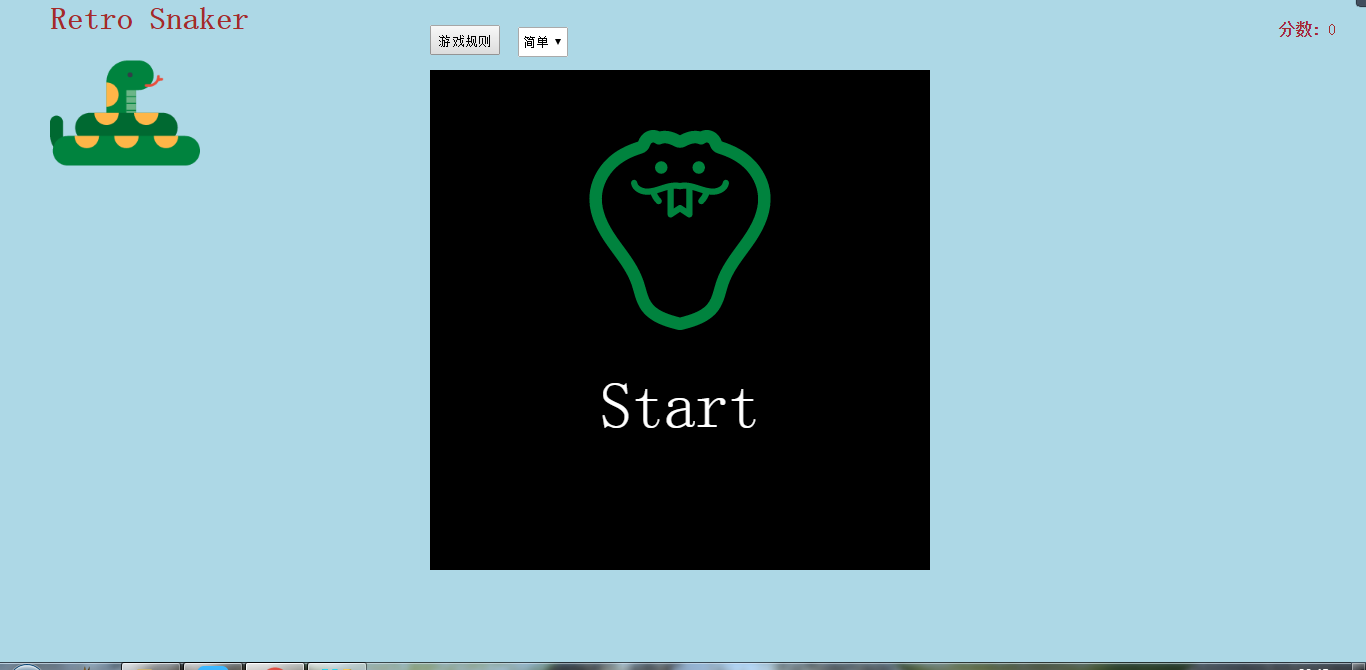
刚进入界面时显示开始游戏(不重要,本人比较喜欢吹毛求疵)
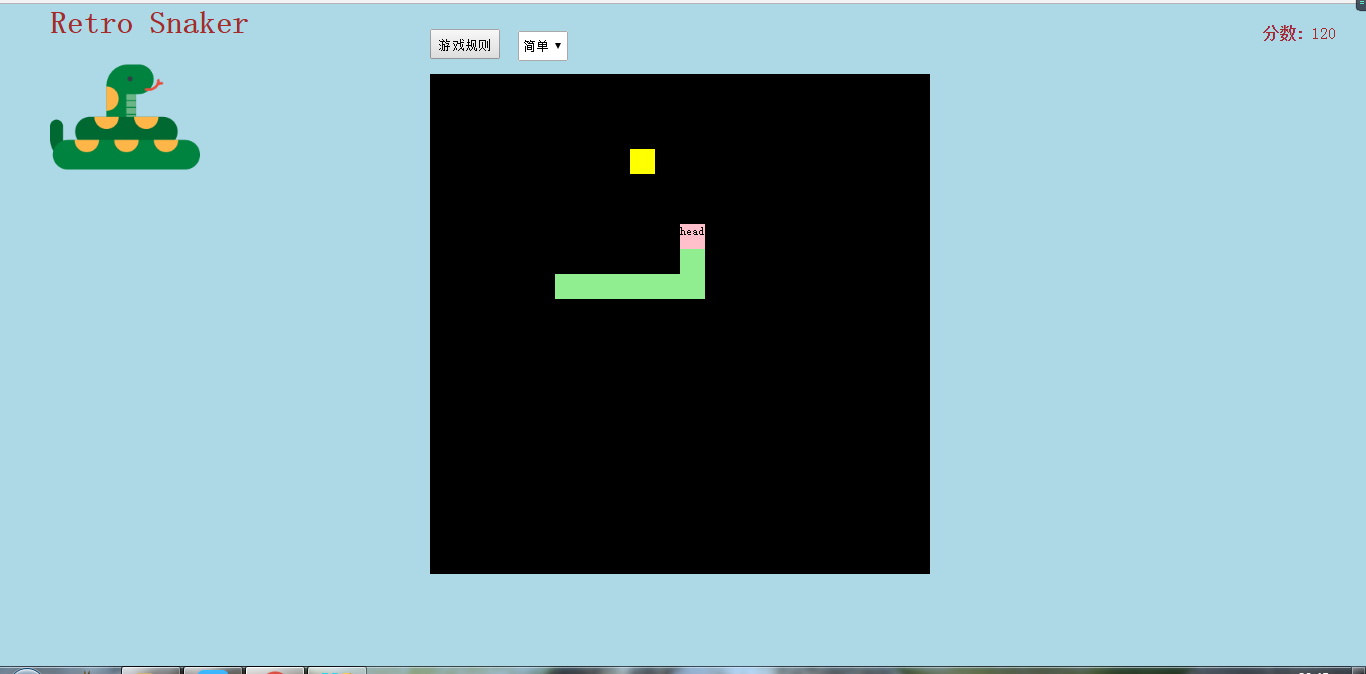
中间黑色部分为游戏的主要展示部分
主要步骤及源码:
body中代码,红色部分是必须
<div id="container"></div>
css设置
<style>

        *{margin: 0;padding: 0;}

        html{width: 100%;height: 100%;background: lightblue;}

        #container{width: 500px;height: 500px;background-color: #000;position: absolute;z-index: -10;overflow: hidden;top: 70px;left: 430px;}

        table{/*border-left: 1px #fff solid;border-top: 1px #fff solid;*/border-collapse: collapse;}

        td{/*border-right: 1px #fff solid;border-bottom: 1px #fff solid;*/width: 25px;height: 25px;}

    </style>
1.创建网格
用js动态创建表格,刚开始写最好写上网格以及边框,一目了然,可以知道div移动的位置。
/*生成一个表格*/

    var table=document.createElement("table");

    container.appendChild(table);

    /*声明一个二维数组存放位置的占用信息*/

    //var area=new Array();

    for(var i=0;i<20;i++){

        var tr=document.createElement("tr");

        table.appendChild(tr);

        //area[i]=new Array();

        for(var j=0;j<20;j++){

            var td=document.createElement("td");

            tr.appendChild(td);

            //area[i][j]=false;

        }

    }
2.创建节点函数
这个函数本来我是没有封装的,后来发现食物、蛇头和蛇身有很多共同点,分装可以设置很多共同的属性,并且减少代码量
/*生成节点种类 type 1 head 2 body 3 food*/

    function createNode(type){

        var obj=document.createElement("div");

        obj.style.cssText="width:25px;height:25px;position:absolute;z-index:-5;font-size:8px;"

        switch (type){

            case 1:

                obj.style.left="0px";

                obj.style.top="0px";

                obj.style.background="pink";

                obj.innerHTML="head";

                obj.setAttribute("direction","down");

                break;

            case 2:

                if(bodys.length==0){

                    obj.style.left=parseInt(head.style.left)+"px";

                    obj.style.top=parseInt(head.style.top)+"px";

                    obj.style.background="lightgreen";

                }

                else{

                    obj.style.left=parseInt(bodys[bodys.length-1].style.left)+"px";

                    obj.style.top=parseInt(bodys[bodys.length-1].style.top)+width1+"px";

                    obj.style.background="lightgreen";

                }

                break;

            case 3:

                obj.style.left=parseInt(Math.random()*10)*width1+"px";

                obj.style.top=parseInt(Math.random()*10)*width1+"px";

                for(var i=0;i<(bodys.length)+1;i++){/*食物不能出现的身体里面*/

                    if(i==bodys.length){

                        while(obj.style.left==head.style.left&&obj.style.top==head.style.top){

                            obj.style.left=parseInt(Math.random()*10)*width1+"px";

                            obj.style.top=parseInt(Math.random()*10)*width1+"px";

                        }

                    }

                    else{

                        while(obj.style.left==bodys[i].style.left&&obj.style.top==bodys[i].style.top){

                            obj.style.left=parseInt(Math.random()*10)*width1+"px";

                            obj.style.top=parseInt(Math.random()*10)*width1+"px";

                        }

                    }

                }

                xiaobiao=parseInt(Math.random()*10);

                while(xiaobiao>=4){

                    xiaobiao=parseInt(Math.random()*10);

                }

                obj.style.background=color[xiaobiao];

                break;

        }

        return obj;

    }
3.创建头结点
/*创建身体*/

    var bodys=[];

    /*创建头部*/

    var head=createNode(1);

    container.appendChild(head);
4.键盘上下左右控制移动方向
监听键盘事件,不同的键按下相应不同的事件
window.onkeydown=function() {

        var key = event.which || event.keycode;

        if (key == 38) {//上箭头

            if(head.getAttribute("direction")!="down"||bodys.length==0)/*不能反向移动*/

                head.setAttribute("direction","up");

        } else if (key == 40) {//下箭头

            if(head.getAttribute("direction")!="up"||bodys.length==0)

                head.setAttribute("direction","down");

        } else if (key == 37) {//左箭头

            if(head.getAttribute("direction")!="right"||bodys.length==0)

                head.setAttribute("direction","left");

        } else if (key == 39) {//右箭头

            if(head.getAttribute("direction")!="left"||bodys.length==0)

                head.setAttribute("direction","right");

        }

        else

            sign=!sign;

    }
5.碰撞检测(生成新的食物、生成身体)
 function runInto(obj1,obj2){

        var x1=obj1.style.left;

        var x2=obj2.style.left;

        var y1=obj1.style.top;

        var y2=obj2.style.top;

        if (x1===x2&&y1===y2) {

            return true;

        } else {

            return false;

        }

    }
 if(runInto(head,food)){

               container.removeChild(food);

               food=createNode(3);

               container.appendChild(food);

               /*生成身体*/

               body=createNode(2);

               container.appendChild(body);

               bodys.push(body);

           }
判断头部和食物的位置是否相同,相同就移除原来的食物节点,再次随机生成食物,并且生成身体
6.身体随头部走动
遍历所有身体节点,第一个身体节点占用头部的位置,接下来的每一个节点占用上一个节点的位置。
for (var i =bodys.length-1; i >=0; i--) {

    if (i==0) {

        bodys[i].style.left=head.style.left;

        bodys[i].style.top=head.style.top;

    } else {

        bodys[i].style.left= bodys[i-1].style.left;

        bodys[i].style.top= bodys[i-1].style.top;

    }

}
7.不能反向移动
以向上走为例,当只有头部的时候可以向任何方向移动,当身体长度不为零的时候就得判断头部的方向,头不可以朝当前移动的反方向移动,意思就是不能移动到自己的身体里
if (key == 38) {//上箭头

            if(head.getAttribute("direction")!="down"||bodys.length==0)/*不能反向移动*/

                head.setAttribute("direction","up");

        }
8.边界检测
边界检测有两种情况:1)移出边界判断死亡 2)移出边界从另一个相反边界出现(我使用的是第二种,代码以向上移动为例)
obj_top=obj_top<0?475:obj_top;/*边界检测*/
9.食物不能出现的身体里面
这一问题的解决方案是判断新生成的食物和当前蛇头蛇身的位置是否重合,重合再重新生成食物,直到不重合
for(var i=0;i<(bodys.length)+1;i++){/*食物不能出现的身体里面*/

                    if(i==bodys.length){

                        while(obj.style.left==head.style.left&&obj.style.top==head.style.top){

                            obj.style.left=parseInt(Math.random()*10)*width1+"px";

                            obj.style.top=parseInt(Math.random()*10)*width1+"px";

                        }

                    }

                    else{

                        while(obj.style.left==bodys[i].style.left&&obj.style.top==bodys[i].style.top){

                            obj.style.left=parseInt(Math.random()*10)*width1+"px";

                            obj.style.top=parseInt(Math.random()*10)*width1+"px";

                        }

                    }

                }
10.自杀检测
这个比较简单,只要判断身体节点是否和头部位置重合就可以
/*自杀检测*/

           for(var i=;i<bodys.length;i++){

               if(head.style.top==bodys[i].style.top&&head.style.left==bodys[i].style.left){

                   alert("Game Over!Your score is "+sum);

                   window.location.reload();
完成以上硬性要求就可以加一下自己创意使自己的游戏更完善好玩了。
全部代码参考:
<!DOCTYPE html>

<html lang="en">

<head>

    <meta charset="UTF-8">

    <title>贪吃蛇</title>

    <style>

        *{margin: ;padding: ;}

        html{width: %;height: %;background: lightblue;}

        #container{width: 500px;height: 500px;background-color: #;position: absolute;z-index: -;overflow: hidden;top: 70px;left: 430px;}

        table{/*border-left: 1px #fff solid;border-top: 1px #fff solid;*/border-collapse: collapse;}

        td{/*border-right: 1px #fff solid;border-bottom: 1px #fff solid;*/width: 25px;height: 25px;}

        .grade{position: fixed;top:20px;right: 30px;}

        .grade span:first-child{font-weight: bold;}

        span,h1{color: brown;}

        .title{position: absolute;top: ;left: 50px;}

        .title img{height: 150px;width: 150px;}

        #start{width: 500px;height: 500px;background-color: #;z-index: ;text-align: center;padding: 60px;box-sizing: border-box;}

        a{text-decoration: none;color: #fff;font-size: 64px;}

        .rule{position: absolute;left: 430px;top:25px;}

        button{width: 70px;height: 30px;line-height: 30px;margin-right: 10px;}

        select{width: 50px;height: 30px;line-height: 30px;}

    </style>

</head>

<body>

<div class="title"><h1>Retro Snaker</h1><img src="data:images/snake.png"></div>

<div id="container"><div id="start"><img src="data:images/icon_Snake.png"><br><br><br><a href="#">Start</a></div></div>

<div class="grade"><span>分数: </span><span  id="score"></span></div>

<div class="rule">

    <button>游戏规则</button>

    <select>

        <option value="" selected>简单</option>

        <option value="">一般</option>

        <option value="">困难</option>

    </select>

</div>

<script>

    /*获取整个可变区域*/

    var container=document.getElementById("container");

    var score=document.getElementById("score");

    var start=document.getElementById("start");

    var a=document.getElementsByTagName("a")[];

    var button=document.getElementsByTagName("button")[];

    var select=document.getElementsByTagName("select")[];

    var selValue=select.value;

    var color=["red","yellow","blue","purple"];

    var xiaobiao;

    //console.log(selValue)

    var v=;//速度

    var sum=;

    var sign;

    var width1=;

    a.onclick=function(){

        sign=true;

        start.style.display="none";

    }

    button.onclick=function(){

        alert("游戏规则:"+"↓表示上↑表示下←表示左→表示右,其他键暂停(再按一次继续)");

    }

    var timer=setInterval(move,v);

    select.onchange=function(){

        selValue=select.value;

        switch (selValue){

            case "":

                clearInterval(timer);

                v=;

                sum=;

                timer=setInterval(move,v);

                break;

            case "":

                clearInterval(timer);

                v=;

                timer=setInterval(move,v);

                sum=;

                break;

            case "":

                clearInterval(timer);

                v=;

                timer=setInterval(move,v);

                sum=;

                break;

        }

        select.blur();

    }

    console.log(v)

    /*生成一个表格*/

    var table=document.createElement("table");

    container.appendChild(table);

    /*声明一个二维数组存放位置的占用信息*/

    //var area=new Array();

    for(var i=;i<;i++){

        var tr=document.createElement("tr");

        table.appendChild(tr);

        //area[i]=new Array();

        for(var j=;j<;j++){

            var td=document.createElement("td");

            tr.appendChild(td);

            //area[i][j]=false;

        }

    }

    /*创建身体*/

    var bodys=[];

    /*创建头部*/

    var head=createNode();

    container.appendChild(head);

    //console.log(head.style.top)

    /*创建食物*/

    var food=createNode();

    container.appendChild(food);

    /*声明头部的位置*/

    var obj_top=;

    var obj_left=;

    /*创建运动函数*/

   function move(){

       if(sign){

           for (var i =bodys.length-; i >=; i--) {

               if (i==) {

                   bodys[i].style.left=head.style.left;

                   bodys[i].style.top=head.style.top;

               } else {

                   bodys[i].style.left= bodys[i-].style.left;

                   bodys[i].style.top= bodys[i-].style.top;

               }

           }

           var dir=head.getAttribute("direction");

           switch (dir){

               case "up":

                   obj_top=parseInt(head.style.top)-width1;

                   obj_top=obj_top<?:obj_top;/*边界检测*/

                   break;

               case "down":

                   obj_top=parseInt(head.style.top)+width1;

                   obj_top=obj_top>?:obj_top;

                   break;

               case "left":

                   obj_left=parseInt(head.style.left)-width1;

                   obj_left=obj_left<?:obj_left;

                   break;

               case "right":

                   obj_left=parseInt(head.style.left)+width1;

                   obj_left=obj_left>?:obj_left;

                   break;

           }

           head.style.top=obj_top+"px";

           head.style.left=obj_left+"px";

           /*自杀检测*/

           for(var i=;i<bodys.length;i++){

               if(head.style.top==bodys[i].style.top&&head.style.left==bodys[i].style.left){

                   alert("Game Over!Your score is "+sum);

                   window.location.reload();

               }

           }

           /*碰撞检测*/

           if(runInto(head,food)){

               switch (color[xiaobiao]){

                   case "red":

                       sum+=;

                       break;

                   case "yellow":

                       sum+=;

                       break;

                   case "blue":

                       sum+=;

                       break;

                   case "purple":

                       sum+=;

                       break;

               }

               container.removeChild(food);

               food=createNode();

               container.appendChild(food);

               /*生成身体*/

               body=createNode();

               container.appendChild(body);

               bodys.push(body);

               score.innerHTML=sum;

           }

       }

   }

    /*碰撞检测*/

    function runInto(obj1,obj2){

        var x1=obj1.style.left;

        var x2=obj2.style.left;

        var y1=obj1.style.top;

        var y2=obj2.style.top;

        if (x1===x2&&y1===y2) {

            return true;

        } else {

            return false;

        }

    }

    /*生成节点种类 type 1 head 2 body 3 food*/

    function createNode(type){

        var obj=document.createElement("div");

        obj.style.cssText="width:25px;height:25px;position:absolute;z-index:-5;font-size:8px;"

        switch (type){

            case :

                obj.style.left="0px";

                obj.style.top="0px";

                obj.style.background="pink";

                obj.innerHTML="head";

                obj.setAttribute("direction","down");

                break;

            case :

                if(bodys.length==){

                    obj.style.left=parseInt(head.style.left)+"px";

                    obj.style.top=parseInt(head.style.top)+"px";

                    obj.style.background="lightgreen";

                }

                else{

                    obj.style.left=parseInt(bodys[bodys.length-].style.left)+"px";

                    obj.style.top=parseInt(bodys[bodys.length-].style.top)+width1+"px";

                    obj.style.background="lightgreen";

                }

                break;

            case :

                obj.style.left=parseInt(Math.random()*)*width1+"px";

                obj.style.top=parseInt(Math.random()*)*width1+"px";

                for(var i=;i<(bodys.length)+;i++){/*食物不能出现的身体里面*/

                    if(i==bodys.length){

                        while(obj.style.left==head.style.left&&obj.style.top==head.style.top){

                            obj.style.left=parseInt(Math.random()*)*width1+"px";

                            obj.style.top=parseInt(Math.random()*)*width1+"px";

                        }

                    }

                    else{

                        while(obj.style.left==bodys[i].style.left&&obj.style.top==bodys[i].style.top){

                            obj.style.left=parseInt(Math.random()*)*width1+"px";

                            obj.style.top=parseInt(Math.random()*)*width1+"px";

                        }

                    }

                }

                xiaobiao=parseInt(Math.random()*);

                while(xiaobiao>=){

                    xiaobiao=parseInt(Math.random()*);

                }

                obj.style.background=color[xiaobiao];

                break;

        }

        return obj;

    }

    /*键盘操作上下左右*/

    window.onkeydown=function() {

        var key = event.which || event.keycode;

        if (key == ) {//上箭头

            if(head.getAttribute("direction")!="down"||bodys.length==)/*不能反向移动*/

                head.setAttribute("direction","up");

        } else if (key == ) {//下箭头

            if(head.getAttribute("direction")!="up"||bodys.length==)

                head.setAttribute("direction","down");

        } else if (key == ) {//左箭头

            if(head.getAttribute("direction")!="right"||bodys.length==)

                head.setAttribute("direction","left");

        } else if (key == ) {//右箭头

            if(head.getAttribute("direction")!="left"||bodys.length==)

                head.setAttribute("direction","right");

        }

        else

            sign=!sign;

    }

</script>

</body>

</html>
菜鸟作品,仅供参考,如有bug,请指教(*^__^*) 嘻嘻……

JavaScript新手入门 贪吃蛇的更多相关文章
- javascript 编写的贪吃蛇
<!DOCTYPE html> <html lang="en"> <head> <meta charset="UTF-8&quo ...
- JavaScript实现的--贪吃蛇
总的实现思路: 一.效果部分: 1.编写html代码,加上样式. 二.JavaScript部分: 1.利用dom方法创建一块草坪,即活动区域: 2.创建一条蛇,并设置其初始位置: ...
- JavaScript 小游戏 贪吃蛇
贪吃蛇 代码: <!DOCTYPE html><html><head> <meta charset="UTF-8"> <met ...
- SuperMap iClient for JavaScript 新手入门
地理信息系统(英语:Geographic Information System,缩写:GIS)是一门综合性学科,结合地理学与地图学,已经广泛的应用在不同的领域,是用于输入.存储.查询.分析和显示地理数 ...
- javascript实现游戏贪吃蛇
1.设计蛇:属性有宽.高.方向.状态(有多少节),方法:显示,跑 2.设计食物:属性宽.高 3.显示蛇:根据状态向地图里加元素 4.蛇跑起来:下一节到前一节的位置,蛇头根据方向变,删除原来的蛇,新建蛇 ...
- 原生JavaScript实现的贪吃蛇
github代码地址:https://github.com/McRayFE/snake 涉及到的知识点: 键盘事件 setInterval()定时器 javascript中数组的使用 碰撞的检测 of ...
- JavaScript 面向对象思想 贪吃蛇游戏
js代码: 游戏的对象 ,食物,蛇 ,游戏控制思路如下 (完整代码在https://github.com/774044859yf/ObjectSnakeGame下载) var snake = { aS ...
- JavaScript面向对象编程小游戏---贪吃蛇
1 面向对象编程思想在程序项目中有着非常明显的优势: 1- 1 代码可读性高.由于继承的存在,即使改变需求,那么维护也只是在局部模块 1- 2 维护非常方便并且成本较低. 2 这个demo是采用了 ...
- JavaScript与html5写的贪吃蛇完整代码
JavaScript与html5写的贪吃蛇完整代码 查看运行效果可访问http://www.codesocang.com/texiao/youxitexiao/2014/0402/7045.html# ...
随机推荐
- PHP7.X连接SQLSERVER数据库(CENTOS7)
加入微软的源 curl https://packages.microsoft.com/config/rhel/7/prod.repo > /etc/yum.repos.d/mssqlreleas ...
- MVP之高级MVP架构封装
MVP之高级MVP架构封装 No MVP: 我们一般会这样写: public class MainActivity extends AppCompatActivity { private EditTe ...
- Flex 弹性盒基本语法
网页布局(layout)是 CSS 的一个重点应用. 布局的传统解决方案,基于盒状模型,依赖 display 属性 + position属性 + float属性.它对于那些特殊布局非常不方便,比如,垂 ...
- django数据库的表已迁移的不能重新迁移的解决办法
django.db.utils.InternalError: (1050, "Table 'tb_content' already exists") mysql数据库在迁移时数据库 ...
- Linux 文件系统(一)---虚拟文件系统VFS----超级块、inode、dentry、file
转自:http://blog.csdn.net/shanshanpt/article/details/38943731 http://elixir.free-electrons.com/linux/v ...
- js隐藏字符串中间部分
在进行web前端页面开发中,有时需要从后台获取用户数据来显示在前台页面,但是考虑到用户信息安全的问题,就需要对这些信息进行处理,使其不完全显示出来,例如姓名,两个字的显示姓,名字用*代替,电话前三位和 ...
- 微信小程序 画布drawImage实现图片截取
大多数图片都大小不一,选择框的尺寸也是宽高相等的,就会有图片被压缩 解决方法: 1.可以使用画布对图片先进行截取,保存截取图片(用户自己选取,或者指定图片中心区域截取),但是对于多张图片手动截取,会影 ...
- 分页(pagination)样式表
ul { list-style: none; padding:; margin:; } .pagination{ display:inline-block; padding-left:; border ...
- beifen
Comparison of Models for Predicting the Outcome of Craniocerebral Injury by Using Machine Learning ...
- python—DAY1
# user = "123"# possword = "111"# count = 0## while count < 3:# user_name = i ...