
(转) WTF is computer vision?
WTF is computer vision?
Someone across the room throws you a ball and you catch it. Simple, right?
Actually, this is one of the most complex processes we’ve ever attempted to comprehend – let alone recreate. Inventing a machine that sees like we do is a deceptively difficult task, not just because it’s hard to make computers do it, but because we’re not entirely sure how we do it in the first place.
What actually happens is roughly this: the image of the ball passes through your eye and strikes your retina, which does some elementary analysis and sends it along to the brain, where the visual cortex more thoroughly analyzes the image. It then sends it out to the rest of the cortex, which compares it to everything it already knows, classifies the objects and dimensions, and finally decides on something to do: raise your hand and catch the ball (having predicted its path). This takes place in a tiny fraction of a second, with almost no conscious effort, and almost never fails. So recreating human vision isn’t just a hard problem, it’s a set of them, each of which relies on the other.
Well, no one ever said this would be easy. Except, perhaps, AI pioneer Marvin Minsky, who famously instructed a graduate student in 1966 to “connect a camera to a computer and have it describe what it sees.” Pity the kid: 50 years later, we’re still working on it.
Serious research began in the 50s and started along three distinct lines: replicating the eye (difficult); replicating the visual cortex (very difficult); and replicating the rest of the brain (arguably the most difficult problem ever attempted).
To see
Reinventing the eye is the area where we’ve had the most success. Over the past few decades, we have created sensors and image processors that match and in some ways exceed the human eye’s capabilities. With larger, more optically perfect lenses and semiconductor subpixels fabricated at nanometer scales, the precision and sensitivity of modern cameras is nothing short of incredible. Cameras can also record thousands of images per second and detect distances with great precision.
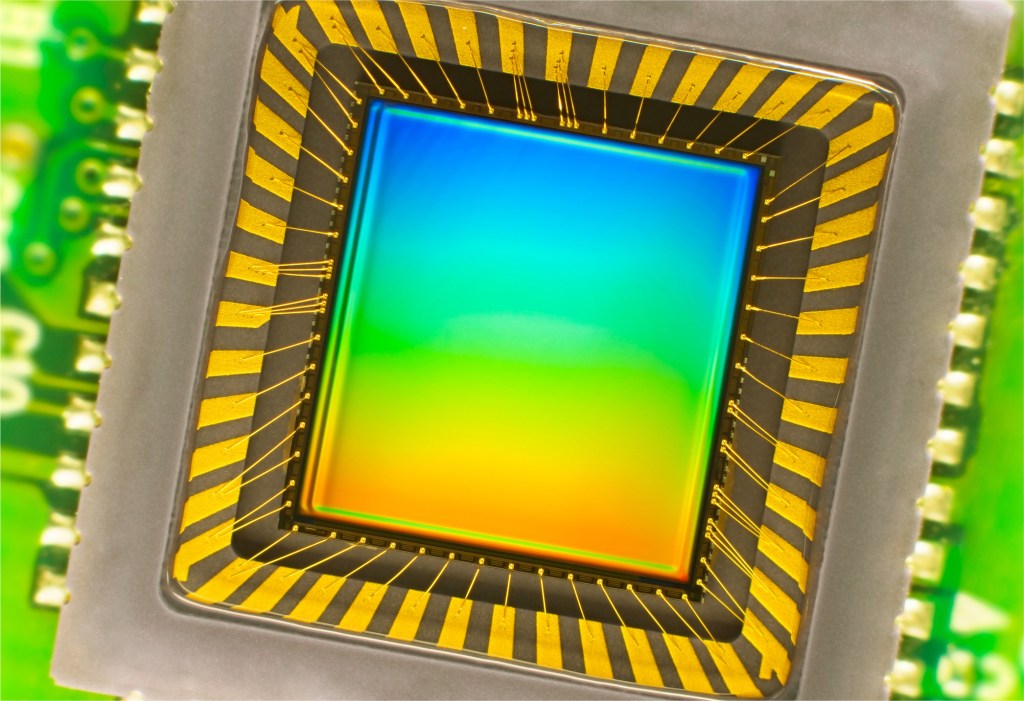
An image sensor one might find in a digital camera.
Yet despite the high fidelity of their outputs, these devices are in many ways no better than a pinhole camera from the 19th century: They merely record the distribution of photons coming in a given direction. The best camera sensor ever made couldn’t recognize a ball — much less be able to catch it.
The hardware, in other words, is severely limited without the software — which, it turns out, is by far the greater problem to solve. But modern camera technology does provide a rich and flexible platform on which to work.
To describe
This isn’t the place for a complete course on visual neuroanatomy, but suffice it to say that our brains are built from the ground up with seeing in mind, so to speak. More of the brain is dedicated to vision than any other task, and that specialization goes all the way down to the cells themselves. Billions of them work together to extract patterns from the noisy, disorganized signal from the retina.
Sets of neurons excite one another if there’s contrast along a line at a certain angle, say, or rapid motion in a certain direction. Higher-level networks aggregate these patterns into meta-patterns: a circle, moving upwards. Another network chimes in: the circle is white, with red lines. Another: it is growing in size. A picture begins to emerge from these crude but complementary descriptions.
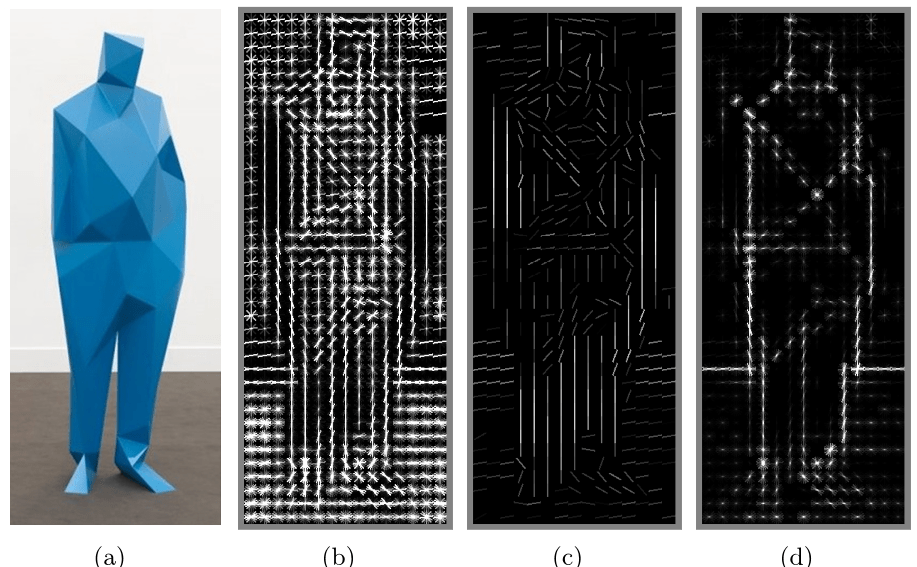
A “histogram of oriented gradients,” finding edges and other features using a technique like that found in the brain’s visual areas.
Early research into computer vision, considering these networks as being unfathomably complex, took a different approach: “top-down” reasoning — a book looks like /this/, so watch for /this/ pattern, unless it’s on its side, in which case it looks more like /this/. A car looks like /this/ and moves like /this/.
We can barely come up with a working definition of how our minds work, much less how to simulate it.
For a few objects in controlled situations, this worked well, but imagine trying to describe every object around you, from every angle, with variations for lighting and motion and a hundred other things. It became clear that to achieve even toddler-like levels of recognition would require impractically large sets of data.
A “bottom-up” approach mimicking what is found in the brain is more promising. A computer can apply a series of transformations to an image and discover edges, the objects they imply, perspective and movement when presented with multiple pictures, and so on. The processes involve a great deal of math and statistics, but they amount to the computer trying to match the shapes it sees with shapes it has been trained to recognize — trained on other images, the way our brains were.

What an image like this one above (from Purdue University’s E-lab) is showing is the computer displaying that, by its calculations, the objects highlighted look and act like other examples of that object, to a certain level of statistical certainty.
Proponents of bottom-up architecture might have said “I told you so.” Except that until recent years, the creation and operation of artificial neural networks was impractical because of the immense amount of computation they require. Advances in parallel computing have eroded those barriers, and the last few years have seen an explosion of research into and using systems that imitate — still very approximately — the ones in our brain. The process of pattern recognition has been sped up by orders of magnitude, and we’re making more progress every day.
To understand
Of course, you could build a system that recognizes every variety of apple, from every angle, in any situation, at rest or in motion, with bites taken out of it, anything — and it wouldn’t be able to recognize an orange. For that matter, it couldn’t even tell you what an apple is, whether it’s edible, how big it is or what they’re used for.
The problem is that even good hardware and software aren’t much use without an operating system.
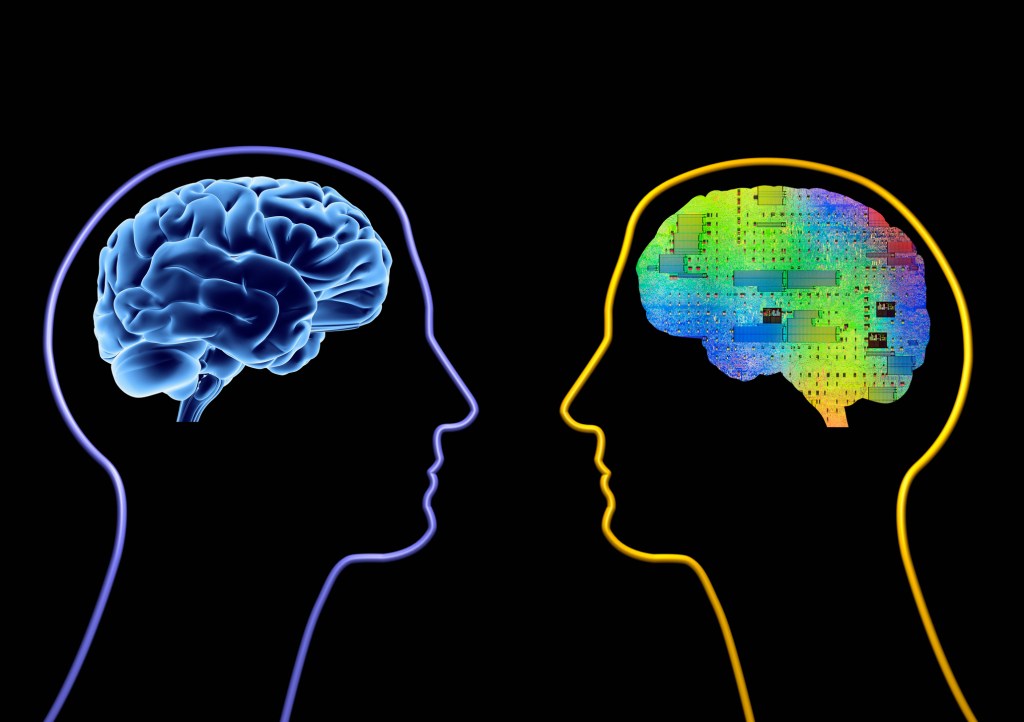
For us, that’s the rest of our minds: short and long term memory, input from our other senses, attention and cognition, a billion lessons learned from a trillion interactions with the world, written with methods we barely understand to a network of interconnected neurons more complex than anything we’ve ever encountered.
The future of computer vision is in integrating the powerful but specific systems we’ve created with broader ones.
This is where the frontiers of computer science and more general artificial intelligence converge — and where we’re currently spinning our wheels. Between computer scientists, engineers, psychologists, neuroscientists and philosophers, we can barely come up with a working definition of how our minds work, much less how to simulate it.
That doesn’t mean we’re at a dead end. The future of computer vision is in integrating the powerful but specific systems we’ve created with broader ones that are focused on concepts that are a bit harder to pin down: context, attention, intention.
That said, computer vision even in its nascent stage is still incredibly useful. It’s in our cameras, recognizing faces and smiles. It’s in self-driving cars, reading traffic signs and watching for pedestrians. It’s in factory robots, monitoring for problems and navigating around human co-workers. There’s still a long way to go before they see like we do — if it’s even possible — but considering the scale of the task at hand, it’s amazing that they see at all.
FEATURED IMAGE: BRYCE DURBIN
(转) WTF is computer vision?的更多相关文章
- Computer vision labs
积累记录一些视觉实验室,方便查找 1. 多伦多大学计算机科学系 2. 普林斯顿大学计算机视觉和机器人实验室 3. 牛津大学Torr Vision Group 4. 伯克利视觉和学习中心 Pro ...
- Computer Vision: OpenCV, Feature Tracking, and Beyond--From <<Make Things See>> by Greg
In the 1960s, the legendary Stanford artificial intelligence pioneer, John McCarthy, famously gave a ...
- [转载]Three Trending Computer Vision Research Areas, 从CVPR看接下来几年的CV的发展趋势
As I walked through the large poster-filled hall at CVPR 2013, I asked myself, “Quo vadis Computer V ...
- Computer Vision 学习 -- 图像存储格式
本文把自己理解的图像存储格式总结一下. 计算机中的数据,都是二进制的,所以图片也不例外. 这是opencv文档的描述,具体在代码里面,使用矩阵来进行存储. 类似下图是(BGR格式): 图片的最小单位是 ...
- Analyzing The Papers Behind Facebook's Computer Vision Approach
Analyzing The Papers Behind Facebook's Computer Vision Approach Introduction You know that company c ...
- 计算机视觉和人工智能的状态:我们已经走得很远了 The state of Computer Vision and AI: we are really, really far away.
The picture above is funny. But for me it is also one of those examples that make me sad about the o ...
- Computer Vision的尴尬---by林达华
Computer Vision的尴尬---by林达华 Computer Vision是AI的一个非常活跃的领域,每年大会小会不断,发表的文章数以千计(单是CVPR每年就录取300多,各种二流会议每年的 ...
- Computer Vision Applied to Super Resolution
Capel, David, and Andrew Zisserman. "Computer vision applied to super resolution." Signal ...
- Computer Vision Algorithm Implementations
Participate in Reproducible Research General Image Processing OpenCV (C/C++ code, BSD lic) Image man ...
随机推荐
- 浅谈Android系统移植、Linux设备驱动
一.Android系统架构 第一层:Linux内核 包括驱动程序,管理内存.进程.电源等资源的程序 第二层:C/C++代码库 包括Linux的.so文件以及嵌入到APK程序中的NDK代码 第三层:An ...
- 【zz】matlab 求差集
matlab判断2个数组中不同元素--setdiff c = setdiff(A, B) 返回在A中有,而B中没有的值,结果向量将以升序排序返回.在集合论中,c = A - B.A和B也可以是字符串细 ...
- iOS socket保持后台连接 ios9.0 xcode8.0
可以保持后台,但申请上架是肯定会被拒的 本教程是基于AsyncSocket库的简单开发! socket机制今天就不说了,毕竟百度上太多太详尽了! 1.先new一个工程: 2.要写socket的界面遵 ...
- response设置相应头的方法
response 设置响应头的常用几种方法 1.Location 的用法 response.setStatus(302)//临时定向响应码 response.setHeader("Locat ...
- ios手写代码添加控制器
- (BOOL)application:(UIApplication *)application didFinishLaunchingWithOptions:(NSDictionary *)launc ...
- 用递归法判断字符串A中包含多少个字符串B
string类提供了判断字符串B在字符串A中首次(或最后)出现的Index的方法,但有时候需要判断B在A中出现了多少次. 为此想了一个算法. public static void CountIndex ...
- java异步式Socket响应数据获取方案
项目中存在 云中央控制器需要使用多个Socket连接多个云终端控制器的需求. 由于终端数量大,就对整个中央控制器提出了并发的要求,然而获取Socket响应的过程是一个持续阻塞的过程,存在性能风险.而常 ...
- [WPF]GridView或DataGrid中自定义样式:依据某一列设定其对应行的样式(背景色,字体等)
附效果照一张: 本方法使用StyleSelector来 获得依据自定义逻辑的style. ① class ConditionalStyleSelector : StyleSelector { publ ...
- 项目中Gradle使用总结
一.配置Gradle使用Maven仓库 项目过程中,我们可能会遇到maven的本地库和gradle使用的maven本地库,不是同一个库.现在总结下怎么配置使得maven和gradle都使用相同的mav ...
- C#基础——静态成员,static关键字
当声明一个类成员为静态时,意味着无论创建多少个类的对象,只会有一个该静态成员的副本. 关键字static意味着只有一个该成员的实例.静态变量用于定义常量,因为它们的值可以通过直接调用类而不需要创建类的 ...