
AlterDialog对话框的使用
第一步先写出layout文件
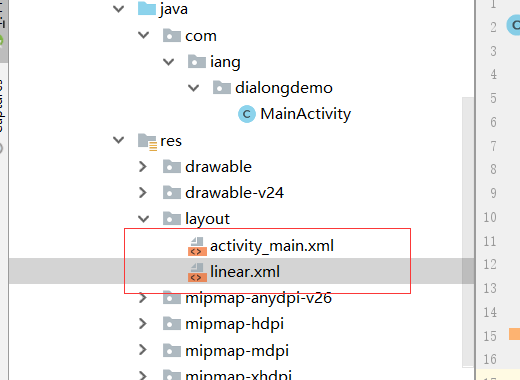
<?xml version="1.0" encoding="utf-8"?>

<LinearLayout xmlns:android="http://schemas.android.com/apk/res/android"

    android:layout_width="match_parent"

    android:layout_height="match_parent"

    android:orientation="vertical">

   <TextView

       android:id="@+id/tv"

       android:layout_width="match_parent"

       android:layout_height="wrap_content"

       android:gravity="center"

       android:text="单选对话框"

       android:layout_marginTop="10dp"

       android:textSize="20sp"

       android:textColor="#fffdb371"/>

    <Button

        android:id="@+id/bt"

        android:layout_width="wrap_content"

        android:layout_height="wrap_content"

        android:text="设置字体大小"

        android:layout_marginTop="20dp"

        android:layout_gravity="center"/>

</LinearLayout>
第二步写MainActity
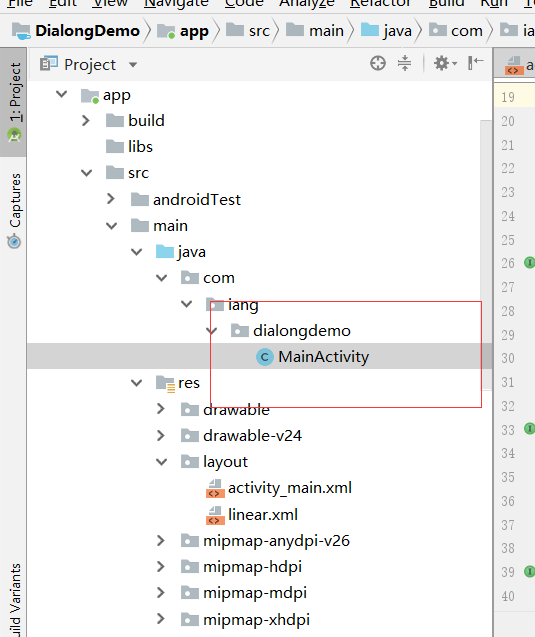
package com.iang.dialongdemo;

import android.content.DialogInterface;

import android.support.v7.app.AlertDialog;

import android.support.v7.app.AppCompatActivity;

import android.os.Bundle;

import android.view.View;

import android.widget.TextView;

public class MainActivity extends AppCompatActivity implements View.OnClickListener {

    private TextView textView;

    private int[] textSizeArr={10,20,25,30,40};

    int textSize=1;

//    加载资源文件,找到资源文件中的按钮id号

    @Override

    protected void onCreate(Bundle savedInstanceState) {

        super.onCreate(savedInstanceState);

        setContentView(R.layout.linear);

        findViewById(R.id.bt).setOnClickListener(this);

        textView=(TextView) findViewById(R.id.tv);

    }

    @Override

    public void onClick(View v) {

        AlertDialog dialog;

        AlertDialog.Builder builder=new AlertDialog.Builder(this)

                .setTitle("设置字体大小")

                .setIcon(R.mipmap.ic_launcher)

                .setSingleChoiceItems(new String[]{"小号", "默认", "中号", "大号", "超大"}, textSize, new DialogInterface.OnClickListener() {

                    @Override

                    public void onClick(DialogInterface dialog, int which) {

                        textSize=which;

                    }

                })

                .setPositiveButton("确定", new DialogInterface.OnClickListener() {

                    @Override

                    public void onClick(DialogInterface dialog, int which) {

                        textView.setTextSize(textSizeArr[textSize]);

                        dialog.dismiss();

                    }

                })

                .setNegativeButton("取消", new DialogInterface.OnClickListener() {

                    @Override

                    public void onClick(DialogInterface dialog, int which) {

                        dialog.dismiss();

                    }

                });

        dialog = builder.create();

        dialog.show();

    }

//   回退程序的使用

    @Override

    public void onBackPressed() {

       // super.onBackPressed();

        AlertDialog dialog;

        AlertDialog.Builder builder =new AlertDialog.Builder(this)

                .setTitle("普通对话框")    //设置对话框的标题

                .setIcon(R.mipmap.ic_launcher)   //设置标题图标

                .setMessage("是否确定退出应用:")

                .setPositiveButton("确定", new DialogInterface.OnClickListener() {

                    @Override

                    public void onClick(DialogInterface dialog, int which) {

                        dialog.dismiss();

                        MainActivity.this.finish();

                    }

                })

                .setNegativeButton("取消", new DialogInterface.OnClickListener() {

                    @Override

                    public void onClick(DialogInterface dialog, int which) {

                        dialog.dismiss();

                    }

                });

        dialog = builder.create();

        dialog.show();

    }

}
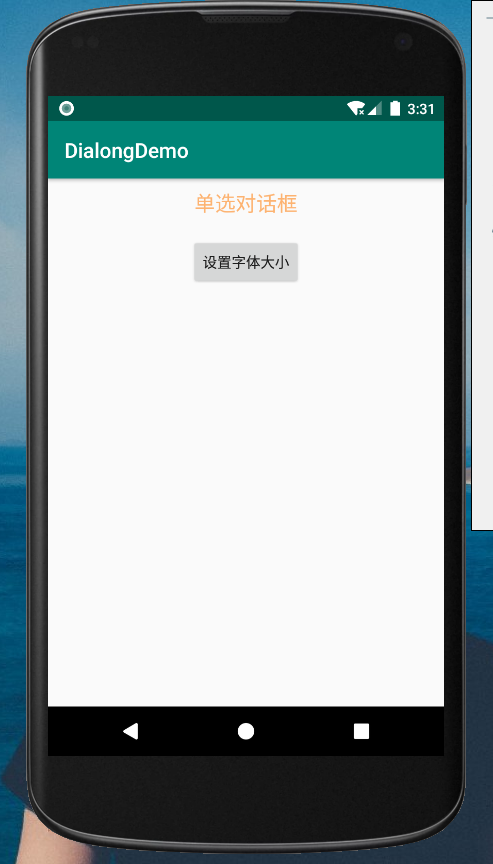
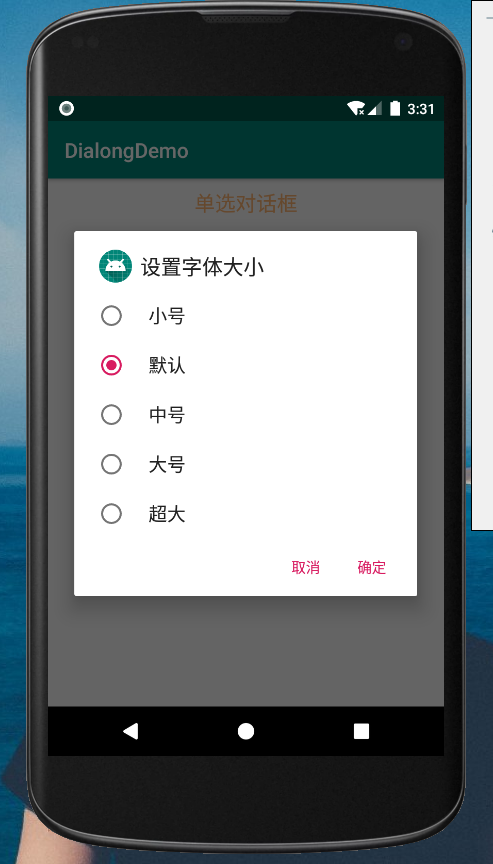
第三步完成
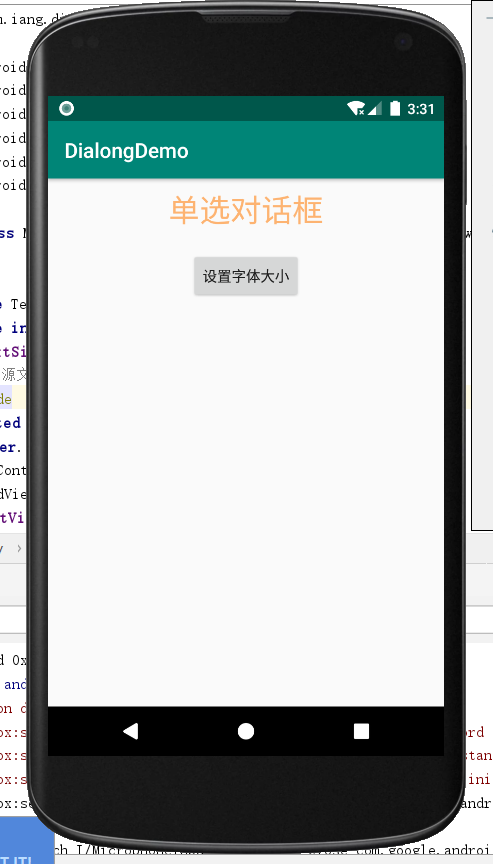
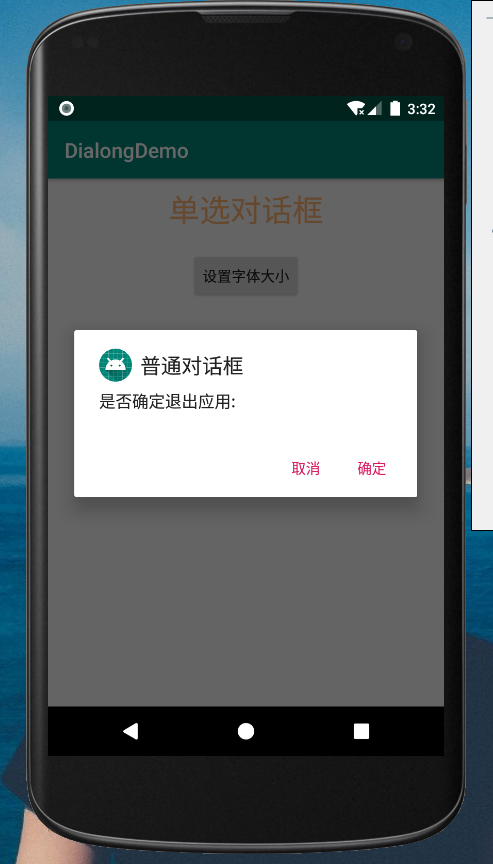
AlterDialog对话框的使用的更多相关文章
- 对话框 AlterDialog
AlertDialog.Builder builder = new AlertDialog.Builder(this); builder.setTitle("尊敬的用户"); bu ...
- Android中的AlertDialog使用示例一(警告对话框)
在Android开发中,我们经常会需要在Android界面上弹出一些对话框,比如询问用户或者让用户选择.这些功能我们叫它Android Dialog对话框,AlertDialog实现方法为建造者模式. ...
- android继承Dialog实现自定义对话框
有时需要自定义对话框,可以使用AlterDialog.Bulider,比如下面的代码片段 new AlertDialog.Builder(self) .setTitle("标题") ...
- android常用的四种对话框java代码
AlterDialog:确认取消警告提示框 public void showAlertDialog(View view){ AlertDialog.Builder dialog = new Alert ...
- 一步步开发自己的博客 .NET版(10、前端对话框和消息框的实现)
关于前端对话框.消息框的优秀插件多不胜数.造轮子是为了更好的使用轮子,并不是说自己造的轮子肯定好.所以,这个博客系统基本上都是自己实现的,包括日志记录.响应式布局.评论功能等等一些本可以使用插件的.好 ...
- jQuery遮罩层登录对话框
用户登录是许多网站必备的功能.有一种方式就是不管在网站的哪个页面,点击登录按钮就会弹出一个遮罩层,显示用户登录的对话框.这用方式比较灵活方便.而现在扫描二维码登录的方式也是很常见,例如QQ.微信.百度 ...
- Android系统默认对话框添加图片
开发工具Android Studio 今天公司UI要求软件对话框改成加图片的,以前没有做过,所以就学习了一下,废话不多说, 看效果: 创建XML文件dialog_lsit_item.xml <L ...
- Android—关于自定义对话框的工具类
开发中有很多地方会用到自定义对话框,为了避免不必要的城府代码,在此总结出一个工具类. 弹出对话框的地方很多,但是都大同小异,不同无非就是提示内容或者图片不同,下面这个类是将提示内容和图片放到了自定义函 ...
- 使用CSS3的box-shadow实现双透明遮罩层对话框
box-shadow介绍 在我之前的一篇文章<从天猫和支付宝身上学习opcity与rgba>中,介绍了实现双透明遮罩层效果的两种方法,分别是opacity和rgba.他们需要分别依赖于不同 ...
随机推荐
- JBPM使用
jbpm+mysql5.7 https://blog.csdn.net/tyn243222791/article/details/79033555
- Core Data 的使用
一.概念 1.Core Data 是数据持久化存储的最佳方式 2.数据最终的存储类型可以是:SQLite数据库,XML,二进制,内存里,或自定义数据类型 在Mac OS X 10.5Leopard及以 ...
- iOS-SDWebImage使用(转)
SDWebImage提供了如下三个category来进行缓存. MKAnnotationView(WebCache) UIButton(WebCache) UIImageView(WebCache) ...
- Docker 容器的资源限制 cgroup(九)
目录 一.cgroup简介 二.CPU资源配额控制 1.CPU份额控制 2.CPU周期控制 3.CPU core控制 4.CPU配额控制参数的混合使用 二.对内存的限额 三.对 Block IO 的限 ...
- VS2010开发.cpp与.c的注意事项
VS2010开发.cpp与.c的注意事项 声明:引用请注明出处http://blog.csdn.net/lg1259156776/ 强大的VS2010,正是由于vs2010的完全封装,让现在的wind ...
- Centos7安装gitlab11 学习笔记之基础概念、部署安装、权限管理、issue管理
一.基础介绍 1.简介 一个基于GIT的源码托管解决方案 基于rubyonrails开发 集成了nginx postgreSQL redis sidekiq等组件 2.安装要求 2g内存以上,有点占内 ...
- springboot下html的js中使用shiro标签功能
在js中直接使用shiro标签是不行的 比如 下面有个小技巧
- Chocolate Eating【二分】
题目链接:https://ac.nowcoder.com/acm/contest/1577/K 题目大意: 给出n块巧克力,m天吃完.每块巧克力有a[i]快乐值,每天可以选择吃任意块或者不吃巧克力(按 ...
- [转帖]可能是东半球最好的 Curl 学习指南,强烈建议收藏!
可能是东半球最好的 Curl 学习指南,强烈建议收藏! http://www.itpub.net/2019/09/30/3302/ 记得转帖过.. 简介 curl 是常用的命令行工具,用来请求 Web ...
- LC 144. / 94. / 145. Binary Tree Preorder/ Inorder/ PostOrder Traversal
题目描述 144. Binary Tree Preorder Traversal 94. Binary Tree Inorder Traversal 145. Binary Tree Postorde ...