
eclipse 中离线安装activiti插件,报错“An error occurred while collecting items to be installed session context was:(...”
eclipse 中离线安装activiti插件,报错“An error occurred while collecting items to be installed session context was:(...”
按照文章:eclipse离线安装Activiti Designer插件,下载插件的两个离线安装文件,并按照步骤安装后,一直next后报错,如下:
An error occurred while collecting items to be installed

session context was:(profile=SDKProfile, phase=org.eclipse.equinox.internal.p2.engine.phases.Collect, operand=, action=).

No repository found containing: osgi.bundle,org.apache.commons.io,2.2.0.v201405211200

No repository found containing: osgi.bundle,org.apache.commons.lang,2.6.0.v201404270220

No repository found containing: osgi.bundle,org.apache.xerces,2.9.0.v201101211617

No repository found containing: osgi.bundle,org.apache.xml.resolver,1.2.0.v201005080400

No repository found containing: osgi.bundle,org.apache.xml.serializer,2.7.1.v201005080400

No repository found containing: osgi.bundle,org.eclipse.draw2d,3.10.0.201506010206

No repository found containing: osgi.bundle,org.eclipse.emf,2.6.0.v20150601-0402

No repository found containing: osgi.bundle,org.eclipse.emf.common.ui,2.10.0.v20150601-0402

No repository found containing: osgi.bundle,org.eclipse.emf.edit,2.11.0.v20150601-0402

No repository found containing: osgi.bundle,org.eclipse.emf.edit.ui,2.11.0.v20150601-0402

No repository found containing: osgi.bundle,org.eclipse.emf.transaction,1.9.0.201506010221

No repository found containing: osgi.bundle,org.eclipse.emf.validation,1.8.0.201505312255

No repository found containing: osgi.bundle,org.eclipse.gef,3.10.0.201506010206

No repository found containing: osgi.bundle,org.eclipse.wst.common.core,1.2.0.v200908251833

No repository found containing: osgi.bundle,org.eclipse.wst.common.environment,1.0.400.v200912181831

No repository found containing: osgi.bundle,org.eclipse.wst.common.frameworks,1.2.200.v201304241450

No repository found containing: osgi.bundle,org.eclipse.wst.common.frameworks.ui,1.2.400.v201504292002

No repository found containing: osgi.bundle,org.eclipse.wst.common.project.facet.core,1.4.300.v201111030423

No repository found containing: osgi.bundle,org.eclipse.wst.common.ui,1.1.500.v200911182011

No repository found containing: osgi.bundle,org.eclipse.wst.common.uriresolver,1.2.200.v201505132009

No repository found containing: osgi.bundle,org.eclipse.wst.sse.core,1.1.900.v201401092025

No repository found containing: osgi.bundle,org.eclipse.wst.sse.ui,1.3.400.v201505141512

No repository found containing: osgi.bundle,org.eclipse.wst.validation,1.2.600.v201501211647

No repository found containing: osgi.bundle,org.eclipse.wst.validation.ui,1.2.500.v201310231452

No repository found containing: osgi.bundle,org.eclipse.wst.xml.core,1.1.902.v201501211904

No repository found containing: osgi.bundle,org.eclipse.wst.xml.ui,1.1.501.v201501212057
后上网查找文章:
An error occurred while collecting items to be installed session context was:(profile=epp.package.je
原因在于:出现错误的原因是Eclipse的更新管理P2出错了。p2有它的一个垃圾回收机制,之前删除的JAR包在未被回收之前,再次重装,系统不会做重新download的动作,但是它又找不到那个JAR包了,故而报错。
解决办法:
在运行命令行中切换到Eclipse的安装根目录,即eclipse.exe所在目录执行命令:
eclipse -application org.eclipse.equinox.p2.garbagecollector.application -profile **** (****是configuration/concfig.ini里eclipse.p2.profile项的值)。
上面的命令有点看不懂,“**** ””这到底是是填这个**** ,还是按照后面括号的注释填入新的值,有点懵,主要是eclipse.p2.profile项的值我找了,但不明确到底
等于哪段值。反正试了,最后报错,但还是安装成功了。
我的安装过程记录如下:
1.进eclipse根目录:
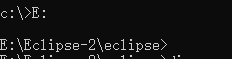
2.执行上面的命令行:

其中,第1个直接启动了eclipse成功未报错,第2、3条启动eclipse后,报错,也就是为成功启动eclipse。
硬头皮试了一下,反正最后我在eclipse中再安装插件包时没有报错了,直接安装成功,不知道是这三个中的哪个起效果了。记录一下,以后再次安装时多试验几遍,看哪个起作用的。
eclipse 中离线安装activiti插件,报错“An error occurred while collecting items to be installed session context was:(...”的更多相关文章
- 解决:Eclipse安装Pydev插件报错: An error occurred while collecting items to be installed session context was:(profile=...
今天在Elipse上安装Pydev插件时报错: An error occurred while collecting items to be installed session context was ...
- 安装Spring报错An error occurred while collecting items to be installed
原因主要是eclipse和spring版本之间的匹配问题. An error occurred while collecting items to be installed session conte ...
- eclipse中离线安装activit插件
离线安装activiti教程: 1.先下载压缩包和jar包 链接:https://pan.baidu.com/s/1hSToZt_4A262rUxc8KToCw 密码:j5r1 2.将下载好的jars ...
- VS2008 安装WINCE插件报错 ToolsMsmCA(Error)解决方案___VS2008
在win7系统,VS2008环境下安装EFMS9280_SDK.msi文件出现报错 ToolsMsmCA(Error):IHxFilters filter registration failure: ...
- Eclipse中离线安装ADT插件详细教程
在搭建Android开发环境的时候,我们需要为Eclipse安装ADT(Android Development Tools)插件,这个插件可以为用户提供一个强大的Android集成开发环境.通过给Ec ...
- 使用Axis2 插件 报错"An error occurred while completing process -java.lang.reflect.InvocationTargetException"
参考 http://blog.csdn.net/sunitjy/article/details/6793654
- Eclipse安装maven插件报错
Eclipse安装maven插件,报错信息如下: Cannot complete the install because one or more required items could not be ...
- eclipse 中 import sun.misc.BASE64Decoder; 报错
from://http://blog.sina.com.cn/s/blog_48964b120101ahrf.html 在android做3DES加密功能时 eclipse 中 import sun. ...
- Eclipse中导入项目后js报错解决方法(转未解决问题)
本文转自:http://blog.csdn.net/chenchunlin526/article/details/54666882 Eclipse中导入项目后js报错的原因与解决方法 在我们将项目导入 ...
随机推荐
- Windows 10 删除资源管理器中7个文件夹
Windows 10 安装完成之后 ,在资源管理器中会存在 7 个文件夹,他们分别是:图片.视频.下载.音乐.桌面.文档.3D对象. 我们可以通过修改注册表的方式,隐藏这7个文件夹.相关注册表内容如下 ...
- python3 速查参考- python基础 7 -> 函数编程之 装饰器、生成器
装饰器 1.速查笔记 #-- 函数装饰器:是它后边的函数的运行时的声明 由@符号以及后边紧跟的"元函数"(metafunction)组成 @staticmethod def sme ...
- ASP.NET Core 入门笔记5,ASP.NET Core MVC控制器入门
摘抄自https://www.cnblogs.com/ken-io/p/aspnet-core-tutorial-mvc-controller-action.html 一.前言 1.本教程主要内容 A ...
- sql回显注入(满满的干货)
三种注入poc where user_id = 1 or 1=1 where user_id = '1' or '1'='1' where user_id =" 1 "or &qu ...
- 【并行计算-CUDA开发】CUDA软件架构与Nvidia硬件对应关系
前面扯了很多,不过大多都是在讲CUDA 在软体层面的东西:接下来,虽然Heresy 自己也不熟,不过还是来研究一下硬体的部分吧-毕竟要最佳化的时候,好像还是要大概知道一下相关的东西的.这部分主要参考资 ...
- [转帖]calico网络原理及与flannel对比
calico网络原理及与flannel对比 https://blog.csdn.net/ganpuzhong42/article/details/77853131 2017年09月05日 16:34: ...
- oracle——学习之路(oracle内置函数)
oracle与很多内置函数,主要分为单行函数与集合函数. 首先要提一下dual表,它oracle的一个表,没有什么实质的东西,不能删除它,否则会造成Oracle无法启动等问题,他有很大用处,可以利用它 ...
- JVM 和 GC
一 堆与非堆 Java 虚拟机启动时创建一个堆,堆是运行时数据区域,所有类实例和数组的内存均从此处分配. 在JVM中堆之外的内存称为非堆内存.. 简单来说堆就是Java代码可及的内存,是留给开发人员使 ...
- 链表操作Java实现
单链表 存储结构 public class ListNode { int i; ListNode next; ListNode(int i) { this.i = i; } public String ...
- JZOJ.1150【贪心算法】IQ
欢迎转载,请附上原链接https://www.cnblogs.com/Code-Garden/p/11276741.html(也没人会看) 一道对我来说较难的贪心题 题目描述 根据世界某权威学会的一项 ...