
httpclient get post
https://www.cnblogs.com/wutongin/p/7778996.html
post请求方法和get请求方法

package com.xkeshi.paymentweb.controllers.test;

import com.alibaba.fastjson.JSONObject;

import org.apache.http.HttpEntity;

import org.apache.http.NameValuePair;

import org.apache.http.client.entity.UrlEncodedFormEntity;

import org.apache.http.client.methods.CloseableHttpResponse;

import org.apache.http.client.methods.HttpGet;

import org.apache.http.client.methods.HttpPost;

import org.apache.http.entity.ContentType;

import org.apache.http.entity.StringEntity;

import org.apache.http.entity.mime.HttpMultipartMode;

import org.apache.http.entity.mime.MultipartEntityBuilder;

import org.apache.http.entity.mime.content.FileBody;

import org.apache.http.entity.mime.content.StringBody;

import org.apache.http.impl.client.CloseableHttpClient;

import org.apache.http.impl.client.HttpClients;

import org.apache.http.message.BasicNameValuePair;

import org.apache.http.util.EntityUtils;

import java.io.File;

import java.io.IOException;

import java.util.ArrayList;

import java.util.List;

/**

 * Created by jiangzw on 2017/11/3.

 */

public class MyTestHttpClient {

    /**

     * post方式提交表单(模拟用户登录请求)

     */

    public static void doFormPost() {

        // 创建默认的httpClient实例.

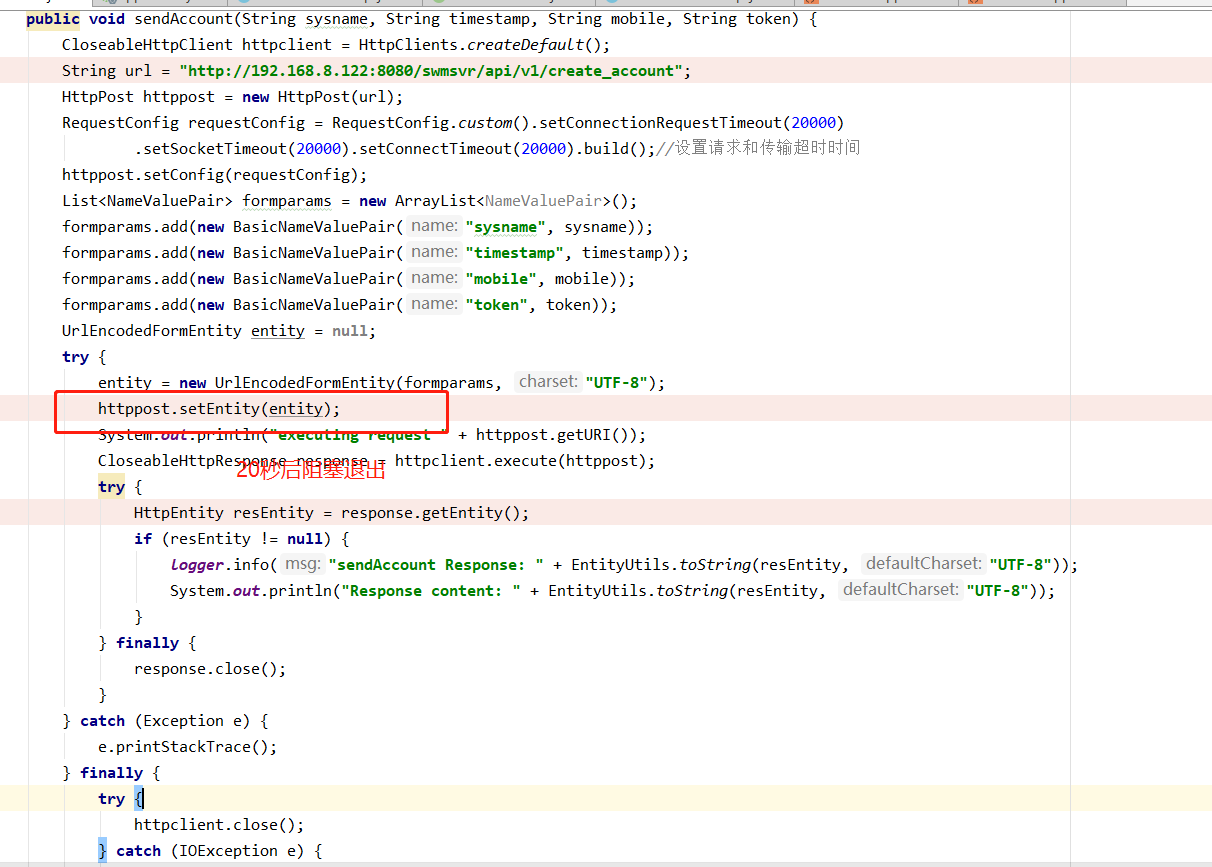
        CloseableHttpClient httpclient = HttpClients.createDefault();

        // 创建httppost

        String url = "http://localhost:8888/myTest/testHttpClientPost";

        HttpPost httppost = new HttpPost(url);

        // 创建参数队列

        List<NameValuePair> formparams = new ArrayList<NameValuePair>();

        formparams.add(new BasicNameValuePair("username", "admin"));

        formparams.add(new BasicNameValuePair("password", "123456"));

        UrlEncodedFormEntity entity = null;

        try {

            entity = new UrlEncodedFormEntity(formparams, "UTF-8");

            httppost.setEntity(entity);

            System.out.println("executing request " + httppost.getURI());

            CloseableHttpResponse response = httpclient.execute(httppost);

            try {

                HttpEntity resEntity = response.getEntity();

                if (resEntity != null) {

                    System.out.println("Response content: " + EntityUtils.toString(resEntity, "UTF-8"));

                }

            } finally {

                response.close();

            }

        } catch (Exception e) {

            e.printStackTrace();

        } finally {

            // 关闭连接,释放资源

            try {

                httpclient.close();

            } catch (IOException e) {

                e.printStackTrace();

            }

        }

    }

    /**

     * 发送 get请求

     */

    public static void doGet() {

        CloseableHttpClient httpclient = HttpClients.createDefault();

        // 创建参数队列

        List<NameValuePair> params = new ArrayList<NameValuePair>();

        params.add(new BasicNameValuePair("username", "admin"));

        params.add(new BasicNameValuePair("password", "123456"));

        try {

            //参数转换为字符串

            String paramsStr = EntityUtils.toString(new UrlEncodedFormEntity(params, "UTF-8"));

            String url = "http://localhost:8888/myTest/testHttpClientGet" + "?" + paramsStr;

            // 创建httpget.

            HttpGet httpget = new HttpGet(url);

            System.out.println("executing request " + httpget.getURI());

            // 执行get请求.

            CloseableHttpResponse response = httpclient.execute(httpget);

            try {

                // 获取响应实体

                HttpEntity entity = response.getEntity();

                // 打印响应状态

                System.out.println(response.getStatusLine());

                if (entity != null) {

                    // 打印响应内容长度

                    System.out.println("Response content length: " + entity.getContentLength());

                    // 打印响应内容

                    System.out.println("Response content: " + EntityUtils.toString(entity));

                }

            } finally {

                response.close();

            }

        } catch (Exception e) {

            e.printStackTrace();

        } finally {

            // 关闭连接,释放资源

            try {

                httpclient.close();

            } catch (IOException e) {

                e.printStackTrace();

            }

        }

    }

    /**

     * post方式提交表单(模拟用户登录请求)

     */

    public static void doStringPost() {

        // 创建默认的httpClient实例.

        CloseableHttpClient httpclient = HttpClients.createDefault();

        // 创建httppost

        String url = "http://localhost:8888/myTest/testHttpClientStringPost";

        HttpPost httppost = new HttpPost(url);

        // 创建参数字符串

        JSONObject jsonObject = new JSONObject();

        jsonObject.put("username", "admin");

        jsonObject.put("password", "123456");

        try {

            //设置实体内容的格式。APPLICATION_JSON = "application/json",

            // 如果传送"application/xml"格式,选择ContentType.APPLICATION_XML

            StringEntity entity = new StringEntity(jsonObject.toString(), ContentType.APPLICATION_JSON);

            httppost.setEntity(entity); //发送字符串参数

            System.out.println("executing request " + httppost.getURI());

            CloseableHttpResponse response = httpclient.execute(httppost);

            try {

                HttpEntity resEntity = response.getEntity();

                if (resEntity != null) {

                    System.out.println("Response content: " + EntityUtils.toString(resEntity, "UTF-8"));

                }

            } finally {

                response.close();

            }

        } catch (Exception e) {

            e.printStackTrace();

        } finally {

            // 关闭连接,释放资源

            try {

                httpclient.close();

            } catch (IOException e) {

                e.printStackTrace();

            }

        }

    }

    /**

     * 上传文件

     */

    public static void doUploadPost() {

        CloseableHttpClient httpclient = HttpClients.createDefault();

        String url = "http://localhost:8888/myTest/testHttpClientUploadPost";

        try {

            HttpPost httppost = new HttpPost(url);

            FileBody fileBody = new FileBody(new File("D:\\img8.jpg"));

            StringBody stringBody = new StringBody("一张测试图片", ContentType.TEXT_PLAIN.withCharset("UTF-8"));

            MultipartEntityBuilder builder = MultipartEntityBuilder.create();

            builder.setMode(HttpMultipartMode.BROWSER_COMPATIBLE);

            builder.addPart("file", fileBody);//文件参数

            builder.addPart("explain", stringBody);//字符串参数

            HttpEntity entity = builder.build();

            httppost.setEntity(entity);

            System.out.println("executing request " + httppost.getRequestLine());

            CloseableHttpResponse response = httpclient.execute(httppost);

            try {

                System.out.println(response.getStatusLine());

                HttpEntity resEntity = response.getEntity();

                if (resEntity != null) {

                    System.out.println("Response content: " + EntityUtils.toString(resEntity, "UTF-8"));

                }

            } finally {

                response.close();

            }

        } catch (Exception e) {

            e.printStackTrace();

        } finally {

            try {

                httpclient.close();

            } catch (IOException e) {

                e.printStackTrace();

            }

        }

    }

    public static void main(String[] args) {

//        doFormPost();

//        doGet();

//        doStringPost();

        doUploadPost();

    }

}

处理请求的方法

package com.xkeshi.paymentweb.controllers.test;

import com.alibaba.fastjson.JSON;

import com.alibaba.fastjson.JSONObject;

import org.springframework.stereotype.Controller;

import org.springframework.web.bind.annotation.*;

import org.springframework.web.multipart.commons.CommonsMultipartFile;

import java.io.File;

/**

 * Created by jiangzw on 2017/11/3.

 */

@Controller

@RequestMapping(value = "/myTest")

public class MyTestController {

    @ResponseBody

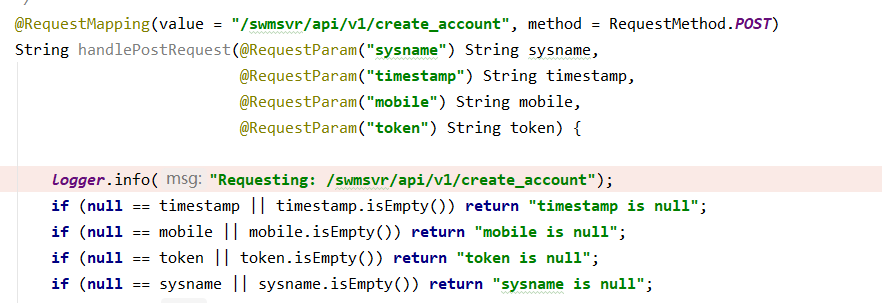
    @RequestMapping(value = "/testHttpClientPost", method = RequestMethod.POST)

    public String testHttpClientPost(@RequestParam("username") String username,

                                     @RequestParam("password") String password) {

        String result = null;

        if ("admin".equals(username) && "123456".equals(password)) {

            result = "用户名和密码验证成功!";

        } else {

            result = "用户名和密码验证失败!";

        }

        return result;

    }

    @ResponseBody

    @RequestMapping(value = "/testHttpClientGet", method = RequestMethod.GET)

    public String testHttpClientGet(@RequestParam("username") String username,

                                    @RequestParam("password") String password) {

        String result = null;

        if ("admin".equals(username) && "123456".equals(password)) {

            result = "用户名和密码验证成功!";

        } else {

            result = "用户名和密码验证失败!";

        }

        return result;

    }

    @ResponseBody

    @RequestMapping(value = "/testHttpClientStringPost", method = RequestMethod.POST)

    public String testHttpClientStringPost(@RequestBody String requestBody) {

        JSONObject jsonObject = JSON.parseObject(requestBody);

        String username = jsonObject.get("username").toString();

        String password = jsonObject.get("password").toString();

        String result = null;

        if ("admin".equals(username) && "123456".equals(password)) {

            result = "用户名和密码验证成功!";

        } else {

            result = "用户名和密码验证失败!";

        }

        return result;

    }

    @ResponseBody

    @RequestMapping(value = "/testHttpClientUploadPost", method = RequestMethod.POST)

    public String testHttpClientUploadPost(@RequestParam("file") CommonsMultipartFile file,

                                           @RequestParam("explain") String explain) {

        System.out.println("explain: " + explain);

        String result = "上传失败";

        //文件保存路径和名称

        String savePath = "D:\\home" + File.separator + System.currentTimeMillis() + file.getOriginalFilename();

        File newFile= null;

        try {

            newFile = new File(savePath);

            //通过CommonsMultipartFile的方法直接写文件(注意这个时候)

            file.transferTo(newFile);

            result = "上传成功";

        } catch (Exception e) {

            e.printStackTrace();

        }

        return result;

    }

}
httpclient get post的更多相关文章
- HttpClient的替代者 - RestTemplate
需要的包 ,除了Spring的基础包外还用到json的包,这里的数据传输使用json格式 客户端和服务端都用到一下的包 <!-- Spring --> <dependency> ...
- 关于微软HttpClient使用,避免踩坑
最近公司对于WebApi的场景使用也越来越加大了,随之而来就是Api的客户端工具我们使用哪个?我们最常用的估计就是HttpClient,在微软类库中命名空间地址:System.Net.Http,是一个 ...
- 使用HttpClient的优解
新工作入职不满半周,目前仍然还在交接工作,适应环境当中,笔者不得不说看别人的源码实在是令人痛苦.所幸今天终于将大部分工作流畅地看了一遍,接下来就是熟悉框架技术的阶段了. 也正是在看源码的过程当中,有一 ...
- Java的异步HttpClient
上篇提到了高性能处理的关键是异步,而我们当中许多人依旧在使用同步模式的HttpClient访问第三方Web资源,我认为原因之一是:异步的HttpClient诞生较晚,许多人不知道:另外也可能是大多数W ...
- 揭秘Windows10 UWP中的httpclient接口[2]
阅读目录: 概述 如何选择 System.Net.Http Windows.Web.Http HTTP的常用功能 修改http头部 设置超时 使用身份验证凭据 使用客户端证书 cookie处理 概述 ...
- C#中HttpClient使用注意:预热与长连接
最近在测试一个第三方API,准备集成在我们的网站应用中.API的调用使用的是.NET中的HttpClient,由于这个API会在关键业务中用到,对调用API的整体响应速度有严格要求,所以对HttpCl ...
- HttpClient调用webApi时注意的小问题
HttpClient client = new HttpClient(); client.BaseAddress = new Uri(thisUrl); client.GetAsync("a ...
- HttpClient相关
HTTPClient的主页是http://jakarta.apache.org/commons/httpclient/,你可以在这里得到关于HttpClient更加详细的信息 HttpClient入门 ...
- Atitit.http httpclient实践java c# .net php attilax总结
Atitit.http httpclient实践java c# .net php attilax总结 1. Navtree>> net .http1 2. Httpclient理论1 2. ...
- 使用httpclient发送get或post请求
HttpClient 是 Apache Jakarta Common 下的子项目,可以用来提供高效的.最新的.功能丰富的支持 HTTP 协议的客户端编程工具包,并且它支持 HTTP 协议最新的版本和建 ...
随机推荐
- Springboot打包war
pom: 1.<packaging>war</packaging> 2.<dependency> <groupId>org.springframewor ...
- 微软实战训练营(X)重点班第(1)课:SOA必备知识之ASP.NET Web Service开发实战
微软实战训练营 上海交大(A)实验班.(X)重点班 内部课程资料 链接:http://pan.baidu.com/s/1jGsTjq2 password:0wmf <微软实战训练营(X)重点班第 ...
- MySQL 从库down机
MySQL 从库down机中午突然down机,重启后,从库同步报主键重复的错误. Could not execute Write_rows event on table operation_maste ...
- MyBatis——一对多、一对一关系,collection、association
实体类两个: user类: package com.pojo; /** *用户 */ public class User{ private int userId;//用户ID private Stri ...
- (转)Redis集群搭建与简单使用(最少需要 6个节点)
介绍安装环境与版本 用两台虚拟机模拟6个节点,一台机器3个节点,创建出3 master.3 salve 环境. redis 采用 redis-3.2.4 版本. 两台虚拟机都是 CentOS ,一台 ...
- Ajax 传包含集合的JSON
通过ajax给后台传json对象,当json中含对象集合时,如 $.ajax({ url : , type : "POST", dataType : "json" ...
- Centos7上安装Apache
Apache HTTP服务器是世界上最流行的Web服务器. 它是一款免费的开源和跨平台的HTTP服务器,提供强大的功能,可以通过各种模块进行扩展. 以下说明介绍如何在CentOS 7机器上安装和管理A ...
- python安装pandas模块
直接安装时报错了 localhost:~ ligaijiang$ pip3 install pandas Collecting pandas Downloading https://files.pyt ...
- MJExtension代码解释
Runtime 是什么? objective-C会把函数调用的转换为消息发送,objc_MsgSend(receiver, msg), 注意,recevier指的是消息的接受者.那么self, sup ...
- python selenium截取指定元素图片
1.截取当前屏幕 @property def getImage(self): ''' 截取图片,并保存在images文件夹 :return: 无 ''' timestrmap = time.strft ...