
IntelliJ IDEA 2017版 SpringBoot的Json字符串返回
一、说明
SpringBoot框架已经自动封装好json字符串解析,所以我们只需要用它的注解来返回操作就可以了.
二、实战
1、书写一个实体类User,设置属性id和name
 package com.json;

 /**

  * Created by liuya on 2018-01-17.

  */

 public class UserPoJo

 {

     private int userId;

     private String userName;

     public int getUserId() {

         return userId;

     }

     public void setUserId(int userId) {

         this.userId = userId;

     }

     public String getUserName() {

         return userName;

     }

     public void setUserName(String userName) {

         this.userName = userName;

     }

     @Override

     public String toString() {

         return "UserPoJo{" +

                 "userId=" + userId +

                 ", userName='" + userName + '\'' +

                 '}';

     }

 }
2、书写开启服务器的代码(SpringBoot框架自带一个测试服务器)
 package com.json;

 import org.springframework.boot.SpringApplication;

 import org.springframework.boot.autoconfigure.SpringBootApplication;

 @SpringBootApplication

 public class SpringboothelloApplication {

     public static void main(String[] args) {

         SpringApplication.run(SpringboothelloApplication.class, args);

     }

 }
3、书写controller返回json的代码
 package com.json;

 import org.springframework.web.bind.annotation.RequestMapping;

 import org.springframework.web.bind.annotation.RestController;

 /**

  * Created by liuya on 2018-01-16.

  *

  *  测试用的一个例子

  */

 @RestController

 public class ControllerJson {

     @RequestMapping("user")

     public UserPoJo hello(){

         //实体类赋值

         UserPoJo userPoJo  = new UserPoJo();

         userPoJo.setUserId(111);

         userPoJo.setUserName("王小二");

         //返回实体类

         return userPoJo;

     }

 }
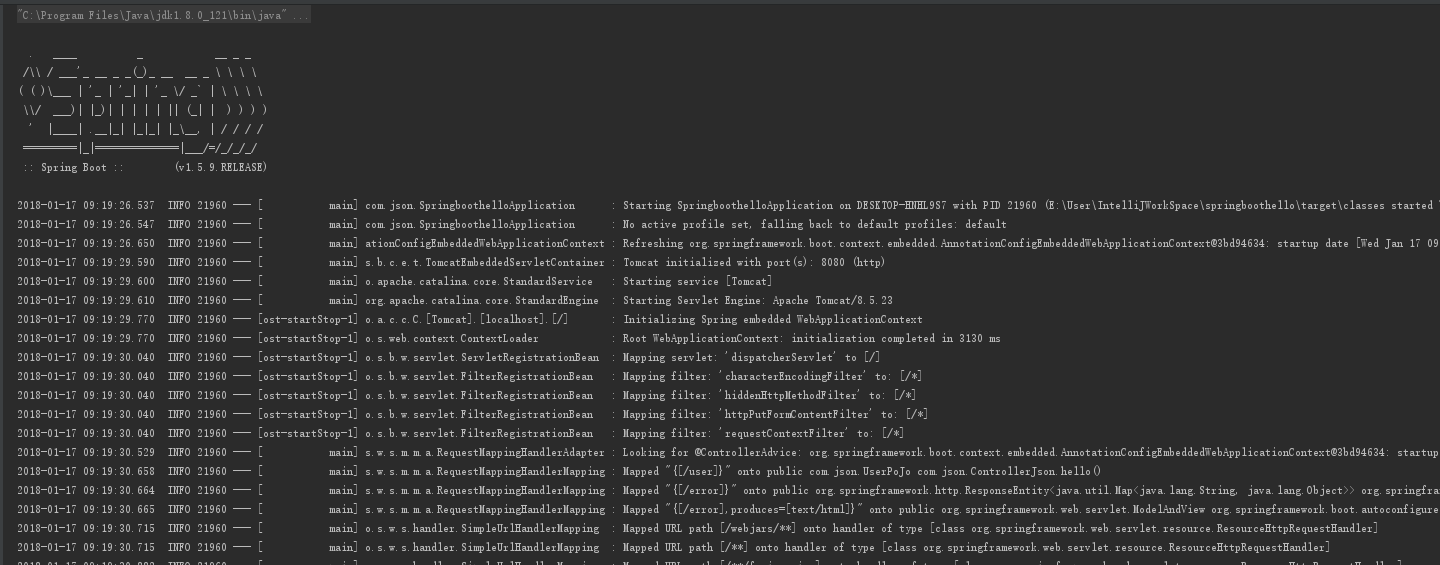
4、启动服务器的代码,生成如图
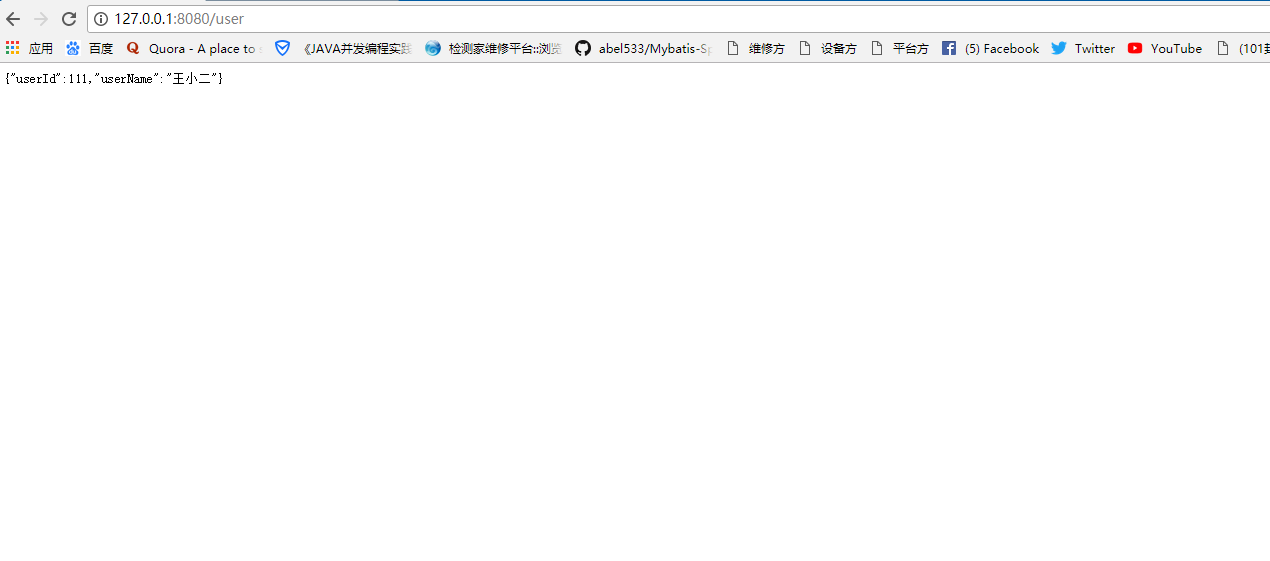
5、浏览器测试
IntelliJ IDEA 2017版 SpringBoot的Json字符串返回的更多相关文章
- IntelliJ IDEA 2017版 spring-boot 2.0.3 部署war包项目和jar包项目
1.建立项目 Java Controller package com.springboot.jsp.controller; import org.springframework.stereotype. ...
- IntelliJ IDEA 2017版 spring-boot与Mybatis简单整合
一.编译器建立项目 参考:http://www.cnblogs.com/liuyangfirst/p/8372291.html 二.代码编辑 1.建立数据库 /* Navicat MySQL Data ...
- IntelliJ IDEA 2017版 spring-boot加载jsp配置详解(详细图文实例)
一.创建项目 (File--->New-->Project) 2.项目配置内容 3.选择配置项目的Group包名,Artifact项目名称 4.选择项目类型为web类型 5.创建成功,点击 ...
- IntelliJ IDEA 2017版 spring-boot 2.0.5 邮件发送简单实例 (三)
一.搭建SpringBoot项目 详见此文:https://www.cnblogs.com/liuyangfirst/p/8298588.html 注意: 需要添加mail依赖的包,同时还添加了lom ...
- IntelliJ IDEA 2017版 spring-boot 2.0.3 邮件发送搭建,概念梳理 (二)
第二部分 邮件发送历史 一.第一封邮件 1.1969年10月,世界上的第一封电子邮件 1969年10月世界上的第一封电子邮件是由计算机科学家Leonard K.教授发给他的同事的一条简短 ...
- IntelliJ IDEA 2017版 spring-boot 2.03 去除控制台logo;去除springboot 图标;去除springboot 图
1.控制台出现logo图标 2.如果不喜欢,如何去除这个logo 在其Application中进行设置 package com.springboot.logo; import org.springfr ...
- IntelliJ IDEA 2017版 SpringBoot测试类编写
SpringBoot的测试类编写Demo 源码见 https://github.com/liushaoye/baseone.git
- IntelliJ IDEA 2017版 SpringBoot的关闭自动配置和自定义Banner
一.关闭自动配置 在jar包下找下边的名字 设置关闭自动配置jar 多个的时候配置 二.自定义Banner (1)网站搜索一个图案.网址:http://patorjk.co ...
- IntelliJ IDEA 2017版 SpringBoot的web项目补充
一.注解 @SpringBootApplication:Spring Boot项目的核心注解,主要目的是开启自动配置. @Configuration:这是一个配置Sprin ...
随机推荐
- ②Jenkins集成—集成构建部署
之前的博文介绍了Jenkins的入门安装,本文主要介绍如何使用jenkins进行git项目的集成构建与部署 1.首先进行全局工具配置 查看下本机的jdk.maven.git安装路径 echo $PAT ...
- Spark和YARN
Spark在master node生成DAG之后,将DAG以及map函数,action函数进行打包,还有一个很重的打包内容:如何在worker节点执行.统统打包之后传递给YARN,YARN本身只是负责 ...
- .NET委托解析(异步委托)
上一篇我们了解到了,委托的基本感念,列举了几个委托的实例,并根据实例来反编译源码查看.NET 委托的内部实现,从浅入深的角度来详细的去解析委托的实质,本文将系上篇继续讨论异步委托的实现以及异步委托的源 ...
- 中兴 F412 超级帐号telecomadmin破解(适用2015版h啊RowCount="0") TEWA-300AI EPON TEWA-500AI EPON破解
1.telnet 192.168.1.1 root/Zte521 有些密码也是root 2.输入sendcmd 1 DB p UserInfo 老本大多数教程会返回超级管理员帐号密码: < ...
- springboot利用MockMvc测试controller控制器
主要记录一下控制器的测试,service这些类测试相对简单些(可测试性强) API测试需求比较简单: ① 需要返回正确的http状态码 200 ② 需要返回json数据,并且不能返回未经捕获的系统异常 ...
- bzoj4331: JSOI2012 越狱老虎桥
Description 这里,是美丽的南京:这里,是秀美的进香河:这里是安逸的老虎桥. 如果说进香河的美,美在其秀美的风光,倒不如说是美在了那惬意的南京古典小巷式生活.如果说进香河的迷人,在其淳朴的 ...
- selenium+python在mac环境上的搭建
前言 mac自带了python2.7的环境,所以在mac上安装selenium环境是非常简单的,输入2个指令就能安装好 需要安装的软件: 1.pip 2.selenium2.53.6 3.Firefo ...
- 好记性不如烂笔头-linux学习笔记4apache相关知识
apache 启动有2种模式 1是prefork模式,每个进程对应一个线程,如果是比较稳定的平台,那么prefork模式是worker模式 比较好,效率高,但是吃的内存比较大. 2 如果是高负载高并发 ...
- angularjs之$ajax请求
AngularJS不仅仅只有双向绑定等等功能,还有发送Ajax请求的Api. 效果图: 请求的文件(data.php): <?php $data = [ '股市下跌', '清明小长假结束', ' ...
- 将一个list分为每份小鱼1000的
List<LazadaTrackingDataTO> dataSourceList = new ArrayList<LazadaTrackingDataTO>(); ...