
spring boot 使用视图modelandview
1:springboot使用视图解析器,添加依赖
        <!-- freemarker模板引擎视图 -->

        <dependency>

            <groupId>org.springframework.boot</groupId>

            <artifactId>spring-boot-starter-freemarker</artifactId>

        </dependency>

        <!-- 热部署,不用重启 ,这个在这里不需要-->

        <dependency>

            <groupId>org.springframework.boot</groupId>

            <artifactId>spring-boot-devtools</artifactId>

            <optional>true</optional>

        </dependency>

        <!-- jsp解析器 -->

        <dependency>

            <groupId>org.apache.tomcat.embed</groupId>

            <artifactId>tomcat-embed-jasper</artifactId>

            <scope>provided</scope>

        </dependency>
2:主函数需要继承SpringBootServletInitializer,并覆盖其方法。
package com.liyafei;

import org.springframework.boot.SpringApplication;

import org.springframework.boot.autoconfigure.EnableAutoConfiguration;

import org.springframework.boot.autoconfigure.SpringBootApplication;

import org.springframework.boot.builder.SpringApplicationBuilder;

import org.springframework.boot.web.support.SpringBootServletInitializer;

@EnableAutoConfiguration

@SpringBootApplication

//返回jsp页面必须继承SpringBootServletInitializer类重写里面的方法

public class Main extends SpringBootServletInitializer{

    public static void main(String[] args) {

        SpringApplication.run(Main.class, args);

    }

    protected SpringApplicationBuilder config(SpringApplicationBuilder applicationBuilder){

        return applicationBuilder.sources(Main.class);

    }

}
3:配置文件中添加spring.mvc.view配置,配置了视图解析器之后,controlller返回的String,View等就会先找视图解析器
spring:

  datasource:

    driver-class-name: com.mysql.jdbc.Driver

    url: jdbc:mysql://localhost:3306/demo

    username: root

    password: 1367356

  mvc:

    view:

      prefix: /WEB-INF/

      suffix: .jsp

mybatis:

  config-location: classpath:mybatis-config.xml
4:controller映射
package com.liyafei.controller;

import org.springframework.stereotype.Controller;

import org.springframework.ui.Model;

import org.springframework.web.bind.annotation.RequestMapping;

import org.springframework.web.bind.annotation.RestController;

import org.springframework.web.servlet.ModelAndView;

import org.springframework.web.servlet.view.json.MappingJackson2JsonView;

import com.liyafei.pojo.User;

//这个注解不能使用RestController,不然会返回模板类型的页面

@Controller

public class MyController {

    User user=new User();

    @RequestMapping("/my")

    public ModelAndView test(){

        ModelAndView mv=new ModelAndView();

        mv.setViewName("modelandview");

        mv.addObject("name", "liyafei");

        user.setAge(20);

        user.setName("wangwu");

        mv.addObject("user", user);

        //设置返回的数据为json类型,也可以不设置,返回对象

        //mv.setView(new MappingJackson2JsonView());

        return mv;

    }

    @RequestMapping("index")

    public String index(){

        return "index";

    }
}
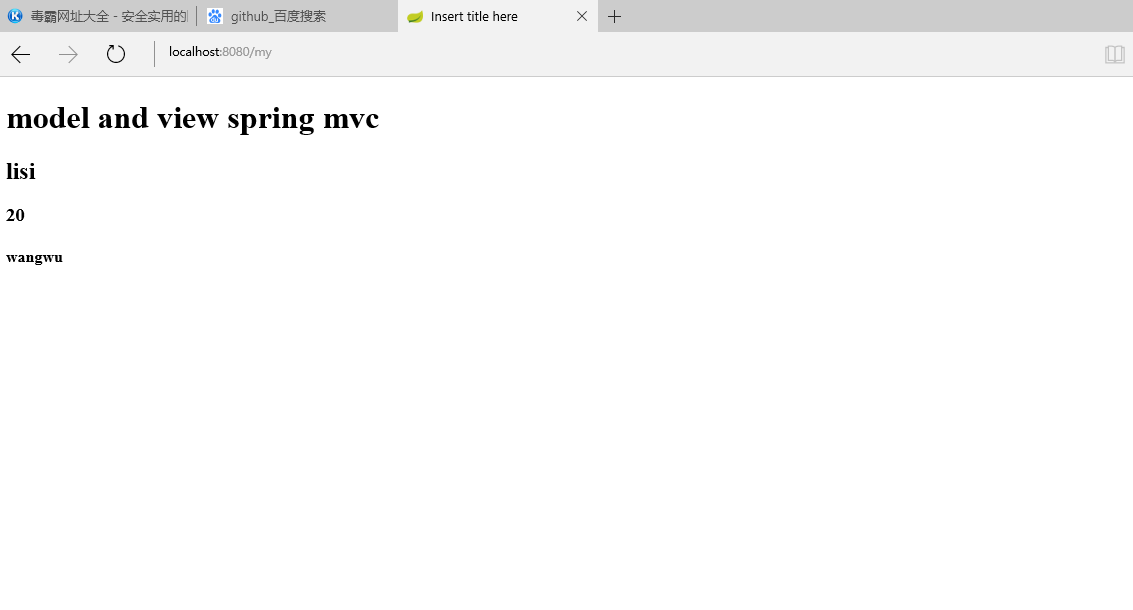
5:测试成功:
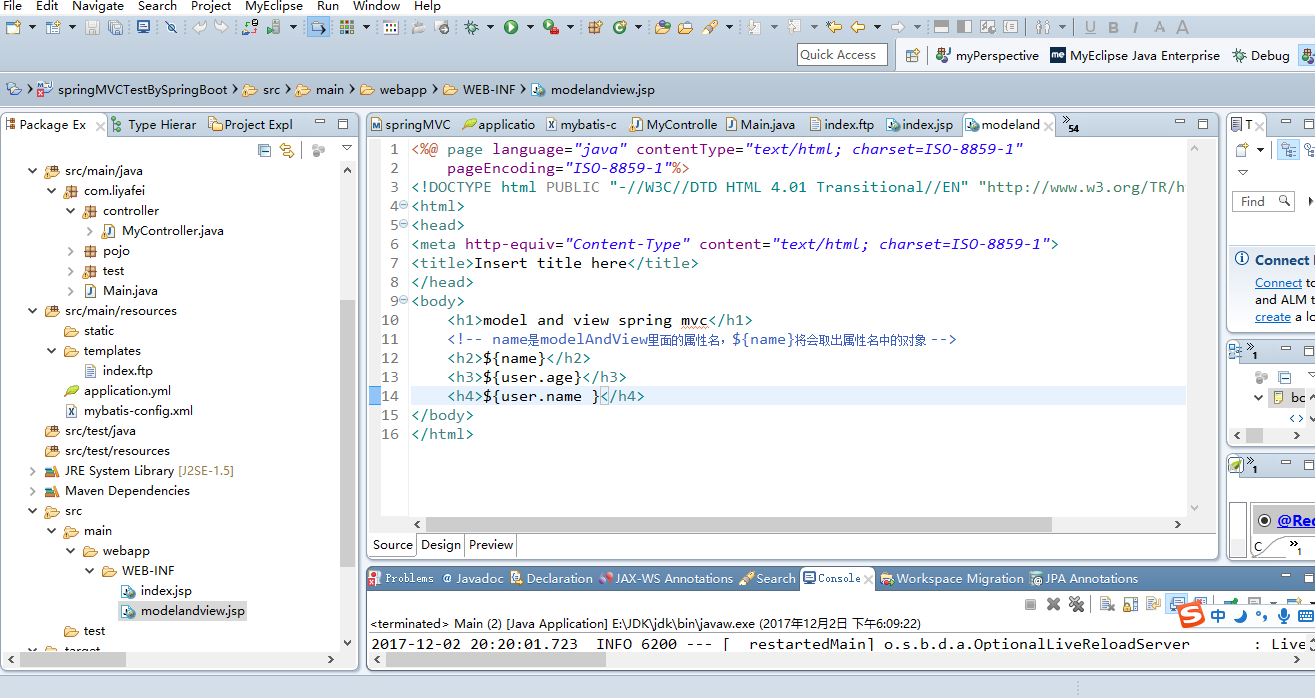
6:目录结构
spring boot 使用视图modelandview的更多相关文章
- Spring Boot 整合视图层技术,application全局配置文件
目录 Spring Boot 整合视图层技术 Spring Boot 整合jsp Spring Boot 整合freemarker Spring Boot 整合视图层技术 Spring Boot 整合 ...
- spring boot springmvc视图
pring boot 在springmvc的视图解析器方面就默认集成了ContentNegotiatingViewResolver和BeanNameViewResolver,在视图引擎上就已经集成自动 ...
- Spring Boot 整合视图层技术
这一节我们主要学习如何整合视图层技术: Jsp Freemarker Thymeleaf 在之前的案例中,我们都是通过 @RestController 来处理请求,所以返回的内容为json对象.那么如 ...
- spring boot 1.视图解析器,2.开启静态资源访问
1.spring boot 视图解析器 #视图解析器 #前缀spring.mvc.view.prefix=/pages/ #后缀..jsp.dospring.mvc.view.suffix=.jsp ...
- spring boot 自定义视图路径
boot 自定义访问视图路径 . 配置文件 目录结构 启动类: html页面 访问: 覆盖boot默认路径引用. 如果没有重新配置,则在pom引用模板. 修改配置文件. 注意一定要编译工程
- Spring Boot实践——SpringMVC视图解析
一.注解说明 在spring-boot+spring mvc 的项目中,有些时候我们需要自己配置一些项目的设置,就会涉及到这三个,那么,他们之间有什么关系呢? 首先,@EnableWebMvc=Web ...
- Spring Boot自定义错误视图
Spring Boot缺省错误视图解析器 Web应用在处理请求的过程中发生错误是非常常见的情况,SpringBoot中为我们实现了一个错误视图解析器(DefaultErrorViewResolver) ...
- spring boot用ModelAndView向Thymeleaf模板传参数
最近在调试一个Spring Boot向Thymeleaf模板传参数的例子,但踩了很多坑,这里就把详细过程记录下来,以供大家参考. 先说下,这里遇到哪些坑呢? 1 我用的是IDEA社区版,这不支持JSP ...
- Spring Boot☞ 使用Thymeleaf模板引擎渲染web视图
静态资源访问 在我们开发Web应用的时候,需要引用大量的js.css.图片等静态资源. 默认配置 Spring Boot默认提供静态资源目录位置需置于classpath下,目录名需符合如下规则: /s ...
随机推荐
- 获取HttpServletRequest请求Body中的内容
在实际开发过程中,经常需要从 HttpServletRequest 中读取HTTP请求的body内容,俗话说的好”好记性不如烂笔头“,特在此将其读取方法记录一下. import java.io.Buf ...
- C# 解决读取dbf文件,提示Microsoft Jet 数据库引擎找不到对象的问题
前言 最新项目需要经常和dbf文件打交道,在实际场景中很多软件需要和一些老的系统进行数据交互,而这些系统都在使用foxpro数据库,读取dbf文件一般都是分为两种情况:第一:安装foxpro的驱动进行 ...
- NLP入门资料
<统计自然语言处理> 一些基础理论概念,涉及统计自然语言处理的基本概念.理论方法和新研究进展,内容包括形式语言与自动机及其在自然语言处理中的应用.语言模型.隐马尔可夫模型.语料库技术.汉语 ...
- callback 模式
回调,是一种机制,同时也是一种设计模式. 我们定义一个函数,让能够回调 import _products from './products.json' const TIMEOUT = 100 cons ...
- cmd识别不了mysql命令
问题现象:安装配置过MySQL和环境变量,当时用的好好的,过了几天再试发现cmd识别不了了: 之前maven的mvn命令也遇到过这个问题. 原因:win10中配成这个样子,重启之后会时效: 解决方法: ...
- 基础知识系列☞关键字→virtual
看到自己以前的一篇博客,感觉还差点什么,√,代码... using System; namespace Test { public class Program { private static voi ...
- [No0000178]改善C#程序的建议1:非用ICloneable不可的理由
好吧,我承认,这是一个反标题,实际的情况是:我找不到一个非用ICloneable不可的理由.事实上,接口ICloneable还会带来误解,因为它只有一个Clone方法. 我们都知道,对象的拷贝分为:浅 ...
- [No0000B2]ReSharper操作指南3/16-配置ReSharper与代码校错
配置ReSharper ReSharper功能具有默认配置,这些配置基于.NET世界中的约定和最佳实践.但是,每个功能都可以根据您的需求和喜好灵活调整. ReSharper首选项可以在以下位置进行配置 ...
- [No000011F]Python教程2/9-安装Python 及其解释器介绍
因为Python是跨平台的,它可以运行在Windows.Mac和各种Linux/Unix系统上.在Windows上写Python程序,放到Linux上也是能够运行的. 要开始学习Python编程,首先 ...
- 为什么css定位雪碧图(合成图)都要以负号开头?
(1)正常来说 定位坐标是以 合成图片 左上角这个点作为原点(0px,0px)开始读取的, 而你的图片全都在坐标系的 第四象限 background-position: x y:(x,y为数值或百分比 ...