
lettuce--Advanced Redis client
redis官方提供的java client:
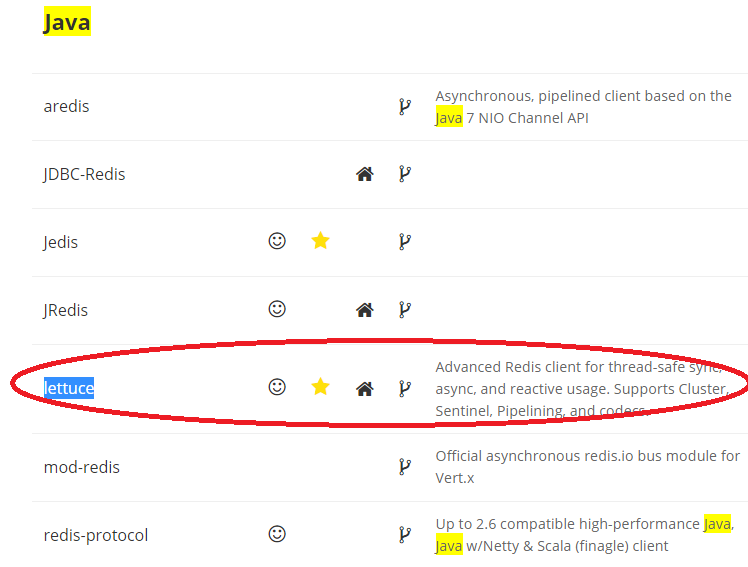
git地址:https://github.com/mp911de/lettuce
Advanced Redis client for thread-safe sync, async, and reactive usage. Supports Cluster, Sentinel, Pipelining, and codecs.http://redis.paluch.biz
Introduction
Lettuce is a scalable thread-safe Redis client for synchronous, asynchronous and reactive usage. Multiple threads may share one connection if they avoid blocking and transactional operations such as BLPOP and MULTI/EXEC. lettuce is built with netty. Supports advanced Redis features such as Sentinel, Cluster, Pipelining, Auto-Reconnect and Redis data models.
This version of lettuce has been tested against Redis and 3.0.
- lettuce 3.x works with Java 6, 7 and 8, lettuce 4.x requires Java 8
- synchronous, asynchronous and reactive usage
- Redis Sentinel
- Redis Cluster
- SSL and Unix Domain Socket connections
- Streaming API
- CDI and Spring integration
- Codecs (for UTF8/bit/JSON etc. representation of your data)
- multiple Command Interfaces
几个常见的使用方法:
1. 连接单机
package com.lambdaworks.examples;

import com.lambdaworks.redis.RedisClient;

import com.lambdaworks.redis.RedisConnection;

import com.lambdaworks.redis.RedisURI;

/**

 * @author <a href="mailto:mpaluch@paluch.biz">Mark Paluch</a>

 * @since 18.06.15 09:17

 */

public class ConnectToRedis {

    public static void main(String[] args) {

        // Syntax: redis://[password@]host[:port][/databaseNumber]

        RedisClient redisClient = new RedisClient(RedisURI.create("redis://password@localhost:6379/0"));

        RedisConnection<String, String> connection = redisClient.connect();

        System.out.println("Connected to Redis");

        connection.close();

        redisClient.shutdown();

    }

}
2. 连接集群
package com.lambdaworks.examples;

import com.lambdaworks.redis.RedisURI;

import com.lambdaworks.redis.cluster.RedisAdvancedClusterConnection;

import com.lambdaworks.redis.cluster.RedisClusterClient;

/**

 * @author <a href="mailto:mpaluch@paluch.biz">Mark Paluch</a>

 * @since 18.06.15 09:17

 */

public class ConnectToRedisCluster {

    public static void main(String[] args) {

        // Syntax: redis://[password@]host[:port]

        RedisClusterClient redisClient = new RedisClusterClient(RedisURI.create("redis://password@localhost:7379"));

        RedisAdvancedClusterConnection<String, String> connection = redisClient.connectCluster();

        System.out.println("Connected to Redis");

        connection.close();

        redisClient.shutdown();

    }

}
3. 连接sentinel
package com.lambdaworks.examples;

import com.lambdaworks.redis.*;

/**

 * @author <a href="mailto:mpaluch@paluch.biz">Mark Paluch</a>

 * @since 18.06.15 09:17

 */

public class ConnectToRedisUsingRedisSentinel {

    public static void main(String[] args) {

        // Syntax: redis-sentinel://[password@]host[:port][,host2[:port2]][/databaseNumber]#sentinelMasterId

        RedisClient redisClient = new RedisClient(

                RedisURI.create("redis-sentinel://localhost:26379,localhost:26380/0#mymaster"));

        RedisConnection<String, String> connection = redisClient.connect();

        System.out.println("Connected to Redis using Redis Sentinel");

        connection.close();

        redisClient.shutdown();

    }

}
4.安全的连接
package com.lambdaworks.examples;

import com.lambdaworks.redis.*;

/**

 * @author <a href="mailto:mpaluch@paluch.biz">Mark Paluch</a>

 * @since 18.06.15 09:17

 */

public class ConnectToRedisSSL {

    public static void main(String[] args) {

        // Syntax: rediss://[password@]host[:port][/databaseNumber]

        // Adopt the port to the stunnel port in front of your Redis instance

        RedisClient redisClient = new RedisClient(RedisURI.create("rediss://password@localhost:6443/0"));

        RedisConnection<String, String> connection = redisClient.connect();

        System.out.println("Connected to Redis using SSL");

        connection.close();

        redisClient.shutdown();

    }

}
5. spring集成
package com.lambdaworks.examples;

import com.lambdaworks.redis.*;

import org.springframework.beans.factory.annotation.Autowired;

/**

 * @author <a href="mailto:mpaluch@paluch.biz">Mark Paluch</a>

 * @since 18.06.15 09:31

 */

public class MySpringBean {

    private RedisClient redisClient;

    @Autowired

    public void setRedisClient(RedisClient redisClient) {

        this.redisClient = redisClient;

    }

    public String ping() {

        RedisConnection<String, String> connection = redisClient.connect();

        String result = connection.ping();

        connection.close();

        return result;

    }

}
使用代码如下:
package com.lambdaworks.examples;

import org.springframework.context.support.ClassPathXmlApplicationContext;

import com.lambdaworks.redis.RedisClient;

import com.lambdaworks.redis.RedisConnection;

/**

 * @author <a href="mailto:mpaluch@paluch.biz">Mark Paluch</a>

 * @since 18.06.15 09:17

 */

public class SpringExample {

    public static void main(String[] args) {

        ClassPathXmlApplicationContext context = new ClassPathXmlApplicationContext(

                "com/lambdaworks/examples/SpringTest-context.xml");

        RedisClient client = context.getBean(RedisClient.class);

        RedisConnection<String, String> connection = client.connect();

        System.out.println("PING: " + connection.ping());

        connection.close();

        MySpringBean mySpringBean = context.getBean(MySpringBean.class);

        System.out.println("PING: " + mySpringBean.ping());

        context.close();

    }

}
参考文献:
【1】https://github.com/mp911de/lettuce
lettuce--Advanced Redis client的更多相关文章
- HAProxy advanced Redis health check---ref
http://blog.exceliance.fr/2014/01/02/haproxy-advanced-redis-health-check/ HAProxy advanced Redis hea ...
- 深入浅出 Redis client/server交互流程
综述 最近笔者阅读并研究redis源码,在redis客户端与服务器端交互这个内容点上,需要参考网上一些文章,但是遗憾的是发现大部分文章都断断续续的非系统性的,不能给读者此交互流程的整体把握.所以这里我 ...
- Redis 详解 (一) StackExchange.Redis Client
这期我们来看StackExchange.Redis,这是redis 的.net客户端之一.Redis是一个开源的内存数据存储,可以用来做数据库,缓存或者消息代理服务.目前有不少人在使用ServiceS ...
- Advanced REST client
好用的测试工具,老是忘记名字chrome插件 Advanced REST client
- Advanced REST client的使用说明
1. 为什么要使用REST Client 在实际企业开发过程中经常会有这样的需求: 1.我当前开发的这个系统是需要调用其他系统的接口,也就是我们需要频繁的测试接口,尝试不同的入参参数去查看返回结果, ...
- 谷歌(Chrome)安装Advanced REST Client插件
进入Extensions(工具——>扩展程序) 点击Get More extensions或新建标签页点击网上应用店 如果加载太慢,出现chrome网上应用店无法打开,显示暂时无法加载该应用的画 ...
- 发送请求工具—Advanced REST Client
Advanced REST Client是Chrome浏览器下的一个插件,通过它能够发送http.https.WebSocket请求.在Chrome商店下搜索Advanced REST Client, ...
- redis client protocol 分解
在官方网站http://redis.io/topics/protocol我们必须redis通信协议做说明. 根据以下某些原因.我想解决redis client protocol: 1.足够了解通信协议 ...
- StackExchange.Redis Client
StackExchange.Redis Client 这期我们来看StackExchange.Redis,这是redis 的.net客户端之一.Redis是一个开源的内存数据存储,可以用来做数据库,缓 ...
随机推荐
- 6.Maven之(六)setting.xml配置文件详解
转自:https://blog.csdn.net/u012152619/article/details/51485152
- 你必须要知道的几个CSS技巧
有些经典的CSS技巧,我们还是需要记住的,这样可以节省我们大量的时间,下面零度就为大家推荐几个比较好的CSS技巧: 1.在不同页面上使用同样的导航代码 许多网页上都有导航菜单,当进入某页时,菜单上相应 ...
- c# 多态的美丽(虚方法、抽象、接口实现)
面向对象3大特性:封装.继承.多态. 面向对象2大原则: 1)里氏替换原则:子类可以给父类,父类不能赋给子类. 2)开放封闭原则: 封装变化,降低耦合.(对扩展开放,对修改封闭) ********** ...
- 【Uva 1289】Stacking Plates
[Link]: [Description] 有n(1≤n≤50)堆盘子,第i堆盘子有hi个盘子(1≤hi≤50),从上到下直径不减.所有盘 子的直径均不超过10000.有如下两种操作. split:把 ...
- Mysql学习总结(18)——Mysql主从架构的复制原理及配置详解
一.复制概述 Mysql内建的复制功能是构建大型,高性能应用程序的基础.将Mysql的数据分布到多个系统上去,这种分布的机制,是通过将Mysql的某一台主机的数据复制到其它主机(slaves)上,并重 ...
- BEGINNING SHAREPOINT® 2013 DEVELOPMENT 第9章节--client对象模型和REST APIs概览 托管代码(.NET)
BEGINNING SHAREPOINT® 2013 DEVELOPMENT 第9章节--client对象模型和REST APIs概览 托管代码(.NET) 在SP2010中,微软提 ...
- actionMode - 在屏幕中的显示位置设置
actionMode 默认的显示位置是在屏幕上方的,如果想要移到下方,可以添加如下属性 在AndroidManifest.xml 的activity中,做如下修改 <activity andro ...
- Android学习笔记进阶19之给图片加边框
//设置颜色 public void setColour(int color){ co = color; } //设置边框宽度 public void setBorderWidth(int width ...
- gdbserver 使用方法
1.分别编译出在宿主机运行的交叉调试器arm-linux-gdb和在目标板上运行的gdbserver: 2.在目标板开启gdbserver#gdbserver 宿主机ip:任意指定端口号 ./待调试 ...
- BZOJ3238: [Ahoi2013]差异(后缀数组)
Description Input 一行,一个字符串S Output 一行,一个整数,表示所求值 Sample Input cacao Sample Output 54 解题思路: 看到lcp,想到了 ...