
行人重识别(ReID) ——基于MGN-pytorch进行可视化展示
下载MGN-pytorch:https://github.com/seathiefwang/MGN-pytorch
下载Market1501数据集:http://www.liangzheng.org/Project/project_reid.html
模型训练,修改demo.sh,将 --datadir修改已下载的Market1501数据集地址,将修改CUDA_VISIBLE_DEVICES=2,3自己的GPU设备ID,将修改--nGPU自己的GPU数量。
部分demo.sh示例:
#mAP: 0.9204 rank1: 0.9469 rank3: 0.9664 rank5: 0.9715 rank10: 0.9780 (Best: 0.9204 @epoch 4)

#CUDA_VISIBLE_DEVICES=2,3 python3 main.py --reset --datadir /home/hylink/eclipse-workspace/Market/ --batchid 16 --batchtest 32 --test_every 40 --epochs 160 --decay_type step_120_140 --loss 1*CrossEntropy+2*Triplet --margin 0.3 --re_rank --random_erasing --save MGN_adam --nGPU 2  --lr 2e-4 --optimizer ADAM

CUDA_VISIBLE_DEVICES=0 python main.py --reset --datadir /home/hylink/eclipse-workspace/Market/ --batchid 8 --batchtest 16 --test_every 40 --epochs 160 --decay_type step_120_140 --loss 1*CrossEntropy+2*Triplet --margin 0.3 --re_rank --random_erasing --save MGN_adam --nGPU 1  --lr 2e-4 --optimizer ADAM --save_models

CUDA_VISIBLE_DEVICES=0 python main.py --datadir /home/hylink/eclipse-workspace/Market/ --batchid 8 --batchtest 8 --test_every 10 --epochs 10 --decay_type step_120_140 --loss 1*CrossEntropy+2*Triplet --margin 0.3 --re_rank --random_erasing --save MGN_adam --nGPU 1  --lr 2e-4 --optimizer ADAM --test_only --resume -1 --load MGN_adam

#mAP: 0.9094 rank1: 0.9388 rank3: 0.9596 rank5: 0.9659 rank10: 0.9748 (Best: 0.9094 @epoch 4)

#CUDA_VISIBLE_DEVICES=2,3 python3 main.py --reset --datadir /home/hylink/eclipse-workspace/Market/ --batchid 16 --batchtest 32 --test_every 40 --epochs 160 --decay_type step_120_140 --loss 1*CrossEntropy+1*Triplet --margin 0.3 --re_rank --random_erasing --save MGN_adam_1 --nGPU 2  --lr 1e-4 --optimizer ADAM

#mAP: 0.9217 rank1: 0.9460 rank3: 0.9653 rank5: 0.9706 rank10: 0.9801 (Best: 0.9217 @epoch 4)

#CUDA_VISIBLE_DEVICES=2,3 python3 main.py --reset --datadir /home/hylink/eclipse-workspace/Market/ --batchid 16 --batchtest 32 --test_every 40 --epochs 160 --decay_type step_120_140 --loss 1*CrossEntropy+2*Triplet --margin 1.2 --re_rank --random_erasing --save MGN_adam_margin_1.2 --nGPU 2  --lr 2e-4 --optimizer ADAM

#mAP: 0.8986 rank1: 0.9356 rank3: 0.9567 rank5: 0.9620 rank10: 0.9727 (Best: 0.8986 @epoch 4)

#CUDA_VISIBLE_DEVICES=2,3 python3 main.py --reset --datadir /home/hylink/eclipse-workspace/Market/ --batchid 16 --batchtest 32 --test_every 40 --epochs 160 --decay_type step_120_140 --loss 1*CrossEntropy+2*Triplet --margin 0.3 --re_rank --random_erasing --save MGN_adamax --nGPU 2  --lr 2e-4 --optimizer ADAMAX

#mAP: 0.5494 rank1: 0.7058 rank3: 0.7696 rank5: 0.8023 rank10: 0.8432 (Best: 0.5494 @epoch 4)

#CUDA_VISIBLE_DEVICES=2,3 python3 main.py --reset --datadir /home/hylink/eclipse-workspace/Market/ --batchid 16 --batchtest 32 --test_every 40 --epochs 160 --decay_type step_80_120 --loss 1*CrossEntropy+1*Triplet --margin 0.3 --re_rank --random_erasing --save MGN_sgd --nGPU 2 --lr 1e-2 --optimizer SGD

#mAP: 0.8480 rank1: 0.9008 rank3: 0.9317 rank5: 0.9436 rank10: 0.9555 (Best: 0.8480 @epoch 3)

#CUDA_VISIBLE_DEVICES=2,3 python3 main.py --reset --datadir /home/hylink/eclipse-workspace/Market/ --batchid 16 --batchtest 32 --test_every 40 --epochs 120 --decay_type step_60_80 --loss 1*CrossEntropy+1*Triplet --margin 0.3 --re_rank --random_erasing --save MGN_sgd_1 --nGPU 2 --lr 1e-2 --optimizer SGD

#mAP: 0.8455 rank1: 0.9032 rank3: 0.9350 rank5: 0.9433 rank10: 0.9537 (Best: 0.8455 @epoch 3)

#CUDA_VISIBLE_DEVICES=2,3 python3 main.py --reset --datadir /home/hylink/eclipse-workspace/Market/ --batchid 16 --batchtest 32 --test_every 40 --epochs 120 --decay_type step_60_80 --loss 1*CrossEntropy+1*Triplet --margin 1.2 --re_rank --random_erasing --save MGN_sgd_2 --nGPU 2 --lr 1e-2 --optimizer SGD

#mAP: 0.8979 rank1: 0.9376 rank3: 0.9569 rank5: 0.9623 rank10: 0.9745 (Best: 0.8979 @epoch 200)

#CUDA_VISIBLE_DEVICES=2,3 python3 main.py --datadir /home/hylink/eclipse-workspace/Market/ --batchid 16 --batchtest 32 --test_every 50 --epochs 200 --decay_type step_130_170 --loss 1*CrossEntropy+1*Triplet --margin 1.2 --re_rank --random_erasing --save sgd_1 --nGPU 2 --lr 1e-2 --optimizer SGD --reset

#mAP: 0.8053 rank1: 0.9228 rank3: 0.9581 rank5: 0.9676 rank10: 0.9804 (Best: 0.8054 @epoch 190)

#CUDA_VISIBLE_DEVICES=2,3 python3 main.py --datadir /home/hylink/eclipse-workspace/Market/ --reset --batchid 16 --batchtest 32 --test_every 10 --epochs 200 --decay_type step_240_250 --loss 1*CrossEntropy+1*Triplet --margin 1.2 --save sgd_2 --nGPU 2 --lr 1e-2 --optimizer SGD --save_models --random_erasing --reset

#mAP: 0.8251 rank1: 0.9353 rank3: 0.9679 rank5: 0.9783 rank10: 0.9866 (Best: 0.8251 @epoch 200)

#CUDA_VISIBLE_DEVICES=2,3 python3 main.py --reset --datadir /home/hylink/eclipse-workspace/Market/ --batchid 16 --batchtest 32 --test_every 10 --epochs 200 --decay_type step_240_250 --loss 1*CrossEntropy+2*Triplet --margin 1.2 --random_erasing --save adam_1 --nGPU 2  --lr 2e-4 --optimizer ADAM --save_models

#mAP: 0.9097 rank1: 0.9442 rank3: 0.9614 rank5: 0.9679 rank10: 0.9751

#CUDA_VISIBLE_DEVICES=2,3 python3 main.py --datadir /home/hylink/eclipse-workspace/Market/ --batchid 16 --batchtest 32 --test_every 100 --epochs 300 --decay_type step_250_290 --loss 1*CrossEntropy+1*Triplet --margin 1.2 --save sgd_3 --nGPU 2 --lr 1e-2 --optimizer SGD --save_models --random_erasing --reset --re_rank

#mAP: 0.9353 rank1: 0.9534 rank3: 0.9706 rank5: 0.9768 rank10: 0.9849

#CUDA_VISIBLE_DEVICES=2,3 python3 main.py --datadir /home/hylink/eclipse-workspace/Market/ --batchid 16 --batchtest 32 --test_every 100 --epochs 300 --decay_type step_250_290 --loss 1*CrossEntropy+2*Triplet --margin 1.2 --save adam_2 --nGPU 2  --lr 2e-4 --optimizer ADAM --save_models --random_erasing --reset --re_rank

#mAP: 0.9174 rank1: 0.9433 rank3: 0.9617 rank5: 0.9679 rank10: 0.9754

#CUDA_VISIBLE_DEVICES=2,3 python3 main.py --datadir /home/hylink/eclipse-workspace/Market/ --batchid 16 --batchtest 32 --test_every 20 --epochs 300 --decay_type step_250_290 --loss 1*CrossEntropy+1*Triplet --margin 1.2 --save sgd_3 --nGPU 2 --lr 1e-2 --optimizer SGD --random_erasing --reset --re_rank --nesterov

#mAP: 0.9376 rank1: 0.9558 rank3: 0.9712 rank5: 0.9765 rank10: 0.9816

#CUDA_VISIBLE_DEVICES=2,3 python3 main.py --datadir /home/hylink/eclipse-workspace/Market/ --batchid 16 --batchtest 32 --test_every 100 --epochs 300 --decay_type step_250_290 --loss 1*CrossEntropy+2*Triplet --margin 1.2 --save adam_3 --nGPU 2  --lr 2e-4 --optimizer ADAM --random_erasing --reset --re_rank --amsgrad

CUDA_VISIBLE_DEVICES=0 python main.py --datadir /home/hylink/eclipse-workspace/Market/ --batchid 8 --batchtest 32 --test_every 100 --epochs 300 --decay_type step_250_290 --loss 1*CrossEntropy+2*Triplet --margin 1.2 --save adam_3 --nGPU 1  --lr 2e-4 --optimizer ADAM --random_erasing --reset --re_rank --amsgrad

CUDA_VISIBLE_DEVICES=0 python main.py --datadir /home/hylink/eclipse-workspace/Market/ --batchid 16 --batchtest 32 --test_every 20 --epochs 300 --decay_type step_250_290 --loss 1*CrossEntropy+2*Triplet --margin 1.2 --save adam_3 --nGPU 1  --lr 2e-4 --optimizer ADAM --random_erasing --re_rank --load adam_3 --test_only --resume -1

#mAP: 0.9323 rank1: 0.9513 rank3: 0.9700 rank5: 0.9745 rank10: 0.9813

#CUDA_VISIBLE_DEVICES=2,3 python3 main.py --datadir /home/hylink/eclipse-workspace/Market/ --batchid 16 --batchtest 32 --test_every 100 --epochs 300 --decay_type step_250_290 --loss 1*CrossEntropy+2*Triplet --margin 0.3 --save adam_1 --nGPU 2  --lr 2e-4 --optimizer ADAM --random_erasing --reset --re_rank --amsgrad

#mAP: 0.9270 rank1: 0.9510 rank3: 0.9691 rank5: 0.9751 rank10: 0.9810

#CUDA_VISIBLE_DEVICES=2,3 python3 main.py --datadir /home/hylink/eclipse-workspace/Market/ --batchid 16 --batchtest 32 --test_every 50 --epochs 500 --decay_type step_300_420 --loss 1*CrossEntropy+1*Triplet --margin 1.2 --pool avg --save sgd_1 --nGPU 2 --lr 1e-2 --optimizer SGD --random_erasing --reset --re_rank --nesterov

#0.9383 rank1: 0.9578 rank3: 0.9721 rank5: 0.9783 rank10: 0.9843 (Best: 0.9383 @epoch 400)

#CUDA_VISIBLE_DEVICES=1 python3 main.py --datadir /home/hylink/eclipse-workspace/Market/ --batchid 16 --batchtest 32 --test_every 50 --epochs 400 --decay_type step_320_380 --loss 1*CrossEntropy+2*Triplet --margin 1.2 --save adam_1 --nGPU 1  --lr 2e-4 --optimizer ADAM --random_erasing --reset --re_rank --amsgrad

CUDA_VISIBLE_DEVICES=0 python main.py --datadir /home/hylink/eclipse-workspace/Market/ --batchid 16 --batchtest 32 --test_every 50 --epochs 400 --decay_type step_320_380 --loss 1*CrossEntropy+2*Triplet --margin 1.2 --save adam_1 --nGPU 1  --lr 2e-4 --optimizer ADAM --random_erasing --reset --re_rank --amsgrad

CUDA_VISIBLE_DEVICES=0 python main.py --datadir /home/hylink/eclipse-workspace/Market/ --batchid 16 --batchtest 32 --test_every 50 --epochs 400 --decay_type step_320_380 --loss 1*CrossEntropy+2*Triplet --margin 1.2 --save adam_1 --nGPU 1  --lr 2e-4 --optimizer ADAM --random_erasing --re_rank --load adam_1 --test_only --resume -1
修改trainer.py
import os

import torch

import numpy as np

import utils.utility as utility

from scipy.spatial.distance import cdist

from utils.functions import cmc, mean_ap

from utils.re_ranking import re_ranking

import MyUtil

import scipy.io

import matplotlib

import matplotlib.pyplot as plt

class Trainer():

    def __init__(self, args, model, loss, loader, ckpt):

        self.args = args

        self.train_loader = loader.train_loader

        self.test_loader = loader.test_loader

        self.query_loader = loader.query_loader

        self.testset = loader.testset

        self.queryset = loader.queryset

        self.ckpt = ckpt

        self.model = model

        self.loss = loss

        self.lr = 0.

        self.optimizer = utility.make_optimizer(args, self.model)

        self.scheduler = utility.make_scheduler(args, self.optimizer)

        self.device = torch.device('cpu' if args.cpu else 'cuda')

        if args.load != '':

            self.optimizer.load_state_dict(

                torch.load(os.path.join(ckpt.dir, 'optimizer.pt'))

            )

            for _ in range(len(ckpt.log)*args.test_every): self.scheduler.step()

    def train(self):

        self.scheduler.step()

        self.loss.step()

        epoch = self.scheduler.last_epoch + 1

        lr = self.scheduler.get_lr()[0]

        if lr != self.lr:

            self.ckpt.write_log('[INFO] Epoch: {}\tLearning rate: {:.2e}'.format(epoch, lr))

            self.lr = lr

        self.loss.start_log()

        self.model.train()

        for batch, (inputs, labels) in enumerate(self.train_loader):

            inputs = inputs.to(self.device)

            labels = labels.to(self.device)

            self.optimizer.zero_grad()

            outputs = self.model(inputs)

            loss = self.loss(outputs, labels)

            loss.backward()

            self.optimizer.step()

            self.ckpt.write_log('\r[INFO] [{}/{}]\t{}/{}\t{}'.format(

                epoch, self.args.epochs,

                batch + 1, len(self.train_loader),

                self.loss.display_loss(batch)),

            end='' if batch+1 != len(self.train_loader) else '\n')

        self.loss.end_log(len(self.train_loader))

    def test(self):

        epoch = self.scheduler.last_epoch + 1

        self.ckpt.write_log('\n[INFO] Test:')

        self.model.eval()

        self.ckpt.add_log(torch.zeros(1, 5))

        qf = self.extract_feature(self.query_loader).numpy()

        gf = self.extract_feature(self.test_loader).numpy()

        if self.args.re_rank:

            q_g_dist = np.dot(qf, np.transpose(gf))

            q_q_dist = np.dot(qf, np.transpose(qf))

            g_g_dist = np.dot(gf, np.transpose(gf))

            dist = re_ranking(q_g_dist, q_q_dist, g_g_dist)

        else:

            dist = cdist(qf, gf)

        r = cmc(dist, self.queryset.ids, self.testset.ids, self.queryset.cameras, self.testset.cameras,

                separate_camera_set=False,

                single_gallery_shot=False,

                first_match_break=True)

        m_ap = mean_ap(dist, self.queryset.ids, self.testset.ids, self.queryset.cameras, self.testset.cameras)

        self.ckpt.log[-1, 0] = m_ap

        self.ckpt.log[-1, 1] = r[0]

        self.ckpt.log[-1, 2] = r[2]

        self.ckpt.log[-1, 3] = r[4]

        self.ckpt.log[-1, 4] = r[9]

        best = self.ckpt.log.max(0)

        self.ckpt.write_log(

            '[INFO] mAP: {:.4f} rank1: {:.4f} rank3: {:.4f} rank5: {:.4f} rank10: {:.4f} (Best: {:.4f} @epoch {})'.format(

            m_ap,

            r[0], r[2], r[4], r[9],

            best[0][0],

            (best[1][0] + 1)*self.args.test_every

            )

        )

        print(not self.args.test_only)

        if not self.args.test_only:

            self.ckpt.save(self, epoch, is_best=((best[1][0] + 1)*self.args.test_every == epoch))

    def fliphor(self, inputs):

        inv_idx = torch.arange(inputs.size(3)-1,-1,-1).long()  # N x C x H x W

        return inputs.index_select(3,inv_idx)

    def extract_feature(self, loader):

        features = torch.FloatTensor()

        for (inputs, labels) in loader:

            ff = torch.FloatTensor(inputs.size(0), 2048).zero_()

            for i in range(2):

                if i==1:

                    inputs = self.fliphor(inputs)

                input_img = inputs.to(self.device)

                outputs = self.model(input_img)

                f = outputs[0].data.cpu()

                ff = ff + f

            fnorm = torch.norm(ff, p=2, dim=1, keepdim=True)

            ff = ff.div(fnorm.expand_as(ff))

            features = torch.cat((features, ff), 0)

        return features

    def terminate(self):

        if self.args.test_only:

            self.test()

            return True

        else:

            epoch = self.scheduler.last_epoch + 1

            return epoch >= self.args.epochs

    def mytest(self):

        gallery_cam,gallery_label = MyUtil.get_id(self.testset.imgs)

        #print(gallery_label)

        query_cam,query_label = MyUtil.get_id(self.queryset.imgs)

        #print(gallery_cam,gallery_label)

        self.ckpt.write_log('\n[INFO] MyTest:')

        self.model.eval()

        self.ckpt.add_log(torch.zeros(1, 5))

        gf = self.extract_feature(self.test_loader).numpy()

        qf = self.extract_feature(self.query_loader).numpy()

        result = {'gallery_f':gf,'gallery_label':gallery_label,'gallery_cam':gallery_cam,'query_f':qf,'query_label':query_label,'query_cam':query_cam}

        scipy.io.savemat('pytorch_result.mat',result)

        self.ckpt.write_log('\n[OVER]')

    def mydemo(self):

        result = scipy.io.loadmat('pytorch_result.mat')

        query_feature = torch.FloatTensor(result['query_f'])

        query_cam = result['query_cam'][0]

        query_label = result['query_label'][0]

        gallery_feature = torch.FloatTensor(result['gallery_f'])

        gallery_cam = result['gallery_cam'][0]

        gallery_label = result['gallery_label'][0]

        query_feature = query_feature.cuda()

        gallery_feature = gallery_feature.cuda()

        i = 2

        index = MyUtil.sort_img(query_feature[i],query_label[i],query_cam[i],gallery_feature,gallery_label,gallery_cam)

        # Visualize the rank result

        query_path = self.queryset.imgs[i]

        query_label = query_label[i]

        print(query_path)

        print('Top 10 images are as follow:')

        try: # Visualize Ranking Result

            # Graphical User Interface is needed

            fig = plt.figure(figsize=(16,4))

            ax = plt.subplot(1,11,1)

            ax.axis('off')

            MyUtil.imshow(query_path,'query')

            for i in range(10):

                ax = plt.subplot(1,11,i+2)

                ax.axis('off')

                img_path = self.testset.imgs[index[i]]

                label = gallery_label[index[i]]

                MyUtil.imshow(img_path)

                if label == query_label:

                    ax.set_title('%d'%(i+1), color='green')

                else:

                    ax.set_title('%d'%(i+1), color='red')

                print(img_path)

        except RuntimeError:

            print('If you want to see the visualization of the ranking result, graphical user interface is needed.')

        fig.savefig("show.png")
修改main.py
import data

import loss

import torch

import model

from trainer import Trainer

from option import args

import utils.utility as utility

import os

os.environ["CUDA_VISIBLE_DEVICES"] = "0"

ckpt = utility.checkpoint(args)

loader = data.Data(args)

model = model.Model(args, ckpt)

loss = loss.Loss(args, ckpt) if not args.test_only else None

trainer = Trainer(args, model, loss, loader, ckpt)

'''

n = 0

while not trainer.terminate():

	n += 1

	trainer.train()

	if args.test_every!=0 and n%args.test_every==0:

		trainer.test()

'''

#trainer.mytest()

trainer.mydemo()
新建MyUtil.py
'''

Created on 2018年10月30日

@author: hylink

'''

import argparse

import scipy.io

import torch

import numpy as np

import os

from torchvision import datasets

import matplotlib

import matplotlib.pyplot as plt

def get_id(img_path):

    camera_id = []

    labels = []

    for path in img_path:

        #filename = path.split('/')[-1]

        filename = os.path.basename(path)

        label = filename[0:4]

        camera = filename.split('c')[1]

        if label[0:2]=='-1':

            labels.append(-1)

        else:

            labels.append(int(label))

        camera_id.append(int(camera[0]))

    return camera_id, labels

def imshow(path, title=None):

        """Imshow for Tensor."""

        im = plt.imread(path)

        plt.imshow(im)

        if title is not None:

            plt.title(title)

        plt.pause(0.001)  # pause a bit so that plots are updated

 # sort the images

def sort_img(qf, ql, qc, gf, gl, gc):

    query = qf.view(-1,1)

    # print(query.shape)

    score = torch.mm(gf,query)

    score = score.squeeze(1).cpu()

    score = score.numpy()

    # predict index

    index = np.argsort(score)  #from small to large

    index = index[::-1]

    # index = index[0:2000]

    # good index

    query_index = np.argwhere(gl==ql)

    #same camera

    camera_index = np.argwhere(gc==qc)

    good_index = np.setdiff1d(query_index, camera_index, assume_unique=True)

    junk_index1 = np.argwhere(gl==-1)

    junk_index2 = np.intersect1d(query_index, camera_index)

    junk_index = np.append(junk_index2, junk_index1)

    mask = np.in1d(index, junk_index, invert=True)

    index = index[mask]

    return index
自定义检索结果集
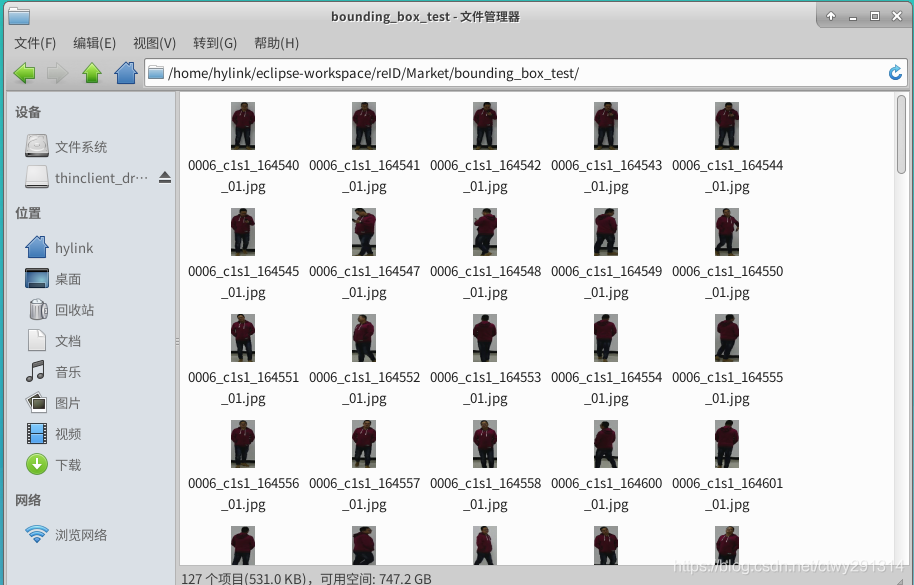
查询结果集
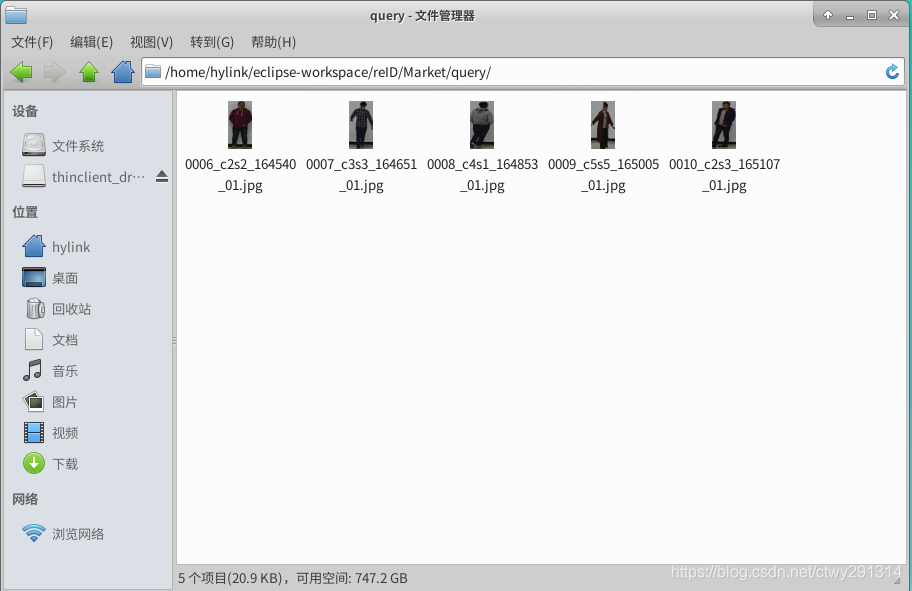
注意:检索结果集的摄像头ID与查询结果集的摄像头ID必须不同,因为:可视化时自动过滤相同摄像头ID的图片
新建检索与查询底库
trainer.mytest()
检索效果测试
修改trainer.py 168行的i值
运行trainer.mydemo()
效果展示

Top 10 images are as follow:

/home/hylink/eclipse-workspace/reID/Market//bounding_box_test/0010_c1s1_165107_01.jpg

/home/hylink/eclipse-workspace/reID/Market//bounding_box_test/0010_c1s1_165100_01.jpg

/home/hylink/eclipse-workspace/reID/Market//bounding_box_test/0010_c1s1_165114_01.jpg

/home/hylink/eclipse-workspace/reID/Market//bounding_box_test/0010_c1s1_165106_01.jpg

/home/hylink/eclipse-workspace/reID/Market//bounding_box_test/0010_c1s1_165115_01.jpg

/home/hylink/eclipse-workspace/reID/Market//bounding_box_test/0010_c1s1_165105_01.jpg

/home/hylink/eclipse-workspace/reID/Market//bounding_box_test/0010_c1s1_165058_01.jpg

/home/hylink/eclipse-workspace/reID/Market//bounding_box_test/0010_c1s1_165113_01.jpg

/home/hylink/eclipse-workspace/reID/Market//bounding_box_test/0010_c1s1_165059_01.jpg

/home/hylink/eclipse-workspace/reID/Market//bounding_box_test/0010_c1s1_165104_01.jpg
行人重识别(ReID) ——基于MGN-pytorch进行可视化展示的更多相关文章
- 行人重识别(ReID) ——基于深度学习的行人重识别研究综述
转自:https://zhuanlan.zhihu.com/p/31921944 前言:行人重识别(Person Re-identification)也称行人再识别,本文简称为ReID,是利用计算机视 ...
- 行人重识别(ReID) ——基于Person_reID_baseline_pytorch修改业务流程
下载Person_reID_baseline_pytorch地址:https://github.com/layumi/Person_reID_baseline_pytorch/tree/master/ ...
- 行人重识别(ReID) ——技术实现及应用场景
导读 跨镜追踪(Person Re-Identification,简称 ReID)技术是现在计算机视觉研究的热门方向,主要解决跨摄像头跨场景下行人的识别与检索.该技术能够根据行人的穿着.体态.发型等信 ...
- 行人重识别(ReID) ——数据集描述 DukeMTMC-reID
数据集简介 DukeMTMC 数据集是一个大规模标记的多目标多摄像机行人跟踪数据集.它提供了一个由 8 个同步摄像机记录的新型大型高清视频数据集,具有 7,000 多个单摄像机轨迹和超过 2,700 ...
- 行人重识别(ReID) ——数据集描述 Market-1501
数据集简介 Market-1501 数据集在清华大学校园中采集,夏天拍摄,在 2015 年构建并公开.它包括由6个摄像头(其中5个高清摄像头和1个低清摄像头)拍摄到的 1501 个行人.32668 个 ...
- 行人重识别(ReID) ——概述
什么是Re-ID? 行人重识别(Person re-identification,简称Re-ID)也称行人再识别,是利用计算机视觉技术判断图像或者视频序列中是否存在特定行人的技术.广泛被认为是一个图像 ...
- 行人重识别(ReID) ——数据集描述 CUHK03
数据集简介 CUHK03是第一个足以进行深度学习的大规模行人重识别数据集,该数据集的图像采集于香港中文大学(CUHK)校园.数据以"cuhk-03.mat"的 MAT 文件格式存储 ...
- CVPR2020行人重识别算法论文解读
CVPR2020行人重识别算法论文解读 Cross-modalityPersonre-identificationwithShared-SpecificFeatureTransfer 具有特定共享特征变换 ...
- 行人重识别和车辆重识别(ReID)中的评测指标——mAP和Rank-k
1.mAP mAP的全称是mean Average Precision,意为平均精度均值(如果按照原来的顺利翻译就是平均均值精度).这个指标是多目标检测和多标签图像分类中长常用的评测指标,因为这类任务 ...
随机推荐
- react native之封装离线缓存框架
请求数据=>本地有无缓存+缓存数据是否过期 =>可用 =>不可用 将代码封装成一个DataStore.js文件, 这里面主要提供:从本地获取数据,从网络获取数据,创建本地时间戳,请求 ...
- IIS6、IIS7.5设置网站默认首页方法(Directory Listing Denied)
这篇文章主要介绍了IIS6.IIS7.5设置网站默认首页方法,如果不设置访问目录就会提示Directory Listing Denied,就是不允许列出文档,为了安全网站都会设置不设置默认,需要的朋友 ...
- java 如何实现大文件上传下载(传输)各种格式
我们平时经常做的是上传文件,上传文件夹与上传文件类似,但也有一些不同之处,这次做了上传文件夹就记录下以备后用. 首先我们需要了解的是上传文件三要素: 1.表单提交方式:post (get方式提交有大小 ...
- 判断img的src为空/点击时候两张图片来回替换
if($('.icon-right img').src==null){ $('.span-gray').addClass('c8'); } <img> ///////////// < ...
- C++ 对象间通信框架 V2.0 ××××××× 之(二)
公共头文件:ss_type_def.h ================================================================================ ...
- 【转】结构化日志类库 ---- Serilog库
源地址:https://www.cnblogs.com/mq0036/p/8479956.html 解决异常: Invalid cast from 'System.String' to 'Serilo ...
- 使用清华大学提供的 Anaconda 镜像下载 Python 软件包
使用清华大学提供的 Anaconda 镜像下载 Python 软件包 pip install -i http://pypi.tuna.tsinghua.edu.cn/simple tensorflow ...
- ES6 Object.setPrototypeOf ()方法和defineProperty()方法的使用
将一个指定的对象的原型设置为另一个对象或者null(既对象的[[Prototype]]内部属性). 示例: <script type="text/javascript"> ...
- 解决VS中不能搜索被折叠的代码块
问题不大,但容易被忽略,解决方法:
- ImageView的src与background及ScaleType
1 概述 开发中经常使用Imageview的src和background属性,从字面上看src是路径,background是背景.二者都可以显示drawable或者颜色.设置drawable图片资源时 ...