
day63-webservice 04.JaxWsServerFactoryBean和SOAP1.2


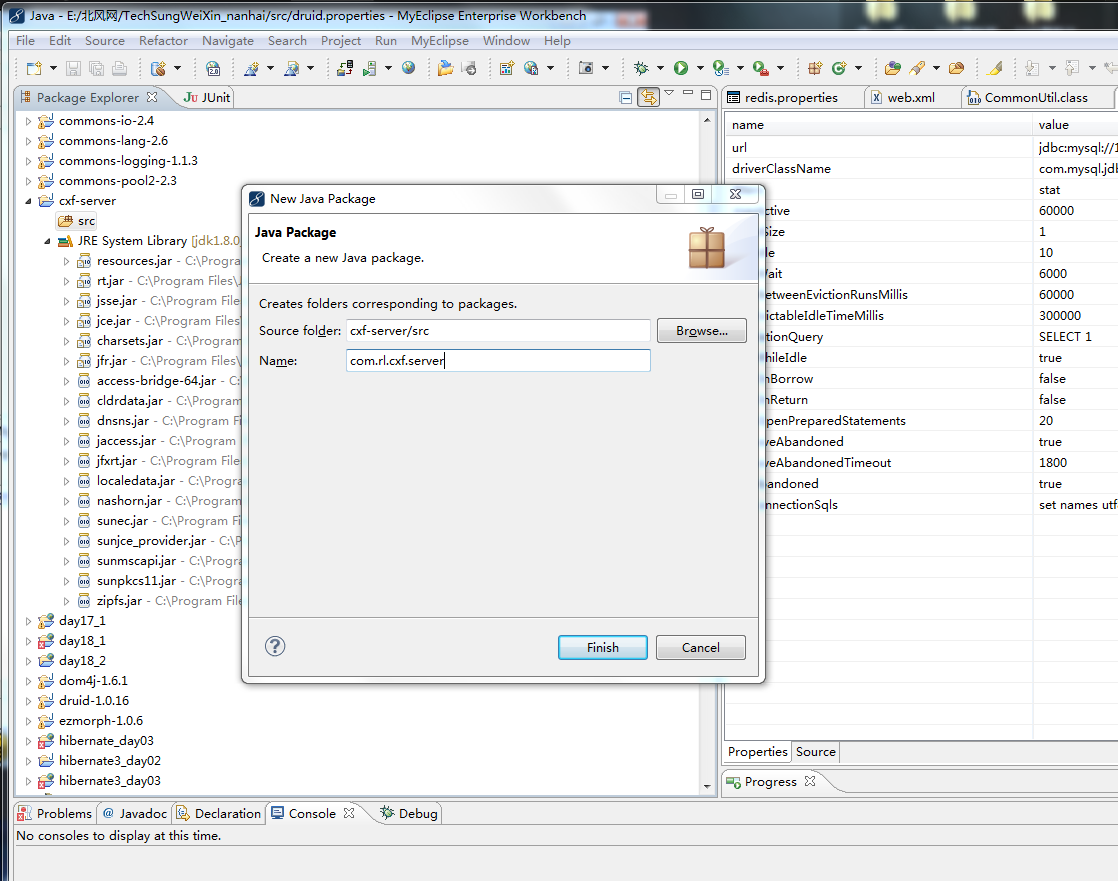

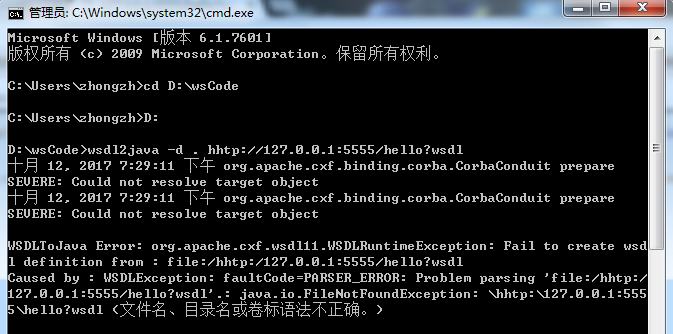

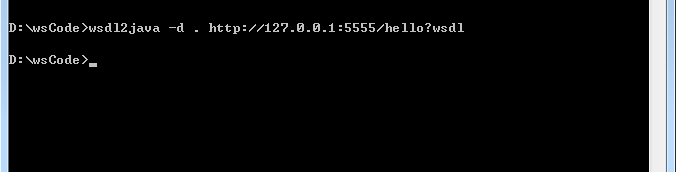
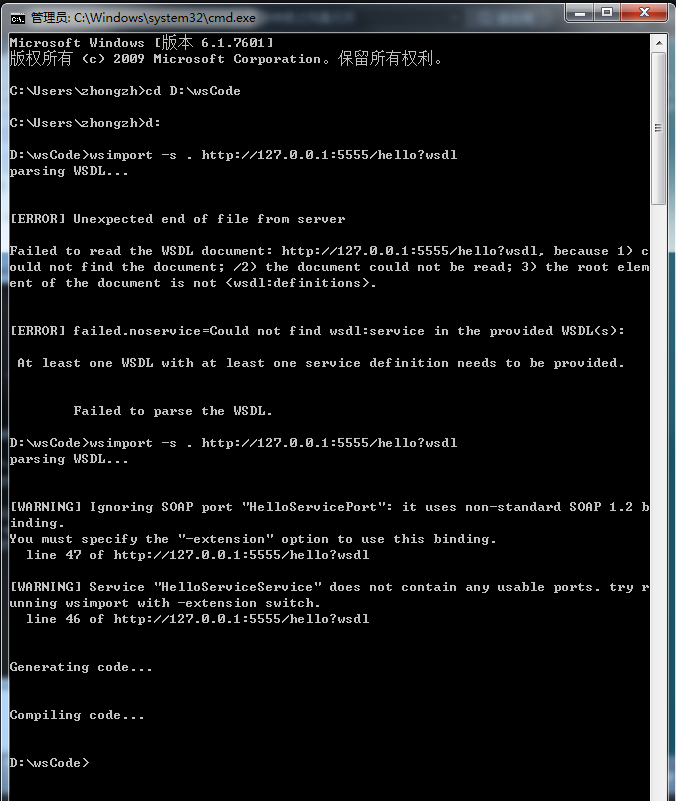
<wsdl:definitions xmlns:ns1="http://schemas.xmlsoap.org/soap/http" xmlns:soap12="http://schemas.xmlsoap.org/wsdl/soap12/" xmlns:tns="http://server.cxf.rl.com/" xmlns:wsdl="http://schemas.xmlsoap.org/wsdl/" xmlns:xsd="http://www.w3.org/2001/XMLSchema" name="HelloServiceService" targetNamespace="http://server.cxf.rl.com/">

<wsdl:types>

<xs:schema xmlns:tns="http://server.cxf.rl.com/" xmlns:xs="http://www.w3.org/2001/XMLSchema" elementFormDefault="unqualified" targetNamespace="http://server.cxf.rl.com/" version="1.0">

<xs:element name="sayHello" type="tns:sayHello"/>

<xs:element name="sayHelloResponse" type="tns:sayHelloResponse"/>

<xs:complexType name="sayHello">

<xs:sequence>

<xs:element minOccurs="0" name="arg0" type="xs:string"/>

</xs:sequence>

</xs:complexType>

<xs:complexType name="sayHelloResponse">

<xs:sequence>

<xs:element minOccurs="0" name="return" type="xs:string"/>

</xs:sequence>

</xs:complexType>

</xs:schema>

</wsdl:types>

<wsdl:message name="sayHello">

<wsdl:part element="tns:sayHello" name="parameters"></wsdl:part>

</wsdl:message>

<wsdl:message name="sayHelloResponse">

<wsdl:part element="tns:sayHelloResponse" name="parameters"></wsdl:part>

</wsdl:message>

<wsdl:portType name="HelloService">

<wsdl:operation name="sayHello">

<wsdl:input message="tns:sayHello" name="sayHello"></wsdl:input>

<wsdl:output message="tns:sayHelloResponse" name="sayHelloResponse"></wsdl:output>

</wsdl:operation>

</wsdl:portType>

<wsdl:binding name="HelloServiceServiceSoapBinding" type="tns:HelloService">

<soap12:binding style="document" transport="http://schemas.xmlsoap.org/soap/http"/>

<wsdl:operation name="sayHello">

<soap12:operation soapAction="" style="document"/>

<wsdl:input name="sayHello">

<soap12:body use="literal"/>

</wsdl:input>

<wsdl:output name="sayHelloResponse">

<soap12:body use="literal"/>

</wsdl:output>

</wsdl:operation>

</wsdl:binding>

<wsdl:service name="HelloServiceService">

<wsdl:port binding="tns:HelloServiceServiceSoapBinding" name="HelloServicePort">

<soap12:address location="http://127.0.0.1:5555/hello"/>

</wsdl:port>

</wsdl:service>

</wsdl:definitions>
http://www.cnblogs.com/yanzige/p/5377332.html




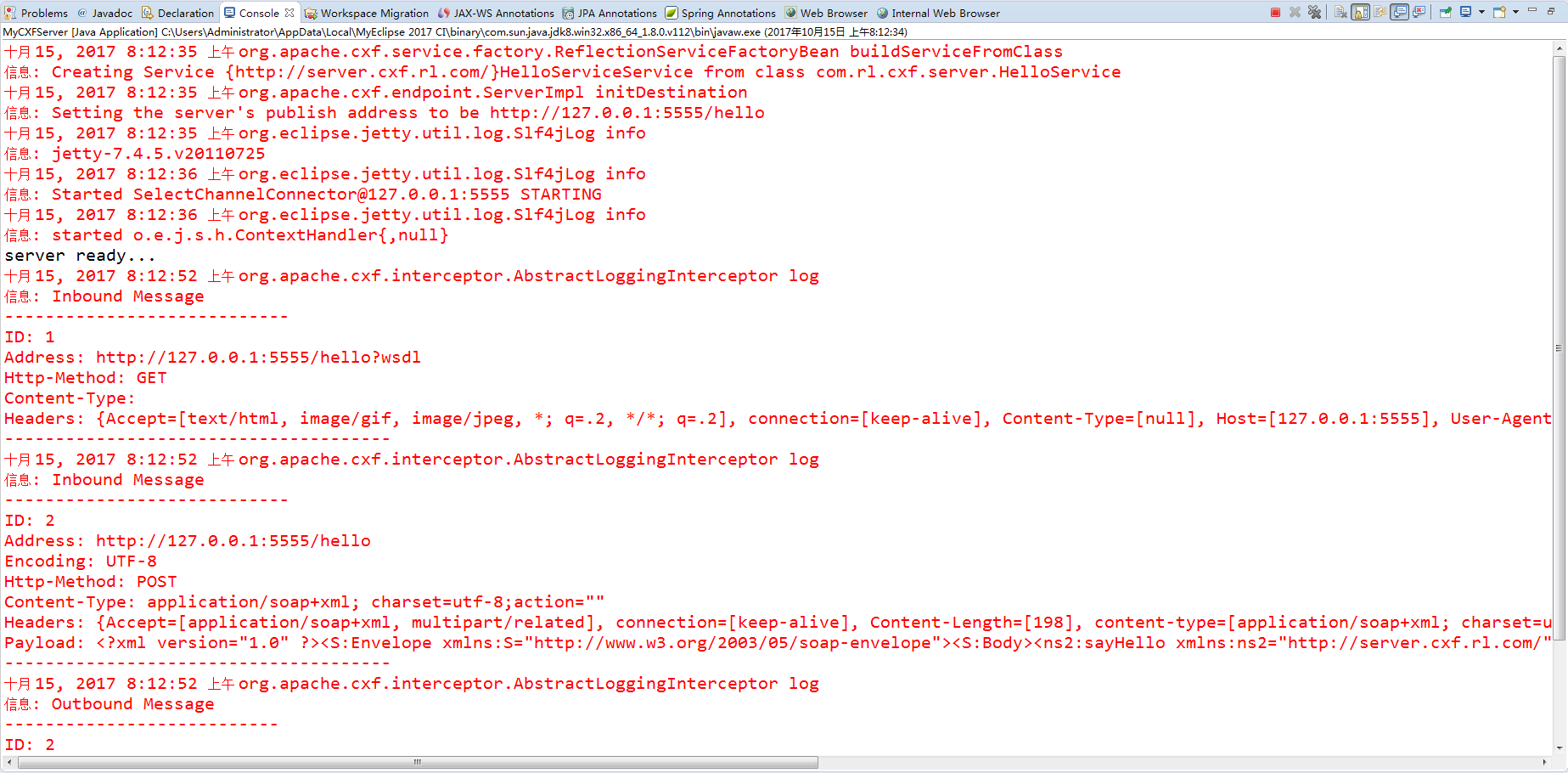

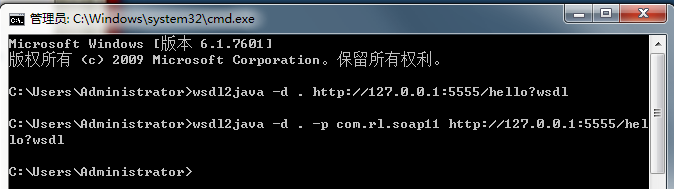


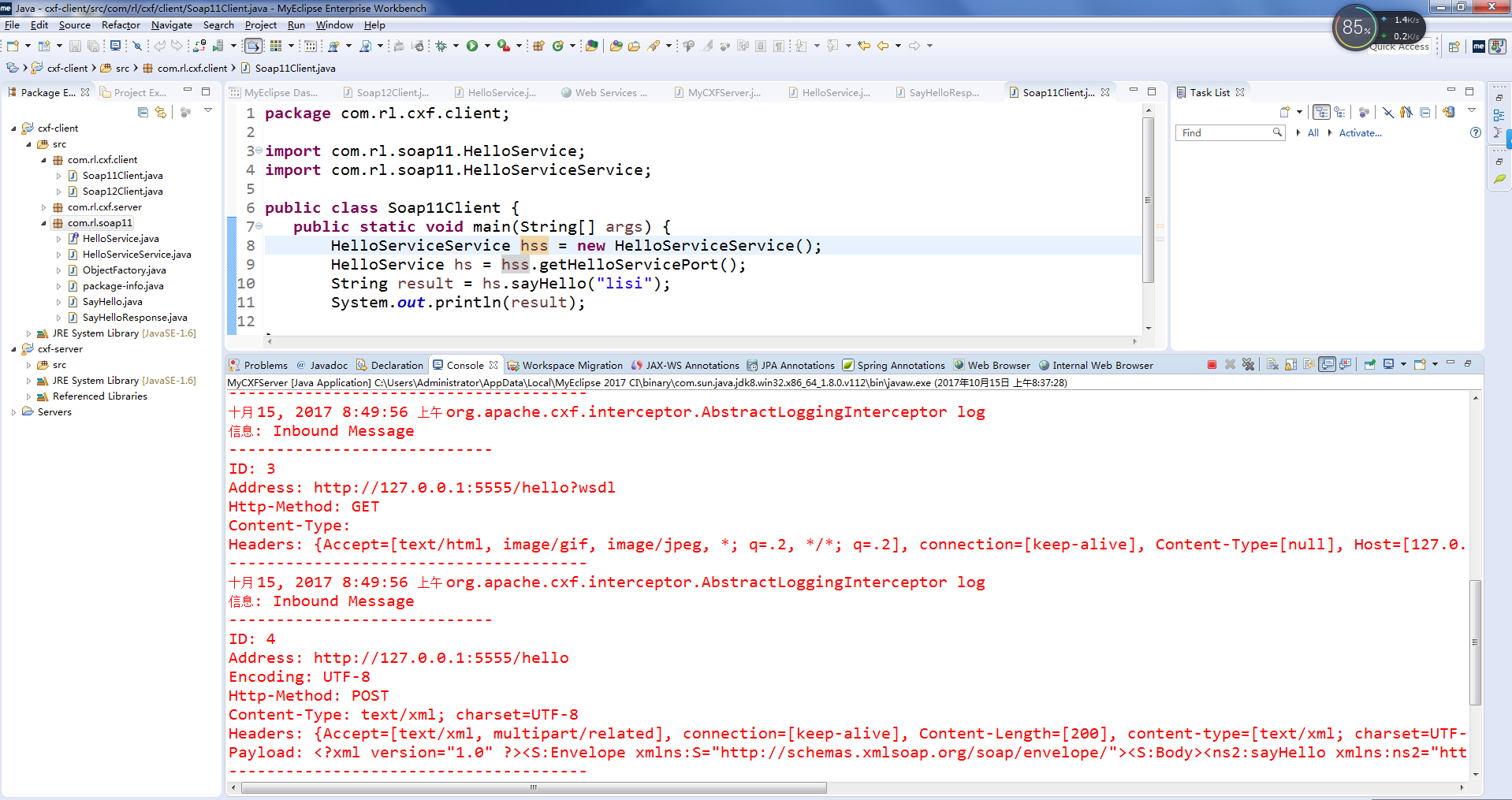


package com.rl.cxf.client;

import com.rl.soap11.HelloService;

import com.rl.soap11.HelloServiceService;

public class Soap11Client {

   public static void main(String[] args) {

       HelloServiceService hss = new HelloServiceService();

       HelloService hs = hss.getHelloServicePort();

       String result = hs.sayHello("lisi");

       System.out.println(result);

}

}
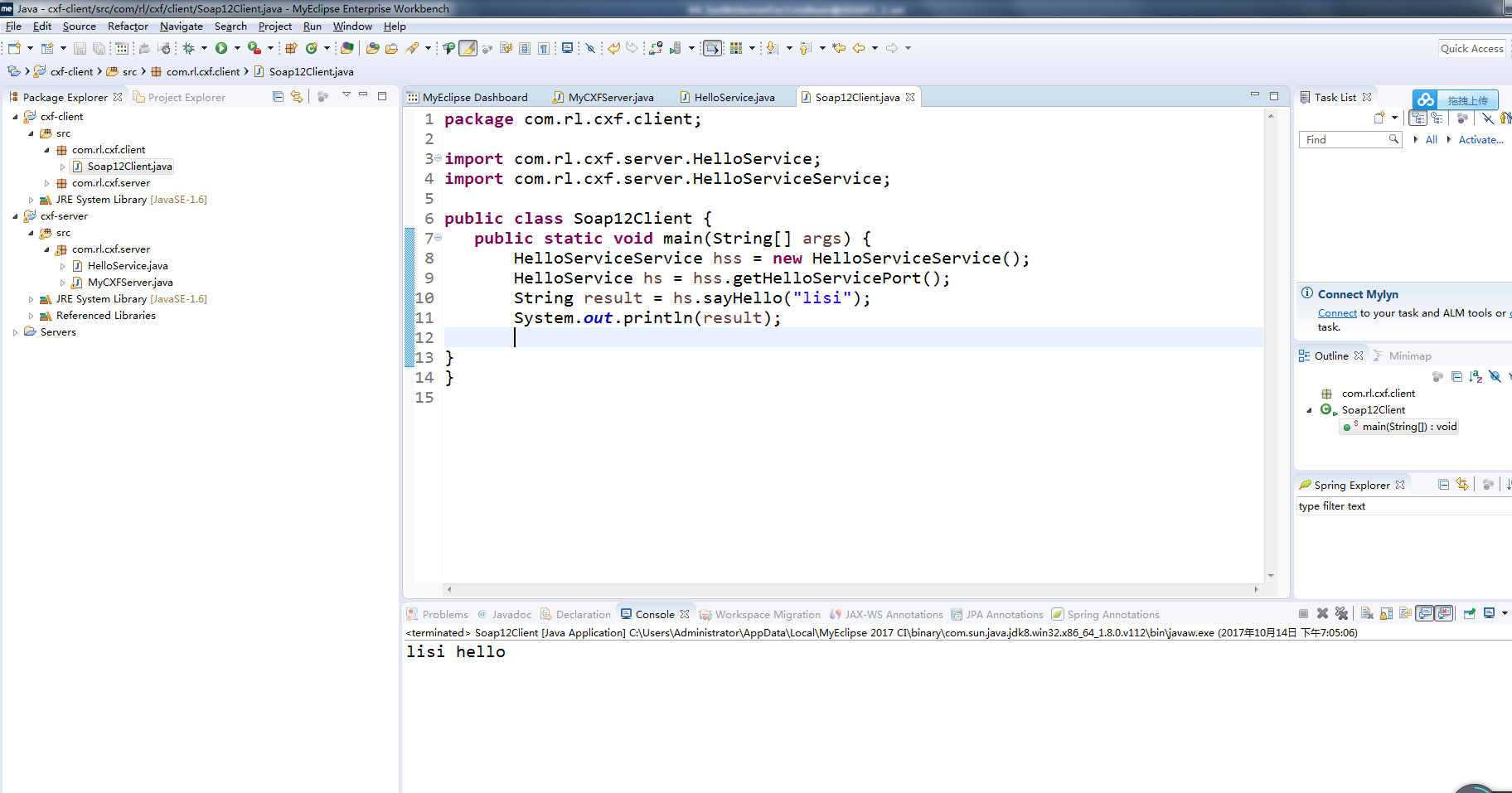
package com.rl.cxf.client;

import com.rl.cxf.server.HelloService;

import com.rl.cxf.server.HelloServiceService;

public class Soap12Client {

   public static void main(String[] args) {

       HelloServiceService hss = new HelloServiceService();

       HelloService hs = hss.getHelloServicePort();

       String result = hs.sayHello("lisi");

       System.out.println(result);

}

}
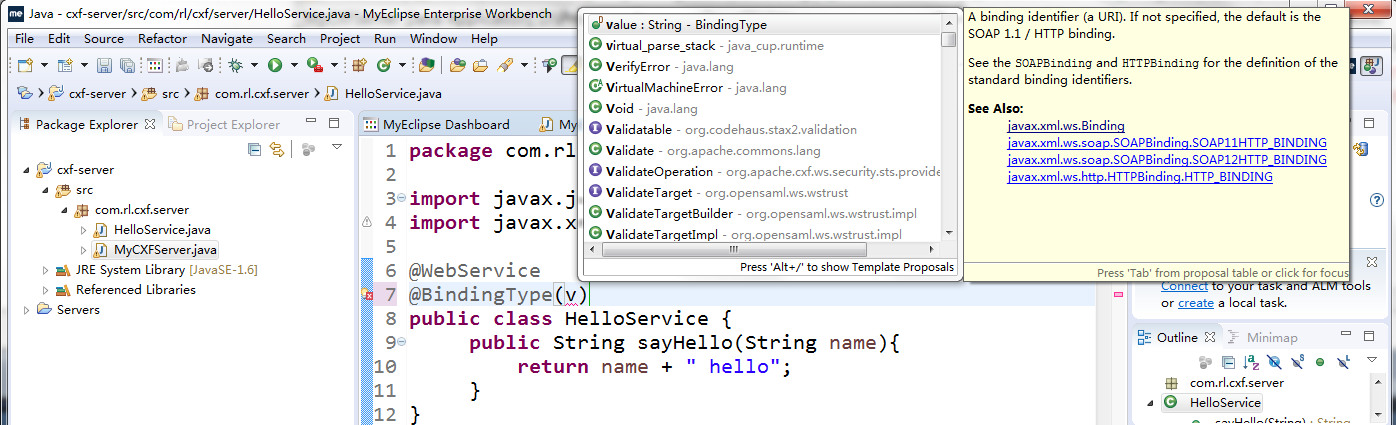
package com.rl.cxf.server;

import javax.jws.WebService;

import javax.xml.ws.BindingType;

@WebService

//@BindingType(value=javax.xml.ws.soap.SOAPBinding.SOAP12HTTP_BINDING )

@BindingType(value=javax.xml.ws.soap.SOAPBinding.SOAP11HTTP_BINDING )

public class HelloService {

     public String sayHello(String name){

         return name + " hello";

     }

}
package com.rl.cxf.server;

//import org.apache.cxf.frontend.ServerFactoryBean;

import org.apache.cxf.interceptor.LoggingInInterceptor;

import org.apache.cxf.interceptor.LoggingOutInterceptor;

import org.apache.cxf.jaxws.JaxWsServerFactoryBean;

public class MyCXFServer {

   public static void main(String[] args) {

     //创建服务工厂对象

     //ServerFactoryBean sfb = new ServerFactoryBean();

     JaxWsServerFactoryBean sfb = new JaxWsServerFactoryBean();

     //加入输入输出拦截器

     sfb.getInInterceptors().add(new LoggingInInterceptor());

     //sfb.getOutFaultInterceptors().add(new LoggingOutInterceptor());

     sfb.getOutInterceptors().add(new LoggingOutInterceptor());

     //指定服务地址

     sfb.setAddress("http://127.0.0.1:5555/hello");

     //设置服务类

     sfb.setServiceClass(HelloService.class);

     //设置服务类的实例对象

     sfb.setServiceBean(new HelloService());

     //发布服务

     sfb.create();

     System.out.println("server ready...");

   }

}
day63-webservice 04.JaxWsServerFactoryBean和SOAP1.2的更多相关文章
- 使用CXF开发JAX-WS类型的WebService
使用CXF记得要先加入CXF的jar包 方法1: Cxf编程实现: l 使用jaxwsServerFactoryBean发布 webservice服务端. 需要设置: jaxwsServerFacto ...
- webservice的cxf和spring整合发布
1.新建一个web项目 2.导入cxf相应的jar包,并部署到项目中 3.服务接口 package com.xiaostudy; /** * @desc 服务器接口 * @author xiaostu ...
- webservice用cxf发布SOAP
cxf的安装,就是把文件解压,然后配置环境变量 http://cxf.apache.org/download.html这是官网下载 解压到这里 环境变量 wsdl2java命令测试 1.新建java项 ...
- Webservice与CXF框架快速入门
1. Webservice Webservice是一套远程调用技术规范 远程调用RPC, 实现了系统与系统进程间的远程通信.java领域有很多可实现远程通讯的技术,如:RMI(Socket + 序列化 ...
- WebService使用介绍(三)
jax-ws开发深入 JAX-WS注解 注解说明 WebService的注解都位于javax.jws包下: @WebService-定义服务,在public class上边 targetNamespa ...
- Java中的WebService服务
一.在本地发布一个webservice服务 1.使用jdk中的 javax.xml.ws.Endpoint 类的 static Endpointpublish(Stringaddress,Object ...
- Java发布webservice应用并发送SOAP请求调用
webservice框架有很多,比如axis.axis2.cxf.xFire等等,做服务端和做客户端都可行,个人感觉使用这些框架的好处是减少了对于接口信息的解析,最主要的是减少了对于传递于网络中XML ...
- (二)使用CXF开发WebService服务器端接口
CXF作为java领域主流的WebService实现框架,Java程序员有必要掌握它. CXF主页:http://cxf.apache.org/ 简介:百度百科 今天的话,主要是用CXF来开发下Web ...
- Jmeter之WebService接口测试
一.简介 1.JMeter3.2前的版本,可以使用SOAP/XML-RPC Request插件直接进行webservice接口,而3.2后的版本则已经取消了这个接口,需要另外的方法才能进行测试. 2 ...
随机推荐
- 玩转公众号markdown排版
Md2All 简介 Markdown排版利器,支持 "一键排版" 的样式模板选择,支持"css样式自定义",支持80多种代码高亮. 能让Markdown内容,无 ...
- 图像局部显著性—点特征(SURF)
1999年的SIFT(ICCV 1999,并改进发表于IJCV 2004,本文描述):参考描述:图像特征点描述. 参考原文:SURF特征提取分析 本文有大量删除,如有疑义,请参考原文. SURF对SI ...
- 安卓代码迁移:ActionBarActivity: cannot be resolved to a type
参考链接:http://stackoverflow.com/questions/18830736/actionbaractivity-cannot-be-resolved-to-a-type in e ...
- OpenCV中IplImage/CvMat/Mat转化关系
原文链接:http://www.cnblogs.com/summerRQ/articles/2406109.html 如对内容和版权有何疑问,请拜访原作者或者通知本人. opencv中常见的与图像操作 ...
- AI: DL方法与问题空间探索
所谓问题的解决是生存参数空间的一种状态转移到另外一种状态,而目的状态恰好是主体所希望的.完成这种转换的一系列脚本变化过程叫做场景序列,也叫通路.驱动这一些列场景转换的主体参与过程,被称为主动执行.而主 ...
- 【技术累积】【点】【git】【10】.gitignore和.gitattributes
.gitignore 告诉git忽略一些文件,git status会显示不到这些文件的状态. 一般放在项目根目录,以对全局控制,当然可以放在module下: 具体规则主要是: 以行为单位定义忽略文件类 ...
- antd #upload
import React from 'react' import {Upload, Icon, message,Button } from 'antd' import './index.scss'; ...
- android studio: 为现有项目添加C++支持
刚开始创建项目的时候并没有勾选“include C++ support” 选项: 后期增加步骤: 1.拷贝已有支持C++项目的CMakeLists.txt文件到现有项目的app目录下: 2.在app/ ...
- 基于日志实现ssh服务防护脚本
grep -n "Failed password" secure | sed -nr 's/.*from(.*)port.*/\1/gp' | sort -n |uniq -c|s ...
- json-lib与Jackson的区别和用法分析
一.Jackson概述 1.jackson包和版本 Jackson fasterxml和codehaus的区别: 他们是Jackson的两大分支.也是两个版本的不同包名.Jackson从2.0开始改用 ...