
使用ML.NET预测纽约出租车费
有了上一篇《.NET Core玩转机器学习》打基础,这一次我们以纽约出租车费的预测做为新的场景案例,来体验一下回归模型。
场景概述
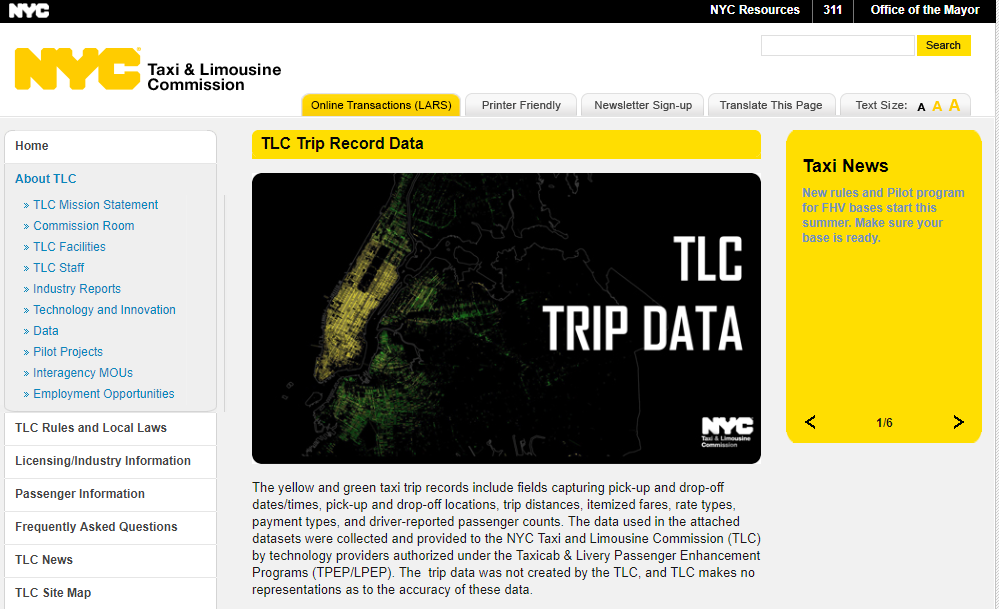
我们的目标是预测纽约的出租车费,乍一看似乎仅仅取决于行程的距离和时长,然而纽约的出租车供应商对其他因素,如额外的乘客数、信用卡而不是现金支付等,会综合考虑而收取不同数额的费用。纽约市官方给出了一份样本数据。
确定策略
为了能够预测出租车费,我们选择通过机器学习建立一个回归模型。使用官方提供的真实数据进行拟合,在训练模型的过程中确定真正能影响出租车费的决定性特征。在获得模型后,对模型进行评估验证,如果偏差在接受的范围内,就以这个模型来对新的数据进行预测。
解决方案
创建项目
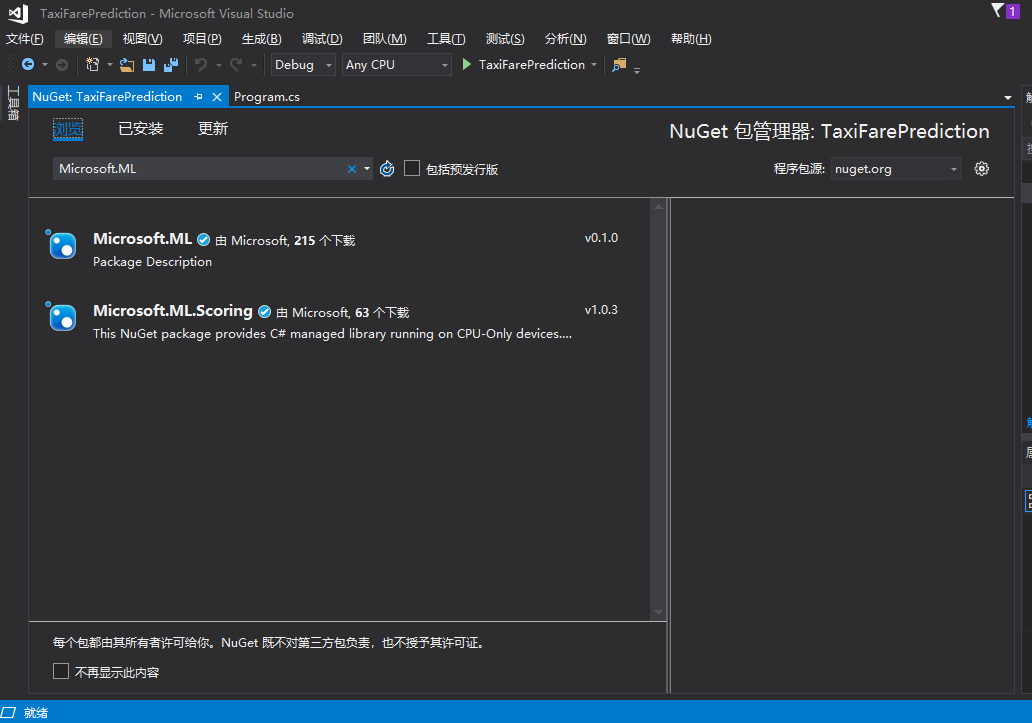
看过上一篇文章的读者,就比较轻车熟路了,推荐使用Visual Studio 2017创建一个.NET Core的控制台应用程序项目,命名为TaxiFarePrediction。使用NuGet包管理工具添加对Microsoft.ML的引用。

准备数据集
下载训练数据集taxi-fare-train.csv和验证数据集taxi-fare-test.csv,数据集的内容类似为:
vendor_id,rate_code,passenger_count,trip_time_in_secs,trip_distance,payment_type,fare_amount

VTS,1,1,1140,3.75,CRD,15.5

VTS,1,1,480,2.72,CRD,10.0

VTS,1,1,1680,7.8,CSH,26.5

VTS,1,1,600,4.73,CSH,14.5

VTS,1,1,600,2.18,CRD,9.5

...
对字段简单说明一下:
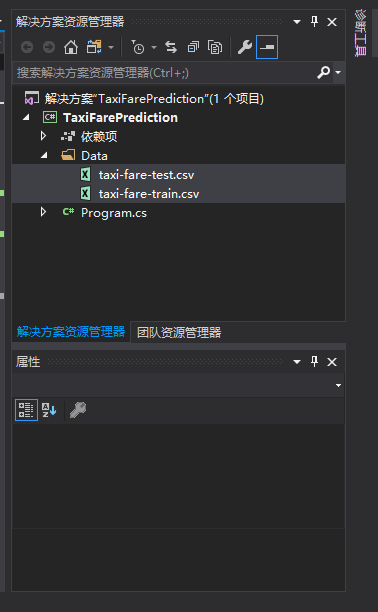
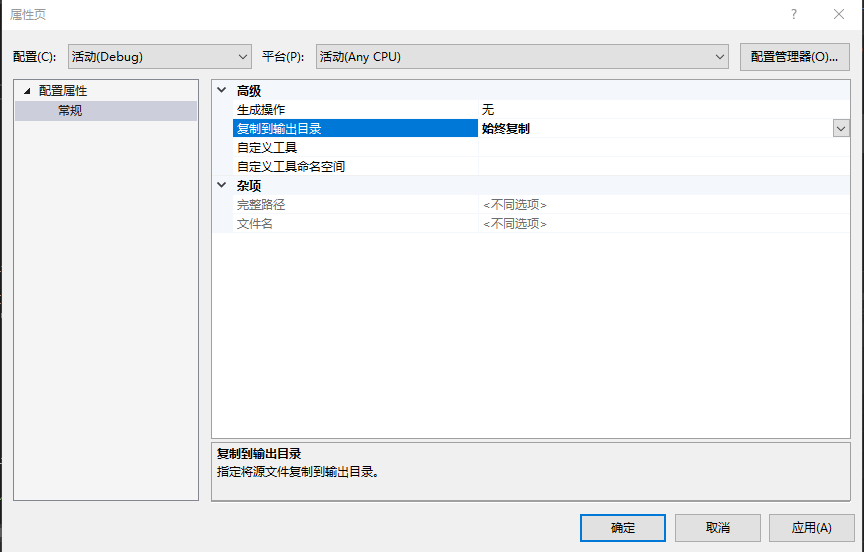
字段名 含义 说明 vendor_id 供应商编号 特征值 rate_code 比率码 特征值 passenger_count 乘客人数 特征值 trip_time_in_secs 行程时长 特征值 trip_distance 行程距离 特征值 payment_type 支付类型 特征值 fare_amount 费用 目标值 在项目中添加一个Data目录,将两份数据集复制到该目录下,对文件属性设置“复制到输出目录”。
定义数据类型和路径
首先声明相关的包引用。
using System;

using Microsoft.ML.Models;

using Microsoft.ML.Runtime;

using Microsoft.ML.Runtime.Api;

using Microsoft.ML.Trainers;

using Microsoft.ML.Transforms;

using System.Collections.Generic;

using System.Linq;

using Microsoft.ML;
在Main函数的上方定义一些使用到的常量。
const string DataPath = @".\Data\taxi-fare-train.csv";

const string TestDataPath = @".\Data\taxi-fare-test.csv";

const string ModelPath = @".\Models\Model.zip";

const string ModelDirectory = @".\Models";
接下来定义一些使用到的数据类型,以及和数据集中每一行的位置对应关系。
public class TaxiTrip

{

    [Column(ordinal: "")]

    public string vendor_id;

    [Column(ordinal: "")]

    public string rate_code;

    [Column(ordinal: "")]

    public float passenger_count;

    [Column(ordinal: "")]

    public float trip_time_in_secs;

    [Column(ordinal: "")]

    public float trip_distance;

    [Column(ordinal: "")]

    public string payment_type;

    [Column(ordinal: "")]

    public float fare_amount;

}

public class TaxiTripFarePrediction

{

    [ColumnName("Score")]

    public float fare_amount;

}

static class TestTrips

{

    internal static readonly TaxiTrip Trip1 = new TaxiTrip

    {

        vendor_id = "VTS",

        rate_code = "",

        passenger_count = ,

        trip_distance = 10.33f,

        payment_type = "CSH",

        fare_amount =  // predict it. actual = 29.5

    };

}
创建处理过程
创建一个Train方法,定义对数据集的处理过程,随后声明一个模型接收训练后的结果,在返回前把模型保存到指定的位置,以便以后直接取出来使用不需要再重新训练。
public static async Task<PredictionModel<TaxiTrip, TaxiTripFarePrediction>> Train()

{

    var pipeline = new LearningPipeline();

    pipeline.Add(new TextLoader<TaxiTrip>(DataPath, useHeader: true, separator: ","));

    pipeline.Add(new ColumnCopier(("fare_amount", "Label")));

    pipeline.Add(new CategoricalOneHotVectorizer("vendor_id",

                                        "rate_code",

                                        "payment_type"));

    pipeline.Add(new ColumnConcatenator("Features",

                                        "vendor_id",

                                        "rate_code",

                                        "passenger_count",

                                        "trip_distance",

                                        "payment_type"));

    pipeline.Add(new FastTreeRegressor());

    PredictionModel<TaxiTrip, TaxiTripFarePrediction> model = pipeline.Train<TaxiTrip, TaxiTripFarePrediction>();

    if (!Directory.Exists(ModelDirectory))

    {

        Directory.CreateDirectory(ModelDirectory);

    }

    await model.WriteAsync(ModelPath);

    return model;

}
评估验证模型
创建一个Evaluate方法,对训练后的模型进行验证评估。
public static void Evaluate(PredictionModel<TaxiTrip, TaxiTripFarePrediction> model)

{

    var testData = new TextLoader<TaxiTrip>(TestDataPath, useHeader: true, separator: ",");

    var evaluator = new RegressionEvaluator();

    RegressionMetrics metrics = evaluator.Evaluate(model, testData);

    // Rms should be around 2.795276

    Console.WriteLine("Rms=" + metrics.Rms);

    Console.WriteLine("RSquared = " + metrics.RSquared);

}
预测新数据
定义一个被用于预测的新数据,对于各个特征进行恰当地赋值。
static class TestTrips

{

    internal static readonly TaxiTrip Trip1 = new TaxiTrip

    {

        vendor_id = "VTS",

        rate_code = "",

        passenger_count = ,

        trip_distance = 10.33f,

        payment_type = "CSH",

        fare_amount =  // predict it. actual = 29.5

    };

}
预测的方法很简单,prediction即预测的结果,从中打印出预测的费用和真实费用。
var prediction = model.Predict(TestTrips.Trip1);

Console.WriteLine("Predicted fare: {0}, actual fare: 29.5", prediction.fare_amount);
运行结果

到此我们完成了所有的步骤,关于这些代码的详细说明,可以参看《Tutorial: Use ML.NET to Predict New York Taxi Fares (Regression)》,只是要注意该文中的部分代码有误,由于使用到了C# 7.1的语法特性,本文的代码是经过了修正的。完整的代码如下:
using System;

using Microsoft.ML.Models;

using Microsoft.ML.Runtime;

using Microsoft.ML.Runtime.Api;

using Microsoft.ML.Trainers;

using Microsoft.ML.Transforms;

using System.Collections.Generic;

using System.Linq;

using Microsoft.ML;

using System.Threading.Tasks;

using System.IO;

namespace TaxiFarePrediction

{

    class Program

    {

        const string DataPath = @".\Data\taxi-fare-train.csv";

        const string TestDataPath = @".\Data\taxi-fare-test.csv";

        const string ModelPath = @".\Models\Model.zip";

        const string ModelDirectory = @".\Models";

        public class TaxiTrip

        {

            [Column(ordinal: "")]

            public string vendor_id;

            [Column(ordinal: "")]

            public string rate_code;

            [Column(ordinal: "")]

            public float passenger_count;

            [Column(ordinal: "")]

            public float trip_time_in_secs;

            [Column(ordinal: "")]

            public float trip_distance;

            [Column(ordinal: "")]

            public string payment_type;

            [Column(ordinal: "")]

            public float fare_amount;

        }

        public class TaxiTripFarePrediction

        {

            [ColumnName("Score")]

            public float fare_amount;

        }

        static class TestTrips

        {

            internal static readonly TaxiTrip Trip1 = new TaxiTrip

            {

                vendor_id = "VTS",

                rate_code = "",

                passenger_count = ,

                trip_distance = 10.33f,

                payment_type = "CSH",

                fare_amount =  // predict it. actual = 29.5

            };

        }

        public static async Task<PredictionModel<TaxiTrip, TaxiTripFarePrediction>> Train()

        {

            var pipeline = new LearningPipeline();

            pipeline.Add(new TextLoader<TaxiTrip>(DataPath, useHeader: true, separator: ","));

            pipeline.Add(new ColumnCopier(("fare_amount", "Label")));

            pipeline.Add(new CategoricalOneHotVectorizer("vendor_id",

                                              "rate_code",

                                              "payment_type"));

            pipeline.Add(new ColumnConcatenator("Features",

                                                "vendor_id",

                                                "rate_code",

                                                "passenger_count",

                                                "trip_distance",

                                                "payment_type"));

            pipeline.Add(new FastTreeRegressor());

            PredictionModel<TaxiTrip, TaxiTripFarePrediction> model = pipeline.Train<TaxiTrip, TaxiTripFarePrediction>();

            if (!Directory.Exists(ModelDirectory))

            {

                Directory.CreateDirectory(ModelDirectory);

            }

            await model.WriteAsync(ModelPath);

            return model;

        }

        public static void Evaluate(PredictionModel<TaxiTrip, TaxiTripFarePrediction> model)

        {

            var testData = new TextLoader<TaxiTrip>(TestDataPath, useHeader: true, separator: ",");

            var evaluator = new RegressionEvaluator();

            RegressionMetrics metrics = evaluator.Evaluate(model, testData);

            // Rms should be around 2.795276

            Console.WriteLine("Rms=" + metrics.Rms);

            Console.WriteLine("RSquared = " + metrics.RSquared);

        }

        static async Task Main(string[] args)

        {

            PredictionModel<TaxiTrip, TaxiTripFarePrediction> model = await Train();

            Evaluate(model);

            var prediction = model.Predict(TestTrips.Trip1);

            Console.WriteLine("Predicted fare: {0}, actual fare: 29.5", prediction.fare_amount);

        }

    }

}
不知不觉我们的ML.NET之旅又向前进了一步,是不是对于使用.NET Core进行机器学习解决现实生活中的问题更有兴趣了?请保持关注吧。
使用ML.NET预测纽约出租车费的更多相关文章
- ML.NET教程之出租车车费预测(回归问题)
理解问题 出租车的车费不仅与距离有关,还涉及乘客数量,是否使用信用卡等因素(这是的出租车是指纽约市的).所以并不是一个简单的一元方程问题. 准备数据 建立一控制台应用程序工程,新建Data文件夹,在其 ...
- [codeup] 1128 出租车费
题目描述 某市出租车计价规则如下:起步4公里10元,即使你的行程没超过4公里:接下来的4公里,每公里2元:之后每公里2.4元.行程的最后一段即使不到1公里,也当作1公里计费. 一个乘客可以根据行程公里 ...
- [ACM_数学] Taxi Fare [新旧出租车费差 水 分段函数]
Description Last September, Hangzhou raised the taxi fares. The original flag-down fare in Hangzhou ...
- 使用ML.NET实现猜动画片台词
前面几篇主要内容出自微软官方,经我特意修改的案例的文章: 使用ML.NET实现情感分析[新手篇] 使用ML.NET预测纽约出租车费 .NET Core玩转机器学习 使用ML.NET实现情感分析[新手篇 ...
- 使用ML.NET实现情感分析[新手篇]
在发出<.NET Core玩转机器学习>和<使用ML.NET预测纽约出租车费>两文后,相信读者朋友们即使在不明就里的情况下,也能按照内容顺利跑完代码运行出结果,对使用.NET ...
- ML.NET
ML.NET http://www.cnblogs.com/BeanHsiang/category/1218714.html 随笔分类 - 使用ML.NET实现NBA得分预测 摘要: 本文将介绍一种特 ...
- ML.NET 示例:回归之价格预测
写在前面 准备近期将微软的machinelearning-samples翻译成中文,水平有限,如有错漏,请大家多多指正. 如果有朋友对此感兴趣,可以加入我:https://github.com/fei ...
- C#使用ML.Net完成人工智能预测
前言 Visual Studio2019 Preview中提供了图形界面的ML.Net,所以,只要我们安装Visual Studio2019 Preview就能简单的使用ML.Net了,因为我的电脑已 ...
- GIS+=地理信息+行业+大数据——纽约公开11亿条出租车和Uber原始数据下载及分析
一览众山小编辑团队 原文/ Todd Schneider 翻译/ 沈玮薇 陈翚 文献/ 蒋理 校核/ 众山小编辑/ 众山小 排版/ 徐颖 2014-2015 © 转载请注明:源自公众号"一览 ...
随机推荐
- browser-sync + http-proxy-middleware 配置代理跨域
写代理js文件下面是文件内容 /** * Module dependencies. */ var browserSync = require('browser-sync').create() var ...
- layedit第三次改造
原文链接:http://www.bianbingdang.com/article_detail/105.html 作为技术人员,在网上写代码,常常涉及代码块的编写.一个好的代码块,让页面美化很多. 由 ...
- vue创建状态管理(vuex的store机制)
1:为什么说要是永远状态管理 在使用 Vue 框架做单页面应用时,我们时常会遇到传值,组件公用状态的问题.(子父间传值文章传送门) ,如果是简单的应用,兄弟组件之间通信还能使用 eventBus 来作 ...
- MVC5 Razor视图中不规范书写导致的编译问题
今天碰到一个非常让人难以理解的问题,如图所示,但是我在代码中并没有找到缺失"}"的地方: 根据源文件提示有去 AppData\Local\Temp\Temporary ASP.NE ...
- 百度网盘免VIP全速下载!
不知道大家在用百度网盘下载文件时会不会遇到这样一个问题: 过分! 太过分了! 100M的宽带你就给我限速到20KB/s... 当然 解决办法有很多 1.充钱(这辈子都不可能的) ······ 百度上有 ...
- 05 - json转成树状结构
var jsonData = eval(`[ {"id":"4","pid":"1","name": ...
- LAMP构架搭建论坛
安装MYSQL数据库服务程序 LAMP动态网站部署架构是一套由Linux+Nginx+MYSQL+PHP组成的动态网站系统解决方案,具有免费.高效.扩展性强且资源消耗低等优良特性.使用手工 ...
- 如何修改image文件
方法一:mount成为一个loop device 参考http://smilejay.com/2012/08/mount-an-image-file/ 方法一:找出分区开始的开始位置,使用mount命 ...
- 【设计经验】5、Verilog对数据进行四舍五入(round)与饱和(saturation)截位
一.软件平台与硬件平台 软件平台: 操作系统:Windows 8.1 64-bit 开发套件:Vivado2015.4.2 Matlab2016a 仿真工具:Vivado自带仿真器 二.引言 在利用 ...
- 从SQL注入到内网漫游
前言 在一次渗透实战中,发现了一个注入点,最后成功的漫游了内网. 正文 在渗透中遇到一个站点,顺手测试了一下,在搜索框随便输入了一个字符加个单引号直接报错了,差不多可以确认这里存在注入了.一般这种站安 ...