
canvas小球
|
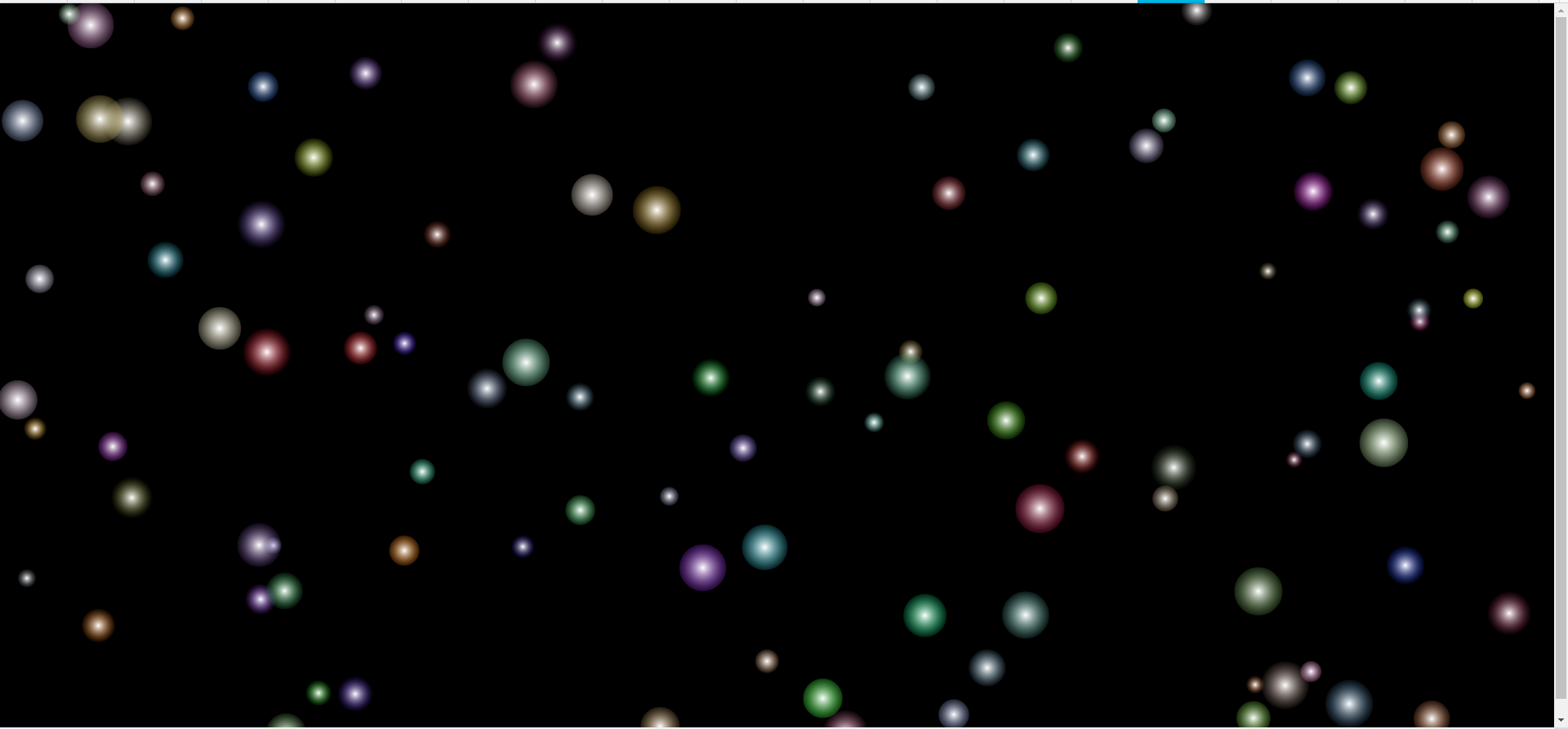
小球碰撞效果是采用面向对象的方式写的,在小球的构造器里包含了小球的属性值,大小,移动速度,半径大小以及颜色。 在小球的原型方法里,添加了小球运动的方法,当小球碰撞到屏幕边界的时候进行反弹。 小球是采用h5的canvas绘制,采用了性能更高的requestanimationframe作为计时器,该计时器是以屏幕的刷新率作基准,CPU占用较少,性能比settimeout以及setinterval性能更高, |
|
| <!DOCTYPE html> | |
| <html lang="en"> | |
| <head> | |
| <meta charset="UTF-8"> | |
| <meta name="viewport" content="width=device-width, initial-scale=1.0"> | |
| <meta http-equiv="X-UA-Compatible" content="ie=edge"> | |
| <title>Ball</title> | |
| <style> | |
| html, | |
| body { | |
| margin: 0; | |
| padding: 0; | |
| width: 100%; | |
| height: 100%; | |
| } | |
| canvas { | |
| background: #000; | |
| } | |
| </style> | |
| </head> | |
| <body> | |
| <canvas id='canv'>您的浏览器不支持CANVAS,请更换浏览器!!!</canvas> | |
| <script> | |
| document.addEventListener('resize', resize) | |
| function resize() {//监听屏幕缩放 | |
| canvs.width = window.innerWidth; | |
| canvs.height = window.innerHeight; | |
| } | |
| var canvs = document.getElementById('canv'); | |
| canvs.width = window.innerWidth; | |
| canvs.height = window.innerHeight; | |
| var ctx = canvs.getContext('2d');//获得canvas绘图环境 | |
| var ball = function () {//小球构造器 | |
| this.bx = Math.random() * canvs.width;//小球x轴的位置 | |
| this.by = Math.random() * canvs.height;//小球y轴的位置 | |
| this.r = Math.random() * 20 + 10;//小球的半径 | |
| this.color = 'rgba('+Math.ceil (Math.random()*255)+','+Math.ceil (Math.random()*255)+','+Math.ceil (Math.random()*255)+','+Math.random()/4+')'//小球的颜色 | |
| this.vx = Math.random() *10-5;//小球的x轴方向的运动速度 | |
| this.vy = Math.random() *4-2;//小球y轴方向的速度 | |
| } | |
| ball.prototype.draw = function () {//小球绘制方法 | |
| // ctx.fillStyle = 'rgba(255,255,255,0.1)'; | |
| // ctx.fillRect(0, 0, canvs.width, canvs.height); | |
| // ctx.clearRect(0, 0, canvs.width, canvs.height); | |
| ctx.beginPath();//开始路径 | |
| var grd=ctx.createRadialGradient(this.bx,this.by,0,this.bx,this.by,this.r);//生成小球径向渐变色 | |
| grd.addColorStop(0,"white");//里面的颜色 | |
| grd.addColorStop(1,this.color);//外界的颜色 | |
| ctx.globeAlpha=0.2;//透明度 | |
| // Fill with gradient | |
| ctx.fillStyle=grd;//以渐变色填充小球 | |
| ctx.arc(this.bx, this.by, this.r, 0, Math.PI * 2, true);//画圆函数 | |
| ctx.fill() | |
| } | |
| ball.prototype.move = function () {//小球的移动方法 | |
| this.bx += this.vx; | |
| this.by += this.vy; | |
| // ball.vy *= 0.99; | |
| // ball.vy += 0.25; | |
| if (this.by + this.vy > canvs.height || this.by + this.vy < 0) { | |
| this.vy = -this.vy;//边界判定,到边界后反向弹 | |
| // | |
| } | |
| if (this.bx + this.vx > canvs.width || this.bx + this.vx < 0) { | |
| this.vx = -this.vx; | |
| // nball.color = '#' + ('00000' + ((Math.random() * 16777215))) | |
| } | |
| } | |
| function gogo(num) { | |
| num= num||10; | |
| var globe = []; | |
| for (var i = 0; i < num; i++) { | |
| var nball = new ball(); | |
| globe.push(nball) | |
| // nball.draw() | |
| } | |
| console.log(globe) | |
| function ballmove(){ | |
| // ctx.fillStyle = 'rgba(255,255,255,0.3)'; | |
| // ctx.fillRect(0, 0, canvs.width, canvs.height); | |
| ctx.clearRect(0, 0, canvs.width, canvs.height); | |
| for (var j = globe.length - 1; j >= 0; j--) { | |
| // globe[j].draw() | |
| globe[j].move(); | |
| globe[j].draw() | |
| } | |
| window.requestAnimationFrame(ballmove) | |
| } | |
| ballmove() | |
| } | |
| gogo(100) | |
| // function drawcrc() { | |
| // // ctx.fillStyle = 'rgba(255,255,255,0.3)'; | |
| // // ctx.fillRect(0, 0, canvs.width, canvs.height); | |
| // ctx.clearRect(0, 0, canvs.width, canvs.height); | |
| // var nball = new ball(); | |
| // nball.draw(); | |
| // window.requestAnimationFrame(drawcrc) | |
| // } | |
| // drawcrc(); | |
| </script> | |
| </body> | |
| </html> |
canvas小球的更多相关文章
- h5 canvas 小球移动
h5 canvas 小球移动 <!DOCTYPE html> <html lang="en"> <head> <meta charset= ...
- canvas小球动画原理
随着html5发展,canvas标签作为h5革命性的发展标志也越来越流行.canvas标签的强大之处,不仅在于它可以作为一个独立的画布,也可以利用canvas做一些动画而不用导入flash文件.同时, ...
- 再探canvas(小球实例)
之前学习过canvas的一些使用,也用过canvas绘制过时钟, 但是很久不用,有些遗忘了,这里做一个简单的回顾. 在web页面创建一个canvas画布非常简单,如下即可: <canvas id ...
- canvas小球动画
绘制小球 我们将会画一个小球用于动画学习,所以首先在画布上画一个球.下面的代码帮助我们建立画布. <canvas id="></canvas> 跟平常一样,我们需要先 ...
- canvas小球 时间倒计时demo-优化
<!DOCTYPE html> <html> <head lang="en"> <meta charset="UTF-8&quo ...
- canvas小球 时间demo
<!DOCTYPE html> <html> <head lang="en"> <meta charset="UTF-8&quo ...
- canvas动画气球
canvas小球的动画我用canvas画布实现的小球动画效果,可以参考下 我用canvas画布实现的小球动画效果,可以参考下 我用canvas画布实现的小球动画效果,可以参考下 我用canvas画布实 ...
- HTML5 Canvas彩色小球碰撞运动特效
脚本简介 HTML5 Canvas彩色小球碰撞运动特效是一款基于canvas加面向对象制作的运动小球动画特效. 效果展示 http://hovertree.com/texiao/html5/39/ ...
- canvas标签(1)--线条、矩形、圆形、文本、阴影、抛小球
从网上扒拉的代码,敲了敲代码玩. html页面显示内容很简单,只要写个canvas标签,给他一个id写js就可以了 <!DOCTYPE html> <html> <hea ...
随机推荐
- Phpstrom操作git
1.PHPstrom操作git[上传] 2.提交代码到仓库 2. 3.使用git bash上传代码仓库的代码到远程服务器 代开git bash进入到项目所在的目录,输入命令$ git push .上 ...
- sqlserver中select造成死锁
死锁过程: select语句使用非聚族索引查询产量信息,会对非聚族索引添加共享锁,由于非聚族索引上没有select的全部数据列,(所以会有书签查找出现,)需要查询产量表.查询产量表时,需要对产量表数据 ...
- PHP解码unicode编码中文字符代码
function replace_unicode_escape_sequence($match) { return mb_convert_encoding(pack('H*', $match[1]), ...
- Java获取当前的日期和时间
Java获取当前的日期和时间 1.具体实现方法如下 /** * @Title:DateTime.java * @Package:com.you.model * @Description:获取当前的日期 ...
- java.lang.NoClassDefFoundError:org/hamcrest/SelfDescribing
1.错误描述 java.lang.NoClassDefFoundError:org/hamcrest/SelfDescribing 2.错误原因 将junit-4.11.jar导入到lib目录中,出现 ...
- JSP自定义标签配置
JSP自定义标签配置 JSP自定义标签 <taglib> <taglib-uri>/WEB-INF/you.tld</taglib-uri> ...
- idea好用插件(一)
代码规范插件 Alibaba Java Coding Guidelines 安装后 可以在文件.文件夹邮件,显示编码规约扫描,点击后显示 可以通过双击定位问题代码,对某些问题可以进行快速的修复 比如: ...
- input输入框
7.1,置灰和input框去除置灰 $("#key_SettlementCycle").attr("disabled","disabled" ...
- 初识Windows服务 C#
1.新建Windows服务 2.切换到代码视图,拷入如下代码 该服务以10S的间隔创建 d:/1.txt 文件 using System; using System.Collections.Gen ...
- 【BZOJ4530】大融合(Link-Cut Tree)
[BZOJ4530]大融合(Link-Cut Tree) 题面 讨厌权限题!!! Loj链接 题目描述 小强要在 N个孤立的星球上建立起一套通信系统.这套通信系统就是连接 N个点的一个树.这个树的边是 ...