
【代码笔记】iOS-点击cell时候的动画翻转
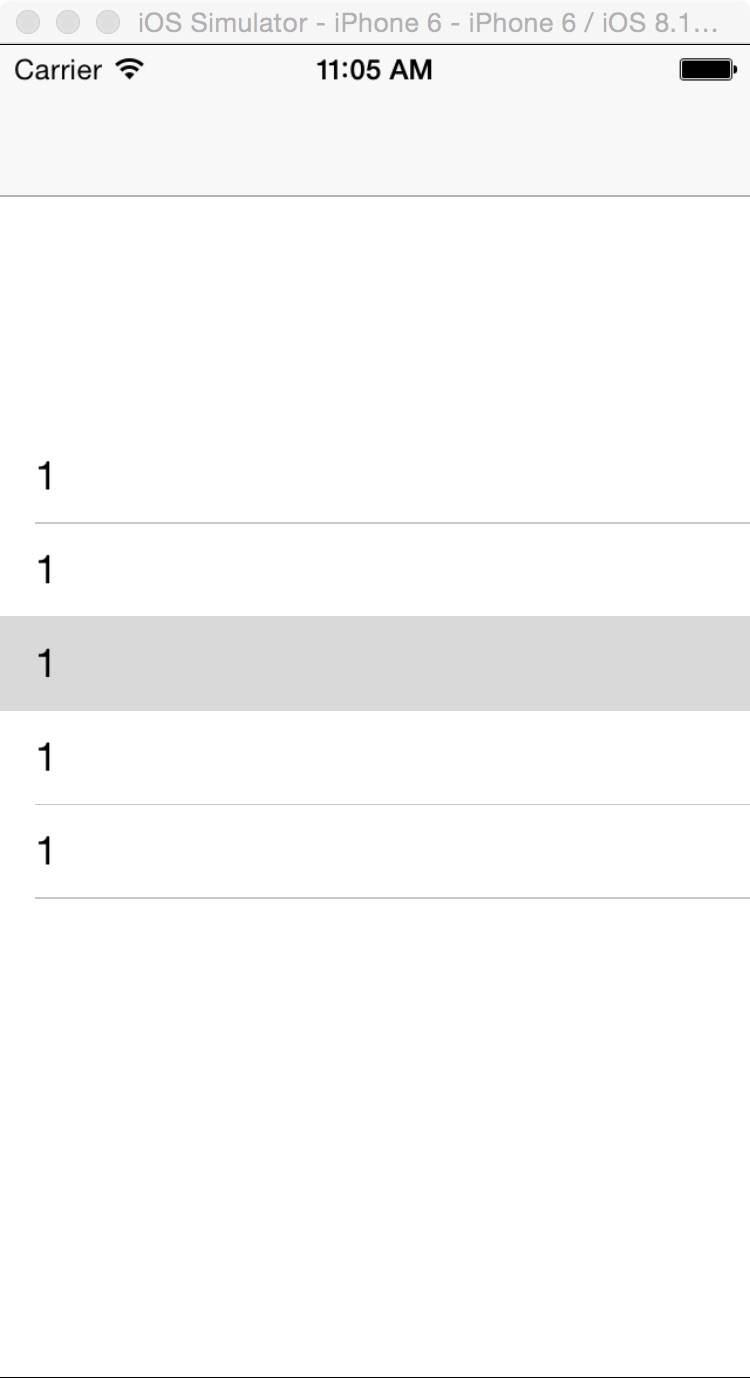
一,效果图。
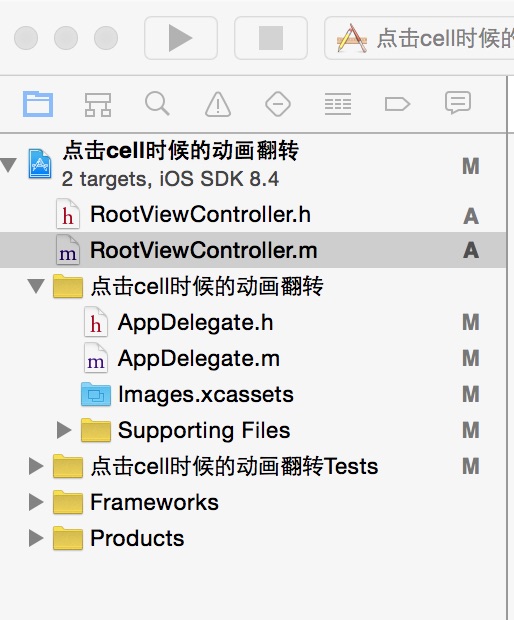
二,工程图。
三,代码。
RootViewController.h

#import <UIKit/UIKit.h>

@interface RootViewController : UIViewController

<UITableViewDataSource,UITableViewDelegate>

{

    UITableView *myTableView;

}

@end
RootViewController.m
#import "RootViewController.h"

@interface RootViewController ()

@end

@implementation RootViewController

- (id)initWithNibName:(NSString *)nibNameOrNil bundle:(NSBundle *)nibBundleOrNil

{

    self = [super initWithNibName:nibNameOrNil bundle:nibBundleOrNil];

    if (self) {

        // Custom initialization

    }

    return self;

}

- (void)viewDidLoad

{

    [super viewDidLoad];

    // Do any additional setup after loading the view.

    //初始化背景

    [self addView];

}

#pragma -mark -functions

//初始化背景

-(void)addView

{

    myTableView=[[UITableView alloc]initWithFrame:CGRectMake(0, 100, 320, 300)];

    myTableView.delegate=self;

    myTableView.dataSource=self;

    [self.view addSubview:myTableView];

}

#pragma -mark -UITableViewDelegate

-(NSInteger)tableView:(UITableView *)tableView numberOfRowsInSection:(NSInteger)section

{

    return 5;

}

-(NSInteger)numberOfSectionsInTableView:(UITableView *)tableView

{

    return 1;

}

-(CGFloat)tableView:(UITableView *)tableView heightForRowAtIndexPath:(NSIndexPath *)indexPath

{

    return 40;

}

-(UITableViewCell *)tableView:(UITableView *)tableView cellForRowAtIndexPath:(NSIndexPath *)indexPath

{

    static NSString *CellIdentifier = @"Cell";

    UITableViewCell *cell = [tableView dequeueReusableCellWithIdentifier:CellIdentifier];

    if (cell == nil) {

        cell = [[UITableViewCell alloc] initWithStyle:UITableViewCellStyleDefault reuseIdentifier:CellIdentifier] ;

    }

    cell.textLabel.text=@"1";

    return cell;

}

//点击的时候有动画效果

- (void)tableView:(UITableView *)tableView didSelectRowAtIndexPath:(NSIndexPath *)indexPath {

    [UIView beginAnimations:@"animationID" context:nil];

    [UIView setAnimationDuration:0.5f];

    [UIView setAnimationCurve:UIViewAnimationCurveEaseInOut];

    [UIView setAnimationRepeatAutoreverses:NO];

    switch (indexPath.row) {

        case 0:

            [UIView setAnimationTransition:UIViewAnimationTransitionFlipFromLeft forView:[tableView cellForRowAtIndexPath:indexPath] cache:YES];

            break;

        case 1:

            [UIView setAnimationTransition:UIViewAnimationTransitionFlipFromRight forView:[tableView cellForRowAtIndexPath:indexPath] cache:YES];

            break;

        case 2:

            [UIView setAnimationTransition:UIViewAnimationTransitionCurlUp forView:[tableView cellForRowAtIndexPath:indexPath] cache:YES];

            break;

        case 3:

            [UIView setAnimationTransition:UIViewAnimationTransitionCurlDown forView:[tableView cellForRowAtIndexPath:indexPath] cache:YES];

            break;

        default:

            break;

    }

    [UIView commitAnimations];

}

- (void)didReceiveMemoryWarning

{

    [super didReceiveMemoryWarning];

    // Dispose of any resources that can be recreated.

}
【代码笔记】iOS-点击cell时候的动画翻转的更多相关文章
- iOS 点击cell下拉
iOS 点击cell下拉 代码如下: #import "ViewController.h" @interface ViewController ()<UITableView ...
- iOS点击cell查看大图,点击大图还原小图-b
一.项目需求 用collectionView展示很多照片,点击某个照片,用全屏scrollView无限循环的方式查看图片.点击放大的图片,图片缩小到原先的尺寸. 如图gif1.gif所示,点击中间的图 ...
- 【代码笔记】iOS-点击城市中的tableView跳转到旅游景点的tableView,下面会有“显示”更多。
一,效果图. 二,工程图. 三,代码. RootViewController.h #import <UIKit/UIKit.h> @interface RootViewController ...
- 【代码笔记】iOS-点击顶点处,弹出另一个小的界面
一,效果图. 二,文件目录. 三,代码. RootViewController.h #import <UIKit/UIKit.h> @interface RootViewControlle ...
- 【代码笔记】iOS-点击搜索按钮,或放大镜后都会弹出搜索框
一, 效果图. 二,工程图. 三,代码. RootViewController.h #import <UIKit/UIKit.h> #import "CLHSearchBar.h ...
- 【代码笔记】iOS-点击一个按钮会出现多个按钮的动画效果
一,效果图. 二,工程图. 三,代码. RootViewController.h #import <UIKit/UIKit.h> @interface RootViewController ...
- 【代码笔记】iOS-点击任何处,显示出红色的UIView
一,效果图. 二,工程图. 三,代码. RootViewController.h #import <UIKit/UIKit.h> //头文件 #import "MoreView. ...
- 【代码笔记】iOS-点击任何处,出现城市
一,效果图. 二,工程目录. 三,代码. //点击任何处,出现城市 -(void)touchesBegan:(NSSet *)touches withEvent:(UIEvent *)event { ...
- 【代码笔记】iOS-点击出现选择框
一,效果图. 二,工程图. 三,代码. RootViewController.h #import <UIKit/UIKit.h> @interface RootViewController ...
随机推荐
- C#串口通信—向串口发送数据,同步接收返回数据
最近写C#串口通信程序,系统是B/S架构.SerialPort类有一个DataReceived事件,用来接收串口返回的数据,但这种方式在C/S架构下很好用,但B/S就不好处理了.所以写了一个同步模式接 ...
- WinForm对话框
WinForm 对话框控件colorDialog - 颜色选择对话框 使用代码如下: private void 字体颜色ToolStripMenuItem_Click(object sender, E ...
- 注册asp.net 4.0 到iis
如果没有按照正常的先装iis后装.net的顺序,可以使用此命令重新注册一下: 32位的Windows:------------------------------------------------- ...
- hibernate简单注释(一)
*****************************hibernate.cfg.xml************************************ <?xml version= ...
- jquery的ajax可以传入的三种参数类型
在jquery的ajax函数中,可以传入3种类型的数据 1.文本:"uname=alice&mobileIpt=110&birthday=1983-05-12" 2 ...
- 【Linux_Fedora_系统管理系列】_1_用户登录和系统初始配置
发现一个问题,在FC14 的Firefox浏览器中,编辑和排版好的博文,在windows下用chrome或者猎豹浏览器打开后,排版就变得阅读 不是很容易里,而且经常不经意的断行.不知道园子的管理人员时 ...
- PHP内核探索之变量(7)- 不平凡的字符串
切,一个字符串有什么好研究的. 别这么说,看过<平凡的世界>么,平凡的字符串也可以有不平凡的故事.试看: (1) 在C语言中,strlen计算字符串的时间复杂度是?PHP中呢? ...
- 在selenium2.0中使用selenium1.0的API
Selenium2.0中使用WeDriver API对页面进行操作,它最大的优点是不需要安装一个selenium server就可以运行,但是对页面进行操作不如selenium1.0的Selenium ...
- hadoop fs 命令
1,hadoop fs –fs [local | <file system URI>]:声明hadoop使用的文件系统,如果不声明的话,使用当前配置文件配置的,按如下顺序查找:hadoop ...
- GJM: Unity3D基于Socket通讯例子 [转载]
首先创建一个C# 控制台应用程序, 直接服务器端代码丢进去,然后再到Unity 里面建立一个工程,把客户端代码挂到相机上,运行服务端,再运行客户端. 高手勿喷!~! 完全源码已经奉上,大家开始研究吧! ...