
大数据系列之分布式计算批处理引擎MapReduce实践
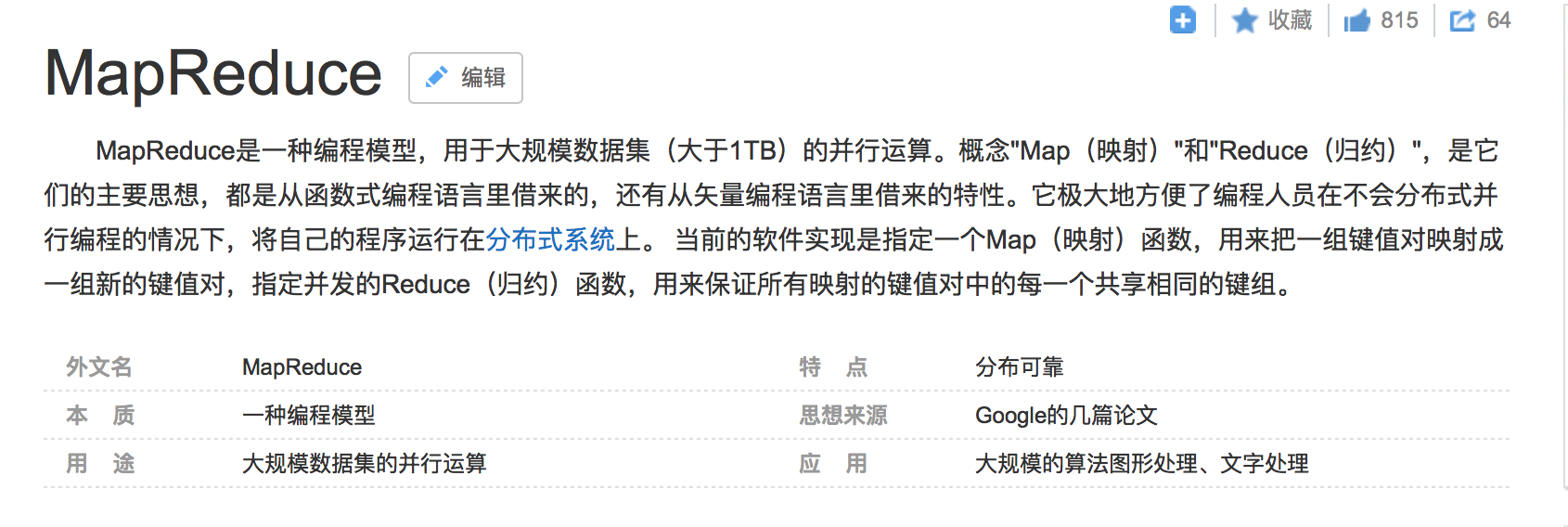
关于MR的工作原理不做过多叙述,本文将对MapReduce的实例WordCount(单词计数程序)做实践,从而理解MapReduce的工作机制。
WordCount:
1.应用场景,在大量文件中存储了单词,单词之间用空格分隔
2.类似场景:搜索引擎中,统计最流行的N个搜索词,统计搜索词频率,帮助优化搜索词提示。
3.采用MapReduce执行过程如图

3.1MapReduce将作业的整个运行过程分为两个阶段
3.1.1Map阶段和Reduce阶段
Map阶段由一定数量的Map Task组成
输入数据格式解析:InputFormat
输入数据处理:Mapper
数据分组:Partitioner
3.1.2Reduce阶段由一定数量的Reduce Task组成
数据远程拷贝
数据按照key排序
数据处理:Reducer
数据输出格式:OutputFormat
4.介绍代码结构

4.1 pom.xml
<?xml version="1.0" encoding="UTF-8"?>

<project xmlns="http://maven.apache.org/POM/4.0.0"

         xmlns:xsi="http://www.w3.org/2001/XMLSchema-instance"

         xsi:schemaLocation="http://maven.apache.org/POM/4.0.0 http://maven.apache.org/xsd/maven-4.0.0.xsd">

    <modelVersion>4.0.0</modelVersion>

    <groupId>hadoop</groupId>

    <artifactId>hadoop.mapreduce</artifactId>

    <version>1.0-SNAPSHOT</version>

    <repositories>

        <repository>

            <id>aliyun</id>

            <url>http://maven.aliyun.com/nexus/content/groups/public/</url>

        </repository>

    </repositories>

    <dependencies>

        <dependency>

            <groupId>org.apache.hadoop</groupId>

            <artifactId>hadoop-yarn-client</artifactId>

            <version>2.7.3</version>

        </dependency>

        <dependency>

            <groupId>org.apache.hadoop</groupId>

            <artifactId>hadoop-common</artifactId>

            <version>2.7.3</version>

        </dependency>

        <dependency>

            <groupId>org.apache.hadoop</groupId>

            <artifactId>hadoop-mapreduce-client-jobclient</artifactId>

            <version>2.7.3</version>

        </dependency>

    </dependencies>

    <build>

        <plugins>

            <plugin>

                <artifactId>maven-assembly-plugin</artifactId>

                <version>2.3</version>

                <configuration>

                    <classifier>dist</classifier>

                    <appendAssemblyId>true</appendAssemblyId>

                    <descriptorRefs>

                        <descriptor>jar-with-dependencies</descriptor>

                    </descriptorRefs>

                </configuration>

                <executions>

                    <execution>

                        <id>make-assembly</id>

                        <phase>package</phase>

                        <goals>

                            <goal>single</goal>

                        </goals>

                    </execution>

                </executions>

            </plugin>

        </plugins>

    </build>

</project>
4.2 WordCount.java
package hadoop.mapreduce;

import org.apache.hadoop.conf.Configuration;

import org.apache.hadoop.fs.Path;

import org.apache.hadoop.io.IntWritable;

import org.apache.hadoop.io.Text;

import org.apache.hadoop.mapreduce.Job;

import org.apache.hadoop.mapreduce.Mapper;

import org.apache.hadoop.mapreduce.Reducer;

import org.apache.hadoop.mapreduce.lib.input.FileInputFormat;

import org.apache.hadoop.mapreduce.lib.output.FileOutputFormat;

import org.apache.hadoop.util.GenericOptionsParser;

import java.io.IOException;

public class WordCount {

    public static class WordCountMap

            extends Mapper<Object, Text, Text, IntWritable> {

        public void map(Object key,Text value, Context context) throws IOException, InterruptedException {

            //在此处写map代码

            String[] lines = value.toString().split(" ");

            for (String word : lines) {

                context.write(new Text(word), new IntWritable(1));

            }

        }

    }

    public static class WordCountReducer

            extends Reducer<Text, IntWritable, Text, IntWritable> {

        public void reduce(Text key, Iterable<IntWritable> values, Context context) throws IOException, InterruptedException {

            //在此处写reduce代码

            int count=0;

            for (IntWritable cn : values) {

                count=count+cn.get();

            }

            context.write(key, new IntWritable(count));

        }

    }

    public static void main(String[] args) throws IOException, ClassNotFoundException, InterruptedException {

        Configuration conf = new Configuration();

        String[] otherArgs = new GenericOptionsParser(conf, args).getRemainingArgs();

        if (otherArgs.length < 2) {

            System.err.println("Usage: wordcount <in> [<in>...] <out>");

            System.exit(2);

        }

        Job job = Job.getInstance(conf, "word count");

        job.setJarByClass(WordCount.class);

        //设置输入路径

        FileInputFormat.setInputPaths(job, new Path(args[0]));

        //设置输出路径

        FileOutputFormat.setOutputPath(job, new Path(args[1]));

        //设置实现map函数的类

        job.setMapperClass(WordCountMap.class);

        //设置实现reduce函数的类

        job.setReducerClass(WordCountReducer.class);

        //设置map阶段产生的key和value的类型

        job.setMapOutputKeyClass(Text.class);

        job.setMapOutputValueClass(IntWritable.class);

        //设置reduce阶段产生的key和value的类型

        job.setOutputKeyClass(Text.class);

        job.setOutputValueClass(IntWritable.class);

        //提交job

        job.waitForCompletion(true);

        for (int i = 0; i < otherArgs.length - 1; ++i) {

            FileInputFormat.addInputPath(job, new Path(otherArgs[i]));

        }

        FileOutputFormat.setOutputPath(job,new Path(otherArgs[otherArgs.length - 1]));

        System.exit(job.waitForCompletion(true) ? 0 : 1);

    }

}
4.3 data目录下文件内容:
to.txt
hadoop spark hive hbase hive
t1.txt
hive spark mapReduce spark
t2.txt
sqoop spark hadoop
5. 数据准备
5.1 maven 打jar包为hadoop.mapreduce-1.0-SNAPSHOT.jar,传入master服务器上

5.2 将需要计算的数据文件放入datajar/in (临时目录无所谓在哪里)

5.3 启动hadoop ,关于hadoop安装可参考我写的文章 大数据系列之Hadoop分布式集群部署
将datajar/in文件传至hdfs 上
hadoop fs -put in /in
#查看文件
hadoop fs -ls -R /in

5.4 执行jar
两种命令方式
#第一种:hadoop jar

hadoop jar hadoop.mapreduce-1.0-SNAPSHOT.jar hadoop.mapreduce.WordCount /in/* /out

#OR

#第二种:yarn jar

yarn jar hadoop.mapreduce-1.0-SNAPSHOT.jar hadoop.mapreduce.WordCount /in/* /yarnOut
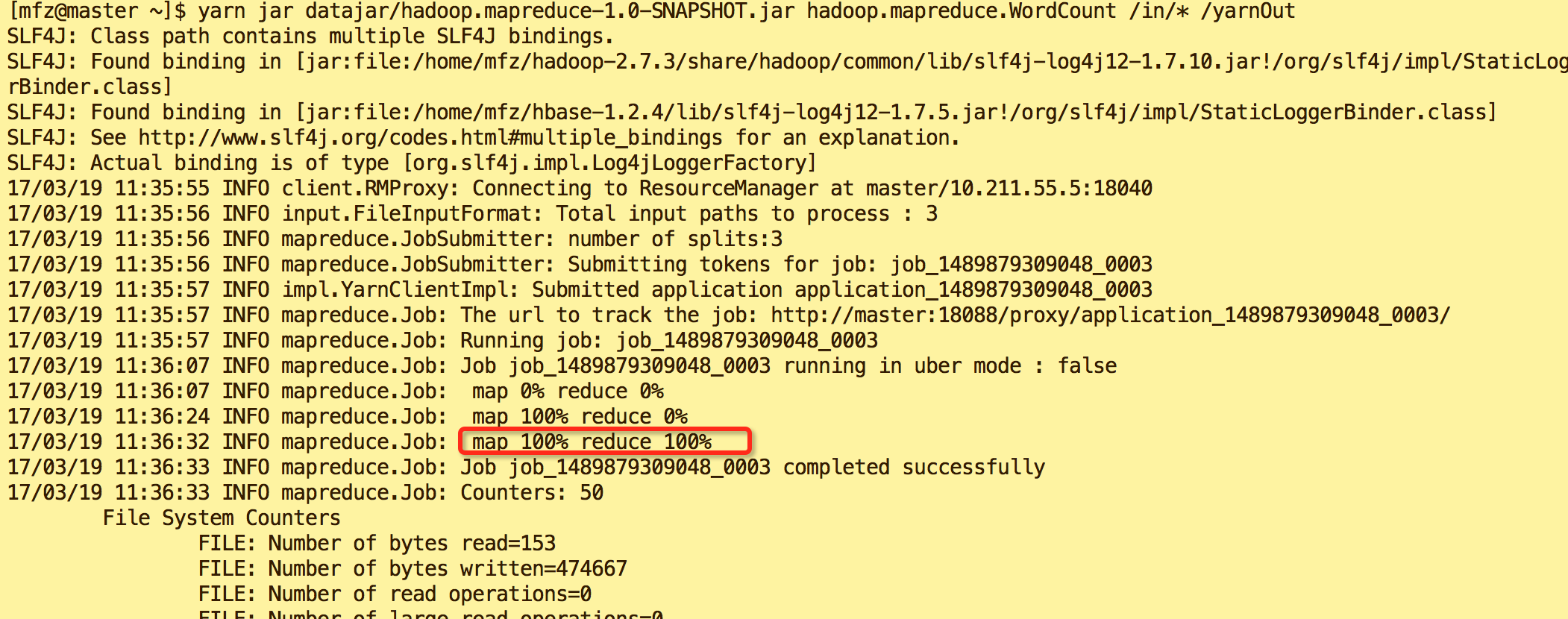
5.5.执行后输出内容分别如图
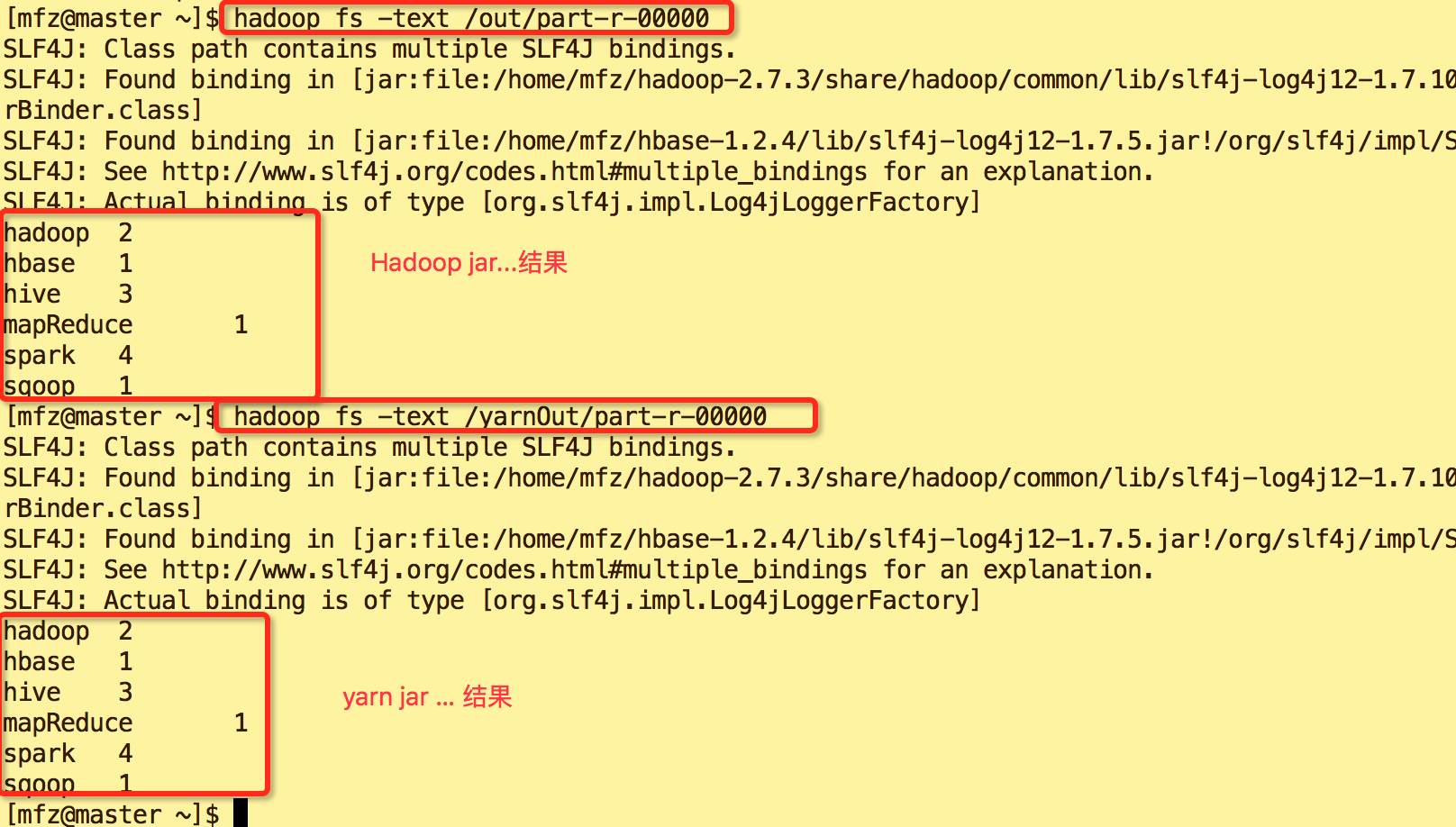
hadoop jar ...结果

yarn jar ... 结果
6.查看结果内容
#查看hadoop ja 执行后输出结果目录

hadoop fs -ls -R /out

#查看yarn jar 执行后输出结果目录

hadoop fs -ls -R /yarnOut

目录说明:目录中_SUCCESS 是日志文件,part-r-00000是计算结果文件
查看计算结果
#查看out/part-r-00000文件

 hadoop fs -text /out/part-r-00000

#查看yarnOut/part-r-00000文件

 hadoop fs -text /yarnOut/part-r-00000
完~~~,Java代码内容已上传至GitHub https://github.com/fzmeng/MapReduceDemo
大数据系列之分布式计算批处理引擎MapReduce实践的更多相关文章
- 大数据系列之分布式计算批处理引擎MapReduce实践-排序
清明刚过,该来学习点新的知识点了. 上次说到关于MapReduce对于文本中词频的统计使用WordCount.如果还有同学不熟悉的可以参考博文大数据系列之分布式计算批处理引擎MapReduce实践. ...
- 大数据系列4:Yarn以及MapReduce 2
系列文章: 大数据系列:一文初识Hdfs 大数据系列2:Hdfs的读写操作 大数据谢列3:Hdfs的HA实现 通过前文,我们对Hdfs的已经有了一定的了解,本文将继续之前的内容,介绍Yarn与Yarn ...
- 大数据系列之数据仓库Hive命令使用及JDBC连接
Hive系列博文,持续更新~~~ 大数据系列之数据仓库Hive原理 大数据系列之数据仓库Hive安装 大数据系列之数据仓库Hive中分区Partition如何使用 大数据系列之数据仓库Hive命令使用 ...
- 大数据系列之并行计算引擎Spark介绍
相关博文:大数据系列之并行计算引擎Spark部署及应用 Spark: Apache Spark 是专为大规模数据处理而设计的快速通用的计算引擎. Spark是UC Berkeley AMP lab ( ...
- 大数据系列之并行计算引擎Spark部署及应用
相关博文: 大数据系列之并行计算引擎Spark介绍 之前介绍过关于Spark的程序运行模式有三种: 1.Local模式: 2.standalone(独立模式) 3.Yarn/mesos模式 本文将介绍 ...
- 批处理引擎MapReduce编程模型
批处理引擎MapReduce编程模型 作者:尹正杰 版权声明:原创作品,谢绝转载!否则将追究法律责任. MapReduce是一个经典的分布式批处理计算引擎,被广泛应用于搜索引擎索引构建,大规模数据处理 ...
- 批处理引擎MapReduce内部原理
批处理引擎MapReduce内部原理 作者:尹正杰 版权声明:原创作品,谢绝转载!否则将追究法律责任. 一.MapReduce作业生命周期 MapReduce作业作为一种分布式应用程序,可直接运行在H ...
- 大数据系列之数据仓库Hive原理
Hive系列博文,持续更新~~~ 大数据系列之数据仓库Hive原理 大数据系列之数据仓库Hive安装 大数据系列之数据仓库Hive中分区Partition如何使用 大数据系列之数据仓库Hive命令使用 ...
- 批处理引擎MapReduce应用案例
批处理引擎MapReduce应用案例 作者:尹正杰 版权声明:原创作品,谢绝转载!否则将追究法律责任. MapReduce能够解决的问题有一个共同特点:任务可以被分解为多个子问题,且这些子问题相对独立 ...
随机推荐
- Oracle 事务实例(非理论)
begin begin savepoint p1; ---------============ 在这里写删改差语句(SELECT 不行)每句以分号结尾:如 delete ta ...
- 【bzoj2154】 Crash的数字表格
http://www.lydsy.com/JudgeOnline/problem.php?id=2154 (题目链接) 题意 给出${n,m}$,求$${\sum_{i=1}^n\sum_{j=1}^ ...
- Java考试题之五
QUESTION 102 Given: 23. Object [] myObjects = { 24. new Integer(12), 25. new String("foo") ...
- HDU 1686 Oulipo / POJ 3461 Oulipo / SCU 2652 Oulipo (字符串匹配,KMP)
HDU 1686 Oulipo / POJ 3461 Oulipo / SCU 2652 Oulipo (字符串匹配,KMP) Description The French author George ...
- 安装JDK、Tomcat、Maven’详细步骤
安装JDK 1.首先在官网下载JDK1.8包并解压(随便你装哪个版本) 2.下面开始配置环境变量 此电脑-右键-属性-高级系统配置 点击环境变量 将会看到以下界面 在系统变量下“新建” 变量名(J ...
- 【Asp.net入门4-03】条件断点
- Ansible1: 简介与基本安装
目录 Ansible特性 Ansible的基本组件 Ansible工作机制 Ansible的安装 Ansible是一个综合的强大的管理工具,他可以对多台主机安装操作系统,并为这些主机安装不同的应用程序 ...
- day8 java基础细节回顾
java之父——James Gosling java吉祥物——duke 编译: 源文件(.java文件)-->java编译器==>.class文件 运行:类装载器-->字节码校验器- ...
- 完美解决github访问速度慢
1. 解决方法 2.解决方法 1. 修改本地hosts文件 windows系统的hosts文件的位置如下:C:\Windows\System32\drivers\etc\hosts mac/linux ...
- 前端路由的两种模式: hash 模式和 history 模式
随着 ajax 的使用越来越广泛,前端的页面逻辑开始变得越来越复杂,特别是spa的兴起,前端路由系统随之开始流行. 从用户的角度看,前端路由主要实现了两个功能(使用ajax更新页面状态的情况下): 记 ...