
Vue 组件&组件之间的通信 之 template模板引用与动态组件的使用
template模板引用
在component的template中书写大量的HTML元素很麻烦。 Vue提供了<template>标签,可以在里边书写HTML,然后通过ID指定到组建内的template属性上;
示例:
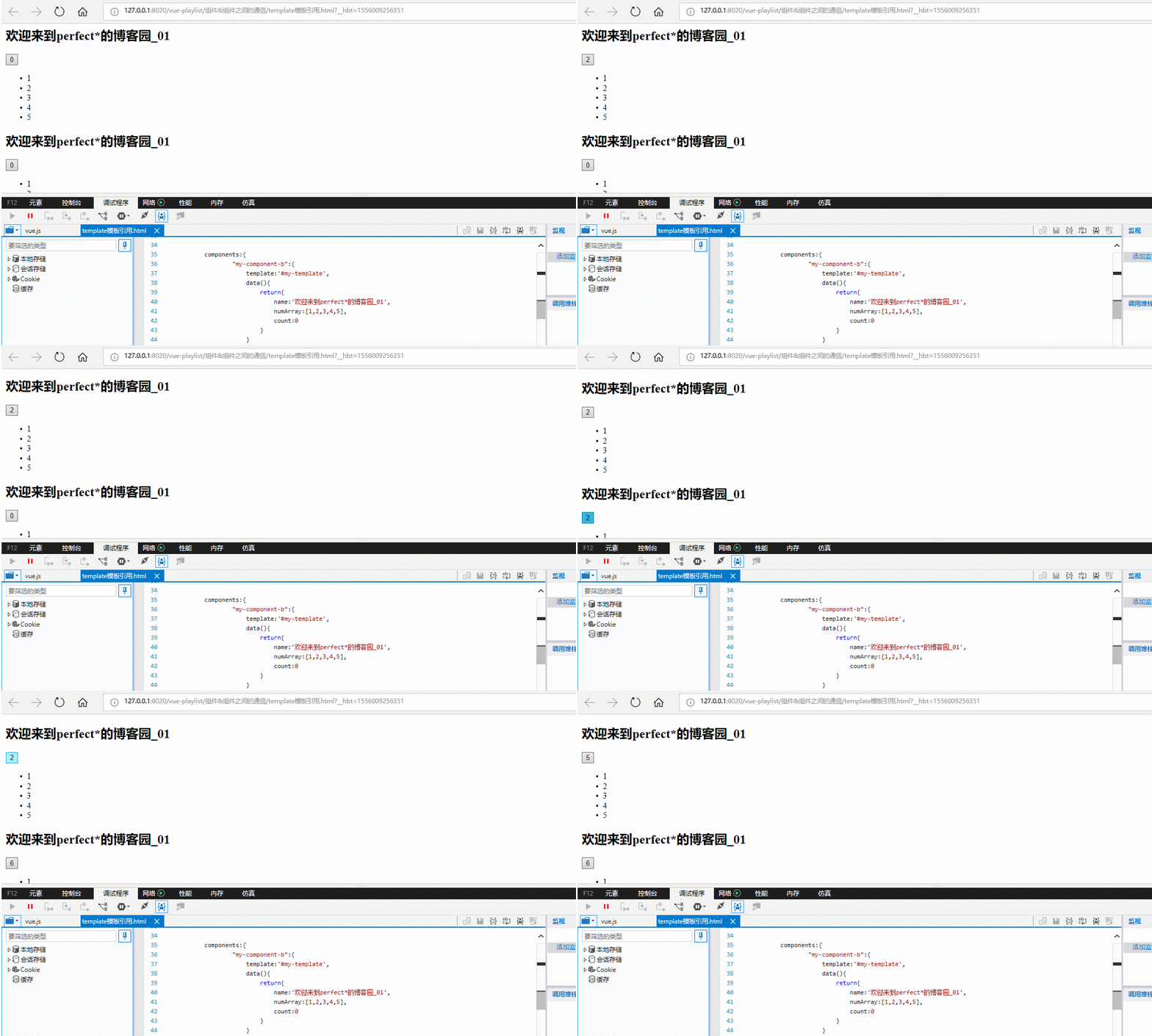
由图可知自定义组件的count的值是自增的,是独立的,互不影响。
vue代码:
<template id="my-template">

        <div>

            <h2>{{name}}</h2>

            <button  @click="count++">{{count}}</button>

            <ul>

                <li v-for="item in numArray">{{item}}</li>

            </ul>

        </div>

    </template>

    <script type="text/javascript" src="../js/vue.js" ></script>

    <script>

        new Vue({

            components:{

                    "my-component-b":{

                        template:'#my-template',

                        data(){

                            return{

                                name:'欢迎来到perfect*的博客园_01',

                                numArray:[,,,,],

                                count:

                            }

                        }

                    }

                }

        }).$mount('div');

    </script>
html:
<body>

        <div>

        <my-component-b></my-component-b><!--可以把my-component-b看做一个对象-->

        <my-component-b></my-component-b><!--可以把my-component-b看做一个对象-->

        </div>

    </body>
动态组件:
在一个元素上挂载多个组件,根据不同状态进行切换的时候,可以使用动态组件;
动态组件的使用:
需要使用内置组件<component></component>,根据 :is 的值决定显示哪个组件,:is的值是要显示的组件id;
示例:
初始效果:
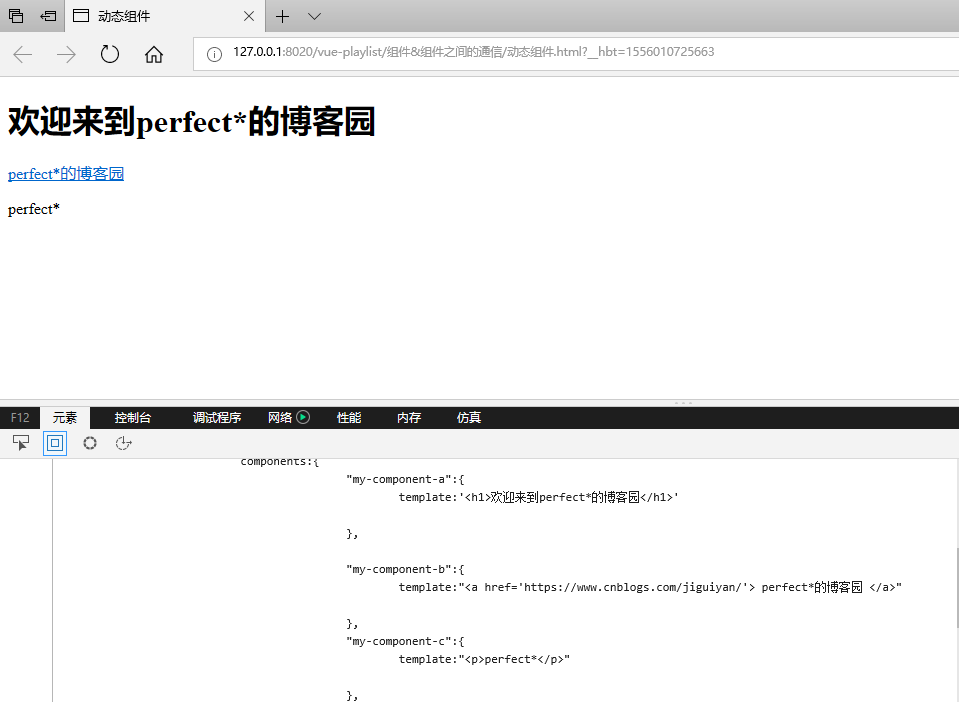
初始代码:
 <!DOCTYPE html>

 <html>

     <head>

         <meta charset="UTF-8">

         <title>动态组件</title>

     </head>

     <body>

         <div>

         <my-component-a></my-component-a>

         <my-component-b></my-component-b>

         <my-component-c></my-component-c>

         </div>

     </body>

     <script type="text/javascript" src="../js/vue.js" ></script>

     <script>

         new Vue({

             components:{

                     "my-component-a":{

                         template:'<h1>欢迎来到perfect*的博客园</h1>'

                     },

                     "my-component-b":{

                         template:"<a href='https://www.cnblogs.com/jiguiyan/'> perfect*的博客园 </a>"

                     },

                     "my-component-c":{

                         template:"<p>perfect*</p>"

                     },

                 }

         }).$mount('div');

     </script>

 </html>
动态组件
现在的需求:
需要在页面中只显示一个,并通过三个button来进进行控制它们的显示
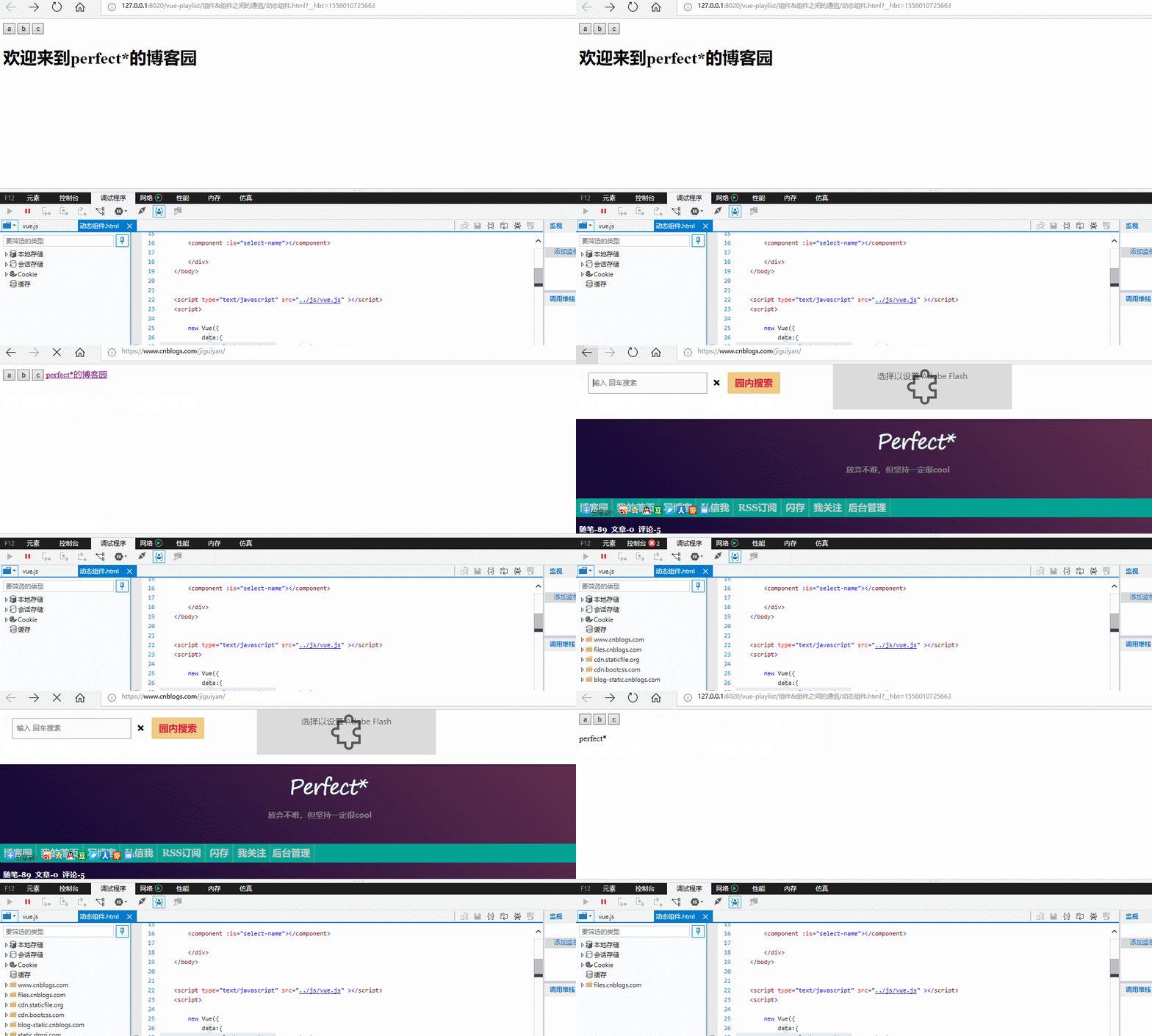
由效果图可知,页面默认显示my-component-a标签的内容
vue代码:
<script>

        new Vue({

            data:{

                selectName:'my-component-a'

            },

            components:{

                    "my-component-a":{

                        template:'<h1>欢迎来到perfect*的博客园</h1>'

                    },

                    "my-component-b":{

                        template:"<a href='https://www.cnblogs.com/jiguiyan/'> perfect*的博客园 </a>"

                    },

                    "my-component-c":{

                        template:"<p>perfect*</p>"

                    },

                }

        }).$mount('div');

    </script>
html:
    <div>

            <button @click="selectName='my-component-a' ">a</button>

            <button @click="selectName='my-component-b' ">b</button>

            <button @click="selectName='my-component-c' ">c</button>

        <!--<my-component-a></my-component-a>

        <my-component-b></my-component-b>

        <my-component-c></my-component-c>-->

        <component :is="selectName"></component>

        </div>
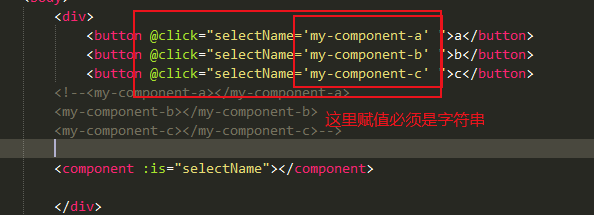
代码注意:
总的代码:
 <!DOCTYPE html>

 <html>

     <head>

         <meta charset="UTF-8">

         <title>动态组件</title>

     </head>

     <body>

         <div>

             <button @click="selectName='my-component-a' ">a</button>

             <button @click="selectName='my-component-b' ">b</button>

             <button @click="selectName='my-component-c' ">c</button>

         <!--<my-component-a></my-component-a>

         <my-component-b></my-component-b>

         <my-component-c></my-component-c>-->

         <component :is="selectName"></component>

         </div>

     </body>

     <script type="text/javascript" src="../js/vue.js" ></script>

     <script>

         new Vue({

             data:{

                 selectName:'my-component-a'

             },

             components:{

                     "my-component-a":{

                         template:'<h1>欢迎来到perfect*的博客园</h1>'

                     },

                     "my-component-b":{

                         template:"<a href='https://www.cnblogs.com/jiguiyan/'> perfect*的博客园 </a>"

                     },

                     "my-component-c":{

                         template:"<p>perfect*</p>"

                     },

                 }

         }).$mount('div');

     </script>

 </html>
动态组件
动态组件结合keep-alive
keep-alive:将非活动的组件缓存起来
include - 字符串或正则表达式。只有名称匹配的组件会被缓存。
exclude - 字符串或正则表达式。任何名称匹配的组件都不会被缓存。
max - 数字。最多可以缓存多少组件实例。
示例:
初始效果:
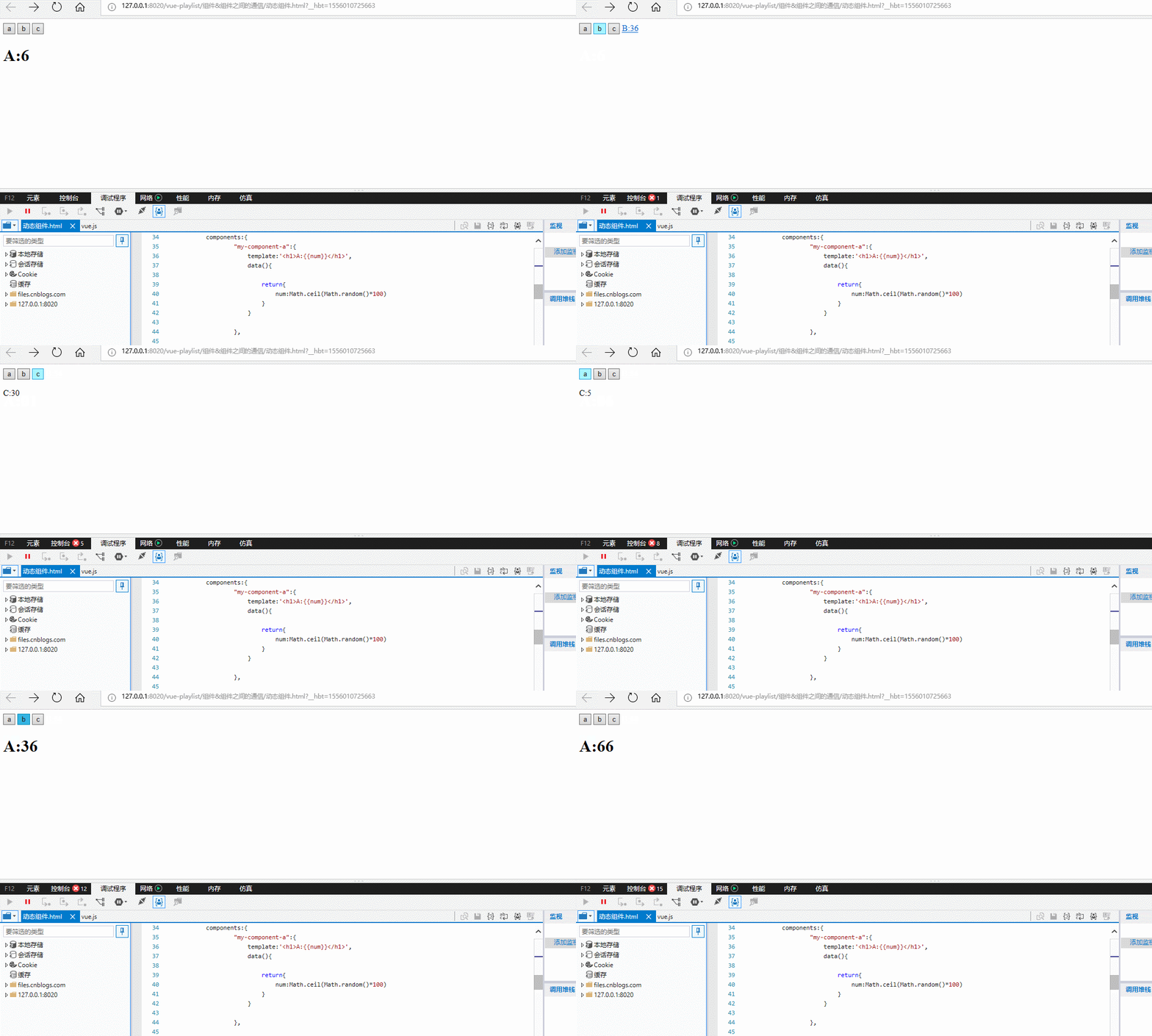
由图可以看出每一次点击button调用的值不一样,因此引入了keep-alive来进行缓存
<!DOCTYPE html>

<html>

    <head>

        <meta charset="UTF-8">

        <title>动态组件</title>

    </head>

    <body>

        <div>

            <button @click="selectName='my-component-a' ">a</button>

            <button @click="selectName='my-component-b' ">b</button>

            <button @click="selectName='my-component-c' ">c</button>

        <!--<my-component-a></my-component-a>

        <my-component-b></my-component-b>

        <my-component-c></my-component-c>-->

        <component :is="selectName"></component>

        </div>

    </body>

    <script type="text/javascript" src="../js/vue.js" ></script>

    <script>

        new Vue({

            data:{

                selectName:'my-component-a'

            },

            components:{

                    "my-component-a":{

                        template:'<h1>A:{{num}}</h1>',

                        data(){

                            return{

                                num:Math.ceil(Math.random()*)

                            }

                        }

                    },

                    "my-component-b":{

                        template:"<a href='#'>B:{{num}} </a>",

                        data(){

                            return{

                                num:Math.ceil(Math.random()*)

                            }

                        }

                    },

                    "my-component-c":{

                        template:"<p>C:{{num}}</p>",

                        data(){

                            return{

                                num:Math.ceil(Math.random()*)

                            }

                        }

                    },

                }

        }).$mount('div');

    </script>

</html>
初始代码
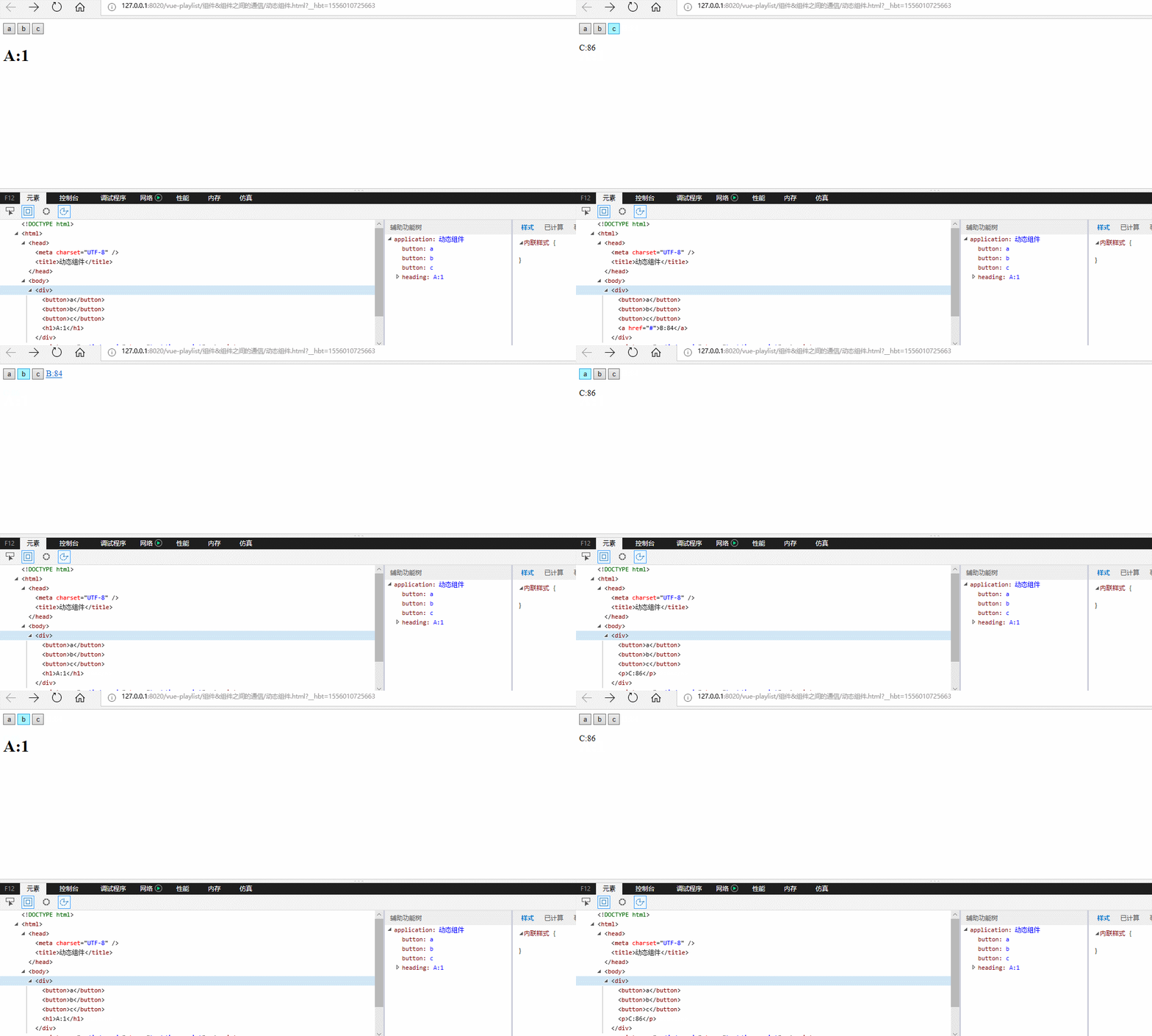
从图中可以看出 a:1 b:84 c: 86的值一直没发生改变,说明已经被缓存了。
include属性:
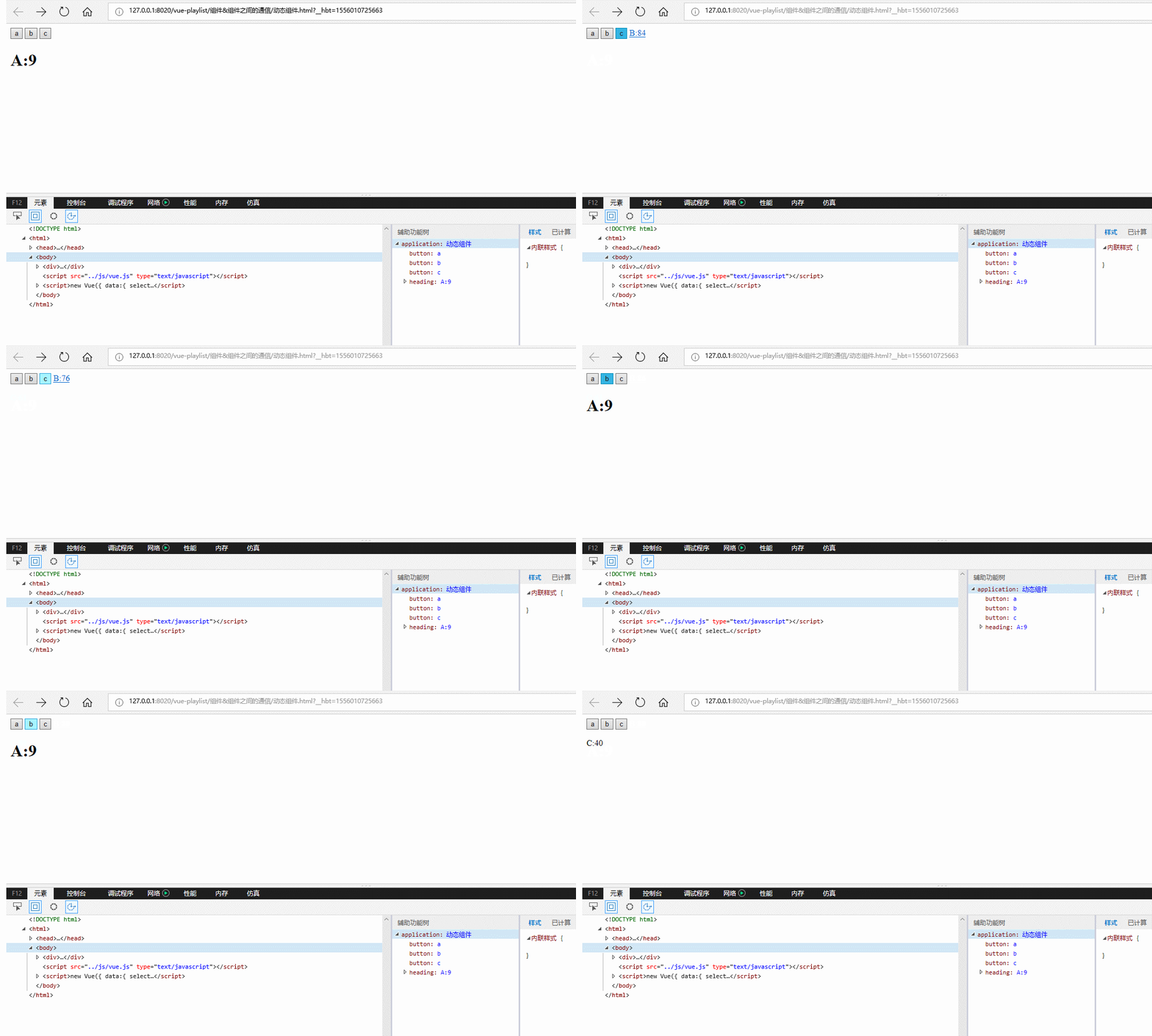
只有a的值被缓存了
<keep-alive include="my-component-a"><!--只有a的值被缓存了-->

            <component :is="selectName"></component>

        </keep-alive>
可以通过数组进行多个:
效果:
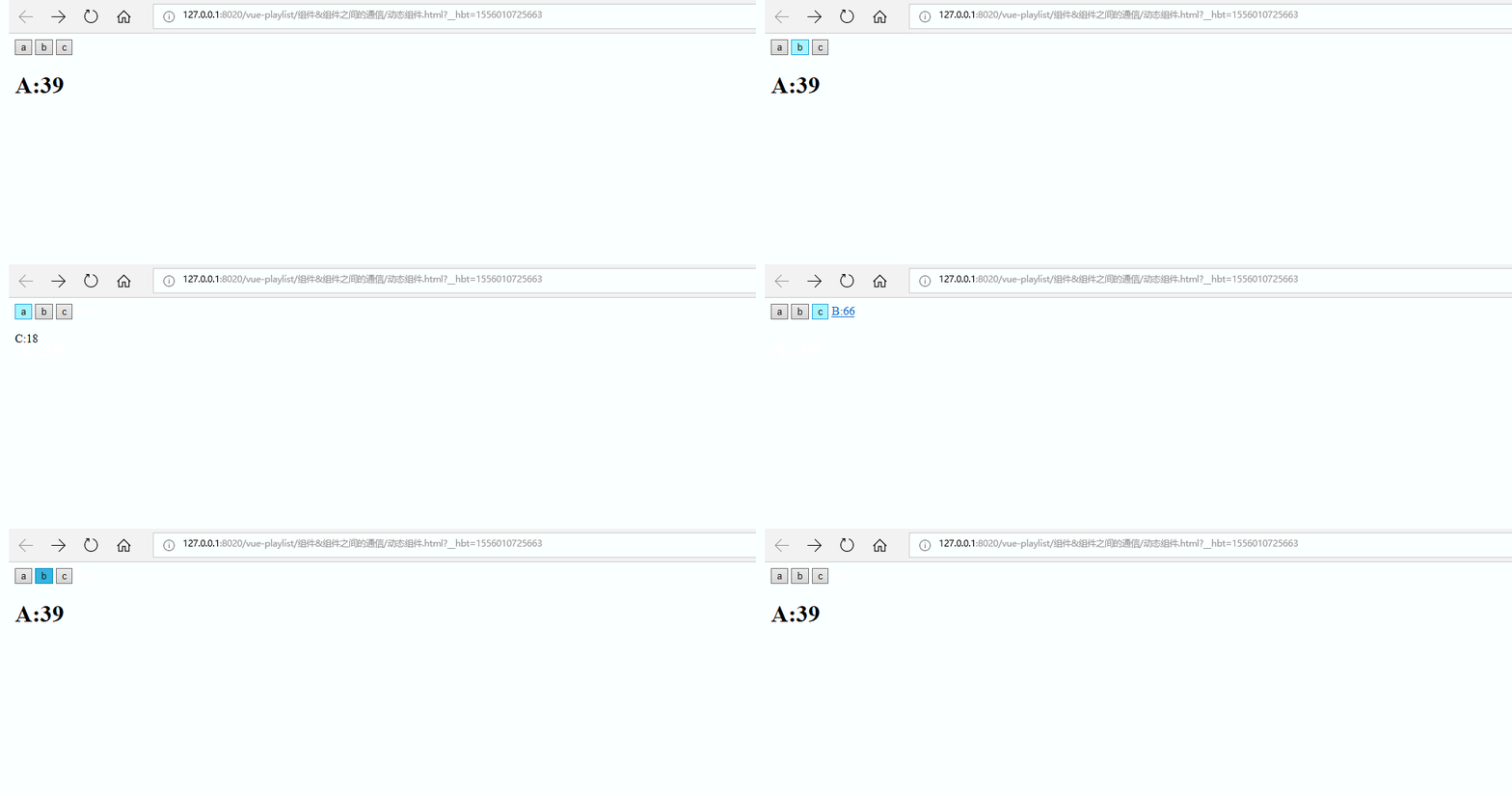
缓存了a和b的值
<keep-alive :include="['my-component-a','my-component-b']"><!--a,b的值被缓存了-->

            <component :is="selectName"></component>

          </keep-alive>
同理exclude 属性测试方法和include一样,只是exclude表示的是除了那一个不缓存
max属性:最多可以缓存多少组件实例
效果图:
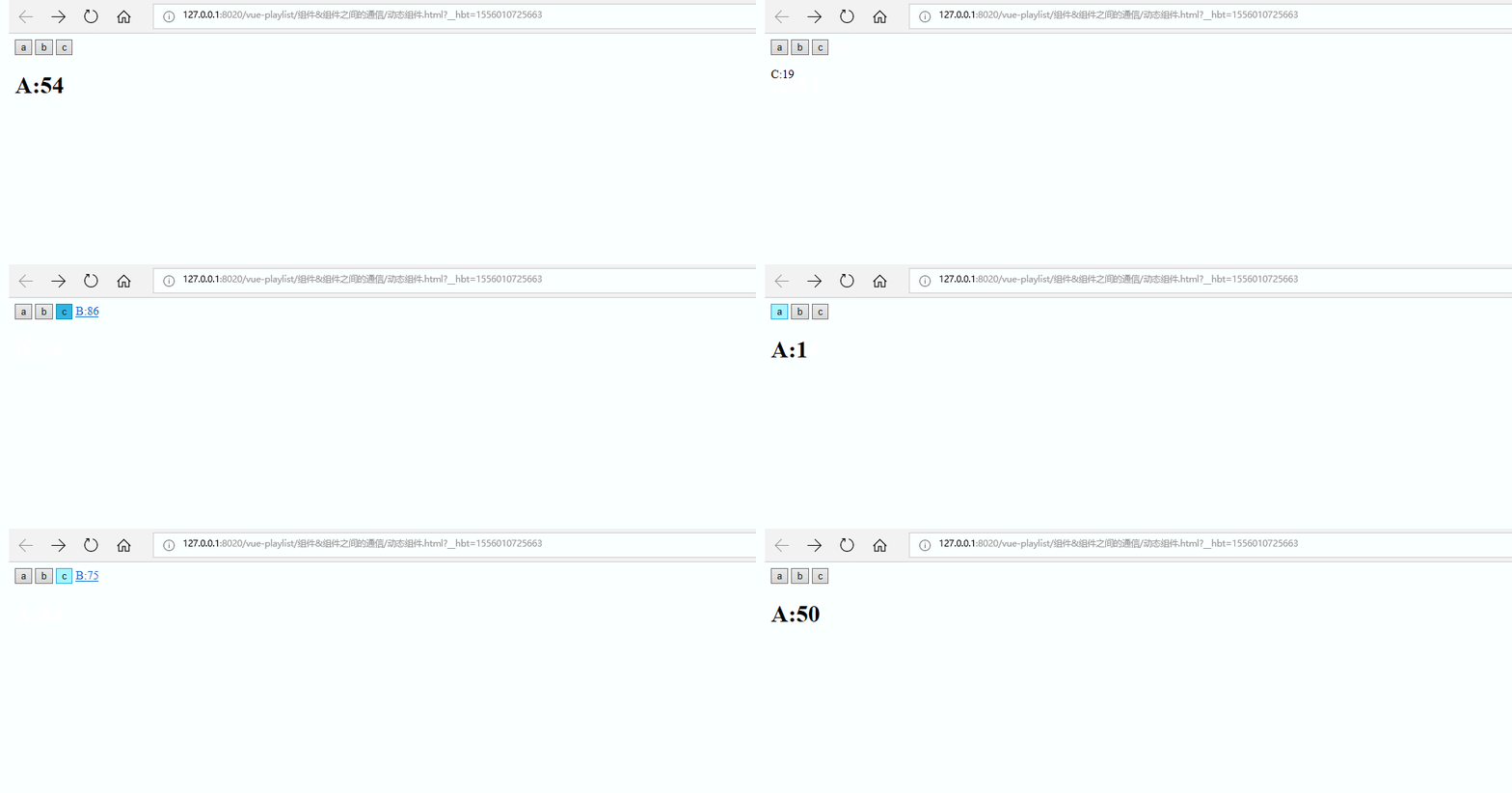
<keep-alive :max=''><!--最多只能缓存abc三个值中的其中两个-->

            <component :is="selectName"></component>

          </keep-alive>
总的代码:
 <!DOCTYPE html>

 <html>

     <head>

         <meta charset="UTF-8">

         <title>动态组件</title>

     </head>

     <body>

         <div>

             <button @click="selectName='my-component-a' ">a</button>

             <button @click="selectName='my-component-b' ">b</button>

             <button @click="selectName='my-component-c' ">c</button>

         <!--<my-component-a></my-component-a>

         <my-component-b></my-component-b>

         <my-component-c></my-component-c>-->

         <!--<keep-alive include="my-component-a"><!--只有a的值被缓存了-->

             <!--<keep-alive :include="['my-component-a','my-component-b']"><!--a,b的值被缓存了-->

             <keep-alive :max=''><!--最多只能缓存abc三个值中的其中两个-->

             <component :is="selectName"></component>

           </keep-alive>

         </div>

     </body>

     <script type="text/javascript" src="../js/vue.js" ></script>

     <script>

         new Vue({

             data:{

                 selectName:'my-component-a'

             },

             components:{

                     "my-component-a":{

                         template:'<h1>A:{{num}}</h1>',

                         data(){

                             return{

                                 num:Math.ceil(Math.random()*)

                             }

                         }

                     },

                     "my-component-b":{

                         template:"<a href='#'>B:{{num}} </a>",

                         data(){

                             return{

                                 num:Math.ceil(Math.random()*)

                             }

                         }

                     },

                     "my-component-c":{

                         template:"<p>C:{{num}}</p>",

                         data(){

                             return{

                                 num:Math.ceil(Math.random()*)

                             }

                         }

                     },

                 }

         }).$mount('div');

     </script>

 </html>
动态组件结合keep-alive
详细介绍官网网址:
https://cn.vuejs.org/v2/api/#keep-alive
Vue 组件&组件之间的通信 之 template模板引用与动态组件的使用的更多相关文章
- vue组件父子之间相互通信案例
- vue组件---动态组件&异步组件
(1)在动态组件上使用keep-alive 之前曾经在一个多标签的界面中使用 is 特性来切换不同的组件.接下来简单回顾下 <component>元素是vue 里面的一个内置组件.在里面使 ...
- Vue组件-动态组件
动态组件 通过使用保留的 <component> 元素,动态地绑定到它的 is 特性,可以让多个组件使用同一个挂载点,并动态切换: <div id="app6"& ...
- 三、深入Vue组件——Vue插槽slot、动态组件
一.插槽slot() 1.1简单插槽slot [功能]用于从父组件中,通过子组件写成双标签,向子组件中放入自定的内容 parent.vue [1]首先把child写成双标签样式,把要插入的内容放双标签 ...
- Vue_(组件通讯)动态组件结合keep-alive
keep-alive 传送门 <keep-alive> 包裹动态组件时,会缓存不活动的组件实例,而不是销毁它们.和 <transition> 相似,<keep-alive ...
- Angular 学习笔记 (动态组件 & Material Overlay & Dialog 分析)
更新: 2019-11-24 dialog vs router link refer : https://stackoverflow.com/questions/51821766/angular-m ...
- Vue.js组件之同级之间的通信
<!DOCTYPE html> <html lang="en"> <head> <meta charset="UTF-8&quo ...
- vue 基础-->进阶 教程(3):组件嵌套、组件之间的通信、路由机制
前面的nodejs教程并没有停止更新,因为node项目需要用vue来实现界面部分,所以先插入一个vue教程,以免不会的同学不能很好的完成项目. 本教程,将从零开始,教给大家vue的基础.高级操作.组件 ...
- vue工程利用pubsub-js实现兄弟组件之间的通信
前言 项目是基于vue-cli创建的,不会搭建vue开发环境的同学可以百度,这里不再赘述. 步骤流程 vue项目搭建完成之后的文件图如下: 我的上一篇博客已经详细叙述vue工程中各个文件的作用,不清楚 ...
随机推荐
- iOS - 跳转到系统设置
一.跳转到自己应用设置(iOS8以上系统推荐使用) //跳转到自己应用干的设置配置页(如 定位.相机.相册 这些隐私配置) [[UIApplication sharedApplication] ope ...
- 27、 jq 拖拽
<!DOCTYPE html> <html> <head> <meta charset="UTF-8"> <title> ...
- 大臣的旅费---树的直径(dfs)
很久以前,T王国空前繁荣.为了更好地管理国家,王国修建了大量的快速路,用于连接首都和王国内的各大城市. 为节省经费,T国的大臣们经过思考,制定了一套优秀的修建方案,使得任何一个大城市都能从首都直接或者 ...
- Linux上配置http上网代理
有些局域网环境上网需要使用代理上网,图形界面的很好解决就设置一下浏览器的代理就好了,但是Linux纯命令行的界面就需要手动配置了. 如果要全局用户使用应用于所有的Shell,就需要修改 /etc/pr ...
- eclipse连接mysql数据库实现怎删改查操作实例(附带源码)
package model; public class User { private int id; private String name; private String password; pub ...
- python换行语法错误
a ={ ('住宅', 'https://auction.jd.com/getJudicatureList.html?callback=jQuery4392669&page=1&lim ...
- currval &nextval的差异理解
--currval/nextval的区别 select * from 订单 delete --nextval INSERT INTO 订单(订单编号,单价) --nextval每执行一次,会在下列插入 ...
- DbSet<T>().Where(e => true)之后再想Include怎么办?
DbSet<T>().Where(e => true)之后再想Include怎么办? 引用:https://www.cnblogs.com/godbell/p/7348411.htm ...
- 转载:MySQL EXPLAIN 命令详解学习
转载自:https://blog.csdn.net/mchdba/article/details/9190771 MySQL EXPLAIN 命令详解 MySQL的EXPLAIN命令用于SQL语句的查 ...
- 浅谈 pid的原理与差异
pid 官方语言就是:比例 积分 微分.究其本质意义,比例到底是什么,原理是什么,这三个到底如何在物理世界这种运作的,大概了解的人又很少.过惯了拿起数据公式无脑推的日子的人更是如此,数学公式是很 ...