
AS的不同布局
AndroidStudio里面支持的布局有挺多种的,但是最最重要的是RelativeLayout(相对布局)和LinearLayout(线性布局),熟练掌握这两种布局也非常够用了,当然还有FrameLayout(帧布局)…但是对于初学者,先学会了相对布局和线性布局,再去学习其他布局,就会觉得非常简单轻松了。
一.线性布局(LinearLayout)
当我们使用线性布局时,可以发现文字去了左上角,不在中间了。
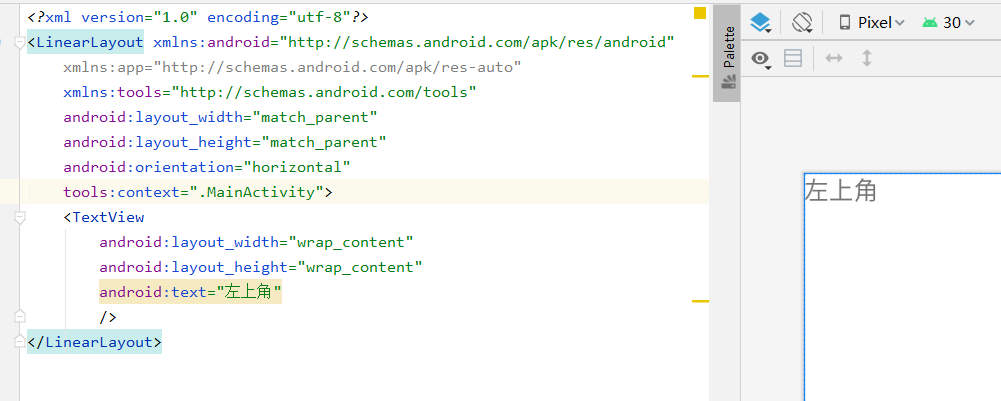
如果只有一个子控件,则不需要写orientation属性,有多个要写。orientation=“horizontal”表示水平,orientation=“vertical”表示垂直。
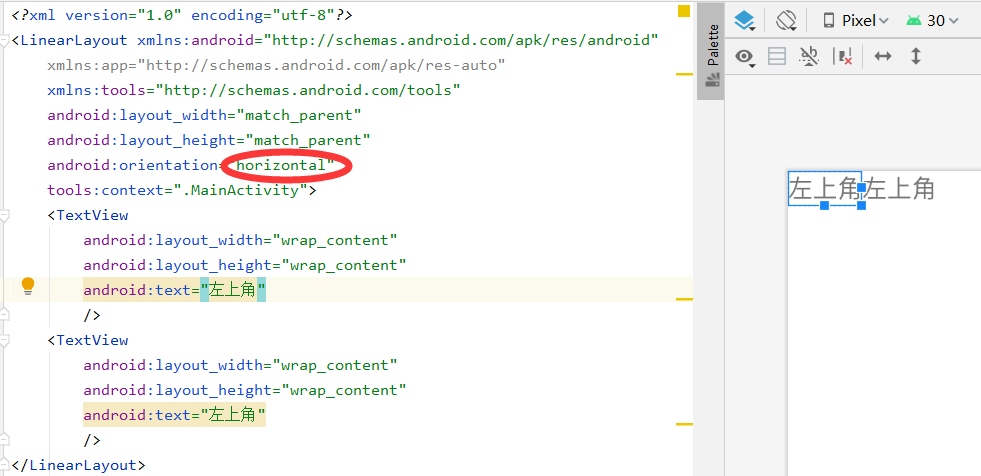
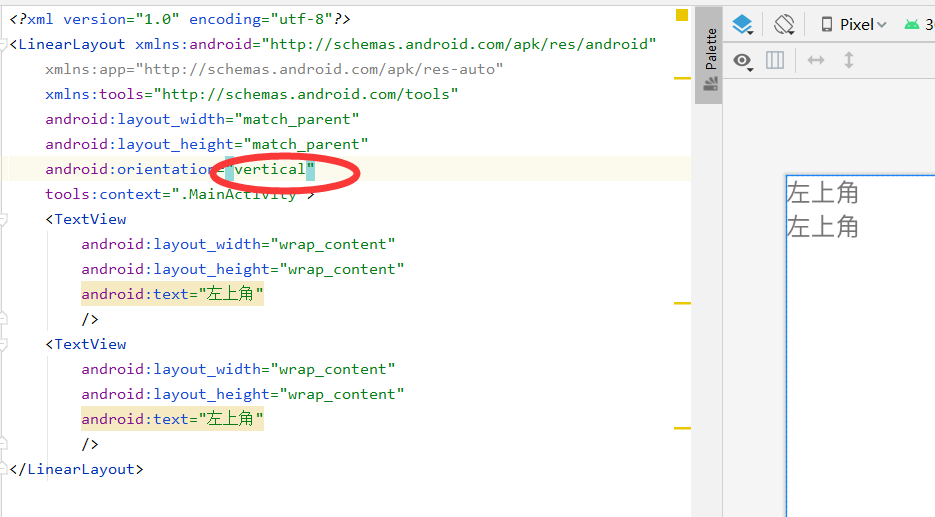
在线性布局中,有两个属性:layout_width,layout_height。这两个属性就决定了布局的宽度和高度。
这两个属性的大小由match_parent,wrap_content,自己定义大小决定的。
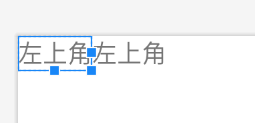
1.match_parent只会占满剩余的空间,根据不同的方向去占满。

(我们发现,它占用了整个宽度,并覆盖了右侧的文字,如果换做layout_height,则高度上会占满)
2.wrap_content只会占用自己的那部分。
3.自己定义可以写(可以写固定数值,单位是dp或者dip,不能用px)

二.相对布局(RelativeLayout)
没有方向性,但是有z轴,代码在后的z轴值越大,既可以是悬浮叠加。必须要有参照物。
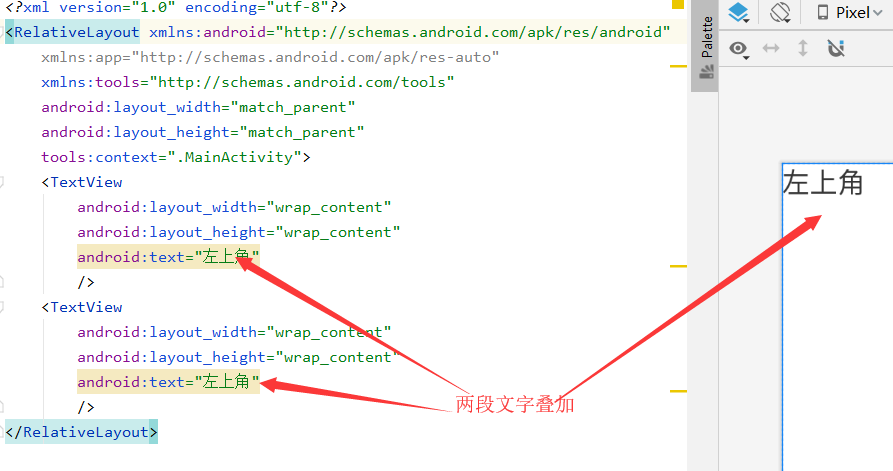
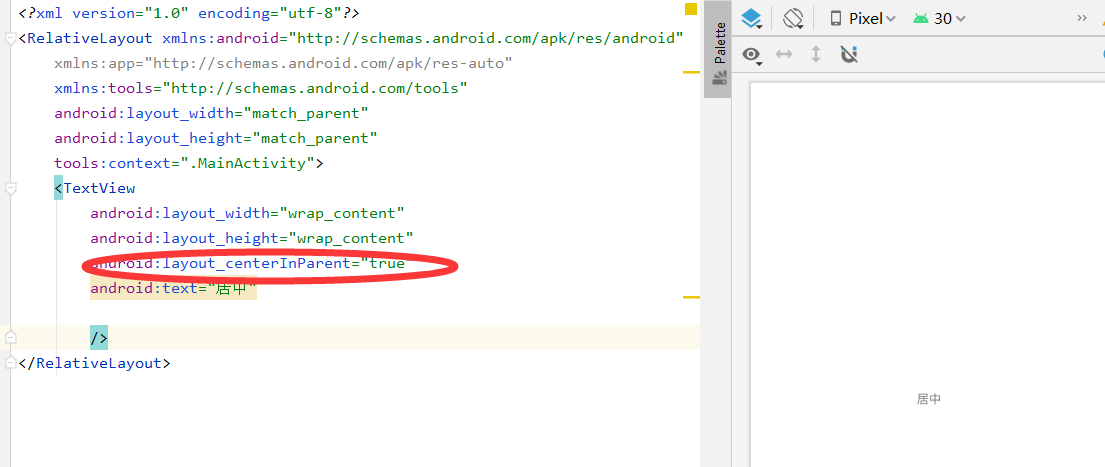
1.布局本身
centerInparent
centerVertical
centerHorizontal
alignParentTop
alignParentBottom
alignParentLeft
alignParentRight
2.通过id来指定参照物
同理,
<?xml version="1.0" encoding="utf-8"?>

<RelativeLayout xmlns:android="http://schemas.android.com/apk/res/android"

    xmlns:app="http://schemas.android.com/apk/res-auto"

    xmlns:tools="http://schemas.android.com/tools"

    android:layout_width="match_parent"

    android:layout_height="match_parent"

    tools:context=".MainActivity">

    <TextView

        android:id="@+id/tv_center"<!--设置参照物-->

        android:layout_width="wrap_content"

        android:layout_height="wrap_content"

        android:layout_centerInParent="true"

        android:text="居中"

       />

    <TextView

        android:layout_width="wrap_content"

        android:layout_height="wrap_content"

        android:layout_alignParentBottom="true"

       android:layout_alignParentRight="true"

        android:text="右下角"

        />

    <TextView

        android:layout_width="wrap_content"

        android:layout_height="wrap_content"

        android:layout_alignParentRight="true"

        android:text="右上角"

        />

    <TextView

        android:layout_width="wrap_content"

        android:layout_height="wrap_content"

        android:layout_alignParentBottom="true"

        android:text="左下角"

        />

    <TextView

        android:layout_width="wrap_content"

        android:layout_height="wrap_content"

        android:text="左上角"

        />

    <TextView

        android:layout_width="wrap_content"

        android:layout_height="wrap_content"

        android:layout_above="@id/tv_center"<!--应用参照物-->

        android:text="center左上角"

        />

    <TextView

        android:layout_width="wrap_content"

        android:layout_height="wrap_content"

        android:layout_above="@id/tv_center"<!--应用参照物-->

        android:layout_centerInParent="true"

        android:text="center上面"

        />

    <TextView

        android:layout_width="wrap_content"

        android:layout_height="wrap_content"

       android:layout_below="@id/tv_center"<!--应用参照物-->

     android:layout_centerInParent="true"

        android:text="center下面"

        />

    <TextView

        android:layout_width="100dp"

        android:layout_height="wrap_content"

        android:layout_toRightOf="@id/tv_center"<!--应用参照物-->

        android:layout_centerVertical="true"

        android:text="center右面"

        />

    <TextView

        android:layout_width="100dp"

        android:layout_height="wrap_content"

        android:layout_toLeftOf="@id/tv_center"<!--应用参照物-->

        android:layout_centerVertical="true"

        android:text="center左面"

        />

</RelativeLayout>
AS的不同布局的更多相关文章
- 前端框架 EasyUI (2)页面布局 Layout
在 Web 程序中,页面布局对应用程序的用户体验至关重要. 在一般的信息管理类的 Web 应用程序中,页面结构通常有一个主工作区,然后在工作区上下左右靠近边界的区域设置一些边栏,用于显示信息或放置一些 ...
- TODO:Laravel 使用blade标签布局页面
TODO:Laravel 使用blade标签布局页面 本文主要介绍Laravel的标签使用,统一布局页面.主要用到到标签有@yield,@ stack,@extends,@section,@stop, ...
- CSS HTML元素布局及Display属性
本篇文章主要介绍HTML的内联元素.块级元素的分类与布局,以及dispaly属性对布局的影响. 目录 1. HTML 元素分类:介绍内联元素.块级元素的分类. 2. HTML 元素布局:介绍内联元素. ...
- 谈谈一些有趣的CSS题目(六)-- 全兼容的多列均匀布局问题
开本系列,谈谈一些有趣的 CSS 题目,题目类型天马行空,想到什么说什么,不仅为了拓宽一下解决问题的思路,更涉及一些容易忽视的 CSS 细节. 解题不考虑兼容性,题目天马行空,想到什么说什么,如果解题 ...
- Xamarin+Prism开发详解五:页面布局基础知识
说实在的研究Xamarin到现在,自己就没设计出一款好的UI,基本都在研究后台逻辑之类的!作为Xamarin爱好者,一些简单的页面布局知识还是必备的. 布局常见标签: StackLayout Abso ...
- 界面设计技法之css布局
css布局之于页面就如同ECMAScript之于JS一般,细想一番,html就如同语文,css就如同数学,js呢,就是物理,有些扯远,这里就先不展开了. 回到主题,从最开始的css到如今的sass(l ...
- Android如何制作漂亮的自适布局的键盘
最近做了个自定义键盘,但面对不同分辨率的机型其中数字键盘不能根据界面大小自已铺满,但又不能每种机型都做一套吧,所以要做成自适应,那这里主讲思路. 这里最上面的titlebar高度固定,下面输入的金额高 ...
- 页面布局class常见命名规范
头:header 内容:content/container 尾:footer 导航:nav 侧栏:sidebar 栏目:column 页面外围控制整体布局宽度:wrapper 左右中:left rig ...
- Flex 布局教程:语法篇
作者: 阮一峰 网页布局(layout)是CSS的一个重点应用. 布局的传统解决方案,基于盒状模型,依赖 display属性 + position属性 + float属性.它对于那些特殊布局非常不方便 ...
- CSS3新特性应用之结构与布局
一.自适应内部元素 利用width的新特性min-content实现 width新特性值介绍: fill-available,自动填充盒子模型中剩余的宽度,包含margin.padding.borde ...
随机推荐
- 关于stationary 和non-stationary signals 的区别和定义
结论:实际上在生活中是没有静态信号(stationary signals)的.而我们之所以把随机信号分为stationary and non-stationary 完全是根据信号产生的特征(chara ...
- 彩色建模(四色原型) Object Modeling in Color学习心得
定义4种类的原型,在UML中用不同颜色表示不同原型的对象 1. Party, Place, Thing Party: 事件的参与方,例如某人人.某组织等 Place: 事件的发生地,例如仓库. ...
- LGP4714题解
没意思啊 题意:求 \(1^{k+2}(n)\),其中规定 \(1^k\) 在 \(k=1\) 时为 \(1\),在 \(2 \leq k\) 时为 \(1 * 1^{k-1}\)(* 为狄利克雷卷积 ...
- xxl-job踩坑记录——执行器,执行10分钟自动失败
问题描述 上一篇Docker 部署xxl-job 报错:xxl-rpc remoting error(connect timed out), for url : xxxxxx - 这行代码没Bug - ...
- .NET6: 开发基于WPF的摩登三维工业软件 (10) - 机器人
基于前文介绍的Ribbon界面.插件化.MVVM模式等内容,我们搭建了一个软件雏形.本文将综合之前的内容在RapidCAX框架中集成Robot组件,实现一个简单的机器人正向模拟模块. 1 目标 基于M ...
- 017tcpflow的简单用法
tcpflow tcpflow是服务器上经常使用的一个小程序,它能够捕获tcp的数据流,并将其存储为方便分析和调试的格式.每一条tcp流都会被存储到独立的文件中,因此,典型的tcp流将会被分别存储为进 ...
- 今天我自己第一次写了一个Windows批处理bat脚本,一起学习一下吧。
今天我自己第一次写了一个Windows批处理bat脚本,备注一下 事情原由:自己使用Java开发了一个加解密的工具.但是当把工具给别人使用的时候,别人还需要把代码编译打包, 然后还需要看一下代码里面的 ...
- Numpy库基础___五
Numpy数据存取 •NumPy的随机数函数 a = np.random.rand(1,2,3) print(a) #[[[0.03339719 0.72784732 0.47527802] # [0 ...
- js 加载 xml 及遍历属性及内容 整理
本文旨在: js加载xml文件并读取节点信息 1 加载xml文件 var xmlDoc = loadXMLDoc("negativeData.xml"); function loa ...
- json.dumps参数之解
宝藏参数,懂的都懂^-^ 说明:编译后print()打印内容,此内容以字符串紧凑输出,且无顺序,中文不可读.. 应用:使用pycharm做接口测试时,print()打印出的接口下行,如下图: ...