
Android 程序 LinearLayout布局 参数layout_weight 探讨
官方参考文档 对LinearLayout.LayoutParams中的android:layout_weight解释如下:
Indicates how much of the extra space in the LinearLayout will be allocated to the view associated with these LayoutParams.
Specify 0 if the view should not be stretched. Otherwise the extra pixels will be pro-rated among all views whose weight is greater than 0.
extra space: 是指各个子view占用完 长度或宽度 之后再来分配。
下面引用两篇文章,仔细看完会有一定了解。
第一篇: The use of layout_weight with Android layouts
The popular Android OS uses layouts to display Views on the screen. A View is a widget that has an appearance on the screen. Examples of widgets are radio buttons, labels, edit boxes, etc.
The appearance and sequence of Views can be ordered and one of the ways to do that is through the use of the LayoutParamlayout_weight. This is an often overlooked, extremely powerful, but also tricky feature of layouts.
The Android developers website (developer.android.com) defines layout_weight as follows:
Indicates how much of the extra space in the [ViewGroup] will be allocated to the view associated with these LayoutParams.
This definition does not help us very much, especially because it is only true under specific circumstances as we see below. Let’s have a look at some examples. In the first example we want to split the display in half vertically with the following layout:
<?xml version="1.0" encoding="utf-8"?>

<LinearLayout xmlns:android="http://schemas.android.com/apk/res/android"

    android:orientation="vertical"

    android:layout_width="match_parent"

    android:layout_height="match_parent">

    <LinearLayout

        android:background="#0000FF"

        android:layout_height="match_parent"

        android:layout_width="match_parent" />

    <LinearLayout

        android:background="#00FF00"

        android:layout_height="match_parent"

        android:layout_width="match_parent" />

</LinearLayout>

Not using layout_weight (不写layout_weight的话,第一个子元素的match_parent会占满整个父元素,第二个就没有空间了)
------------------------------------------
Of course the split does not work because the layout_height of the first LinearLayout is set to match_parent causing it to take up all available space and leaving no room for the secondLinearLayout. Changing the layout_height to wrap_content will not help because the LinearLayouts have 0 heights making them invisible.
At this point we can show what layout_weight can do. Have a look at this, changed, piece of code and the resulting screenshot below:
 <?xml version="1.0" encoding="utf-8"?>

 <LinearLayout xmlns:android="http://schemas.android.com/apk/res/android"

     android:orientation="vertical"

     android:layout_width="match_parent"

     android:layout_height="match_parent">

     <LinearLayout

         android:background="#0000FF"

         android:layout_height="match_parent"

         android:layout_width="match_parent"

         android:layout_weight="1" />

     <LinearLayout

         android:background="#00FF00"

         android:layout_height="match_parent"

         android:layout_width="match_parent"

         android:layout_weight="1" />

 </LinearLayout>
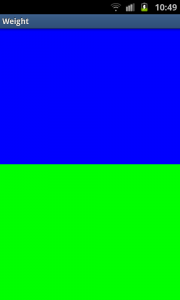
Using layout_weight
----------------------------------------------
By setting a layout_weight for the two inner LinearLayouts we can tell the parent layout to divide the available space between its children. In this example, we have set the two layout_weightvalues of the child layouts to the same value, and they will be given an equal part of the available space.
Setting a layout_weight means that the default value of this attribute is changed from 0. Assigning a value higher than zero will split up the rest of the available space in the parent View, according to the value of each View‘s layout_weight and its ratio to the overall layout_weight specified in the current layout for this and other View elements.
To give an example: in the above example we have twoLinearLayouts. If the layout_weight of each of the twoLinearLayouts is set to 1, the remaining width in the parent layout will be split equally between them (as we have seen above). If the first one has a layout_weight of 1 and the second has a layout_weight of 2, then the total weight is three and one third of the remaining space will be given to the first, and two thirds to the second, see the screenshot below.
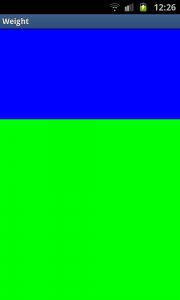
Unequal division of weight
----------------------------------
The divide is one third and two third but, still not exactly what we want. Take a close look at the code. We want the firstLinearLayout to occupy two third of the screen. Its layout_weightis set to 2. What we see is that it only occupies one third of the screen. This is the tricky bit of using layout_weight.
The problems are the circumstances it is used in. In this case it is used with layout_height set to match_parent. In some (!) cases this keeps Android from interpreting the layout_weights correctly. In this case, a vertical layout of view elements, the solution is setting layout_heights to 0dp. With a horizontal layout of view elements layout_width should be set to 0dp.
 <?xml version="1.0" encoding="utf-8"?>

 <LinearLayout xmlns:android="http://schemas.android.com/apk/res/android"

     android:orientation="vertical"

     android:layout_width="match_parent"

     android:layout_height="match_parent">

     <LinearLayout

         android:background="#0000FF"

         android:layout_height="0dp"

         android:layout_width="match_parent"

         android:layout_weight="2" />

     <LinearLayout

         android:background="#00FF00"

         android:layout_height="0dp"

         android:layout_width="match_parent"

         android:layout_weight="1" />

 </LinearLayout>

Correct division of weight (如果希望按比例分配空间的话, 把android:layout_height(纵向) 或者 android:layout_width(横向) 设置成0dp。)
-------------------------------------
In the above examples the total weight of a View element is calculated by adding all the weights of its children. This can be overridden by adding a weightSum to the parent layout. This provides us with even more control over things. The childrenLinearLayouts can be specified to take their respective screen parts (two fourth and one fourth) and the parent LinearLayoutwill take the rest (the remaining one fourth):
 <?xml version="1.0" encoding="utf-8"?>

 <LinearLayout xmlns:android="http://schemas.android.com/apk/res/android"

     android:orientation="vertical"

     android:layout_width="match_parent"

     android:layout_height="match_parent"

     android:background="#FF0000"

     android:weightSum="4"

     android:padding="5dp"> <!-- to show what the parent is -->

     <LinearLayout

         android:background="#0000FF"

         android:layout_height="0dp"

         android:layout_width="match_parent"

         android:layout_weight="2" />

     <LinearLayout

         android:background="#00FF00"

         android:layout_height="0dp"

         android:layout_width="match_parent"

         android:layout_weight="1" />

 </LinearLayout>

Example with weightSum (不占满父元素,那就在父元素上使用 android:weightSum)
----------------------------------------
As a conclusion let’s have another look at a potential gotcha when using layout_weights. First switch to a horizontalLinearLayout. This contains two TextViews, each with alayout_width set to 1, but with text of very different lengths in each:
 <?xml version="1.0" encoding="utf-8"?>

 <LinearLayout xmlns:android="http://schemas.android.com/apk/res/android"

     android:orientation="horizontal"

     android:layout_width="match_parent"

     android:layout_height="match_parent">

     <TextView

         android:layout_height="wrap_content"

         android:text="small"

         android:layout_width="wrap_content"

         android:layout_weight="1" />

     <TextView

         android:layout_height="wrap_content"

         android:text="A very very long text that needs to wrap."

         android:layout_width="wrap_content"

         android:layout_weight="1" />

 </LinearLayout>

Texts not shown as wanted
---------------------------------------
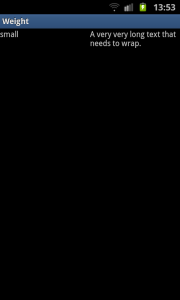
As with the vertical layout the result is not what we expect. This time because of the specified layout_width. When calculating the layout, Android calculates the width of the two text controls first and the remaining space is then divided between them equally. Because the second TextView is wider, due to its longer text, it appears to be taking up most of the space. As seen earlier the solution is simple, using 0dp forlayout_width:
 <?xml version="1.0" encoding="utf-8"?>

 <LinearLayout xmlns:android="http://schemas.android.com/apk/res/android"

     android:orientation="horizontal"

     android:layout_width="match_parent"

     android:layout_height="match_parent">

     <TextView

         android:layout_height="wrap_content"

         android:text="small"

         android:layout_width="0dp"

         android:layout_weight="1" />

     <TextView

         android:layout_height="wrap_content"

         android:text="A very very long text that needs to wrap."

         android:layout_width="0dp"

         android:layout_weight="1" />

 </LinearLayout>
=============================================
第二篇文章: android中layout_weight的理解 文章从代码角度解释了一下分配原则, 具体内容点击链接就能看。
Android 程序 LinearLayout布局 参数layout_weight 探讨的更多相关文章
- Android:LinearLayout布局中Layout_weight的深刻理解
首先看一下LinearLayout布局中Layout_weight属性的作用:它是用来分配属于空间的一个属性,你可以设置他的权重.很多人不知道剩余空间是个什么概念,下面我先来说说剩余空间. 看下面代码 ...
- Android学习——LinearLayout布局实现居中、左对齐、右对齐
android:orientation="vertical"表示该布局下的元素垂直排列: 在整体垂直排列的基础上想要实现内部水平排列,则在整体LinearLayout布局下再创建一 ...
- 15.Android中LinearLayout布局一些小记录
在App中,我们经常看到布局中会有分割线,直接上代码: <?xml version="1.0" encoding="utf-8"?> <Lin ...
- Android之LinearLayout布局下怎么让按钮固定在底部
<?xml version="1.0" encoding="utf-8"?> <LinearLayout xmlns:android=&quo ...
- app开发历程————Android程序解析服务器端的JSON格式数据,显示在界面上
上一篇文章写的是服务器端利用Servlet 返回JSON字符串,本文主要是利用android客户端访问服务器端链接,解析JSON格式数据,放到相应的位置上. 首先,android程序的布局文件main ...
- Android 布局学习之——Layout(布局)详解二(常见布局和布局参数)
[Android布局学习系列] 1.Android 布局学习之——Layout(布局)详解一 2.Android 布局学习之——Layout(布局)详解二(常见布局和布局参数) 3.And ...
- 将Android Studio默认布局ConstraintLayout切换成LinearLayout
将Android Studio默认布局ConstraintLayout切换成LinearLayout 大部分人初次使用google android 扁平化布局ConstraintLayout都 ...
- 无废话Android之常见adb指令、电话拨号器、点击事件的4种写法、短信发送器、Android 中各种布局(1)
1.Android是什么 手机设备的软件栈,包括一个完整的操作系统.中间件.关键的应用程序,底层是linux内核,安全管理.内存管理.进程管理.电源管理.硬件驱动 2.Dalvik VM 和 JVM ...
- [置顶] Android系统五大布局详解Layout
我们知道Android系统应用程序一般是由多个Activity组成,而这些Activity以视图的形式展现在我们面前,视图都是由一个一个的组件构成的.组件就是我们常见的Button.TextEdit等 ...
随机推荐
- HDU Rabbit and Grass 兔子和草 (Nim博弈)
思路:简单Nim博弈,只需要将所给的数字全部进行异或,结果为0,则先手必败.否则必胜. #include <iostream> using namespace std; int main( ...
- UVA 624 CD(01背包,要记录路径)
题意: 有n张CD(n<=20),每张能播放的时长不同.给定一个时长限制t,挑出部分的CD使得总播放时间最长.顺便输出路径! 思路: 重点在输出路径,否则这题很普通.那就要用二维数组记录每个CD ...
- 洛谷 P1001 A+B Problem
题目描述 输入两个整数a,b,输出它们的和(|a|,|b|<=10^9). 注意 1.pascal使用integer会爆掉哦! 2.有负数哦! 3.c/c++的main函数必须是int类型,而且 ...
- python爬虫之路——初识lxml库和xpath语法
lxml库:是xml解析库,也支持html文档解析功能,实用功能:自动修正补全html代码. 使用流程:①导入lxml中的etree库,②利用etree.HTML(文件名)或etree.parse(本 ...
- 使用Java connector消费ABAP系统的函数
Java Connector(JCO)环境的搭建:Step by step to download and configure JCO in your laptop 我的ABAP系统有个函数名叫ZDI ...
- GWTDesigner_v5.1.0破解码
GWTDesigner_v5.1.0_win32_x86.exe破解码,双击运行keygeno.jar,然后输入用户名.网卡MAC,然后单击Generate,将生成的文件放在C:\Documents ...
- nginx 的反向代理及缓存功能
上游服务器的设置 server { #监听的IP及端口 listen 127.0.0.1:8080; #虚拟主机对硬解析的主机名 #server_name localhost; #charset ko ...
- ovx openVirtex的阅读文档
由于flowvisor只有4个版本, 最新更新都是2013年的, 跟底层ovs版本不跟进, 最近斯坦福post一个 ovx, 猜测是flowvisor的加强版, 所以看一下文档说明 文档详见http: ...
- 使用struts2实现文件上传与下载功能
这个问题做了两天,在网上找了很多例子,但是还有一些功能没有实现,暂时先把代码贴出来,以后在做这方面的功能时在修改 文件上传: 一开始我在网上找到基于servlet+jsp环境写的文件上传,但是在将页面 ...
- bootstrap 翻页的状态
翻页的状态 下面的实例演示了上表中所讨论的 class .disabled 的用法: <!DOCTYPE html><html><head><meta htt ...