
基于Cocos2d-x-1.0.1的飞机大战游戏开发实例(中)
接《基于Cocos2d-x-1.0.1的飞机大战游戏开发实例(上)》
三、代码分析
1.界面初始化
 bool PlaneWarGame::init()

 {

     bool bRet = false;

     do

     {

         CC_BREAK_IF(! CCLayer::init());

         _size = CCDirector::sharedDirector()->getWinSize();

         // 设置触摸可用

         this->setIsTouchEnabled(true);

         // 从窗口中取消息

         CCDirector::sharedDirector()->getOpenGLView()->SetWin32KeyLayer( this );

         // 初始化游戏背景

         CC_BREAK_IF(!initBackground());

         // 菜单1(暂停/声音/炸弹)

         CC_BREAK_IF(!initMenu1());

         // 菜单2(继续/重新开始/返回)

         CC_BREAK_IF(!initMenu2());

         // 菜单3(重新开始/返回)

         CC_BREAK_IF(!initMenu3());

         // 创建玩家飞机

         _player = new PlaySprite;

         _player->setPosition(CCPointZero);

         addChild(_player);

         // 调度器:定时调用自定义的回扫函数

         this->schedule( schedule_selector(PlaneWarGame::gameLoop));

         this->schedule( schedule_selector(PlaneWarGame::shoot), 0.1 );

         this->schedule( schedule_selector(PlaneWarGame::addEnemy), 0.3 );

         this->schedule( schedule_selector(PlaneWarGame::addProp),  );

         // 初始化两个数组

         _enemys = CCArray::array();

         _enemys->retain();

         _bullets = CCArray::array();

         _bullets->retain();

         // 背景音乐

         CocosDenshion::SimpleAudioEngine::sharedEngine()->playBackgroundMusic(

             "planewar/game_music.wav", true);

         bRet = true;

     } while ();

     return bRet;

 }
初始化的工作包括:
- 设置触摸可用
- 设置可自定义处理消息
- 初始化游戏背景
- 初始化三个菜单(界面菜单/游戏暂停时的菜单/游戏结束时的菜单)
- 初始化两个CCArray类型的数组,分别用来存储有效的敌机精灵对象和子弹对象
- 设置需要定时调用函数的调度器
- 设置背景音乐
- 添加玩家角色
2.初始化游戏背景
 bool PlaneWarGame::initBackground()

 {

     // 显示分数

     _label = CCLabelBMFont::labelWithString("","planewar/font.fnt");

     _label->setPosition(ccp(,_size.height-));

     _label->setColor(ccc3(,,));

     this->addChild(_label, );

     // 显示炸弹数量

     CCLabelBMFont* bombcount = CCLabelBMFont::labelWithString("X09","planewar/font.fnt");

     bombcount->setAnchorPoint(ccp(,));

     bombcount->setPosition(ccp(,));

     bombcount->setColor(ccc3(,,));

     addChild(bombcount, ,);

     // 添加背景

     CCSprite* bg1 = CCSprite::spriteWithFile("planewar/bg1.png");

     if (!bg1)return false;

     bg1->setAnchorPoint(ccp(,));

     bg1->setPosition( ccp(, _size.height) );

     this->addChild(bg1, , );

     bg1->runAction(

         CCSequence::actions(

         CCMoveBy::actionWithDuration(,ccp(,-)),

         CCCallFunc::actionWithTarget(this, callfunc_selector(PlaneWarGame::bg1roll)),NULL));

     CCSprite* bg2 = CCSprite::spriteWithFile("planewar/bg2.png");

     if (!bg1)return false;

     bg2->setAnchorPoint(ccp(,));

     bg2->setPosition( ccp(, _size.height*) );

     this->addChild(bg2, , );

     bg2->runAction(

         CCSequence::actions(

         CCMoveBy::actionWithDuration(,ccp(,-)),

         CCCallFunc::actionWithTarget(this, callfunc_selector(PlaneWarGame::bg2roll)),NULL));

     return true;

 }

 void PlaneWarGame::bg1roll(){

     //运动出屏幕重设位置,运动

     CCSprite * bg = (CCSprite *)getChildByTag();

     bg->setPosition(ccp(,));

     CCAction* seq = CCSequence::actions(

         CCMoveBy::actionWithDuration(,ccp(,-)),

         CCCallFunc::actionWithTarget(this, callfunc_selector(PlaneWarGame::bg1roll)),NULL);

     bg->runAction(seq);

 }

 void PlaneWarGame::bg2roll(){

     //运动出屏幕重设位置,运动

     CCSprite * bg = (CCSprite *)getChildByTag();

     bg->setPosition(ccp(,));

     CCAction* seq = CCSequence::actions(

         CCMoveBy::actionWithDuration(,ccp(,-)),

         CCCallFunc::actionWithTarget(this, callfunc_selector(PlaneWarGame::bg2roll)),NULL);

     bg->runAction(seq);

 }
初始化游戏背景时,需要注意的是:要做出飞机向上走的视觉效果,就要把背景向下滚动,这里使用两个背景bg1和bg2,大小分别为屏幕大小。初始bg1在屏幕内,bg2在屏幕上方,两个同事向下运动;当bg1刚刚运动到屏幕外,bg2刚好盖住屏幕,bg1挪到屏幕上方向下运动...循环操作,就能做出循环滚动的背景效果了。
3.子弹的处理
 // 确定子弹类型

 void PlaneWarGame::shoot(float dt)

 {

     if (_isOver)return;

     if(_player==NULL) return;

     if(_player->_bulletKind == BK_SINGLE)

     {

         CCSprite *bullet = CCSprite::spriteWithFile(

             "planewar/plane.png", CCRectMake(,,,));

         addBullet(bullet,_player->getPlayerPt());

     }else if (_player->_bulletKind == BK_DOUBLE)

     {

         CCSprite *bullet = CCSprite::spriteWithFile(

             "planewar/plane.png", CCRectMake(,,,));

         addBullet(bullet,ccp(_player->getPlayerPt().x-,_player->getPlayerPt().y));

         CCSprite *bullet1 = CCSprite::spriteWithFile(

             "planewar/plane.png", CCRectMake(,,,));

         addBullet(bullet1,ccp(_player->getPlayerPt().x+,_player->getPlayerPt().y));

     }

 }

 // 添加子弹

 void PlaneWarGame::addBullet(CCSprite* bullet, CCPoint pt)

 {

     bullet->setPosition(pt);

     this->addChild(bullet);

     bullet->runAction( CCSequence::actions(

         CCMoveTo::actionWithDuration(0.5, ccp(pt.x,_size.height+bullet->getContentSize().height/)),

         CCCallFuncN::actionWithTarget(this,callfuncN_selector(PlaneWarGame::spriteMoveFinished)),

         NULL) );

     bullet->setTag();

     _bullets->addObject(bullet);

 }

 // 回收

 void PlaneWarGame::spriteMoveFinished(CCNode* sender)

 {

     CCSprite *sprite = (CCSprite *)sender;

     this->removeChild(sprite, true);

     if (sprite->getTag()==)//子弹

         _bullets->removeObject(sprite);

 }
吃道具可改变子弹类型。子弹的回收方式:从飞机坐标处出发,运动到屏幕外被回收。道具的处理类似。
4.设置触摸/鼠标点击控制玩家角色的移动
 bool PlaneWarGame::ccTouchBegan(CCTouch *pTouch, CCEvent *pEvent)

 {

     if(_player==NULL) return false;

     CCPoint pt = CCDirector::sharedDirector()->convertToGL(

         pTouch->locationInView(pTouch->view()));

     CCRect rt = _player->getRect();

     if (CCRect::CCRectContainsPoint(rt,pt))

         _player->_isDragEnabled = true;

     return true;

 }

 void PlaneWarGame::ccTouchMoved(CCTouch *pTouch, CCEvent *pEvent)

 {

     if(_player==NULL) return;

     CCSize size = CCDirector::sharedDirector()->getWinSize();

     CCPoint pt = CCDirector::sharedDirector()->convertToGL(

         pTouch->locationInView(pTouch->view()));

     CCRect rt = CCRect(,,size.width,size.height);

     if (_player->_isDragEnabled && CCRect::CCRectContainsPoint(rt,pt))

         _player->setPlayerPt(pt);

 }

 void PlaneWarGame::ccTouchEnded(CCTouch *pTouch, CCEvent *pEvent)

 {

     _player->_isDragEnabled = false;

 }
这里重写3个虚函数。移动角色的方式:触摸/鼠标按下时,如果点击位置在角色上,将角色可被拖拽状态置为true;触摸/鼠标移动时,根据角色的可被拖拽状态和屏幕范围确定是否移动;触摸/鼠标弹起时,将角色的可被拖拽状态恢复为false。
5.碰撞检测
 void PlaneWarGame::updateGame(float dt)

 {

     CCArray *bulletsToDelete = CCArray::array();

     CCObject* it = NULL;

     CCObject* jt = NULL;

     if(_player==NULL) return;

     CCRect playerRect = _player->getRect();

     // 己方飞机和敌方飞机的碰撞

     CCARRAY_FOREACH(_enemys, jt)

     {

         EnemySprite *enemy = dynamic_cast<EnemySprite*>(jt);

         if (!enemy->isNull() && CCRect::CCRectIntersectsRect(playerRect, enemy->getRect()))

         {

             _player->die();

             gameover(false);

             return;

         }

     }

     //////////////////////////////////////////////////////////////////////////

         // 道具和角色的碰撞检测

     CCSprite* prop = (CCSprite*)getChildByTag();//子弹

     if (NULL != prop)

     {

         CCRect propRect = CCRectMake(

             prop->getPosition().x - (prop->getContentSize().width/),

             prop->getPosition().y - (prop->getContentSize().height/),

             prop->getContentSize().width,

             prop->getContentSize().height);

         if (CCRect::CCRectIntersectsRect(playerRect, propRect))

         {

             _player->_bulletKind = BK_DOUBLE;

             removeChild(prop,true);

             CocosDenshion::SimpleAudioEngine::sharedEngine()->

                 playEffect("planewar/get_double_laser.wav",false);

         }

     }

     CCSprite* prop1 = (CCSprite*)getChildByTag();//炸弹

     if (NULL != prop1)

     {

         CCRect prop1Rect = CCRectMake(

             prop1->getPosition().x - (prop1->getContentSize().width/),

             prop1->getPosition().y - (prop1->getContentSize().height/),

             prop1->getContentSize().width,

             prop1->getContentSize().height);

         if (CCRect::CCRectIntersectsRect(playerRect, prop1Rect))

         {

             _player->_bombCount++;

             removeChild(prop1,true);

             CocosDenshion::SimpleAudioEngine::sharedEngine()->

                 playEffect("planewar/get_bomb.wav",false);

         }

     }

     //////////////////////////////////////////////////////////////////////////

         // 子弹和敌机的碰撞检测

     CCARRAY_FOREACH(_bullets, it)

     for (int i=; i<_bullets->count(); i++)

     {

         CCSprite *bullet = dynamic_cast<CCSprite*>(_bullets->objectAtIndex(i));

         CCRect bulletRect = CCRectMake(

             bullet->getPosition().x - (bullet->getContentSize().width/),

             bullet->getPosition().y - (bullet->getContentSize().height/),

             bullet->getContentSize().width,

             bullet->getContentSize().height);

         CCArray* enemysToDelete =CCArray::array();

         CCARRAY_FOREACH(_enemys, jt)

         {

             EnemySprite *enemy = dynamic_cast<EnemySprite*>(jt);

             if (!enemy->_die && CCRect::CCRectIntersectsRect(bulletRect, enemy->getRect()))

             {

                 if (enemy->_hp>)

                 {

                     enemy->_hp--;

                     //bulletsToDelete->addObject(bullet);

                     _bullets->removeObject(bullet);

                     removeChild(bullet,true);

                 }

                 else if (enemy->_hp<=)

                 {

                     //bulletsToDelete->addObject(bullet);

                     _bullets->removeObject(bullet);

                     removeChild(bullet,true);

                     enemysToDelete->addObject(enemy);

                 }

             }

         }

         CCARRAY_FOREACH(enemysToDelete, jt)

         {

             EnemySprite *enemy = dynamic_cast<EnemySprite*>(jt);

             enemy->_die = true;

             enemy->die();

             _bulletsDestroyed++;

         }

         enemysToDelete->release();

     }

     // 释放已死亡的子弹

     CCARRAY_FOREACH(bulletsToDelete, it)

     {

         CCSprite* projectile = dynamic_cast<CCSprite*>(it);

         _bullets->removeObject(projectile);

         this->removeChild(projectile, true);

     }

     bulletsToDelete->release();

 }
碰撞检测使用最简单的矩形检测。
6.玩家角色的添加和操作
 void PlaySprite::onEnter()

 {

     CCNode::onEnter();

     CCSize size = CCDirector::sharedDirector()->getWinSize();

     _sprite = CCSprite::spriteWithFile("planewar/hero1.png");

     _sprite->setContentSize(CCSize(,));

     _sprite->setPosition( ccp(size.width/,_sprite->getContentSize().height/) );

     addChild(_sprite,);

     CCAnimation * animation = CCAnimation::animation();

     animation->addFrameWithFileName("planewar/hero1.png");

     animation->addFrameWithFileName("planewar/hero2.png");

     CCAction* action = CCRepeatForever::actionWithAction(

         CCAnimate::actionWithDuration(0.1f, animation, false));

     action->setTag();

     _sprite->runAction(action);

     // 调度器

     schedule( schedule_selector(PlaySprite::move), 0.002 );

 }

 CCRect PlaySprite::getRect()

 {

     if (_sprite!=NULL)

         return CCRect(

         _sprite->getPosition().x - (_sprite->getContentSize().width/),

         _sprite->getPosition().y - (_sprite->getContentSize().height/),

         _sprite->getContentSize().width,

         _sprite->getContentSize().height);

 }

 CCPoint PlaySprite::getPlayerPt()

 {

     if (_sprite!=NULL)

         return _sprite->getPosition();

 }

 void PlaySprite::setPlayerPt(CCPoint pt)

 {

     if (_sprite!=NULL)

         return _sprite->setPosition(pt);

 }

 void  PlaySprite::setMoveMode( UINT  message, WPARAM  wParam)

 {

     if (message == WM_KEYDOWN)

     {// 控制飞机移动

         if (wParam == VK_UP)

             _mode = MM_UP;

         else if (wParam == VK_DOWN)

             _mode = MM_DOWN;

         else if (wParam == VK_LEFT)

             _mode = MM_LEFT;

         else if (wParam == VK_RIGHT)

             _mode = MM_RIGHT;

     }else if (message == WM_KEYUP)

     {

         if (wParam == VK_UP || wParam == VK_DOWN ||wParam == VK_LEFT||wParam == VK_RIGHT)

             _mode = MM_NONE;

     }

 }

 void PlaySprite::move(float dt)

 {

     CCSize winSize = CCDirector::sharedDirector()->getWinSize();

     switch(_mode)

     {

     case MM_NONE:

         break;

     case MM_UP:

         if (getPlayerPt().y<winSize.height)

             setPlayerPt(ccp(getPlayerPt().x,getPlayerPt().y+));

         break;

     case MM_DOWN:

         if (getPlayerPt().y>)

             setPlayerPt(ccp(getPlayerPt().x,getPlayerPt().y-));

         break;

     case MM_LEFT:

         if (getPlayerPt().x>)

             setPlayerPt(ccp(getPlayerPt().x-,getPlayerPt().y));

         break;

     case  MM_RIGHT:

         if (getPlayerPt().x<winSize.width)

             setPlayerPt(ccp(getPlayerPt().x+,getPlayerPt().y));

         break;

     }

 }

 void PlaySprite::die()

 {

     if (_sprite==NULL)return;

     _sprite->stopActionByTag();

     CCAnimation * animation = CCAnimation::animation();

     animation->addFrameWithFileName("planewar/hero_blowup_n1.png");

     animation->addFrameWithFileName("planewar/hero_blowup_n2.png");

     animation->addFrameWithFileName("planewar/hero_blowup_n3.png");

     animation->addFrameWithFileName("planewar/hero_blowup_n4.png");

     _sprite->runAction(CCSequence::actions(

         CCAnimate::actionWithDuration(0.1f, animation, false),

         CCCallFunc::actionWithTarget(this, callfunc_selector(PlaySprite::destroy)),NULL));

 }

 void PlaySprite::destroy()

 {

     if (_sprite==NULL)return;

     removeChild(_sprite,true);

     _sprite = NULL;

 }
- 玩家角色类是派生自CCNode类,用组合的方式包含一个CCSprite类的成员对象,在玩家角色类内部封装对精灵的操作。
- 重写onEnter函数初始化_sprite成员,设置位置、大小、图片和帧动画等。
- 玩家的方向键控制移动和鼠标拖拽移动方式类似,在操作时设置移动状态,在schedule定时调用的函数move中根据移动状态来移动玩家角色。
- 关于碰撞之后的动画和销毁,参照上面的die和destroy函数,对象被碰撞时调用die函数运行爆炸的帧动画,动画结束后自动调用destroy函数销毁对象。
- 敌机对象的操作和玩家角色类似。
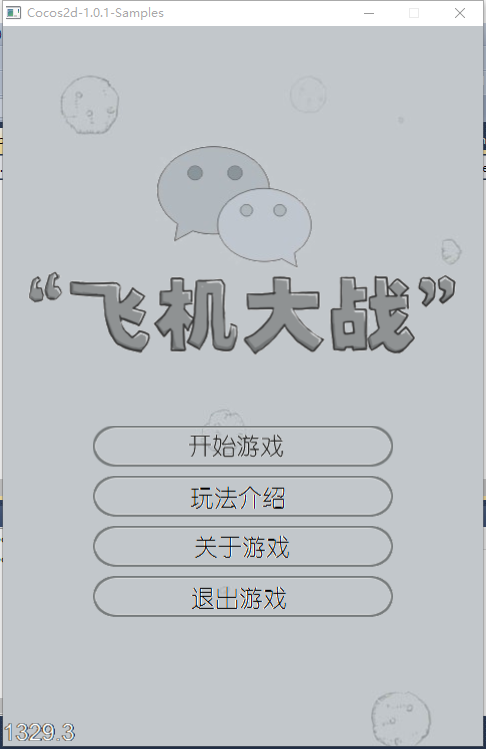
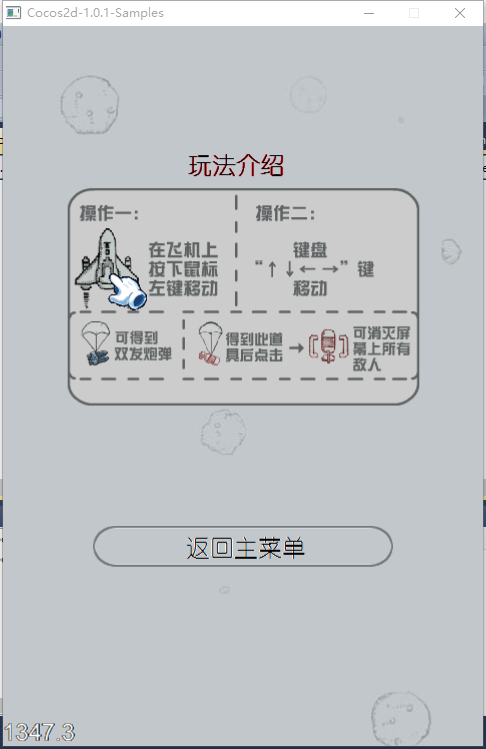
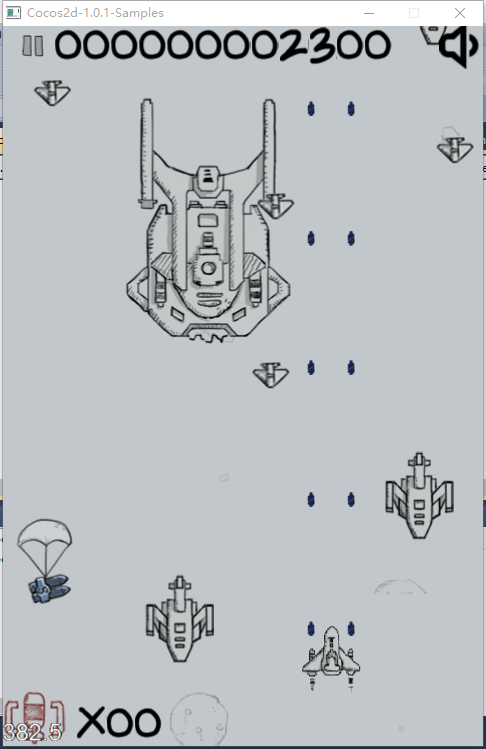
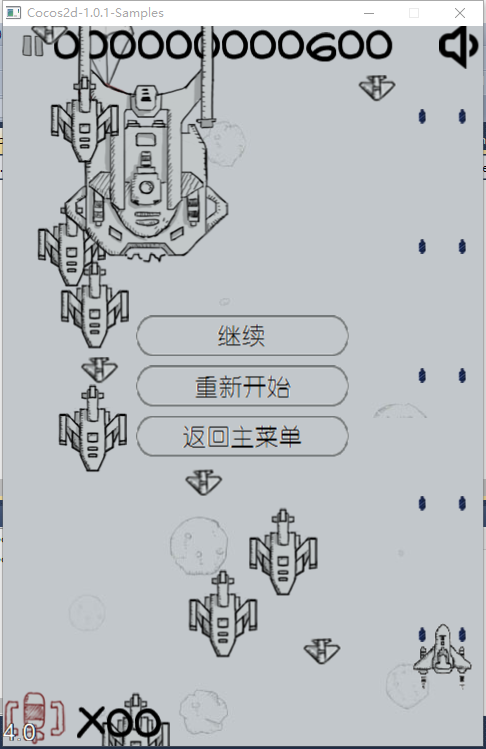
四、完成效果图
经过不到一周的时间,从什么都没有,到游戏正常运行、功能完整,体会了cocos2dx的调用机制。
下面是运行效果图:
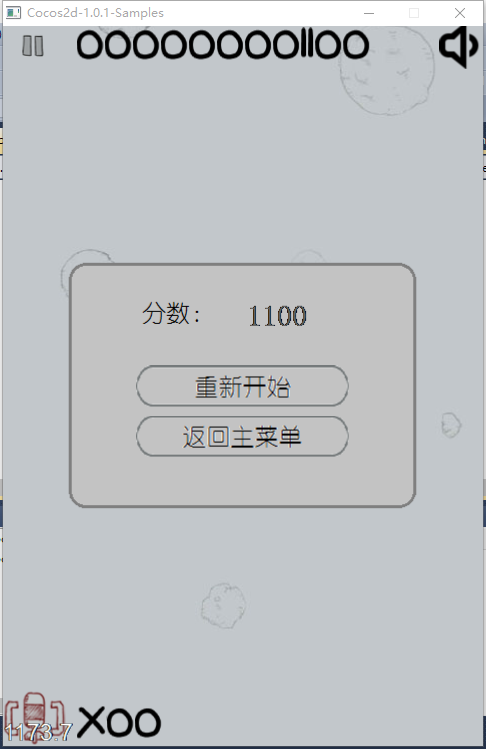
如果实现中有什么问题,欢迎大家在评论中指教!
基于Cocos2d-x-1.0.1的飞机大战游戏开发实例(中)的更多相关文章
- 基于Cocos2d-x-1.0.1的飞机大战游戏开发实例(下)
在飞机大战游戏开发中遇到的问题和解决方法: 1.在添加菜单时,我要添加一个有背景的菜单,需要在菜单pMenu中添加一个图片精灵,结果编译过了但是运行出错,如下图: 查了很多资料,调试了很长时间,整个人 ...
- 基于Cocos2d-x-1.0.1的飞机大战游戏开发实例(上)
最近接触过几个版本的cocos2dx,决定每个大变动的版本都尝试一下.本实例模仿微信5.0版本中的飞机大战游戏,如图: 一.工具 1.素材:飞机大战的素材(图片.声音等)来自于网络 2.引擎:coco ...
- 基于Cocos2d-x-1.0.1的飞机大战游戏迁移到Cocos2d-x-3.0版本,并移植到Android平台成功运行
一.版本迁移中的问题 1.游戏元素Sprite.Label.Action等等的创建函数名都改为create. 2.函数的回调callfunc_selectorcallfuncN_selectorcal ...
- 微信5.0 Android版飞机大战破解无敌模式手记
微信5.0 Android版飞机大战破解无敌模式手记 转载: http://www.blogjava.net/zh-weir/archive/2013/08/14/402821.html 微信5.0 ...
- 11.pygame飞机大战游戏整体代码
主程序 # -*- coding: utf-8 -*- # @Time: 2022/5/20 22:26 # @Author: LiQi # @Describe: 主程序 import pygame ...
- "飞机大战"游戏_Java实现_详细注释
1 package cn.xiaocangtian.Util; import java.awt.Frame; import java.awt.Graphics; import java.awt.Ima ...
- 用Javascript模拟微信飞机大战游戏
最近微信的飞机大战非常流行,下载量非常高. 利用JS进行模拟制作了一个简单的飞机大战[此源码有很多地方可以进行重构和优化] [此游戏中没有使用HTML5 任何浏览器都可以运行]. 效果图: 原理:利用 ...
- 一、利用Python编写飞机大战游戏-面向对象设计思想
相信大家看到过网上很多关于飞机大战的项目,但是对其中的模块方法,以及使用和游戏工作原理都不了解,看的也是一脸懵逼,根本看不下去.下面我做个详细讲解,在做此游戏需要用到pygame模块,所以这一章先进行 ...
- "飞机大战"游戏_Java
1 package cn.xiaocangtian.Util; import java.awt.Frame; import java.awt.Graphics; import java.awt.Ima ...
随机推荐
- 【luogu P4180 严格次小生成树[BJWC2010]】 模板
题目链接:https://www.luogu.org/problemnew/show/P4180 这个题卡树剖.记得开O2. 这个题inf要到1e18. 定理:次小生成树和最小生成树差距只有在一条边上 ...
- position+left+bottom+top+right
今天才知道原来position加上上下左右可以控制的到div的宽度的 比如我现在有一个需要 这样一个需求 现在是红色部分50px 但是你可能不知道剩下的蓝色部分的高度是多少 蓝色部分要怎么填满剩余的高 ...
- Maven 高级应用
Maven 的高级应用主要体现在 ==依赖==,==聚合==,==继承== * 依赖 就是在当前项目的pom.xml 总引入依赖的坐标 最最经常用到的 <dependencies> < ...
- Java单例模式几种实现方式
在平时的工作.学员的学习以及面试过程中,单例模式作为一种常用的设计模式,会经常被面试官问到,甚至笔试会要求学员现场默写,下面将会就单例模式的实现思路和几种常见的实现方式进行简单的分享. 单例模式,是一 ...
- 洛谷P4602 [CTSC2018]混合果汁(主席树)
题目描述 小 R 热衷于做黑暗料理,尤其是混合果汁. 商店里有 nn 种果汁,编号为 0,1,\cdots,n-10,1,⋯,n−1 . ii 号果汁的美味度是 d_idi ,每升价格为 p_ipi ...
- 用CSS/CSS3 实现水平居中和垂直居中,水平垂直居中的方式
一.水平居中 (1)行内元素解决方案:父为块元素+text-align: center 只需要把行内元素包裹在一个属性display为block的父层元素中,并且把父层元素添加如下属性即可: 使用te ...
- previewImage.js图片预览缩放保存插件
previewImage.js好用的图片预览缩放保存插件
- Ubuntu 16.04LTS 安装 Node.js stable
更新ubuntu软件源 sudo apt-get update sudo apt-get install -y python-software-properties software-properti ...
- 使用抓包工具pproxy
下载地址:https://github.com/hidu/pproxy 一.下载后解压 二.打开pproxy.exe 三.手机连接wifi,设置wifi,代理改为手动,输入代理主机ip,代理主机端口. ...
- 20155216 2016-2017-2 《Java程序设计》第三周学习总结
教材学习内容总结 区分基本类型与类类型 类类型是自己定义产生的,基本类型是long,int,double等类型. 在类的定义过程中,可直接用class XXX {}对每个序定义的值域成员进行定义.这样 ...