
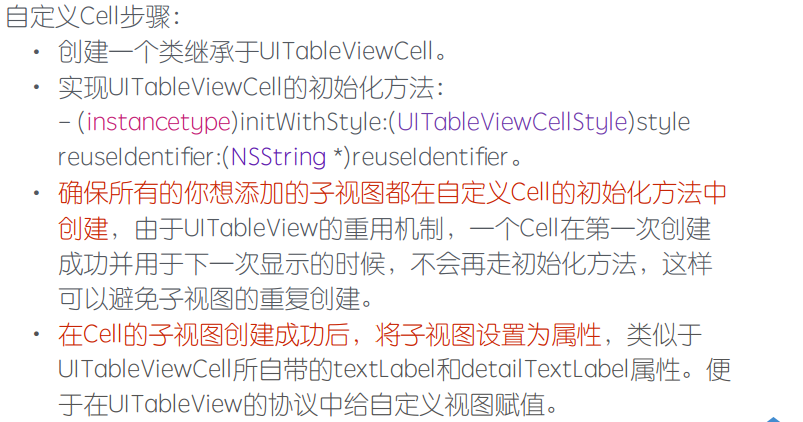
UITableViewCell自定义

.png)
.png)
UITableViewCellStyleDefault
UITableViewCellStyleValue1
UITableViewCellStyleValue2
objectAtIndex:indexPath.row];
//根据model属性划分
if (model.type == 0) {
FirstTableViewCell *cell = [tableView dequeueReusableCellWithIdentifier:firstIdentify];
return cell;
}
if (model.type == 1) {
SecondTableViewCell *cell = [tableView dequeueReusableCellWithIdentifier:secondIdentify];
return cell;
if (indexPath.row == 0) {
FirstTableViewCell *cell = [tableView dequeueReusableCellWithIdentifier:firstIdentify];
return cell;
}
// 第⼆⾏显⽰第⼆种Cell
if (indexPath.row == 1) {
SecondTableViewCell *cell = [tableView dequeueReusableCellWithIdentifier:secondIdentify];
return cell;
- 文本自适应高度 根据⽂本内容设定Label⾼度
// 获得字体样式属性
NSDictionary *att = @{NSFontAttributeName:[UIFont systemFontOfSize:17.0]};
// 根据字体样式属性获得⾼度
CGRect rect = [str boundingRectWithSize:CGSizeMake(200, 10000) options:NSStringDrawingUsesLineFragmentOrigin attributes:att context:nil];
- 图片自适应高度 根据图⽚宽度进⾏等⽐例缩放
// 获得图⽚真实⾼度和宽度
CGFloat height = aImage.size.height;
CGFloat width = aImage.size.width;
// 缩放后宽度固定为200
CGFloat scale = width / 200;
@property (nonatomic, retain) UILabel *nameLabel;//姓名
@property (nonatomic, retain) UILabel *genderLabel;//性别
self = [super initWithStyle:style reuseIdentifier:reuseIdentifier];
if (self) {
_headerImageView = [[UIImageView alloc] initWithFrame:CGRectZero];
_headerImageView.backgroundColor = [UIColor orangeColor];
_nameLabel = [[UILabel alloc] initWithFrame:CGRectZero];
_nameLabel.backgroundColor = [UIColor yellowColor];
_genderLabel = [[UILabel alloc] initWithFrame:CGRectZero];
_genderLabel.backgroundColor = [UIColor cyanColor];
_ageLabel = [[UILabel alloc] initWithFrame:CGRectZero];
_ageLabel.backgroundColor = [UIColor purpleColor];
//自定义cell内部添加子视图, 不能使用self,应该是使用sele.contentView
[self.contentView addSubview:_nameLabel];
[self.contentView addSubview:_genderLabel];
[self.contentView addSubview:_ageLabel];
[self.contentView addSubview:_headerImageView];
}
return self;
[super layoutSubviews];
_headerImageView.frame = CGRectMake(5, 5, 50, 80);
_nameLabel.frame = CGRectMake(65, 5, 100, 20);
_genderLabel.frame = CGRectMake(65, 35, 100, 20);
_ageLabel.frame = CGRectMake(65, 65, 100, 20);
if (_modelStu != modelStu) {
[_modelStu release];
_modelStu = [modelStu retain];
_genderLabel.text = _modelStu.gender;
_ageLabel.text = _modelStu.age;
}
+ (CGFloat)heightForString:(NSString *)string {
NSDictionary *dic = [NSDictionary dictionaryWithObjectsAndKeys:[UIFont systemFontOfSize:17], NSFontAttributeName, nil];
CGRect rect = [string boundingRectWithSize:CGSizeMake(3 *kImageWidth, 1000) options:NSStringDrawingUsesLineFragmentOrigin attributes:dic context:nil];
return rect.size.height;
}
//返回cell的高度
+ (CGFloat)cellHeightForStudent:(Student *)student {
CGFloat totalHeight = 65 + [BoyTableViewCell heightForString:student.introduce];
return totalHeight > 120 ? totalHeight : 120;
[_nameLabel release];
[_genderLabel release];
[_ageLabel release];
[_headerImageView release];
[_modelStu release];
[super dealloc];
//先获取模型
Student *student = _dataArray[indexPath.row];
if ([student.sex isEqualToString:@"男"]) {
return [BoyTableViewCell cellHeightForStudent:student];
} else if ([student.sex isEqualToString:@"女"]) {
return [GirlTableViewCell cellHeightForStudent:student];
}
return 0;
}
UITableViewCell自定义的更多相关文章
- ##DAY12 UITableViewCell自定义
##DAY12 UITableViewCell自定义 #pragma mark -------自定义视图步骤--------- 自定义视图步骤: 1)在自定义cell类中,将所有cell要显示的子视图 ...
- iOS学习31之UITableVIewCell自定义
1. 自定义Cell 1> 为什么要自定义Cell UITableView 中系统的Cell共提供了四种默认样式, 分别是: UITableViewCellStyleDefault UITab ...
- iOS:UITableViewCell自定义单元格
UITableViewCell:自定义的单元格,可以在xib中创建单元格,也可以在storyBorad中创建单元格.有四种创建方式 <1>在storyBorad中创建的单元格,它是静态的单 ...
- UITableViewCell 自定义绘制 性能高
// // FoodListTableViewCellB.m // BabyFood // // Created by zhuang chaoxiao on 16/3/7. // Copyri ...
- 纯代码自定义不等高cell
数据模型.plist解析这里就不过多赘述. 错误思路之一: 通过在heightForRowAtIndexPath:方法中调用cellForRowAtIndexPath:拿到cell,再拿到cell的子 ...
- UITableViewCell Property “icon” cannot be found in forward class object “DJWeiBo”
UITableViewCell 自定义表格 实体属性不显示错误 Property “icon” cannot be found in forward class object “DJWeiBo”引入实 ...
- UITabelViewCell自定义(zhuan)
很多时候,我们需要自定义UITableView来满足我们的特殊要求.这时候,关于UITableView和cell的自定义和技巧太多了,就需要不断的总结和归纳. 1.添加自定义的Cell. 这个 ...
- IOS之UI -- UITableView -- 2 -- 等高的Cell
内容大纲: 1.纯代码 添加子控件 2.Autolayout纯代码 -- Masonry框架的使用 3.自定义等高的cell -- storyboard的使用(更加简单) 4.静态cell 等高的Ce ...
- 关于直接创建视图UITableViewController显示(初学)
今天渣渣想直接创建一个UITableView视图作为根视图来用结果发现有警告,才明白TableView和view是不能直接作为根视图的,需要放在ViewController上.做个笔记详细了解下. 参 ...
随机推荐
- Java关于md5+salt盐加密验证
一.陈述一下工作流程: 1.根据已有的密码字符串去生成一个密码+盐字符串,可以将盐的加密字符串也存放在数据库(看需求), 2.验证时将提交的密码字符串进行同样的加密再从数据库中取得已有的盐进行组合密码 ...
- PHP 教程
PHP 教程 源地址 PHP 是一种创建动态交互性站点的强有力的服务器端脚本语言. PHP 是免费的,并且使用非常广泛.同时,对于像微软 ASP 这样的竞争者来说,PHP 无疑是另一种高效率的选项. ...
- notepad++代码自动补全功能
可以代码自动补全功能,默认他是没有开启这个功能的,在首选项->备份与自动完成 里面有自动完成这一个设置,可以设置单词补全,也可以设置函数补全,这样写代码就快多了
- mysql 乱码问题
A.mysql设置 1.service mysql stop 2.sudo vim /etc/mysql/my.cnf 在[mysqld]中添加下面两行 character_set_server = ...
- (1) 第一章 Java体系结构介绍
1.网络带来的挑战和机遇 (1).挑战一: 网络包含的设备越来越广泛, 硬件体系不同, 操作系统不同,用途不同. java解决办法: 通过创建与平台无关的程序来解决这个问题.一个java程序可以不需要 ...
- sftp 设置仅能访问自己目录的用户
1. 创建一个目录,owner为root,权限为750或755,此处为 /home/test01 添加一个用户test01,home目录设置为 /home/test01 再创建一个子目录用于用户上传: ...
- vim操作集合
Vim命令合集 命令历史 以:和/开头的命令都有历史纪录,可以首先键入:或/然后按上下箭头来选择某个历史命令. 启动vim 在命令行窗口中输入以下命令即可 vim 直接启动vim vim filena ...
- Intellij IDEA debug介绍
先编译好要调试的程序. 1.设置断点 选定要设置断点的代码行,在行号的区域后面单击鼠标左键即可. 2.开启调试会话 点击红色箭头指向的小虫子,开始进入调试. IDE下方出现Debug视图,红色的箭头指 ...
- C++全局和静态变量初始化
转自:http://www.cnblogs.com/zhenjing/archive/2010/10/15/1852116.html 对于C语言的全局和静态变量,不管是否被初始化,其内存空间都是全局的 ...
- nginx简单的rewrite配置
假设当前已存在location /test/,希望配置一个短连接/ts/与之相同,就需要用到rewrite 直接配置到server段 rewrite ^/ts/(.*) /test/$1; 或者放到l ...