
Salesforce LWC学习(三十一) Quick Action适配
本篇参考:https://www.lightningdesignsystem.com/components/modals/
随着salesforce lwc的优化,越来越多的项目从aura转到了lwc开发,没有lwc的知识是不能的,但是指望lwc可以搞定所有的场景是万万不能的,比如今天的场景,quick action。目前 quick action只允许选择 Aura Component,所以我们开发 quick action基本操作是 aura 套着 lwc实现功能。那如何更好的适配UI,本篇浅入浅出,做一些特定场景的demo,以便有需求的小伙伴可以快速参考上手。先来一个简单的demo。
quickActionLwcAdjustment.html
<template>

    this is a component build by LWC

</template>
testQuickActionForLWC.cmp
<aura:component implements="force:lightningQuickActionWithoutHeader,force:hasRecordId,flexipage:availableForRecordHome,lightning:actionOverride">

    <aura:attribute name="recordId" type="Id"/>

    <c:quickActionLwcAdjustment/>

</aura:component>
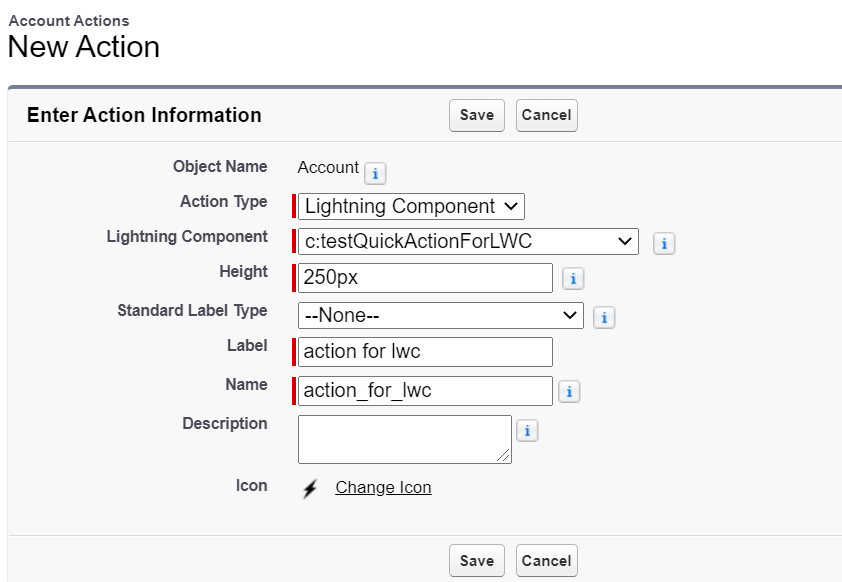
将这个aura component配在 quick action中,我们demo中放在了account里面
展示效果:
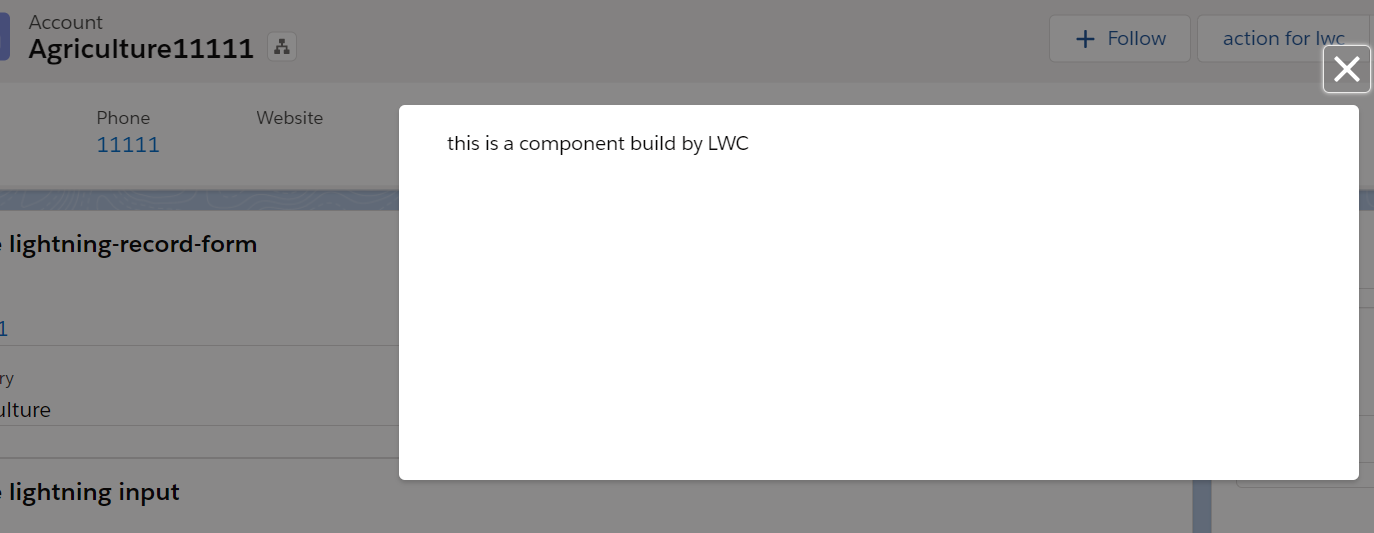
嗯,实现了,目测没啥问题。但是总觉怪怪的,因为弹出的 Modal没有header,没有footer,但是大部分弹出的需要这些内容,所以,OK,我们继续往下探索,加一下header 以及 footer,demo中 header / footer放在lwc中。
1.0版改动尝试
quickActionLwcAdjustment.html
<template>

    <div class="slds-modal slds-fade-in-open" style="width: 100%;">

        <div class="slds-modal__container" style="width:100%;">

            <header class="slds-modal__header">

                <h2 class="title slds-text-heading--medium slds-hyphenate">header title section</h2>

            </header>

            <div class="slds-modal__content slds-p-around--medium">

                <lightning-card style="text-align:center;">

                    <p class="title slds-text-heading--medium slds-hyphenate">this is a component build by LWC</p>

                </lightning-card>

            </div>

            <div class="slds-modal__footer">

                <lightning-button onclick={handleOKClick} variant="brand" label="OK" class="slds-m-right_x-small slds-no-flex text-right slds-float--right"></lightning-button>

            </div>

        </div>

    </div>

</template>
quickActionLwcAdjustment.js
import { LightningElement } from 'lwc';

export default class QuickActionLwcAdjustment extends LightningElement {

    handleOKClick(event) {

        this.dispatchEvent(new CustomEvent('closemodal'));

    }

}
testQuickActionFowLWC.cmp
<aura:component implements="force:lightningQuickActionWithoutHeader,force:hasRecordId,flexipage:availableForRecordHome,lightning:actionOverride">

    <aura:attribute name="recordId" type="Id"/>

    <c:quickActionLwcAdjustment onclosemodal="{!c.refreshAndCloseModal}"/>

</aura:component>
testQuickActionForLWCController.js
({

    refreshAndCloseModal : function(component, event, helper) {

        $A.get('e.force:refreshView').fire();

        $A.get("e.force:closeQuickAction").fire();

    }

})
效果展示:
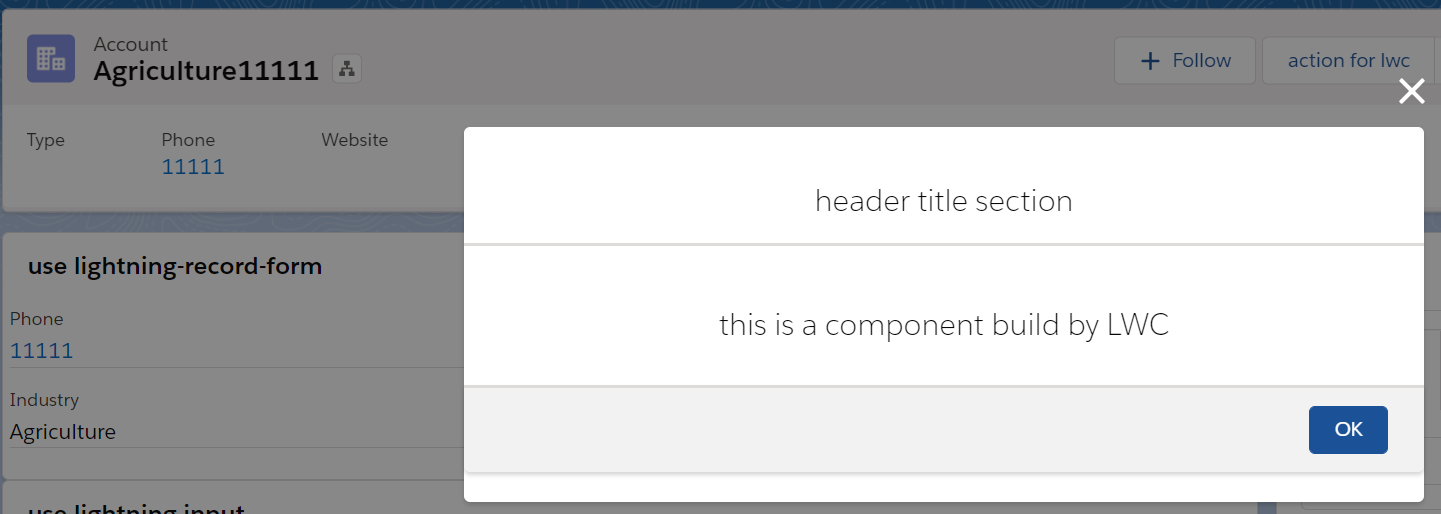
尽管还有点丑,但是雏形出来了,做一下适配。
2.0版改动尝试
testQuickActionForLWC上面加一下的样式
<aura:html tag="style">

        .slds-modal__content {

            height:unset !important;

            max-height:unset !important;

        }

</aura:html>
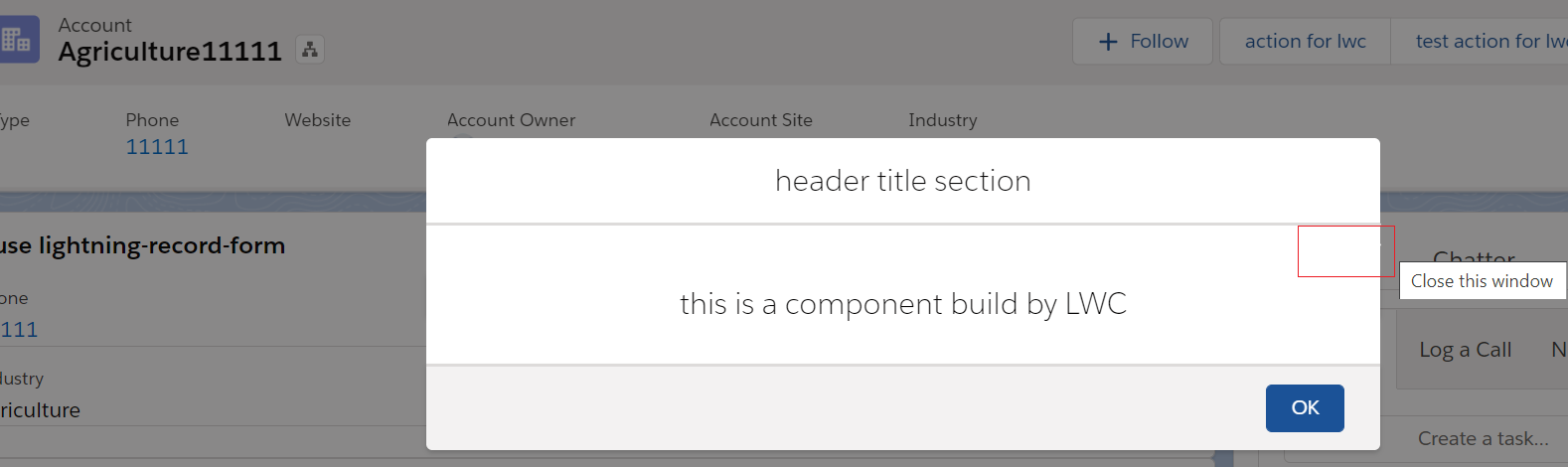
尽管整体效果挺好,但是关闭的按钮却没有顶上去,所以没法作为最终版本,我们通过样式把关闭按钮隐藏,使用lwc展示
3.0版改动尝试
testQuickActionForLWC.cmp
<aura:component implements="force:lightningQuickActionWithoutHeader,force:hasRecordId,flexipage:availableForRecordHome,lightning:actionOverride">

    <aura:html tag="style">

        .slds-modal__close {

            display: none;

        }

        .slds-modal__content {

            height:unset !important;

            max-height:unset !important;

        }

    </aura:html>

    <aura:attribute name="recordId" type="Id"/>

    <c:quickActionLwcAdjustment onclosemodal="{!c.refreshAndCloseModal}"/>

</aura:component>
quickActionLwcAdjustment.html
<template>

    <div class="slds-modal slds-fade-in-open" style="width: 100%;">

        <div class="slds-modal__container" style="width:100%;">

            <header class="slds-modal__header inner">

                <h2 class="title slds-text-heading--medium slds-hyphenate">header title section</h2>

                <lightning-button-icon class="slds-button slds-button_icon slds-modal__close slds-button_icon-inverse"

                    icon-name="utility:close"  alternative-text="close" title="close" onclick={handleOKClick}>

                </lightning-button-icon>

            </header>

            <div class="slds-modal__content slds-p-around--medium">

                <lightning-card style="text-align:center;">

                    <p class="title slds-text-heading--medium slds-hyphenate">this is a component build by LWC</p>

                </lightning-card>

            </div>

            <div class="slds-modal__footer">

                <lightning-button onclick={handleOKClick} variant="brand" label="OK" class="slds-m-right_x-small slds-no-flex text-right slds-float--right"></lightning-button>

            </div>

        </div>

    </div>

</template>
quickActionLwcAdjustment.css:做一个派生选择器,先隐藏整体,然后指定css下子样式展示
.inner .slds-modal__close {

    display: inline !important;

}
显示效果如下:
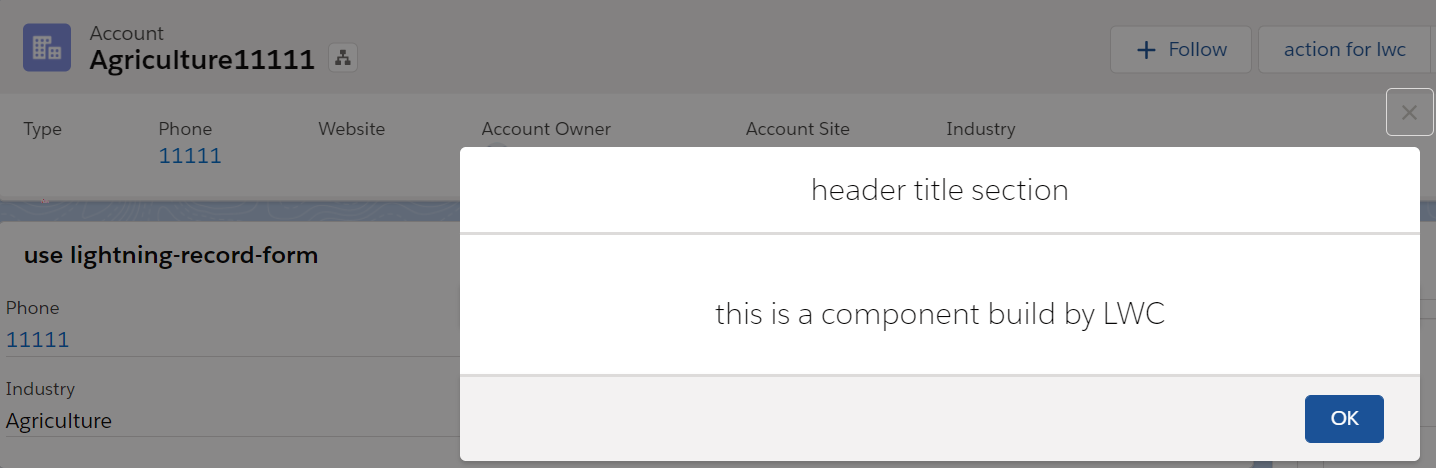
总结: 这个demo现在还有瑕疵,quick action展示的关闭按钮是白色,这个是透明色。本篇抛砖引玉,大神们类似需求如何实现,欢迎留言和讨论。篇中有错误欢迎指出,有不懂欢迎留言。
Salesforce LWC学习(三十一) Quick Action适配的更多相关文章
- Salesforce LWC学习(三十九) lwc下quick action的recordId的问题和解决方案
本篇参考: https://developer.salesforce.com/docs/component-library/bundle/force:hasRecordId/documentation ...
- Salesforce LWC学习(三十) lwc superbadge项目实现
本篇参考:https://trailhead.salesforce.com/content/learn/superbadges/superbadge_lwc_specialist 我们做lwc的学习时 ...
- Salesforce LWC学习(三十六) Quick Action 支持选择 LWC了
本篇参考: https://developer.salesforce.com/docs/component-library/documentation/en/lwc/lwc.use_quick_act ...
- Salesforce LWC学习(三) import & export / api & track
我们使用vs code创建lwc 时,文件会默认生成包含 template作为头的html文件,包含了 import LightningElement的 js文件以及对应的.js-meta.xml文件 ...
- Salesforce LWC学习(二十一) Error浅谈
本篇参考:https://developer.salesforce.com/docs/component-library/documentation/en/lwc/data_error https:/ ...
- Salesforce LWC学习(三十五) 使用 REST API实现不写Apex的批量创建/更新数据
本篇参考: https://developer.salesforce.com/docs/atlas.en-us.224.0.api_rest.meta/api_rest/resources_compo ...
- Salesforce LWC学习(三十二)实现上传 Excel解析其内容
本篇参考:salesforce lightning零基础学习(十七) 实现上传 Excel解析其内容 上一篇我们写了aura方式上传excel解析其内容.lwc作为salesforce的新宠儿,逐渐的 ...
- Salesforce LWC学习(三十七) Promise解决progress-indicator的小问题
本篇参考:https://developer.salesforce.com/docs/component-library/bundle/lightning-progress-indicator/exa ...
- Salesforce LWC学习(三十四) 如何更改标准组件的相关属性信息
本篇参考: https://www.cnblogs.com/zero-zyq/p/14548676.html https://www.lightningdesignsystem.com/platfor ...
随机推荐
- 【洛谷 p3383】模板-线性筛素数(数论)
题目:给定一个范围N,你需要处理M个某数字是否为质数的询问(每个数字均在范围1-N内).(N<=10000000,M<=100000) 解法:1.欧拉筛O(n),数组近乎100KB:2.( ...
- 树链剖分(附带LCA和换根)——基于dfs序的树上优化
.... 有点懒: 需要先理解几个概念: 1. LCA 2. 线段树(熟练,要不代码能调一天) 3. 图论的基本知识(dfs序的性质) 这大概就好了: 定义: 1.重儿子:一个点所连点树size最大的 ...
- Codeforces Round #555 (Div. 3) E. Minimum Array (贪心,二分,set)
题意:给你两个长度为\(n\)的数组\(a\)和\(b\),元素值在\([0,n-1]\),可以对\(b\)数组的元素任意排序,求新数组\(c\),满足\(c_i=(a_i+b_i)\ mod\ n\ ...
- CodeForces - 1209D 并查集
题意: 有 n个不同的糖果,从 1到 n编号.有 k个客人.要用糖果招待客人.对于每个客人,这些糖果中恰有两个是其最爱.第 i个客人最爱的糖果编号是 xi和 y.将 k 个客人任意排列,他们按顺序去拿 ...
- Codeforces Round #646 (Div. 2) C. Game On Leaves (贪心,博弈)
题意:给你一棵树,每次可以去掉叶节点的一条边,Ayush先开始,每回合轮流来,问谁可以第一个把\(x\)点去掉. 题解:首先如果\(x\)的入度为\(1\),就可以直接拿掉,还需要特判一下入度为\(0 ...
- 大数据开发-从cogroup的实现来看join是宽依赖还是窄依赖
前面一篇文章提到大数据开发-Spark Join原理详解,本文从源码角度来看cogroup 的join实现 1.分析下面的代码 import org.apache.spark.rdd.RDD impo ...
- 牛客网多校第9场 E Music Game 【思维+数学期望】
题目:戳这里 题意:鼠标点击n下,第i次点击成功的概率为p[i],连续点击成功x次可以获得x^m分,求n次点击总分数的数学期望. 解题思路:数学期望的题很多都需要转化思维,求某一个单独状态对整体答案的 ...
- UESTC - 1222 Sudoku(深搜)
Yi Sima was one of the best counselors of Cao Cao. He likes to play a funny game himself. It looks l ...
- JavaScript DOM操作之查找元素节点
概要: 编程接口 可通过 JavaScript 对 HTML DOM 进行访问. 所有 HTML 元素被定义为对象,而编程接口则是对象方法和对象属性. 方法是您能够执行的动作(比如添加或修改元素). ...
- window.onresize使用实例
<!DOCTYPE html> <html> <head> <title>请调整浏览器窗口</title> <meta charset ...