
一个Activity掌握Android4.0新控件 (转)
原文地址:http://blog.csdn.net/lavor_zl/article/details/51261380
谷歌在推出Android4.0的同时推出了一些新控件,Android4.0中最常用的新控件有下面5种。 
1. Switch的使用
Switch顾名思义,就是开关的意思,有开和关两种状态。
当Switch处于关闭状态时: 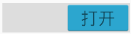
当Switch处于打开状态时: 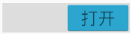
怎么在定义xml中定义Switch
    <Switch

    android:id="@+id/_switch"

    android:layout_width="match_parent"

    android:layout_height="wrap_content"

    android:textOff="关闭"

    android:textOn="打开" />
android:textOff属性表示Switch关闭时显示的文本android:textOn属性表示Switch打开时显示的文本
怎么监听Switch的关闭,打开这两个状态的变化
    mSwitch= (Switch) findViewById(R.id._switch);

    mSwitch.setOnCheckedChangeListener(new CompoundButton.OnCheckedChangeListener() {

        @Override

        public void onCheckedChanged(CompoundButton buttonView, boolean isChecked) {

            if(isChecked){

                Log.i("Switch","打开Switch");

            }else{

                Log.i("Switch","关闭Switch");

            }

        }

    });
2. Space的使用
Space顾名思义是空间的意思,表示该控件占据一定的空间,但是却不显示任何东西。
怎么使用Space
    <android.support.v4.widget.Space

    android:layout_width="match_parent"

    android:layout_height="60dp" />
3. GridLayout的使用
GridLayout是指网格布局,GridLayout是为了弥补TableLayout的一些不足而推出来的。
- TableLayout不能同时在水平和垂直两个方向上对齐,因为TableLayout继承LinearLayout。
- TableLayout中的元素不能跨行或者跨列,因为TableLayout不能明确指出占多少行和多少列。
GridLayout中元素常用的属性
- android:layout_row : 固定显示在第几行。
- android:layout_column : 固定显示在第几列
- android:layout_rowSpan : 跨几行
- android:layout_columnSpan: 跨几列
怎么使用GridLayout
 <GridLayout

    android:id="@+id/grid_layout"

    android:layout_width="match_parent"

    android:layout_height="wrap_content"

    android:columnCount="2"

    android:rowCount="2">

    <Button android:text="打开PopupMenu"

        android:onClick="openPopupMenu"/>

    <Button android:text="TextureView不旋转"

        android:onClick="rotate0"/>

    <Button android:text="TextureView旋转45度"

        android:onClick="rotate45"/>

    <Button android:text="TextureView旋转90度"

        android:onClick="rotate90"/>

</GridLayout>
4. PopupMenu的使用
PopupMenu顾名思义是弹出菜单,它可以在一个控件的下面显示弹出菜单。
在xml中定义弹出菜单
在menu资源目录下面新建一个菜单的xml文件
<menu xmlns:android="http://schemas.android.com/apk/res/android"

xmlns:tools="http://schemas.android.com/tools">

<item android:title="Switch" />

<item android:title="Space" />

<item android:title="GridLayout" />

<item android:title="PopupMenu" />

<item android:title="TextureView" />

</menu>
怎么显示PopupMenu
public void openPopupMenu(View view){

    //popupMenu显示在view下面

    PopupMenu popupMenu=new PopupMenu(this,view);

    //从xml文件中加载菜单到popupMenu中

    popupMenu.inflate(R.menu.popup_menu);

    //显示  popupMenu

    popupMenu.show();

}
5. TextureView的使用
TextureView是SurfaceView的补充,它不像SurfaceView一样创建特殊的窗口,它创建一个常规的View,TextureView可以设置移动,旋转,动画等。
一个Textureview可以用来显示内容流。这样的内容流可以是视频或OpenGL场景。内容流可以来自于应用程序的进程以及远程进程。Textureview只能用于硬件加速的窗口。当渲染软件,Textureview什么都不会画。
怎么使用TextureView
使用Textureview很简单:你需要做的就是得到它的SurfaceTexture。然后,SurfaceTexture可用于呈现内容。
下面的示例演示如何渲染相机预览到Textureview:
因为使用了相机,所以要在添加AndroidManifest.xml 文件中添加对应的权限 <uses-permission android:name="android.permission.CAMERA"/>
public class MainActivity extends AppCompatActivity implements TextureView.SurfaceTextureListener{private TextureView mTexture;

    private Camera mCamera;

    @Overrideprotected void onCreate(Bundle savedInstanceState) {

        super.onCreate(savedInstanceState);

        setContentView(R.layout.activity_main);

        mTexture= (TextureView) findViewById(R.id.texture_view);

        //为mTexture设置表面结构监听器

        mTexture.setSurfaceTextureListener(this);

    }

    /**

     * TextureView的SurfaceTexture准备开始用

     */@Overridepublic void onSurfaceTextureAvailable(SurfaceTexture surface, int width, int height) {

        mCamera = Camera.open();

        try {

            //设置mCamera的表面结构为surface

            mCamera.setPreviewTexture(surface);

            //启动相机预览

            mCamera.startPreview();

            //设置mTexture透明度

            mTexture.setAlpha(1.0f);

            //设置mTexture旋转角度

            mTexture.setRotation(90.0f);

        } catch (IOException ioe) {

            // Something bad happened

        }

    }

    /**

     * SurfaceTexture的缓存大小改变了

     */@Overridepublic void onSurfaceTextureSizeChanged(SurfaceTexture surface, int width, int height) {

    }

    /**

     * SurfaceTexture销毁了

     */@Overridepublic boolean onSurfaceTextureDestroyed(SurfaceTexture surface) {

        mCamera.stopPreview();

        mCamera.release();

        return true;

    }

    /**

     * SurfaceTexture更新了

     */@Overridepublic void onSurfaceTextureUpdated(SurfaceTexture surface) {

    }

}
xml文件中TextureView是这样定义的
    <TextureView

android:id="@+id/texture_view"android:layout_width="match_parent"android:layout_height="match_parent"> </TextureView>注意:TextureView设置旋转90度才是我们的正常视角。
6. 一个Activity掌握Android4.0新控件
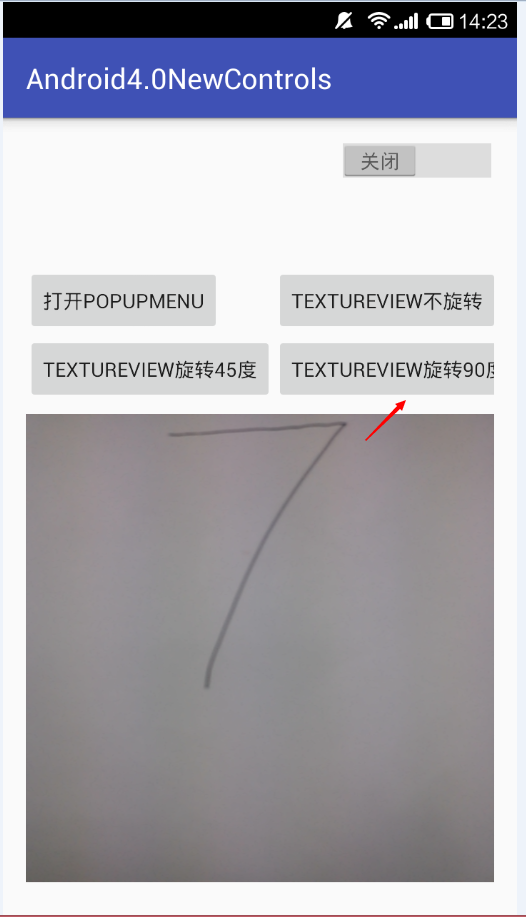
为了方便学习,本人将这5个新控件放到一个Activity中进行使用。
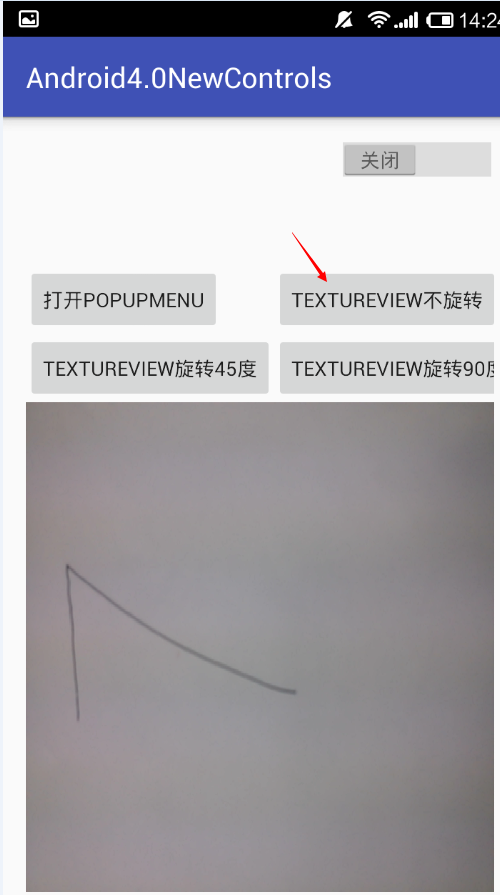
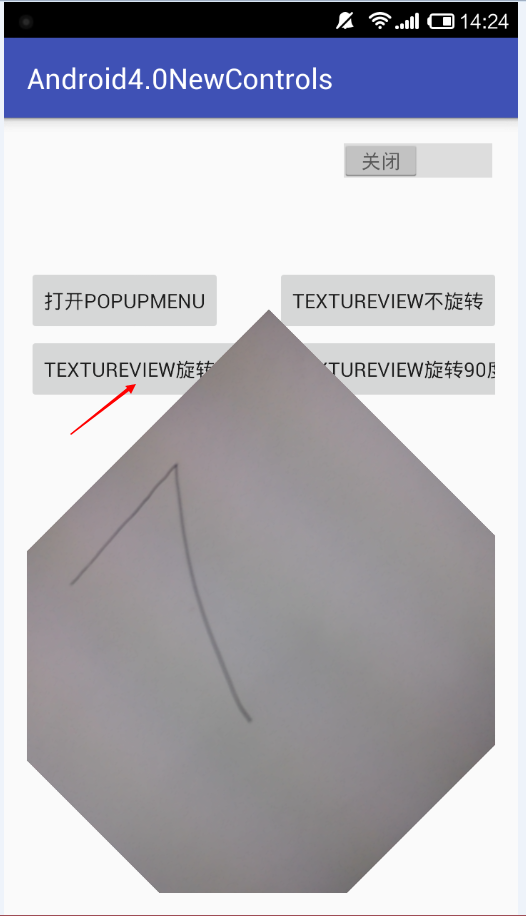
- 程序原始界面讲解

- 打开Switch开关,点击“打开POPUPMENU”弹出PopupMenu

- 下面分别是TextureView旋转0度(即不旋转),旋转45度,旋转90度三种情况讲解
本程序源代码下载一个Activity掌握Android4.0新控件
一个Activity掌握Android4.0新控件 (转)的更多相关文章
- 一个Activity掌握Android5.0新控件 (转)
原文地址:http://blog.csdn.net/lavor_zl/article/details/51279386 谷歌在推出Android5.0的同时推出了一些新控件,Android5.0中最常 ...
- Android4.0新控件
谷歌在推出Android4.0的同时推出了一些新控件,Android4.0中最常用的新控件有下面5种. 1. Switch的使用 Switch顾名思义,就是开关的意思,有开和关两种状态. 当Swit ...
- Android 5.0新控件——FloatingActionButton(悬浮按钮)
Android 5.0新控件--FloatingActionButton(悬浮按钮) FloatingActionButton是5.0以后的新控件,一个悬浮按钮,之所以叫做悬浮按钮,主要是因为自带阴影 ...
- 【Android】Anroid5.0+新控件---酷炫标题栏的简单学习
Android5.0+推出的新控件感觉特别酷,最近想模仿大神做个看图App出来,所以先把这些新控件用熟悉了. 新控件的介绍.使用等等网上相应的文章已经特别多了,题主也没那能力去写篇详解出来,本篇随笔记 ...
- Android5.0新控件CardView的介绍和使用
CardView也是5.0的新控件,这控件其实就是一个卡片啦,当然我们自己也完全可以定义这样一个卡片,从现在的微博等社App中可以看到各式各样的自定义卡片,所以这个控件意义不是很大.suppor ...
- Android5.0新控件
谷歌在推出Android5.0的同时推出了一些新控件,Android5.0中最常用的新控件有下面5种. 1. CardView(卡片视图) CardView顾名思义是卡片视图,它继承FrameLay ...
- Android 5.0新控件——TextInputLayout
Android 5.0(M)新控件--TextInputLayout 介绍之前,先直观的看一下效果 TextInputLayout其实是一个容器,他继承自LinearLayout,该容器是作用于Tex ...
- Android5.0新控件RecyclerVIew的介绍和兼容使用的方法
第一部分 RecyclerVIew是一个可以替代listview和Gallery的有效空间而且在support-v7中有了低版本支持,具体使用方式还是规规矩矩的适配器加控件模式.我们先来看看官网的介绍 ...
- Android4.0 -- UI控件之 Menu 菜单的的使用(三)
上一讲 [Android 开发]:UI控件之 Menu 菜单的的使用(二) 我们讲解了创建上下文菜单的第一种使用方式:Creating a floating context menu [创建悬浮的上下 ...
随机推荐
- 为什么是 Cloud Service?
怀旧一把,还记得这个界面吗? 没错,这是第一版Windows Azure Management Portal,用Silverlight开发的,很炫! 奇怪,为什么没有Virtual Machine? ...
- Android工程师入门(二)——不忙不累怎么睡。。
安卓开发迫在眉睫,这周入个门吧! Android工程师入门(二) 四.在界面中显示图片 ImageView 是显示图片的一个控件. --属性 src——内容图片: background——背景图片/背 ...
- 150923-碎觉要-PHP,Linux
今天懒懒的,还是每天都懒懒的. 早上下午都没有更.还好还有晚上更的想法和行动. 总结如下 1.PHP --wamp的一点配置问题,把根文件改为自己所要的文件夹.改动Apache的配置文件以及更改wam ...
- C#学习笔记-icon托盘图标的简单知识
在做整个类似QQ的毕业设计中,有一个小图标把我给难了一阵子,就是托盘小图标
- Caffe 抽取CNN网络特征 Python
Caffe Python特征抽取 转载请注明出处,楼燚(yì)航的blog,http://www.cnblogs.com/louyihang-loves-baiyan/ Caffe大家一般用到的深度学 ...
- 第5章 绘图基础_5.1-5.4 GDI绘图
5.1 GDI的原理和结构 (1)提供一种特殊机制彻底隔离应用程序与不同输出设备(eg.显示器或打印机),以便支持 与设备无关的图形. 光栅设备(如显示器.激光打印机):图像是由点构成的矩阵 图形输出 ...
- String的高级用法(String.Format)
string.Format C#的String.Format的一般地我们可以直接使用string.format()或int.ToString()和float.ToString() 下面是一些Strin ...
- HTML5 WebSocket 技术介绍
WebSocket是html5规范新引入的功能,用于解决浏览器与后台服务器双向通讯的问题,使用WebSocket技术,后台可以随时向前端推送消息,以保证前后台状态统一,在传统的无状态HTTP协议中,这 ...
- Java面向对象:多态
多态:具有表现多种形态的能力的特征(同一个实现接口,使用不同的实例而执行不同的操作) 实现多态的优点:为了方便统一调用! 实现多态的三种方式! 1:子类到父类的转换: 例: 1 Dog dog=new ...
- [No000002]大学本科文凭贬值了多少?
<大学本科文凭贬值了多少?> 朋友开网络公司,招应届毕业生.他们是小本经营,人手本就不多,面试的时候,忙不过来就会拉我过去,假装是公司的面试官.主管什么的,算是滥竽充数.我装模作样面试了几 ...