
netty服务器端启动
package com.imooc.netty.ch3;

import com.imooc.netty.ch6.AuthHandler;

import io.netty.bootstrap.ServerBootstrap;

import io.netty.channel.*;

import io.netty.channel.nio.NioEventLoopGroup;

import io.netty.channel.socket.SocketChannel;

import io.netty.channel.socket.nio.NioServerSocketChannel;

import io.netty.util.AttributeKey;

/**

 * @author

 */

public final class Server {

    public static void main(String[] args) throws Exception {

        EventLoopGroup bossGroup = new NioEventLoopGroup();

        EventLoopGroup workerGroup = new NioEventLoopGroup();

        try {

            ServerBootstrap b = new ServerBootstrap();

            b.group(bossGroup, workerGroup)

                    .channel(NioServerSocketChannel.class)

                    .childOption(ChannelOption.TCP_NODELAY, true)

                    .childAttr(AttributeKey.newInstance("childAttr"), "childAttrValue")

                    .handler(new ServerHandler())

                    .childHandler(new ChannelInitializer<SocketChannel>() {

                        @Override

                        public void initChannel(SocketChannel ch) {

                            ch.pipeline().addLast(new AuthHandler());

                            //..

                        }

                    });

            ChannelFuture f = b.bind().sync();

            f.channel().closeFuture().sync();

        } finally {

            bossGroup.shutdownGracefully();

            workerGroup.shutdownGracefully();

        }

    }

}
package com.imooc.netty.ch3;

import io.netty.channel.ChannelHandlerContext;

import io.netty.channel.ChannelInboundHandlerAdapter;

import java.util.concurrent.TimeUnit;

public class ServerHandler extends ChannelInboundHandlerAdapter {

    @Override

    public void channelActive(ChannelHandlerContext ctx) {

        System.out.println("channelActive");

    }

    @Override

    public void channelRegistered(ChannelHandlerContext ctx) {

        System.out.println("channelRegistered");

    }

    @Override

    public void handlerAdded(ChannelHandlerContext ctx) {

        System.out.println("handlerAdded");

    }

    @Override

    public void channelRead(final ChannelHandlerContext ctx, Object msg) throws Exception {

        super.channelRead(ctx, msg);

        new Thread(new Runnable() {

            @Override

            public void run() {

                // 耗时的操作

                String result = loadFromDB();

                ctx.channel().writeAndFlush(result);

                ctx.executor().schedule(new Runnable() {

                    @Override

                    public void run() {

                        // ...

                    }

                }, , TimeUnit.SECONDS);

            }

        }).start();

    }

    private String loadFromDB() {

        return "hello world!";

    }

}
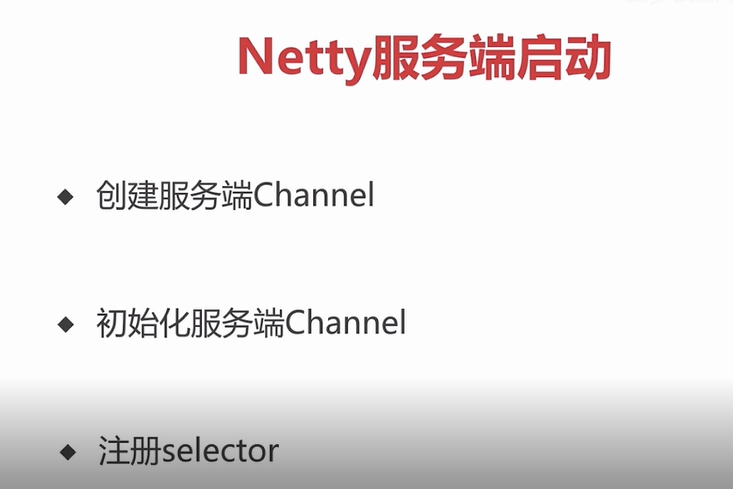
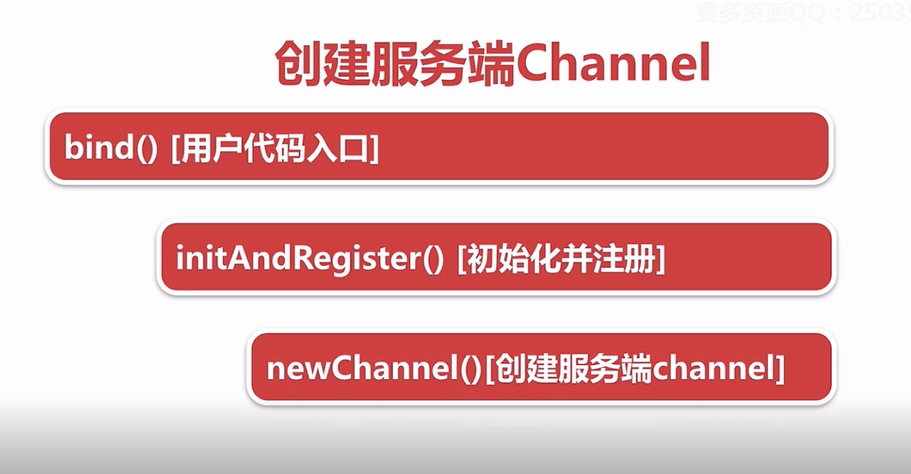
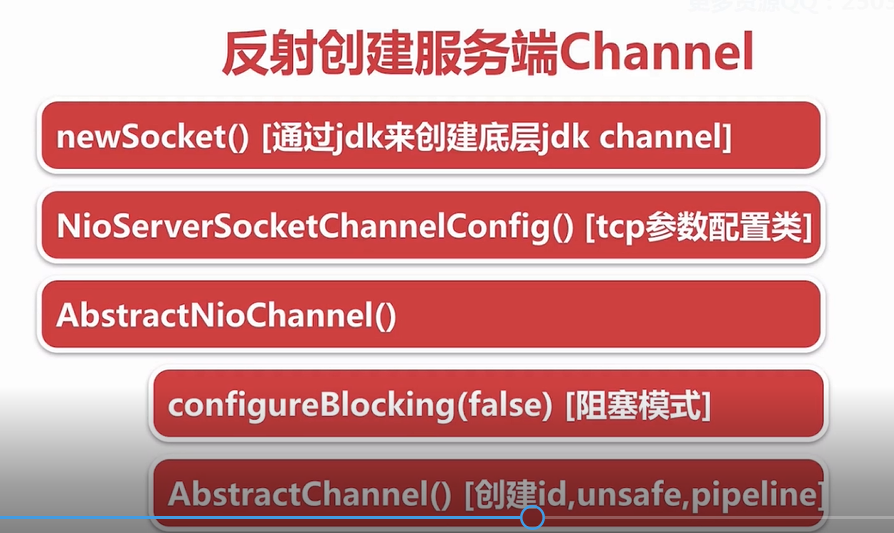
1:服务端的socket 在哪里进行初始化
2:在哪进行accept连接

netty服务器端启动的更多相关文章
- 在CentOS7服务器端启动jupyter notebook服务,在windows端使用jupyter notebook,服务器充当后台计算云端
在CentOS7服务器端启动jupyter notebook服务,在windows端使用jupyter notebook,服务器充当后台计算云端 在服务器端启动jupyter notebook服务,在 ...
- Netty Nio启动全流程
Netty Nio启动全流程 1. 各组件之间的关系 说明:EventLoopGroup类似线程池,EventLoop为单线程,每个EventLoop关联一个Nio Selector,用于注册Chan ...
- 【Netty之旅四】你一定看得懂的Netty客户端启动源码分析!
前言 前面小飞已经讲解了NIO和Netty服务端启动,这一讲是Client的启动过程. 源码系列的文章依旧还是遵循大白话+画图的风格来讲解,本文Netty源码及以后的文章版本都基于:4.1.22.Fi ...
- 网络编程Netty入门:Netty的启动过程分析
目录 Netty的启动过程 Bootstrap 服务端的启动 客户端的启动 TCP粘包.拆包 图示 简单的例子 Netty编解码框架 Netty解码器 ByteToMessageDecoder实现类 ...
- 详细图解 Netty Reactor 启动全流程 | 万字长文 | 多图预警
本系列Netty源码解析文章基于 4.1.56.Final版本 大家第一眼看到这幅流程图,是不是脑瓜子嗡嗡的呢? 大家先不要惊慌,问题不大,本文笔者的目的就是要让大家清晰的理解这幅流程图,从而深刻的理 ...
- netty 服务器端流程调度Flow笔记
create NioEventLoopGroup Instance 一.NioServerSocketChannel init note:Initializing ChannelConfig crea ...
- 服务器端启动soket多线程
方法一: Socket socket=null try{ ServerSocket serversocket=nwe ServerSocket(8080) while(true){ socket=se ...
- Netty源码分析 (三)----- 服务端启动源码分析
本文接着前两篇文章来讲,主要讲服务端类剩下的部分,我们还是来先看看服务端的代码 /** * Created by chenhao on 2019/9/4. */ public final class ...
- Netty学习之服务器端创建
一.服务器端开发时序图 图片来源:Netty权威指南(第2版) 二.Netty服务器端开发步骤 使用Netty进行服务器端开发主要有以下几个步骤: 1.创建ServerBootstrap实例 Serv ...
随机推荐
- CentOS 7 升级 Linux 内核
一.升级内核 1.更新仓库 yum -y update 2.用 ELRepo 仓库 rpm --import https://www.elrepo.org/RPM-GPG-KEY-elrepo.org ...
- Comparator与Comparable,自定义排序和类比较器,TreeSet对象排序
/** * 学生类 * @author Administrator * */ public class Student { private String sno ; private String sn ...
- IDEA tomcat8 控制台日志乱码
瞎扯一句:由于tomcat7之前编码默认都是GBK,tomcat8之后都是UTF-8 1.在idea64.exe.vmoptions(我装的是64位的)最后加入 -Dfile.encoding=UTF ...
- 【机器学习_9】sklearn
背景 机器学习的重头戏就在sklearn,里面包含各种机器学习算法.希望尽量通过便易上手的方式掌握这个库. 资料 官网--随时查 https://scikit-learn.org/stable/ sk ...
- 内核驱动程序中如何读写user space的文件,方便调试程序
需要在Linux kernel--大多是在需要调试的驱动程序--中读写文件数据.但是在kernel中操作文件没有标准库可用,需要利用kernel的一些函数,这些函数主要有: filp_open() f ...
- git版本冲突解决
1. 使用git log命令查看所有的历史版本,获取某个历史版本的id,假设查到历史版本的id是139dcfaa558e3276b30b6b2e5cbbb9c00bbdca96. git log 2. ...
- python学习 生成随机函数 random模块的用法
random模块是用于生成随机数 常用函数 函数 含义 random() 生成一个[0,1.0)之间的随机浮点数 uniform(a,b) 生成一个a到b之间的随机浮点数 randint(a,b) 生 ...
- linux命令行下xlsx转换成pdf或csv的笔记
使用libreoffice(可以用yum直接安装,占用了4xxM磁盘空间...) 然后命令行执行: 转换成csv,支持utf-8中文编码: libreoffice --invisible --con ...
- Hibernate Search集与lucene分词查询
lucene分词查询参考信息:https://blog.csdn.net/dm_vincent/article/details/40707857
- python基础系列教程,数学基础系列教程,数据分析系列教程,神经网络系列教程,深度学习系列视频教程分享交流
大家好,我是一个技术爱好者,目前对大数据人工智能很是痴迷,虽然学历只有高中,目前正在大踏步的向着人工智能狂奔,如果你也想学习,那就来吧 我的学习进度python基础(Numpy,pandas,matp ...