
bootstrap移动 pc 响应轮播
PC端效果 width100%

移动端
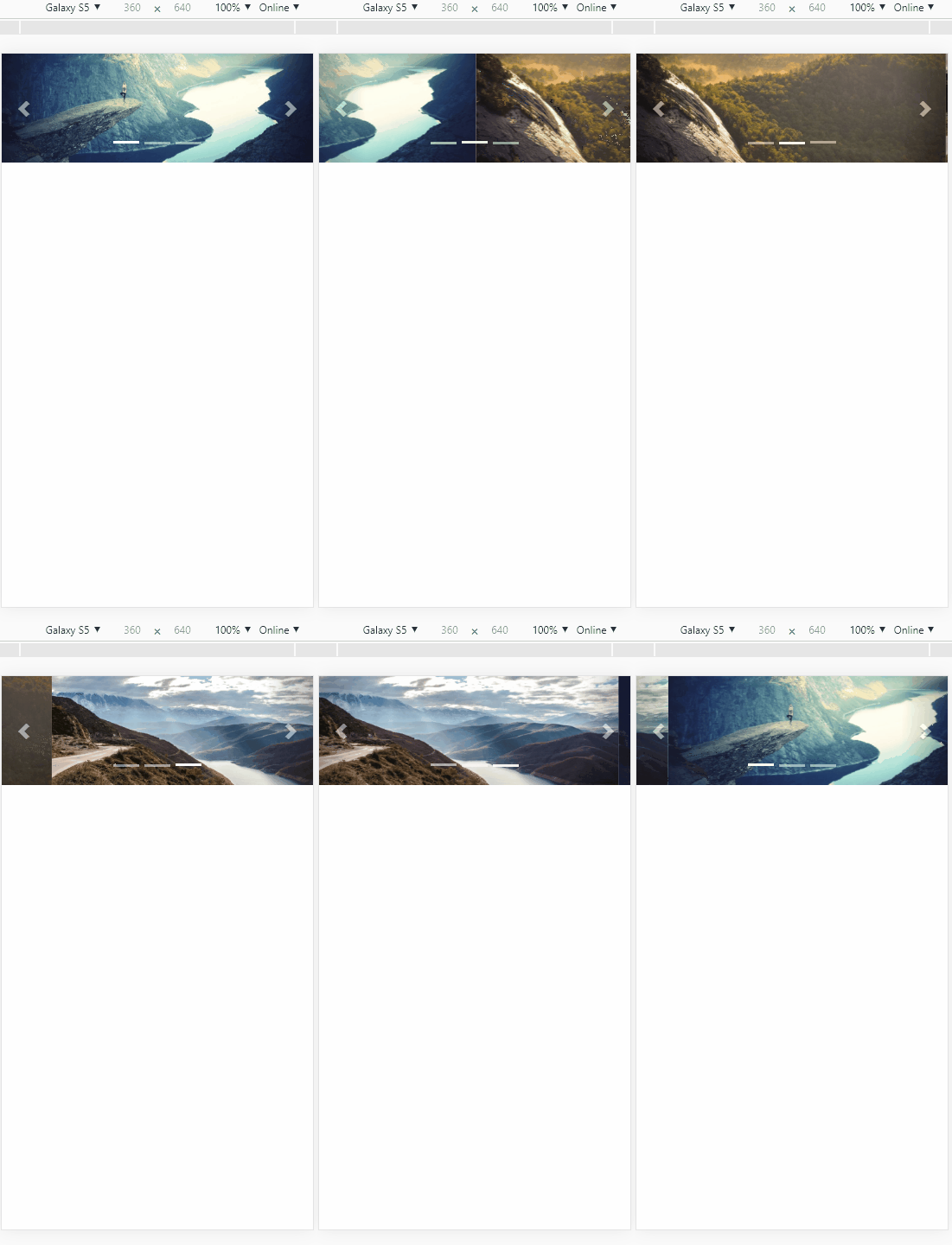
<!DOCTYPE html>

<html lang="zh-CN">

  <head>

    <meta charset="utf-8">

    <meta http-equiv="X-UA-Compatible" content="IE=edge">

    <meta name="viewport" content="width=device-width, initial-scale=1">

    <!-- 上述3个meta标签*必须*放在最前面,任何其他内容都*必须*跟随其后! -->

    <title>Bootstrap 101 Template</title>

    <!-- Bootstrap -->

    <link href="https://cdn.jsdelivr.net/npm/bootstrap@3.3.7/dist/css/bootstrap.min.css" rel="stylesheet">

    <!-- HTML5 shim 和 Respond.js 是为了让 IE8 支持 HTML5 元素和媒体查询(media queries)功能 -->

    <!-- 警告:通过 file:// 协议(就是直接将 html 页面拖拽到浏览器中)访问页面时 Respond.js 不起作用 -->

    <!--[if lt IE 9]>

      <script src="https://cdn.jsdelivr.net/npm/html5shiv@3.7.3/dist/html5shiv.min.js"></script>

      <script src="https://cdn.jsdelivr.net/npm/respond.js@1.4.2/dest/respond.min.js"></script>

    <![endif]-->

  </head>

  <body>

<div id="carousel-example-generic" class="carousel slide" data-ride="carousel" data-interval='4000'>

        <!-- 指示器 -->

        <ol class="carousel-indicators" id="carousel-indicators-demo">

          <li data-target="#carousel-example-generic" data-slide-to="0" class="active"></li>

          <li data-target="#carousel-example-generic" data-slide-to="1"></li>

          <li data-target="#carousel-example-generic" data-slide-to="2"></li>

        </ol>

        <!-- 轮播图片及说明文字 -->

        <div class="carousel-inner" role="listbox">

          <div class="item active">

            <a href="#" class="pc_imgBox hidden-xs" style="background-image: url('https://static.runoob.com/images/mix/img_fjords_wide.jpg')"></a>

            <a href="#" class="m_imgBox hidden-lg hidden-md hidden-sm">

                    <img src="https://static.runoob.com/images/mix/img_fjords_wide.jpg">

            </a>

          </div>

          <div class="item">

            <a href="#" class="pc_imgBox hidden-xs" style="background-image: url('https://static.runoob.com/images/mix/img_fjords_wide.jpg')"></a>

            <a href="#" class="m_imgBox hidden-lg hidden-md hidden-sm">

              <img src="https://static.runoob.com/images/mix/img_nature_wide.jpg">

            </a>

          </div>

          <div class="item">

            <a href="#" class="pc_imgBox hidden-xs" style="background-image: url('https://static.runoob.com/images/mix/img_fjords_wide.jpg')"></a>

            <a href="#" class="m_imgBox hidden-lg hidden-md hidden-sm">

              <img src="https://static.runoob.com/images/mix/img_mountains_wide.jpg">

            </a>

          </div>

        </div>

        <!-- 控制按钮:左右切换 -->

        <a class="left carousel-control" href="#carousel-example-generic" role="button" data-slide="prev">

          <span class="glyphicon glyphicon-chevron-left"></span>

        </a>

        <a class="right carousel-control" href="#carousel-example-generic" role="button" data-slide="next">

          <span class="glyphicon glyphicon-chevron-right"></span>

        </a>

      </div>

    <!-- jQuery (Bootstrap 的所有 JavaScript 插件都依赖 jQuery,所以必须放在前边) -->

    <script src="https://cdn.jsdelivr.net/npm/jquery@1.12.4/dist/jquery.min.js"></script>

    <!-- 加载 Bootstrap 的所有 JavaScript 插件。你也可以根据需要只加载单个插件。 -->

    <script src="https://cdn.jsdelivr.net/npm/bootstrap@3.3.7/dist/js/bootstrap.min.js"></script>

    <script src="aaa.js"></script>

    <link rel="stylesheet" type="text/css" href="aaa.css">

  </body>

</html>
// css代码如下
/*

 * Style tweaks

 * --------------------------------------------------

 */

html {

  font-size: 10px;

  -webkit-tap-highlight-color: rgba(0,0,0,0);

}

body {

  font-family: @font-family-base;

  font-size: @font-size-base;

  line-height: @line-height-base;

  color: @text-color;

  background-color: @body-bg;

}

.pc_imgBox{

            display: block;

            height: 400px;

            width: 100%;

            background-size: cover;

            background-position:  center;

            background-repeat: no-repeat;

}

.m_imgBox{

    display: block;

    width: 100%;

}

li {

    display: list-item;

    text-align: -webkit-match-parent;

}

.carousel-indicators {

    position: absolute;

    right: 0;

    bottom: 0;

    left: 0;

    width: 70%;

    z-index: 15;

    display: -ms-flexbox;

    display: flex;

    -ms-flex-pack: center !important;

    justify-content: center;

    padding-left: 0;

    margin-right: 15%;

    margin-left: 15%;

    list-style: none;

}

#carousel-indicators-demo .active{

	opacity: 1;

}

#carousel-indicators-demo li {

    box-sizing: content-box;

    -ms-flex: 0 1 auto;

    flex: 0 1 auto;

    width: 30px;

    height: 3px;

    margin-right: 3px;

    margin-left: 3px;

    text-indent: -999px;

    cursor: pointer;

    background-color: #fff;

    background-clip: padding-box;

    border-top: 10px solid transparent;

    border-bottom: 10px solid transparent;

    border-left: 0.1px solid transparent;

    border-right: 0.1px solid transparent;

    opacity: .5;

    transition: opacity .6s ease;

}

li {

    display: list-item;

    text-align: -webkit-match-parent;

}
bootstrap移动 pc 响应轮播的更多相关文章
- 使用Ajax+jQuery来实现前端收到的数据在console上显示+简单的主页设计与bootstrap插件实现图片轮播
1.实现前端输入的数据在console上显示 上一篇是解决了在前端的输入信息在cygwin上显示,这次要给前台们能看见的数据,因为数据库里插入的数据少,所以写的语句翻来覆去就那几个词,emmm···当 ...
- 使用BootStrap框架中的轮播插件
在使用bootstrap框架中的轮播插件时,效果做出来后,无法通过点击小圆行的按钮来选择特定的图片. 后面发现是最开始的<div>标签中少写了一个id.一开始<div>标签是这 ...
- Bootstrap历练实例:轮播(carousel)
<!DOCTYPE html><html><head><meta http-equiv="Content-Type" content=&q ...
- Bootstrap 模态框、轮播 结合使用
Bootstrap 模态框和轮播分开使用的教程网上非常多.可是两者结合使用的样例和资料非常少. 两者结合使用时,開始我遇到了不少bug,如今分享给大家. 我的这个样例是把图片轮播嵌入到模态框里. 最后 ...
- BootStrap学习(7)_轮播图
一.轮播图 Bootstrap 轮播(Carousel)插件是一种灵活的响应式的向站点添加滑块的方式.除此之外,内容也是足够灵活的,可以是图像.内嵌框架.视频或者其他您想要放置的任何类型的内容. 如果 ...
- Bootstrap插件之Carousel轮播效果(2015年-05月-21日)
<!DOCTYPE html><html><head lang="en"><meta charset="UTF-8"& ...
- Bootstrap 学习笔记12 轮播插件
轮播插件: <!-- data-ride="carousel"自动播放 --> <div id="myCarousel" class=&quo ...
- <day006>bootstrap的简单学习 + 轮播图
任务1:bootstrap的简单学习 <!DOCTYPE html> <html lang="zh-CN"> <head> <meta c ...
- bootstrap的carousel图片轮播
整个轮播是放在一个div .carousel和.slide的div中的, 包括3个部分: 1. 第一个部分indicator位于下方的指示器部分. 结构是一个ol和li, ol的类是carousel- ...
随机推荐
- HTML网页设计基础笔记 • 【第2章 排列页面内容】
全部章节 >>>> 本章目录 2.1 音频标签和视频标签 2.1.1 音频标签 2.1.2 视频标签 2.2 列表.div 以及 span 标签 2.2.1 列表标签 2. ...
- MySQL入门安装,及环境配置,初始化教程
一.MySQL安装(win64) 免费的社区版下载地址:https://dev.mysql.com/downloads/mysql 接着会跳到这个页面 下载完后,我们将 zip 包解压到相应的目录,这 ...
- Nginx部署及Web基础
目录 Nginx部署及Web基础 Nginx简介 Nginx特点 Web服务 Web服务器软件 Nginx和Apache对比图 部署Nginx yum安装 编译安装 平滑增加Nginx模块 Nginx ...
- PostgreSQL客户端psql常用命令
使用psql客户端访问数据库, 列出了psql常用命令和参数. 常用命令 -- 使用指定用户和IP端口登陆 psql -h 10.43.159.11 -p 5432 -U postgres -W -- ...
- 图像数据到网格数据-3——实现Cuberille算法
前言 这是本博客网格生成算法系列的第三篇,第一篇里面介绍了最为流行的MarchingCubes算法,第二篇中使用新三角形表来对MC算法进行了简化改进,形成了SMC算法.而这篇将介绍一种新的不同与MC算 ...
- Linux 使用 scp 命令远程拷贝文件和目录
使用方法: $ scp --help scp [-1246BCpqrv] [-c cipher] [-F ssh_config] [-i identity_file] [-l limit] [-o s ...
- Dubbo服务 上传文件解决方案以及Hessian协议
协议支持 Dubbo支持多种协议,如下所示: Dubbo协议 Hessian协议 HTTP协议 RMI协议 WebService协议 Thrift协议 Memcached协议 Redis协议 在通 ...
- 深度分析 [go的HttpClient读取Body超时]
故障现场 本人负责的主备集群,发出的 HttpClient 请求有 30%概率超时, 报context deadline exceeded (Client.Timeout or context can ...
- 手动安装selenium包
1.下载selenium安装包 https://pypi.org/project/selenium 2.解压selenium-3.12.0.tar.gz 3.cmd环境进入到selenium的setu ...
- 网络协议学习笔记(二)物理层到MAC层,交换机和VLAN,ICMP与ping原理
概述 之前网络学习笔记主要讲解了IP的诞生,或者说整个操作系统的诞生,一旦有了IP,就可以在网络的环境里和其他的机器展开沟通了.现在开始给大家讲解关于网络底层的相关知识. 从物理层到MAC层:如何在宿 ...