
Springboot整合ElasticSearch进行简单的测试及用Kibana进行查看
一、前言
搜索引擎还是在电商项目、百度、还有技术博客中广泛应用,使用最多的还是ElasticSearch,Solr在大数据量下检索性能不如ElasticSearch。今天和大家一起搭建一下,小编是看完雷神的视频,自己来整理一遍,增加一下自己的记忆。所有版本就以ElasticSearch7.4.2来进行测试,如果ElasticSearch还没有安装的同学可以看一下我的这篇文章,搭建一下哦!!
使用Docker安装ElasticSearch和可视化界面Kibana
二、创建SpringBoot项目
1. 使用默认构建
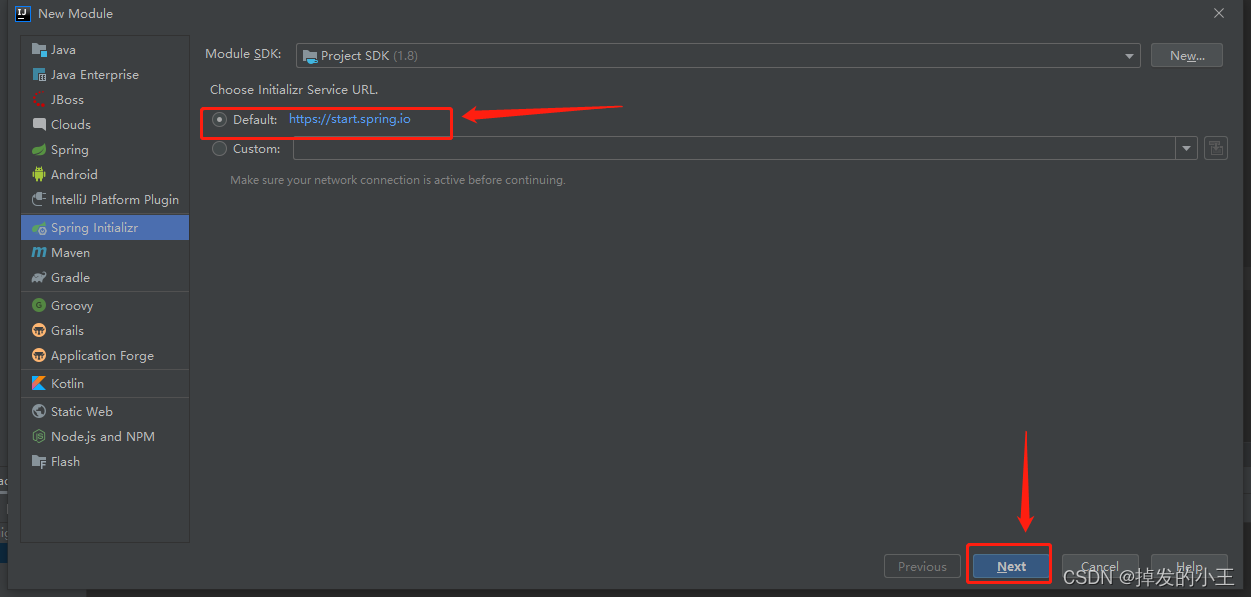
2. 配置项目基本信息
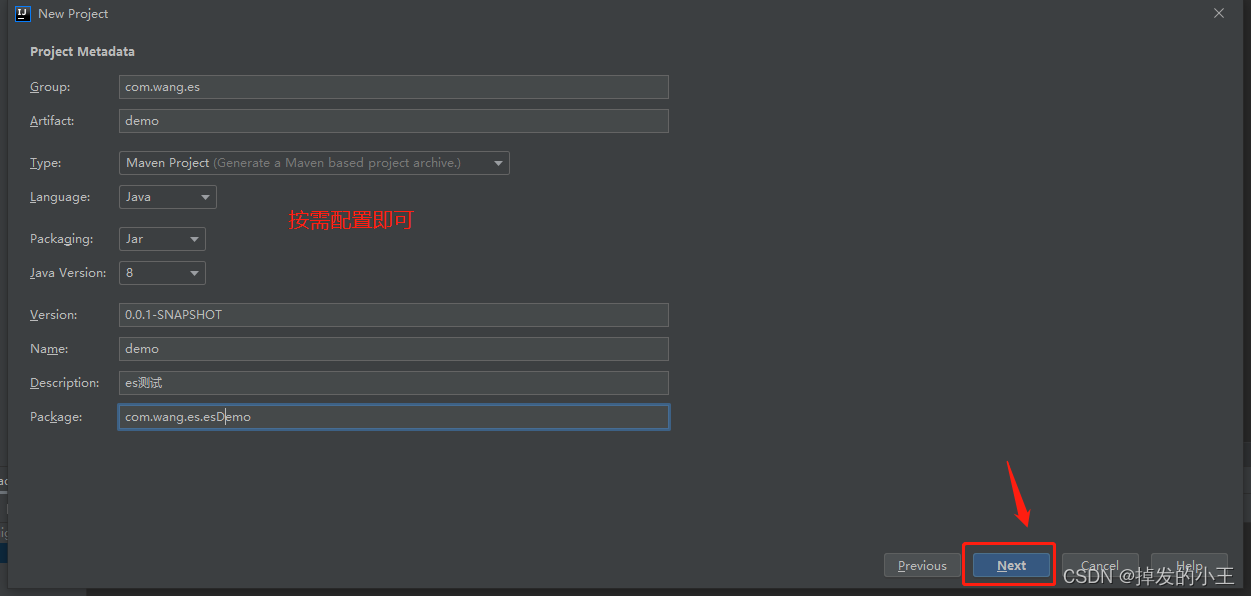
3. 引入基本依赖
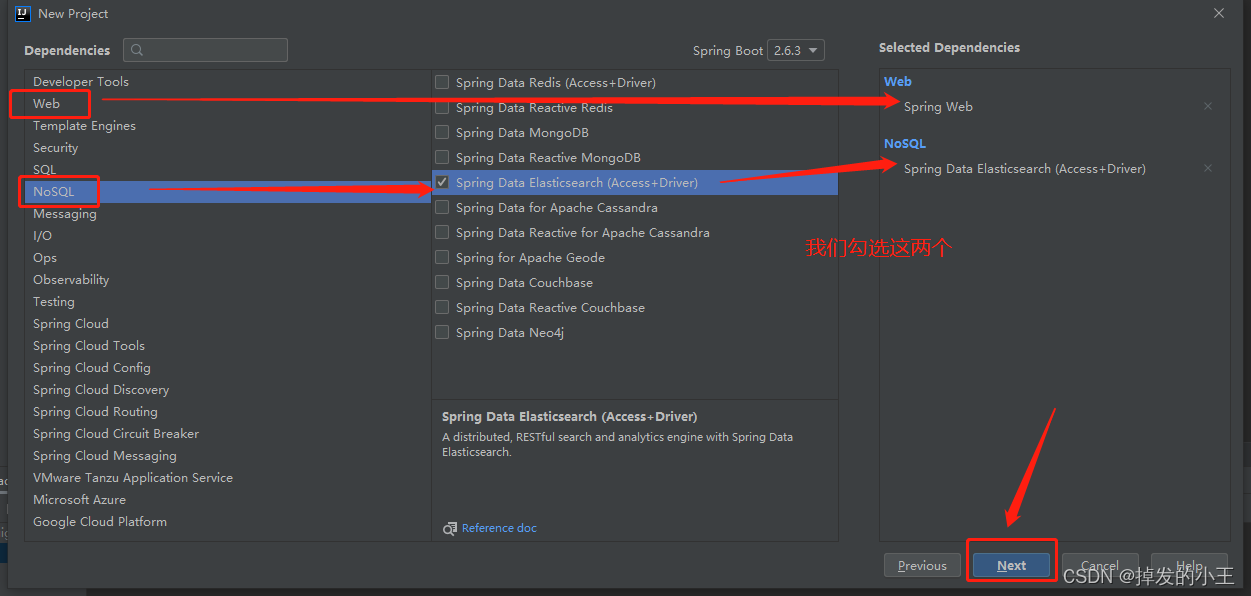
4. 指定保存位置
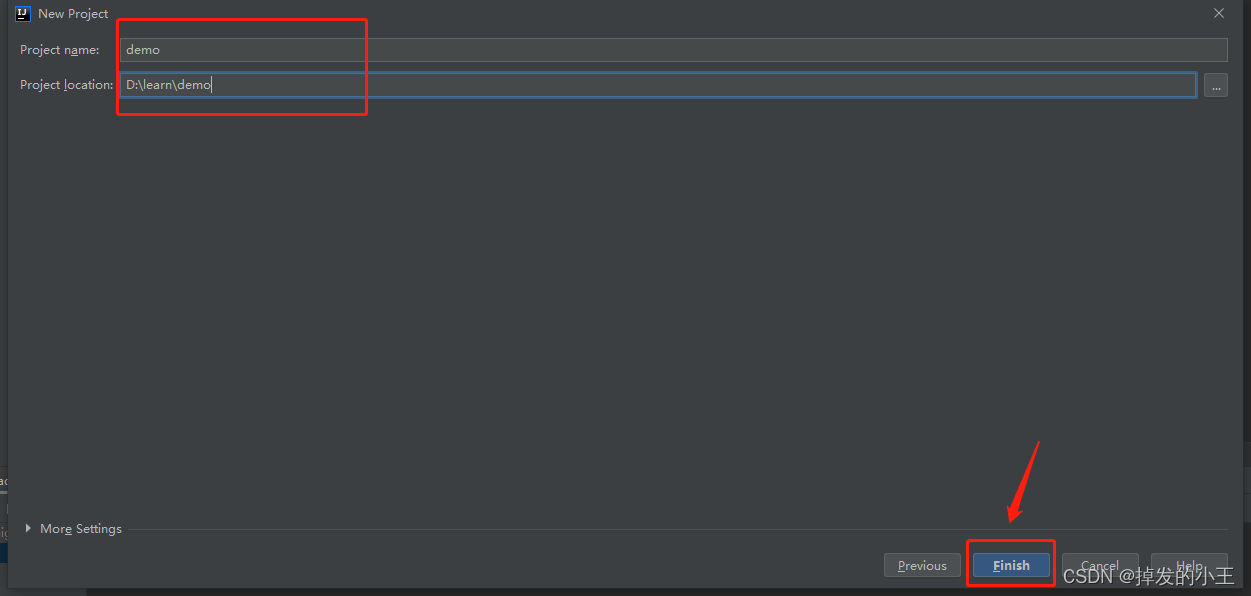
三、配置ElasticSearch
1. 打开官方文档
2. 根据官方文档进行配置
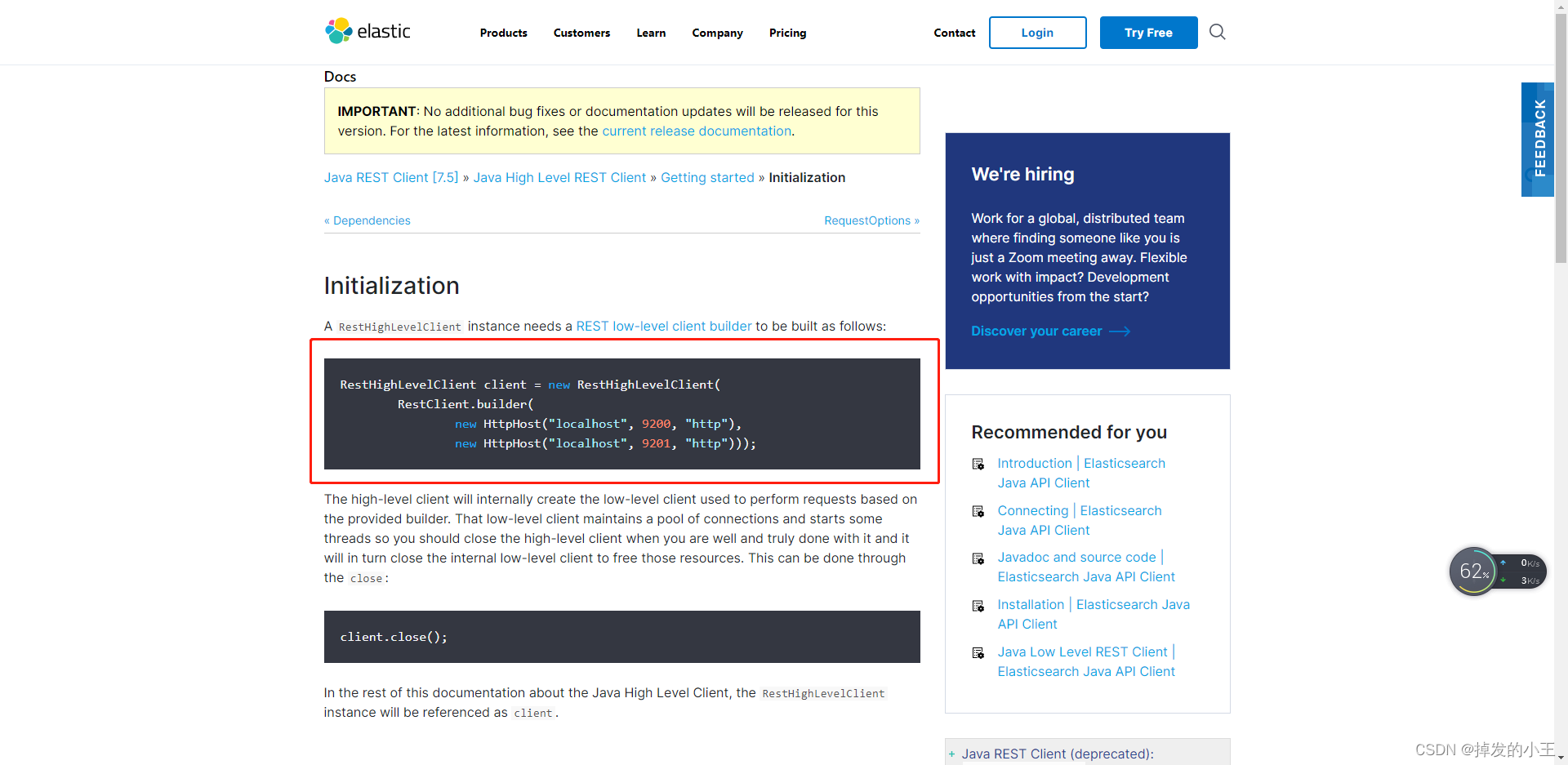
3. 新建配置类
import org.apache.http.HttpHost;

import org.elasticsearch.client.RestClient;

import org.elasticsearch.client.RestHighLevelClient;

import org.springframework.context.annotation.Bean;

import org.springframework.context.annotation.Configuration;

@Configuration

public class ElasticSearchConfig {

    @Bean

    public RestHighLevelClient elasticSearchClient(){

        RestHighLevelClient client = new RestHighLevelClient(

                RestClient.builder(

                        //我们不是集群,所有只配置一个,地址填你ES的运行在的主机地址

                        new HttpHost("192.168.17.130", 9200, "http")));

        return client;

    }

}
4. 根据官网进行自己扩展
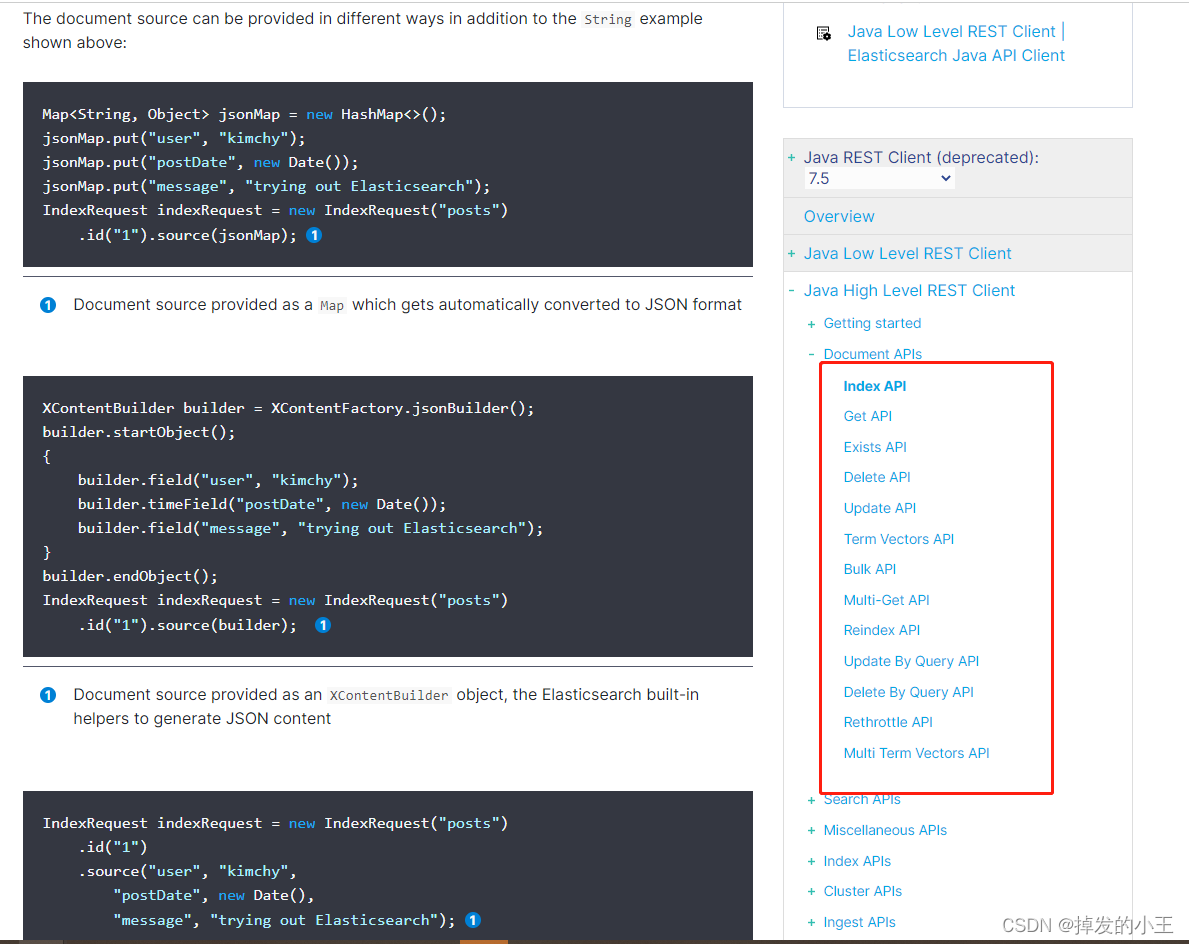
四、新建索引测试
1. 官方文档例子很多,我们挑选一个最简单的进行测试
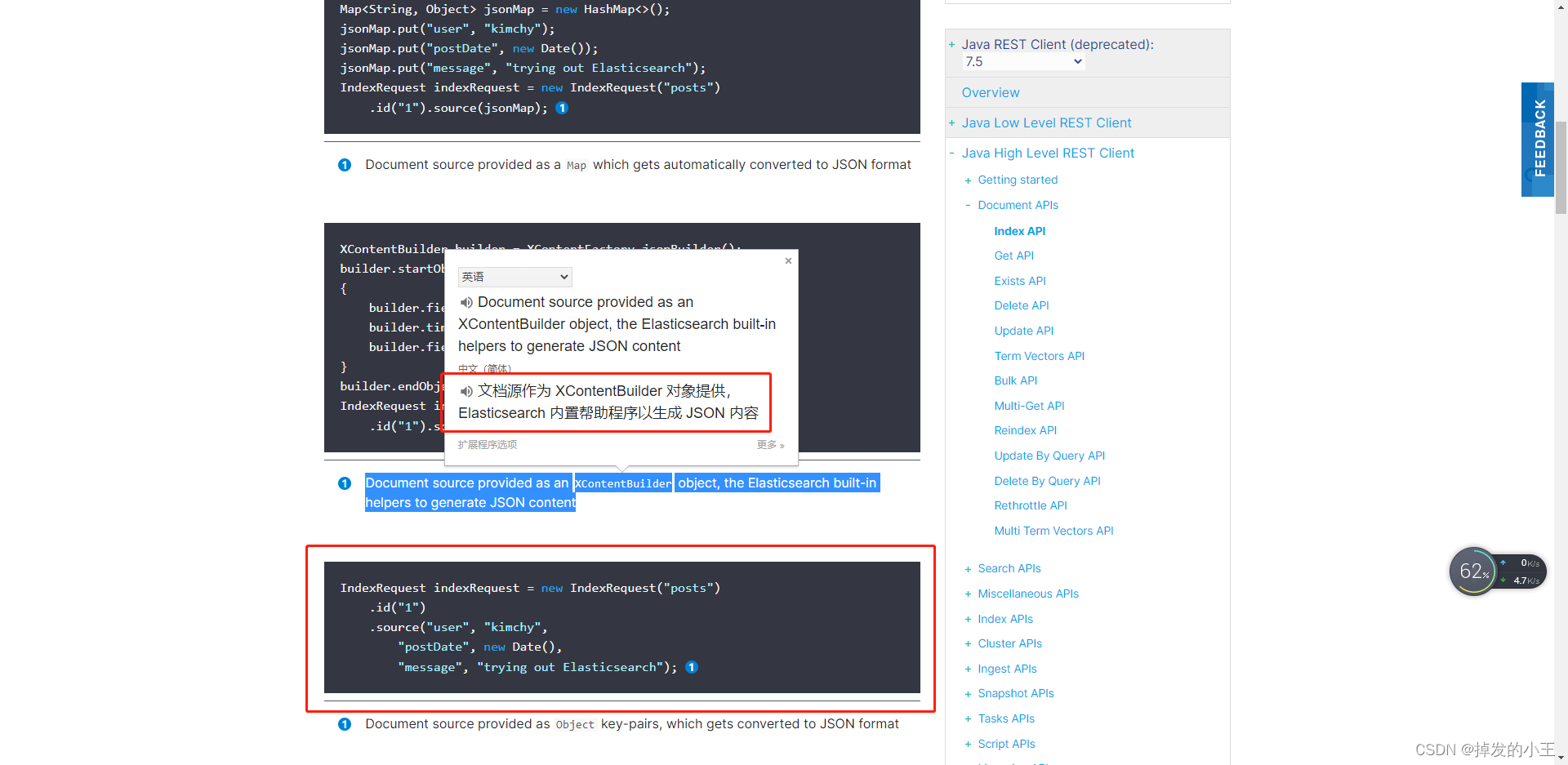
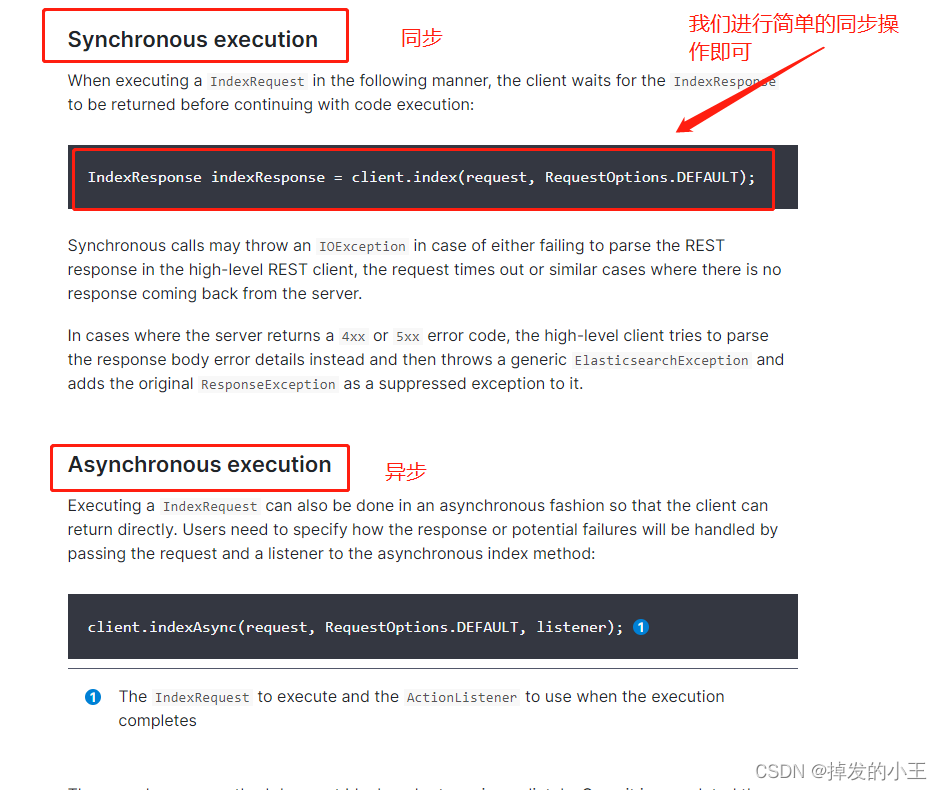
2. 测试类书写
import org.elasticsearch.action.index.IndexRequest;

import org.elasticsearch.action.index.IndexResponse;

import org.elasticsearch.client.RequestOptions;

import org.elasticsearch.client.RestHighLevelClient;

import org.elasticsearch.common.xcontent.XContentBuilder;

import org.elasticsearch.common.xcontent.XContentFactory;

import org.junit.jupiter.api.Test;

import org.springframework.beans.factory.annotation.Autowired;

import org.springframework.boot.test.context.SpringBootTest;

import java.io.IOException;

import java.util.Date;

@SpringBootTest

class DemoApplicationTests {

    //引入ESclient

    @Autowired

    private RestHighLevelClient client;

    @Test

    void contextLoads() throws IOException {

        //构建

        XContentBuilder builder = XContentFactory.jsonBuilder();

        builder.startObject();

        {

            builder.field("user", "kimchy");

            builder.timeField("postDate", new Date());

            builder.field("message", "trying out Elasticsearch");

        }

        builder.endObject();

        IndexRequest indexRequest = new IndexRequest("posts")//索引名字

                .id("1")//数据存储的id,不行默认随机生成

                .source(builder);//存放数据

        //执行操作

        IndexResponse indexResponse = client.index(indexRequest, RequestOptions.DEFAULT);

        System.out.println(indexRequest);

    }

}
3. 控制台打印正常

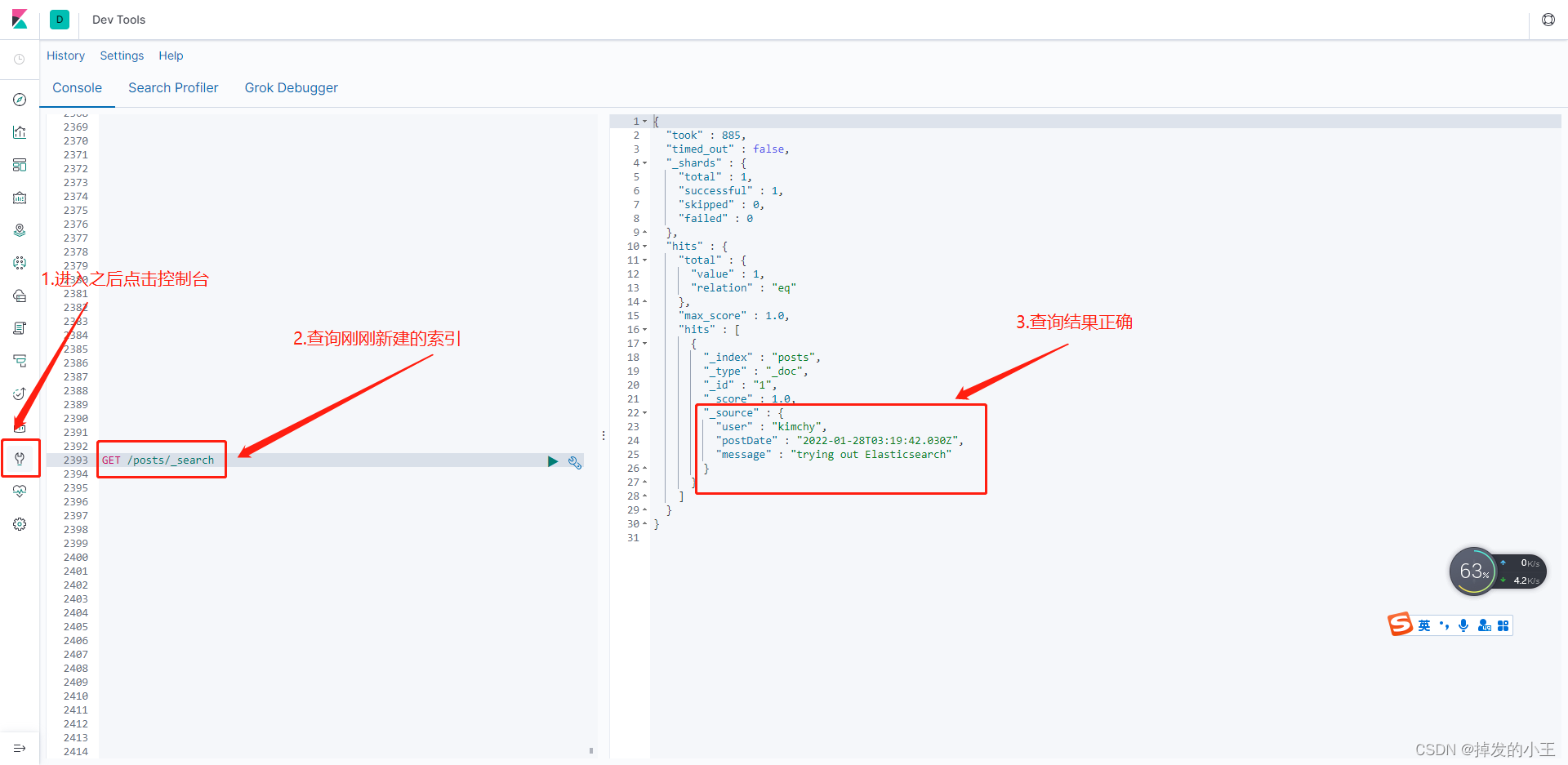
五、使用kibana查看
登录kibana并查看(http://192.168.17.130:5601/)
六、总结
这样我们就完整了Springboot整合ElasticSearch进行简单的测试及用Kibana进行查看,内容不多,一切以官网为准,我们安装官网是不会有问题的。除非有版本问题,目前小编的ElasticSearch是7.4.2,但是SpringBoot是最新的2.6.3,也没有出现版本冲突的问题!!
推广自己网站时间到了!!!
Springboot整合ElasticSearch进行简单的测试及用Kibana进行查看的更多相关文章
- SpringBoot整合ElasticSearch实现多版本的兼容
前言 在上一篇学习SpringBoot中,整合了Mybatis.Druid和PageHelper并实现了多数据源的操作.本篇主要是介绍和使用目前最火的搜索引擎ElastiSearch,并和Spring ...
- ElasticSearch(2)---SpringBoot整合ElasticSearch
SpringBoot整合ElasticSearch 一.基于spring-boot-starter-data-elasticsearch整合 开发环境:springboot版本:2.0.1,elast ...
- springBoot整合MyBatise及简单应用
springBoot整合MyBatise及简单应用 我采用的是 工具IDEA 框架是springBoot+maven+Mybatise 第一步: pom.xml 引入相关jar包 <?xml v ...
- SpringBoot整合Elasticsearch详细步骤以及代码示例(附源码)
准备工作 环境准备 JAVA版本 java version "1.8.0_121" Java(TM) SE Runtime Environment (build 1.8.0_121 ...
- 😊SpringBoot 整合 Elasticsearch (超详细).md
SpringBoot 整合 Elasticsearch (超详细) 注意: 1.环境搭建 安装es Elasticsearch 6.4.3 下载链接 为了方便,环境使用Windows 配置 解压后配置 ...
- springboot整合elasticsearch入门例子
springboot整合elasticsearch入门例子 https://blog.csdn.net/tianyaleixiaowu/article/details/72833940 Elastic ...
- Springboot整合elasticsearch以及接口开发
Springboot整合elasticsearch以及接口开发 搭建elasticsearch集群 搭建过程略(我这里用的是elasticsearch5.5.2版本) 写入测试数据 新建索引book( ...
- Springboot整合Elasticsearch报错availableProcessors is already set to [4], rejecting [4]
Springboot整合Elasticsearch报错 今天使用SpringBoot整合Elasticsearch时候,相关的配置完成后,启动项目就报错了. nested exception is j ...
- 从无到有Springboot整合Spring-data-jpa实现简单应用
本文介绍Springboot整合Spring-data-jpa实现简单应用 Spring-data-jpa是什么?这不由得我们思考一番,其实通俗来说Spring-data-jpa默认使用hiberna ...
随机推荐
- 不用find,怎样递归地给目录设置700,给文件设置600权限?
https://stackoverflow.com/questions/36553701/how-to-set-permissions-recursively-700-for-folders-and- ...
- 理解闭包--js面向对象编程
什么是闭包? 先看一段代码: function a(){ var n = 0; function inc() { n++; console.log(n); } inc(); inc(); } a(); ...
- 终-Echart可视化学习(十二)
文档的源代码地址,需要的下载就可以了(访问密码:7567) https://url56.ctfile.com/f/34653256-527823386-04154f 进入官网寻找 里面可以搜素很多 这 ...
- PowerPoint2010实现折线图动态展示
原文链接:https://www.toutiao.com/i6797629648881582596/ 我们经常会制作折线图表来表达一个过程的趋势变化,而如果让折线图动起来,会更加的生动.接下来我们将一 ...
- vue实现引用less,sass全局变量
1.npm install sass-resources-loader --save-dev: 2.build/utils.js中,修改 function resolveResource(name) ...
- WebLogic任意文件上传漏洞(CVE-2019-2725)
一,漏洞介绍 1.1漏洞简介 Oracle weblogic反序列化远程命令执行漏洞,是根据weblogic的xmldecoder反序列化漏洞,只是通过构造巧妙的利用链可以对Oracle官方历年来针对 ...
- 关于less使用初学者常犯错误
1.多层嵌套 2.定义变量复用性不高 3.方法定义多余参数.
- linux 安装mysql 可能遇到的小问题
问题一. ./mysqld: error while loading shared libraries: libaio.so.1: cannot open shared object file: No ...
- 极简promise雏形
function Promise(fn) { var value = null, callbacks = []; //callbacks为数组,因为可能同时有很多个回调 this.then = fun ...
- 个人作业2-6.4-Python爬取顶会信息
1.个人作业2 数据爬取阶段 import requestsfrom lxml import etreeimport pymysqldef getdata(url): # 请求CVPR主页 page_ ...