
find()和find_all()的具体使用
在我们学会了BeautifulSoup库的用法后,我们就可以使用这个库对HTML进行解析,从网页中提取我们需要的内容。
在BeautifulSoup 文档里,find()、find_all()两者的定义如下:
find(tag, attributes, recursive, text, keywords)
find(标签,属性,递归,文本,关键词)
find_all(tag, attributes, recursive, text, limit, keywords)
find_all(标签、属性、递归、文本、限制、关键词)
find()与find_all()的区别,find()只会取符合要求的第一个元素,find_all()会根据范围限制参数limit限定的范围取元素(默认不设置代表取所有符合要求的元素,find 等价于 find_all的 limit =1 时的情形),接下来将对每个参数一一介绍。
另外,find_all()会将所有满足条件的值取出,组成一个list
下面我们就一一介绍函数中各个参数的作用:
一、标签tag
标签参数 tag 可以传一个标签的名称或多个标签名称组成的set做标签参数。例如,下面的代码将返回一个包含 HTML 文档中所有链接标签的列表: find_all("a")
下面以“百度一下”网页举例,如下图,现在要将百度页面上的所有的链接取出,观察网页源代码可以发现,标题对应的tag 是a,则soup.find_all('a')
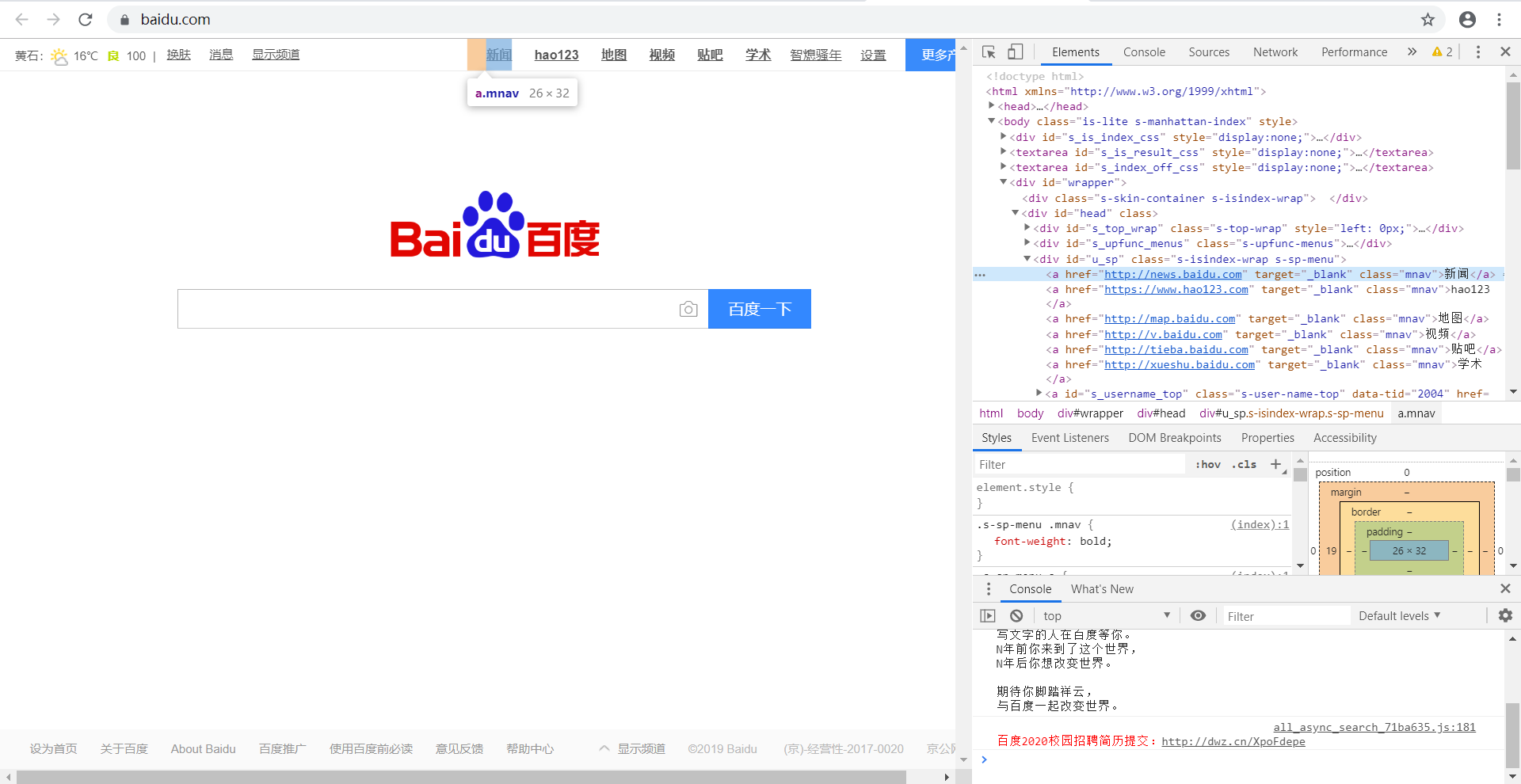
代码如下:
from bs4 import BeautifulSoup
import requests

url = 'https://www.baidu.com/'
urlhtml = requests.get(url)
urlhtml.encoding = 'utf-8'
soup = BeautifulSoup(urlhtml.text, 'lxml')

n = soup.find_all('a')
print(n)
结果如下,我们就找出了全部的<a>标签。

上面例子只是一个标签的情况,如果多个标签写法相同,只是注意要将所有的标签写在一个set里面
二、属性attributes
属性参数 attributes 是用字典封装一个标签的若干属性和对应的属性值。如,下面这个函数会返回 HTML 文档里“mnav”的a标签。find_all("a", {"class":{"mnav"}})
如下图,现在要获取网页中的“新闻”等信息,通过观察可知,它们的属性为"mnav",标签为a。
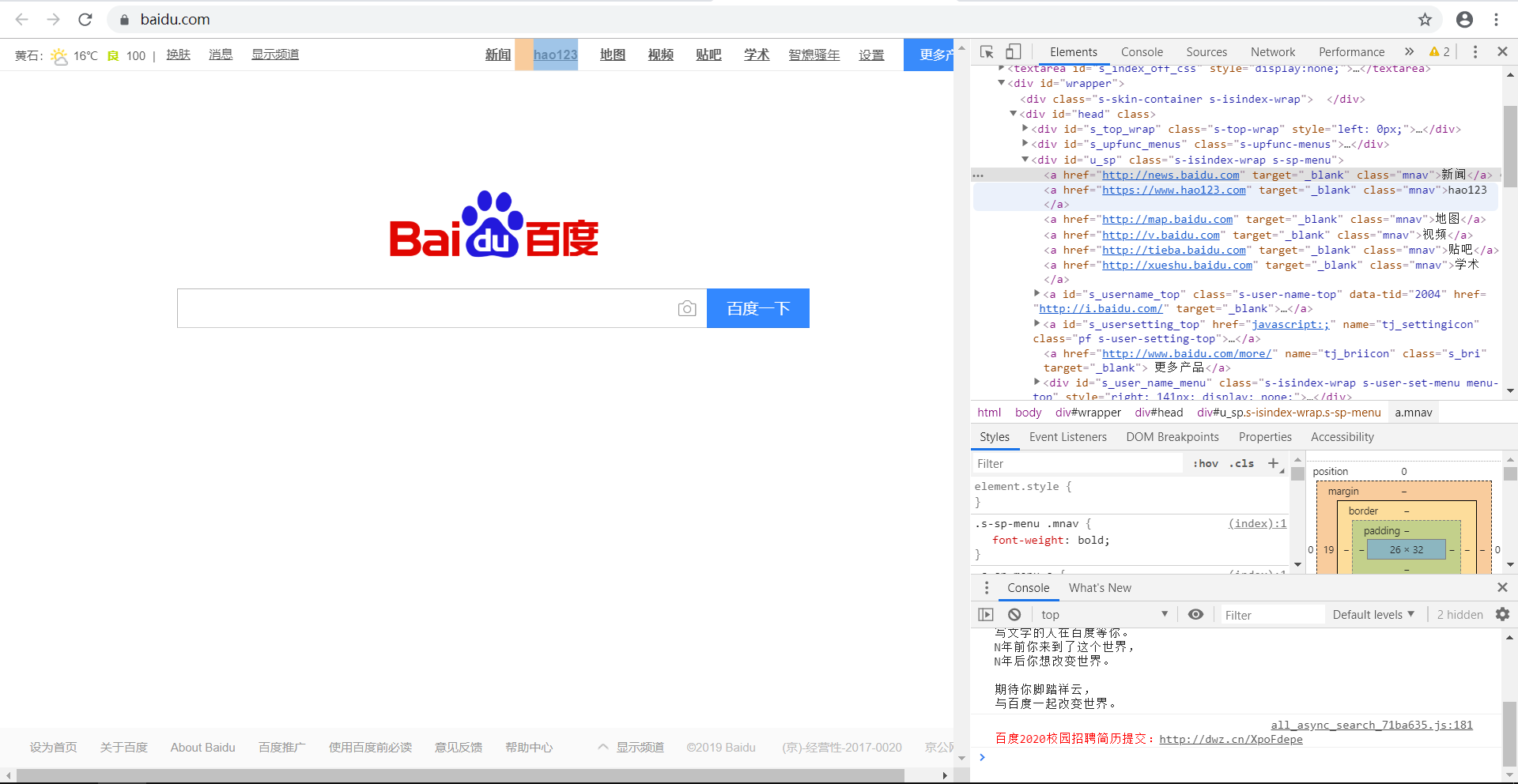
则我们可以编写代码:
from bs4 import BeautifulSoup

import requests

url = 'https://www.baidu.com/'

urlhtml = requests.get(url)

urlhtml.encoding = 'utf-8'

soup = BeautifulSoup(urlhtml.text, 'lxml')

n = soup.find_all('a', {'class': 'mnav'})

print(n)
运行结果如下,可以看出输出的链接的属性全部为“mnav”。

三、递归recursive
递归参数 recursive 是一个布尔变量。你想抓取 HTML 文档标签结构里多少层的信息?如recursive 设置为 True, find_all()就会根据你的要求去查找标签参数的所有子标签,以及标签的子标签。如果 recursive 设置为 False, find_all()就只查找文档的一级标签。 find_all默认是支持递归查找的(recursive 默认值是 True),这里是很少使用的,所以我在这儿就不在举例了。
四、文本text
文本参数 text 有点不同,它是用标签的文本内容去匹配,而不是用标签的属性。
我们再以“百度一下”的网页举例吧,在这个网页中,我们查找一下“新闻”在该网页中出现了多少个(其实只出现了一个)
from bs4 import BeautifulSoup

import requests

url = 'https://www.baidu.com/'

urlhtml = requests.get(url)

urlhtml.encoding = 'utf-8'

soup = BeautifulSoup(urlhtml.text, 'lxml')

n = soup.find_all(text='新闻')

print(n)
结果如下:
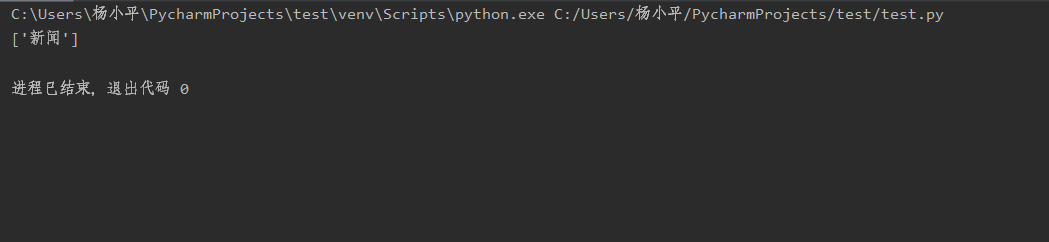
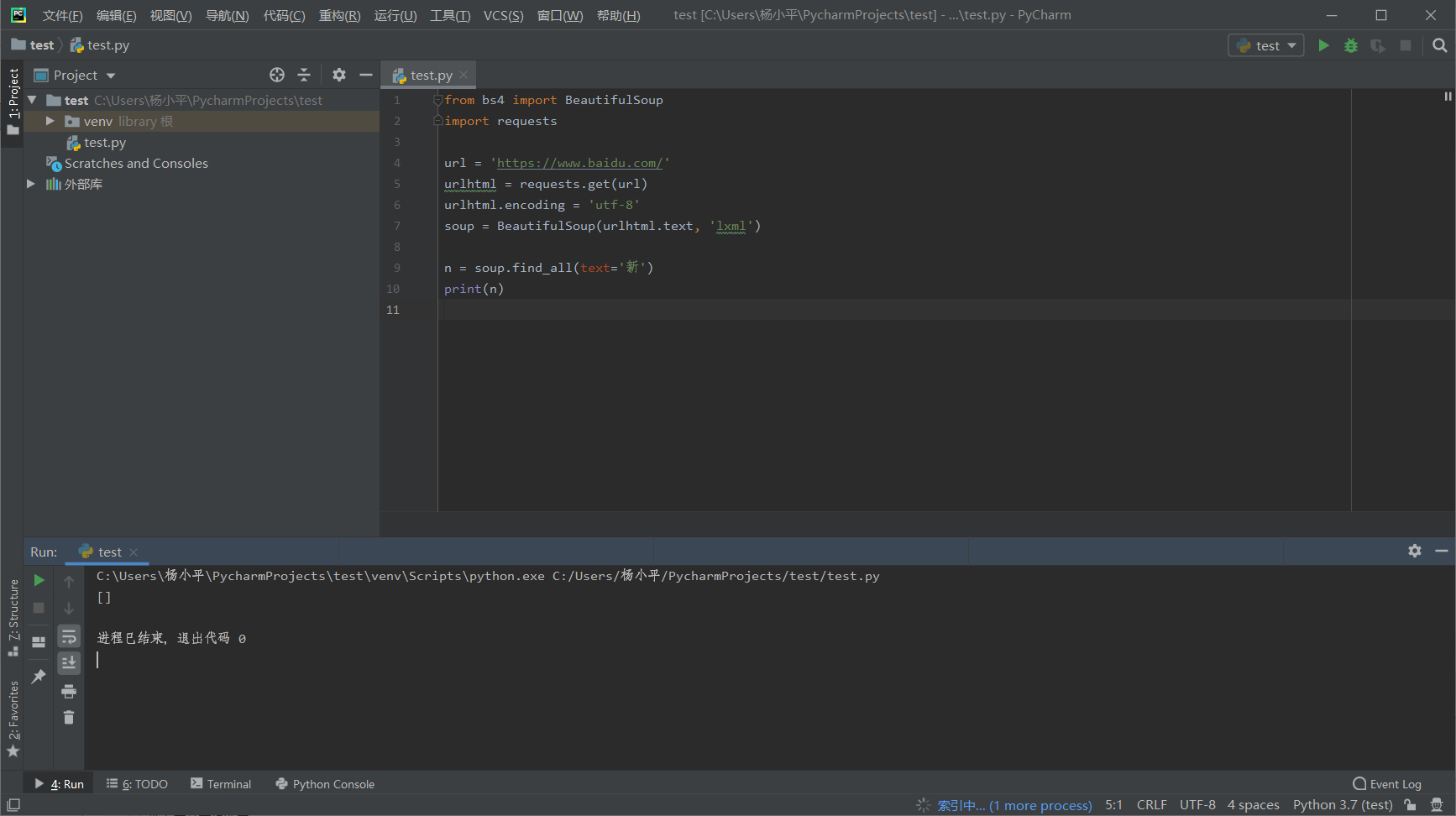
需要特别注意一点,这里查找是用的是完全匹配原则,意思是如果这里你用了find_all(text=“新”),得到的结果会是0个
五、关键词keywords
关键词参数 keyword,自己选择那些具有指定属性的标签
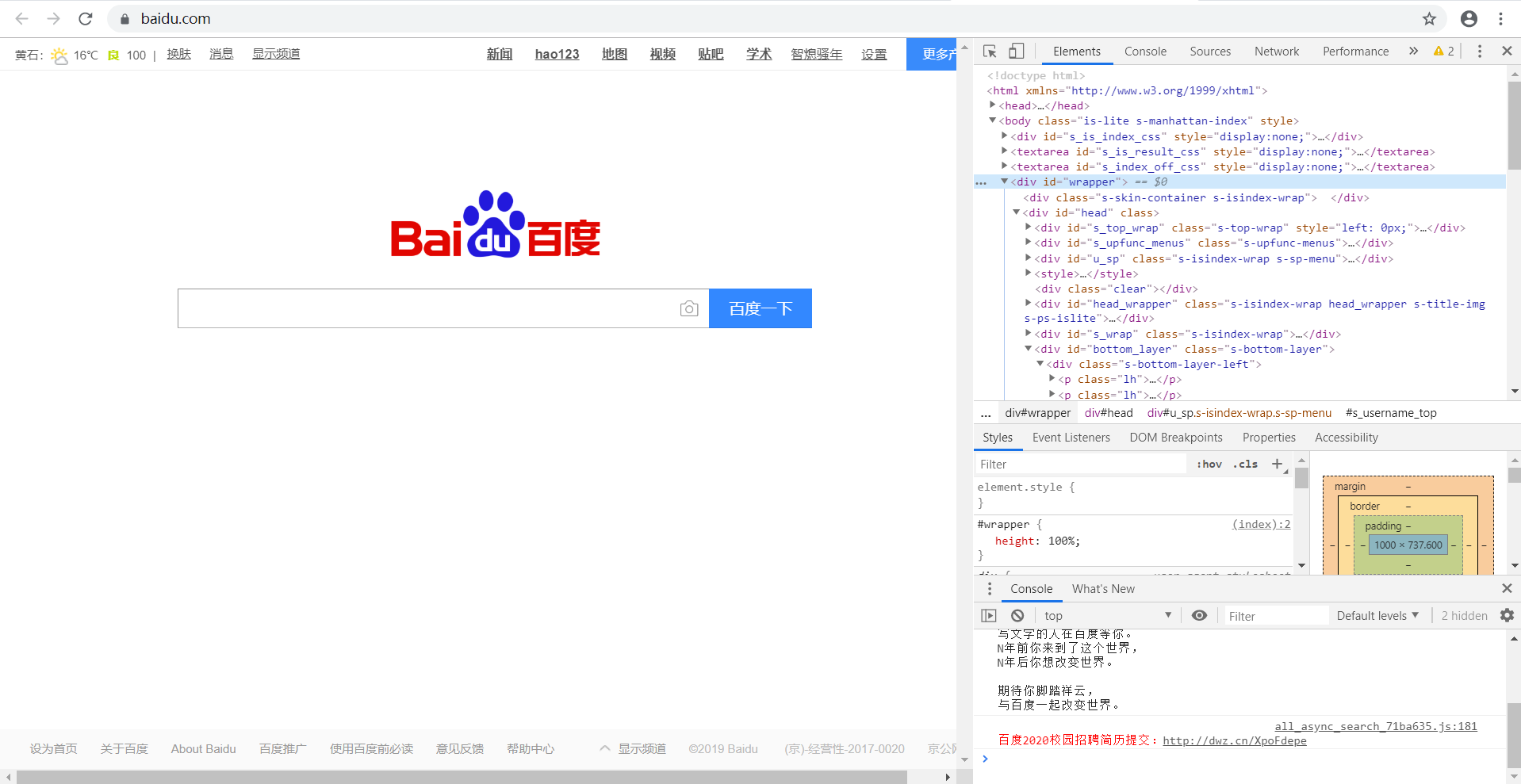
上面网页的内容,现在要取id='wrapper'的内容,则
from bs4 import BeautifulSoup

import requests

url = 'https://www.baidu.com/'

urlhtml = requests.get(url)

urlhtml.encoding = 'utf-8'

soup = BeautifulSoup(urlhtml.text, 'lxml')

n = soup.find_all(id='wrapper')

print(n)
结果如下,也就是选中的<div>中的内容
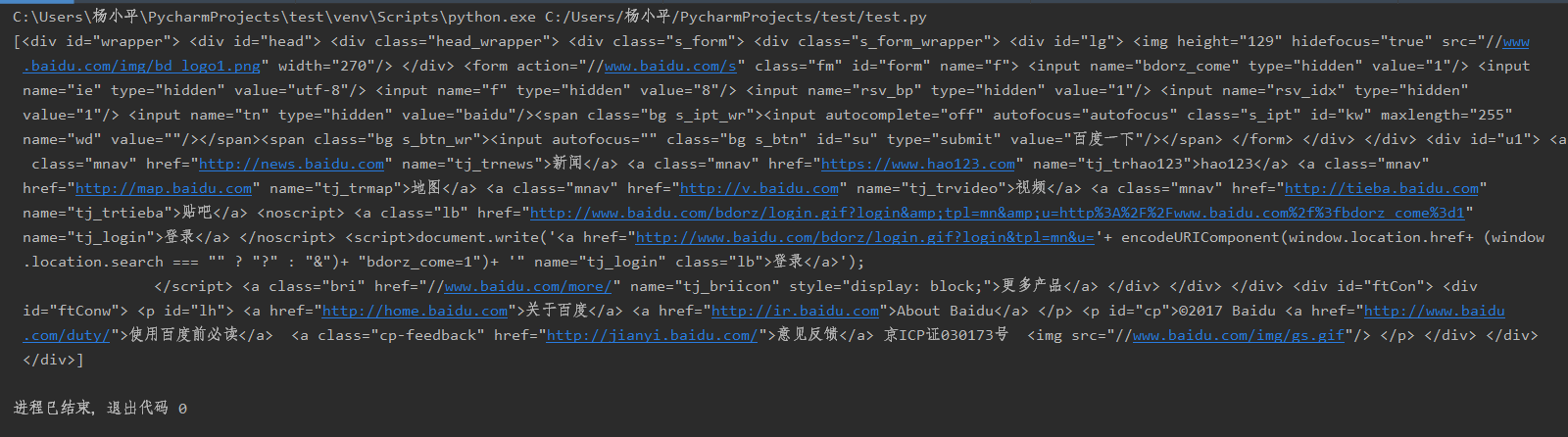
注意:如果是class、id等参数,用keywords 或者attributes用法一样,如果是一些其他参数,则用keywords
find()和find_all()的具体使用的更多相关文章
- python3爬虫(find_all用法等)
#read1.html文件 # <html><head><title>The Dormouse's story</title></head> ...
- BeautifulSoup中的find,find_all
1.一般来说,为了找到BeautifulSoup对象内任何第一个标签入口,使用find()方法. 以上代码是一个生态金字塔的简单展示,为了找到第一生产者,第一消费者或第二消费者,可以使用Beautif ...
- BeautifulSoup4----利用find_all和get方法来获取信息
中文文档 官方教学网页源码: <html> <head> <title>Page title</title> </head> <bod ...
- find 和 find_all 用法
soup = BeautifulSoup(requests.get(url).text, 'html.parser') soup.find('span', class_='item_hot_topic ...
- python爬虫(1)——BeautifulSoup库函数find_all() (转)
原文地址:http://blog.csdn.net/depers15/article/details/51934210 python--BeautifulSoup库函数find_all() 一.语法介 ...
- python3爬虫03(find_all用法等)
#read1.html文件# <html><head><title>The Dormouse's story</title></head># ...
- python 学习之FAQ:find 与 find_all 使用
FAQ记录 1. 错误源码 错误源码如下 def fillUnivList(_html,_ulist): soup =BeautifulSoup(_html,'html.parser') fo ...
- BS4(BeautifulSoup4)的使用--find_all()篇
可以直接参考 BS4文档:https://www.crummy.com/software/BeautifulSoup/bs4/doc/index.zh.html#find-all 注意的是: 1.有些 ...
- find_all的用法 Python(bs4,BeautifulSoup)
find_all()简单说明: find_all() find_all() 方法搜索当前tag的所有tag子节点,并判断是否符合过滤器的条件 用法一: rs=soup.find_all('a') 将返 ...
随机推荐
- day1-字符串、列表
字符串操作: name = "Wills Qian" # 创建字符串变量 print(len(name)) # 打印字符串长度 print(name[0]) # 提取第一个字符W ...
- pyqt点击右上角关闭界面但是子线程仍在运行
现象: 通过右上角的叉关闭图形界面后,程序运行的子线程却不会被自动关闭,依然留存在系统中原因: 子线程没有正确关闭解决方法: 1.将子线程设置成守护线程 self.your_thread = thre ...
- elasticsearch配置优化
调整ES内存分配有多种方式,建议调整 elasticsearch 中的设置(还可以直接修改bin下的启动脚本). # Directory where the Elasticsearch binary ...
- 让footer固定在页面底部(CSS-Sticky-Footer)
让footer固定在页面底部(CSS-Sticky-Footer) 这是一个让网站footer固定在浏览器(页面内容小于浏览器高度时)/页面底部的技巧.由HTML和CSS实现,没有令人讨厌的h ...
- vue @scroll
参考: https://blog.csdn.net/qq449736038/article/details/80769507
- MySQL模拟Oracle序列使用
https://www.runoob.com/mysql/mysql-using-sequences.html 一篇笔记开始看 注意:创建序列表时一定要有 主键id自增,否则为只读状态不能修改递增 ...
- Java基础(业务问题)
幂等的处理方式 一.查询与删除操作是天然幂等 二.唯一索引,防止新增脏数据 三.token机制,防止页面重复提交 四.悲观锁 for update 五.乐观锁(通过版本号/时间戳实现, 通过条件限制 ...
- Exit- Linux必学的60个命令
1.作用 exit命令的作用是退出系统,它的使用权限是所有用户. 2.格式 exit 3.参数 exit命令没有参数,运行后退出系统进入登录界面.
- redies安装
第一步下载redies 下载地址:https://github.com/microsoftarchive/redis/releases 第二步修改文件夹名为redies 第三步运行redies 打开一 ...
- Odoo 新 API 概述
__all__ = [ 'Environment', 'Meta', 'guess', 'noguess', 'model', 'multi', 'one', 'cr', 'cr_context', ...