
python爬虫之爬取网站到数据库
一、根据已有程序运行得到的结果

完整代码如下:
import sqlite3;

class DB(object):

    """数据库访问方法的实现"""

    """初始化api 产生数据操作的对象 conect 操作的游标"""

    def __init__(self):

        self.conn={};

        self.cus={};

        #初始化数据库链接的api

        #1产生数据库链接对象

        self.conn=sqlite3.connect(r'Test.db');

        #2.产生操作的游标

        self.cus=self.conn.cursor();

        pass;

    def create_table(self):

        sql = " CREATE TABLE if not exists mynews (CrawlTime char,Title char,Content char,PublishTime char,Origin char)"

        self.conn.execute(sql)

        self.conn.commit()

        print('create table successfully')

    def insert_into_news(self,ops):

        self.conn.execute('insert into mynews(CrawlTime,Title,Content,PublishTime,Origin) values(?,?,?,?,?)',(ops['CrawlTime'],ops['Title'],ops['Content'],ops['PublishTime'],ops['Origin'],));

        self.conn.commit();

        pass
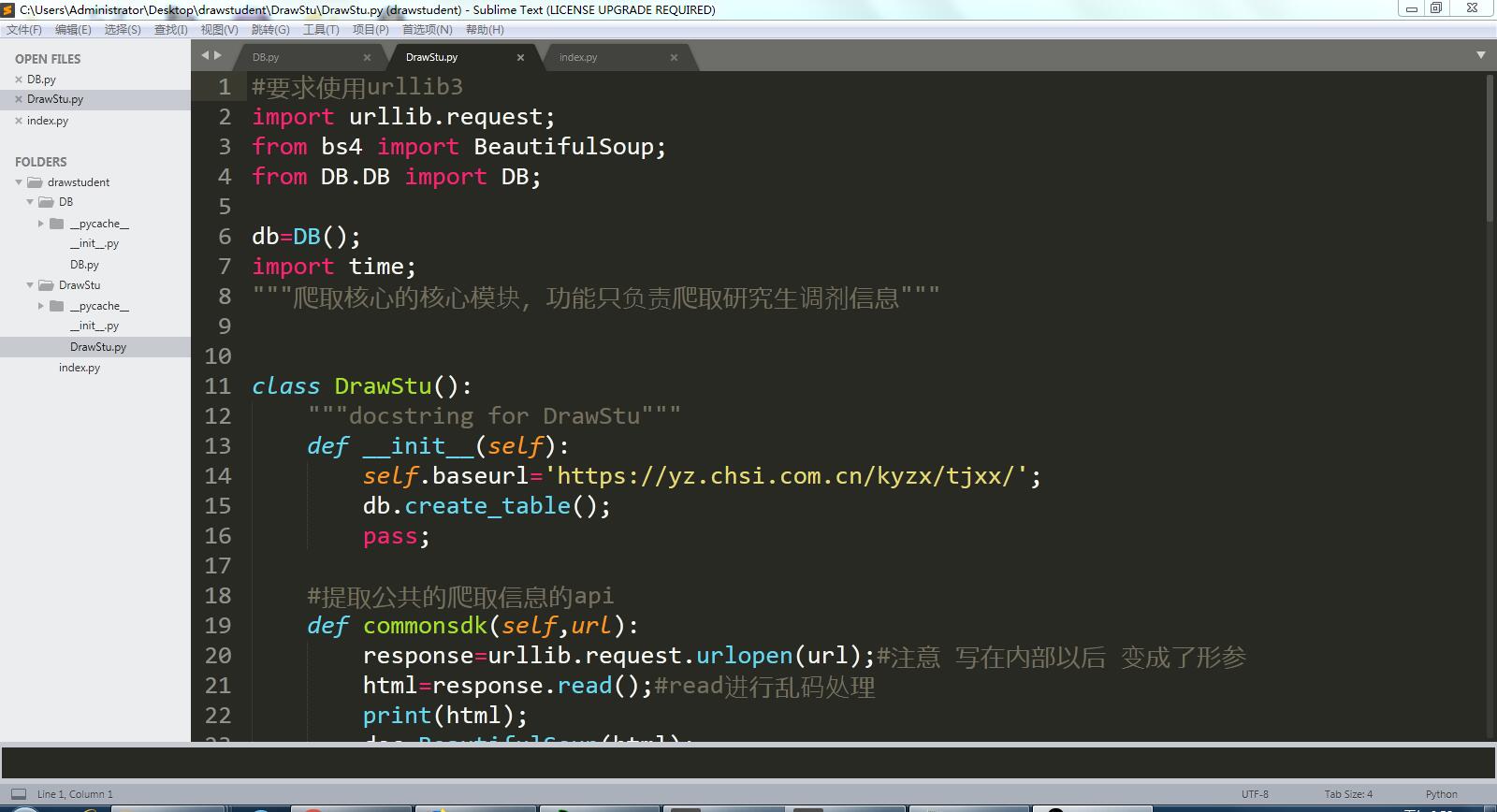
完整代码如下:
#要求使用urllib3

import urllib.request;

from bs4 import BeautifulSoup;

from DB.DB import DB;

db=DB();

import time;

"""爬取核心的核心模块,功能只负责爬取研究生调剂信息"""

class DrawStu():

    """docstring for DrawStu"""

    def __init__(self):

        self.baseurl='https://yz.chsi.com.cn/kyzx/tjxx/';

        db.create_table();

        pass;

    #提取公共的爬取信息的api

    def commonsdk(self,url):

        response=urllib.request.urlopen(url);#注意 写在内部以后 变成了形参

        html=response.read();#read进行乱码处理

        print(html);

        doc=BeautifulSoup(html);

        return doc;

    #爬取基本列表

    def draw_base_list(self,url):

        print('url is:::',url);

        doc=self.commonsdk(url);

        lilist=doc.find('ul',{'class':'news-list'}).findAll('li');

        #print(lilist);

        #爬取一级参数

        for x in lilist:

            Title=x.find('a').text;

            Time=x.find('span').text

            Link='https://yz.chsi.com.cn'+x.find('a').get('href');

            #print(Link);

            self.draw_detail_list(Link,Title,Time);

            pass

        pass

    #爬取二级详情的信息参数

    def draw_detail_list(self,url,Title,Time):

        doc=self.commonsdk(url);

        from_info=doc.find('span',{'class':'news-from'}).text;

        content=doc.find('div',{'class':'content-l detail'}).text;

        ctime=time.strftime('%Y-%m-%d %H:%M:%S',time.localtime());

        #将数据 拼合成字典 交给数据库存储的api

        data={

          'CrawlTime':ctime,

          'Title':Title,

          'Content':content,

          'PublishTime':Time,

          'Origin':from_info

        }

        print(data);

        print('插入数据库中');

        db.insert_into_news(data);

        pass

    #爬取页面的总页数

    def get_page_size(self):

        requesturl=self.baseurl;

        pcxt=self.commonsdk(requesturl).find('div',{'class':'pageC'}).findAll('span')[0].text;

        print(pcxt);

        #re正则表达式 字符串截取api

        pagesize=pcxt.strip();

        pagearr=pagesize.split('/');

        pagestr=pagearr[1];

        return int(pagestr[0:2]);

        pass
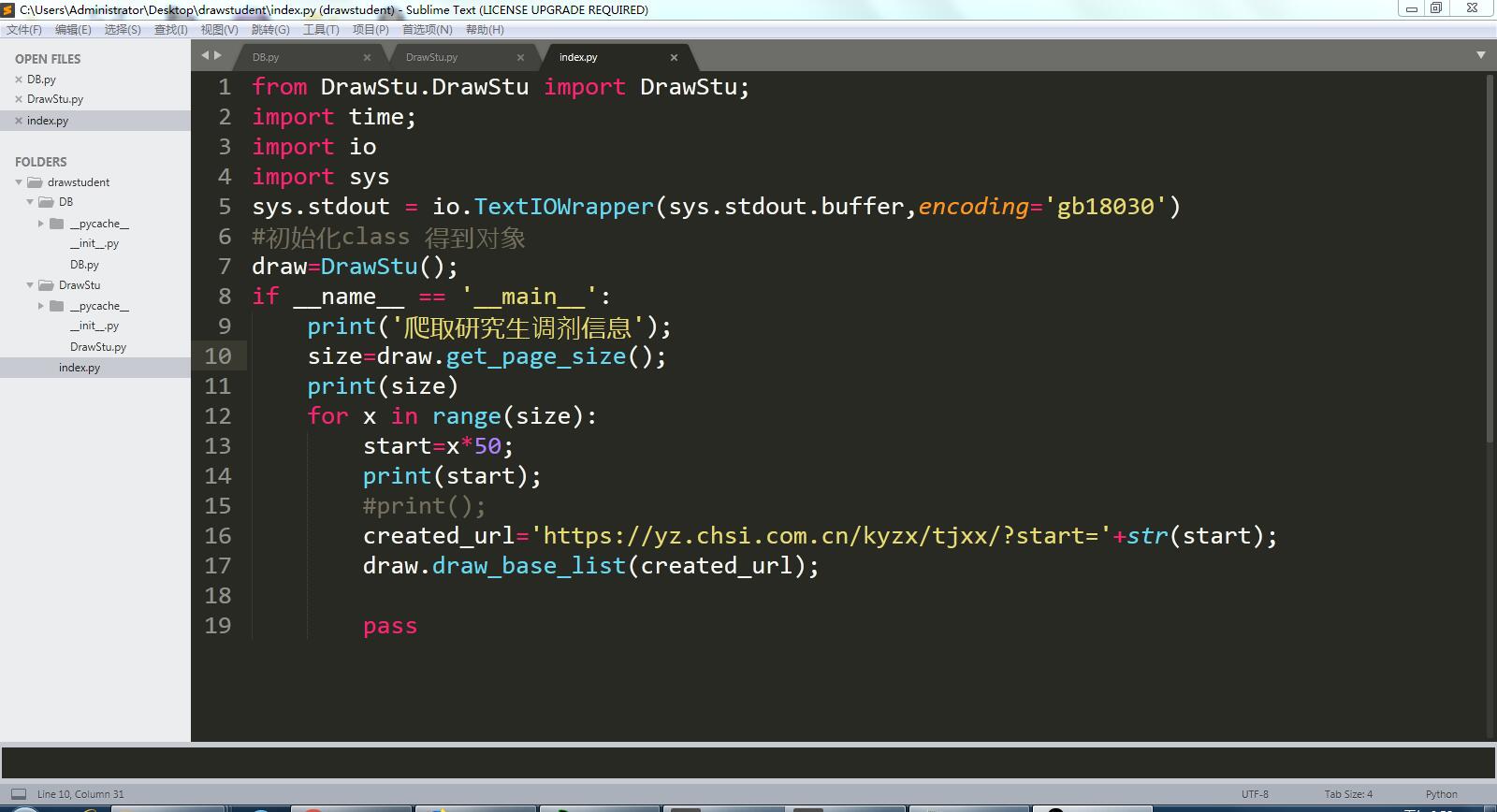
完整代码如下:
from DrawStu.DrawStu import DrawStu;

import time;

import io

import sys

sys.stdout = io.TextIOWrapper(sys.stdout.buffer,encoding='gb18030')

#初始化class 得到对象

draw=DrawStu();

if __name__ == '__main__':

    print('爬取研究生调剂信息');

    size=draw.get_page_size();

    print(size)

    for x in range(size):

        start=x*50;

        print(start);

        #print();

        created_url='https://yz.chsi.com.cn/kyzx/tjxx/?start='+str(start);

        draw.draw_base_list(created_url);

        pass
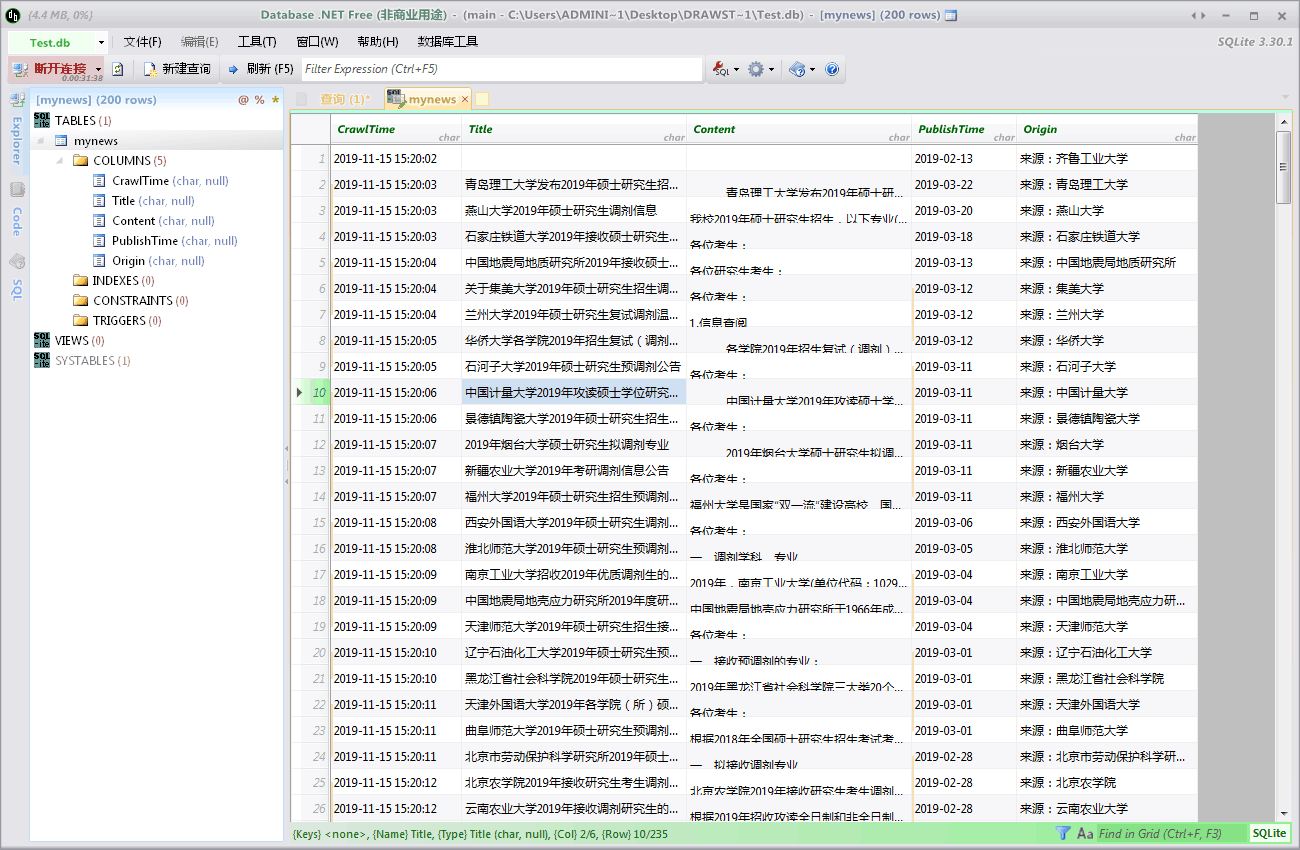
数据库界面截图:
二、对于已有代码的理解
部分代码注释:
改变标准输出的默认编码
sys.stdout = io.TextIOWrapper(sys.stdout.buffer,encoding='utf8')
改变标准输出的默认编码
sys.stdout = io.TextIOWrapper(sys.stdout.buffer,encoding='gb18030')
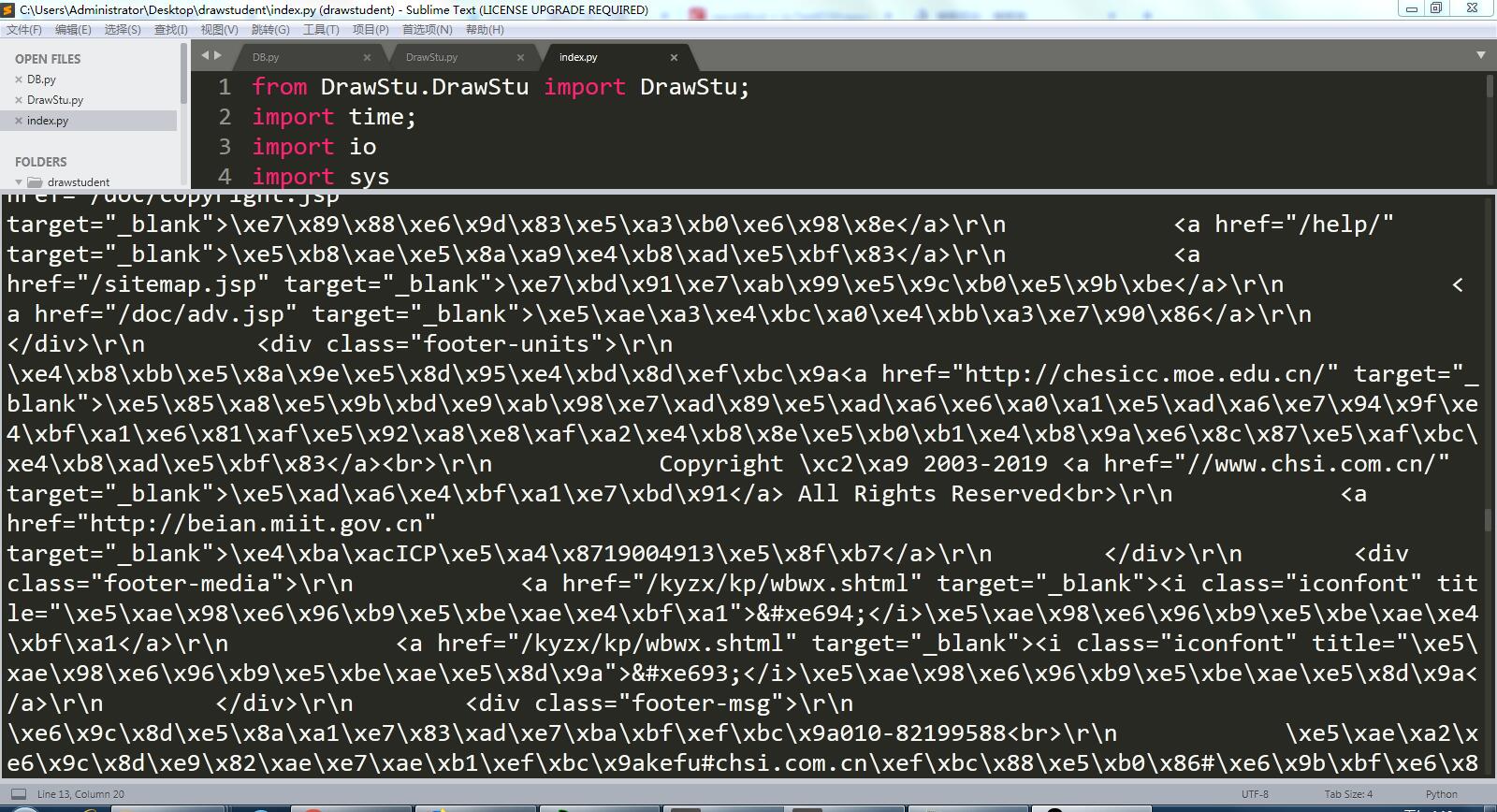
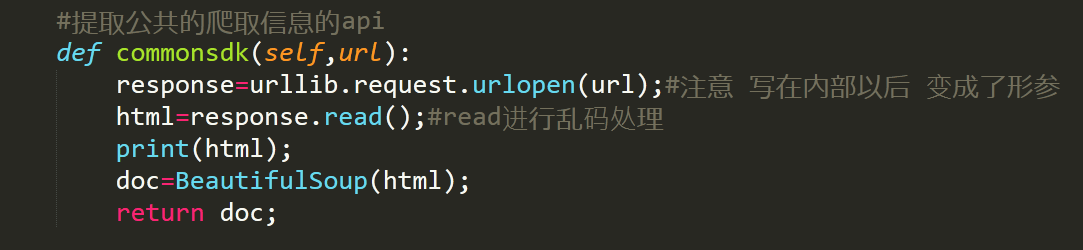
程序运行后乱码:
防止其乱码的代码:
在网上搜索找到的解决方法:
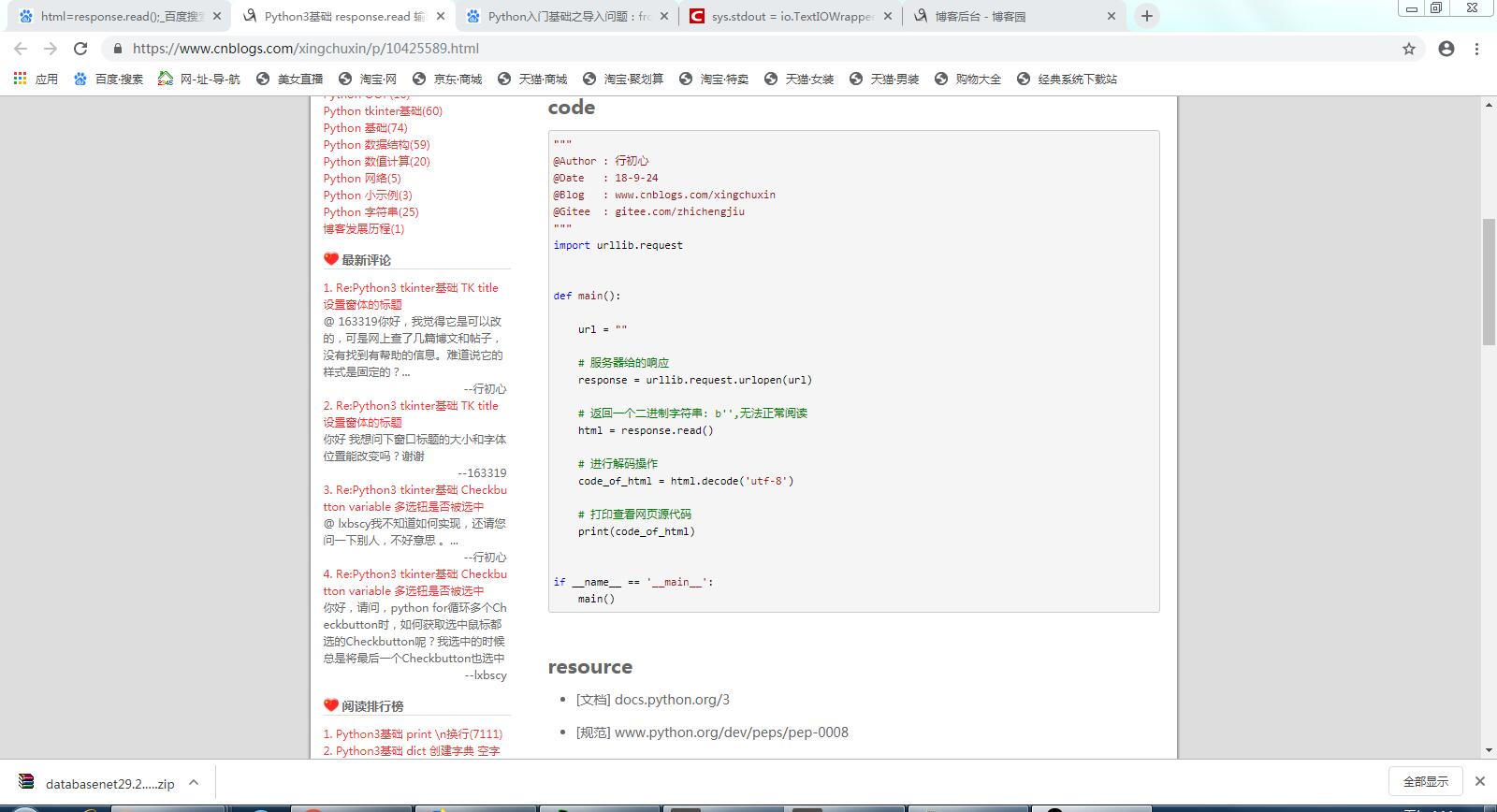
例子代码如下:
"""

@Author : 行初心

@Date   : 18-9-24

@Blog   : www.cnblogs.com/xingchuxin

@Gitee  : gitee.com/zhichengjiu

"""

import urllib.request

def main():

    url = ""

    # 服务器给的响应

    response = urllib.request.urlopen(url)

    # 返回一个二进制字符串: b'',无法正常阅读

    html = response.read()

    # 进行解码操作

    code_of_html = html.decode('utf-8')

    # 打印查看网页源代码

    print(code_of_html)

if __name__ == '__main__':

    main()
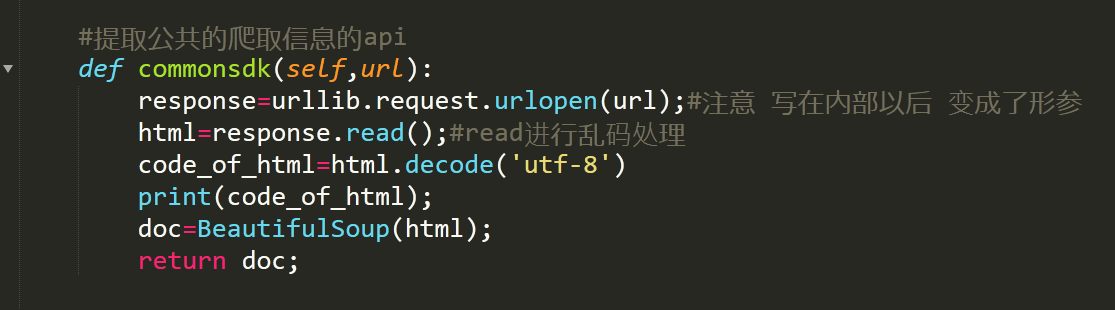
修改代码,加上一行解码的的代码后再输出,修改后代码如下:
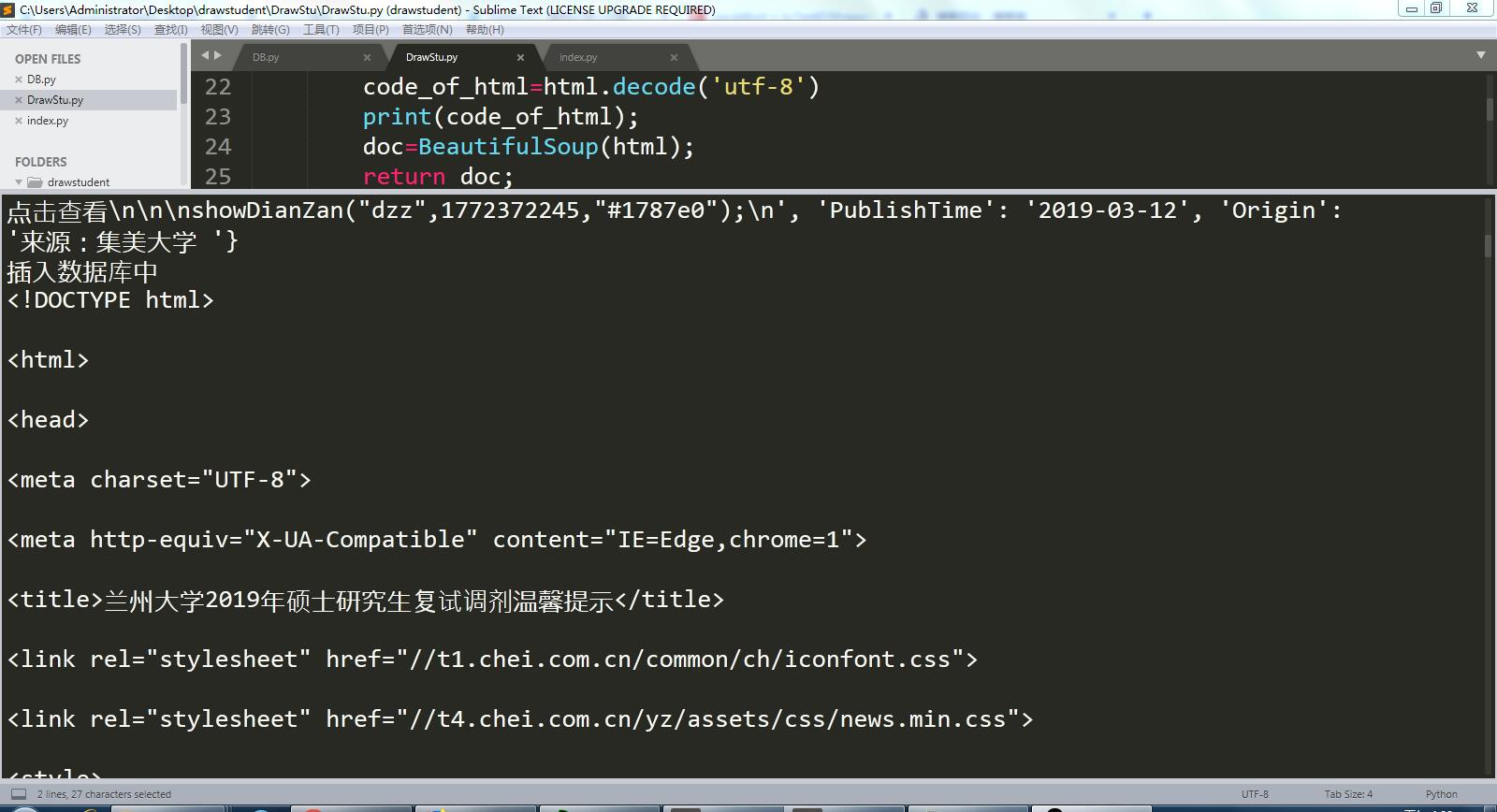
修改后运行结果无乱码:
python爬虫之爬取网站到数据库的更多相关文章
- python爬虫:爬取网站视频
python爬取百思不得姐网站视频:http://www.budejie.com/video/ 新建一个py文件,代码如下: 1 2 3 4 5 6 7 8 9 10 11 12 13 14 15 1 ...
- Python爬虫之爬取慕课网课程评分
BS是什么? BeautifulSoup是一个基于标签的文本解析工具.可以根据标签提取想要的内容,很适合处理html和xml这类语言文本.如果你希望了解更多关于BS的介绍和用法,请看Beautiful ...
- [Python爬虫] Selenium爬取新浪微博客户端用户信息、热点话题及评论 (上)
转载自:http://blog.csdn.net/eastmount/article/details/51231852 一. 文章介绍 源码下载地址:http://download.csdn.net/ ...
- Python爬虫之爬取站内所有图片
title date tags layut Python爬虫之爬取站内所有图片 2018-10-07 Python post 目标是 http://www.5442.com/meinv/ 如需在非li ...
- python爬虫实战---爬取大众点评评论
python爬虫实战—爬取大众点评评论(加密字体) 1.首先打开一个店铺找到评论 很多人学习python,不知道从何学起.很多人学习python,掌握了基本语法过后,不知道在哪里寻找案例上手.很多已经 ...
- from appium import webdriver 使用python爬虫,批量爬取抖音app视频(requests+Fiddler+appium)
使用python爬虫,批量爬取抖音app视频(requests+Fiddler+appium) - 北平吴彦祖 - 博客园 https://www.cnblogs.com/stevenshushu/p ...
- Python爬虫之爬取淘女郎照片示例详解
这篇文章主要介绍了Python爬虫之爬取淘女郎照片示例详解,文中通过示例代码介绍的非常详细,对大家的学习或者工作具有一定的参考学习价值,需要的朋友们下面随着小编来一起学习学习吧 本篇目标 抓取淘宝MM ...
- 初次尝试python爬虫,爬取小说网站的小说。
本次是小阿鹏,第一次通过python爬虫去爬一个小说网站的小说. 下面直接上菜. 1.首先我需要导入相应的包,这里我采用了第三方模块的架包,requests.requests是python实现的简单易 ...
- python爬虫项目-爬取雪球网金融数据(关注、持续更新)
(一)python金融数据爬虫项目 爬取目标:雪球网(起始url:https://xueqiu.com/hq#exchange=CN&firstName=1&secondName=1_ ...
随机推荐
- 如何修改CAD字体颜色?试试这种方法
CAD中编辑图纸的时候,使用的CAD制图软件来进行绘制,图纸中的CAD字体颜色都是默认的颜色,这样不方便进行查看.这个时候就需要修改CAD字体颜色了,那么如何修改CAD字体颜色呢?具体要怎么来进行操作 ...
- 比特币原理——交易与UTXO
UTXO UTXO (Unspent Transaction Output) 未花费交易输出 传统的支付系统都是基于账户(account based)的,即: 若A向B转账20元 判断A的账户余额大于 ...
- QGIS练手 - 标注
又熬夜了... QGIS的标注就是标签,在QGIS3.x中有了改进. 不得不说,就光速度这一项,就能把ArcMap按在地上摩擦,更别说各种高级的标注样式了——除了标注功能面板UI有点“缺审美化”就是了 ...
- redis 开源客户端下载
redis 开源客户端下载地址: https://github.com/qishibo/AnotherRedisDesktopManager/releases
- [CodeForces - 1225D]Power Products 【数论】 【分解质因数】
[CodeForces - 1225D]Power Products [数论] [分解质因数] 标签:题解 codeforces题解 数论 题目描述 Time limit 2000 ms Memory ...
- redis(二)集群 redis-cluster & redis主从同步
参考文档: http://geek.csdn.net/news/detail/200023 redis主从复制:https://blog.csdn.net/imxiangzi/article/deta ...
- Laravel 即时应用的一种实现方式
即时交互的应用 在现代的 Web 应用中很多场景都需要运用到即时通讯,比如说最常见的支付回调,与三方登录.这些业务场景都基本需要遵循以下流程: 客户端触发相关业务,并产生第三方应用的操作(比如支付) ...
- 关于VAD的两种内存隐藏方式
Windows内核分析索引目录:https://www.cnblogs.com/onetrainee/p/11675224.html 技术学习来源:火哥(QQ:471194425) 内存在0环的两种内 ...
- Emoji来龙去脉
1997年,日本人发明,定义在unicode的私有区域. 此时两个字节可以表示emoji. IOS 4在日本支持emoji,使用的是这种私有编码. 2010年,unicode 6.0正式支持emoji ...
- 【ASP.NET Core学习】基础
新建项目时,程序入口调用CreateDefaultBuilder(args),下面是源代码 public static IHostBuilder CreateDefaultBuilder(string ...