
prometheus学习系列十一: Prometheus 安全
prometheus安全
我们这里说的安全主要是基本认证和https2种, 目前这2种安全在prometheus中都没有的, 需要借助第三方软件实现, 这里以nginx为例。
基本认证
配置基本认证
在前面的部署中,我们部署完毕prometheus server 后, 可以通过对应的http://192.168.100.10:9090就可以访问到我们的 表达式浏览器, 进行promql的查询了。 这是很不安全, 必要情况下,我们需要加入基本认证, 只有认证过的用户才能访问页面,进行数据的查询。
[root@node00 ~]# yum install httpd-tools  nginx

[root@node00 ~]# cd  /etc/nginx

[root@node00 nginx]# htpasswd -c /etc/nginx/.htpasswd admin

[root@node00 conf.d]# cat prometheus.linuxpanda.tech.conf

    server {

        listen ;

        server_name prometheus.linuxpanda.tech ;

        location / {

            auth_basic           "Prometheus";

            auth_basic_user_file /etc/nginx/.htpasswd;

            proxy_pass           http://localhost:9090/;

        }

    }

[root@node00 conf.d]# pwd

/etc/nginx/conf.d

[root@node00 conf.d]# cat prometheus.linuxpanda.tech.conf

    server {

        listen ;

        server_name prometheus.linuxpanda.tech ;

        location / {

            auth_basic           "Prometheus";

            auth_basic_user_file /etc/nginx/.htpasswd;

            proxy_pass           http://localhost:9090/;

        }

    }

[root@node00 conf.d]# systemctl restart nginx

[root@node00 conf.d]# systemctl status nginx

[root@node00 system]# pwd

/usr/lib/systemd/system

[root@node00 system]# cat prometheus.service

[Unit]

Description=prometheus

After=network.target

[Service]

User=prometheus

Group=prometheus

WorkingDirectory=/usr/local/prometheus/prometheus

ExecStart=/usr/local/prometheus/prometheus/prometheus --web.external-url=http://prometheus.linuxpanda.tech

[Install]

WantedBy=multi-user.target

[root@node00 system]# systemctl daemon-reload

[root@node00 system]# sytemctl restart prometheus

-bash: sytemctl: command not found

[root@node00 system]# systemctl restart prometheus

[root@node00 system]# systemctl status prometheus
测试
配置域名解析
由于我们使用的是prometheus.linuxpanda.tech 这个域名, 我们需要确保这个域名能正常解析到对应的ip地址上面, 这里使用host绑定方式。
# 在我宿主机的hosts文件中加入如下行

192.168.100.10   prometheus.linuxpanda.tech
登陆
在浏览器输入prometheus.linuxpanda.tech 这个域名后, 效果图如下,
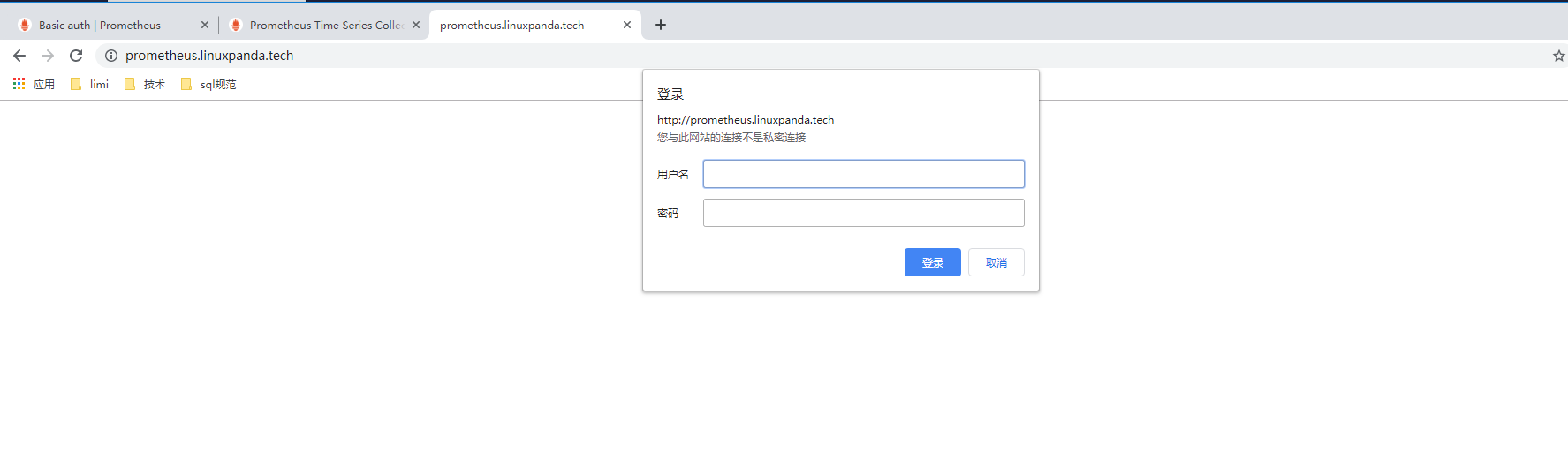
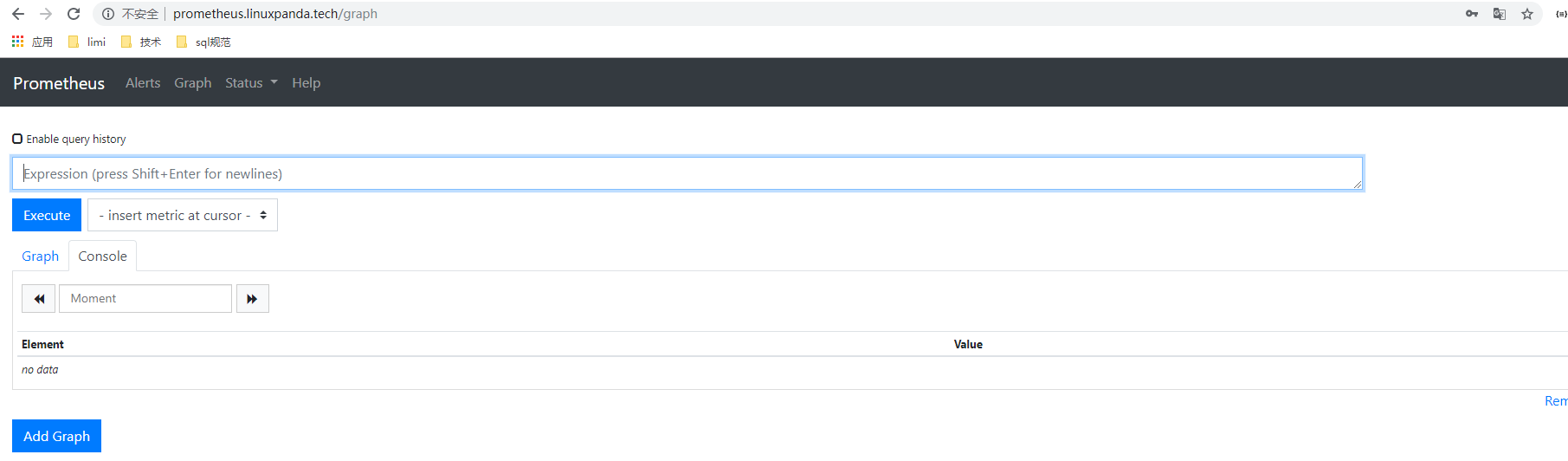
输入我们前面设置的账户和密码 admin/admin 登陆后,效果如下。
https
配置https是需要证书的, 正式环境中的域名是需要花钱的,我们这里使用openssl这个软件来生成一个自签证书测试使用。
https配置
[root@node00 nginx]# cd /etc/nginx/

[root@node00 nginx]# mkdir ssl

[root@node00 nginx]# cd ssl/

[root@node00 ssl]# openssl req  -x509 -newkey rsa:  -nodes  -keyout prometheus.linuxpanda.tech.key -out prometheus.linuxpanda.tech.crt

Generating a  bit RSA private key

.............................................................++

...................................................................................................................................................++

writing new private key to 'prometheus.linuxpanda.tech.key'

-----

You are about to be asked to enter information that will be incorporated

into your certificate request.

What you are about to enter is what is called a Distinguished Name or a DN.

There are quite a few fields but you can leave some blank

For some fields there will be a default value,

If you enter '.', the field will be left blank.

-----

Country Name ( letter code) [XX]:CN

State or Province Name (full name) []:Bei

Locality Name (eg, city) [Default City]:^C

[root@node00 ssl]# openssl req  -x509 -newkey rsa:  -nodes  -keyout prometheus.linuxpanda.tech.key -out prometheus.linuxpanda.tech.crt

Generating a  bit RSA private key

..............................................................................................................................................................++

...............................................................++

writing new private key to 'prometheus.linuxpanda.tech.key'

-----

You are about to be asked to enter information that will be incorporated

into your certificate request.

What you are about to enter is what is called a Distinguished Name or a DN.

There are quite a few fields but you can leave some blank

For some fields there will be a default value,

If you enter '.', the field will be left blank.

-----

Country Name ( letter code) [XX]:CN

State or Province Name (full name) []:BEIJING

Locality Name (eg, city) [Default City]:BEIJING

Organization Name (eg, company) [Default Company Ltd]:

Organizational Unit Name (eg, section) []:

Common Name (eg, your name or your server's hostname) []:prometheus.linuxpanda.tech

Email Address []:

[root@node00 conf.d]# pwd

/etc/nginx/conf.d

[root@node00 conf.d]# cat prometheus.linuxpanda.tech.conf

    server {

        listen ;

        listen  ssl;

        server_name prometheus.linuxpanda.tech ;

        ssl_certificate     ssl/prometheus.linuxpanda.tech.crt;

        ssl_certificate_key ssl/prometheus.linuxpanda.tech.key;

        location / {

            auth_basic           "Prometheus";

            auth_basic_user_file /etc/nginx/.htpasswd;

            proxy_pass           http://localhost:9090/;

        }

    }

[root@node00 conf.d]# systemctl restart nginx

[root@node00 conf.d]# systemctl status nginx
测试
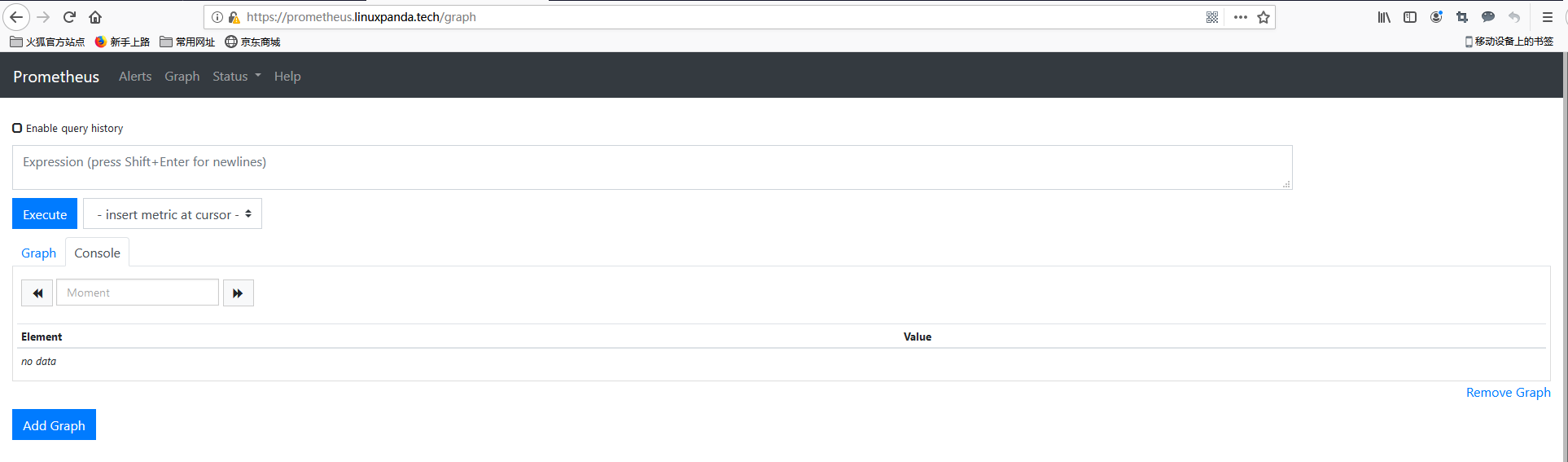
在浏览器输入https://prometheus.linuxpanda.tech 这个域名后,也是会提示不安全的, 那是因为我们使用的是openssl自签证书,忽略证书信息,继续访问,可以访问到如下页面。
prometheus学习系列十一: Prometheus 安全的更多相关文章
- prometheus学习系列十一: Prometheus pushgateway的使用
由于网络问题或者安全问题,可能我们的数据无法直接暴露出一个entrypoint 给prometheus采集. 这个时候可能就需要一个pushgateway来作为中间者完成中转工作. promethe ...
- prometheus学习系列十一: Prometheus和AlertManager的高可用
前面的系列中, prometheus和alertmanager都是单机部署的,会有单机宕机导致系统不可用情况发生.本文主要介绍下prometheus和alertmanager的高可用方案. 服务的高可 ...
- prometheus学习系列十一: Prometheus exporter详解
exporter详解 前面的系列中,我们在主机上面安装了node_exporter程序,该程序对外暴露一个用于获取当前监控样本数据的http的访问地址, 这个的一个程序成为exporter,Expor ...
- prometheus学习系列十一: Prometheus 采集器的编写
在前面的文章已经写了官方的几个exporter的使用了. 在实际使用环境中,我们可能需要收集一些自定义的数据, 这个时候我们一般是需要自己编写采集器的. 快速入门编写一个入门的demo 编写代码 fr ...
- prometheus学习系列十一: Prometheus 报警规则配置
prometheus监控系统的的报警规则是在prometheus这个组件完成配置的. prometheus支持2种类型的规则,记录规则和报警规则, 记录规则主要是为了简写报警规则和提高规则复用的, 报 ...
- Prometheus学习系列(六)之Prometheus 查询说明
前言 本文来自Prometheus官网手册和 Prometheus简介 Prothetheus查询 Prometheus提供一个函数式的表达式语言PromQL (Prometheus Query La ...
- Prometheus学习系列(九)之Prometheus 联盟、迁移
前言 本文来自Prometheus官网手册 和 Prometheus简介 FEDERATION 允许Prometheus服务器从另一台Prometheus服务器抓取选定的时间序列. 一,用例 联盟有不 ...
- Prometheus学习系列(五)之Prometheus 规则(rule)、模板配置说明
前言 本文来自Prometheus官网手册1.2.3.4和 Prometheus简介1.2.3.4 记录规则 一.配置规则 Prometheus支持两种类型的规则,这些规则可以定期配置,然后定期评估: ...
- Prometheus学习系列(二)之Prometheus FIRST STEPS
前言 本文来自Prometheus官网手册 和 Prometheus简介 说明 Prometheus是一个监控平台,通过在监控目标上的HTTP端点来收集受监控目标的指标.本指南将向您展示如何使用Pro ...
随机推荐
- Python之文件读写(csv文件,CSV库,Pandas库)
前言 一.Python文件读取 二.读取CSV文件 一.Python文件读取 1. open函数是内置函数之with操作 - 关于路径设置的问题斜杠设置成D:\\文件夹\\文件或是D:/文件夹/文件 ...
- Computer-Hunters——项目需求分析
Computer-Hunters--项目需求分析 前言 本次作业属于2019秋福大软件工程实践Z班 本次作业要求 团队名称: Computer-Hunters 本次作业目标:撰写一份针对团队项目的需求 ...
- Spring MVC标签
1.我们平时使用表单的时候,一般都是这样: <form id="form" action="Login.do" method="post&quo ...
- linux shell 写swoole重启脚本
linux shell 写swoole重启脚本 代码如下<pre>#!/bin/shkill `lsof -t -i:9501`sleep 2php /data/web/mircoweb/ ...
- react 父组件调用子组件方法、子组件调用父组件方法
我们闲话不多说,直接上代码 // 父组件 import React, {Component} from 'react'; class Parents extends Component { const ...
- [转帖]ORACLE 12C连接时报ORA28040和ORA01017的错误
ORACLE 12C连接时报ORA28040和ORA01017的错误 http://blog.itpub.net/12679300/viewspace-2150667/ 我一直在的处理方式是让更新or ...
- 如何用Python制作优美且功能强大的数据可视化图像
第一个案例 首先开始来绘制你的第一个图表 from pyecharts import Bar '''遇到不懂的问题?Python学习交流群:1004391443满足你的需求,资料都已经上传群文件,可以 ...
- display:grid
使用grid布局 参考资料http://www.ruanyifeng.com/blog/2019/03/grid-layout-tutorial.html flex布局还没完全用利索,但这个grid布 ...
- python自动化使用 HtmlTestRunner 测试用例描述出现dict() -> new empty dictionary
python自动化使用 HtmlTestRunner 测试用例描述出现dict() -> new empty dictionary这个问题,找了各种资料,发现是ddt.py 的问题 修改了dd ...
- php 安装imap报错“configure: error: utf8_mime2text() has new signature”解决
环境:php官方docker镜像 php:7.2-apache 安装IMAP扩展模块执行命令:docker-php-ext-install imap 报错信息:configure: error: ut ...