
asp.net mvc 配置ckeditor4.x
下载地址:https://ckeditor.com/ckeditor-4/download/
一、使用方法:
1、在页面中引入ckeditor核心文件ckeditor.js
2、在使用编辑器的地方插入HTML控件<textarea>
<textarea id="Contents" class="layui-textarea editor1" name="Contents" style="width:99%;height:50%;"></textarea>
3、创建ckeditor编辑器
<script type="text/javascript">

    var editor = CKEDITOR.replace('Contents' );

</script>
4、配置编辑器
// 界面语言,默认为 'en'
config.language = 'zh-cn'; // 设置宽高
config.width = 400;
config.height = 400; // 编辑器样式,有三种:'kama'(默认)、'office2003'、'v2'
config.skin = 'v2'; // 背景颜色
config.uiColor = '#FFF';
//
config.skin: 'moono-lisa',//编辑器皮肤(kama,moono,moono-lisa,moonocolor) //工具栏(基础'Basic'、全能'Full'、自定义)plugins/toolbar/plugin.js
config.toolbar = 'Basic';
config.toolbar = 'Full'; 这将配合:
config.toolbar_Full = [
['Source','-','Save','NewPage','Preview','-','Templates'],
['Cut','Copy','Paste','PasteText','PasteFromWord','-','Print','SpellChecker', 'Scayt'],
['Undo','Redo','-','Find','Replace','-','SelectAll','RemoveFormat'],
['Form', 'Checkbox', 'Radio', 'TextField', 'Textarea', 'Select','Button', 'ImageButton', 'HiddenField'],
'/',
['Bold','Italic','Underline','Strike','-','Subscript','Superscript'],
['NumberedList','BulletedList','-','Outdent','Indent','Blockquote'],
['JustifyLeft','JustifyCenter','JustifyRight','JustifyBlock'],
['Link','Unlink','Anchor'],
['Image','Flash','Table','HorizontalRule','Smiley','SpecialChar','PageBreak'],
'/',
['Styles','Format','Font','FontSize'],
['TextColor','BGColor']
]; //工具栏是否可以被收缩
config.toolbarCanCollapse = true; //工具栏的位置
config.toolbarLocation ='top';//可选:bottom //工具栏默认是否展开
config.toolbarStartupExpanded = true; // 取消 “拖拽以改变尺寸”功能 plugins/resize/plugin.js
config.resize_enabled = false; //改变大小的最大高度 config.resize_maxHeight = 3000; //改变大小的最大宽度
config.resize_maxWidth =3000; //改变大小的最小高度
config.resize_minHeight =250; //改变大小的最小宽度
config.resize_minWidth =750;
// 当提交包含有此编辑器的表单时,是否自动更新元素内的数据
config.autoUpdateElement =true; // 设置是使用绝对目录还是相对目录,为空为相对目录
config.baseHref = '' // 编辑器的z-index值
config.baseFloatZIndex = 10000; //设置快捷键
config.keystrokes = [
[CKEDITOR.ALT + 121 /*F10*/, 'toolbarFocus' ], //获取焦点
[CKEDITOR.ALT + 122 /*F11*/, 'elementsPathFocus' ], //元素焦点 [ CKEDITOR.SHIFT + 121 /*F10*/,'contextMenu' ], //文本菜单 [ CKEDITOR.CTRL + 90 /*Z*/, 'undo' ], //撤销
[ CKEDITOR.CTRL + 89 /*Y*/, 'redo' ], //重做
[CKEDITOR.CTRL + CKEDITOR.SHIFT + 90 /*Z*/, 'redo' ], // [ CKEDITOR.CTRL + 76 /*L*/, 'link' ], //链接 [ CKEDITOR.CTRL + 66 /*B*/, 'bold' ], //粗体
[ CKEDITOR.CTRL + 73 /*I*/, 'italic' ], //斜体
[ CKEDITOR.CTRL + 85 /*U*/, 'underline' ], //下划线 [ CKEDITOR.ALT + 109 /*-*/,'toolbarCollapse' ]
] //设置快捷键 可能与浏览器快捷键冲突plugins/keystrokes/plugin.js.
config.blockedKeystrokes = [
CKEDITOR.CTRL + 66 /*B*/,
CKEDITOR.CTRL + 73 /*I*/,
CKEDITOR.CTRL + 85 /*U*/
] //设置编辑内元素的背景色的取值plugins/colorbutton/plugin.js.
config.colorButton_backStyle = {
element : 'span',
styles : { 'background-color' : '#(color)'}
} //设置前景色的取值 plugins/colorbutton/plugin.js
config.colorButton_colors = '000,800000,8B4513,2F4F4F,008080,000080,4B0082,696969,B22222,A52A2A,DAA520, 006400,40E0D0,0000CD,800080,808080,F00,FF8C00,FFD700,008000,0FF,00F,EE82EE, A9A9A9,FFA07A,FFA500,FFFF00,00FF00,AFEEEE,ADD8E6,DDA0DD,D3D3D3,FFF0F5, FAEBD7,FFFFE0,F0FFF0,F0FFFF,F0F8FF,E6E6FA,FFF’ //是否在选择颜色时显示“其它颜色”选项plugins/colorbutton/plugin.js
config.colorButton_enableMore =false //区块的前景色默认值设置 plugins/colorbutton/plugin.js
config.colorButton_foreStyle = {
element : 'span',
styles : { 'color' : '#(color)' }
}; //所需要添加的CSS文件 在此添加 可使用相对路径和网站的绝对路径
config.contentsCss = './contents.css'; //文字方向
config.contentsLangDirection ='rtl'; //从左到右 //CKeditor的配置文件 若不想配置 留空即可
CKEDITOR.replace( 'myfiled', { customConfig : './config.js' } ); //界面编辑框的背景色 plugins/dialog/plugin.js
config.dialog_backgroundCoverColor = '#fffefd'; //可设置参考
config.dialog_backgroundCoverColor = 'white' //默认 //背景的不透明度 数值应该在:0.0~1.0 之间plugins/dialog/plugin.js
config.dialog_backgroundCoverOpacity =0.5 //移动或者改变元素时 边框的吸附距离 单位:像素plugins/dialog/plugin.js
config.dialog_magnetDistance = 20; //是否拒绝本地拼写检查和提示 默认为拒绝 目前仅firefox和safari支持plugins/wysiwygarea/plugin.js.
config.disableNativeSpellChecker =true //进行表格编辑功能 如:添加行或列 目前仅firefox支持plugins/wysiwygarea/plugin.js
config.disableNativeTableHandles =true; //默认为不开启 //是否开启 图片和表格 的改变大小的功能config.disableObjectResizing = true;
config.disableObjectResizing= false //默认为开启 //设置HTML文档类型
config.docType ='<!DOCTYPE html PUBLIC "-//W3C//DTD XHTML 1.0 Transitional//EN" "http://www.w3.org/TR/xhtml1/DTD/xhtml1-transitional.dtd%22' ; //是否对编辑区域进行渲染plugins/editingblock/plugin.js
config.editingBlock = true; //编辑器中回车产生的标签
config.enterMode =CKEDITOR.ENTER_P; //可选:CKEDITOR.ENTER_BR或CKEDITOR.ENTER_DIV //是否使用HTML实体进行输出 plugins/entities/plugin.js
config.entities = true; //定义更多的实体 plugins/entities/plugin.js
config.entities_additional = '#39'; //其中#代替了& //是否转换一些难以显示的字符为相应的HTML字符plugins/entities/plugin.js
config.entities_greek = true; //是否转换一些拉丁字符为HTMLplugins/entities/plugin.js
config.entities_latin = true; //是否转换一些特殊字符为ASCII字符 如"This is Chinese:汉语."转换为"This is Chinese: 汉语."plugins/entities/plugin.js
config.entities_processNumerical =false; //添加新组件
config.extraPlugins ='myplugin'; //非默认 仅示例 //使用搜索时的高亮色 plugins/find/plugin.js
config.find_highlight = {
element : 'span',
styles: { 'background-color' : '#ff0', 'color' : '#00f' }
}; //默认的字体名 plugins/font/plugin.js
config.font_defaultLabel = 'Arial'; //字体编辑时的字符集 可以添加常用的中文字符:宋体、楷体、黑体等plugins/font/plugin.js
config.font_names = 'Arial;Times NewRoman;Verdana'; //文字的默认式样 plugins/font/plugin.js
config.font_style = {
element : 'span',
styles : { 'font-family' : '#(family)' },
overrides : [ { element :'font', attributes : { 'face' : null } } ]
}; //字体默认大小 plugins/font/plugin.js
config.fontSize_defaultLabel = '12px'; //字体编辑时可选的字体大小 plugins/font/plugin.js
config.fontSize_sizes='8/8px;9/9px;10/10px;11/11px;12/12px;14/14px;16/16px;18/18px;20/20px;22/22px;24/24px;26/26px;28/28px;36/36px;48/48px;72/72px' //设置字体大小时 使用的式样 plugins/font/plugin.js
config.fontSize_style = {
element : 'span',
styles : { 'font-size' : '#(size)' },
overrides : [ {element : 'font', attributes : { 'size' : null } } ]
}; //是否强制复制来的内容去除格式plugins/pastetext/plugin.js
config.forcePasteAsPlainText =false//不去除 //是否强制用“&”来代替“&”plugins/htmldataprocessor/plugin.js
config.forceSimpleAmpersand = false; //对address标签进行格式化 plugins/format/plugin.js
config.format_address = { element : 'address', attributes : { class :'styledAddress' } }; //对DIV标签自动进行格式化 plugins/format/plugin.js
config.format_div = { element : 'div', attributes : { class :'normalDiv' } }; //对H1标签自动进行格式化 plugins/format/plugin.js
config.format_h1 = { element : 'h1', attributes : { class :'contentTitle1' } }; //对H2标签自动进行格式化 plugins/format/plugin.js
config.format_h2 = { element : 'h2', attributes : { class :'contentTitle2' } }; //对H3标签自动进行格式化 plugins/format/plugin.js
config.format_h1 = { element : 'h3', attributes : { class :'contentTitle3' } }; //对H4标签自动进行格式化 plugins/format/plugin.js
config.format_h1 = { element : 'h4', attributes : { class :'contentTitle4' } }; //对H5标签自动进行格式化 plugins/format/plugin.js
config.format_h1 = { element : 'h5', attributes : { class :'contentTitle5' } }; //对H6标签自动进行格式化 plugins/format/plugin.js
config.format_h1 = { element : 'h6', attributes : { class :'contentTitle6' } }; //对P标签自动进行格式化 plugins/format/plugin.js
config.format_p = { element : 'p', attributes : { class : 'normalPara' }}; //对PRE标签自动进行格式化 plugins/format/plugin.js
config.format_pre = { element : 'pre', attributes : { class : 'code'} }; //用分号分隔的标签名字 在工具栏上显示plugins/format/plugin.js
config.format_tags ='p;h1;h2;h3;h4;h5;h6;pre;address;div'; //是否使用完整的html编辑模式如使用,其源码将包含:<html><body></body></html>等标签
config.fullPage = false; //是否忽略段落中的空字符 若不忽略 则字符将以“”表示plugins/wysiwygarea/plugin.js
config.ignoreEmptyParagraph = true; //在清除图片属性框中的链接属性时 是否同时清除两边的<a>标签plugins/image/plugin.js
config.image_removeLinkByEmptyURL = true; //一组用逗号分隔的标签名称,显示在左下角的层次嵌套中plugins/menu/plugin.js.
config.menu_groups='clipboard,form,tablecell,tablecellproperties,tablerow,tablecolumn,table,anchor,link,image,flash,checkbox,radio,textfield,hiddenfield,imagebutton,button,select,textarea'; //显示子菜单时的延迟,单位:ms plugins/menu/plugin.js
config.menu_subMenuDelay = 400; //当执行“新建”命令时,编辑器中的内容plugins/newpage/plugin.js
config.newpage_html = ''; //当从word里复制文字进来时,是否进行文字的格式化去除plugins/pastefromword/plugin.js
config.pasteFromWordIgnoreFontFace = true; //默认为忽略格式 //是否使用<h1><h2>等标签修饰或者代替从word文档中粘贴过来的内容plugins/pastefromword/plugin.js
config.pasteFromWordKeepsStructure = false; //从word中粘贴内容时是否移除格式plugins/pastefromword/plugin.js
config.pasteFromWordRemoveStyle =false; //对应后台语言的类型来对输出的HTML内容进行格式化,默认为空
config.protectedSource.push( /<"?["s"S]*?"?>/g ); // PHP Code
config.protectedSource.push( //g ); // ASP Code
config.protectedSource.push(/(]+>["s|"S]*?<"/asp:[^">]+>)|(]+"/>)/gi ); // ASP.NetCode //当输入:shift+Enter时插入的标签
config.shiftEnterMode = CKEDITOR.ENTER_P; //可选:CKEDITOR.ENTER_BR或CKEDITOR.ENTER_DIV //可选的表情替代字符 plugins/smiley/plugin.js.
config.smiley_descriptions = [
':)', ':(', ';)', ':D', ':/',':P',
'', '', '', '', '', '',
'', ';(', '', '','', '',
'', ':kiss', '' ]; //对应的表情图片 plugins/smiley/plugin.js
config.smiley_images = [
'regular_smile.gif','sad_smile.gif','wink_smile.gif','teeth_smile.gif','confused_smile.gif','tounge_smile.gif',
'embaressed_smile.gif','omg_smile.gif','whatchutalkingabout_smile.gif','angry_smile.gif','angel_smile.gif','shades_smile.gif',
'devil_smile.gif','cry_smile.gif','lightbulb.gif','thumbs_down.gif','thumbs_up.gif','heart.gif',
'broken_heart.gif','kiss.gif','envelope.gif']; //表情的地址 plugins/smiley/plugin.js
config.smiley_path = 'plugins/smiley/images/'; //页面载入时,编辑框是否立即获得焦点plugins/editingblock/plugin.js plugins/editingblock/plugin.js.
config.startupFocus = false; //载入时,以何种方式编辑 源码和所见即所得 "source"和"wysiwyg"plugins/editingblock/plugin.js.
config.startupMode ='wysiwyg'; //载入时,是否显示框体的边框plugins/showblocks/plugin.js
config.startupOutlineBlocks = false; //是否载入样式文件 plugins/stylescombo/plugin.js.
config.stylesCombo_stylesSet = 'default';
//以下为可选
config.stylesCombo_stylesSet = 'mystyles';
config.stylesCombo_stylesSet = 'mystyles:/editorstyles/styles.js';
config.stylesCombo_stylesSet ='mystyles:http://www.example.com/editorstyles/styles.js'; //起始的索引值
config.tabIndex = 0; //当用户键入TAB时,编辑器走过的空格数,( )当值为0时,焦点将移出编辑框 plugins/tab/plugin.js
config.tabSpaces = 0; //默认使用的模板 plugins/templates/plugin.js.
config.templates = 'default'; //用逗号分隔的模板文件plugins/templates/plugin.js.
config.templates_files = [ 'plugins/templates/templates/default.js' ] //当使用模板时,“编辑内容将被替换”框是否选中plugins/templates/plugin.js
config.templates_replaceContent =true; //主题
config.theme = 'default'; //撤销的记录步数 plugins/undo/plugin.js
config.undoStackSize =20; // 在 CKEditor 中集成 CKFinder,注意 ckfinder的路径选择要正确。
//CKFinder.SetupCKEditor(null, '/ckfinder/');
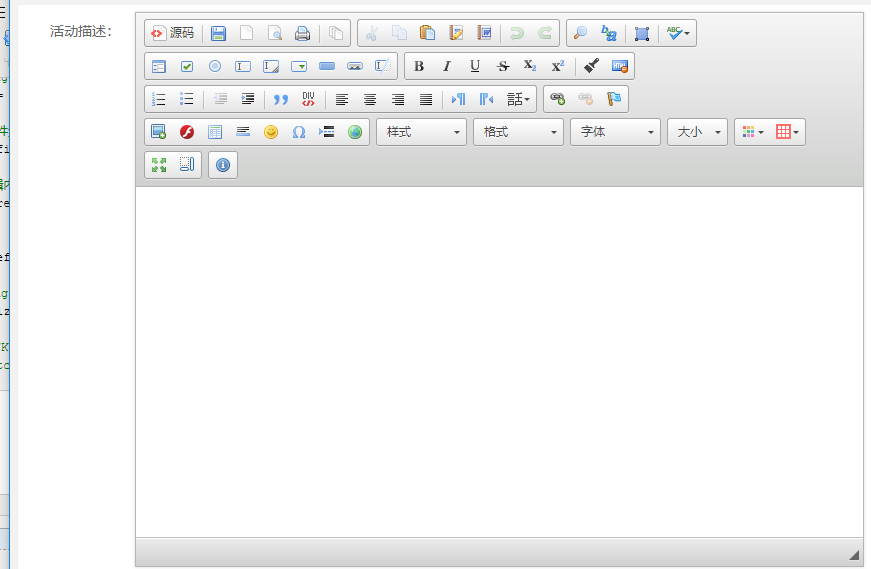
效果预览:
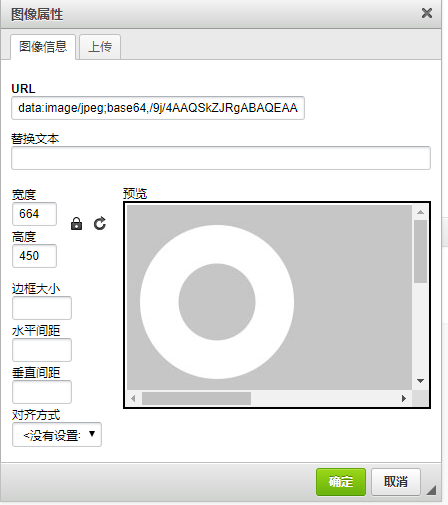
5.扩展图片上传:
在config.js新增代码:
config.filebrowserImageUploadUrl = '~/upload'; // 图片上传路径

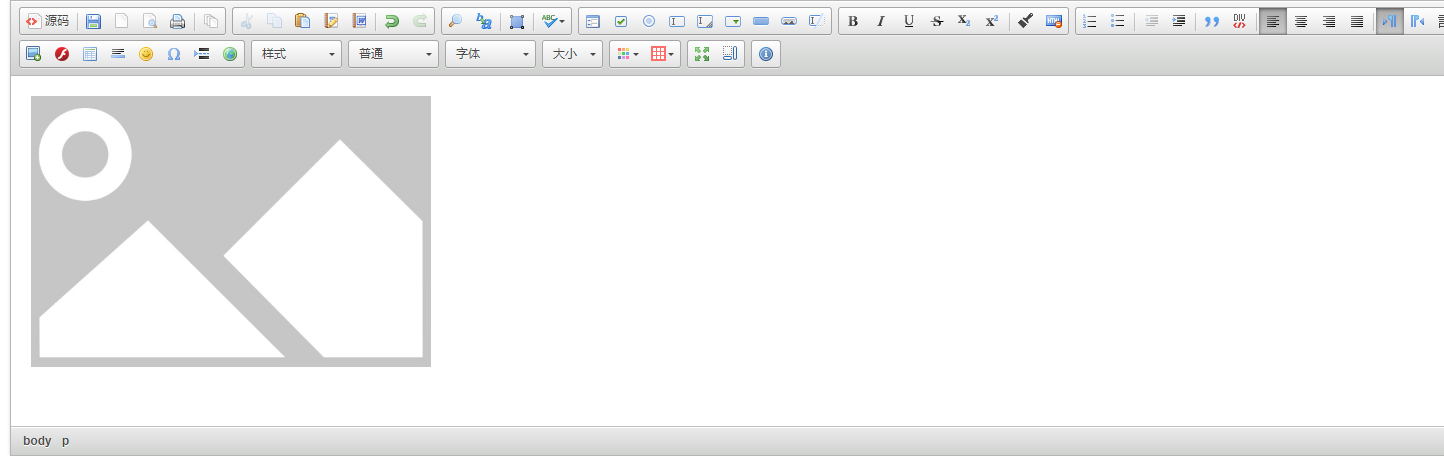
config.image_previewText = ' '; // 图片信息面板预览区内容的文字内容,默认显示CKEditor自带的内容

    config.removeDialogTabs = 'image:advanced;image:Link'; // 移除图片上传页面的'高级','链接'页签
filebrowserImageUploadUrl :配置图片上传地址;
后台功能代码展示:
  [HttpPost]

         public ActionResult SingleImgUpLoad(HttpPostedFileBase upload)

         {

             try

             {

                 UploadImgClass uploadImgClass = new UploadImgClass();

                 var CKEditorFuncNum = Request["CKEditorFuncNum"];

                 string uploadPath = Server.MapPath("~/upload/");

                 if (!Directory.Exists(uploadPath))

                 {

                     Directory.CreateDirectory(uploadPath);

                 }

                 string fileName = upload.FileName;

                 string fileExt = fileName.Substring(fileName.LastIndexOf(".") + );

                 string fileContentType = upload.ContentType.ToString();

                 if (fileContentType == "image/bmp" || fileContentType == "image/gif" || fileContentType == "image/png" || fileContentType == "image/x-png" || fileContentType == "image/jpeg"

                    || fileContentType == "image/pjpeg")

                 {

                     string nowTimeStr = Guid.NewGuid().ToString();

                     fileName = nowTimeStr + "." + fileExt;

                     upload.SaveAs(Path.Combine(uploadPath, fileName));

                     string hosturl =Request.Url.Host;

                     string post = Request.Url.Port.ToString();

                     string imageurl =Path.Combine(uploadPath, fileName)

                     uploadImgClass.uploaded = ;

                     uploadImgClass.fileName = fileName;

                     uploadImgClass.url = imageurl;

                     return Content(uploadImgClass.ToJson());

                 }

                 else {

                     string msgdata = ErrorStr(, "只支持BMP、GIF、JPG、PNG格式的图片!");

                     return Content(msgdata);

                 }

             }

             catch (Exception ex)

             {

                 string msgdata = ErrorStr(, "上传失败!");

                 return Content(msgdata);

             }

         }
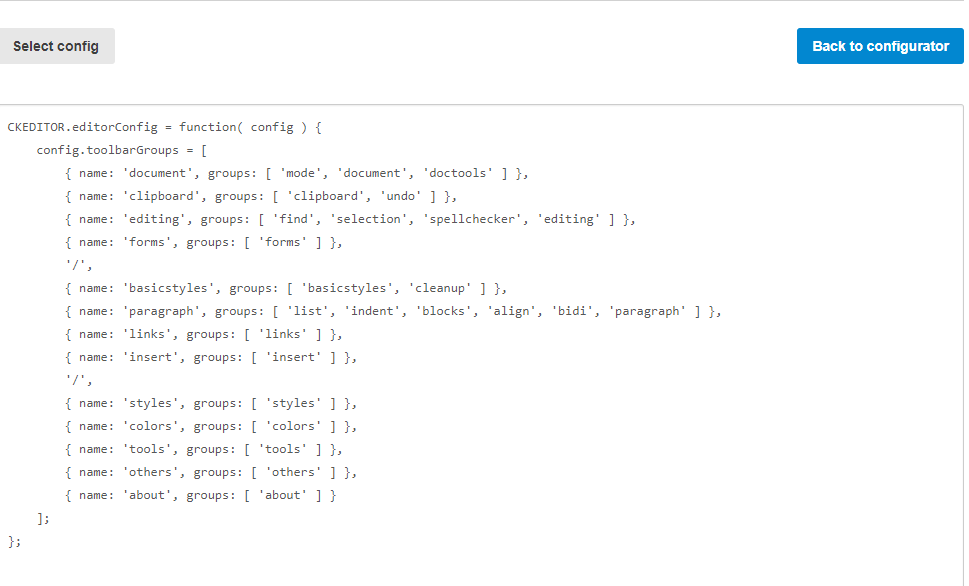
二、自定义生成工具栏:
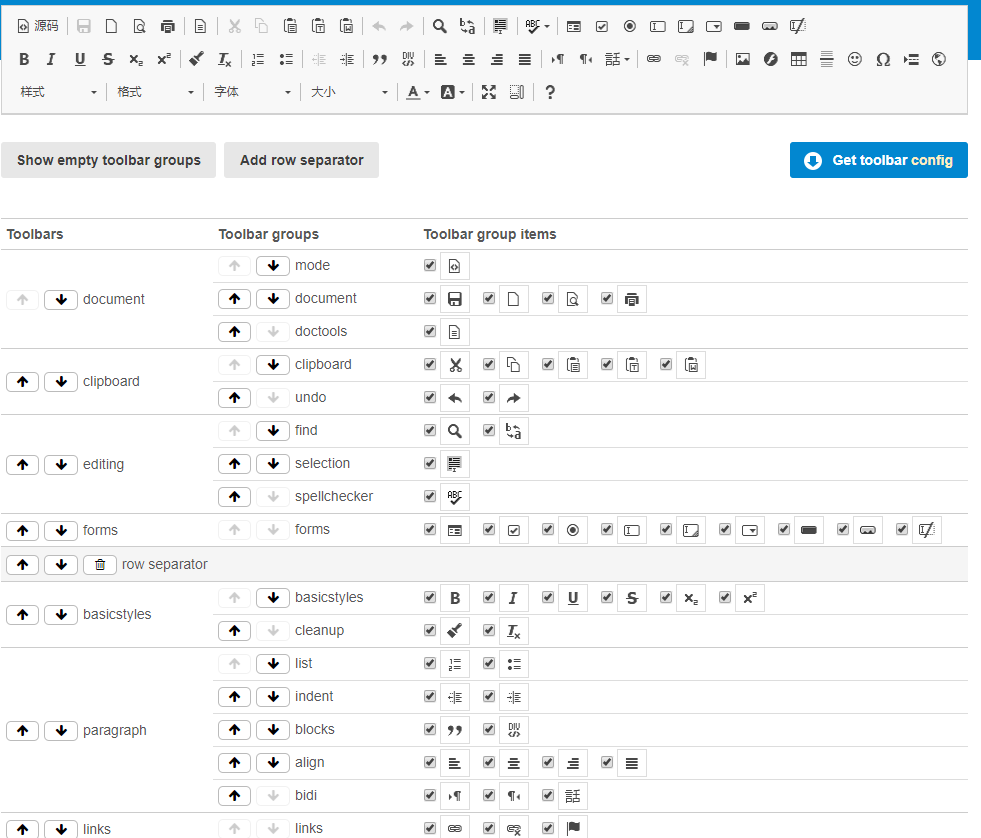
在浏览器打开文件夹samples中的html,选择需要的工具菜单项生成代码
三、精简ckeditor
在部署到Web服务器上时,下列文件夹和文件都可以删除:
/_samples :示例文件夹;
/_source :未压缩源程序;
/lang文件夹下除 zh-cn.js、en.js以外的文件(也可以根据需要保留其他语言文件);
根目录下的changes.html(更新列表),install.html(安装指向),license.html(使用许可);
/skins 目录下不需要的皮肤,一般用V2(简单,朴素),如果只保留V2则必须在config.js中指定皮肤
asp.net mvc 配置ckeditor4.x的更多相关文章
- ASP.NET/MVC 配置log4net启用写错误日志功能
<?xml version="1.0" encoding="utf-8"?> <!-- 有关如何配置 ASP.NET 应用程序的详细信息,请访 ...
- C# asp.net mvc 配置多个route 参数
mvc 中路由可以自定义 public class RouteConfig { public static void RegisterRoutes(RouteCollection routes) { ...
- C# ASP.NET MVC 配置允许跨域访问
在web.config文件中的 system.webServer 节点下 增加如下配置 <httpProtocol> <customHeaders> <add name= ...
- ASP.NET MVC配置Redis服务
===================== 1.下载并安装Redis.官网并未提供Windows安装版,所以去Github 下载 下载地址: https://github.com/MicrosoftA ...
- jquery.uploadify上传文件配置详解(asp.net mvc)
页面源码: <!DOCTYPE html> <html> <head> <meta http-equiv="Content-Type" c ...
- ASP.NET MVC 微信公众号支付,微信公众平台配置
微信公众号支付,首先要登录微信公众号进行配置: 第一步:配置网页授权域名
- asp.net mvc 3 配置全局错误处理 Web.config中设置CustomError
摘自: http://www.myexception.cn/web/1130191.html asp.net mvc 配置全局异常处理 Web.config中设置CustomError Web.con ...
- SharpDeveloeper开发ASP.NET MVC汗流浃背
今天好不容易休息了一天,上网狂了一圈,突然想起了以前的一个轻量级的开发工具"SharpDeveloper",于是就下载试着来开发一下ASP.NET,但是老魏没有想到的是,虽然官方提 ...
- winform程序压缩文件上传,服务器端asp.net mvc进行接收解压
期间编程没什么难度,唯一可能忽略导致结果失败是asp.net mvc配置 对于压缩文件大的话,需要配置mvc的最大接收量: <system.web> <httpRuntime ma ...
随机推荐
- 一个机器上运行两个tomcat
一. 在一台计算机上配置2个tomcat是可以的,关键是tomcat里的server.xml文件中三个端口必须不同.需要修改conf/server.xml使两个tomcat占用的端口不相同,在缺省 ...
- 用百度AI的OCR文字识别结合JAVA实现了图片的文字识别功能
第一步可定要获取百度的三个东西 要到百度AI网站(http://ai.baidu.com/)去注册 然后获得 -const APP_ID = '请填写你的appid'; -const API_KEY ...
- 2018.06.26 NOIP模拟 纪念碑(线段树+扫描线)
题解: 题目背景 SOURCE:NOIP2015−GDZSJNZXSOURCE:NOIP2015-GDZSJNZXSOURCE:NOIP2015−GDZSJNZX(难) 题目描述 2034203420 ...
- Le Chapitre VI
Ah! petit prince, j'ai compris, peu à peu, ainsi, ta petite vie mélancolique. Tu n'avais eu longtemp ...
- Vue + Element UI 实现权限管理系统
Vue + Element UI 实现权限管理系统 前端篇(一):搭建开发环境 https://www.cnblogs.com/xifengxiaoma/p/9533018.html
- oracle死锁解决方法
select SESS.sid, SESS.SERIAL#, LO.ORACLE_USERNAME, LO.OS_USER_NAME, AO.OBJECT_NAME, LO.LOCKED_M ...
- R语言的文件写入
R语言的文件写入 官方文档介绍如下: write.table(x, file = "", append = FALSE, quote = TRUE, sep = " &q ...
- Windows下用curl命令
一开始自己是下载curl的可执行文件来弄的,发现中文会乱码: 按照网上的用chcp 65001后中文还是乱码,蒙逼中. 后来直接用git bash执行curl,发现git bash自带了这个命令:(可 ...
- 【慕课网实战】Spark Streaming实时流处理项目实战笔记十一之铭文升级版
铭文一级: 第8章 Spark Streaming进阶与案例实战 黑名单过滤 访问日志 ==> DStream20180808,zs20180808,ls20180808,ww ==> ( ...
- 【慕课网实战】Spark Streaming实时流处理项目实战笔记一之铭文升级版
第一章:课程介绍 铭文一级: VMware Fusion Mac上搭建:为了给大家演示如何使用我们的OOTB环境 Hadoop环境:虚拟机,我是远程登录 Mac 那么就不需要使用我们的OOTB环境 V ...