
【C#Windows 服务】 《二》INI配置文件
一、工具:
VS2015+NET Framework4.5。
二、操作:
1、创建INIHelp帮助类
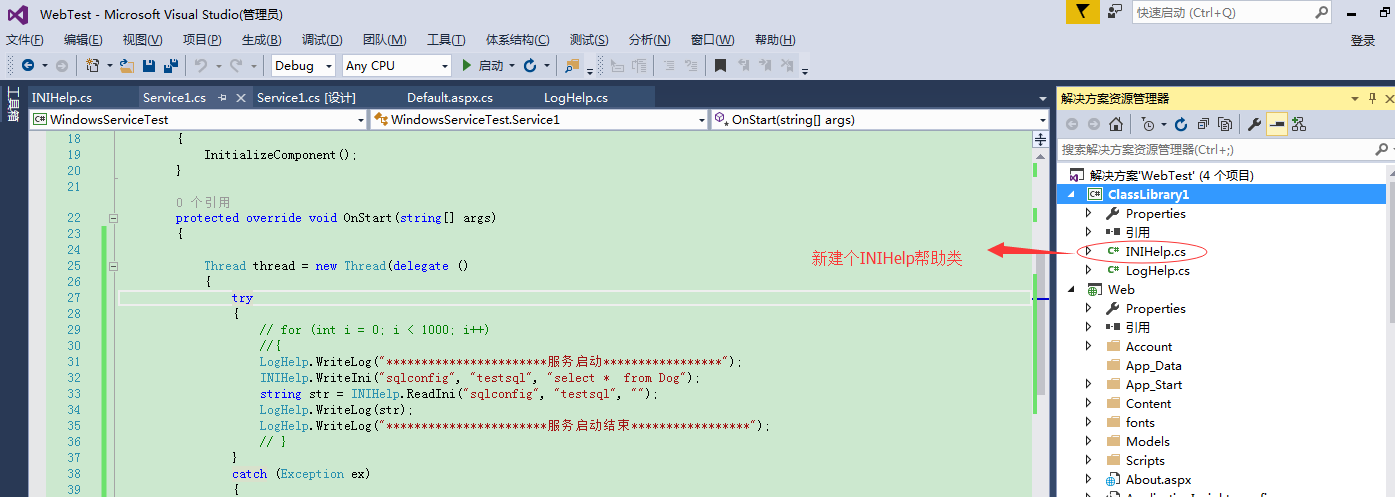
2、丰富帮助类操作
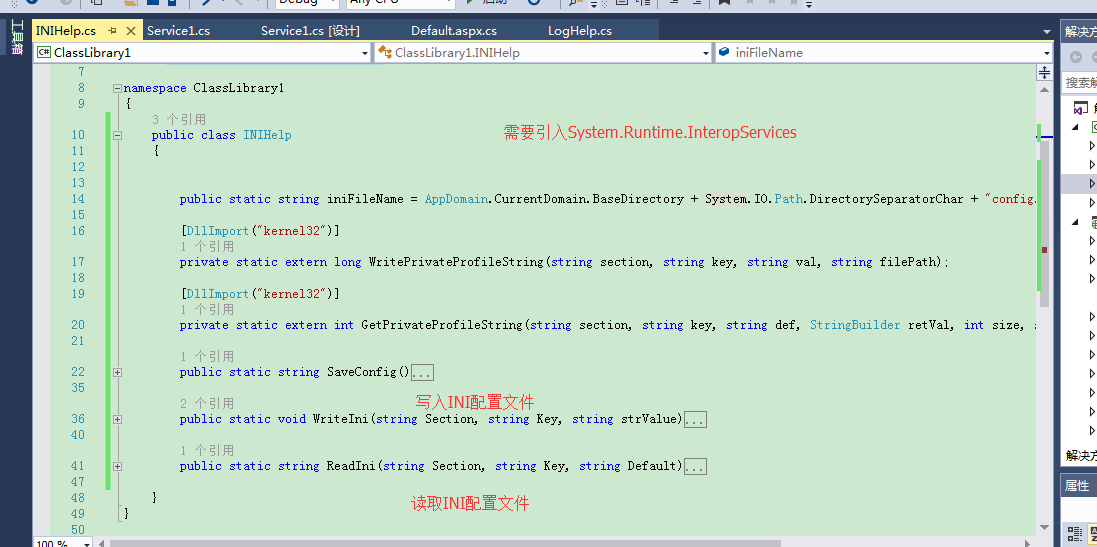
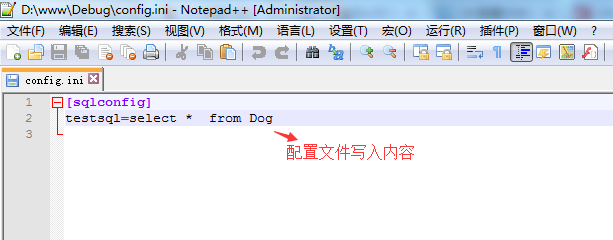
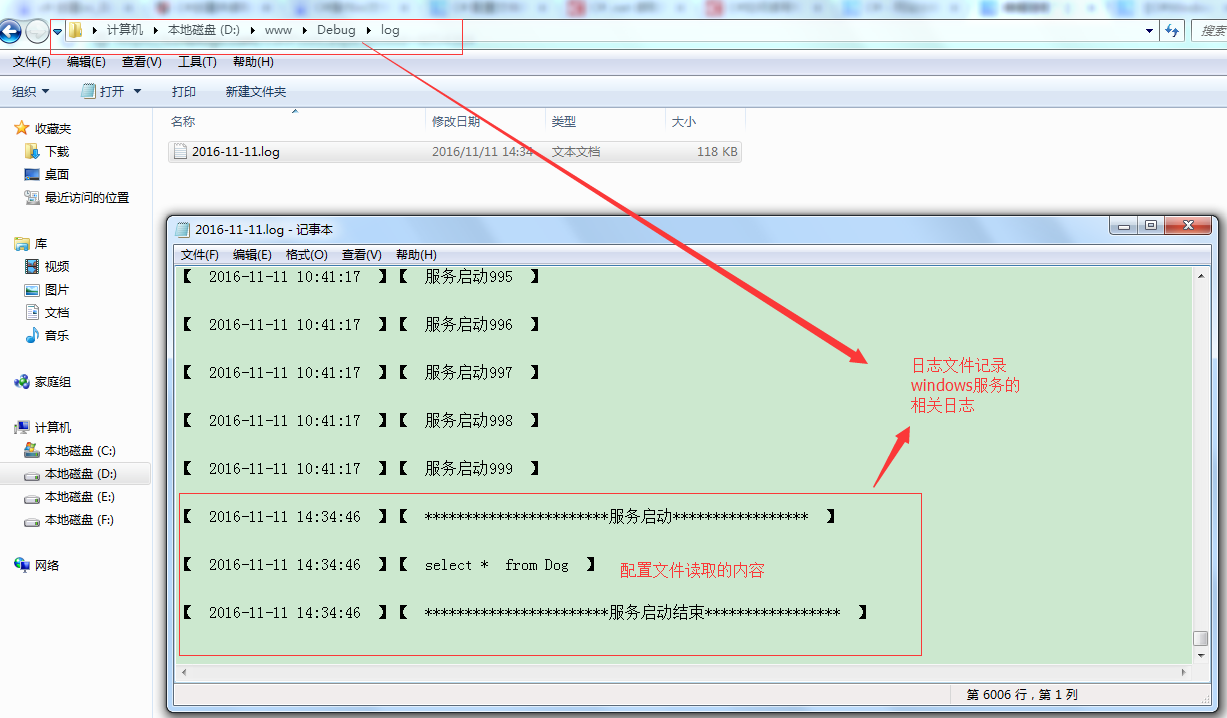
3、windows实例调用
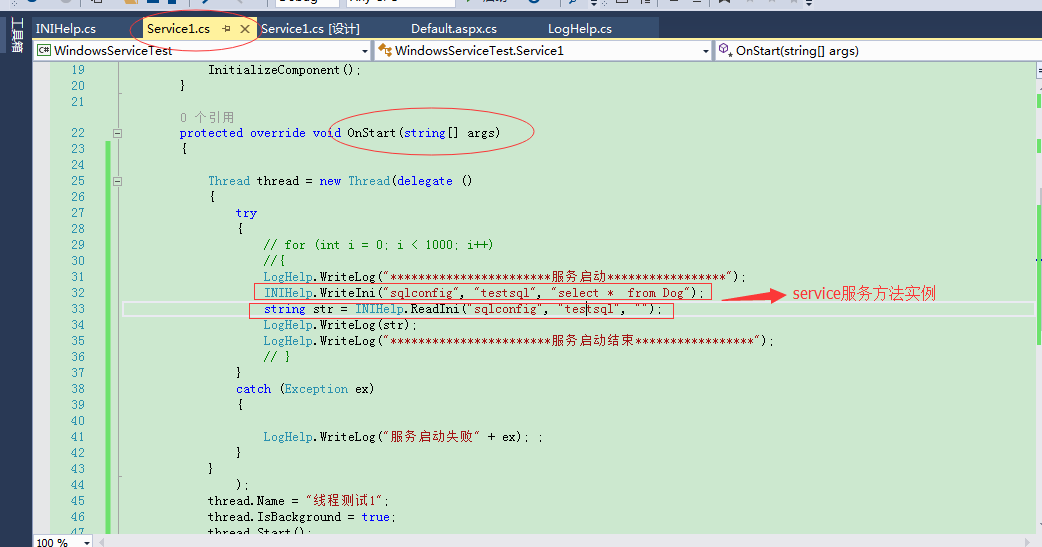
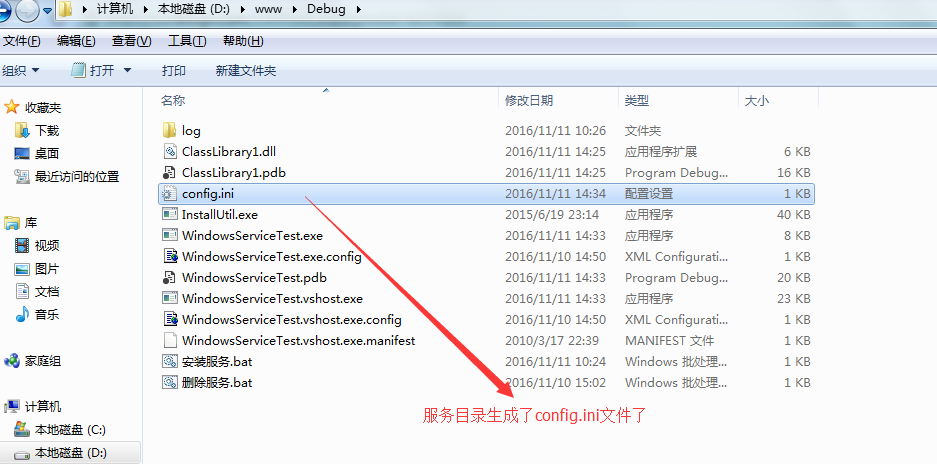
三、代码:
1、INI帮助类:
|
1
2
3
4
5
6
7
8
9
10
11
12
13
14
15
16
17
18
19
20
21
22
23
24
25
26
27
28
29
30
31
32
33
34
35
36
37
38
39
40
41
42
43
44
45
46
47
48
49
|
using System;using System.Collections.Generic;using System.Linq;using System.Text;using System.Threading.Tasks;using System.Runtime.InteropServices;namespace ClassLibrary1{ public class INIHelp { public static string iniFileName = AppDomain.CurrentDomain.BaseDirectory + System.IO.Path.DirectorySeparatorChar + "config.ini"; [DllImport("kernel32")] private static extern long WritePrivateProfileString(string section, string key, string val, string filePath); [DllImport("kernel32")] private static extern int GetPrivateProfileString(string section, string key, string def, StringBuilder retVal, int size, string filePath); public static string SaveConfig() { try { WriteIni("sqlconfig", "testsql", "select * from Dog"); } catch (Exception ex) { LogHelp.WriteLog(ex.ToString()); } return "0"; } public static void WriteIni(string Section, string Key, string strValue) { WritePrivateProfileString(Section, Key, strValue, iniFileName); } public static string ReadIni(string Section, string Key, string Default) { StringBuilder temp = new StringBuilder(1024); int rec = GetPrivateProfileString(Section, Key, Default, temp, 1024, iniFileName); return temp.ToString(); } }} |
2、windows服务中调用代码:
|
1
2
3
4
5
6
7
8
9
10
11
12
13
14
15
16
17
18
19
20
21
22
23
24
25
26
27
28
29
30
31
32
33
34
35
36
37
38
39
40
41
42
43
44
45
46
47
48
49
50
51
52
53
54
55
|
using ClassLibrary1;using System;using System.Collections.Generic;using System.ComponentModel;using System.Data;using System.Diagnostics;using System.Linq;using System.ServiceProcess;using System.Text;using System.Threading;using System.Threading.Tasks;namespace WindowsServiceTest{ public partial class Service1 : ServiceBase { public Service1() { InitializeComponent(); } protected override void OnStart(string[] args) { Thread thread = new Thread(delegate () { try { // for (int i = 0; i < 1000; i++) //{ LogHelp.WriteLog("***********************服务启动*****************"); INIHelp.WriteIni("sqlconfig", "testsql", "select * from Dog"); string str = INIHelp.ReadIni("sqlconfig", "testsql", ""); LogHelp.WriteLog(str); LogHelp.WriteLog("***********************服务启动结束*****************"); // } } catch (Exception ex) { LogHelp.WriteLog("服务启动失败" + ex); ; } } ); thread.Name = "线程测试1"; thread.IsBackground = true; thread.Start(); } protected override void OnStop() { } }} |
四、总结:
记录每一天的点滴,码好每一行的代码
【C#Windows 服务】 《二》INI配置文件的更多相关文章
- Windows服务二:测试新建的服务、调试Windows服务
一.测试Windows服务 为了使Windows服务程序能够正常运行,我们需要像创建一般应用程序那样为它创建一个程序的入口点.像其他应用程序一样,Windows服务也是在Program.cs的Main ...
- WCF寄宿windows服务二
如果有很多WCF服务需要寄宿,需要额外做一些工作:总体思路是:先把这些WCF服务的程序集打包,然后利用反射加载各个WCF服务的程序集,按顺序一个一个寄宿.先来看看我们需要寄宿的WCF服务: 实现步骤: ...
- C#创建windows服务(二:创建和卸载windows服务)
引用地址: https://docs.microsoft.com/zh-cn/dotnet/framework/windows-services/how-to-create-windows-servi ...
- 将控制台程序做成windows服务
一:添加windows服务 二:修改XXXInstaller1的StartType=Automatic,修改ProcessInstaller1的Account=LocalSystem 三:在progr ...
- Python读取ini配置文件的方式
python configparser模块 ConfigParser模块在python中用来读取配置文件,配置文件的格式跟windows下的ini配置文件相似,可以包含一个或多个节(section ...
- C#开发windows服务如何调试——资料整理
原文标题:C# Windows服务程序如何进行调试 原文地址:https://jingyan.baidu.com/article/456c463b18e1b00a583144b3.html 第一种: ...
- vs2019+windows服务+nancy+打包
一.创建windows服务 二.nuget包添加nancy 1.nancy 2.0.0和Nancy.Hosting.Self 2.0.0插件 2.项目添加文件夹Modules,在Modules文件夹 ...
- C#制作Windows service服务系列二:演示一个定期执行的windows服务及调试(windows service)
系列一: 制作一个可安装.可启动.可停止.可卸载的Windows service(downmoon原创) 系列二:演示一个定期执行的windows服务及调试(windows service)(down ...
- 常量,字段,构造方法 调试 ms 源代码 一个C#二维码图片识别的Demo 近期ASP.NET问题汇总及对应的解决办法 c# chart控件柱状图,改变柱子宽度 使用C#创建Windows服务 C#服务端判断客户端socket是否已断开的方法 线程 线程池 Task .NET 单元测试的利剑——模拟框架Moq
常量,字段,构造方法 常量 1.什么是常量 常量是值从不变化的符号,在编译之前值就必须确定.编译后,常量值会保存到程序集元数据中.所以,常量必须是编译器识别的基元类型的常量,如:Boolean ...
随机推荐
- cocos2d-x 2.2.2 在lua中更换CCSprite的图片
废话不多说,直接上代码 --lua --获取场景 local scene= CCDirector:sharedDirector():getRunningScene() --创建精灵 local tes ...
- C++字符串操作笔试题第二波
//1.字符串替换空格:请实现一个函数,把字符串中的每一个空格替换成"%20". //比如输入"we are happy.".则输出"we%20are ...
- Ruby学习笔记(一)
在做实验的时候,由于每次都要手工修改文件夹的名字,实在是给自己添了太多的麻烦,为了摆脱手工修改的困恼,于是产生了一个使用程序批量修改文件夹名字的好主意.为了最终实现这个目标,自然需要选择一种合适的脚本 ...
- apiCloud中实现头部与内容分离与操作规范,App头部header固定,头部与内容分离
官方案例 1.头部拆分成一个页面比如news-text <!doctype html> <html> <head> <meta charset="u ...
- 今天犯的一个错误,导致method GET must not have a request body
事件经过: 1.在本地机器运行完全正常的程序,手动人工发包到测试环境上,后台日志频频报method GET must not have a request body. 2.使用postman发送pos ...
- 分组后取每组内排名的Top N的SQL语句
给个MySQL例子参考 -----查询每门课程的前2名成绩 CREATE TABLE StudentGrade( stuId CHAR(4), --学号 subId I ...
- Android 去掉TabLayout下的阴影,AppBarLayout下的阴影
开始还以为是TabLayout在高版本系统上的特殊表现呢,没有在意,UI提出说感觉不好看就查了一下,原来是在TabLayout放在AppBarLayout里面才有这样的效果,只需要对AppBarLay ...
- (转载)自定义View——弹性滑动
滑动是Android开发中非常重要的UI效果,几乎所有应用都包含了滑动效果,而本文将对滑动的使用以及原理进行介绍. 一.scrollTo与ScrollBy View提供了专门的方法用于实现滑动效果,分 ...
- 「JavaSE 重新出发」02.02 引用数据类型
引用(复合)数据类型 1. 枚举类型 例: 枚举类型 Size 的声明: enum Size { SMALL, MEDIUM, LARGE, EXTRA_LARGE }; 声明 Size 类型变量: ...
- ADO.NET之断开数据连接的数据库操作
在ADO.NET对数据库操作时有两种方式一种时与数据库实时连接,第二种时断开连接的操作. 断开连接的操作使用SqlDataAdapter来实现,我们要把数据库中的表数据加载到winform中的data ...