
[转帖]ELKStack入门篇(二)之Nginx、Tomcat、Java日志收集以及TCP收集日志使用
https://www.cnblogs.com/linuxk/p/9273160.html
1、收集Nginx的json格式日志
1.1、Nginx安装

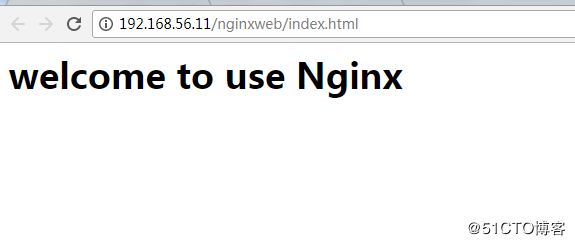
1.2、配置logstash

[root@linux-node1 ~]# vim /etc/logstash/conf.d/nginx-accesslog.conf

input{

    file {

        path => "/var/log/nginx/access.log"

        type => "nginx-access-log"

        start_position => "beginning"

        stat_interval => "2"

    }

}

output{

   elasticsearch {

        hosts => ["192.168.56.11:9200"]

        index => "logstash-nginx-access-log-%{+YYYY.MM.dd}"

   }

   file {

        path => "/tmp/logstash-nginx-access-log-%{+YYYY.MM.dd}"

   }

}

[root@linux-node1 ~]# /usr/share/logstash/bin/logstash -f /etc/logstash/conf.d/nginx_access.conf -t

[root@linux-node1 ~]# systemctl restart logstash
1.3、配置Kibana展示
[root@linux-node1 ~]# ab -n1000 -c 100 http://192.168.56.11/nginxweb/index.html    #对页面压测

[root@linux-node1 ~]# tailf /var/log/nginx/access.log    #nginx的访问日志变成了json格式

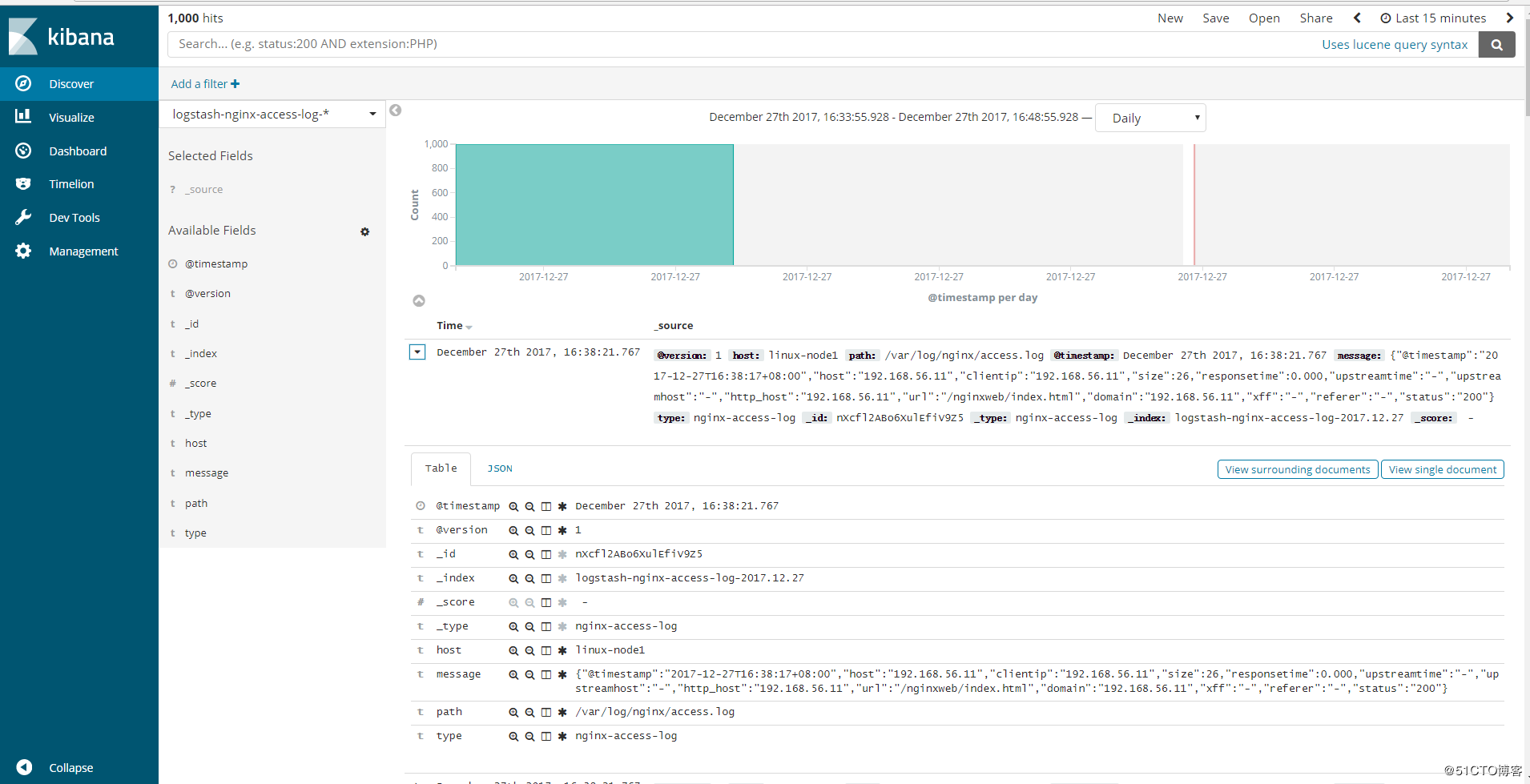
{"@timestamp":"2017-12-27T16:38:17+08:00","host":"192.168.56.11","clientip":"192.168.56.11","size":26,"responsetime":0.000,"upstreamtime":"-","upstreamhost":"-","http_host":"192.168.56.11","url":"/nginxweb/index.html","domain":"192.168.56.11","xff":"-","referer":"-","status":"200"}

{"@timestamp":"2017-12-27T16:38:17+08:00","host":"192.168.56.11","clientip":"192.168.56.11","size":26,"responsetime":0.000,"upstreamtime":"-","upstreamhost":"-","http_host":"192.168.56.11","url":"/nginxweb/index.html","domain":"192.168.56.11","xff":"-","referer":"-","status":"200"}

{"@timestamp":"2017-12-27T16:38:17+08:00","host":"192.168.56.11","clientip":"192.168.56.11","size":26,"responsetime":0.000,"upstreamtime":"-","upstreamhost":"-","http_host":"192.168.56.11","url":"/nginxweb/index.html","domain":"192.168.56.11","xff":"-","referer":"-","status":"200"}

{"@timestamp":"2017-12-27T16:38:17+08:00","host":"192.168.56.11","clientip":"192.168.56.11","size":26,"responsetime":0.000,"upstreamtime":"-","upstreamhost":"-","http_host":"192.168.56.11","url":"/nginxweb/index.html","domain":"192.168.56.11","xff":"-","referer":"-","status":"200"}

{"@timestamp":"2017-12-27T16:38:17+08:00","host":"192.168.56.11","clientip":"192.168.56.11","size":26,"responsetime":0.000,"upstreamtime":"-","upstreamhost":"-","http_host":"192.168.56.11","url":"/nginxweb/index.html","domain":"192.168.56.11","xff":"-","referer":"-","status":"200"}

{"@timestamp":"2017-12-27T16:38:17+08:00","host":"192.168.56.11","clientip":"192.168.56.11","size":26,"responsetime":0.000,"upstreamtime":"-","upstreamhost":"-","http_host":"192.168.56.11","url":"/nginxweb/index.html","domain":"192.168.56.11","xff":"-","referer":"-","status":"200"}

{"@timestamp":"2017-12-27T16:38:17+08:00","host":"192.168.56.11","clientip":"192.168.56.11","size":26,"responsetime":0.000,"upstreamtime":"-","upstreamhost":"-","http_host":"192.168.56.11","url":"/nginxweb/index.html","domain":"192.168.56.11","xff":"-","referer":"-","status":"200"}

{"@timestamp":"2017-12-27T16:38:17+08:00","host":"192.168.56.11","clientip":"192.168.56.11","size":26,"responsetime":0.000,"upstreamtime":"-","upstreamhost":"-","http_host":"192.168.56.11","url":"/nginxweb/index.html","domain":"192.168.56.11","xff":"-","referer":"-","status":"200"}

{"@timestamp":"2017-12-27T16:38:17+08:00","host":"192.168.56.11","clientip":"192.168.56.11","size":26,"responsetime":0.000,"upstreamtime":"-","upstreamhost":"-","http_host":"192.168.56.11","url":"/nginxweb/index.html","domain":"192.168.56.11","xff":"-","referer":"-","status":"200"}

{"@timestamp":"2017-12-27T16:38:17+08:00","host":"192.168.56.11","clientip":"192.168.56.11","size":26,"responsetime":0.000,"upstreamtime":"-","upstreamhost":"-","http_host":"192.168.56.11","url":"/nginxweb/index.html","domain":"192.168.56.11","xff":"-","referer":"-","status":"200"}
Head插件查看:
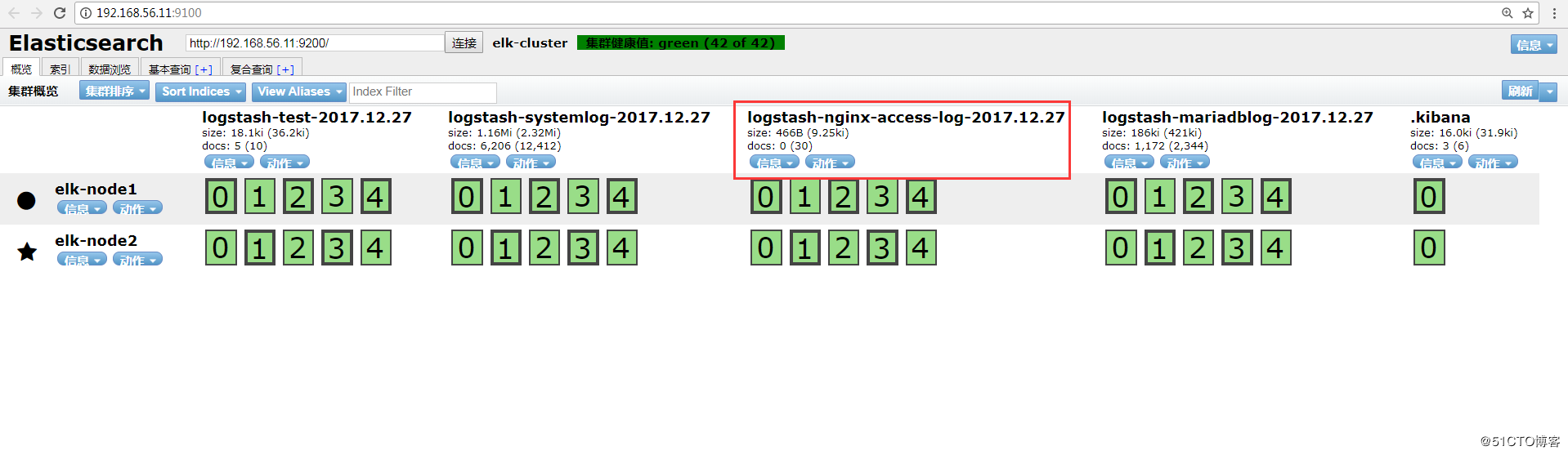
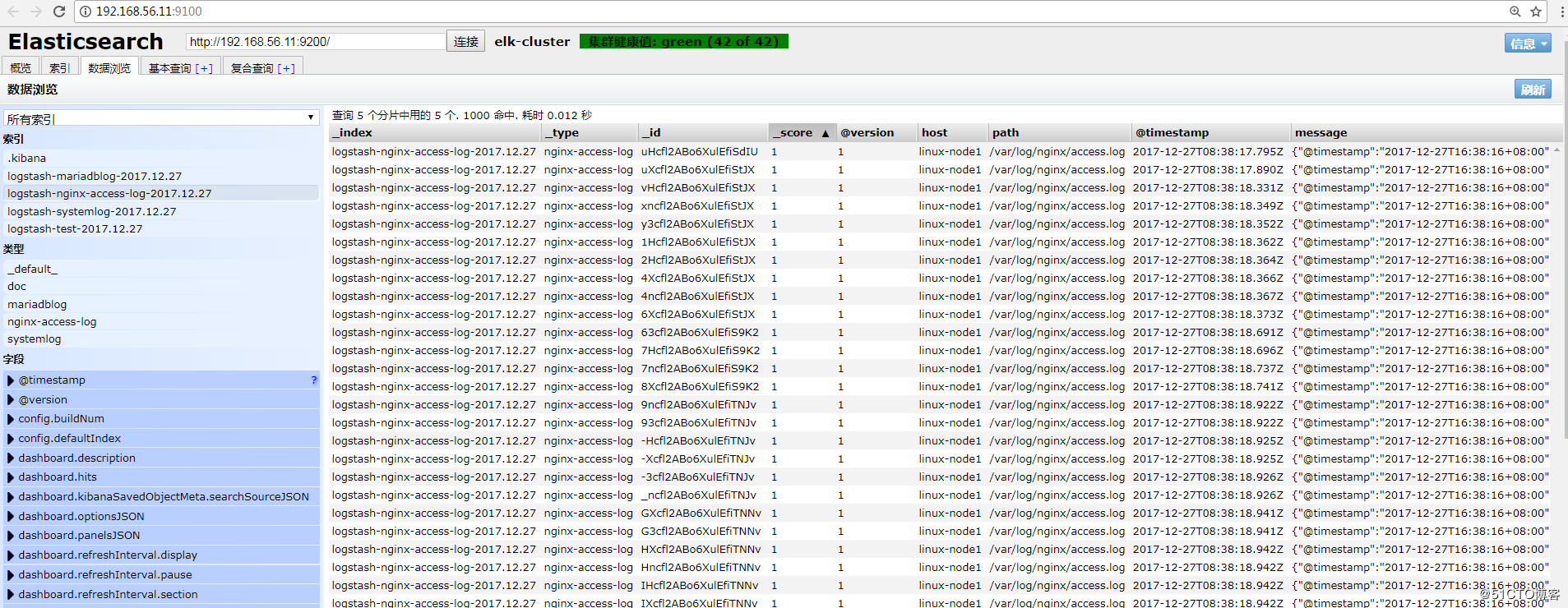
Kibana查看:
2、Tomcat的json日志收集
2.1、下载tomcat
[root@linux-node2 ~]# wget http://apache.fayea.com/tomcat/tomcat-8/v8.5.20/bin/apache-tomcat-8.5.20.tar.gz

[root@linux-node2 ~]# tar -zxf apache-tomcat-8.5.24.tar.gz

[root@linux-node2 ~]# mv apache-tomcat-8.5.24 /usr/local/tomcat
2.2、修改tomcat日志格式
[root@linux-node2 ~]# cd /usr/local/tomcat/conf

[root@linux-node2 conf ]# cp server.xml{,.bak}

[root@linux-node2 conf ]# vim server.xml

<Valve className="org.apache.catalina.valves.AccessLogValve" directory="logs"

               prefix="tomcat_access_log" suffix=".log"

               pattern="{"clientip":"%h","ClientUser":"%l","authenticated":"%u","AccessTime":"%t","method":"%r","status":"%s","SendBytes":"%b","Query?string":"%q","partner":"%{Referer}i","AgentVersion":"%{User-Agent}i"}"/>
2.3、增加tomcat网页
2.4、压测页面,生成tomcat的访问日志
2.5、配置logstash
2.6、检查logstash的配置语法并重启logstash
2.7、elasticsearch的head插件查看
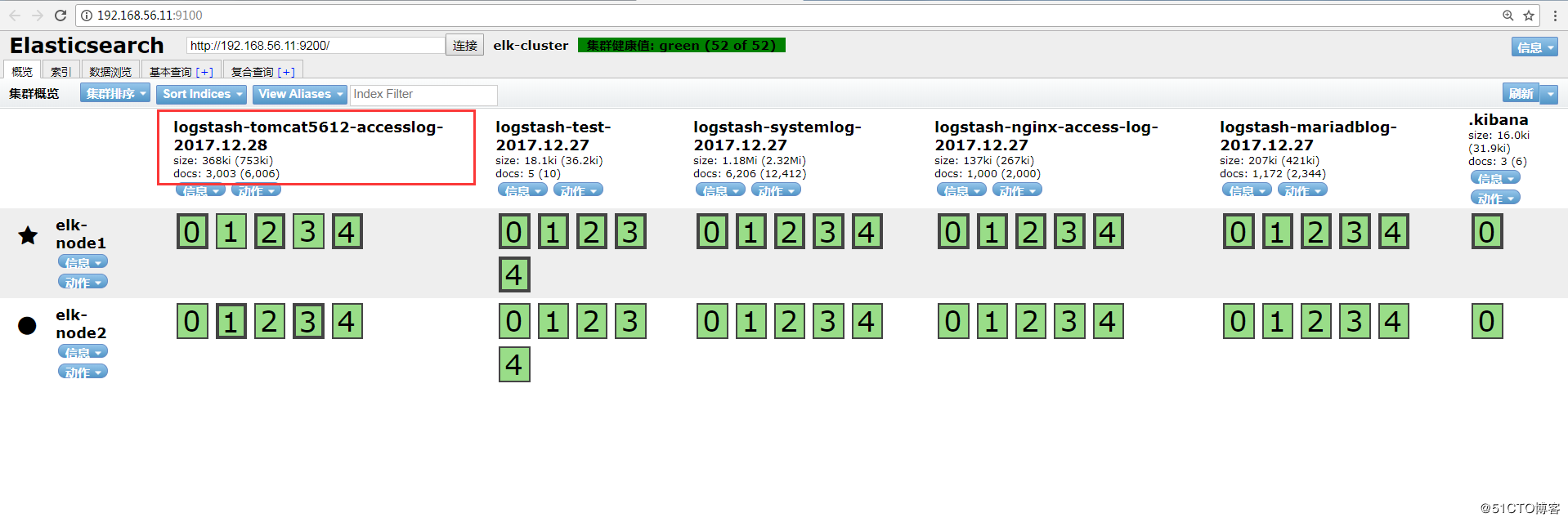
数据浏览:
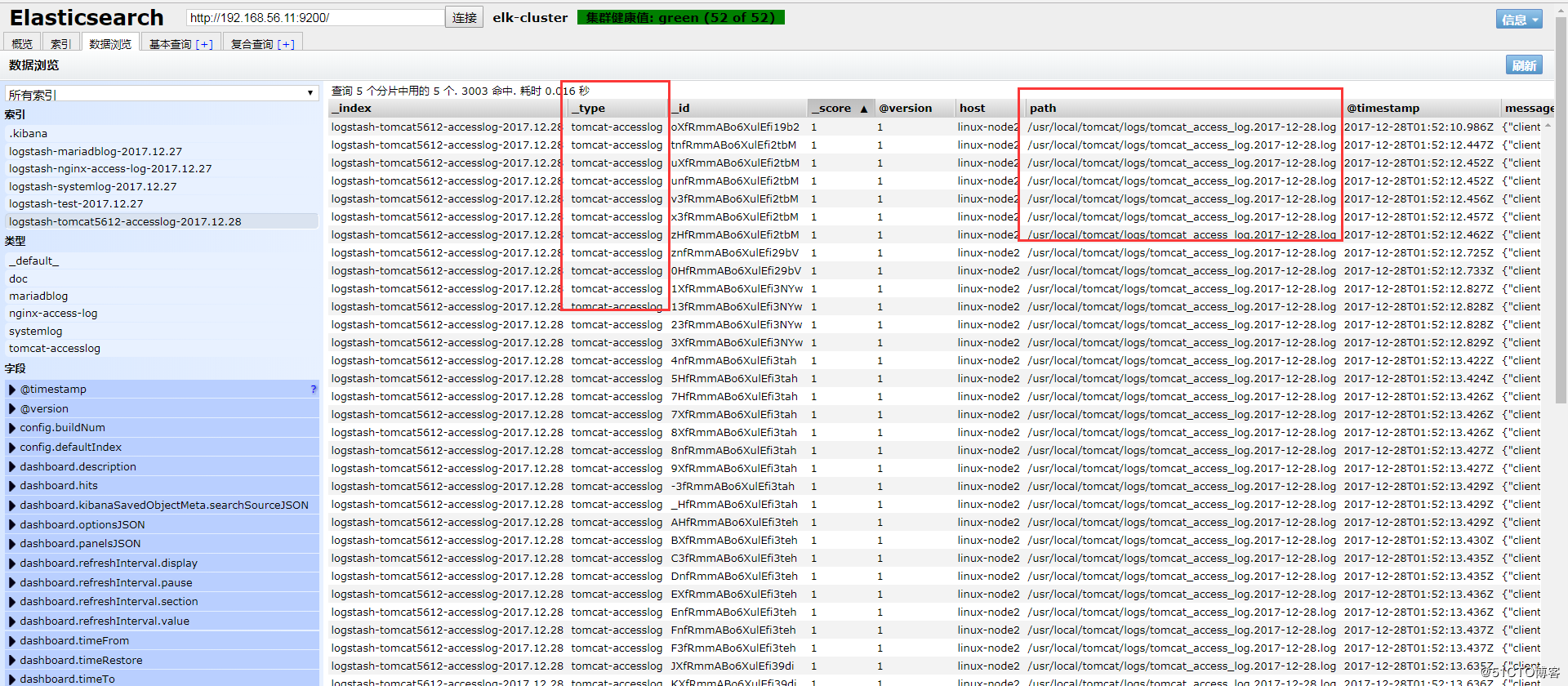
注:此处如果无法出现tomcat的数据索引,查看一下是否有权限访问日志。
[root@linux-node2 logs]# ll /usr/local/tomcat/logs/ -d

drwxr-x--- 2 root root 4096 12月 28 09:29 /usr/local/tomcat/logs/

[root@linux-node2 logs]# chmod 755 /usr/local/tomcat/logs

[root@linux-node2 logs]# ll /usr/local/tomcat/logs/

总用量 512

-rw-r----- 1 root root   7140 12月 28 09:29 catalina.2017-12-28.log

-rw-r----- 1 root root   7140 12月 28 09:29 catalina.out

-rw-r----- 1 root root      0 12月 28 09:29 host-manager.2017-12-28.log

-rw-r----- 1 root root    284 12月 28 09:29 localhost.2017-12-28.log

-rw-r----- 1 root root      0 12月 28 09:29 manager.2017-12-28.log

-rw-r----- 1 root root 502039 12月 28 09:47 tomcat_access_log.2017-12-28.log

[root@linux-node2 logs]# chmod 644 /usr/local/tomcat/logs/
2.8、添加到Kibana
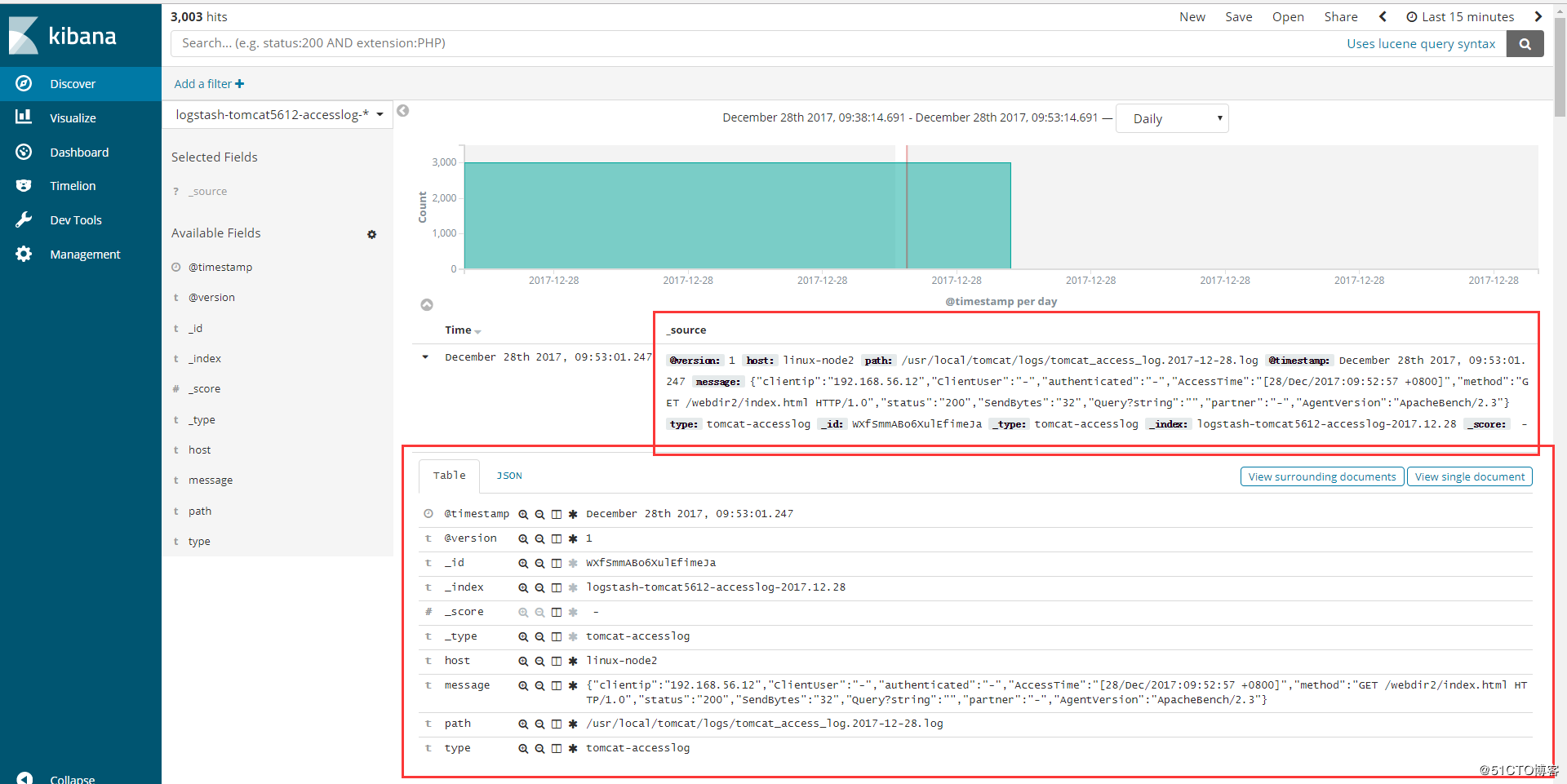
3、Java日志收集
使用codec的multiline插件实现多行匹配,这是一个可以将多行进行合并的插件,而且可以使用what指定将匹配到的行与前面的行合并还是和后面的行合并。
https://www.elastic.co/guide/en/logstash/6.0/plugins-codecs-multiline.html
3.1、举例
(1)查看elk集群日志
elk集群日志上都是以”[“开头并且每一个信息都是如此,寻找规律
[root@linux-node1 ~]# tailf /data/logs/elk-cluster.log

[2017-12-28T09:36:58,486][INFO ][o.e.c.s.MasterService    ] [elk-node1] zen-disco-node-join[{elk-node2}{CcF5fl9sRqCAGYYpT3scuw}{ncgZ1UsPRq-iz6zWHPl7PQ}{192.168.56.12}{192.168.56.12:9300}], reason: added {{elk-node2}{CcF5fl9sRqCAGYYpT3scuw}{ncgZ1UsPRq-iz6zWHPl7PQ}{192.168.56.12}{192.168.56.12:9300},}

[2017-12-28T09:36:59,297][INFO ][o.e.c.s.ClusterApplierService] [elk-node1] added {{elk-node2}{CcF5fl9sRqCAGYYpT3scuw}{ncgZ1UsPRq-iz6zWHPl7PQ}{192.168.56.12}{192.168.56.12:9300},}, reason: apply cluster state (from master [master {elk-node1}{Ulw9eIPlS06sl8Z6zQ_z4g}{HgJRMEAcQcqFOTn5ehHPdw}{192.168.56.11}{192.168.56.11:9300} committed version [87] source [zen-disco-node-join[{elk-node2}{CcF5fl9sRqCAGYYpT3scuw}{ncgZ1UsPRq-iz6zWHPl7PQ}{192.168.56.12}{192.168.56.12:9300}]]])

[2017-12-28T09:36:59,310][WARN ][o.e.d.z.ElectMasterService] [elk-node1] value for setting "discovery.zen.minimum_master_nodes" is too low. This can result in data loss! Please set it to at least a quorum of master-eligible nodes (current value: [-1], total number of master-eligible nodes used for publishing in this round: [2])

[2017-12-28T09:37:06,580][INFO ][o.e.c.r.a.AllocationService] [elk-node1] Cluster health status changed from [YELLOW] to [GREEN] (reason: [shards started [[.kibana][0]] ...]).

[2017-12-28T09:52:11,090][INFO ][o.e.c.m.MetaDataCreateIndexService] [elk-node1] [logstash-tomcat5612-accesslog-2017.12.28] creating index, cause [auto(bulk api)], templates [logstash], shards [5]/[1], mappings [_default_]

[2017-12-28T09:52:11,433][INFO ][o.e.c.m.MetaDataMappingService] [elk-node1] [logstash-tomcat5612-accesslog-2017.12.28/YY4yqUQJRHa2mRUwmd2Y8g] create_mapping [tomcat-accesslog]

[2017-12-28T09:52:13,389][INFO ][o.e.c.r.a.AllocationService] [elk-node1] Cluster health status changed from [YELLOW] to [GREEN] (reason: [shards started [[logstash-tomcat5612-accesslog-2017.12.28][4]] ...]).
(2)配置logstash
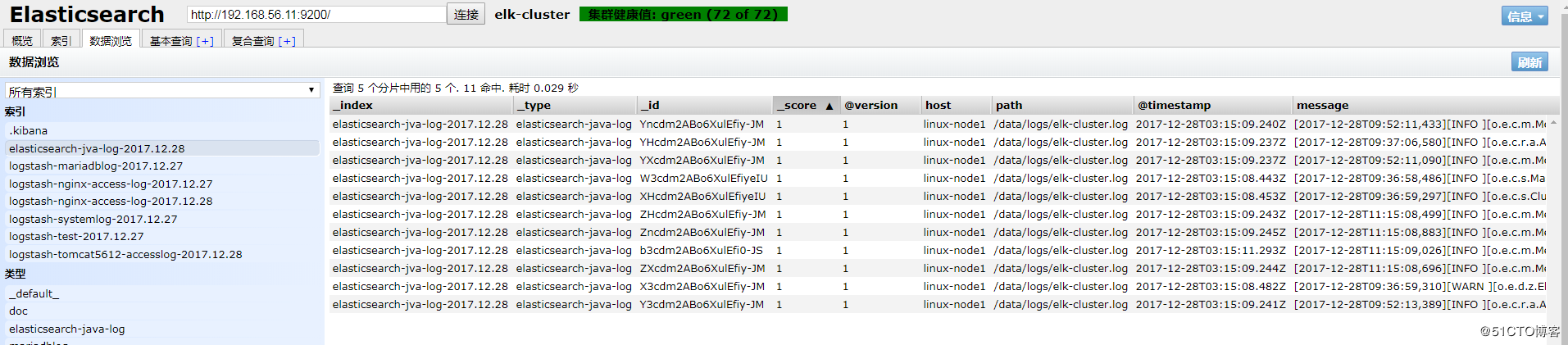
(3)elasticsearch的head插件查看
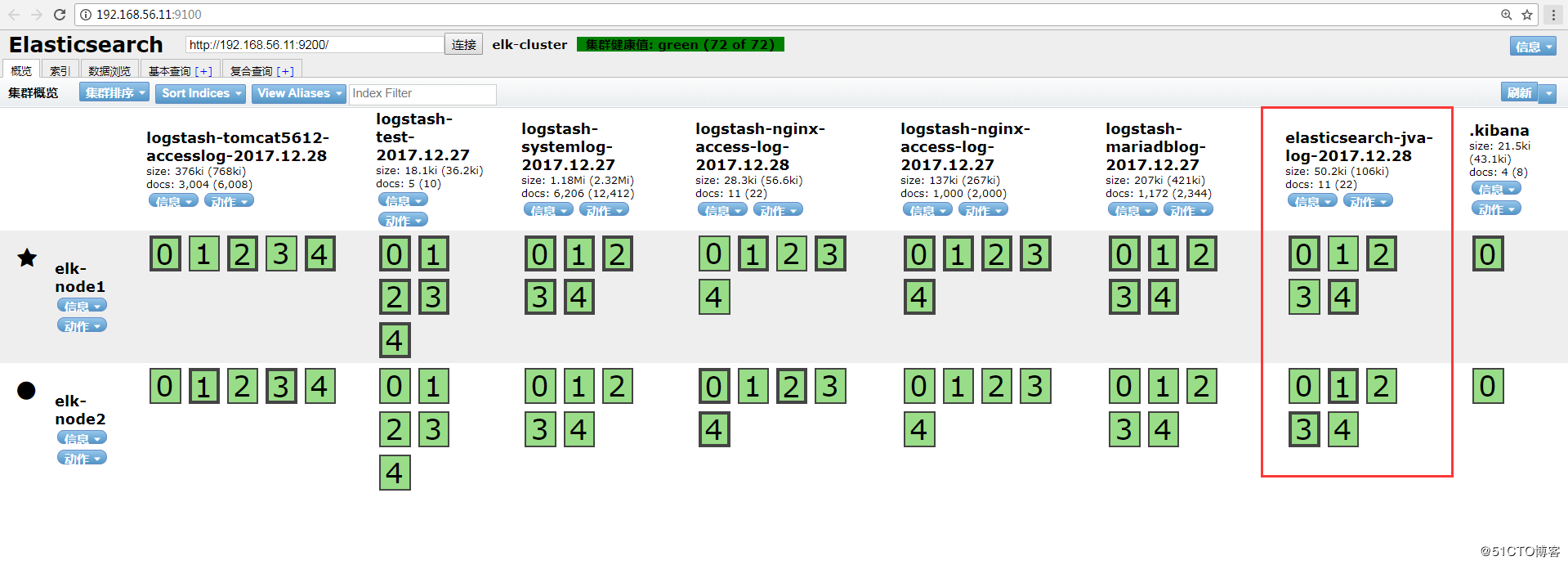
数据浏览:
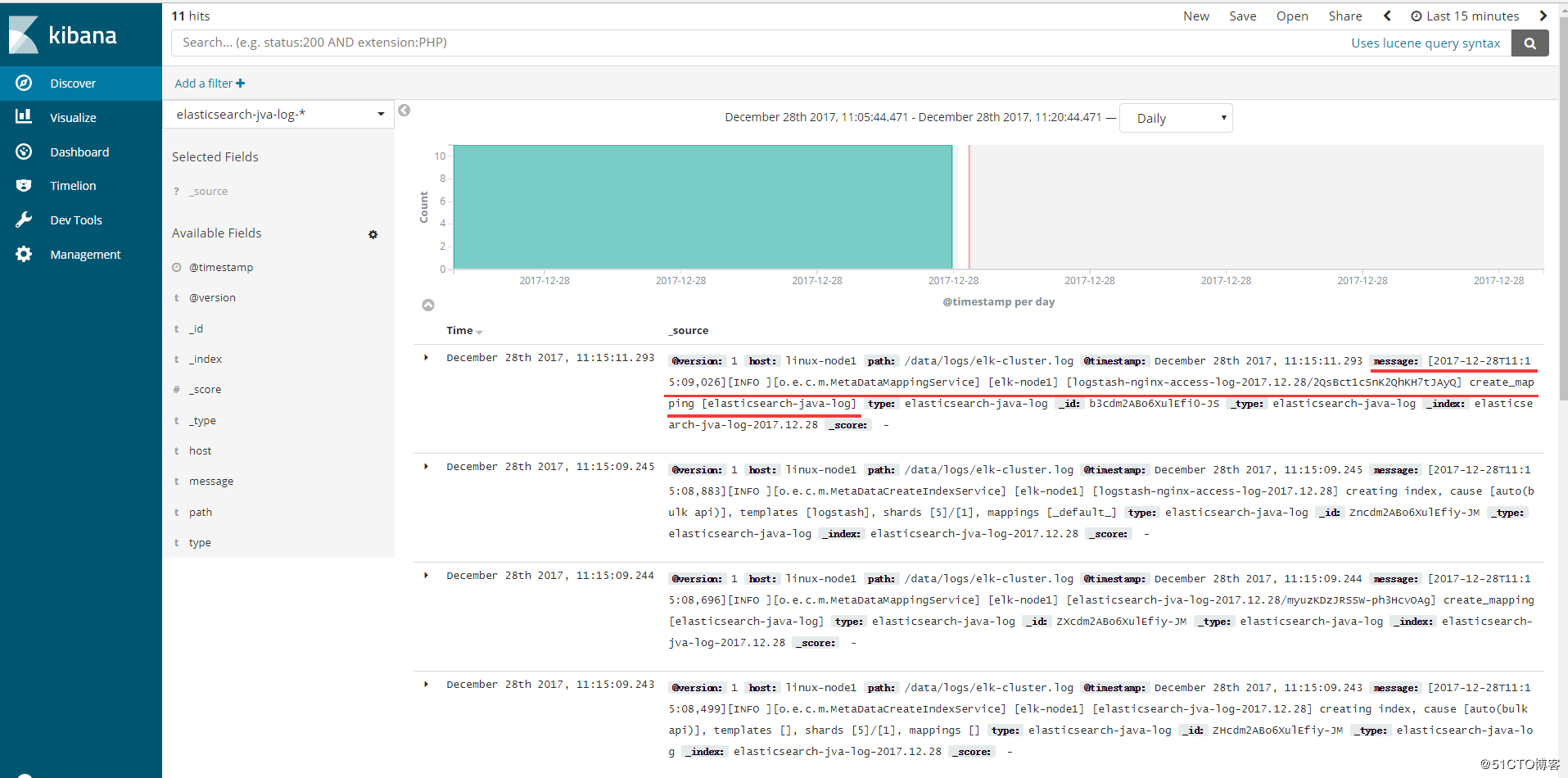
(4)添加到Kibana

可以看到以“[”开头的信息都合并了,如图:
4、TCP收集日志使用场景
tcp模块的使用场景如下: 有一台服务器A只需要收集一个日志,那么我们就可以不需要在这服务器上安装logstash,我们通过在其他logstash上启用tcp模块,监听某个端口,然后我们在这个服务器A把日志通过nc发送到logstash上即可。
4.1、标准输出测试TCP模块
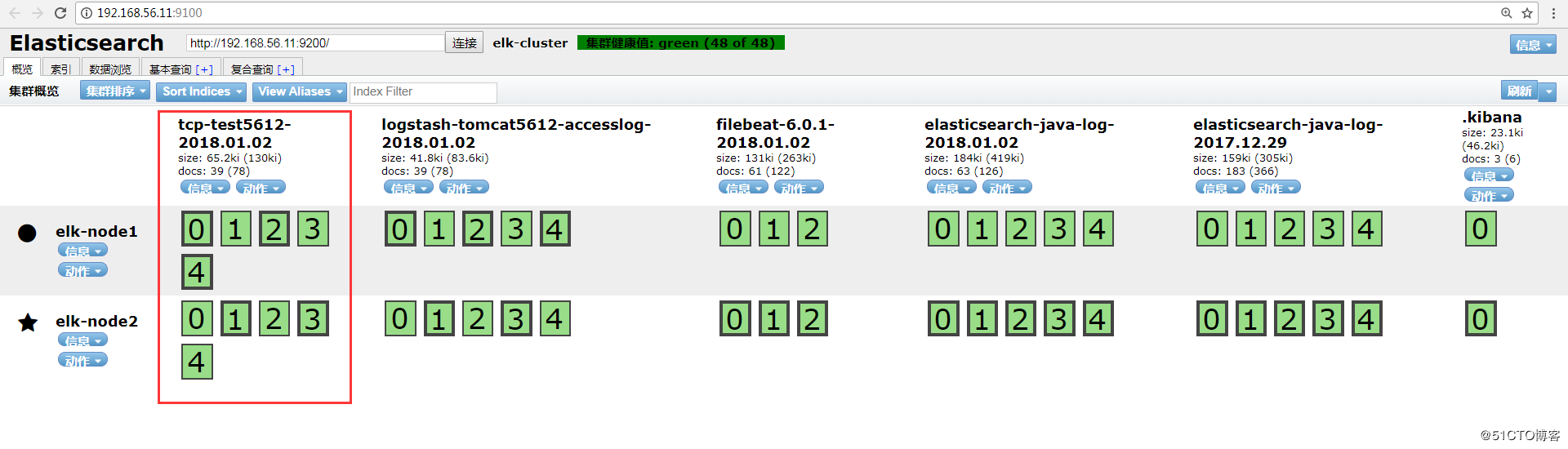
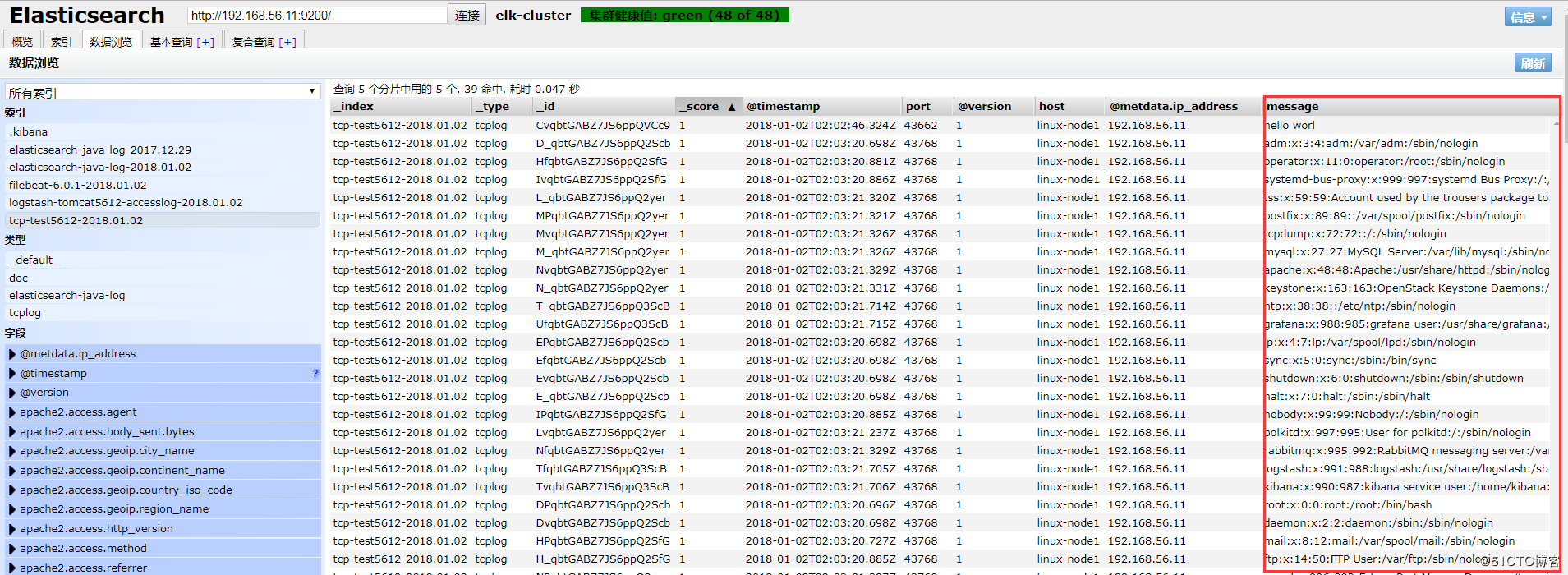
4.2、配置logstash通过TCP收集输出到elasticsearch
HEAD插件查看:
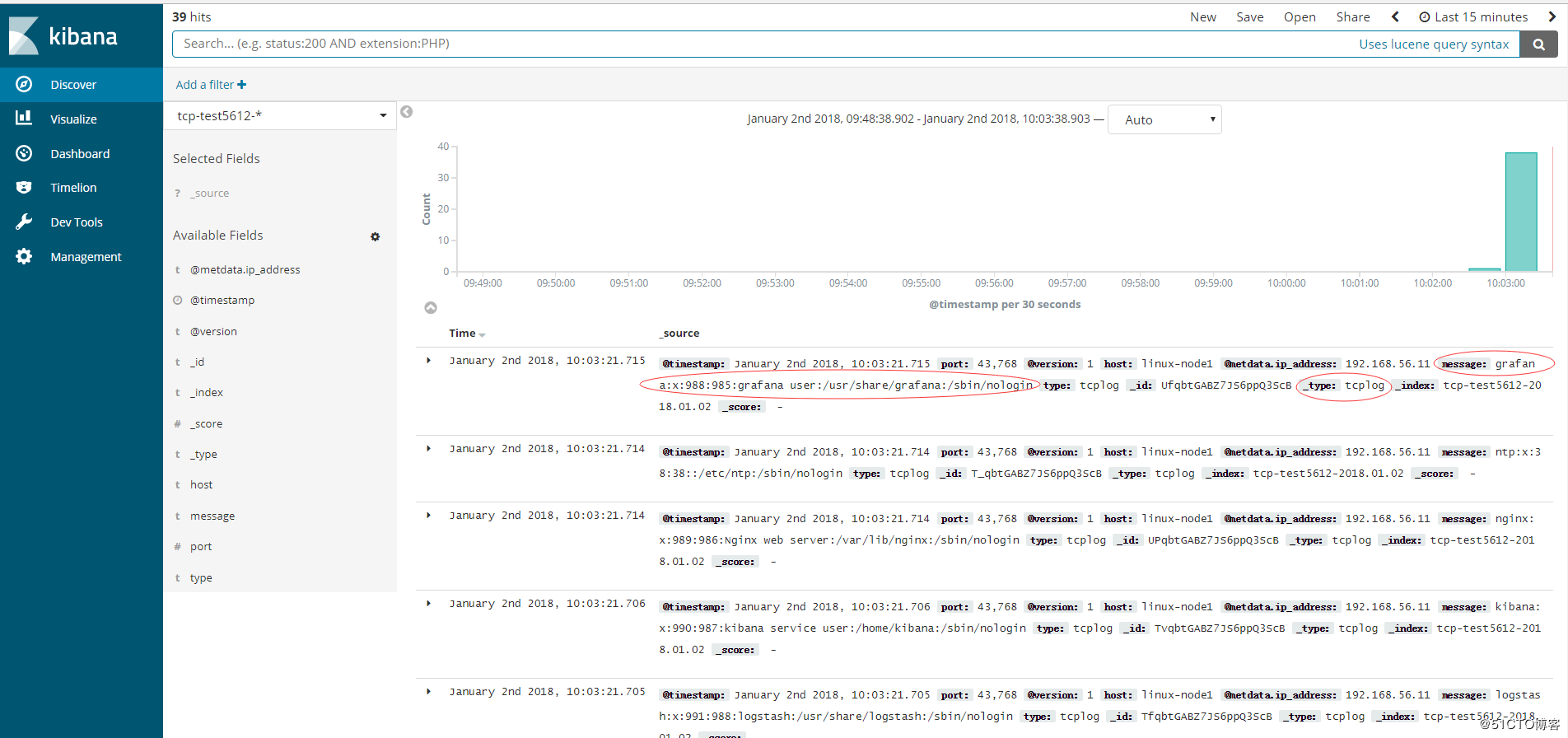
Kibana添加索引查看:
[转帖]ELKStack入门篇(二)之Nginx、Tomcat、Java日志收集以及TCP收集日志使用的更多相关文章
- 【SSRS】入门篇(二) -- 建立数据源
原文:[SSRS]入门篇(二) -- 建立数据源 通过 [SSRS]入门篇(一) -- 创建SSRS项目 这篇,我们建立了一个SSRS项目: 接下来,我们以 AdventureWorks2012 示例 ...
- nginx+tomcat+java部署总结
昨天部署了一下nginx+tomcat+java出现了很多问题,以下为整理总结. 使用了两种部署方式,一种是源码部署,一种是war部署. java源码部署总结: 环境:nginx+tomcat 部署方 ...
- ELKStack入门篇(二)之Nginx、Tomcat、Java日志收集以及TCP收集日志使用
1.收集Nginx的json格式日志 1.1.Nginx安装 [root@linux-node1 ~]# yum install nginx -y [root@linux-node1 ~]# vim ...
- ELKStack入门篇(一)之ELK部署和使用
一.ELKStack简介 1.ELK介绍 中文指南:https://www.gitbook.com/book/chenryn/elk-stack-guide-cn/details ELK Stack包 ...
- centos7最小版本安装nginx+tomcat+java+mysql运行环境
最近项目从windows搬到linux,由于项目组成员有限并且有其它紧急的任务需要处理,因而这个任务就落到我的头上了.下面记录下centos最小版本安装nginx+tomcat+mysql+java的 ...
- 学习笔记-CCS-MSP430F5529[快速入门篇二]
由于2021的全国电赛延期了,从今天开始打算好好整理一下使用CCS编程的经验,本篇笔记会好好整理一下我备赛期间用CCS写的程序,包括外部中断,定时器部分的定时中断,定时器输入捕获,PWM波输出,UAR ...
- 无责任Windows Azure SDK .NET开发入门篇二[使用Azure AD 进行身份验证-2.2身份验证开发]
2.2身份验证开发 在我们的案例中,我们是用户通过Web应用程序进行身份识别. 上面的图示说明了如下的一些概念 l Azure AD 是标识提供程序,负责对组织的目录中存在的用户和应用程序的标识进行验 ...
- 无责任Windows Azure SDK .NET开发入门篇二[使用Azure AD 进行身份验证]
二.使用Azure AD进行身份验证 之所以将Azure AD 作为开始,是应为基本上我们所有应用都需要进行安全管理.Azure Active Directory (Azure AD) 通过以下方式简 ...
- ELKStack入门篇(五)之实用架构解析
(1)用户通过nginx或haproxy访问ELK日志统计平台,IP地址为keepalived的vip地址. (2)nginx将请求转发到kibana (3)kibana到elasticsearch获 ...
- (转帖)BootStrap入门教程 (二)
上讲回顾:Bootstrap的手脚架(Scaffolding)提供了固定(fixed)和流式(fluid)两种布局,它同时建立了一个宽达940px和12列的格网系统. 基于手脚架(Scaffoldin ...
随机推荐
- 华为云HBase冷热分离最佳实践
本文分享自华为云社区<华为云HBase 冷热分离最佳实践>,作者:pippo. HBase介绍 HBase是Hadoop Database的简称,是建立在Hadoop文件系统之上的分布式面 ...
- LiteOS内核源码分析:动态内存之Bestfit分配算法
摘要:本文为大家剖析LiteOS动态内存模块bestfit算法的源代码,包含动态内存的结构体.动态内存池初始化.动态内存申请.释放等. 内存管理模块管理系统的内存资源,它是操作系统的核心模块之一,主要 ...
- 【万字干货】OpenMetric与时序数据库存储模型分析
摘要:解读OpenMetric规范和指标的模型定义基础上,结合当下主流的时序数据库核心存储及处理技术,尝试让用户(架构师.开发者或使用者)结合自身业务场景选择合适的产品,消除技术选型的困惑. 本文分享 ...
- 湖仓一体天花板,大数据一站式SQL分析技术实践
摘要:本文将详细阐述HetuEngine在实现一站式SQL分析所面临的挑战.技术架构和案例. 本文分享自华为云社区<[华为云Stack][大架光临]第7期:湖仓一体天花板,大数据一站式SQL分析 ...
- 8个方法管理 GitHub 用户权限
如同世界正在经历的疫情,由于网络攻击的大幅增加,许多公司也遭受着"网络疫情",保障代码安全迫在眉睫.在之前的文章中我们了解了安全使用 GitHub 的21条最佳实践.阅读本文,将带 ...
- 自然语言处理 Paddle NLP - 机器同传技术及应用-理论
基础 自然语言处理(NLP) 自然语言处理PaddleNLP-词向量应用展示 自然语言处理(NLP)-前预训练时代的自监督学习 自然语言处理PaddleNLP-预训练语言模型及应用 自然语言处理Pad ...
- mysql--read only
问题背景: 1.在进行数据迁移和从库只读状态设置时,都会涉及到只读状态和Master-Slave主从关系设置 2.数据库参数文件默认是只读,重启数据库服务时 解决方法: 1.在my.cnf配置文件中添 ...
- RTS超低延时直播技术:保障大型赛事直播零时差互动
2022卡塔尔世界杯呼啸而来. 11月20日开幕,28天赛期.64场比赛,国际足联主席因凡蒂诺预计,卡塔尔世界杯将吸引全球50亿观众,可以说2022卡塔尔世界杯是这个冬天当之无愧的「超级流量场」. 世 ...
- AtCoder Beginner Contest 217 D~E
比赛链接:Here ABC水题, D - Cutting Woods 题意:开始一根木棒长度为 \(n\) 并以 \(1\) 为单位在木棒上标记\((1\sim n)\) ,输出 \(q\) 次操作 ...
- 第九届蓝桥杯(2018)C/C++大学A组省赛题解
第一题:分数 1/1 + 1/2 + 1/4 + 1/8 + 1/16 + - 每项是前一项的一半,如果一共有20项, 求这个和是多少,结果用分数表示出来. 类似:3/2 当然,这只是加了前2项而已. ...