
自定义控件CustomAlertView
【记录】【完整代码最下】
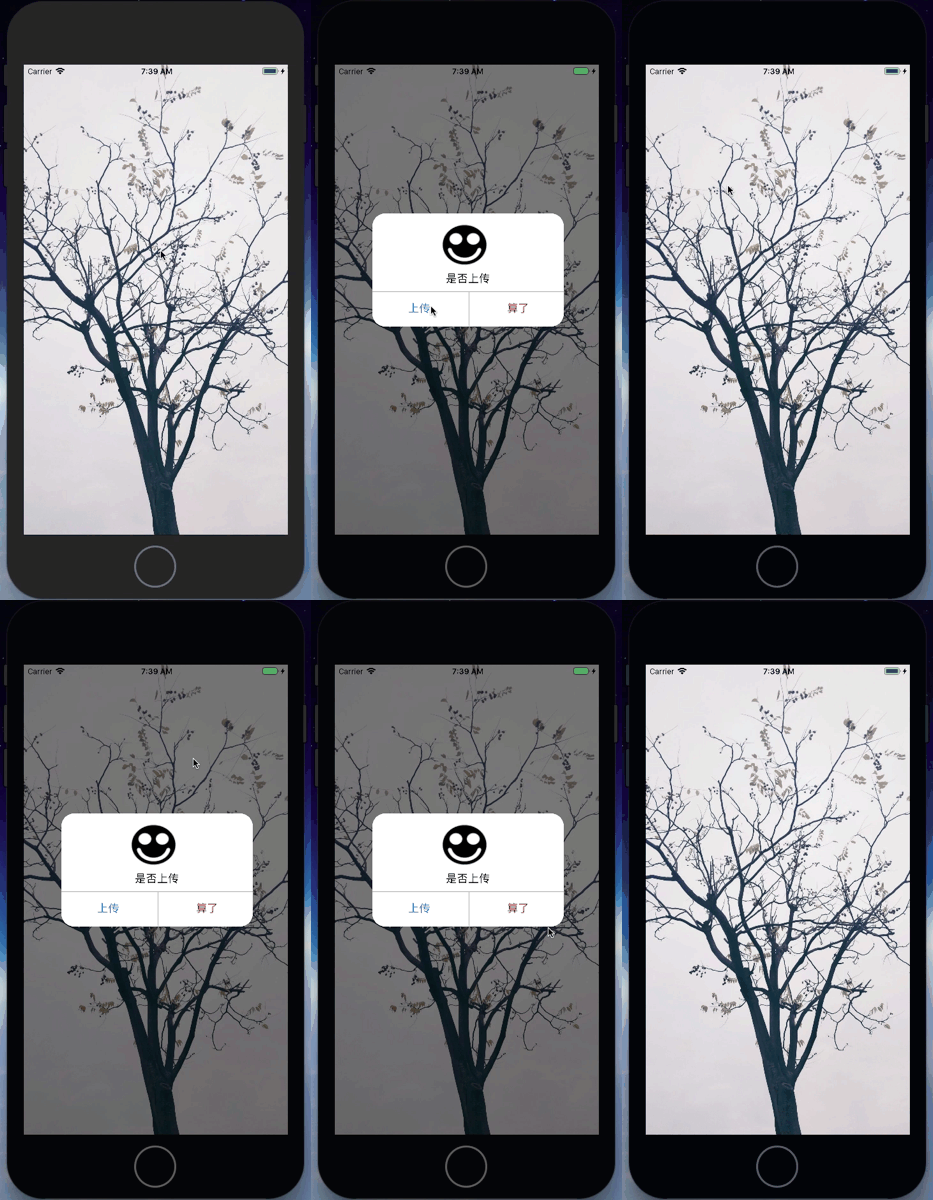
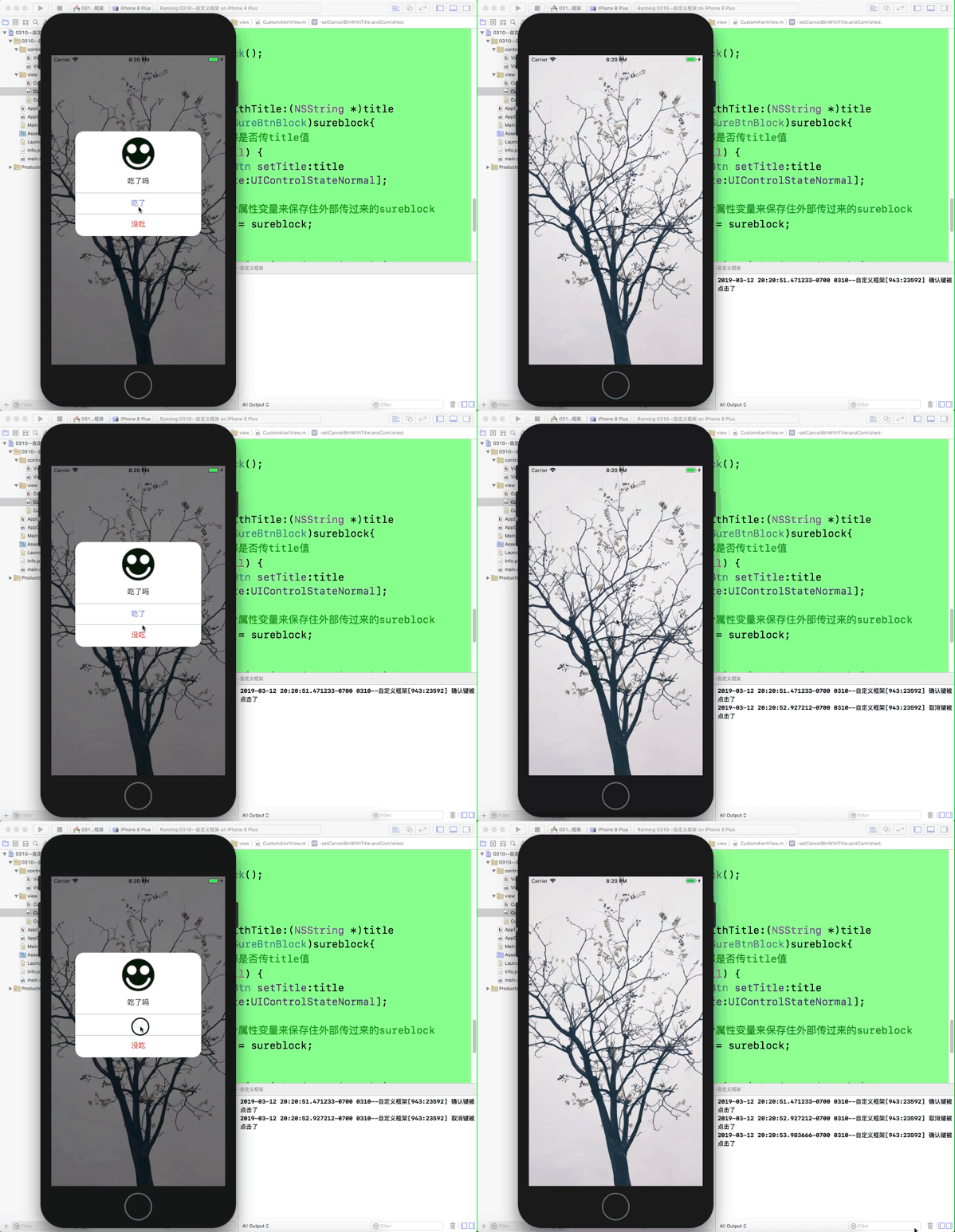
效果如下:
可行性分析:
由于系统自带的UIAlertView样式简单,只有两种样式,想要理想的样式就要自定义控件了
文件名取为:CustomAlertView
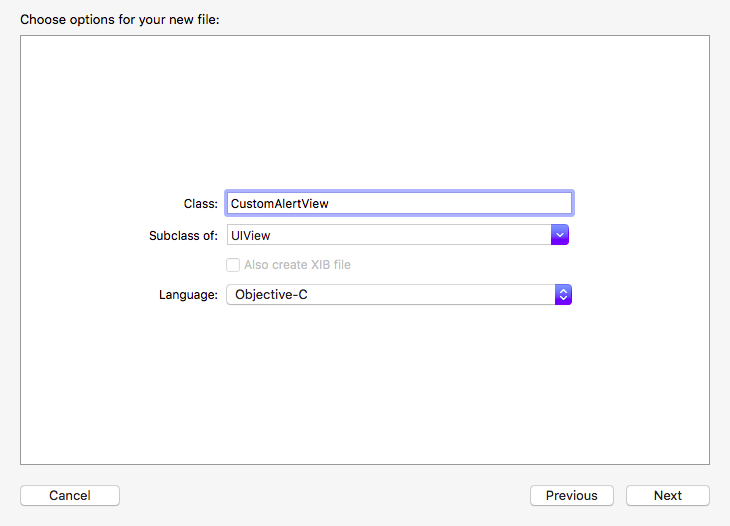
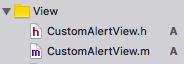
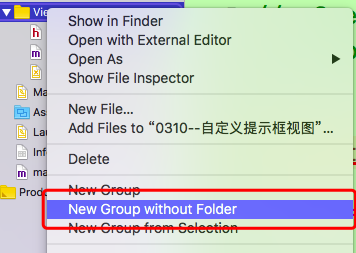
创建文件如下(大型项目最好把全部的view都放进一个group中)
接下来要定义AlertView的界面,用xib来直接拖取控件更加方便
1.创建xib文件
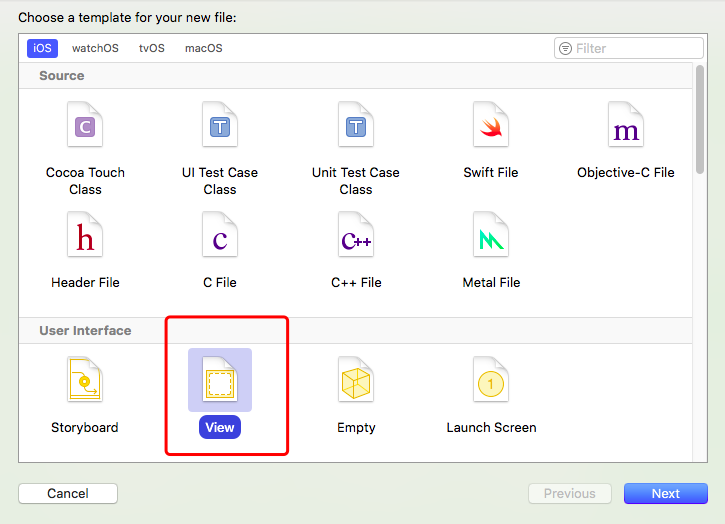
文件名要跟类名一致(方便操作)

2.在xib文件里面直接拖取控件
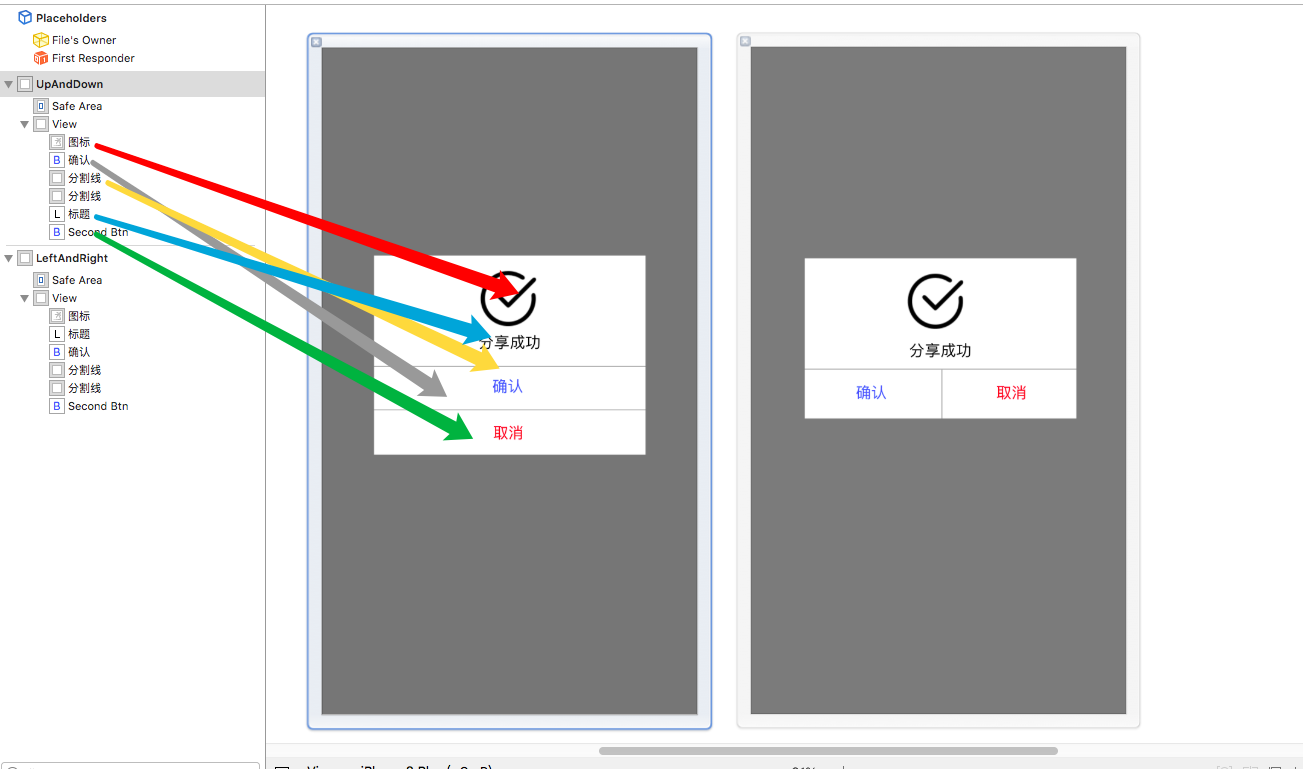
对应的就是这样子 ,把对应的控件名称改成能够清楚看出来的
因为是模仿系统的样式,布局了左右btn样式和上下btn
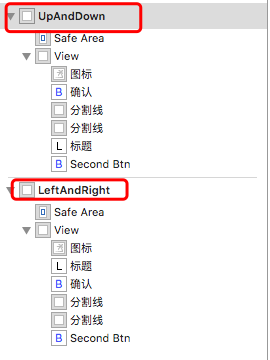
3.修改class的值为类名 两个都要

4.将如图框起来的view的背景色改成
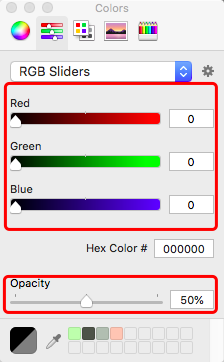
5.效果图中的提示框圆角效果
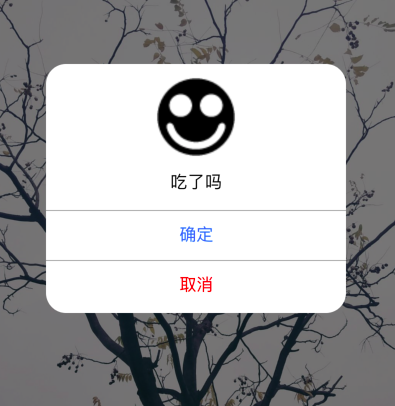
这个效果在xib中设置,要选中这后面的view
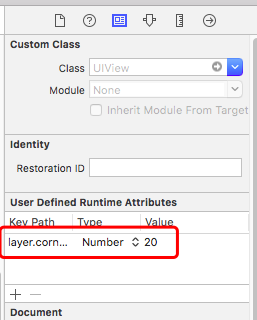
属性名称:layer.cornerRadius
6.在CustomAlertView类中定义一个类方法
这个类方法是一个对外的接口,当外部要使用自定义类创建一个框架时就可以直接调用。
因为我在xib文件里面的创建视图的顺序是先 上下型 再左右型的,因此可以枚举出两种类型的视图。
 1 #import <UIKit/UIKit.h>

 2

 3 typedef enum{

 4     kCustomAlertViewSytleUpAndDown,//默认=0

 5     kCustomAlertViewSytleLeftAndRight//默认=1

 6 }kCustomAlertViewSytle;

 7

 8

 9 @interface CustomAlertView : UIView

10

11 +(CustomAlertView *)alertViewWithImagename:(NSString *)imgName andTitle:(NSString *)title andSytle:(kCustomAlertViewSytle)sytle;

12

13

14

15 @end
7.在CustomAlertView.m文件中读取xib中的自定义控件视图
定义了类方法,下一步在.m文件中实现方法,在实现方法过程中发现要用到xib中的控件属性
因此,在xib中拖属性添加在CustomAlertView.m文件中

虽然我在xib中创建的视图是两套,但是其中的控件都是一一对应的,因此每个属性可以关联两个控件(这是特殊情况,一般一个xib只创建一个视图)
接下来读取xib文件。用到的方法是
- (nullable NSArray *)loadNibNamed:(NSString *)name owner:(nullable id)owner options:(nullable NSDictionary *)options;
注意到,这个方法读出来的返回值是一个数组,xib文件中如果有多个视图,那么读出来数组的顺序就跟下图的顺序一样。

实现代码如下:
 1 +(CustomAlertView *)alertViewWithImagename:(NSString *)imgName andTitle:(NSString *)title andSytle:(kCustomAlertViewSytle)sytle{

 2     //从xib中读取视图数组

 3     NSArray *arr = [[NSBundle mainBundle]loadNibNamed:@"CustomAlertView" owner:nil options:nil];

 4     //根据sytle值读取数组中的第几个

 5     CustomAlertView *aCAV = [arr objectAtIndex:sytle];

 6     //把传过来的图片名称和标题名称赋值

 7     //要先判断是否为空。若为空则默认xib中已设置的

 8     if (imgName != nil) {

 9         [aCAV.iconImageView setImage:[UIImage imageNamed:imgName]];

10     }

11     if (title != nil) {

12         [aCAV.titleLabel setText:title];

13     }

14

15

16     return aCAV;

17 }
8.让自定义提示框显示在界面上和消失(这里还没有给提示框的按钮设置事件)
显示界面有两种方法,一种是在创建完对象给一个参数值,再在方法实现中让addsubview,这种方法的实现相对简单。
实现代码如下:
1 -(void)showInView:(UIView *)fatherView{

2     [fatherView addSubview:self];

3 }
这种方法相对简单,作为一个自己使用的类来说是足够用的。但如果作为一个可导入的第三方工具类来说,就有点麻烦了。
如果能直接用一个方法就能让提示框显示在界面上肯定是更加方便,例如 [self show];
(其实我这里也没有理解清楚appdelegate)
***记得导入#import "AppDelegate.h"
 1 - (void)show{

 2 //    将这个视图添加到当前界面的最外层

 3 //    找到当前的这个界面

 4 //    UIWindow -> 添加视图

 5 //    1.找到应用程序唯一的代理对象AppDelegate

 6    AppDelegate *appD = (AppDelegate *)[UIApplication sharedApplication].delegate;

 7 //

 8 //    2.获取程序的窗口

 9     self.frame = [UIScreen mainScreen].bounds;

10     [appD.window addSubview:self];

11 }
还有一种:
 1 -(void)show{

 2

 3     //找到当前这个界面的那个视图

 4     //UIWindow->rootViewController->UIView ->添加视图

 5     //1.找到应用程序的代理对象

 6     AppDelegate *appD = (AppDelegate *)[UIApplication sharedApplication].delegate;

 7

 8     //2.找到窗口默认控制的那个根视图控制器

 9     UIViewController *rootVC = appD.window.rootViewController;

10

11     //3.在这个控制器的视图上面添加一个子视图

12     self.frame = rootVC.view.bounds;

13     [rootVC.view addSubview:self];

14

15

16

17 }
消失:
1 - (void)dismiss{

2     [self removeFromSuperview];

3 }
这里先运行一下,在ViewController.m中任意创建图片
1 - (void)viewDidLoad {

2     [super viewDidLoad];

3     // Do any additional setup after loading the view, typically from a nib.

4     UIImageView *imgview = [[UIImageView alloc]initWithImage:[UIImage imageNamed:@"tree"]];

5     imgview.frame = self.view.bounds;

6     [self.view addSubview:imgview];

7 }
1 -(void)touchesBegan:(NSSet<UITouch *> *)touches withEvent:(UIEvent *)event{

2     CustomAlertView *alertView = [CustomAlertView alertViewWithImagename:@"ok" andTitle:@"吃了吗" andSytle:kCustomAlertViewSytleUpAndDown];

3

4     [alertView show];

5

6 }
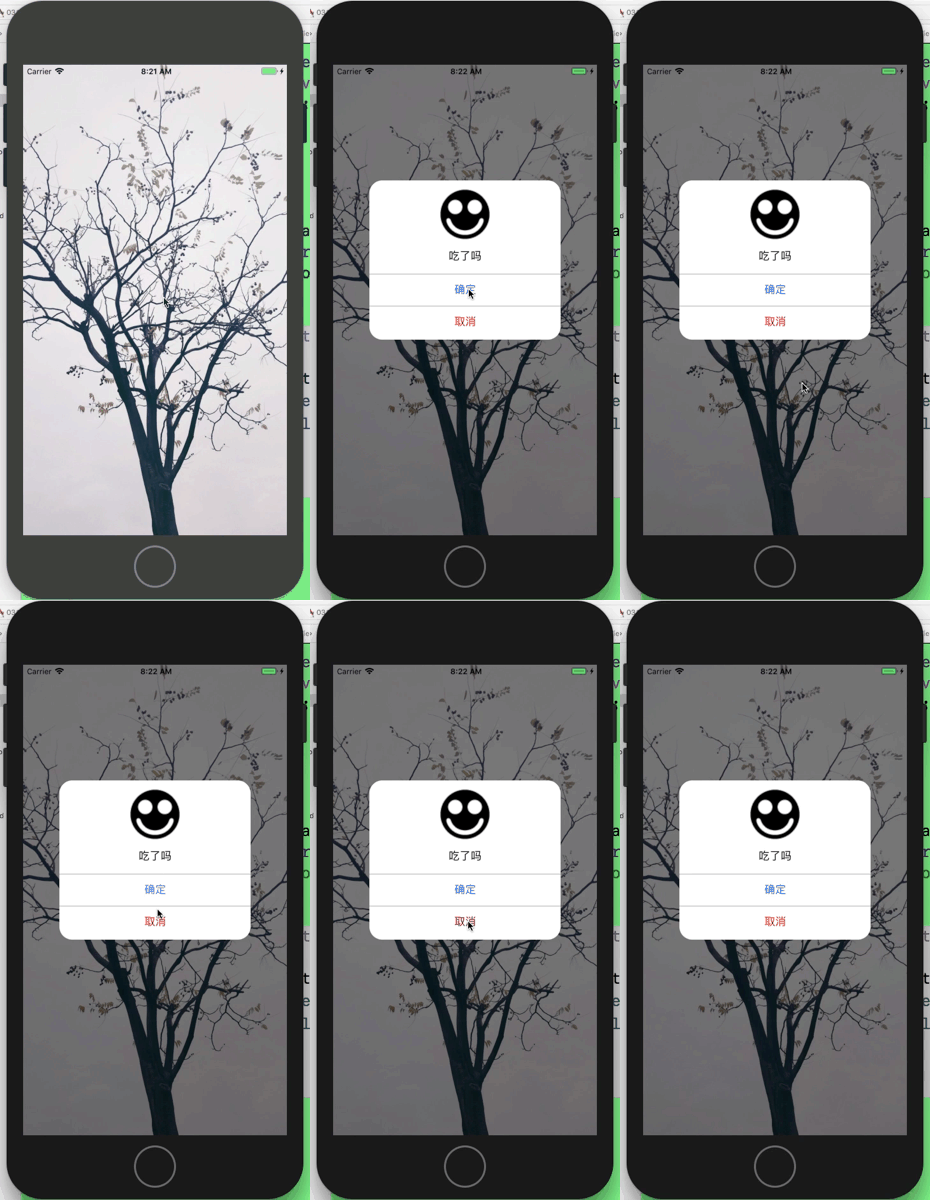
还没设置按钮点击事件因此不会有反应。
9.接下来设置按钮的点击事件
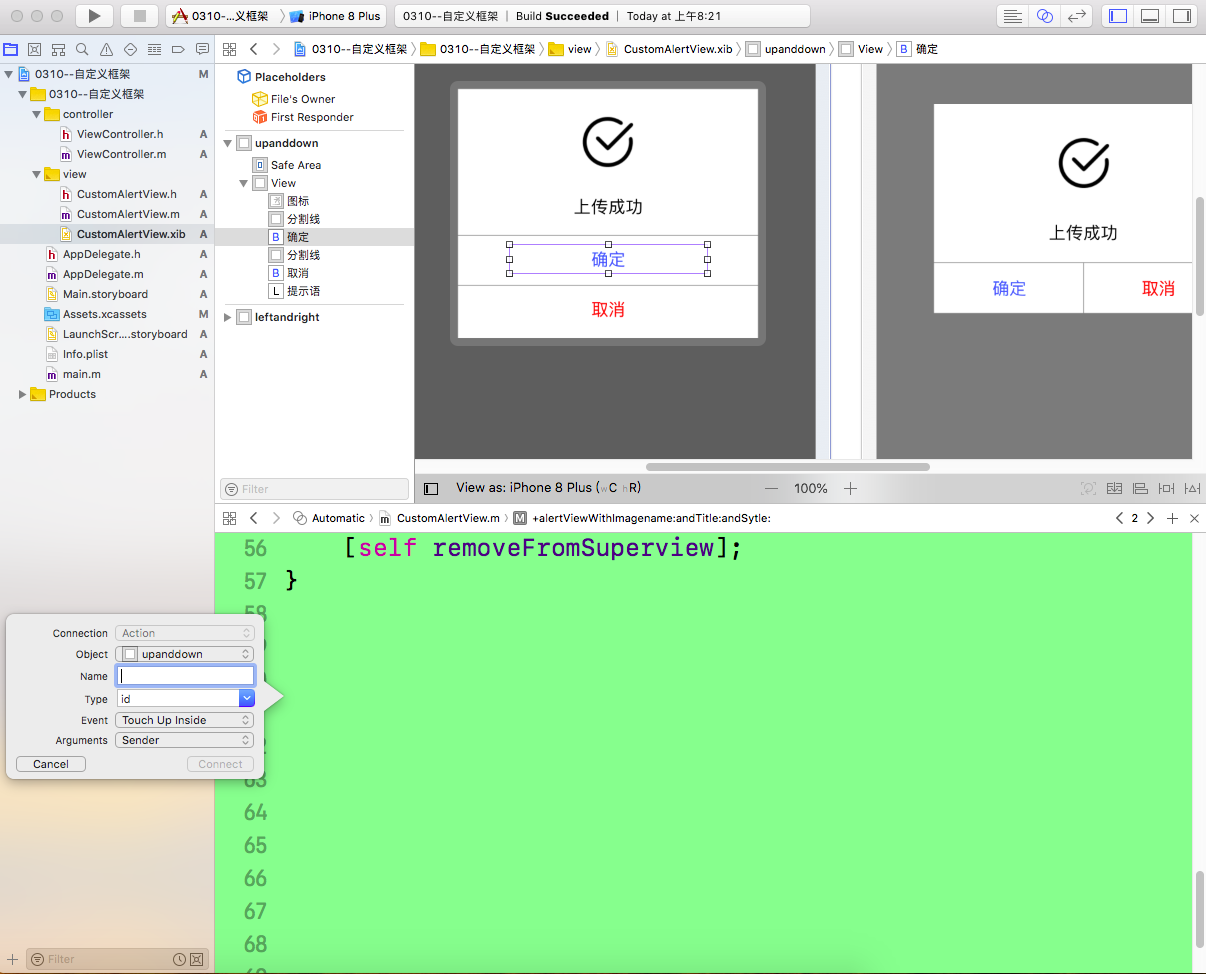

创建的自定义提示框的按钮的title要可以改变,也可以在点击完按钮之后再完成点别的事件。
因为完成 这些事 是要在按钮被点击后执行的,因此 这些事的执行代码 应该在btndidclicked方法里面。
所以,要有2个block来保存数据,等到点击按钮的时候再执行。(也可以用通知或者delegate来做)
1 //定义两个block 用于接收外部传递过来的block的类型

2 typedef void (^SureBtnBlock)(void);

3 typedef void (^CancelBtnBlock)(void);
1 -(void)setSureBtnWithTitle:(NSString *)title andComlished:(SureBtnBlock)sureblock;

2

3 -(void)setCancelBtnWithTitle:(NSString *)title andComlished:(CancelBtnBlock)cancelblock;
 1 -(void)setSureBtnWithTitle:(NSString *)title andComlished:(SureBtnBlock)sureblock{

 2     //这里判断一下外部是否传title值

 3     if (title != nil) {

 4         [self.sureBtn setTitle:title forState:UIControlStateNormal];

 5     }

 6     //这里发现要用一个属性变量来保存住外部传过来的sureblock

 7     self.sureblock = sureblock;

 8 }

 9

10 -(void)setCancelBtnWithTitle:(NSString *)title andComlished:(CancelBtnBlock)cancelblock{

11     if (title != nil) {

12         [self.cancelBtn setTitle:title forState:UIControlStateNormal];

13     }

14

15     self.cancelblock = cancelblock;

16

17

18

19 }
1 //block 用copy

2 @property (nonatomic , copy) SureBtnBlock sureblock;

3

4 @property (nonatomic , copy) CancelBtnBlock cancelblock;
根据上面的分析,在btn的点击事件中执行外部传来的block
 1 - (IBAction)sureBTNdidClicked:(id)sender {

 2     //先让提示框消失

 3     [self dismiss];

 4     //执行一下block

 5     self.sureblock();

 6 }

 7

 8

 9

10 - (IBAction)cancelBTNdidClicked:(id)sender {

11     //先让提示框消失

12     [self dismiss];

13     //执行一下block

14     self.cancelblock();

15

16 }
接下来我在viewcontroller的触摸事件中配置了提示框
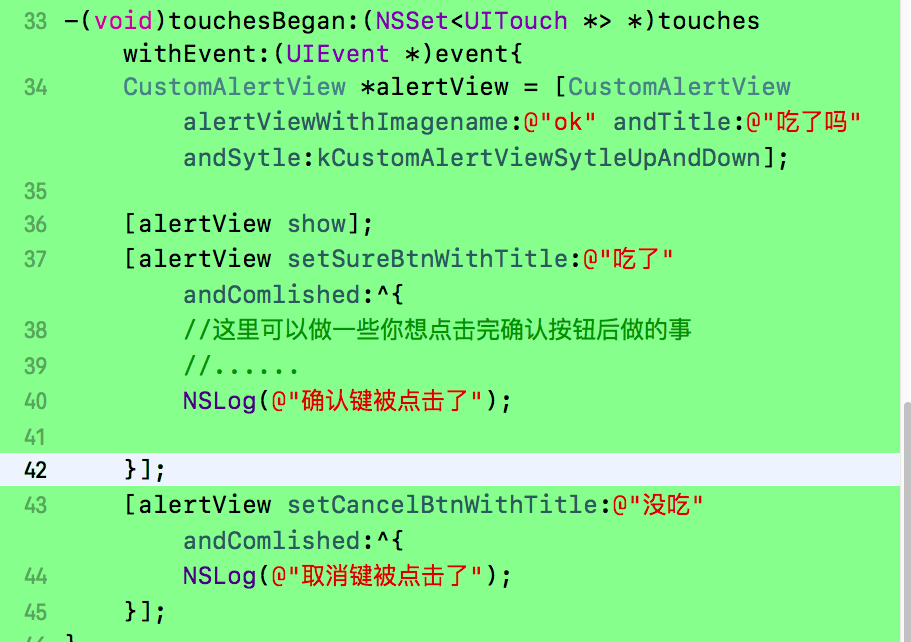
效果如下:
附源代码
 1 //

 2 //  CustomAlertView.h

 3 //  0310--自定义框架

 4 //

 5 //  Created by MyMac on 2019/3/12.

 6 //  Copyright  2019年 MyMac. All rights reserved.

 7 //

 8

 9 #import <UIKit/UIKit.h>

10 //定义两个block 用于接收外部传递过来的block的类型

11 typedef void (^SureBtnBlock)(void);

12 typedef void (^CancelBtnBlock)(void);

13

14

15 typedef enum{

16     kCustomAlertViewSytleUpAndDown,

17     kCustomAlertViewSytleLeftAndRight

18 }kCustomAlertViewSytle;

19

20

21 @interface CustomAlertView : UIView

22

23 +(CustomAlertView *)alertViewWithImagename:(NSString *)imgName andTitle:(NSString *)title andSytle:(kCustomAlertViewSytle)sytle;

24

25 -(void)show;

26

27 -(void)dismiss;

28

29 -(void)setSureBtnWithTitle:(NSString *)title andComlished:(SureBtnBlock)sureblock;

30

31 -(void)setCancelBtnWithTitle:(NSString *)title andComlished:(CancelBtnBlock)cancelblock;

32

33

34

35 @end
  1 //

  2 //  CustomAlertView.m

  3 //  0310--自定义框架

  4 //

  5 //  Created by MyMac on 2019/3/12.

  6 //  Copyright  2019年 MyMac. All rights reserved.

  7 //

  8

  9 #import "CustomAlertView.h"

 10 #import "AppDelegate.h"

 11 @interface CustomAlertView()

 12 @property (weak, nonatomic) IBOutlet UIImageView *iconImageView;

 13

 14 @property (weak, nonatomic) IBOutlet UILabel *titleLabel;

 15

 16 @property (weak, nonatomic) IBOutlet UIButton *sureBtn;

 17

 18 @property (weak, nonatomic) IBOutlet UIButton *cancelBtn;

 19

 20 //block 用copy

 21 @property (nonatomic , copy) SureBtnBlock sureblock;

 22

 23 @property (nonatomic , copy) CancelBtnBlock cancelblock;

 24 @end

 25

 26

 27

 28 @implementation CustomAlertView

 29 +(CustomAlertView *)alertViewWithImagename:(NSString *)imgName andTitle:(NSString *)title andSytle:(kCustomAlertViewSytle)sytle{

 30     //从xib中读取视图数组

 31     NSArray *arr = [[NSBundle mainBundle]loadNibNamed:@"CustomAlertView" owner:nil options:nil];

 32     //根据sytle值读取数组中的第几个

 33     CustomAlertView *aCAV = [arr objectAtIndex:sytle];

 34     //把传过来的图片名称和标题名称赋值

 35     //要先判断是否为空。若为空则默认xib中已设置的

 36     if (imgName != nil) {

 37         [aCAV.iconImageView setImage:[UIImage imageNamed:imgName]];

 38     }

 39     if (title != nil) {

 40         [aCAV.titleLabel setText:title];

 41     }

 42

 43

 44     return aCAV;

 45 }

 46

 47

 48

 49 -(void)show{

 50     //首先找到唯一控制这个viewcontroller的appdelegate

 51     AppDelegate *delegate = (AppDelegate *)[UIApplication sharedApplication].delegate;

 52     //找到默认控制的窗口

 53     [delegate.window addSubview:self];

 54

 55 }

 56

 57

 58 -(void)dismiss{

 59     [self removeFromSuperview];

 60 }

 61

 62

 63

 64 - (IBAction)sureBTNdidClicked:(id)sender {

 65     //先让提示框消失

 66     [self dismiss];

 67     //执行一下block

 68     self.sureblock();

 69 }

 70

 71

 72

 73 - (IBAction)cancelBTNdidClicked:(id)sender {

 74     //先让提示框消失

 75     [self dismiss];

 76     //执行一下block

 77     self.cancelblock();

 78

 79 }

 80

 81 -(void)setSureBtnWithTitle:(NSString *)title andComlished:(SureBtnBlock)sureblock{

 82     //这里判断一下外部是否传title值

 83     if (title != nil) {

 84         [self.sureBtn setTitle:title forState:UIControlStateNormal];

 85     }

 86     //这里发现要用一个属性变量来保存住外部传过来的sureblock

 87     self.sureblock = sureblock;

 88 }

 89

 90 -(void)setCancelBtnWithTitle:(NSString *)title andComlished:(CancelBtnBlock)cancelblock{

 91     if (title != nil) {

 92         [self.cancelBtn setTitle:title forState:UIControlStateNormal];

 93     }

 94

 95     self.cancelblock = cancelblock;

 96 }

 97

 98

 99

100 @end
 1 //

 2 //  ViewController.m

 3 //  0310--自定义框架

 4 //

 5 //  Created by MyMac on 2019/3/12.

 6 //  Copyright  2019年 MyMac. All rights reserved.

 7 //

 8

 9 #import "ViewController.h"

10 #import "CustomAlertView.h"

11 @interface ViewController ()

12

13 @end

14

15 @implementation ViewController

16

17 - (void)viewDidLoad {

18     [super viewDidLoad];

19     // Do any additional setup after loading the view, typically from a nib.

20     UIImageView *imgview = [[UIImageView alloc]initWithImage:[UIImage imageNamed:@"tree"]];

21     imgview.frame = self.view.bounds;

22     [self.view addSubview:imgview];

23 }

24

25

26

27

28 - (void)didReceiveMemoryWarning {

29     [super didReceiveMemoryWarning];

30     // Dispose of any resources that can be recreated.

31 }

32

33 -(void)touchesBegan:(NSSet<UITouch *> *)touches withEvent:(UIEvent *)event{

34     CustomAlertView *alertView = [CustomAlertView alertViewWithImagename:@"ok" andTitle:@"吃了吗" andSytle:kCustomAlertViewSytleUpAndDown];

35

36     [alertView show];

37     [alertView setSureBtnWithTitle:@"吃了" andComlished:^{

38         //这里可以做一些你想点击完确认按钮后做的事

39         //......

40         NSLog(@"确认键被点击了");

41

42     }];

43     [alertView setCancelBtnWithTitle:@"没吃" andComlished:^{

44         NSLog(@"取消键被点击了");

45     }];

46 }

47

48

49

50 @end
自定义控件CustomAlertView的更多相关文章
- android自定义控件一站式入门
自定义控件 Android系统提供了一系列UI相关的类来帮助我们构造app的界面,以及完成交互的处理. 一般的,所有可以在窗口中被展示的UI对象类型,最终都是继承自View的类,这包括展示最终内容的非 ...
- ASP.NET MVC学习之母版页和自定义控件的使用
一.母板页_Layout.cshtml类似于传统WebForm中的.master文件,起到页面整体框架重用的目地1.母板页代码预览 <!DOCTYPE html> <html> ...
- C# 自定义控件VS用户控件
1 自定义控件与用户控件区别 WinForm中, 用户控件(User Control):继承自 UserControl,主要用于开发 Container 控件,Container控件可以添加其他Con ...
- 自定义控件之 圆形 / 圆角 ImageView
一.问题在哪里? 问题来源于app开发中一个很常见的场景——用户头像要展示成圆的: 二.怎么搞? 机智的我,第一想法就是,切一张中间圆形透明.四周与底色相同.尺寸与头像相同的蒙板图片,盖在 ...
- 如何开发FineReport的自定义控件?
FineReport作为插件化开发的报表软件,有些特殊需求的功能需要自己开发,开发的插件包帆软官方有提提供,可以去帆软论坛上找,本文将主要介绍如何开发一个自定义控件,这里讲讲方法论. 第一步:实例化一 ...
- WPF自定义控件第二 - 转盘按钮控件
继之前那个控件,又做了一个原理差不多的控件.这个控件主要模仿百度贴吧WP版帖子浏览界面左下角那个弹出的按钮盘.希望对大家有帮助. 这个控件和之前的也差不多,为了不让大家白看,文章最后发干货. 由于这个 ...
- 【Win 10应用开发】AdaptiveTrigger在自定义控件中是可以触发的
前些天,看到有网友给我留言,说AdaptiveTrigger在自定义控件(模板化控件)中不能触发.因为当时我正在写其他的代码,就没有去做实验来验证,于是我就给这位网友提了使用GotoVisualSta ...
- WPF自定义控件与样式(3)-TextBox & RichTextBox & PasswordBox样式、水印、Label标签、功能扩展
一.前言.预览 申明:WPF自定义控件与样式是一个系列文章,前后是有些关联的,但大多是按照由简到繁的顺序逐步发布的等,若有不明白的地方可以参考本系列前面的文章,文末附有部分文章链接. 本文主要是对文本 ...
- Android自定义控件之自定义ViewGroup实现标签云
前言: 前面几篇讲了自定义控件绘制原理Android自定义控件之基本原理(一),自定义属性Android自定义控件之自定义属性(二),自定义组合控件Android自定义控件之自定义组合控件(三),常言 ...
随机推荐
- sqlldr 导入有中文乱码问题
1.导入成功后,查看导入数据有乱码 2.查看字符集为uft8 select * from v$nls_parameters where PARAMETER like '%NLS_CHARACTERSE ...
- Swift-技巧(三)使用元组(tuple)
最近看 iOS 的官方功能的 Demo 时,发现代码中使用元组的地方很多,所以兴趣上来,查了下元组的出处. 在苹果的文档中就只有简短的两句,使用元组创建一个组合的值,从函数中返回多个值.元组中的可以使 ...
- Redis 客户端重试指南
本作品采用知识共享署名-非商业性使用 4.0 国际许可协议进行许可. 在互联网服务中,特别是在云环境下,网络及硬件环境复杂,所有应用程序都可能遇到暂时性故障.暂时性故障包括瞬时的网络抖动,服务暂时不可 ...
- ShardedJedisPipeline 源码分析
一.什么是pipeline?什么是ShardedJedis? 由于pipeline和ShardedJedis的介绍和源码分析在网上已经有了,本文就不再赘述,直接给出链接: pipeline的介绍: h ...
- HCNP Routing&Switching之BGP路由过滤和AS-Path-Filter
前文我们聊了下通过修改BGP路由属性来影响路由,从而达到控制BGP路由的目的:回顾请参考https://www.cnblogs.com/qiuhom-1874/p/15495585.html:今天我们 ...
- RocketMQ源码详解 | Consumer篇 · 其一:消息的 Pull 和 Push
概述 当消息被存储后,消费者就会将其消费. 这句话简要的概述了一条消息的最总去向,也引出了本文将讨论的问题: 消息什么时候才对被消费者可见? 是在 page cache 中吗?还是在落盘后?还是像 K ...
- 关于使用idea工具debug时,断点颜色由红色变成灰色
在使用断点调试的时候,发现断点由原来的红色变成灰色的,后来发现是由于错误操作将Debug断点t调试禁用了 ,只需要点击禁用按钮取消就可以了
- Ubuntu20.04配置Java开发环境
Ubuntu20.04配置Java开发环境 JDK 1.8 安装 下载地址 下载后进行解压 tar -xvzf jdk-8u301-linux-x64.tar.gz 配置环境变量 gedit ~/.b ...
- CefSharp-基于C#的客户端开发框架技术栈开发全记录
CefSharp简介 源于Google官方 CefSharp用途 CefSharp开发示例 CefSharp应用--弹窗与右键 不弹出子窗体 禁用右键 CefSharp应用--High DPI问题 缩 ...
- oracle基础:怎样把查询的null转换为0、打印、定义变量
https://blog.csdn.net/xuxile/article/details/49943665 oracle怎样把查询的null转换为0 1.查询的null转换为0 NVL(Expr1,E ...