
SeaweedFS在.net core下的实践方案
一直对分布式的文件储存系统很感兴趣,最开始关注淘宝的TFS(Taobao File System),好像搁浅了,官方地址无法访问,github上面,各种编译问题,无意间发现了SeaweedFS
测试了一番,写个应用的文章和.net core实践的短文分享一下
SeaweedFS如何使用
SeaweedFS的Releases下面下载成品,1.20(主要原因是懒,不想去编译)
运行命令
weed master
再挂载两个分布的服务
weed volume -dir="D:/FileService/Volume/1" -max=1000 -mserver="localhost:9333" -port=8080
weed volume -dir="D:/FileService/Volume/2" -max=1000 -mserver="localhost:9333" -port=8081
我们在访问一下
http://localhost:9333/dir/assign
返回可能是这样的内容
{"fid":"1,1642d6a0d7","url":"127.0.0.1:8081","publicUrl":"127.0.0.1:8081","count":1}
我们解释一下
fid是我们需要的上传的参数
publicUrl是我们实际上需要上传的地址
我们这次上传的目标地址是
http://publicUrl/fid
http://127.0.0.1:8081/1,1642d6a0d7
上传的参数file是对应的文件,上传类型是form-data,就是标准的html表单提交方式
返回你的类型可能是
{

    "name": "150106109346115258.jpg",

    "size": 206354,

    "eTag": "9e663632"

}
这个etag,经常做web缓存的人,肯定不陌生,http缓存的策略
访问地址则为
http://127.0.0.1:8081/1,1642d6a0d7

http://127.0.0.1:8081/1/1642d6a0d7

http://127.0.0.1:8081/1/1642d6a0d7/150106109346115258.jpg
SeaweedFS支持多数据中心,这个在官方github有提到,SeaweedFS自带健康检查,内部走的GRPC做健康检查,所以请保持分布的服务端口,外界可访问,无论是docker还是虚拟机、VPS,最终上传还是走的那个端口
.Net Core下的实践
我们先把两个返回的实体对象做一下
    public class SeaweedFSDirAssignModel

    {

        public string Fid { get; set; }

        public string Url { get; set; }

        public string PublicUrl { get; set; }

        public int Count { get; set; }

    }
    public class SeaweedFSUploadResponse

    {

        public string Name { get; set; }

        public int Size { get; set; }

        public string ETag { get; set; }

    }
我们再根据这两个实体,设计一个上传服务
    public interface IFileService

    {

        Task<SeaweedFSDirAssignModel> GetUploadFileUrlAsync();

        Task<SeaweedFSUploadResponse> UploadFileAsync(string url,byte[] context);

    }
再设计一个注入的参数
    public class SeaweedFSServiceConfiguration

    {

        public string BaseUrl { get; set; } = "localhost:9333";

        public string DirAssign { get; set; } = "/dir/assign";

    }
DirAssign这个是默认的参数,如果要用数据中心的话,这个就可以自定义修改了
    public class SeaweedFSService : IFileService

    {

        private SeaweedFSServiceConfiguration Configuration { get; }

        public SeaweedFSService(IOptions<SeaweedFSServiceConfiguration> options)

        {

            Configuration = options.Value;

        }

        public async Task<SeaweedFSDirAssignModel> GetUploadFileUrlAsync()

        {

            using (var client = HttpClientFactory.Create())

            {

                var url = $"http://{Configuration.BaseUrl}{Configuration.DirAssign}";

                var response = await client.GetAsync(url);

                var body = await response.Content.ReadAsStringAsync();

                var json = JsonConvert.DeserializeObject<SeaweedFSDirAssignModel>(body);

                return json;

            }

        }

        public async Task<SeaweedFSUploadResponse> UploadFileAsync(string url, byte[] context)

        {

            using (var client = HttpClientFactory.Create())

            {

                using (var multipartContext = new MultipartFormDataContent())

                {

                    multipartContext.Add(

                        new ByteArrayContent(

                            context

                        ),

                        "file"

                    );

                    var fileUrl = $"{url}";

                    var response = await client.PostAsync(fileUrl, multipartContext);

                    var body = await response.Content.ReadAsStringAsync();

                    var json = JsonConvert.DeserializeObject<SeaweedFSUploadResponse>(body);

                    return json;

                }

            }

        }

    }
在Startup.cs的注入一下
        public void ConfigureServices(IServiceCollection services)

        {

            services.AddMvc().SetCompatibilityVersion(CompatibilityVersion.Version_2_1);

            #region 注入服务

            services.Configure<SeaweedFSServiceConfiguration>(options=> new SeaweedFSServiceConfiguration());

            services.AddScoped<IFileService, SeaweedFSService>();

            #endregion

        }
测试文件上传
先写一个扩展方法,我们希望看见的返回地址是
http://127.0.0.1:8081/1,1642d6a0d7

http://127.0.0.1:8081/1/1642d6a0d7
这个地址的后者
实现如下
    internal static class SeaweedFSDirAssignModelExtension

    {

        public static string ToFileName(this SeaweedFSDirAssignModel response)

        {

            var splits = response.Fid.Split(",".ToCharArray(), StringSplitOptions.RemoveEmptyEntries);

            if (splits.Length != )

                throw new ArgumentException($"String Split Fail, value:{response.Fid}");

            return $"{splits[0]}/{splits[1]}";

        }

    }
写一个控制器测试上传
构建一下返回参数和入参
    public class UploadFileResponseModel

    {

        public string FileName { get; set; }

    }
    public class UploadFileRequestModel

    {

        public IFormFile File { get; set; }

    }
控制器代码如下
    [Route("api/[controller]")]

    [ApiController]

    public class FileController : ControllerBase

    {

        private IFileService FileService { get; }

        public FileController(IFileService fileService)

        {

            FileService = fileService;

        }

        [HttpPost("Upload")]

        public async Task<UploadFileResponseModel> Upload([FromForm]UploadFileRequestModel param)

        {

            #region IO读取

            var stream = param.File.OpenReadStream();

            var bytes = new byte[param.File.Length];

            await stream.ReadAsync(bytes, 0, bytes.Length);

            #endregion

            var fileInfo = await FileService.GetUploadFileUrlAsync();

            var url = $"http://{fileInfo.PublicUrl}/{fileInfo.Fid}";

            var uploadResponse = await FileService.UploadFileAsync(url, bytes);

            return new UploadFileResponseModel()

            {

                FileName = $"{fileInfo.ToFileName()}"

            };

        }

    }
我们用postman测试一下
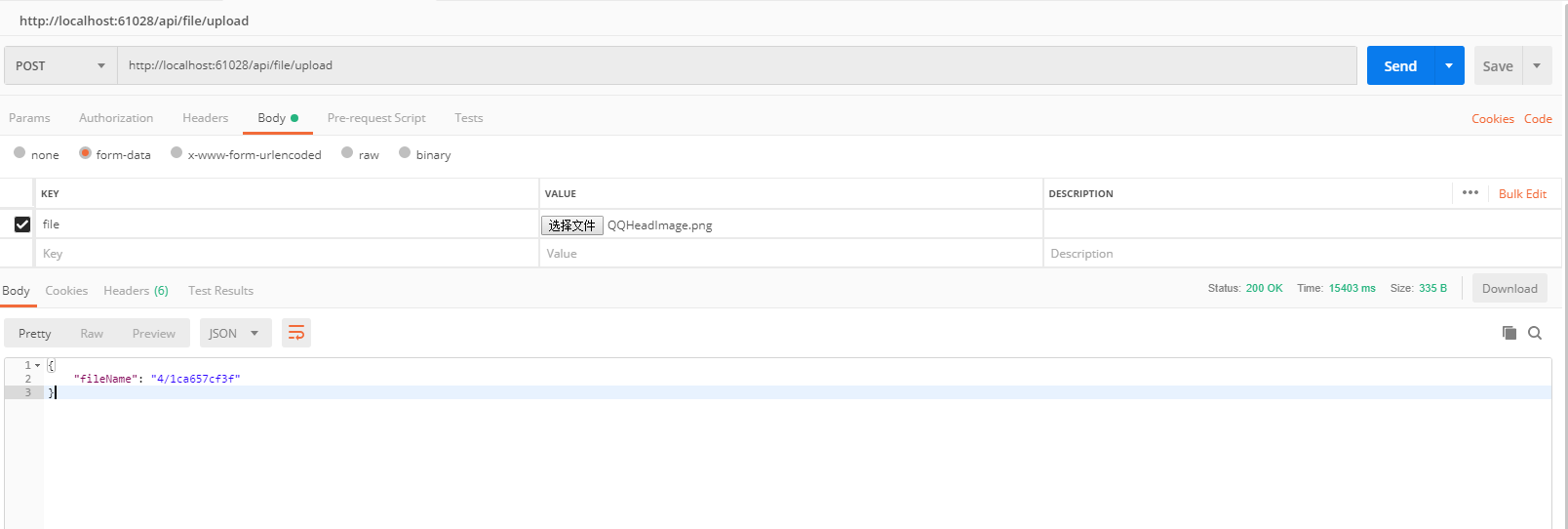
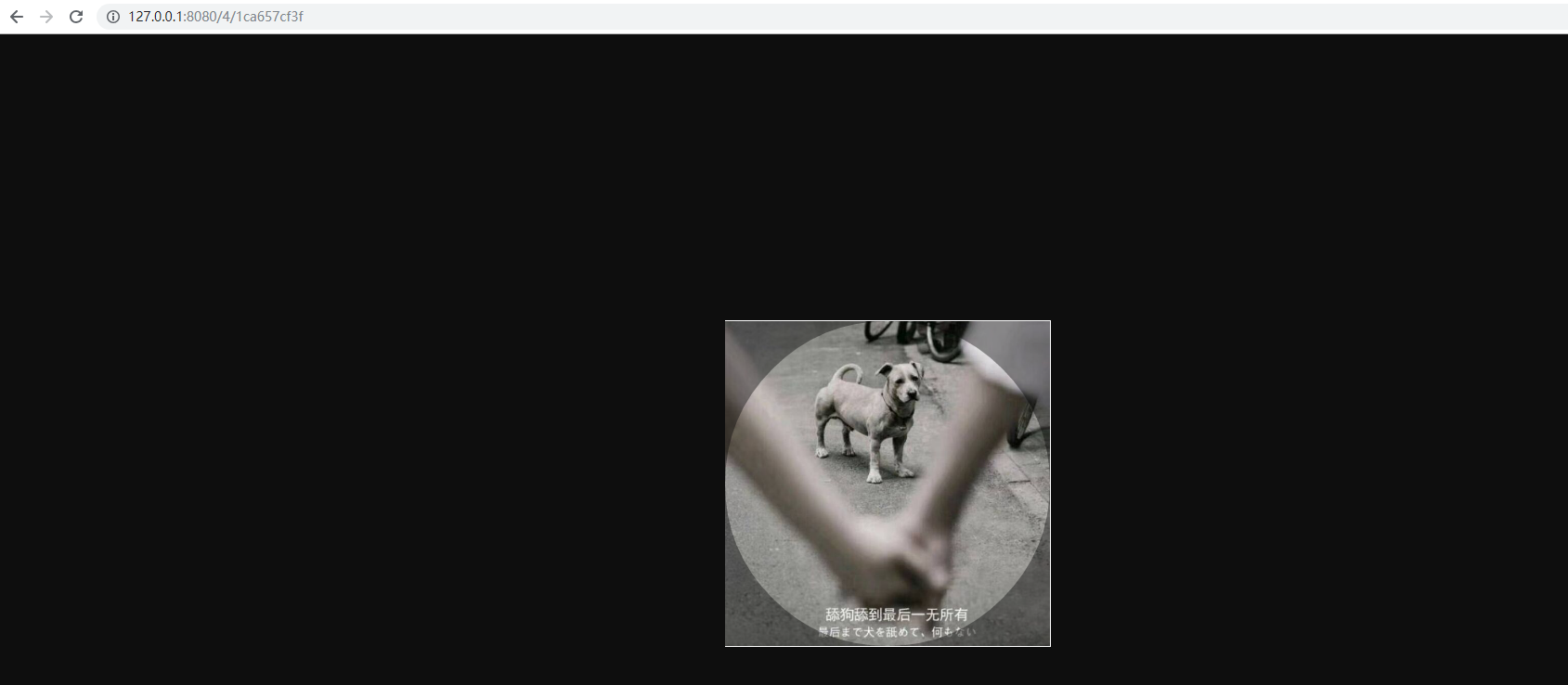
ok,上传成功,我们访问
http://localhost:9333/4,1ca657cf3f

http://localhost:9333/4/1ca657cf3f

http://127.0.0.1:8080/4,1ca657cf3f

http://127.0.0.1:8080/4/1ca657cf3f
前面两个地址会转跳到后面两个地址
后记
我这代码测试,会出现,不返回name字段的情况
{

    "name": "150106109346115258.jpg",

    "size": 206354,

    "eTag": "9e663632"

}
这种json格式是直接上传的返回
但是我们这个上传服务会变成
{

    "size": 206354,

    "eTag": "9e663632"

}
我见了鬼了,谁有发现原因,请告诉我一下,拜托了
SeaweedFS在.net core下的实践方案的更多相关文章
- SeaweedFS在.net core下的实践方案(续一)
前言 我们之前已经完成了SeaweedFS在.net core下的使用了,但是说实话,还是不够,于是,我的目光盯住了IApplicationBuilder的扩展方法UseStaticFiles 这个可 ...
- 【转】.NET(C#):浅谈程序集清单资源和RESX资源 关于单元测试的思考--Asp.Net Core单元测试最佳实践 封装自己的dapper lambda扩展-设计篇 编写自己的dapper lambda扩展-使用篇 正确理解CAP定理 Quartz.NET的使用(附源码) 整理自己的.net工具库 GC的前世与今生 Visual Studio Package 插件开发之自动生
[转].NET(C#):浅谈程序集清单资源和RESX资源 目录 程序集清单资源 RESX资源文件 使用ResourceReader和ResourceSet解析二进制资源文件 使用ResourceM ...
- .net core下简单构建高可用服务集群
一说到集群服务相信对普通开发者来说肯定想到很复杂的事情,如zeekeeper ,反向代理服务网关等一系列的搭建和配置等等:总得来说需要有一定经验和规划的团队才能应用起来.在这文章里你能看到在.net ...
- .Net core下的配置设置(二)——Option
我在前面的文章.Net core下的配置设置(一)——Configuration中介绍了.net core下配置文件的读取方法,在.net core中,直接从Configuration对象中读取的并不 ...
- 基于OVS的VLAN虚拟化简易实践方案
基于OVS的VLAN虚拟化简易实践方案 前言 本实验基于ovs的vlan流表匹配,根据端口进行vlan标签插入.手工配置ovs,使其具有vlan虚拟化方案. 实验拓扑 ---- ---- | h1 | ...
- .net core 下使用StackExchange的Redis库访问超时解决
原文:.net core 下使用StackExchange的Redis库访问超时解决 目录 问题:并发稍微多的情况下Redis偶尔返回超时 给出了参考网址? 结论 小备注 引用链接 问题:并发稍微多的 ...
- .NET CORE下最快比较两个文件内容是否相同的方法 - 续
.NET CORE下最快比较两个文件内容是否相同的方法 - 续 在上一篇博文中, 我使用了几种方法试图找到哪个是.NET CORE下最快比较两个文件的方法.文章发布后,引起了很多博友的讨论, 在此我对 ...
- .NET Core 下的 API 网关
网关介绍 网关其实就是将我们写好的API全部放在一个统一的地址暴露在公网,提供访问的一个入口.在 .NET Core下可以使用Ocelot来帮助我们很方便的接入API 网关.与之类似的库还有Proxy ...
- nginx及其常用实践方案
nginx及其常用实践方案 1.概述 1.1 什么是nginx? 1.2 什么是反向代理? 2.nginx常用命令 3.ningx配置实践 3.1 nginx.conf基础配置项 3.2 http 反 ...
随机推荐
- Aspose下载图片
/// <summary> /// 把DataTable数据按照Excel模板导出到Excel /// </summary> /// <param name=" ...
- cas客户端流程详解(源码解析)--单点登录
博主之前一直使用了cas客户端进行用户的单点登录操作,决定进行源码分析来看cas的整个流程,以便以后出现了问题还不知道是什么原因导致的 cas主要的形式就是通过过滤器的形式来实现的,来,贴上示例配置: ...
- requests接口自动化8-传递数据为xml形式的post请求:data
传递数据为xml形式的post请求 请求体内容: <?xml version=“1.0” encoding = “UTF-8”?> <COM> <REQ name=&qu ...
- (六)pandas 日常使用技巧
pandas数据处理 1.删除重复元素 import numpy as np import pandas as pd from pandas import Series,DataFrame df = ...
- python之将一个字符串str的内容倒叙过来,并输出。
inStr = input() flashback = inStr[::-1] print(flashback)
- 如果你每次面试前都要去背一篇Spring中Bean的生命周期,请看完这篇文章
前言 当你准备去复习Spring中Bean的生命周期的时候,这个时候你开始上网找资料,很大概率会看到下面这张图: 先不论这张图上是否全面,但是就说这张图吧,你是不是背了又忘,忘了又背? 究其原因在于, ...
- com.aliyun.openservices.shade.com.alibaba.fastjson.JSONException: exepct '[', but {, pos 1, line 1, column 2
报错原因:你放的是一个非List的对象 却想取一个List对象出来 package test; import java.text.SimpleDateFormat; import java.util. ...
- Cyber Security - Palo Alto Firewall Objects Addresses, Services, and Groups(3)
LDAP Authentication and Remote Users and Groups Create Remote User Objects and LDAP Integration: sam ...
- 机房vscode使用方法
问题 众所周知,机房中的电脑有一个win7系统,(非常的好,摆脱linux了),同时win7上有一个 vscode ,更好了. 但是!vscode 由于老师不允许联网,导致插件无法安装,更为恶心的事, ...
- 题解 CF1385D 【a-Good String】
题意 定义:字符串s 为一个c-好串(c 为一个字符)时,必须满足: 当\(|s| = 1\) ,\(s = c\) 当\(|s| > 1\), \(s\) 的左半部分为全为 \(c\),右半部 ...