
EditPlus配色方案
找到配置文件:editplus_u.ini配置文件
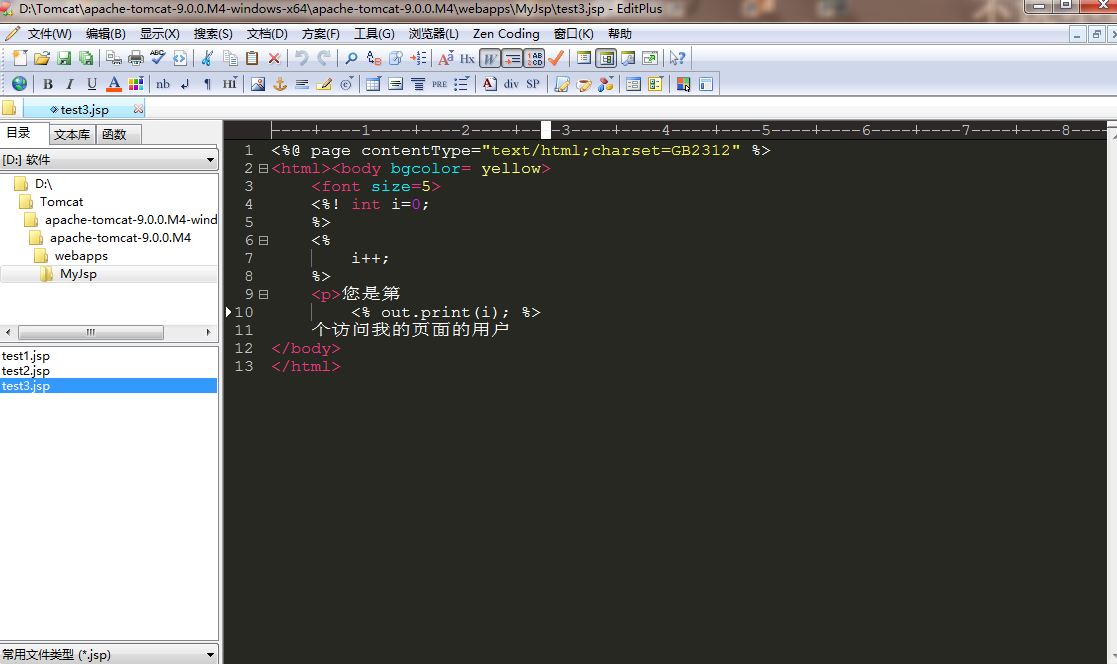
[Options]
Placement=2C00000002000000030000000083FFFF0083FFFFFFFFFFFFFFFFFFFFEA000000EE000000D6050000CF030000FF
Window List=00000000000000000000000000000000FF
Marker List=00000000000000000000000000000000FF
Function List=00000000000000000000000000000000FF
Open Remote=5C020000550100006404000067030000FF
Expand=00000000000000000000000000000000FF
Project Pos=00000000000000000000000000000000FF
Workspace Path=F:\phpcms\phpcms\user\inc
Cliptext Window=
Cliptext Window =
Output=
Output =
Folding=
FindX=
FindY=
Find=align
Tab Index=
Cliptext=
Custom colors=6D6D7200FFFFFF00FFFFFF00FFFFFF00FFFFFF00FFFFFF00FFFFFF00FFFFFF0031282700FFFFFF00FFFFFF00FFFFFF00FFFFFF00FFFFFF00FFFFFF00FFFFFF00FF
Matching Brace=
Indent guide=
[Files]
Encoding=
Backup=
Backup Remote=
[Fonts]
Edit Window=F0FFFFFF00000000000000000000000090010000000000000302013143006F007500720069006500720020004E0065007700000000000000000000000000000000000000000000000000000000000000000000000000000000000000FF
Printer=F4FFFFFF00000000000000000000000090010000000000000000003143006F007500720069006500720020004E0065007700000000000000000000000000000000000000000000000000000000000000000000000000000000000000FF
Output Window=F4FFFFFF00000000000000000000000090010000000000000000003143006F007500720069006500720020004E0065007700000000000000000000000000000000000000000000000000000000000000000000000000000000000000FF
Cliptext Window=F4FFFFFF0000000000000000000000009001000000000001000000004D006900630072006F0073006F006600740020005900610048006500690020005500490000000000000000000000000000000000000000000000000000000000FF
Document Selector=F4FFFFFF0000000000000000000000009001000000000001000000004D006900630072006F0073006F006600740020005900610048006500690020005500490000000000000000000000000000000000000000000000000000000000FF
Hex Viewer=F4FFFFFF00000000000000000000000090010000000000010000003143006F007500720069006500720020004E0065007700000000000000000000000000000000000000000000000000000000000000000000000000000000000000FF
Custom =F4FFFFFF00000000000000000000000090010000000000000000002241007200690061006C000000720020004E0065007700000000000000000000000000000000000000000000000000000000000000000000000000000000000000FF
Custom =F5FFFFFF000000000000000000000000900100000000000000000022560065007200640061006E00610000004E0065007700000000000000000000000000000000000000000000000000000000000000000000000000000000000000FF
Custom =F4FFFFFF000000000000000000000000900100000000000000000012540069006D006500730020004E0065007700200052006F006D0061006E0000000000000000000000000000000000000000000000000000000000000000000000FF
Custom =F5FFFFFF0000000000000000000000009001000000000000000000224D0053002000530061006E0073002000530065007200690066000000000000000000000000000000000000000000000000000000000000000000000000000000FF
Custom =F3FFFFFF00000000000000000000000090010000000000FF000000315400650072006D0069006E0061006C00000065007700000000000000000000000000000000000000000000000000000000000000000000000000000000000000FF
[Tool Option]
Top Selector=
[Colors\Text]
Background=
Default=
Foreground=
[Colors\Keyword ]
Foreground=
Default=
[Colors\Embedded script]
Foreground=
Default=
[Colors\Keyword ]
Foreground=
Default=
[Colors\Keyword ]
Foreground=
Default=
[Colors\Keyword ]
Foreground=
Default=
[Colors\Keyword ]
Foreground=
Default=
[Colors\Keyword ]
Foreground=
Default=
[Colors\Keyword ]
Foreground=
Default=
[Colors\Quotation]
Foreground=
Default=
[Colors\Quotation ]
Foreground=
Default=
[Colors\Line comment]
Foreground=
Default=
[Colors\Line number]
Foreground=
Background=
Default=
[Colors\Folding mark -]
Background=
Default=
[Colors\Matching words]
Default=
Background=
[Colors\Keyword ]
Foreground=
Default=
[Colors\Folding mark +]
Background=
Default=
[Colors\Text selection]
Background=
Default=
[Colors\Number]
Foreground=
Default=
[Colors\Block comment]
Foreground=
Default=
[Colors\Keyword ]
Foreground=
Default=
[Colors\Ruler]
Foreground=
Default=
Background=
[Colors\Cursor indicator]
Background=
Default=
[Colors\Indent Guide]
Foreground=
Default=
EditPlus配色方案的更多相关文章
- 推荐一个Monokai风格的EditPlus配色方案
如何配置 找到EditPlus的配置文件editplus_u.ini,该文件默认在:系统盘:\Users\用户名\AppData\Roaming\EditPlus目录中.将其中的内容替换为如下即可: ...
- Monokai风格的EditPlus配色方案
EditPlus的配置文件editplus_u.ini,该文件默认在:系统盘:\Users\用户名\AppData\Roaming\EditPlus目录中.将其中的内容替换为如下即可: [Option ...
- Editplus下载、安装并最佳配色方案(强烈推荐)
不多说,直接上干货! Editplus下载 第一步:进入官网 https://www.editplus.com/ 第二步:下载 https://www.editplus.com/download.ht ...
- EditPlus仿Sublime配色方案(三种任你选择)
[Options] Placement=2C00000002000000030000000083FFFF0083FFFFFFFFFFFFFFFFFFFFEA000000EE000000D6050000 ...
- 改变linux默认配色方案(dircolors和dircolors-solarized使用)
前言 前几天刚买了阿里云的云服务器,今天使用putty进入服务器,发现linux默认的bash配色实在太丑. 特别是文件夹显示为深蓝色,到了白天,和黑色背景一搭配,根本看不清文字. 好在在github ...
- VisualStudio配色方案
最近发现一个很神奇的网站,可以方便的为VisualStudio配色:Studio Styles - Visual Studio color schemes 可以下载一份自己喜欢的配色方案 如果还不满意 ...
- 好看的IDE配色方案让代码看起来不再那么凶猛了
写这篇小文的初衷是,笔者是原教旨主义者,一直坚持用IDE默认的配色方案.另外也觉得网上黑色系的配色方案太过bling bling了.但今天尝试用新的配色方案后,兴奋地发现对代码的好感度大幅提升. 嗯, ...
- Sourceinsight最佳配色方案及颜色字体调整方法
在Ubuntu下面用Gedit有一款比较好看的配色,应该是Darkblue.按照那个样子在SI里面做了一个差不多的,按个人喜好,背景色换成黑色,如下所示: 配色的方案文件可以从此处链接免费下载: 配色 ...
- Visual Studio配色方案
Eclipse开源工具和VS在诸多方面真的是差距非常大,无奈Java编程,使用VS非常麻烦.所以只能选择Eclipse 但是Eclipse的系统配色,又实在是不舒服,于是抽时间,从VS上抠了一份默认的 ...
随机推荐
- netperf编译./configure时报错 "error: cannot guess build type;you nust specify one"
问题: 解决办法-亲测可用: 尝试:./configure --build=mingw提示无法辨别 checking build system type... Invalid configuratio ...
- 前端div+css
css基本结构: css的四种引入方式: 1.行内式:是在标记的style属性中设定CSS样式.这种方式没有体现出CSS的优势,不推荐使用. <p style="background- ...
- ubuntu上的疑难杂症(不定期更新……)
ubuntu系统英伟达显卡驱动怎么装 sudo apt-get purge nvidia* #如果之前安装过显卡驱动,就执行这一句来卸载 sudo apt-add-repository ppa:gra ...
- Sql中使用With创建多张临时表
CREATE PROC [dbo].[sp_VisitCount] ( @count INT ) AS BEGIN DECLARE @current DATETIME SET @current=GET ...
- NTC电阻Rt与温度T关系
NTC电阻Rt与温度T公式如下: Rt=10000*exp(3950*(1/(273.15+T)-1/(273.15+25))). 例:0摄氏度时,电阻为33620.6037214357 欧姆 Rt= ...
- shell处理文件内容
1.head:输出前N行 2.tail:输出后N行 3.cat:查看文件所有内容 4.wc:统计文件内容相关信息(行数,字符数等) 5.
- java基础拓展
1. 作用域:public private protected 默认的区别 public:在同一项目中,被public修饰的在任何地方都可以被调用 private:被private修饰的,只能在本类中 ...
- linux运维、架构之路-Hadoop完全分布式集群搭建
一.介绍 Hadoop实现了一个分布式文件系统(Hadoop Distributed File System),简称HDFS.HDFS有高容错性的特点,并且设计用来部署在低廉的(low-cost)硬件 ...
- get和post请求方式的区别,常见状态码的整理
get和post的区别 get和post是什么? HTTP协议中的两种发送请求的方法.get从指定的资源请求数据: post向指定的资源提交要被处理的数据. HTTP是什么? 超文本传输协议(HTTP ...
- Ubuntu 16.04下使用docker部署MySQL主从复制
(以下docker相关的命令,需要在root用户环境下或通过sudo提升权限来进行操作.) 首先更新 软件源 https://mirrors.tuna.tsinghua.edu.cn/help/ubu ...