
[GIF] GIF Loop Coder - Introduction
Introducing the program, GIF Loop Coder, which allows you to make looping animated gifs (and other types of animations) using JavaScript and HTML5 Canvas. We'll cover the basic UI and syntax of how to add objects to the animation list, animate them and save the result as an animated gif.
function onGLC(glc) {

    glc.loop();

//     glc.size(400, 400);

//     glc.setDuration(5);

//     glc.setFPS(20);

//     glc.setMode('single');

//     glc.setEasing(false);

    var list = glc.renderList,

        width = glc.w,

        height = glc.h,

        color = glc.color;

    // your code goes here:

    list.addCircle({

        x:width/,

        y:height/,

        radius:,

        fillStyle:"yellow",

        stroke: true,

        strokeStyle:"red",

        lineWidth:

    });

}
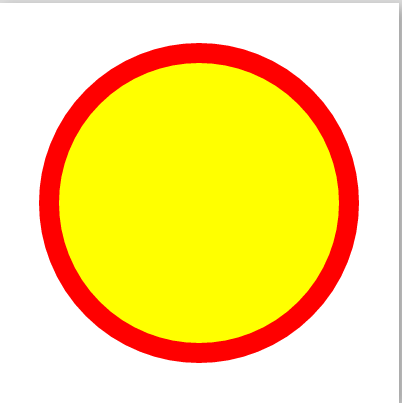
Make it move:
To do that you can pass array to the props:
function onGLC(glc) {

    glc.loop();

//     glc.size(400, 400);

//     glc.setDuration(5);

//     glc.setFPS(20);

//     glc.setMode('single');

//     glc.setEasing(false);

    var list = glc.renderList,

        width = glc.w,

        height = glc.h,

        color = glc.color;

    // your code goes here:

    list.addCircle({

        x:width/,

        y:height/,

        radius:[, ],

        fillStyle: ["green", "yellow"],

        stroke: true,

        strokeStyle: ["yellow", "red"],

        lineWidth: [, ]

    });

}

Create Mutli stars:
function onGLC(glc) {

    glc.loop();

//     glc.size(400, 400);

//     glc.setDuration(5);

//     glc.setFPS(20);

//     glc.setMode('single');

//     glc.setEasing(false);

    var list = glc.renderList,

        width = glc.w,

        height = glc.h,

        color = glc.color;

    // your code goes here:

/*    list.addCircle({

        x:width/2,

        y:height/2,

        radius:[100, 150],

        fillStyle: ["green", "yellow"],

        stroke: true,

        strokeStyle: ["yellow", "red"],

        lineWidth: [12, 20]

    });*/

    for(var i = ; i < ; i++ ){

         list.addStar({

            x: Math.random() * width,

            y: Math.random() * height,

            outerRadius:  + Math.random() * ,

            innerRadius:  + Math.random() * ,

            fillStyle: color.randomRGB(),

            rotation: [,]

        })

    }

}

[GIF] GIF Loop Coder - Introduction的更多相关文章
- [GIF] The Phase Property in GIF Loop Coder
In this lesson, we look at one of the most powerful features in GIF Loop Coder, the phase property, ...
- [GIF] Shape Objects in GIF Loop Coder
This lesson is a quick tour of the predefined shape objects in GIF Loop Coder. function onGLC(glc) { ...
- [GIF] Colors in GIF Loop Coder
In this lesson we cover the different methods for defining and animating colors in GIF Loop Coder. f ...
- [GIF] GIF Loop Coder - Interpolation
This video discusses the default interpolation in GIF Loop Coder, and four distinct ways to change t ...
- [GIF] GIF Loop Coder Single Mode
We'll take a look at Single Mode animations and strategies for making this type of animation smoothl ...
- [GIF] Parenting in GIF Loop Coder
In this lesson, we look at how you can build up complex animations by assigning one shape as the par ...
- [GIF] GIF Loop Coder - Animation Functions
Previous, we animate the item by passing an array to tell the start position and end position. To ma ...
- [GIF] GIF Loop Coder - Animating with Arrays
In this lesson, we discuss animating using arrays, and how different data types are interpolated whi ...
- FFMPEG详细参数
这几天做视频相关的东西,找到了这款比较牛掰的工具FFmpeg Howto Table of Contents * Generic Syntax * Main Options * Encoding : ...
随机推荐
- easyui源码翻译1.32--TimeSpinner(时间微调)
前言 扩展自$.fn.spinner.defaults.使用$.fn.timespinner.defaults重写默认值对象.下载该插件翻译源码 时间微调组件的创建基于微调组件.它和数字微调类似,但是 ...
- OpenSSL 与 SSL 数字证书概念贴
SSL/TLS 介绍见文章 SSL/TLS原理详解(http://seanlook.com/2015/01/07/tls-ssl). 如果你想快速自建CA然后签发数字证书,请移步 基于OpenSSL自 ...
- 学习笔记-[Maven实战]-第一章:Maven简介
Maven简介: Maven 可翻译为:知识的积累,也可以翻译为"专家"或"内行". Maven 是一个跨平台的项目管理工具,是Apache组织中一个很成功的开 ...
- MySQL 线上配置文件
[client] port = 3306 socket = /tmp/mysql.sock default-character-set = utf8 [mysq ...
- 《C#并行编程高级教程》第3章 命令式任务并行 笔记
Task的使用 var t1 = new Task(() => GenerateAESKeys());var t2 = new Task(() => GenerateMD5Hashes() ...
- CSS clip:rect矩形剪裁功能及一些应用介绍
CSS clip:rect矩形剪裁功能及一些应用介绍 by zhangxinxu from http://www.zhangxinxu.com本文地址:http://www.zhangxinxu.co ...
- Epub2基础知识介绍
一.什么是epub epub是一个完全开放和免费的电子书标准.它可以“自动重新编排”的内容. Epub文件后缀名:.epub 二. epub组成 Epub内部使用XHTML(或者DTBook)来展现文 ...
- 在DDMS中查看网络使用详情
在Android 4.0设置中的“流量使用情况”允许长期统计每个App如何使用网络资源.从4.0.3开始,配合最新发布的DDMS r17(在ADT r17 插件中有集成),您可以实时的在DDMS中查看 ...
- 利用Testng注释实现多线程并发测试
Testng 是一款非常优秀的测试框架,真正从测试角度出发,为测试所想.在测试过程中我们经常会遇到对某一个场景做并发请求,主要想了解该程序在并发时是否会有异常或者没考虑到的其他情况,这时往往不是要做性 ...
- sunlime操作
ctrl+p 查找文件 @进行符号查找ctrl+h 替换文件 选中字符以后多次按 ctrl+D 跳过则按 ctrl+Kctrl+shift+d 复制多行alt+f3 多选 ctrl+shift+p ...