
C#获取HTML文件指定DIV内容
最近自己找了一个开源的博客网站,放到阿里云上,方便自己发布博客。
我一般把文章发布到博客园和QQ空间,家了这个网站后又要多发布一次,为了省事就做了一个从博客园读取文章的功能;
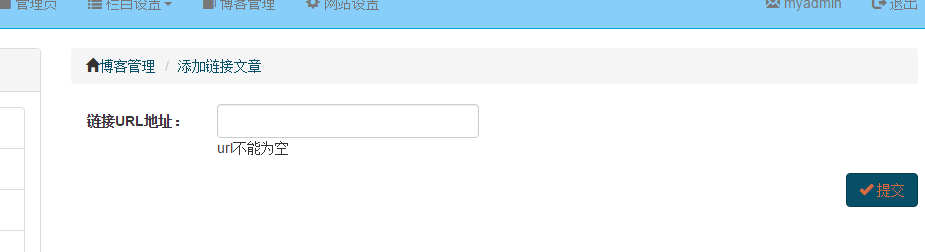
输入链接URL地址点击提交;
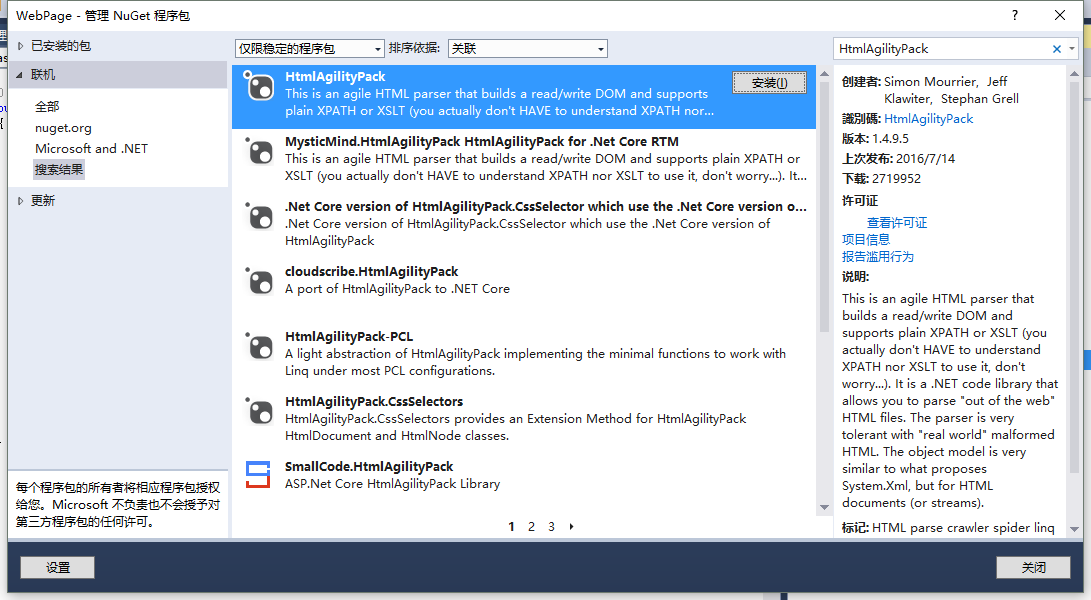
从GetHub安装HtmlAgilityPack
后台C#代码
public ActionResult LinkBlog(string urlStr)

        {

            Response response = new Response() { Code = };

            if (string.IsNullOrWhiteSpace(urlStr))

            {

                response.Code = ;

                response.Message = "链接URL必填";

                return Json(response);

            }

            WebClient c = new WebClient();

            c.Encoding = Encoding.GetEncoding("UTF-8");

            string html = c.DownloadString(urlStr);

            HtmlDocument doc = new HtmlDocument();

            doc.LoadHtml(html);

            HtmlNode nodeinfo = doc.GetElementbyId("post_detail");

            //post_detail

            //

            HtmlNode nodetitle = doc.GetElementbyId("cb_post_title_url");

            //cnblogs_post_body

            HtmlNode nodecontent = doc.GetElementbyId("cnblogs_post_body");

            string htmlstr = nodeinfo.OuterHtml;

            Blog blog = new Blog();

            blog.Publish = true;

            blog.Title =string.Format("链接文章:{0}", nodetitle.InnerText);

            blog.Volume = ;

            blog.Content = htmlstr;

            blog.CreateTime = DateTime.Now;

            string htmlsumm = nodecontent.InnerText.Replace(" ", "");

            int sublen = htmlsumm.Length;

            if (sublen > )

            {

                sublen = ;

            }

            blog.Summary = htmlsumm.Substring(, sublen);

            blog.Category=  categoryManager.FindRoot()[];

            response = blogManager.AddBlog(blog);

            return Json(response);

        }
应用的技术
WebClient c = new WebClient();
c.Encoding = Encoding.GetEncoding("UTF-8");
string html = c.DownloadString(urlStr);
通过WebClient读取网页,注意这里的编码问题,有的网页用的是UTF-8有的是GB2312
自己尝试一下就知道了,编码设置错误会出现汉子乱码。
HtmlDocument doc = new HtmlDocument();
doc.LoadHtml(html);
HtmlNode nodeinfo = doc.GetElementbyId("post_detail");
读取HTML字符串中指定id的标签的内容;
参考博客:http://www.cnblogs.com/ITmuse/archive/2010/05/29/1747199.html
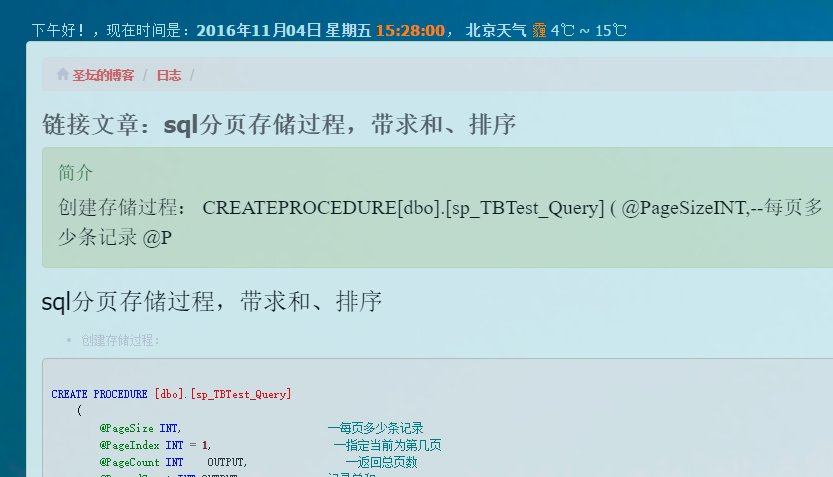
最终我不用再重复添加博客了,不过还多亏博客园没有做图片防盗链,否则图片还要单独处理。
C#获取HTML文件指定DIV内容的更多相关文章
- 获取txt文件指定行内容
#!/usr/bin/python num=0; ni=open("C:\Python34\ceshi.txt") for line in ni: num=num+1; #表示行 ...
- python读取文件指定行内容
python读取文件指定行内容 import linecache text=linecache.getline(r'C:\Users\Administrator\Desktop\SourceCodeo ...
- php获取指定div内容
<?php $p="http://127.0.0.1:8080/website/index.html"; $ch = curl_init(); curl_setopt($ch ...
- Git 获取远程仓库指定分支内容
1. 在本地一个空的文件夹中 git init (生成本地仓库) 2. 在刚刚的文件夹中随便建立一个文件 ,git add . (为了生成分支)(提交到暂存区) 3. git commit -m'1 ...
- springboot获取properties文件的配置内容(转载)
1.使用@Value注解读取读取properties配置文件时,默认读取的是application.properties. application.properties: demo.name=Name ...
- 一种获取xml文件某个节点内容的shell方法
配置文件 config.xml <xml> <server> <name>srv-01</name> </server> <serve ...
- js调用浏览器打印指定div内容
--打印按钮事件 function printForm(){ var headstr = '<html xmlns:th="http://www.thymeleaf.org&qu ...
- 关于MVC打印问题,打印指定的内容
首先你的内容一定要放在一个div中如下代码 <div id="divprint"> <table class="table table-striped ...
- python3读取文件指定行的三种方案
技术背景 考虑到深度学习领域中的数据规模一般都比较大,尤其是训练集,这个限制条件对应到实际编程中就意味着,我们很有可能无法将整个数据文件的内容全部都加载到内存中.那么就需要一些特殊的处理方式,比如:创 ...
随机推荐
- 五分钟,运用cocoaui库,搭建主流iOS app中我的界面
本项目基于天天团购项目,在上一篇中有说到! 首先介绍一些cocoaui,是国内的一名程序员做的开源的开源系统,目的是为了简化ios布局!官网地址:www.cocoaui.com,github地址:ht ...
- 加密,解密,Hash
Hash的算法: SHA256Managed(mscorlib.dll) private static string HashCreditCard(string creditCardNumber) { ...
- 【推荐】oc解析HTML数据的类库(爬取网页数据)
TFhpple是一个用于解析html数据的第三方库,本人感觉功能还算可以,只不过在使用前必须配置项目. 配置 1.导入libxml2.tbd 2.设置编译路径 使用 这里使用一个例子来说明 http: ...
- 【团队冲刺总结】一个编码人员的反(tu)思(cao)
消失了半个多月了啊,算算时间,好像确实有近个把月没有好好的写博客来了.我一直很想写博客的,之前有老师问过写博客的动力是什么.我想了想,我觉得可能是我比较喜欢看书吧,不管是专业书还是小说(好吧,我承认, ...
- SQL Server 诊断查询-(1)
Query #1 is Version Info. SQL and OS Version information for current instance SELECT @@SERVERNAME AS ...
- Linux - Ubuntu下JDK配置
系统版本: ubuntu 14.04 x64JDK版本: jdk-8u60-linux-x64 1.查看系统位数,输入以下命令即可 getconf LONG_BIT 2.下载对应的JDK文件,我这里下 ...
- App.Config详解
App.Config详解 应用程序配置文件是标准的 XML 文件,XML 标记和属性是区分大小写的.它是可以按需要更改的,开发人员可以使用配置文件来更改设置,而不必重编译应用程序.配置文件的根节点是c ...
- c# Graphics使用方法(画圆写字代码)
画填充圆: Graphics gra = this.pictureBox1.CreateGraphics(); gra.SmoothingMode = System.Drawing.Drawing2D ...
- c#调用word com组件 替换书签套打
安装office2007,添加com引用Microsoft Word12.0 Object Library和Microsoft Office12.0 Object Library using Syst ...
- 吉日嘎拉DotNet.BusinessV4.2中的一处bug,及我的修复和扩展
bug所在位置:DotNet.Business\Utilities\BaseManager.GetDataTableByPage.cs的函数 public virtual DataTable GetD ...