
Pyqt 获取打包二进制文件中的资源
记得有一次打开一个单独exe程序,点击btn中的一个帮助说明按钮,在同级目录下就多出一个help.chm 文件并自动打开。
那这个exe肯定是把help.chm 打包到exe中,当我触发“帮助”按钮的时候另存为help.chm 并打开该文件。
所以我在想,Pyqt打包资源是否也可以另存为后打开资源中的文件呢?然后就有了下文
一、 生成资源文件
我们先找几个资源文件
比如:
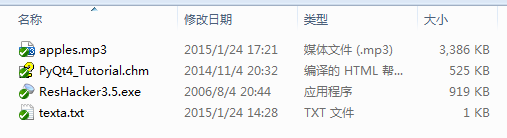
用Qt Designer中的资源浏览器把资源素材添加并保存为resexe.qrc 文件
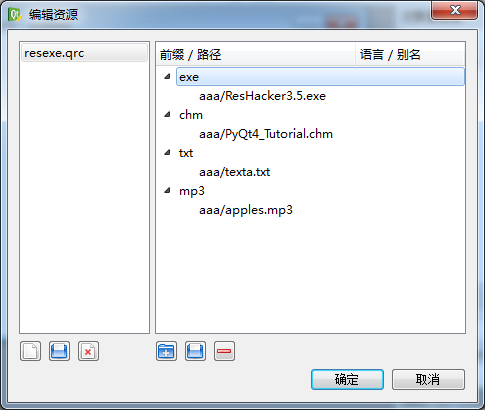
resexe.qrc文件:
<RCC>

  <qresource prefix="exe">

    <file>aaa/ResHacker3.5.exe</file>

  </qresource>

  <qresource prefix="chm">

    <file>aaa/PyQt4_Tutorial.chm</file>

  </qresource>

  <qresource prefix="txt">

    <file>aaa/texta.txt</file>

  </qresource>

   <qresource prefix="mp3">

    <file>aaa/apples.mp3</file>

  </qresource>

</RCC>
将qrc资源文件转换为py
pyrcc4 -o resexe.py resexe.qrc
二、编写逻辑代码
用Python读取保存二进制文件是这样的:
#读取资源文件

originalfile = open('F:/QQ.exe','rb')

filedata = originalfile.read()

originalfile.close()

#指定为字节类型

savedata = bytearray(filedata)

savefile = open('C:/QQ_res.exe','wb')

savefile.write(savedata)

savefile.close()
但在Pyqt中py原生的open() 方法是找不到文件的:
因为Qt qrc转换的资源必须要用":"开始引用,例如:
self.setWindowIcon(QIcon(':qq.ico'))
以下代码是错误的:
originalfile = open(':mp3/aaa/apples.mp3','rb')

filedata = originalfile.read()

originalfile.close()

savedata = bytearray(filedata)

savefile = open('C:/apples.mp3','wb')

savefile.write(savedata)

savefile.close()
报错:
Traceback (most recent call last):

 originalfile = open(':mp3/aaa/apples.mp3','rb')

 IOError: [Errno 22] invalid mode ('rb') or filename: ':mp3/aaa/apples.mp3'
所以直接使用Py的open()方法是无法获取Qt qrc资源文件的。
要获取qrc里面的资源文件必须要使用Qt内置的QFile
下面有两个方法
- QFile的copy()方法
QtCore.QFile.copy(':mp3/aaa/apples.mp3','C:/appless.mp3')
可直接将资源文件copy到指定的目录
QFile.copy文档:
bool QFile.copy (self, QString newName)Copies the file currently specified by fileName() to a file called newName. Returns true if successful; otherwise returns false. Note that if a file with the name newName already exists, copy() returns false (i.e. QFile will not overwrite it). The source file is closed before it is copied. See also setFileName(). bool QFile.copy (QString fileName, QString newName)This is an overloaded function. Copies the file fileName to newName. Returns true if successful; otherwise returns false. If a file with the name newName already exists, copy() returns false (i.e., QFile will not overwrite it). See also rename(). |
- QFile的QIODevice.readAll()
originfiles = QtCore.QFile(':mp3/aaa/apples.mp3')

originfiles.open(QtCore.QFile.ReadOnly)

origindata = originfiles.readAll()

savefiledata = bytearray(origindata)

savefile = open('C:/appless.mp3', 'wb')

savefile.write(savefiledata)

savefile.close()
QFile以只读模式打开资源':mp3/aaa/appless.mp3', readAll() 返回二进制QByteArray, 再通过Py的open() 以'wb'模式写入二进制数据
QIODevice.readAll文档:
object QIODevice.read (self, long maxlen)Reads at most maxSize bytes from the device into data, and returns the number of bytes read. If an error occurs, such as when attempting to read from a device opened in WriteOnly mode, this function returns -1. 0 is returned when no more data is available for reading. However, reading past the end of the stream is considered an error, so this function returns -1 in those cases (that is, reading on a closed socket or after a process has died). See also readData(), readLine(), and write(). QByteArray QIODevice.readAll (self)This is an overloaded function. Reads all available data from the device, and returns it as a QByteArray. This function has no way of reporting errors; returning an empty QByteArray() can mean either that no data was currently available for reading, or that an error occurred. |
完整代码如下:
# -*- coding: utf-8 -*-

'''

下载打包资源文件中的资源

'''

from PyQt4 import QtCore, QtGui

import sys, os

reload(sys)

sys.setdefaultencoding("utf-8")

class Mwindow(QtGui.QDialog):

    def __init__(self):

        super(Mwindow, self).__init__()

        self.resize(100, 150)

        self.setWindowTitle(u'下载打包文件中的资源文件')

        self.down1 = QtGui.QPushButton(u'下载ResHacker')

        self.down2 = QtGui.QPushButton(u'下载PyQt4_Tutorial')

        self.down3 = QtGui.QPushButton(u'下载texta文本')

        self.down4 = QtGui.QPushButton(u'下载apples.mp3')

        self.checked = QtGui.QCheckBox(u'同时打开文件')

        self.checked.setCheckState(QtCore.Qt.Checked)

        mylayout = QtGui.QGridLayout()

        mylayout.addWidget(self.down1, 0, 0)

        mylayout.addWidget(self.down2, 0, 2)

        mylayout.addWidget(self.down3, 0, 1)

        mylayout.addWidget(self.down4, 1, 0)

        mylayout.addWidget(self.checked, 1, 2)

        self.setLayout(mylayout)

        self.connect(self.down1, QtCore.SIGNAL('clicked()'), self.download)

        self.connect(self.down2, QtCore.SIGNAL('clicked()'), self.download)

        self.connect(self.down3, QtCore.SIGNAL('clicked()'), self.download)

        self.connect(self.down4, QtCore.SIGNAL('clicked()'), self.download)

    def download(self):

        import resexe

        senderc = str(self.sender().text())

        downObject = ''

        extend = 'All Files (*.*)'

        if senderc.find('appl') > 0:

            downObject = ':mp3/aaa/apples.mp3'

            extend = 'mp3 Files (*.mp3)'

        if senderc.find('ResHacker') > 0:

            downObject = ':exe/aaa/ResHacker3.5.exe'

            extend = 'exe Files (*.exe)'

        if senderc.find('PyQt4_Tutorial') > 0:

            downObject = ':chm/aaa/PyQt4_Tutorial.chm'

            extend = 'chm Files (*.chm)'

        if senderc.find('text') > 0:

            downObject = ':txt/aaa/texta.txt'

            extend = ' Files (*.txt)'

        fileName = QtGui.QFileDialog.getSaveFileName(self, u"文件保存", "C:/", extend)

        if fileName:

            # 方法一

            # QtCore.QFile.copy(downObject,fileName)

            #方法二

            originfiles = QtCore.QFile(downObject)

            originfiles.open(QtCore.QFile.ReadOnly)

            origindata = originfiles.readAll()

            savefiledata = bytearray(origindata)

            savefile = open(fileName, 'wb')

            savefile.write(savefiledata)

            savefile.close()

            openfile = self.checked.isChecked()  #判断选择打开文件

            if openfile:

                os.system(str(fileName))

            else:

                QtGui.QMessageBox.question(self, (u'提示'), (u'保存成功'), QtGui.QMessageBox.Yes)

if __name__ == '__main__':

    app = QtGui.QApplication(sys.argv)

    mainWin = Mwindow()

    mainWin.show()

    sys.exit(app.exec_())
三、将代码打包成二进制exe
我们使用Pyinstaller打包
if __name__ == '__main__':

    from PyInstaller.main import run

    params=['downloadres.py', '-F', '-w', '--icon=favicon.ico']

    run(params)
生成downloadres.exe

四、运行效果
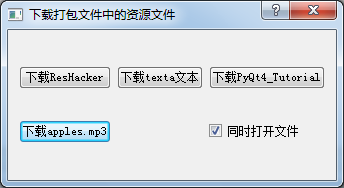
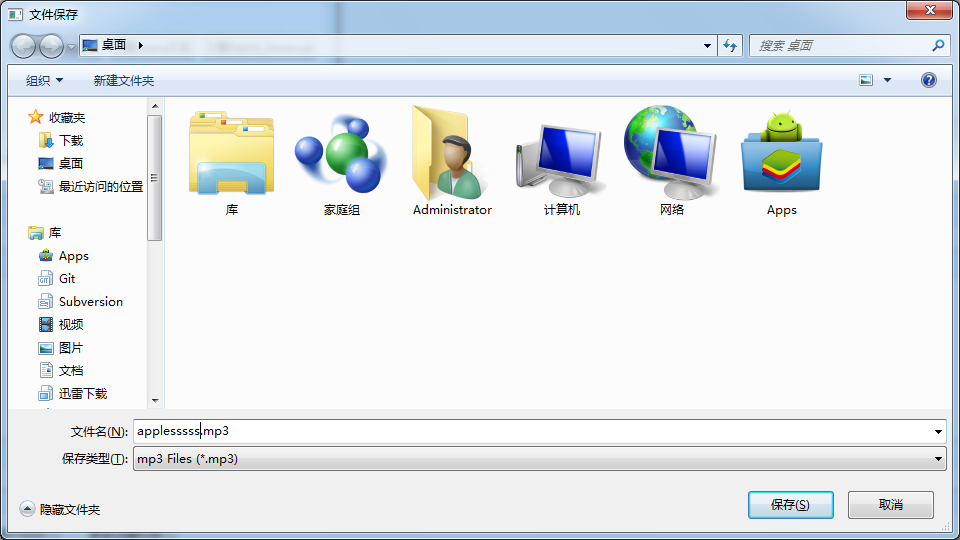
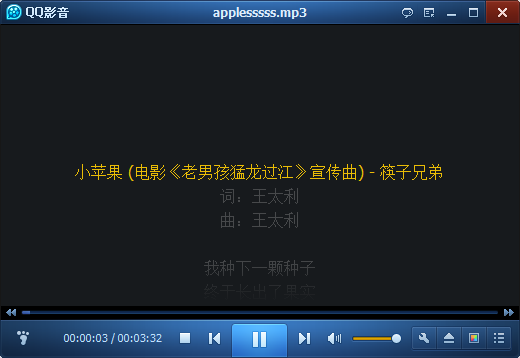
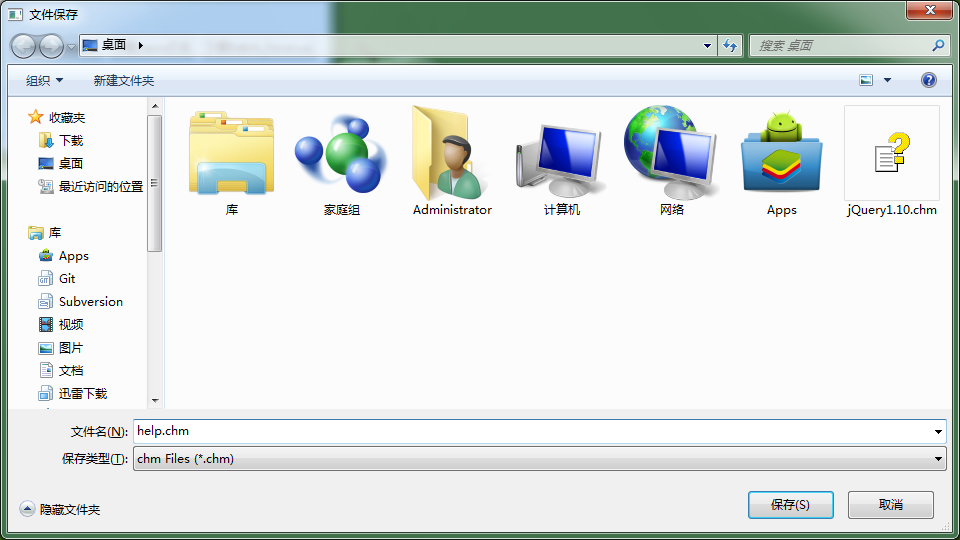
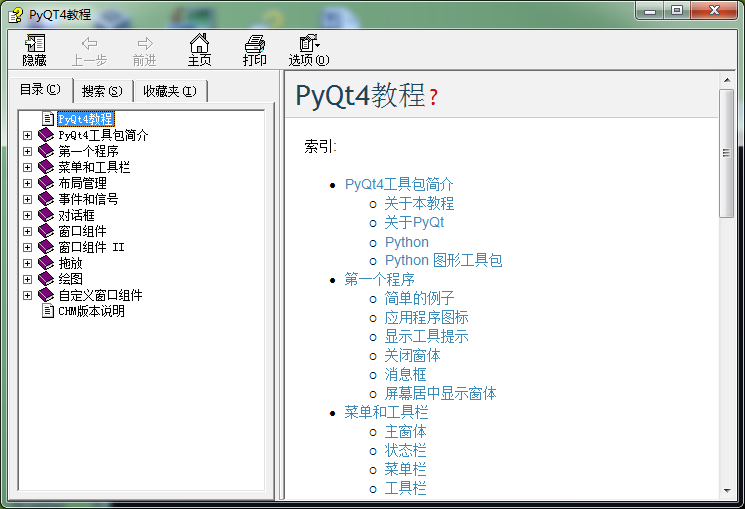
如果可以,接下来我们也可以做一个tcp获取网络资源并下载的Pyqt程序。
Pyqt 获取打包二进制文件中的资源的更多相关文章
- Pyqt 获取windows系统中已安装软件列表
开始之前的基础知识 1. 获取软件列表 在Python的标准库中,_winreg可以操作Windows的注册表.获取已经安装的软件列表一般是读去windows的注册表: SOFTWARE\Micros ...
- SpringBoot 项目打包后获取不到resource下资源的解决
SpringBoot 项目打包后获取不到resource下资源的解决 在项目中有几个文件需要下载,然后不想暴露真实路径,又没有CDN,便决定使用接口的方式来获取文件.最初的时候使用了传统的方法来获取文 ...
- Java如何获取当前的jar包路径以及如何读取jar包中的资源
写作业的时候要输出一个record.dat文件到jar包的同级目录,但是不知道怎么定位jar包的路径.百度到的方法不很靠谱,所以在这里记录一下. 一:使用类路径 String path = this. ...
- 2.QT中使用资源文件,程序打包
1 程序中使用资源文件 A 一个QT空项目 B 右击项目,添加新文件 添加后的效果是 C 右击main.prc,选择"添加现有项",找到要使用的资源文件.最终的效果是: ...
- Java中获取classpath路径下的资源文件
ClassLoader 提供了两个方法用于从装载的类路径中取得资源: public URL getResource (String name); public InputStream getRes ...
- PyQt(Python+Qt)学习随笔:Qt Designer中图像资源的使用及资源文件的管理
一.概述 在Qt Designer中要使用图片资源有三种方法:通过图像文件指定.通过资源文件指定.通过theme主题方式指定,对应的设置界面在需要指定图像的属性栏如windowIcon中通过点击属性设 ...
- 【Azure 环境】【Azure Developer】使用Python代码获取Azure 中的资源的Metrics定义及数据
问题描述 使用Python SDK来获取Azure上的各种资源的Metrics的名称以及Metrics Data的示例 问题解答 通过 azure-monitor-query ,可以创建一个 metr ...
- springmvc获取jar中的静态资源与jar包中的资源互相引用问题
1.首先看jar中的文件位置 2.在web工程中引用该jar 并且在springmvc文件中配置路径 如果有多个路径可用逗号隔开 3.在web工程找jsp页面如何引用 这样就可以了 关于jar中的资源 ...
- 打包jar文件 外部调用资源 so等
一个非常好的从jar文件中加载so动态库方法,在android的gif支持开源中用到.这个项目的gif解码是用jni c实现的,避免了OOM等问题. 项目地址:https://github.com/k ...
随机推荐
- Android drawableleft drawableTop 设置图片的大小
例子: Drawable drawable=getResources().getDrawable(R.drawable.xx); //获取图片 drawable.setBounds(left, top ...
- 【USACO 2.3】Cow Pedigrees(DP)
问n个结点深度为k且只有度为2或0的二叉树有多少种. dp[i][j]=dp[lk][ln]*dp[rk][j-1-ln],max(lk,rk)=i-1. http://train.usaco.org ...
- SVN随记
SVN中提交代码时报如下错误 commit -m "sync" E:/resource/rad_workspace/IMSCrawl/src/configuration.prope ...
- 在eclipse中部署jsp项目
昨天在做实验的时候发现图片的路径不对,怎么改都不对,后来想到在浏览器中输入localhost:8080是tomcat服务器的路径,没找到资源是不是就是项没有部署到tomcat中,去tomcat的web ...
- perl 模块安装
You can check if you have them installed in your machine with: > perl -e 1 -M<module> It wi ...
- a冲刺总结随笔
Alpha版本计划完成一般的便签功能: 预期项目 实际进展 首页瀑布流方块布局 1 按新旧顺序排列 1 增加记录 1 编辑文字信息 1 标记喜爱 0 删除文字信息 1 手动添加分类 0 反馈页面 ...
- NGUI 滑动与点击事件冲突处理
弄一个既能滑动,又能点击的Scroll View.发现弄完后不能拖动了~ 因为点击事件需要Box Collider覆盖掉了Drag Scroll View的Box Collider.注意是Drag S ...
- infragistics-webdatagrid
infragistics-webdatagrid DataRow DataTable DataSet DataColumn stringBuilder append appendFormat 存储过程 ...
- Web jquery表格组件 JQGrid 的使用 - 7.查询数据、编辑数据、删除数据
系列索引 Web jquery表格组件 JQGrid 的使用 - 从入门到精通 开篇及索引 Web jquery表格组件 JQGrid 的使用 - 4.JQGrid参数.ColModel API.事件 ...
- mysql 递归查询
1.创建表: DROP TABLE IF EXISTS `t_areainfo`; CREATE TABLE `t_areainfo` ( `id` ) ' AUTO_INCREMENT, `) ', ...