
three.js 郭先生制作太阳系
今天郭先生收到评论,想要之前制作太阳系的案例,因为找不到了,于是在vue版本又制作一版太阳系,在线案例请点击博客原文(加载时间比较长,请稍等一下)。话不多说先看效果图。
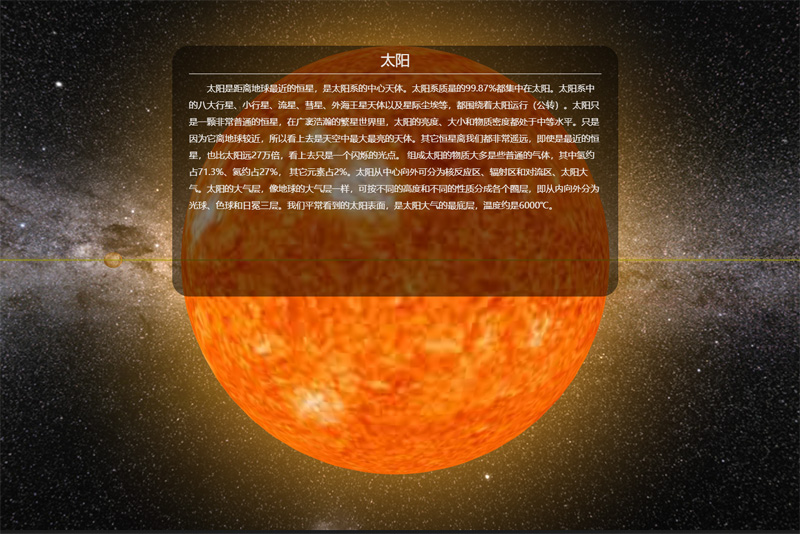
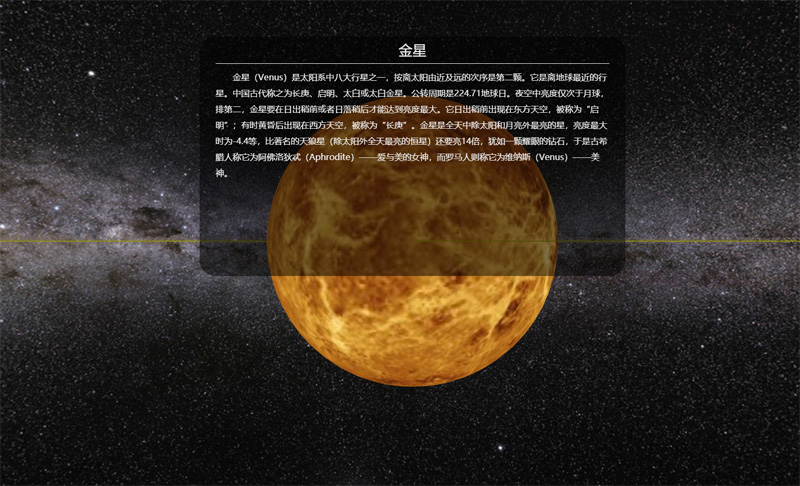
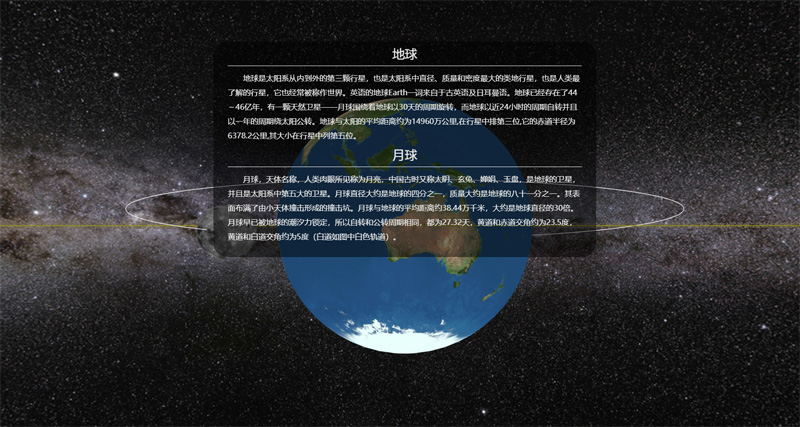
图片有点多,先放三张,相比于上一个版本,这个版本制作更加细致,动画更加流畅。那么下面分析一下主要代码。
1. 先介绍一下变量
这里查了一些资料radiuses、distances、pub_rotation、self_rotation、pitchs分别为八大行星半径比、到太阳的距离比、公转比、自转比、自转轴倾角比。
radiuses: [2440, 6052, 6371, 3397, 71492, 60268, 25559, 24766],

distances: [5791, 10820, 14960, 22794, 77833, 142940, 287099, 450400],

pub_rotation: [88, 225, 365, 687, 4329, 10767, 30769, 60152],

self_rotation: [58.65, 243, 1, 1, 0.41, 0.42, 0.64, 0.65],

pitchs: [0, 177, 23, 25, 3, 27, 98, 28],

sunObj: {

    radius: 60000//实际695500,为了好看太阳半径缩小了

},

moonObj: {

    distance: 800, //实际90 为了好看地月距离放大了

    radius: 1737,

    pitchs: 5,

    self_rotation: 27.25,

    pub_rotation: 27.25

},

asteriodObj: {

    radius: 2000,//

    pub_rotation: 408

},
2. 引入星球的纹理贴图
由于星球的贴图加载比较慢,所以要在贴图加载之后,再进行后续操作。
let loader = new THREE.TextureLoader();

taiyangT = loader.load('/static/images/texture/planets/sun.jpg');

shuixingT = loader.load('/static/images/texture/planets/shuixing.jpg');

jinxingT = loader.load('/static/images/texture/planets/jinxing.jpg');

diqiuT = loader.load('/static/images/texture/planets/diqiu.jpg');

huoxingT = loader.load('/static/images/texture/planets/huoxing.jpg');

muxingT = loader.load('/static/images/texture/planets/muxing.jpg');

tuxingT = loader.load('/static/images/texture/planets/tuxing.jpg');

tianwangxingT = loader.load('/static/images/texture/planets/tianwangxing.jpg');

haiwangxingT = loader.load('/static/images/texture/planets/haiwangxing.jpg');

yueqiuT = loader.load('/static/images/texture/planets/yueqiu.jpg');

asteriodsT = loader.load('/static/images/texture/planets/asteriod.jpg');

tuxinghuanT = loader.load('/static/images/texture/planets/tuxingring.png');
3. 绘制星球,并在场景中添加
这里我们写了一个公共的方法createMesh,这个方法传两个参数贴图和索引,可以根据这个索引找到自转周期、公转周期距离等等。
shuixing = this.createMesh(shuixingT, 0);

jinxing = this.createMesh(jinxingT, 1);

diqiu = this.createMesh(diqiuT, 2);

huoxing = this.createMesh(huoxingT, 3);

muxing = this.createMesh(muxingT, 4);

tuxing = this.createMesh(tuxingT, 5);

tianwangxing = this.createMesh(tianwangxingT, 6);

haiwangxing = this.createMesh(haiwangxingT, 7);

taiyang = this.createTaiyang();

yueqiu = this.createYueqiu();

scene.add(shuixing);

scene.add(jinxing);

scene.add(diqiu);

scene.add(huoxing);

scene.add(muxing);

scene.add(tuxing);

scene.add(tianwangxing);

scene.add(haiwangxing);

scene.add(taiyang);

scene.add(yueqiu);
创建公共网格方法如下
createMesh(texture, index) {

    let sphere = new THREE.SphereGeometry(this.radiuses[index] * this.radius_ratio, 60, 30);

    let material = new THREE.MeshBasicMaterial({map: texture});

    let mesh = new THREE.Mesh(sphere, material);

    mesh.position.x = this.distance_ratio * this.distances[index];

    return mesh;

}
创建太阳网格方法如下
createYueqiu() {

    let sphere = new THREE.SphereGeometry(this.moonObj.radius * this.radius_ratio, 30, 20);

    let material = new THREE.MeshBasicMaterial({map: yueqiuT});

    let mesh = new THREE.Mesh(sphere, material);

    mesh.position.x = this.distance_ratio * this.moonObj.distance;

    let moon = new THREE.Object3D();

    moon.position.copy(diqiu.position);

    moon.add(mesh);

    return moon;

}
4. 星体自转和公转
在render函数中调用自转和公转函数,控制自转的属性就是mesh.rotation。控制公转的属性就是mesh.position。这里使用欧拉角和THREE.Math方法
selfRotate() {

    shuixing.rotation.copy(new THREE.Euler(THREE.Math.degToRad(this.pitchs[0]), Math.sqrt(1 / this.self_rotation[0]) * this.self_ratio * this.timeS, 0));

    jinxing.rotation.copy(new THREE.Euler(THREE.Math.degToRad(this.pitchs[1]), Math.sqrt(1 / this.self_rotation[1]) * this.self_ratio * this.timeS, 0));

    diqiu.rotation.copy(new THREE.Euler(THREE.Math.degToRad(this.pitchs[2]), Math.sqrt(1 / this.self_rotation[2]) * this.self_ratio * this.timeS, 0));

    huoxing.rotation.copy(new THREE.Euler(THREE.Math.degToRad(this.pitchs[3]), Math.sqrt(1 / this.self_rotation[3]) * this.self_ratio * this.timeS, 0));

    muxing.rotation.copy(new THREE.Euler(THREE.Math.degToRad(this.pitchs[4]), Math.sqrt(1 / this.self_rotation[4]) * this.self_ratio * this.timeS, 0));

    tuxing.rotation.copy(new THREE.Euler(THREE.Math.degToRad(this.pitchs[5]), Math.sqrt(1 / this.self_rotation[5]) * this.self_ratio * this.timeS, 0));

    tianwangxing.rotation.copy(new THREE.Euler(0, Math.sqrt(1 / this.self_rotation[6]) * this.self_ratio * this.timeS, THREE.Math.degToRad(this.pitchs[6]), 'ZYX'));

    haiwangxing.rotation.copy(new THREE.Euler(THREE.Math.degToRad(this.pitchs[7]), Math.sqrt(1 / this.self_rotation[7]) * this.self_ratio * this.timeS, 0));

    // yueqiu.children[0].rotation.copy(new THREE.Euler(THREE.Math.degToRad(this.moonObj.pitchs), Math.sqrt(1 / this.moonObj.self_rotation) * this.self_ratio * this.timeS, 0));

    yueqiu.position.copy(diqiu.position);

    yueqiu.rotation.copy(new THREE.Euler(THREE.Math.degToRad(this.moonObj.pitchs), Math.sqrt(1 / this.moonObj.self_rotation) * this.self_ratio * this.timeS, 0));

    asteriods.rotation.copy(new THREE.Euler(0, this.timeS * this.pub_ratio / this.asteriodObj.pub_rotation / 2, 0));

},

pubRotate() {

    shuixing.position.set(Math.cos(this.timeP * this.pub_ratio / this.pub_rotation[0]) * this.distance_ratio * this.distances[0], 0, -Math.sin(this.timeP * this.pub_ratio / this.pub_rotation[0]) * this.distance_ratio * this.distances[0]);

    jinxing.position.set(Math.cos(this.timeP * this.pub_ratio / this.pub_rotation[1]) * this.distance_ratio * this.distances[1], 0, -Math.sin(this.timeP * this.pub_ratio / this.pub_rotation[1]) * this.distance_ratio * this.distances[1]);

    diqiu.position.set(Math.cos(this.timeP * this.pub_ratio / this.pub_rotation[2]) * this.distance_ratio * this.distances[2], 0, -Math.sin(this.timeP * this.pub_ratio / this.pub_rotation[2]) * this.distance_ratio * this.distances[2]);

    huoxing.position.set(Math.cos(this.timeP * this.pub_ratio / this.pub_rotation[3]) * this.distance_ratio * this.distances[3], 0, -Math.sin(this.timeP * this.pub_ratio / this.pub_rotation[3]) * this.distance_ratio * this.distances[3]);

    muxing.position.set(Math.cos(this.timeP * this.pub_ratio / this.pub_rotation[4]) * this.distance_ratio * this.distances[4], 0, -Math.sin(this.timeP * this.pub_ratio / this.pub_rotation[4]) * this.distance_ratio * this.distances[4]);

    tuxing.position.set(Math.cos(this.timeP * this.pub_ratio / this.pub_rotation[5]) * this.distance_ratio * this.distances[5], 0, -Math.sin(this.timeP * this.pub_ratio / this.pub_rotation[5]) * this.distance_ratio * this.distances[5]);

    tianwangxing.position.set(Math.cos(this.timeP * this.pub_ratio / this.pub_rotation[6]) * this.distance_ratio * this.distances[6], 0, -Math.sin(this.timeP * this.pub_ratio / this.pub_rotation[6]) * this.distance_ratio * this.distances[6]);

    haiwangxing.position.set(Math.cos(this.timeP * this.pub_ratio / this.pub_rotation[7]) * this.distance_ratio * this.distances[7], 0, -Math.sin(this.timeP * this.pub_ratio / this.pub_rotation[7]) * this.distance_ratio * this.distances[7]);

}
5. 使用动画,提升逼格
这里使用了tween控制相机的position和lookat属性,实现空间穿梭的感觉。
initTween() {

    let pos = {x: 0, y: 0, z: -96, lx: 0, ly: 0, lz: 0};

    tween1 = new TWEEN.Tween(pos).to({x: 57.91, y: 0, z: -5, lx: 57.91, ly: 0, lz: 0}, 20 * this.animation_time);

    tween1.easing(TWEEN.Easing.Linear.None);

    tween2 = new TWEEN.Tween(pos).to({x: 108.2, y: 0, z: -13, lx: 108.2, ly: 0, lz: 0}, 22 * this.animation_time);

    tween2.easing(TWEEN.Easing.Linear.None);

    tween3 = new TWEEN.Tween(pos).to({x: 149.6, y: 0, z: -14, lx: 149.6, ly: 0, lz: 0}, 24 * this.animation_time);

    tween3.easing(TWEEN.Easing.Linear.None);

    tween4 = new TWEEN.Tween(pos).to({x: 227.94, y: 0, z: -6, lx: 227.94, ly: 0, lz: 0}, 27 * this.animation_time);

    tween4.easing(TWEEN.Easing.Linear.None);

    tween5 = new TWEEN.Tween(pos).to({x: 436.5, y: 0, z: -6, lx: 436.5, ly: 0, lz: 0}, 30 * this.animation_time);

    tween5.easing(TWEEN.Easing.Linear.None);

    tween6 = new TWEEN.Tween(pos).to({x: 778.33, y: 0, z: -112, lx: 778.33, ly: 0, lz: 0}, 34 * this.animation_time);

    tween6.easing(TWEEN.Easing.Linear.None);

    tween7 = new TWEEN.Tween(pos).to({x: 1429.4, y: 0, z: -155, lx: 1429.4, ly: 0, lz: 0}, 35 * this.animation_time);

    tween7.easing(TWEEN.Easing.Linear.None);

    tween8 = new TWEEN.Tween(pos).to({x: 2871, y: 0, z: -46, lx: 2871, ly: 0, lz: 0}, 36 * this.animation_time);

    tween8.easing(TWEEN.Easing.Linear.None);

    tween9 = new TWEEN.Tween(pos).to({x: 4504, y: 0, z: -46, lx: 4504, ly: 0, lz: 0}, 37 * this.animation_time);

    tween9.easing(TWEEN.Easing.Linear.None);

    tween10 = new TWEEN.Tween(pos).to({x: -600, y: 452, z: 0, lx: 778.33, ly: 0, lz: 0}, 38 * this.animation_time);

    tween10.easing(TWEEN.Easing.Linear.None);

    tween1.chain(tween2).onUpdate(onUpdate).delay(50 * this.animation_time).onStart(() => this.show1 = false).onComplete(() => this.show2 = true);

    tween2.chain(tween3).onUpdate(onUpdate).delay(50 * this.animation_time).onStart(() => this.show2 = false).onComplete(() => this.show3 = true);

    tween3.chain(tween4).onUpdate(onUpdate).delay(50 * this.animation_time).onStart(() => this.show3 = false).onComplete(() => this.show4 = true);

    tween4.chain(tween5).onUpdate(onUpdate).delay(50 * this.animation_time).onStart(() => this.show4 = false).onComplete(() => this.show5 = true);

    tween5.chain(tween6).onUpdate(onUpdate).delay(50 * this.animation_time).onStart(() => this.show5 = false).onComplete(() => this.show6 = true);

    tween6.chain(tween7).onUpdate(onUpdate).delay(50 * this.animation_time).onStart(() => this.show6 = false).onComplete(() => this.show7 = true);

    tween7.chain(tween8).onUpdate(onUpdate).delay(50 * this.animation_time).onStart(() => this.show7 = false).onComplete(() => this.show8 = true);

    tween8.chain(tween9).onUpdate(onUpdate).delay(50 * this.animation_time).onStart(() => this.show8 = false).onComplete(() => this.show9 = true);

    tween9.chain(tween10).onUpdate(onUpdate).delay(50 * this.animation_time).onStart(() => this.show9 = false).onComplete(() => this.show10 = true);

    tween10.onUpdate(onUpdate).delay(50 * this.animation_time).onStart(() => this.show10 = false);

    tween1.start();

},
主要代码差不多就是这样,像这样制作太阳系并不难,只要你敢想。
转载请注明地址:郭先生的博客
three.js 郭先生制作太阳系的更多相关文章
- js傻瓜式制作电子时钟
js傻瓜式制作电子时间 使用到的知识点 setInterval函数 构建函数new Date if判断 demo: //css样式请自行设置 <span id="timer" ...
- three.js cannon.js物理引擎制作一个保龄球游戏
关于cannon.js我们已经学习了一些知识,今天郭先生就使用已学的cannon.js物理引擎的知识配合three基础知识来做一个保龄球小游戏,效果如下图,在线案例请点击博客原文. 我们需要掌握的技能 ...
- D3.js(v3)+react 制作 一个带坐标与比例尺的柱形图 (V3版本)
现在用D3.js + react做一个带坐标轴和比例尺的柱形图.我已经尽力把代码全部注释上了,最后我也会把完整柱形图代码奉上.如果还有疑惑的,可以去翻看一下我之前介绍的方法,以下方法都有介绍到. 还有 ...
- Walkway.js – 用线条制作简约的 SVG 动画
Walkway.js 是一个使用线条和路径元素组成 SVG 动画图像的简单方法.只需根据提供的配置对象创建一个新的 Walkway 实例就可以了.这种效果特别适合那些崇尚简约设计风格的网页.目前, W ...
- js笔记(制作一个简单的计数器)
首先编写静态页中的按钮: <input id="result" type="button" value="该程序已经运行了0秒!"/ ...
- 通过js代码来制作数据库增删改查插件
代码流程 1.订制表头:table_config 2.订制显示内容: table_config,data_list 3.加载框: 图片,position:fixed 4.-字符串格式化 ...
- 利用js键盘事件制作会移动效果
会移动的方块 描述 按键盘上的方向键方块会移动,按住alt键和方向键进行大幅度移动 <!DOCTYPE html> <html lang="en"> < ...
- js颜色选择器 制作分析
给html元素设置事件监听, 触发事件 弹出颜色选择器 颜色选择器绘制 获取上次选择的颜色(当前颜色) 绘制渐变色板(canvas) (方法: 横轴渐变ff0000, ffff00, 00ff00, ...
- 使用JS的画布制作一个瞄准镜
<canvas width="600" height="500" id="myCanvas"></canvas> & ...
随机推荐
- Vue.js 组件复用和扩展之道
软件编程有一个重要的原则是 D.R.Y(Don't Repeat Yourself),讲的是尽量复用代码和逻辑,减少重复.组件扩展可以避免重复代码,更易于快速开发和维护.那么,扩展 Vue 组件的最佳 ...
- 洛谷 P1215 【[USACO1.4]母亲的牛奶 Mother's Milk】
这道题\(DFS\)就好了,六种情况,\(ab,ac,ba,bc,ca,cb\),我们直接枚举就可.什么?这样不会结束?用一个\(vis\)数组判断走过没有就可以了.最后排序输出即可. \(code: ...
- mongodb--创建用户权限
最近在部署MongoDB Replica Set,马上就到生产环境了,一想还没有给数据库设置用户权限,配置的这一路踩了好多坑,希望对大家有帮助 1. 配置好mongodb replica set 安装 ...
- Yii2源码分析(一):入口
写在前面,写这些随笔是记录下自己看Yii2源码的过程,可能会有些流水账,大部分解析放在注释里说明,由于个人水平有限,有不正确的地方还望斧正. web入口文件Index.php // 定义全局的常量,Y ...
- docker入门、LXC、windows container 和 Hyper知识基础、实用情况
虚拟机与容器 很明显可以看出两者在操作系统级别上的隔离和进程上的隔离的区别,VM因为隔离级别更高明显更重. linux容器主要技术特点: 文件系统隔离:每个容器都有自己的root文件系统 进程隔离:每 ...
- ES6入门(一)
目录 ES6入门 (一) let 和 const 命令 let 定义 注意事项 块级作用域 不存在变量提升 let的特点就是存在暂时性死区 特殊情况的暂时性死区 之 ES6函数存在默认值情况 不允许重 ...
- postman 进阶技巧
cookie 清除缓存 code 生成接口自动化测试脚本 响应部分 pretty 响应以json或xml显示 raw 响应以文本显示 preview 以HTML网页行驶显示 断言 断言:用于判断接口请 ...
- day18 装饰器(下)+迭代器+生成器
目录 一.有参装饰器 1 前提 2 如何使用有参装饰器 3 有参装饰器模板 4 修正装饰器 二.迭代器 1 什么是迭代器 2 为什么要有迭代器 3 如何用迭代器 3.1 可迭代对象 3.2 可迭代对象 ...
- Java中的堆和栈以及堆栈的区别
在正式内容开始之前要说明一点,我们经常所说的堆栈堆栈是堆和栈统称,堆是堆,栈是栈,合在一起统称堆栈: 1.栈(stack)与堆(heap)都是Java用来在Ram中存放数据的地方.与C++不同,Jav ...
- During handling of the above exception, another exception occurred:
今天在计算机矩阵相关性,准备删除相关性高的列中,出现了这样的问题: During handling of the above exception, another exception occurred ...