
android widgets控件
1.TextView
类似,C#里的lable,显示一段文本
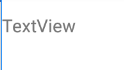
<TextView

        android:id="@+id/textView2"

        android:layout_width="wrap_content"

        android:layout_height="wrap_content"

        android:layout_weight="1"

        android:text="TextView" />
2.Button
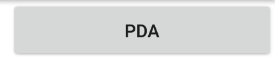
    <Button

        android:text="PDA"

        android:layout_width="wrap_content"

        android:layout_height="wrap_content"

        android:id="@+id/buttonPDA"

        android:layout_weight="1"

        />
3.ToggleButton
点击按钮 OFF ON切换
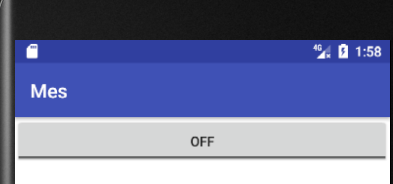
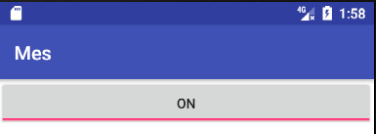
    <ToggleButton

        android:id="@+id/toggleButton"

        android:layout_width="wrap_content"

        android:layout_height="wrap_content"

        android:layout_weight="1"

        android:text="ToggleButton" />
4.CheckBox
复选框

    <CheckBox

        android:id="@+id/checkBox2"

        android:layout_width="wrap_content"

        android:layout_height="wrap_content"

        android:layout_weight="1"

        android:text="CheckBox" />
5.RadioButton
单选框
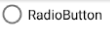
    <RadioButton

        android:id="@+id/radioButton2"

        android:layout_width="wrap_content"

        android:layout_height="wrap_content"

        android:layout_weight="1"

        android:text="RadioButton" />
6.CheckedTextView


    <CheckedTextView

    android:id="@+id/checkedTextView3"

    android:layout_width="wrap_content"

    android:layout_height="wrap_content"

    android:layout_weight="1"

    android:text="多选风格"

    android:checkMark="?android:attr/listChoiceIndicatorMultiple"

    />

    <CheckedTextView

        android:id="@+id/checkedTextView4"

        android:layout_width="wrap_content"

        android:layout_height="wrap_content"

        android:layout_weight="1"

        android:text="单选风格"

        android:checkMark="?android:attr/listChoiceIndicatorSingle"

        />
7.Spinner
下拉框
    <Spinner

        android:id="@+id/spinner"

        android:layout_width="match_parent"

        android:layout_height="wrap_content"

        android:layout_weight="1" />
8.ProgressBar
弧形进度条1

   <ProgressBar

        android:id="@+id/progressBar"

        style="?android:attr/progressBarStyle"

        android:layout_width="wrap_content"

        android:layout_height="wrap_content"

        android:layout_weight="1" />
线型进度条2

   <ProgressBar

        android:id="@+id/progressBar3"

        style="?android:attr/progressBarStyleHorizontal"

        android:layout_width="wrap_content"

        android:layout_height="wrap_content"

        android:layout_weight="1" />
9.SeekBar
滑动调节1

<SeekBar

    android:id="@+id/seekBar"

    android:layout_width="wrap_content"

    android:layout_height="wrap_content"

    android:layout_weight="1" />

滑动调节2
<SeekBar

    android:id="@+id/seekBar2"

    style="@style/Widget.AppCompat.SeekBar.Discrete"

    android:layout_width="wrap_content"

    android:layout_height="wrap_content"

    android:layout_weight="1"

    android:max="10"

    android:progress="3" />
10.QuickContactBadge
联系人
11.RatingBar
打分

    <RatingBar

        android:id="@+id/ratingBar"

        android:layout_width="wrap_content"

        android:layout_height="wrap_content"

        android:layout_weight="1" />
12.Switch
滑动开关

    <Switch

        android:id="@+id/switch1"

        android:layout_width="wrap_content"

        android:layout_height="wrap_content"

        android:layout_weight="1"

        android:text="Switch" />
13.Space
android widgets控件的更多相关文章
- Android 开源控件与常用开发框架开发工具类
Android的加载动画AVLoadingIndicatorView 项目地址: https://github.com/81813780/AVLoadingIndicatorView 首先,在 bui ...
- android 基础控件(EditView、SeekBar等)的属性及使用方法
android提供了大量的UI控件,本文将介绍TextView.ImageView.Button.EditView.ProgressBar.SeekBar.ScrollView.WebView ...
- Android基本控件之Menus
在我们的手机中有很多样式的菜单,比如:我们的短信界面,每条短信,我们长按都会出现一个菜单,还有很多的种类.那么现在,我们就来详细的讨论一下安卓中的菜单 Android的控件中就有这么一个,叫做Menu ...
- Android:控件布局(相对布局)RelativeLayout
RelativeLayout是相对布局控件:以控件之间相对位置或相对父容器位置进行排列. 相对布局常用属性: 子类控件相对子类控件:值是另外一个控件的id android:layout_above-- ...
- Android:控件布局(线性布局)LinearLayout
LinearLayout是线性布局控件:要么横向排布,要么竖向排布 决定性属性:必须有的! android:orientation:vertical (垂直方向) .horizontal(水平方向) ...
- 矩阵, 矩阵 , Android基础控件之ImageView
天下文章大家抄,以下所有内容,有来自copy,有来自查询,亦有自己的总结(目的是总结出自己的东西),所以说原创,不合适,说是转载也不恰当,所以我称之为笔记,可惜没有此分类选项,姑且不要脸一点,选择为原 ...
- Android给控件添加触摸回调
Android给控件添加触摸回调 脑补一个场景,一个页面点击某个按钮会弹出PopupWindow,然后点击PopupWindow以外的任意位置关闭 效果图 实现方法 可以在布局的最外层容器监听触摸事件 ...
- Android 基本控件相关知识整理
Android应用开发的一项重要内容就是界面开发.对于用户来说,不管APP包含的逻辑多么复杂,功能多么强大,如果没有提供友好的图形交互界面,将很难吸引最终用户.作为一个程序员如何才能开发出友好的图形界 ...
- Github上star数超1000的Android列表控件
Android开发中,列表估计是最最常使用到的控件之一了.列表相关的交互如下拉刷新,上拉更多,滑动菜单,拖动排序,滑动菜单,sticky header分组,FAB等等都是十分常见的体验.Github中 ...
随机推荐
- Vue的安装并在WebStorm中运行
一.Vue的安装需要两个支持分别为:nodejs.npm Node.js 是一个基于 Chrome V8 引擎的 JavaScript 运行环境. Node.js 使用了一个事件驱动.非阻塞式 I/O ...
- struts1标签库
Struts提供了五个标签库,即:HTML.Bean.Logic.Template和Nested. HTML标签 : 用来创建能够和Struts 框架和其他相应的HTML 标签交互的HTML 输入表单 ...
- HTML5触摸事件
touchstart .touchmove .touchend 事件 touchstart事件:当手指触摸屏幕时触发,即使有一个手指放在屏幕上也会触发. touchmove事件:当手指在屏幕上滑动时触 ...
- div section article区分--20150227
div section article ,语义是从无到有,逐渐增强的.div 无任何语义,仅仅用作样式化或者脚本化的钩子(hook),对于一段主题性的内容,则就适用 section,而假如这段内容可以 ...
- Linux用户身份(命令详解与补正)
基于Red Hat Enterprise Linux 7.5 Linux中的root就是存在于所有类UNIX系统中的超级用户,持有最高管理权限,能添加/删除用户.开关机.关闭或开启硬件或者系统服务等, ...
- Redis原理及集群相关知识
读书笔记 <Redis开发与运维 > Redis使用场景 作为缓存层 减少对Mysql的压力 计数功能 比如使用原子命令incr 共享Session 设置过期时间 可以限制短信接口等调用 ...
- PAT Basic 1045
1045 快速排序 著名的快速排序算法里有一个经典的划分过程:我们通常采用某种方法取一个元素作为主元,通过交换,把比主元小的元素放到它的左边,比主元大的元素放到它的右边. 给定划分后的 N 个互不相同 ...
- Hive 启动报错,需先启动元数据
Exception in thread "main" java.lang.RuntimeException: java.lang.RuntimeException: Unable ...
- WordPress 多语言支持(本地化)
本博客将介绍WordPress的多语言制作 首先需要在wp-content目录下创建一个languages文件夹,用于存放语言包文件. 然后在模板目录下的functions.php,然后在代码中添加函 ...
- Relay Race (DP)
Furik and Rubik take part in a relay race. The race will be set up on a large square with the side o ...