
scss的使用方法
引用scss文件——看上一篇的less使用,里面的Koala,一样的原理!!!
方法一:
scss:
/**
定义变量
 */
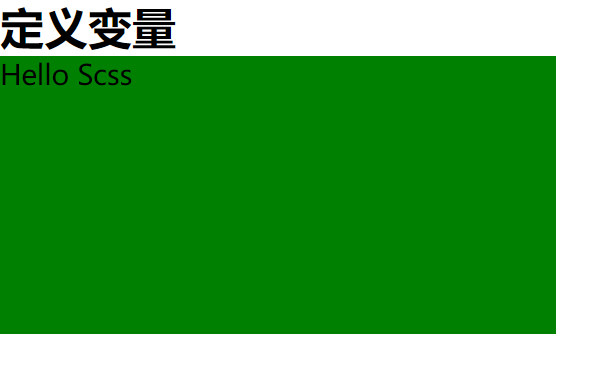
$width:404px;
$color:green;
$font-size:20px;

.scss1{
  width: $width;
  height: $width/2;
  background-color: $color;
  font-size: $font-size;
}
css:
.scss1{width:404px;height:202px;background-color:green;font-size:20px}

html:
<h1>定义变量</h1>
    <div class="scss1">Hello Scss</div>
方法二:
scss:
/**
嵌套(可以多层)
 */
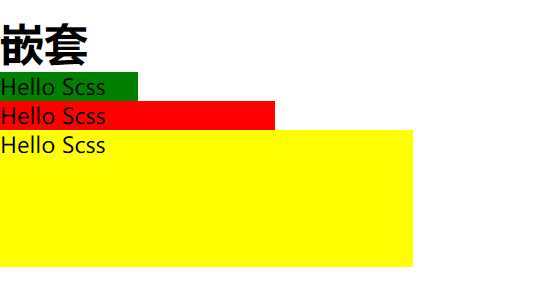
.scss2{
  width: 100px;
  height: 100px;
  background-color: green;
  .scss3{
    width: 200px;
    height: 100px;
    background-color: red;
    .scss4{
      width: 300px;
      height: 100px;
      background-color: yellow;
    }
  }
}
css:
.scss2{width:100px;height:100px;background-color:green}.
scss2 .scss3{width:200px;height:100px;background-color:red}
.scss2 .scss3 .scss4{width:300px;height:100px;background-color:yellow}
html:
<h1>嵌套</h1>
    <div class="scss2">Hello Scss
        <div class="scss3">Hello Scss
            <div class="scss4">Hello Scss</div>
        </div>
    </div>


方法三:
scss:
/**
导入
 */
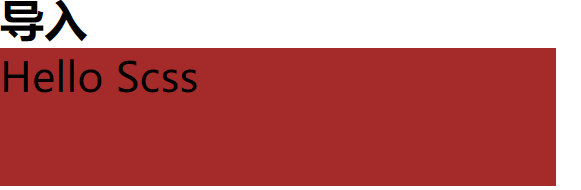
@import "index2";
.scss5{
  font-size: $font-size;
  background-color: $bgc;
  width: $width;
  height: 100px;
}
css:
*{margin:0;padding:0}.scss5{font-size:30px;background-color:brown;width:404px;height:100px}
html:
<h1>导入</h1>
<div class="scss5">Hello Scss</div>
方法四:
scss:
/**
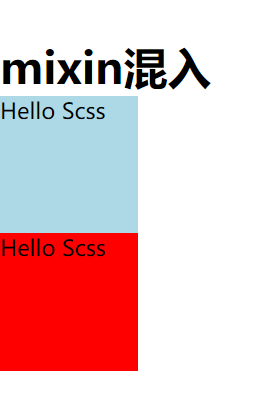
mixin 混入
用@include调用(可带参数)
 */
@mixin scss6($width:100px,$height:100px,$color:lightblue){
  width: $width;
  height: $height;
  background-color: $color;
  border: $width/10;
}
.scss6{
  //用include调用申明的方法
  @include scss6();
}
.scss7{
  //带参
  @include scss6($color:red);
}
css:
.scss6{width:100px;height:100px;background-color:#add8e6;border:10px}.scss7{width:100px;height:100px;background-color:red;border:10px}
html:
<h1>mixin混入</h1>
<div class="scss6">Hello Scss</div>
<div class="scss7">Hello Scss</div>
方法五:
scss:
/**
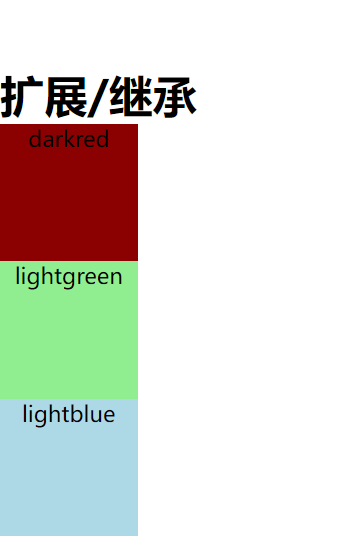
扩展/继承
 */
.scss_all{
  width: 100px;
  height: 100px;
  background-color: darkred;
  text-align: center;
}
.scss_all_item1{
  @extend .scss_all;
  background-color: lightgreen;
}
.scss_all_item2{
  @extend .scss_all;
  background-color: lightblue;
}
css:
.scss_all,.scss_all_item1,.scss_all_item2{width:100px;height:100px;background-color:darkred;text-align:center}
.scss_all_item1{background-color:lightgreen}.scss_all_item2{background-color:lightblue}
html:
<h1>扩展/继承</h1>
<div class="scss_all">darkred</div>
<div class="scss_all_item1">lightgreen</div>
<div class="scss_all_item2">lightblue</div>
方法六:
scss:
/**
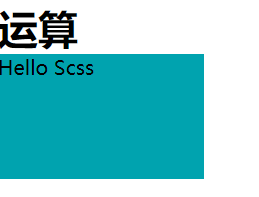
运算
 */
.scss8{
  width: (300px+20px)/2+50px/2-20px;
  height: 100px;
  background-color: #00a3af;
}
css:
.scss8{width:165px;height:100px;background-color:#00a3af}
html:
<h1>运算</h1>
<div class="scss8">Hello Scss</div>
方法七:
scss:
/**
函数
 */
$color:#999ccc;
.color_item{
  color: $color;
  &:hover{
    background-color: darken($color,50%);//变暗
  }
}
.color_item2:hover{
  color: lighten(red,1%);//变亮
}
css:
.color_item{color:#999ccc}.color_item:hover{background-color:#222444}
.color_item2:hover{color:#ff0505}.font-1{font-size:14px;color:#ffacb8}
html:
<h1>颜色函数</h1>
<div class="color_item">123</div>
<div class="color_item2">123</div>

方法八:
scss:
/**
流程控制
 */
$blur:lightpink;
@for $i from 1 through 10{//i=from后面的数字
  .font-#{$i} {
    font-size: 12px+$i*2px;
    color: darken($blur, $i*2);
    @if $i%2==0{//判断i除以2余=0
      text-decoration: underline;
    }
  }
}
css:
.font-1{font-size:14px;color:#ffacb8}.font-2{font-size:16px;color:#ffa2b0;text-decoration:underline}
.font-3{font-size:18px;color:#ff97a7}.font-4{font-size:20px;color:#ff8d9e;text-decoration:underline}.font-5{font-size:22px;color:#ff8396}
.font-6{font-size:24px;color:#ff798d;text-decoration:underline}.font-7{font-size:26px;color:#ff6f84}.font-8{font-size:28px;color:#ff647c;text-decoration:underline}
.font-9{font-size:30px;color:#ff5a73}.font-10{font-size:32px;color:#ff506a;text-decoration:underline}
html:
<h1>流程控制</h1>
<div class="font-1">Hello Scss</div>
<div class="font-2">Hello Scss</div>
<div class="font-3">Hello Scss</div>
<div class="font-4">Hello Scss</div>
<div class="font-7">Hello Scss</div>
<div class="font-8">Hello Scss</div>
<div class="font-9">Hello Scss</div>
<div class="font-10">Hello Scss</div>

scss的使用方法的更多相关文章
- SCSS 使用@each 方法循环遍历数组颜色并给li赋值
$list-bg:red,orange,blue,skyblue; ul{ >li{ height: 30px; @each $c in $list-bg{ $i:index($list-bg, ...
- Sass/Scss 基础篇
Sass/Scss 基础篇 总结Sass学习到的内容 应用Sass/Scss前,环境配置 首先下载Ruby (http://rubyinstaller.org/downloads) 通过命令下载sas ...
- sass中级语法
github地址:https://github.com/lily1010/sass/tree/master/course02 用到的sass语法是: sass --watch test.scss:te ...
- vue stylus 格式化问题
IDE是vscode 安装了.vetur插件 由于stylus可以仅用缩进不用写大括号之类的,所以十分方便, 但有个问题,按alt shift F 格式化时,vetur这个插件会默认添加上正常css的 ...
- Sass 增强语法的样式表
功能: 完全兼容CSS3 相对CSS,扩展了变量.嵌套和mixins 对控制颜色和其他值的非常有用的方法 高级功能,如库的直接控制 良好的格式,自定义输出 语法 对于Sass,有两种语法. 一种叫SC ...
- 表析LESS、Sass和Stylus的异同
. 首页 博客园 联系我 前言:CSS预处理语言. 基本差别. 基本语法. 变量与作用域. 混合(Mixins). 嵌套实现后代选择器. 继承. 条件语句. 循环语句. 综合对比. 留言评论 返回顶部 ...
- 在 Vuejs 项目中如何定义全局变量 全局函数
在 Vuejs 项目中如何定义全局变量 全局函数 在项目中,经常有些函数和变量是需要复用,比如说网站服务器地址,从后台拿到的:用户的登录 token, 用户的地址信息等,这时候就需要设置一波全局变量和 ...
- 《移动Web前端高效开发实战》笔记2——使用Gulp构建一个ECMAScript 6和Sass应用
8.3.1 安装和配置 运行Gulp需要Node.js环境,请参看第二章内容搭建Node.js环境.使用NPM全局安装Gulp,命令如下: npm install gulp-cli –g 然后,在项目 ...
- uni-app中使用sass
uni-app在创建时,工程目录下会有个uni.scss文件,我们可以直接在里面定制化scss变量. 全局scss中的坑: 1.如果要引用全局外部scss文件,可以考虑在uni.scss这个系统全局s ...
随机推荐
- Keep In Line_via牛客网
题目 链接:https://ac.nowcoder.com/acm/contest/28537/H 来源:牛客网 时间限制:C/C++ 1秒,其他语言2秒 空间限制:C/C++ 262144K,其他语 ...
- 2022-07-10 第五小组 pan小堂 css学习笔记
css学习笔记 什么是 CSS? CSS 指的是层叠样式表* (Cascading Style Sheets) CSS 描述了如何在屏幕.纸张或其他媒体上显示 HTML 元素 CSS 节省了大量工作. ...
- 缓冲流的原理和BufferedOutputStream字节缓冲输出流
缓冲流的原理 BufferedOutputStream字节缓冲输出流 package com.yang.Test.BufferedStudy; import java.io.BufferedOutpu ...
- 从零开始Blazor Server(2)--整合数据库
开篇 上一篇文章我们留了个尾巴,没有把freesql整合进去,这篇文章我们来整合. 目前的思路呢,是做一个简单的四不像的RABC,也有用户.角色. 权限三部分. 但是其中每个用户只有一个角色,即用户和 ...
- 2511-Druid监控功能的深入使用与配置-如何记录监控数据(基于logback)
Druid的监控很强大,但可惜的是监控数据是存在内存中的,需求就是定时把监控数据记录下来,以日志文件的形式或者数据库入库. 记录两种方式: 数据库入库 logback形式记录 原理(重点) 如果仅仅想 ...
- linux 判断变量是否相等方法
echo $? 输出上一个命令执行成功与否的情况 1表示失败 0 表示成功 test检测文件类型和比较值 有空格时等号才是判断,否则为赋值
- Logo小变动,心境大不同,SVG矢量动画格式网站Logo图片制作与实践教程(Python3)
原文转载自「刘悦的技术博客」https://v3u.cn/a_id_207 曾几何时,SVG(Scalable Vector Graphics)矢量动画图被坊间称之为一种被浏览器诅咒的技术,只因为糟糕 ...
- MyBatis-知识点详解
Mybatis 中$与#的区别 1 #是将传入的值当做字符串的形式,eg:select id,name,age from student where id =#{id},当前端把id值1,传入到后台的 ...
- ROS机械臂 Movelt 学习笔记5 | MoveIt Commander Scripting
前一讲python接口中提到moveit_commander 包.这个包提供了用于运动规划.笛卡尔路径计算以及拾取和放置的接口. moveit_commander 包还包括一个命令行接口程序movei ...
- ArkUI 数据绑定、列表渲染、事件处理
前言 有过开发微信小程序经验的小伙伴学习鸿蒙应用开发非常容易过渡过来. HML(HarmonyOS Markup Language)是一套类HTML的标记语言,通过组件,事件构建出页面的内容.页面具备 ...