
[Laravel] 09 - Functional models
Laravel框架下的若干常用功能实现。
- 文件上传
- 邮件发送
- 缓存使用
- 错误日志
- 队列应用
文件上传
一、配置文件
- 功能
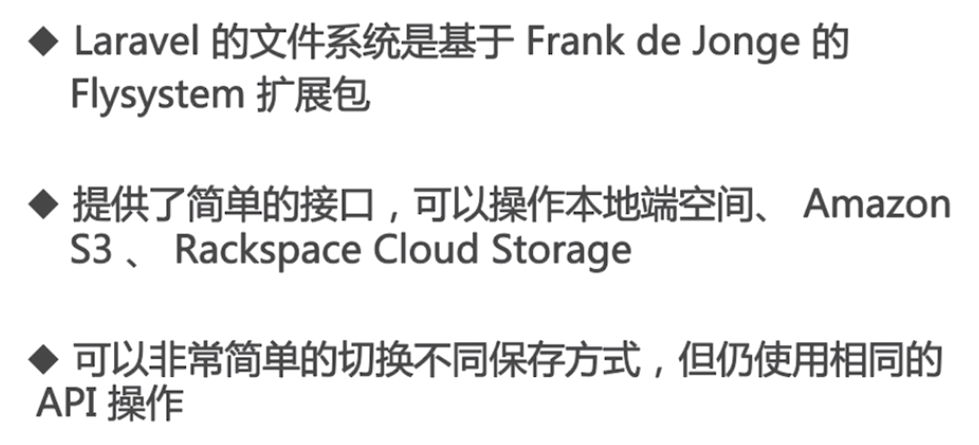
- 配置
[config/filesystems.php]
    'disks' => [

        'local' => [

            'driver' => 'local',

            'root' => storage_path('app'),

        ],

        'public' => [

            'driver' => 'local',

            'root' => storage_path('app/public'),

            'visibility' => 'public',

        ],

        's3' => [

            'driver' => 's3',

            'key' => 'your-key',

            'secret' => 'your-secret',

            'region' => 'your-region',

            'bucket' => 'your-bucket',

        ],

    ],
新添加插入其中:
        'uploads' => [

            'driver' => 'local',

            'root' => storage_path('app/uploads'),

        ],
二、画个视图
- 添加布局

- 修改布局
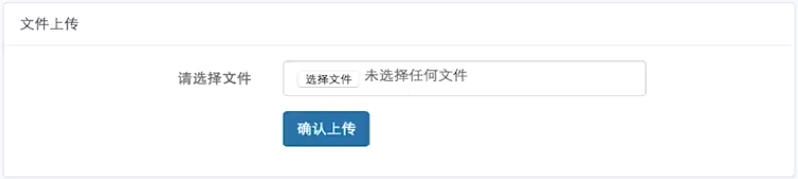
- 路由 --> 控制器 --> 视图
[1] 路由
Route::any('upload', 'StudentController@upload');
[2] 控制器:获取 字段 为 "source” 的表单。
if ($request->isMethod('POST') ) {

  $file = $request->file('source');

  if ($file->isValid() ) {

    // 原文件名

    $originalName = $file->getClientOrignalNam();

    // 扩展名

    $ext = $file->getClientOriginalExtension();

    // MimeType

    $type = $file->getClientMineType();

    // 临时绝对路径

    $realPath = $file->getRealPath();

    $filename = date('Y-m-d-H-i-s) . '-' . uniqid() . '.' . $ext;

     $bool = Storage::disk('uploads')->put($filename, file_get_content($realPath));

    var_dump(bool);

  }

  exit;

}
[3] 文件上传位置

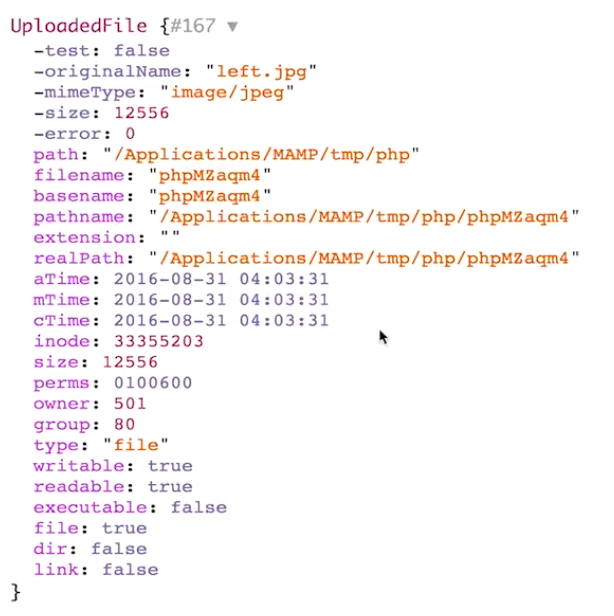
表单内容打印出来瞧瞧:【图片信息】
邮件发送
一、配置文件
- 功能

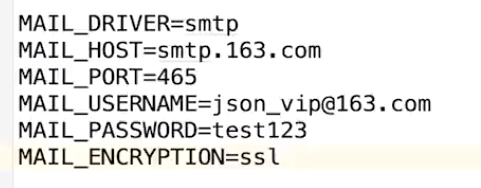
- 配置
[config/mail.php]
smtp默认
'from' => ['address' => null, 'name' => null],

'username' => env('MAIL_USERNAME'),

'password' => env('MAIL_PASSWORD'),
[.env]
二、控制器 - 发送邮件
use Mail;
class StudentController extends Controller

{

  public function mail()

  {

    Mail::raw('邮件内容’, function($message) {

    }


    --------------------------------------------------------------------
    Mail::send('student.mail', ['name' => 'sean', 'age' => 18], function($message) {
      $message->to('.......@qq.com');
    });
  }
}
[student/mail.blade.php]
新建并设计一个Html模板。
缓存使用
一、主要方法以及配置文件
put(), add(), forever(), has(), get(), pull(), forget()
配置文件:[config/cache.php]
二、控制器
- Cache::put - 添加后读取缓存
public function cache1()

{

  // put()

  Cache::put('key1', 'val1', 10);    #10min

}

public function cache2()

{

  // get()

  $val = Cache::get('key1');

}
- Cache::add - 添加后读取缓存
public function cache1()

{

  // add()

  $bool = Cache::add('key1', 'val1', 10);    #key1存在则不能添加

}

public function cache2()

{

  // get()

  $val = Cache::get('key1');

}
- Cache::forever - 添加后读取缓存
public function cache1()

{

  // add()

  $bool = Cache::forever('key3', 'val3');

}

public function cache2()

{

  // get()

  $val = Cache::get('key1');

}
- Cache::has - 键值存在否
public function cache1()

{

  if (Cache::has('key1')) {
    $val = Cache::get('key');
    var_dump($val);
  } else {
    echo 'No';
  }
}

public function cache2()

{

  // get()

  $val = Cache::get('key1');

}
- Cache::pull - 取走数据
public function cache2()

{

  // pull()

  $val = Cache::pull('key1');   # 取走后值就没了

}
- Cache::forget - 缓存中删除对象
public function cache2()

{

  // forget()

  $bool = Cache::forget('key1');   # 取走后值就没了

}
- 缓存文件的具体位置

错误与日志
一、知识点
Debug模式,HTTP异常,日志。
二、Debug模式
- 简介

- 配置 [.env]
APP_DEBUG=true
- 设置 [config/app.php]

- 路由 --> 控制器
Route::any('error', 'StudentController@error');
APP_DEBUG=true后,控制器内代码有问题,会出现相对友好不易被攻击的提示信息。

三、HTTP异常
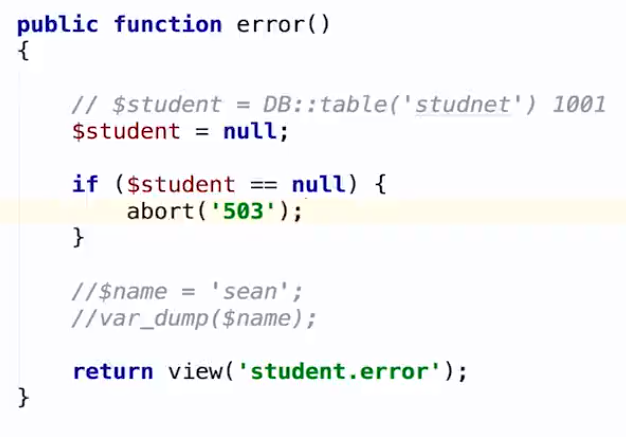
- 简介

其实就是,控制器调用abort,直接返回error.blade的视图。
- 视图
<!DOCTYPE html>

<html>

    <head>

        <title>Be right back.</title>

        <style>

            html, body {

                height: 100%;

            }

            body {

                margin: 0;

                padding: 0;

                width: 100%;

                color: #B0BEC5;

                display: table;

                font-weight: 100;

                font-family: 'Lato';

            }

            .container {

                text-align: center;

                display: table-cell;

                vertical-align: middle;

            }

            .content {

                text-align: center;

                display: inline-block;

            }

            .title {

                font-size: 72px;

                margin-bottom: 40px;

            }

        </style>

    </head>

    <body>

        <div class="container">

            <div class="content">

                <div class="title">Be right back.</div>

            </div>

        </div>

    </body>

</html>
http error 503
- 调用视图:abort()
四、日志
- 简介
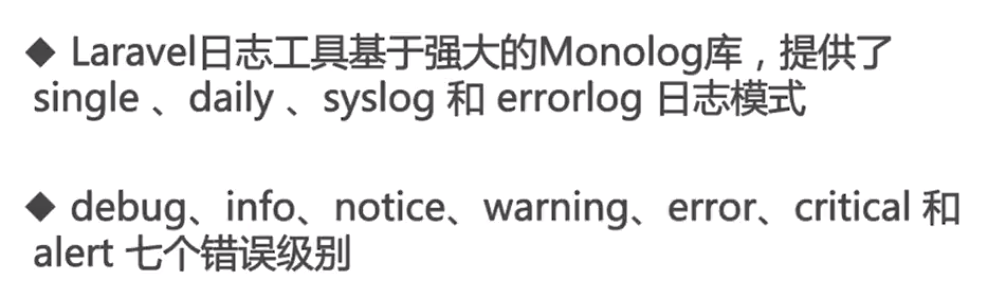
- 设置与配置
    /*

    |--------------------------------------------------------------------------

    | Logging Configuration

    |--------------------------------------------------------------------------

    |

    | Here you may configure the log settings for your application. Out of

    | the box, Laravel uses the Monolog PHP logging library. This gives

    | you a variety of powerful log handlers / formatters to utilize.

    |

    | Available Settings:"single", "daily", "syslog", "errorlog"

    |

    */

    'log' => env('APP_LOG', 'single'),
- 生成日志
public function error()

{

  Log::info('这是一个info级别的日志');

}
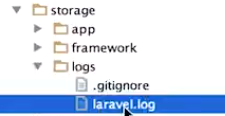
日志文件
日志内容

数组形式
Log::error('这是一个数组’,['name' => 'sean', 'age' => 18]);
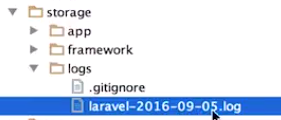
- daily日志
生成带日期标示的日志。
队列
一、简介
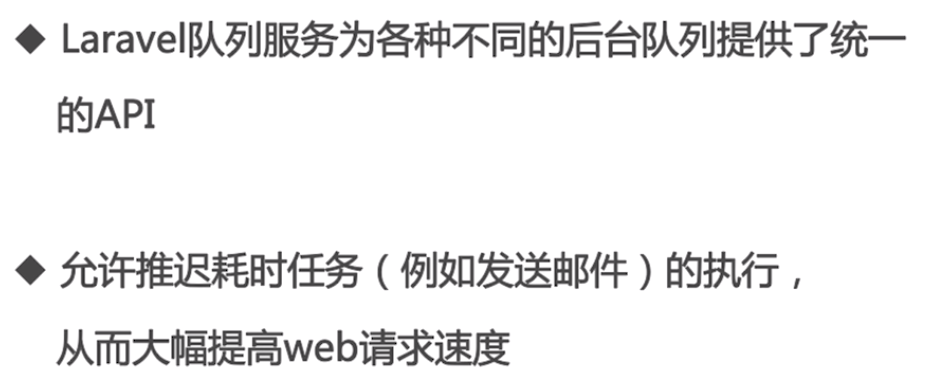
配置文件:[config/queue.php]
二、迁移队列需要的数据表
- 设置 QUEUE_DRIVER

- 创建迁移文件
$ php artisan queue:table
有了 <time>_create_jobs_table.php 文件
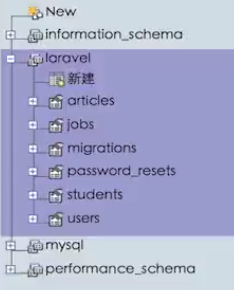
- 执行迁移
$ php artisan migrate

多了一个jobs表。
三、创建任务类
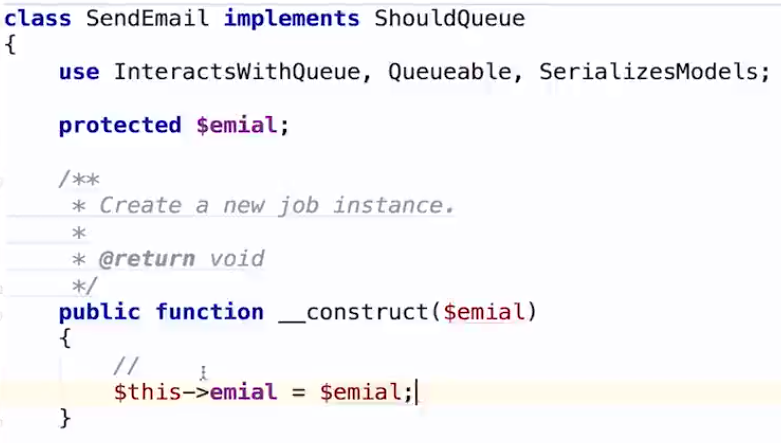
- 创建 SendEmail.php
$ php artisan make:job SendEmail
文件自动有了类的框架,如下:
- 任务加入队列
通过路由执行:route --> queue(),推送到队列中。
use Mail


public function queue()
{
  dispatch(new SendEmail('xxxx@qq.com'));
}
- 运行队列 listener
运行:$ php artisan queue:listen
public function handle()

{

  Mail::raw('队列测试‘, function($message) {

    $message->to($this->email);

  });

   Log::info('Email sent.');

}
四、处理失败任务
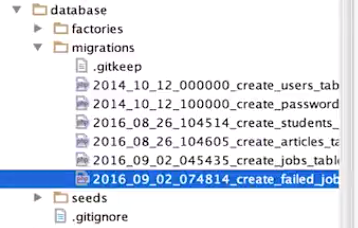
- 建立失败表的迁移文件
$ php artisan queue:failed-table
- 执行迁移
$ php artisan migrate
迁移成功,数据库中可见到新表。
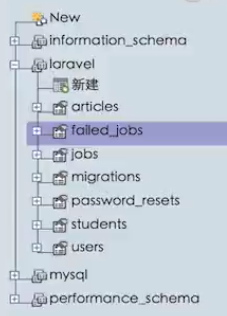
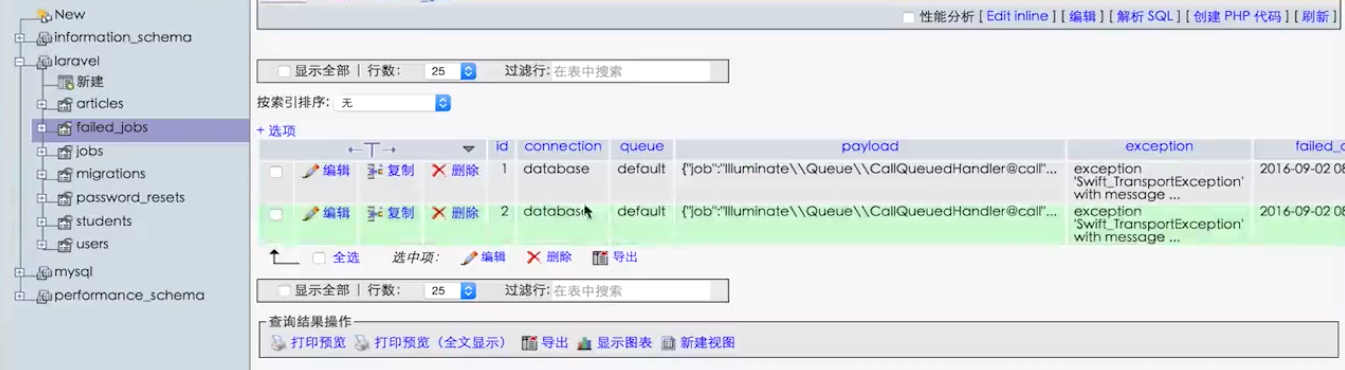
- 失败了会有记录在数据库中
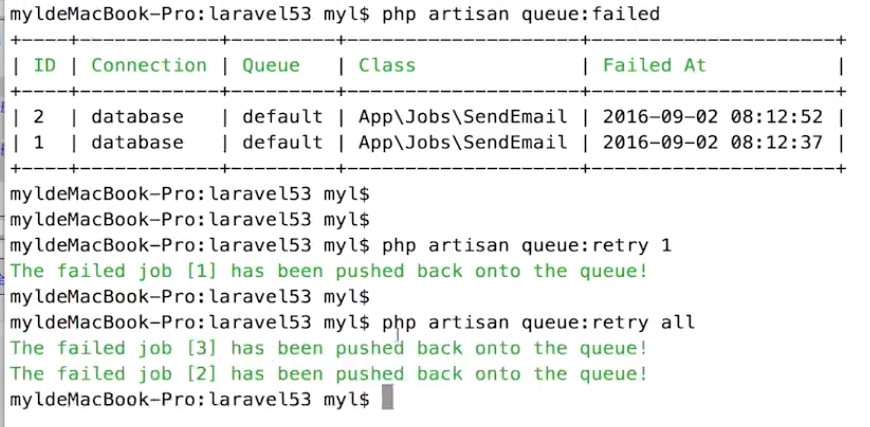
- 重新执行失败队列
列出失败队列:$ php artisan queue:failed
- 彻底删掉失败队列
列出失败队列:$ php artisan queue:forget 4
列出失败所有队列:$ php artisan queue:flush
[Laravel] 09 - Functional models的更多相关文章
- [Laravel] 11 - WEB API : cache & timer
前言 一.资源 Ref: https://www.imooc.com/video/2870 二.缓存 缓存:静态缓存.Memcache.redis缓存 Ref: [Laravel] 09 - Func ...
- [Laravel] 14 - REST API: Laravel from scratch
前言 一.基础 Ref: Build a REST API with Laravel API resources Goto: [Node.js] 08 - Web Server and REST AP ...
- [Code::Blocks] Install wxWidgets & openCV
The open source, cross platform, free C++ IDE. Code::Blocks is a free C++ IDE built to meet the most ...
- 本人SW知识体系导航 - Programming menu
将感悟心得记于此,重启程序员模式. js, py, c++, java, php 融汇之全栈系列 [Full-stack] 快速上手开发 - React [Full-stack] 状态管理技巧 - R ...
- 优雅的使用 PhpStorm 来开发 Laravel 项目
[目录] Prerequisites plugin installation and configuration 1 Ensure Composer is initialized 2 Install ...
- Laravel 从入门到精通系列教程
转载;https://laravelacademy.org/laravel-tutorial-5_7 适用于 Laravel 5.5.5.6.5.7 版本,本系列教程将围绕一个 LTS 版本,然后采取 ...
- 一步一步学ZedBoard & Zynq(四):基于AXI Lite 总线的从设备IP设计
本帖最后由 xinxincaijq 于 2013-1-9 10:27 编辑 一步一步学ZedBoard & Zynq(四):基于AXI Lite 总线的从设备IP设计 转自博客:http:// ...
- django之ModelBase类及mezzanine的page link类
class ModelBase(type): """ Metaclass for all models. """ def __new__(c ...
- actor concurrency
The hardware we rely on is changing rapidly as ever-faster chips are replaced by ever-increasing num ...
随机推荐
- zabbix 官方文档
https://www.zabbix.com/documentation/3.4/manual
- linux centos 7上运行teamviewer与找不到ID问题处理办法
以前在raspberryPi上搞过teamviewer,现在用了CentOS服务器,搞了一个vpn,访问还有点问题,时间紧张,就先给teamviewer. 而centos7 上安装也比较简单,几条命令 ...
- 原创:vsphere概念深入系列四:Nic Teaming若干问题
参考文档:http://www.hyper-v.nu/archives/marcve/2013/01/lbfo-hyper-v-switch-qos-and-actual-performance-pa ...
- VS2017不能打开stdio.h等文件
从另一台机器上复制过来的项目,由于两台机器的库目录不一致,导致了stdio.h等很多文件都打不开: 解决的办法是从新设置包含目录.选择项目-->%项目名称%属性-->VC++目录,设置包含 ...
- list与Set、Map区别及适用场景
1.List,Set都是继承自Collection接口,Map则不是 2.List特点: 元素有放入顺序,元素可重复 ,Set特点:元素无放入顺序,元素不可重复,重复元素会覆盖掉,(注意:元素虽然无放 ...
- SpringCloud Stream生产者配置RabbitMq的动态路由键
在写这个文章前不得不吐槽目前国内一些blog的文章,尽是些复制粘贴的文章,提到点上但没任何的深入和例子.......... 经过测试下来总结一下RabbitMQ的Exchange的特性: 1.dire ...
- centos7 mysql数据库安装和配置(转, 未验证)
一.系统环境 yum update升级以后的系统版本为 [root@yl-web yl]# cat /etc/redhat-release CentOS Linux release 7.1.1503 ...
- 简单的redis测试
//这个方法会多一次 public function testRedisList(){ $num = 10; $user_id = uniqid(); //直接链接本地的redis $redis = ...
- ClassicFTP for Mac(FTP 客户端)破解版安装
1.软件简介 ClassicFTP 是 macOS 系统上一款易于使用的 FTP 客户端,让您能够从远程服务器(网站)或网络查看,编辑,上传,下载和删除文件的免费的软件.Mac 下的一款使用 F ...
- 服务端怎样暴露IBinder接口对象
服务端怎样暴露IBinder接口对象: package com.example.mydownload; import android.app.Service; import android.conte ...